Best ATS Software for Small Business: Top Picks & Features
If you’re juggling messy spreadsheets, a flooded inbox, and the sinking feeling of losing great candidates to quicker competitors, you know the pain. For a small business, this isn't just an annoyance—it's a direct obstacle to growth. The best ATS software for small business isn’t a nice-to-have; it's the strategic tool that lets you reclaim your time and finally land the talent you need.
Why Your Small Business Needs an ATS Now

Trying to manage recruitment by hand is a massive resource drain. Every hour spent digging through résumés or scheduling interviews is an hour you're not spending on running your business. This administrative weight gets heavier with every new job opening, creating a chaotic process that can hurt your brand and let top candidates slip right through your fingers.
An Applicant Tracking System (ATS) brings order to that chaos. It becomes a central hub for your entire hiring pipeline, taking care of the repetitive, time-consuming tasks that are holding your team back.
The Immediate Benefits of an ATS
Bringing an ATS on board delivers tangible advantages almost immediately, giving small businesses a real fighting chance in a competitive talent market. The whole point is to stop reacting to hiring needs and start building a proactive talent strategy.
Here’s what you stand to gain:
- Reclaim Valuable Hours: By automating job postings, résumé screening, and candidate emails, an ATS can easily save you dozens of hours on a single hire.
- Improve Candidate Quality: Smart filters and keyword searches let you instantly pinpoint the most qualified applicants, so you’re only spending time with the best fits.
- Enhance Candidate Experience: A smooth, professional application process with automated updates makes a great impression and attracts better talent from the start.
- Centralize Collaboration: All candidate info, team notes, and interview feedback live in one place, making it far easier to make informed hiring decisions as a team.
An ATS changes hiring from a time-sucking administrative chore into a strategic business function. It gives you the structure to compete with bigger companies for the best people, ensuring every hire helps you grow.
For any small business thinking about making the switch, this ultimate guide to Applicant Tracking Systems for small companies is a great place to start building your knowledge.
This isn't just a trend; it's becoming standard practice. Around 35% of small businesses already use an ATS to handle the challenges that come with limited resources and fierce competition. They're adopting these systems for one clear reason: they need to hire faster and stay compliant without the headache. Ultimately, an ATS isn't just another software subscription—it's a fundamental investment in your company's future.
Defining Your Must-Have ATS Features
Before you even look at different software, you have to get clear on what you actually need. It's so easy to get dazzled by endless feature lists, but for a small business, the only thing that matters is finding a tool that solves your biggest hiring headaches. You're looking for something that simplifies your life, not adds another complicated system to manage.
Think about it this way: the right features don't just organize applicants; they build efficiency and protect your company’s reputation. A simple automated email confirming an application might seem like a tiny detail, but it prevents that dreaded "resume black hole" experience that makes candidates feel ignored. It’s a small touch that shows you’re a professional outfit right from the start.
Core Functionality for Small Business Hiring
For a small team, an ATS should feel like an extra person on staff—the one who handles all the tedious, repetitive work. This frees you up to focus on what humans do best: connecting with people and making smart hiring decisions.
Here are the absolute non-negotiables every small business should look for:
- One-Click Job Posting: You need the ability to write a job description once, hit a button, and have it pushed out to major job boards like Indeed and LinkedIn. This is a massive time-saver that gets your role in front of more eyes without you lifting a finger.
- Customizable Hiring Pipelines: No two roles are hired the same way. Look for a system with a simple drag-and-drop pipeline you can tweak for each position, reflecting how you actually hire—from screening to interview to offer.
- Centralized Candidate Profiles: Every resume, email, note, and piece of interview feedback for a candidate needs to live in one place. This is crucial. It stops you from digging through old emails and messy spreadsheets just to find what someone on your team thought about an applicant.
The features that make the biggest difference for small businesses are the ones that consolidate tasks and centralize information. Your ATS should become the single source of truth that keeps everyone on the same page, eliminating the constant back-and-forth.
Features That Drive Efficiency and Collaboration
Once you’ve got the basics handled, the next level is all about making your team smarter and faster. The right tools can turn hiring from a chaotic scramble into a smooth, collaborative process.
A searchable candidate database is a game-changer. It turns all your past applicants—even the ones who weren't a fit for a previous role—into your own private talent pool. When a new position opens up, your first move can be searching your own database instead of starting from zero.
Simple collaboration tools are just as important. Your system needs to make it incredibly easy for everyone involved in hiring to leave feedback, rate candidates, and see interview notes in one spot. This gives everyone the full picture, leading to better, more objective decisions. Our guide on essential applicant tracking system features goes into more depth on this, but the bottom line is simple: find a system that feels natural for your team to use. That’s what ensures people will actually adopt it.
A Practical Comparison of Top Small Business ATS Platforms
Trying to find the best ATS for a small business can feel overwhelming. With a market flooded with options, it's easy to get lost in flashy feature lists. The real goal is to find a system that feels like a natural extension of your team, not another clunky piece of software you have to wrestle with every day.
We're going to compare some of the heavy hitters—Breezy HR, Workable, and JazzHR—from the perspective of a small business owner who's already wearing too many hats.
This isn't just about buying software; it's a strategic investment. The global Applicant Tracking System market is expected to explode, growing from USD 3.7 billion in 2025 to a staggering USD 7.9 billion by 2034. What's driving this? Small and medium-sized businesses. In 2023, SMEs made up over 60% of all ATS installations, proving that smaller companies are getting serious about competing for top talent. You can see the full market breakdown here to understand why this is a critical move.
This decision tree breaks down the core features your small business should be looking for in an ATS.
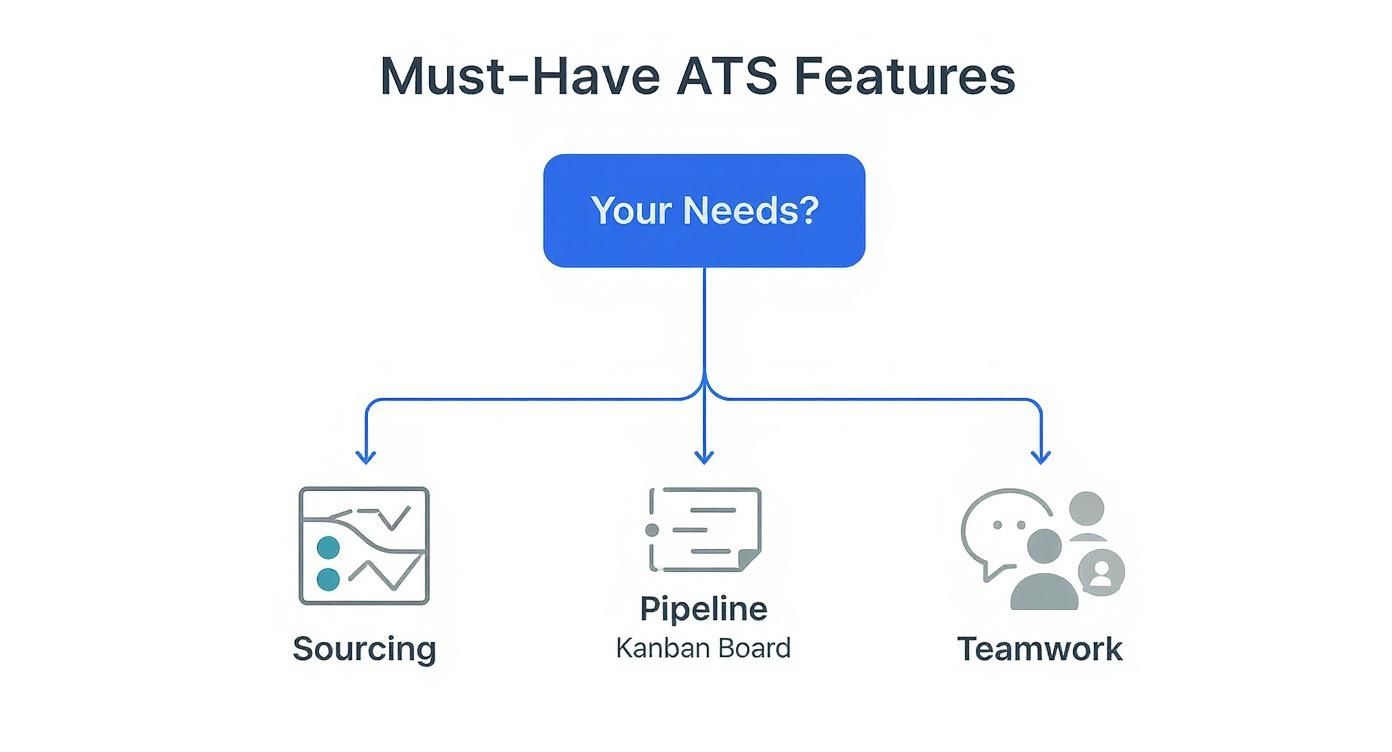
As the graphic shows, the "right" features depend entirely on where your hiring process is breaking down. Is it finding good candidates? Managing who's in what stage? Or just getting your team on the same page?
Breezy HR: The Simplicity Champion
Breezy HR is famous for one thing: its beautiful, user-friendly interface. It’s built around a Kanban-style pipeline that lets you drag and drop candidates from one stage to the next. If your team uses tools like Trello or Asana, they'll feel right at home. This simplicity is its superpower.
For a small business where the founder or office manager is juggling hiring on the side, Breezy gets rid of the steep learning curve. You can post a job, build your pipeline, and start screening applicants in less than an hour. Its free plan is also one of the best out there, letting you manage one active position at no cost. It's a fantastic, zero-risk way to dip your toes into the world of ATS.
Key Differentiator: Breezy HR’s biggest win is its sheer ease of use and visual pipeline. It’s the go-to for businesses that need to get organized fast, without needing a dedicated HR person to run the show.
The trade-off for this simplicity, however, is that it lacks the deep customization and advanced reporting a fast-growing tech startup might eventually need. It absolutely nails the core ATS functions—job posting, candidate management, and team collaboration—but it's not trying to be an all-in-one HR suite.
Workable: Built for Scalable Growth
Workable comes to the table as a more powerful solution, aimed at small businesses with big growth plans. While it’s still clean and intuitive, it packs a much deeper feature set, including AI-powered candidate sourcing, one-way video interviews, and seriously detailed analytics.
If your hiring is getting more complicated—maybe you’re hunting for multiple specialized roles at once or need to build talent pipelines for the future—Workable gives you the tools to do it right. Its AI Recruiter can scan millions of profiles to find passive candidates who aren't even looking, giving you a huge competitive advantage.
The price tag reflects these advanced capabilities. It's a definite step up from Breezy, but for a business ready to shift from reactive to proactive hiring, the investment can pay for itself quickly. When you're competing for in-demand talent, Workable’s sourcing tools can be a game-changer.
JazzHR: The Budget-Friendly Powerhouse
JazzHR finds that sweet spot between robust functionality and an attractive price. A huge selling point is that all its paid plans come with unlimited job postings and unlimited users. For a small business, this is massive—you're not punished financially for growing your team or having a busy hiring season.
The platform is built for collaboration, with great features for streamlining team feedback, scheduling interviews, and managing offers. It provides a structured hiring environment that promotes consistency and compliance, which becomes more and more critical as your business expands. Think of JazzHR as the practical, all-arounder that covers every essential without draining your bank account.
Its interface might not have the visual polish of Breezy, but it's straightforward and gets the job done. For businesses that have finally outgrown spreadsheets and need a dedicated system to handle a steady flow of candidates, JazzHR offers incredible value. It’s the reliable workhorse of the small business ATS world.
Side-by-Side ATS Comparison for Small Businesses
To make the right call, you need to align a platform's strengths with your company's reality. This table breaks down the key differences to help you map your business needs to the perfect solution.
| ATS Software | Ideal For | Pricing Model | Key Feature Highlight | Integration Strength |
|---|---|---|---|---|
| Breezy HR | Startups and teams new to ATS needing simplicity and a visual workflow. | Per-user/per-month with a generous free plan. | Drag-and-drop Kanban pipeline and intuitive user interface. | Good for basics like calendars and Slack, but less extensive than others. |
| Workable | Growing businesses needing advanced sourcing and automation tools. | Pay-per-job or annual plans, higher price point. | AI-powered candidate sourcing and one-way video interviews. | Strong, with a wide marketplace of HR tech integrations. |
| JazzHR | Budget-conscious businesses with consistent hiring needs. | Flat monthly fee with unlimited jobs and users on paid plans. | Collaborative hiring tools and unlimited user access. | Solid, connects well with major job boards and HRIS platforms. |
Ultimately, each of these platforms excels in a different context. Your choice depends entirely on your current stage of growth, your budget, and how complex your hiring process has become.
Situational Recommendations
Let's make this even more practical with a few real-world scenarios.
-
Scenario 1: The First-Time Hirer
You run a small creative agency and need to hire your first full-time designer. You don't have an HR team and need something you can set up yourself in an afternoon.- Recommendation: Breezy HR. The free plan is perfect for a single role, and the visual pipeline makes tracking candidates incredibly easy for someone new to structured hiring.
-
Scenario 2: The Rapidly Scaling Tech Startup
Your SaaS company just landed funding and needs to hire five developers and two salespeople—yesterday. You're competing with bigger companies for the best talent.- Recommendation: Workable. The AI sourcing tools will be a lifeline for finding passive candidates, and the platform is built to handle the higher volume and complexity without breaking a sweat.
-
Scenario 3: The Established Local Business
You own a service business with 15 employees and are consistently hiring for a few roles throughout the year. Your main goal is to organize the chaos and get your managers more involved.- Recommendation: JazzHR. The unlimited user model is a huge win. You can add all your hiring managers without the cost creeping up, and its features will professionalize your entire workflow at a price that makes sense.
At the end of the day, the best platform is the one your team actually uses. Features are important, but don't overlook ease of use. A simple, clear workflow is the key to getting everyone on board. To take it a step further, many of these platforms can be supercharged with automation. For more ideas, check out our guide on the best recruitment automation software to see how you can connect your ATS to other systems and build a truly seamless hiring machine.
How to Calculate the Real ROI of Your ATS
Choosing the best ats software for small business can feel like a big spend, and you're not wrong—it is an investment. But the real value isn't found in the monthly subscription fee. It's all about the return you get on that investment, and justifying the cost means looking past the price tag to measure the real-world impact on your business.
To figure out your ATS ROI, you need to look at both the "hard" and "soft" savings. Hard savings are the direct, easy-to-track cost reductions you'll see on a spreadsheet. Soft savings are a bit more indirect but are just as crucial, representing huge gains in efficiency and strategic advantages.
Quantifying Hard Cost Savings
Hard savings are the most straightforward part of the equation. These are the immediate, tangible expenses that your ATS can shrink or get rid of completely.
Start by tallying up what you're currently spending on recruitment:
- Job Board Fees: How much are you paying for individual posts on platforms like LinkedIn or Indeed? Many ATS platforms bundle these postings or offer them at a discounted rate.
- Agency Costs: If you lean on recruitment agencies, even occasionally, add up those fees. A stronger internal hiring process means you won't need to rely on expensive outside help.
- Administrative Overhead: Think about the tools you use just to manage the hiring process, from premium spreadsheet subscriptions to separate scheduling software.
For instance, if you save $300 per month on job board fees and cut a $50 per month scheduling tool, that’s a direct saving of $4,200 per year. That figure alone can often cover the entire cost of a great entry-level ATS.
Measuring Critical Soft Savings
This is where an ATS really starts to shine. While soft savings are harder to pin down with a precise number, they represent massive improvements in productivity and the quality of people you hire. The trick is to assign a dollar value to the time your team gets back.
The most significant ROI from an ATS comes from converting wasted time back into productive, revenue-generating work. It’s not just about spending less; it’s about enabling your team to achieve more.
Begin by estimating the hours your team spends on manual hiring tasks each week. Then, multiply that by a blended hourly rate for your staff.
- Time Saved on Screening: If your team currently spends 10 hours a week sifting through résumés and a new ATS slashes that time by 80%, you’ve just reclaimed 8 hours of productive time every single week.
- Reduced Interview Scheduling: The endless email back-and-forth to schedule interviews can eat up hours. Automation can shrink that entire process down to just a few minutes.
- Faster Time-to-Hire: Every single day a key role sits empty, your business is losing out on potential productivity. If a new salesperson can generate $5,000 in monthly revenue, filling that role just two weeks faster is worth $2,500.
- Improved Quality of Hire: Better hires are more productive, ramp up faster, and stick around longer, which dramatically reduces costly turnover. Even a small drop in employee churn can save you thousands in rehiring and retraining costs.
When you add up both the hard and soft savings, you build a powerful business case for the investment. For a more detailed breakdown of the formulas and frameworks, take a look at our guide on how to calculate return on investment for any kind of business project. An ATS doesn’t just organize your hiring—it optimizes your most valuable resource, your people, and delivers a clear financial return.
Integrating Your ATS for a Fully Automated Workflow

Picking the right ATS for your small business is a solid first move, but its true potential is only unlocked when it starts talking to the other tools you use every single day. A standalone ATS just organizes applicants. An integrated ATS, on the other hand, can transform your entire hiring process into a well-oiled machine. It becomes the command center connecting every piece of your recruitment puzzle.
This is about so much more than just convenience. When you create a unified system, you eliminate the soul-crushing task of manual data entry, a tedious job that’s also a prime source of errors. With synced systems, you get consistency across the board, speed up communication, and give your team a single source of truth for every hiring activity.
This push for connectivity reflects a much bigger trend. North America currently dominates the global ATS market, holding between 38-50% of the total share. This isn't by accident; it's driven by heavy investment in AI features and cloud platforms built for serious automation. It's a trend that small businesses can finally tap into.
Connecting Your Core Business Tools
The goal here is simple: build bridges between your ATS and the software your team already lives in. Think about your daily workflow. Where do you schedule meetings? Where do you chat with coworkers? Where does a new hire's info go once they accept an offer? These are your first and most important integration points.
For a small business, these are the connections that deliver the biggest impact right away:
-
Calendar Sync (Google Calendar, Outlook): This one is non-negotiable. Connecting your ATS to your team’s calendars automates interview scheduling. A candidate picks an open slot, and the event populates on everyone’s calendar—complete with video links and the candidate's info. No more back-and-forth emails.
-
Team Communication (Slack, Microsoft Teams): Ditch the endless email chains and get real-time alerts where your team actually works. Set up a dedicated Slack channel for instant notifications when a top-tier candidate applies, a manager leaves feedback, or an offer is accepted.
-
HRIS Platforms (BambooHR, Gusto): This is the final, crucial handoff. When you mark a candidate as "hired," a good integration automatically creates their profile in your HRIS. This single click can kick off the entire onboarding process without anyone having to copy and paste a single detail.
An integrated ATS stops being a simple database and starts acting like a project manager for your hiring. It delegates tasks, sends reminders, and keeps information flowing to the right places at the right time.
For a deeper dive, looking into how a Greenhouse ATS integration for companies works can give you a concrete example of these connections in action.
Advanced Automation with MakeAutomation
Native integrations are great, but they often have their limits. This is where a tool like MakeAutomation steps in, letting you build a completely custom, hands-off hiring workflow that fits your process perfectly. Think of it as the central nervous system connecting your ATS to virtually any other app or service you can imagine.
Let's say you move a candidate to the "Offer" stage in your ATS. With a custom MakeAutomation workflow, that one action could trigger an entire sequence of events:
- Generate Offer Letter: It pulls the candidate's data from the ATS and instantly populates your standard offer letter template in Google Docs or PandaDoc.
- Initiate Background Check: The candidate's details are automatically sent to a service like Checkr to start the screening process.
- Alert the Team: A celebratory message is posted in your company's main Slack channel, announcing the new hire.
- Create Onboarding Tasks: A new card appears on your Trello or Asana onboarding board, assigning tasks to IT for equipment setup and to HR for paperwork.
This level of automation creates a seamless, professional experience for your new hire and your internal team. It ensures no steps get missed and lets you scale your hiring without scaling your admin workload, turning your ATS into the true engine of your company's growth.
Got Questions About Small Business ATS Software?
Even after you've compared the top contenders and run the numbers, a few questions always pop up. That's completely normal. Picking an Applicant Tracking System is a big move for a small business, and you want to be sure you're getting it right. This is where we tackle those last-minute, practical concerns that come up just before you pull the trigger.
We’ll get straight to the point on everything from what this will actually cost to how long it takes for your team to stop using their old spreadsheets. The goal here is to give you that last bit of clarity so you can move forward feeling confident.
How Much Should a Small Business Actually Budget for an ATS?
This is the big one, isn't it? Let's cut through the noise. For a small business, you can find a fantastic, full-featured ATS for somewhere in the $100 to $400 per month range. That price point usually gets you unlimited job postings and access for your whole hiring team, which is a great model that won't punish you for growing.
So, what pushes the price up or down? A few things:
- Active Jobs: Some platforms, like Breezy HR, have free or super affordable plans if you're only hiring for one role at a time.
- User Seats: The trend is moving toward unlimited users, but some providers still charge per person (or "seat") on their platform.
- The Extras: If you want things like AI-powered candidate sourcing, built-in video interviewing, or deep analytics, expect to be on the higher end of that price range.
Here's a different way to think about your budget: It's not just a monthly expense. It's an investment that offsets the hidden costs you're already paying—countless wasted hours, the massive expense of a bad hire, or the fees you're shelling out to recruiting agencies. An ATS that costs $250 a month but saves your team 15 hours of mind-numbing admin work? That pays for itself immediately.
How Long Does It Really Take to Get Set Up and Trained?
Forget the horror stories of enterprise-level software rollouts. For a modern, cloud-based ATS built for businesses like yours, the setup is surprisingly quick. Most are designed so you can get started yourself, often in a single afternoon.
Here’s what a realistic timeline looks like:
- The Basics (1-3 hours): This is just creating your company profile, adding your team members, slapping your logo on the careers page, and tweaking a few email templates.
- Mapping Your Process (1 hour): You’ll want to customize the default hiring stages (e.g., "Phone Screen," "Technical Interview") to match how you actually hire for different roles.
- Team Training (2-4 hours): This is the most important part. A simple walkthrough showing your hiring managers how to find candidates, leave feedback, and move people along the pipeline is often all it takes. The best systems are intuitive and have a gentle learning curve.
Honestly, most small businesses are fully operational within a week. The biggest challenge isn't the tech—it's getting your team to break old habits and actually use the new system instead of falling back on email and spreadsheets.
Can an ATS Genuinely Help with Diversity and Inclusion?
Yes, it absolutely can—but it's not a magic wand. An ATS is just a tool. Its real impact on diversity, equity, and inclusion (DEI) comes down to how you wield it. Used thoughtfully, it can be a powerful ally in reducing unconscious bias, especially in the early stages of hiring.
Here’s how it helps:
- It Forces Consistency: An ATS encourages you to define objective, skills-based criteria for every single role. This makes you evaluate every candidate against the same yardstick right from the start.
- It Enables Anonymity: Some systems let you hide identifying details like names, photos, or even graduation years during the first pass. This helps your team focus purely on a candidate's qualifications and experience.
- It Widens Your Net: By posting your job to dozens of boards at once, an ATS helps you reach a much more diverse talent pool than your usual go-to channels might attract.
But a word of caution: an ATS can also amplify your existing biases if you're not careful. If you set up keyword filters that are too narrow or use biased language, you could accidentally screen out perfectly qualified people from different backgrounds. The system is only as fair as the process you build inside it.
What Are the Most Common Mistakes I Should Avoid?
Getting started with an ATS is usually a smooth ride, but a few common slip-ups can trip you up. Knowing what they are ahead of time will help you get way more value out of your new software.
The number one mistake is overbuying on features. It’s so easy to get dazzled by a platform that does everything, but for a small business, complexity is the enemy. If your team finds the software confusing or overwhelming, they just won't use it. Stick to the core functions that solve your biggest headaches first.
Another classic error is skimping on team training. You can’t just flip a switch and expect everyone to get on board. You need to run a dedicated training session, document your new hiring workflow, and maybe even appoint an internal "ATS champion" to help their colleagues. It makes a world of difference. Finally, don't fall into the trap of leaving it disconnected. An ATS that doesn't talk to your other tools just creates more manual work, defeating the whole purpose.
Ready to build a truly seamless hiring machine? At MakeAutomation, we specialize in connecting your ATS to the rest of your tech stack, creating powerful, hands-off workflows that save time and eliminate errors. Discover how we can help you optimize your entire recruitment process at https://makeautomation.co.