How to Prioritize Tasks at Work: A Practical Guide
Knowing how to prioritize tasks at work isn't about being busy; it's about being effective. The real trick is learning to consistently weigh what's urgent against what's truly important, making sure your best energy goes toward the work that actually pushes your goals forward.
The Real Cost of a Never-Ending To-Do List

It’s a scene we all know too well. Your coffee is still hot, but your screen is already a mess of notifications, emails, and a to-do list that looks more like a novel. This isn’t just stressful; it’s a silent killer of your team’s productivity and, ultimately, the company's bottom line.
When we fail to prioritize, it's more than a personal bad habit. It's an operational failure that sends ripples across the entire organization, leading to low engagement, delayed projects, and good old-fashioned burnout.
The Problem with Perpetual Busyness
Let’s think about a B2B marketing manager, we'll call her Alex. She walks in ready to finalize the strategy for a high-stakes Q4 campaign. But before she can even open the document, an "urgent" request pops up from sales for a minor graphic update. A minute later, a colleague pings her for feedback on an internal newsletter.
By lunchtime, Alex has been dragged into three unplanned meetings and has answered a firehose of Slack messages. The Q4 campaign strategy—the one task that could actually drive significant revenue—is still sitting untouched. Alex was busy all morning, but was she productive? This kind of constant firefighting is where real progress grinds to a halt.
This isn't just Alex's story; it's happening everywhere, and the numbers are bleak. A staggering 21% of global employees report feeling engaged at work, which contributes to an estimated $438 billion in lost productivity worldwide. It’s no surprise, then, that over half of employees feel unproductive every single day.
On the flip side, highly engaged teams see 78% less absenteeism and 14% higher productivity. It’s proof that a focused team just gets more done. You can dig deeper into these employee productivity statistics to see the full picture.
By failing to prioritize, we let our inbox and the loudest requests dictate our day. This reactive approach guarantees that low-value tasks will always overshadow high-impact work.
Shifting from Activity to Impact
The fix starts with a mental shift. Learning how to prioritize tasks at work is about moving past the simple satisfaction of checking things off a list. It’s about creating a repeatable system to deliberately choose what gets your attention—and just as importantly, what doesn't.
In this guide, we'll walk through some classic, battle-tested frameworks that bring clarity to the chaos:
- The Eisenhower Matrix: A brilliantly simple tool for sorting tasks by urgency and importance. It gives you a clear path: do, schedule, delegate, or delete.
- The RICE Scoring Model: A more data-driven approach perfect for product and tech teams, weighing Reach, Impact, Confidence, and Effort.
- MoSCoW Method: A collaborative framework used in agile development to categorize features as Must-have, Should-have, Could-have, or Won't-have.
These aren't just abstract theories. They are practical, hands-on tools for reclaiming your workday. By applying a structured approach, you can finally filter out the noise and make sure your efforts are laser-focused on what creates real value. The goal is to end each day knowing you moved the needle on what actually matters.
Prioritization Frameworks at a Glance
To help you decide which model might fit your team best, here's a quick rundown of the core prioritization frameworks we'll be covering. Think of this as a cheat sheet for choosing your weapon.
| Framework | Best For | Core Principle |
|---|---|---|
| Eisenhower Matrix | Daily individual task management | Differentiates tasks based on Urgency vs. Importance to decide what to do, schedule, delegate, or delete. |
| RICE Scoring | Product teams, feature planning | Quantifies priorities with a score based on Reach, Impact, Confidence, and Effort. |
| MoSCoW Method | Agile projects, stakeholder alignment | Categorizes features into Must-have, Should-have, Could-have, or Won't-have to define scope. |
Each of these frameworks offers a different lens through which to view your priorities. The key is finding the one that aligns with your team's workflow and helps you make smarter, more strategic decisions, day in and day out.
Picking the Right Prioritization Framework
Knowing you need to prioritize is the easy part. The real challenge is figuring out how. To get a handle on your workload, you need a reliable framework—a mental model that helps you cut through the noise and focus on what truly moves the needle.
Think of these frameworks as different lenses for viewing your to-do list. Each one is built for a specific situation. We're going to walk through three of the most practical and proven methods used in business today. The goal here isn't to find one magic bullet, but to build a toolkit you can draw from depending on the task at hand.
The Eisenhower Matrix: Taming the Daily Chaos
First up is a timeless classic: the Eisenhower Matrix. It’s a brilliantly simple tool that’s perfect for sorting through your own daily and weekly tasks. Its power comes from forcing you to make a critical distinction between what’s urgent (time-sensitive, demanding your attention now) and what’s important (contributes to your long-term goals).
If you constantly feel like you're just putting out fires instead of making real headway on your big projects, this is the framework for you. It's a direct counterattack against the "tyranny of the urgent."
Every task you have falls into one of four quadrants, and each quadrant has a very clear instruction:
- Do First (Quadrant 1): These are your Urgent and Important tasks. Think crises, critical deadlines, and major problems that just popped up. You have to tackle these immediately.
- Schedule (Quadrant 2): This is for tasks that are Important but Not Urgent. This is where the magic happens: strategic planning, skill development, relationship building. You have to be proactive and block out time for these, otherwise, they'll eventually become Q1 crises.
- Delegate (Quadrant 3): Here you’ll find tasks that are Urgent but Not Important. These are the classic interruptions—many meetings, minor requests from others. They feel urgent, but they don't move your own goals forward. If you can hand them off, do it.
- Delete (Quadrant 4): These tasks are Neither Urgent nor Important. This is the junk drawer of your to-do list: distractions, busywork, and time-wasters. Be ruthless about eliminating these.
How a B2B Manager Uses the Eisenhower Matrix
Let's make this real. Imagine a Marketing Manager at a SaaS company trying to plan her week.
- Do First (Q1): A bug was just found on the pricing page that’s blocking new sign-ups. That's an all-hands-on-deck crisis. She drops everything to coordinate with the dev team.
- Schedule (Q2): She needs to draft the content strategy for Q3. It's massively important for future lead gen, but it’s not due tomorrow. She blocks three hours on her calendar Thursday afternoon to focus exclusively on it.
- Delegate (Q3): A sales rep pings her needing a quick graphic for a presentation in two hours. It’s urgent for the rep, but it’s not the best use of the manager's strategic time. She forwards the request to a junior designer on her team.
- Delete (Q4): An email invite arrives for an optional, non-strategic internal committee meeting that conflicts with her scheduled Q2 work. She politely declines.
The RICE Scoring Model: Making Data-Driven Decisions
When you shift from managing your own tasks to prioritizing projects for a team—especially in product or engineering—a simple matrix isn't enough. You need something more objective. That's where the RICE scoring model comes in. It’s a straightforward formula for evaluating competing ideas.
RICE takes the "gut feel" and office politics out of the equation and replaces it with a calculated score. This makes it infinitely easier to get alignment and justify your roadmap to stakeholders.
The formula is simple:
(Reach x Impact x Confidence) / Effort = RICE Score
- Reach: How many users will this actually affect over a set period? (e.g., 500 customers per month)
- Impact: How much will this move the needle on our main goal (e.g., conversion, retention)? This is often scored on a simple scale: 3 for massive, 2 for high, 1 for medium, 0.5 for low.
- Confidence: How sure are we about our estimates for Reach and Impact? This is a percentage: 100% for high confidence (we have the data), 80% for medium, 50% for low (it’s more of an educated guess).
- Effort: How much time and resources will this take from the team? We usually estimate this in "person-months" or "sprint-weeks."
RICE in a Real SaaS Scenario
A product team is debating two potential features: "New Dashboard Analytics" vs. "Social Media Integration."
| Feature | Reach | Impact | Confidence | Effort | RICE Score |
|---|---|---|---|---|---|
| New Dashboard Analytics | 1,000 users/mo | 3 (massive) | 80% | 4 person-months | 600 |
| Social Media Integration | 2,500 users/mo | 1 (medium) | 90% | 5 person-months | 450 |
At first glance, the social media feature looks tempting because it reaches more users. But the RICE score tells a different story. The New Dashboard Analytics is the clear winner. It delivers a much bigger punch with higher confidence, making it a smarter bet for the team's limited resources.
Using a data-driven framework like RICE transforms prioritization from a subjective debate into an objective, evidence-based discussion. It aligns teams around clear numbers, not just strong opinions.
The MoSCoW Method: Getting Everyone on the Same Page
Finally, there’s the MoSCoW method. This framework is all about building consensus and clarifying project scope with stakeholders. It’s a lifesaver in agile environments where you need to agree on what absolutely must be in a specific release or sprint.
MoSCoW is an acronym that sorts features into four simple categories:
- Must-Have: These are the non-negotiables. If you ship without these, the project is a failure. Think login functionality for a user-based app.
- Should-Have: These are important and add a ton of value, but they aren't critical for the initial launch. If you're short on time, these are the first to get pushed to the next release.
- Could-Have: These are the "nice-to-haves." They're desirable features that will only be tackled if you have extra time and resources after the Must-Haves and Should-Haves are done.
- Won't-Have (This Time): This is one of the most important categories. It’s for features that are explicitly out of scope for the current timeframe. Documenting these is crucial for managing expectations and preventing scope creep.
Where MoSCoW really shines is in facilitating conversations. Forcing stakeholders to agree on these buckets makes it crystal clear what's truly essential versus what's just a nice idea, ensuring the entire team is aligned before a single line of code is written.
Building a Repeatable Prioritization Workflow
Knowing about frameworks is one thing, but actually putting them to work is another. To really get a handle on how you prioritize tasks at work, you need to build a system around your chosen method—a repeatable workflow that turns smart decision-making into a daily habit. This is where the theory hits the pavement.
It all starts with getting everything out of your head and into one trusted place. Call it a "brain dump" or a master list, but the goal is to list every single task, big or small, that’s pulling at your attention. Whether you use a tool like Asana, a simple notebook, or a whiteboard doesn't matter. What matters is creating that single source of truth.
Once everything is captured, you can stop wasting precious mental energy just trying to remember what needs to be done. Now, the real work of triaging can begin.
From Master List to Daily Plan
With your entire to-do list in front of you, you can start applying your chosen framework to sort and categorize each item. This is the critical step that bridges the gap between having a plan and actually doing the work. It’s all about making deliberate choices before the day’s chaos has a chance to take over.
Not sure which framework to pick? This decision tree can help you figure out what fits best right now, whether you're juggling competing demands or trying to align with your team on what's next.
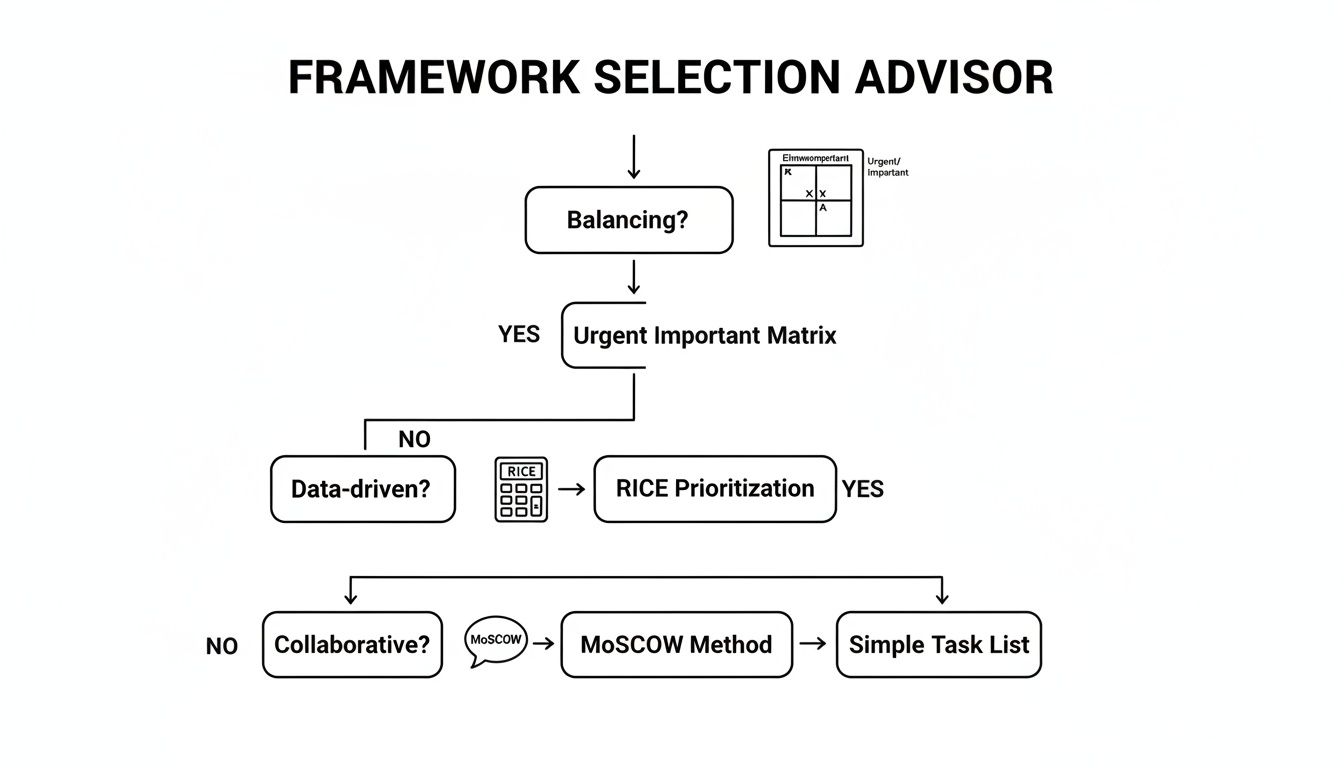
This flowchart cuts through the noise, pointing you toward the most effective model based on the kind of work you're facing.
But don't stop there. After applying a framework like the Eisenhower Matrix, you need to add another layer: estimating effort. A high-priority task that takes 20 minutes is a completely different beast than one that requires four solid hours of deep focus.
- Quick Wins: High-priority, low-effort. Knock these out first for momentum.
- Major Projects: High-priority, high-effort. These need to be scheduled and protected on your calendar.
- Fill-in Tasks: Low-priority, low-effort. Perfect for slotting into small gaps, like between meetings.
- Thankless Tasks: Low-priority, high-effort. Ask yourself: does this even need to be done?
This extra analysis helps you build a realistic daily or weekly schedule. When you're trying to figure out how to manage multiple projects simultaneously, this level of detail is non-negotiable if you want to avoid burnout and keep things moving.
Handling the Inevitable Interruptions
Let's be real: no matter how perfectly you plan, interruptions are going to happen. Research shows that the average office worker gets interrupted every three minutes, and it can take over 23 minutes to get back on track. The good news? Workers who get a handle on these disruptions can reclaim nearly 29 minutes of productive time each day. A simple but powerful strategy is to time-block your most important tasks first, essentially building a defensive wall around your focus time.
A truly resilient workflow doesn't just account for the plan; it has a process for the unexpected. When a new "urgent" request lands on your desk, your first instinct shouldn't be to jump on it. Instead, run it through your prioritization filter.
Pro-Tip: Use a "capture and hold" system. When an unexpected task pops up, immediately log it in your master list or a dedicated inbox. Don't deal with it now. Process it later during a scheduled planning block, like at the end of the day, so it doesn't derail your current focus.
This approach lets you acknowledge the new request without sacrificing your deep work. It’s a game-changer when you’re juggling a lot, and our guide on https://makeautomation.co/how-to-manage-multiple-projects-simultaneously/ offers even more strategies for staying in control.
Putting It All Together: A Weekly Workflow Example
So, what does this look like in the real world? Here’s a simple routine a project manager might use:
- Monday Morning (30 mins): Review the master list and add anything new that came in over the weekend. Triage every item using the Eisenhower Matrix, sorting them into the four quadrants.
- Monday Mid-Morning (15 mins): For everything in your "Do" and "Schedule" quadrants, add a quick effort estimate (e.g., 30 mins, 2 hours, half-day).
- Time-Block the Week: Open your calendar and schedule your big, important tasks first. These are the rocks you need to place in the jar before the pebbles and sand fill it up.
- Daily Triage (10 mins each morning): Take a quick look at the day's plan. Adjust for any true emergencies (new Quadrant 1 tasks) that have popped up overnight.
- End of Day (5 mins): Move any unfinished tasks to the next day or send them back to the master list to be re-prioritized tomorrow.
This kind of structured, repeatable process takes prioritization from a stressful, reactive mess and turns it into a calm, proactive habit. It's how you ensure your energy is always pointed at what truly matters.
Mastering Execution Through Deep Work and Delegation
Having a perfectly prioritized list is a great start, but it means nothing without solid execution. Once you know what to work on, the real challenge is protecting your time and focus to actually get it done. This is where deep work and strategic delegation transform your well-laid plans into tangible results.
We all obsess over productivity, yet recent findings show only 37% of executives see real gains from new strategies. Why? The gap is almost always in the execution.
Think about it: half of all workers globally log fewer than five productive hours daily. And a staggering 73% admit that distractions like a quick social media scroll cost them an average of 47 minutes each day. Those numbers, highlighted in a Vistage.com productivity report, prove that creating a focused environment isn’t a luxury—it's absolutely essential.
Protecting Your Focus with Time Blocking
Time blocking is your best defense against chaos. It’s the simple practice of scheduling your day into specific, non-negotiable blocks of time dedicated to a single task. Instead of reacting to whatever emergency pops up, you proactively tell your time where to go. This is a game-changer for your most important projects—the ones that require deep, uninterrupted concentration.
Let's say drafting a key project proposal is your top priority. Don't just add it to a to-do list where it can be ignored. Block out a specific time on your calendar—"9:00 AM – 11:00 AM: Draft Q3 Proposal"—and treat it like an unbreakable appointment with your most important client.
During this deep work session, you need to be ruthless:
- Turn off all notifications. Phone, desktop, everything.
- Close every unnecessary browser tab and application.
- Let your colleagues know you’re unavailable unless the building is on fire.
This creates a defensive wall around your focus. It's how you make real progress on the work that matters instead of getting chipped away by low-value interruptions.
A packed calendar isn't the same as a productive one. Time blocking ensures your schedule actually reflects your priorities, dedicating your best energy to your most impactful work.
Scaling Your Impact Through Smart Delegation
You can't do it all yourself, and you shouldn’t even try. Effective delegation isn't just about offloading work you dislike; it's a strategic tool for scaling your impact and empowering your team. When you hand off the right tasks, you free up your own time for the high-value, strategic work that only you can do.
Understanding how to delegate tasks effectively is a cornerstone of leadership and team growth.
So, what should you delegate? Here are some clear candidates:
- Repetitive tasks: Anything that follows a standard, repeatable process.
- Tasks that build skills: Work that serves as a valuable learning opportunity for a team member.
- Low-impact, urgent requests: Minor admin duties or information gathering that doesn't need your specific expertise.
When you delegate, be crystal-clear. Provide precise instructions, define what success looks like, and confirm the deadline. This proactive communication ensures the job gets done right the first time and doesn't boomerang back to you.
For a complete playbook, check out our guide on how to delegate tasks effectively. By mastering both deep work and delegation, you create a powerful, repeatable system for executing on your most critical priorities.
Automating Your Priorities for Team-Wide Focus
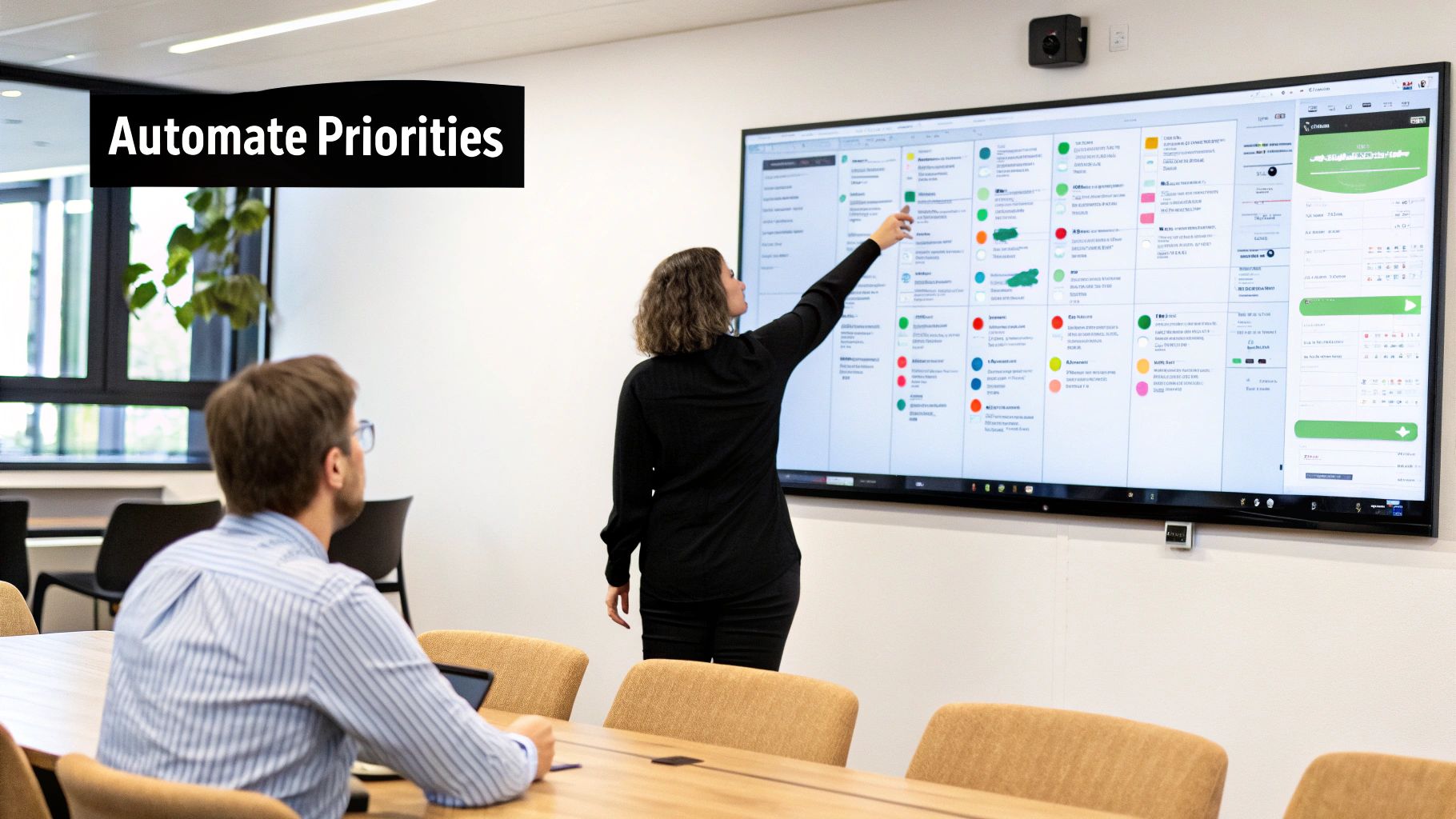
Having a solid prioritization system for yourself is great, but its real power kicks in when it becomes second nature for your entire team. The end goal is to operationalize your priorities. You want to build a system that guides everyone automatically, without you having to constantly look over their shoulder.
This isn't about micromanagement; it's about freeing up your team's mental energy. By embedding your priorities into your daily workflows with technology and clear procedures, you shift the focus from deciding what to do next to actually doing the high-impact work.
Building Intelligent Workflows
Think of automation as setting up guardrails inside the tools your team already lives in every day. It’s about creating an intelligent system that sorts, flags, and routes tasks based on the rules you’ve already defined, making sure the right work finds the right person at the right time.
You don't need to be a developer to do this. Modern integration platforms like Zapier or Make let you create simple "if-then" recipes that connect your apps and enforce your priorities behind the scenes.
For instance, you could set up a simple automation that sends a notification to a specific Slack channel whenever a high-priority task is created in Asana. This immediately pulls critical items out of a cluttered project board and puts them right in front of the team. No more "I didn't see it" excuses.
This kind of workflow turns a priority level into an immediate, actionable alert, ensuring nothing important ever falls through the cracks.
Practical Automation Examples for B2B Teams
While you can automate almost anything, a few simple workflows can deliver massive value right away, especially for B2B and SaaS teams.
-
Automated Task Routing: Set up rules in a tool like Jira or Asana to automatically assign tasks based on keywords. If a task title contains "Bug Fix," it can be instantly routed to the on-call engineer. A task with "Demo Request" could go straight to the sales team's queue.
-
CRM-Driven Prioritization: This is a game-changer for support and success teams. Configure your CRM (like Salesforce or HubSpot) to automatically flag tickets from high-value customers. A new ticket from an enterprise account can be instantly escalated to a "P1" status, guaranteeing your most important clients get white-glove service.
-
Recurring Workflow Templates: For repeatable processes like client onboarding or monthly reporting, create a template in a tool like Trello. When a new client is signed, a single click can trigger that template, automatically generating a complete checklist of tasks, pre-assigned to the right people with deadlines already set.
By automating the tedious administrative side of prioritization, you create a system that practically runs itself. This frees up leaders to focus on high-level strategy and lets the team focus purely on execution, confident they're always working on what matters most.
These automations seem small on their own, but their combined effect is huge. They slash human error, eliminate bottlenecks, and weave your prioritization framework into the fabric of your daily operations. You can dig deeper into how to automate repetitive tasks to find even more ways to build this kind of efficiency.
Creating SOPs to Enforce Priorities
Technology is only one part of the puzzle. Standard Operating Procedures (SOPs) are the human side of the equation. They are simple, documented playbooks that give your team clear instructions on how to handle different situations. A good SOP kills ambiguity and empowers your team to make the right call on their own.
An SOP for handling new feature requests from clients, for example, might look like this:
- Initial Triage: All incoming requests are immediately categorized using the MoSCoW method (Must-Have, Should-Have, Could-Have) in the support ticket.
- Effort Sizing: All "Must-Have" requests are then sized by the product lead (Small, Medium, Large) within 24 hours.
- Scheduling Protocol: Large "Must-Haves" are flagged for the next quarterly planning session. Small "Must-Haves" are added to the current sprint backlog if capacity allows.
By writing these rules down, you create a consistent, scalable process. Your team stops guessing what's important because they have a clear playbook. It’s this blend of smart automation and clear SOPs that turns a good team into a truly focused and effective one.
Answering Your Toughest Prioritization Questions
Even the best prioritization playbook runs into real-world friction. Let's be honest, implementing a new system for how you manage your work is going to surface some tricky situations. Here are my go-to answers for the most common hurdles I've seen teams face.
How Do I Handle Urgent Requests That Derail My Day?
We've all been there. You're finally in a state of deep focus, and an "urgent" request from a colleague or your boss completely shatters it. The most important thing to do in that moment is to pause before you pivot.
Your first instinct might be to just say yes and get it done, but that’s a trap. Instead, take ten seconds to mentally run that request through the Eisenhower Matrix. Is this a genuine fire that needs putting out right now (Quadrant 1), or is it actually just someone else’s poor planning masquerading as an emergency (Quadrant 3)? This tiny mental check can be the difference between a productive day and a derailed one.
Then, it's all about how you communicate the trade-off. Instead of a flat "yes," make the cost visible. Try saying something like, "I can definitely jump on this, but it means the Q3 report I'm working on will be pushed to tomorrow. Does that work for you?" This simple question shifts the dynamic. It forces the other person to weigh the real cost of their interruption and turns it into a shared decision about priorities.
What Is the Best Software for Task Prioritization?
This is a question I get all the time, and my answer is always the same: there is no single "best" tool. There's only the best tool for your team and the way you work. The goal is for the software to support your workflow, not force you into a new one.
- For Individuals & Small Teams: You can't go wrong with tools like Trello, Todoist, or Asana. They're incredibly flexible, allowing you to set up simple to-do lists, Kanban boards, or even a digital Eisenhower Matrix without a steep learning curve.
- For Product & Engineering Teams: When you need to back up your decisions with data, you'll need something more robust. This is where tools like Jira (with custom fields for RICE scoring) or dedicated product management platforms like Productboard really shine. They're built to help you quantify your priorities, not just organize them.
At the end of the day, the most effective software is the one your team consistently uses. Start with the simplest tool that solves your immediate problem. You can always upgrade later.
The goal isn't to find a perfect app; it's to build a consistent habit. A simple, well-used notebook is more powerful than sophisticated software that gathers digital dust.
My Manager and I Disagree on Priorities. What Should I Do?
This is a delicate one, and it happens more often than you'd think. The key here is to move the conversation from opinion to alignment. Don't frame it as a disagreement. Frame it as a mutual effort to make sure your work is having the biggest possible impact.
Book a quick 15-minute chat and come prepared. Instead of starting with, "I think Task A is more important," which can sound confrontational, try a more data-informed approach.
You could say something like: "I have both Task A and Task B on my plate for this week. Looking at our team's goal of increasing user retention this quarter, Task A seems to contribute directly to that. Could you help me understand the impact of Task B that I might be missing?"
This approach does a few things beautifully. It takes the emotion out of the discussion, shows you're thinking strategically about the bigger picture, and makes your manager a partner in the decision. It turns a potential conflict into a productive dialogue to ensure you're both working from the same playbook.
At MakeAutomation, we help B2B and SaaS businesses build these intelligent, automated systems. We design and implement the exact workflows that enforce priorities, eliminate manual work, and scale your operations for predictable growth. Discover how we can optimize your processes.