A Practical Guide to the AI Agent Studio
Think of an AI Agent Studio as a digital workshop for building your own intelligent, autonomous employees. It’s a software platform that gives you all the tools—logic builders, data connectors, and performance dashboards—needed to create and deploy AI agents that can run entire business processes on their own.
The Next Leap in Business Automation
For a long time, "automation" meant basic bots following strict, pre-programmed rules. If A happens, then do B. That model worked well enough for simple, repetitive tasks, but it quickly broke down when things got complicated or unpredictable.
Today, the game is changing. Businesses are moving beyond just automating simple tasks; they need systems that can tackle complex problems with a clear end goal in mind.
This is exactly where the AI Agent Studio comes in. It’s the next logical step, bridging the gap between old-school automation and true AI-driven autonomy. It allows teams to build agents that can think, plan, and act on their own to get a job done.
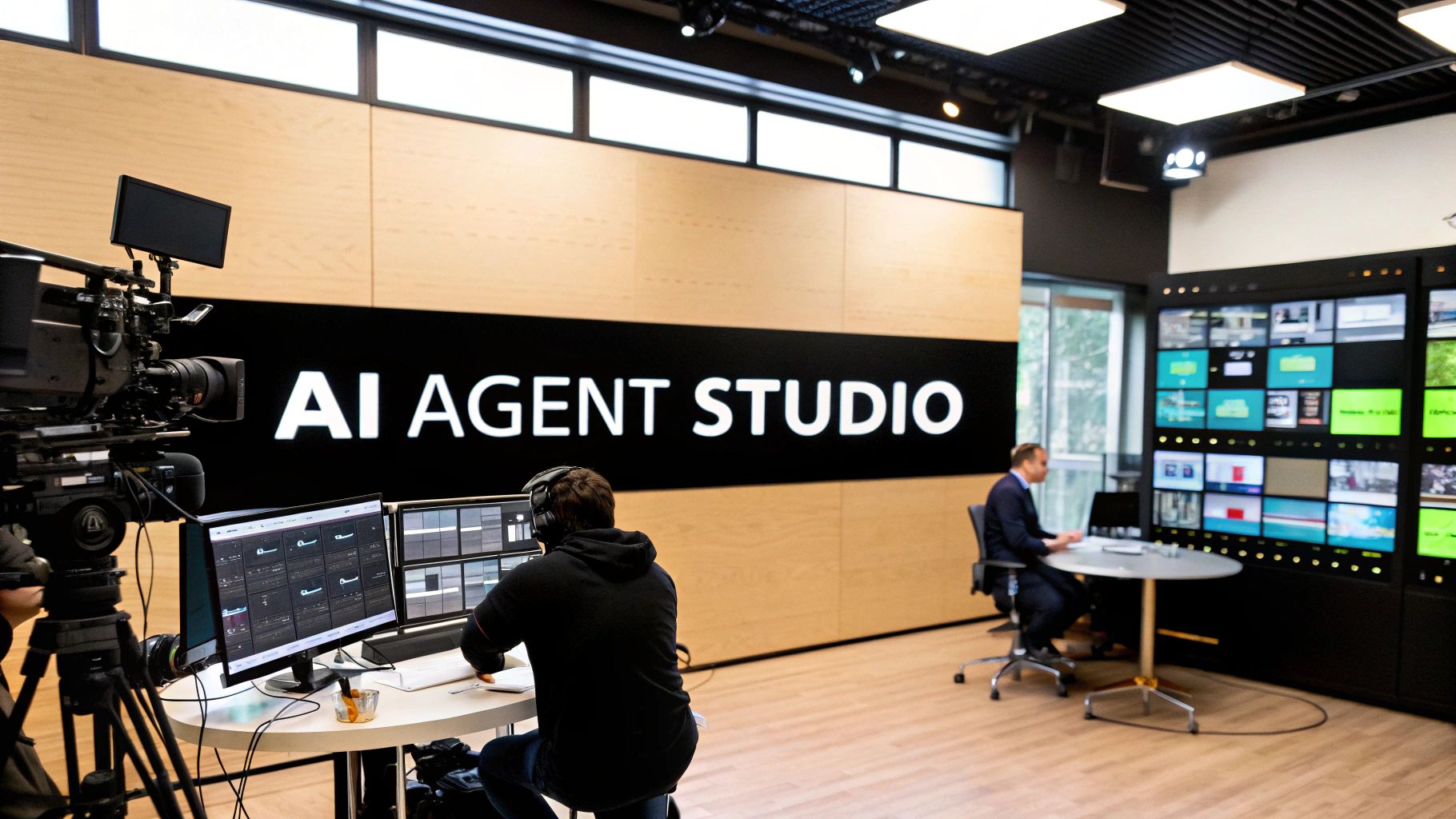
Here's a helpful analogy: think of a film studio. To make a movie, you don't just have a camera. You need editing suites, sound stages, specialized lighting, and a whole crew. An AI Agent Studio is the digital version of that, giving you everything you need to produce a fully functional AI agent.
This isn't just some future-forward idea; it's happening now, and the market is exploding. The global AI agents market is expected to skyrocket from roughly USD 7.6 billion in 2025 to a massive USD 52.62 billion by 2030. That’s a compound annual growth rate (CAGR) of 46.3%, which shows just how much value companies are getting from this technology. You can dig into these trends over at MarketsandMarkets.com.
From Following Rules to Making Decisions
The real difference-maker here is autonomy. Traditional automation tools need a human to spell out every single step for every possible scenario. Agents built in a studio, on the other hand, operate with a whole new level of independence. To really see how this changes things, it’s worth exploring the concept of AI agents for business and how they’re driving this shift.
What's great is that an AI Agent Studio opens this up to everyone, not just hardcore developers. Instead of wrestling with code, you can use visual interfaces and drag-and-drop components to set an agent's goals and give it access to the tools it needs to succeed.
These agents are a world apart from simple bots, thanks to a few key capabilities:
- Goal-Oriented Logic: You just tell the agent what you want to achieve. It figures out the best steps to get there on its own.
- Adaptive Reasoning: If something unexpected pops up, the agent can analyze the new information and change its plan on the fly—no human needed.
- Tool Integration: These agents plug right into your existing tech stack, whether that’s your CRM, ERP, or custom internal tools and databases.
This shift toward more intelligent, adaptable systems is at the heart of AI-powered workflow automation, making business processes far more dynamic and robust. By giving you a central hub to build, manage, and watch over these agents, a studio makes this powerful tech practical and scalable for any company ready to up its automation game.
How an AI Agent Studio Actually Works
Imagine trying to cook a gourmet meal. You wouldn't just toss ingredients in a pot and hope for the best, right? You need a recipe, the right kitchen tools, and a workspace where you can bring it all together. An AI agent studio is that professional-grade kitchen, but for building intelligent automation.
This isn't your standard chatbot builder. We're talking about a complete environment for creating, testing, and managing autonomous agents that can run complex business processes on their own. Instead of just following a simple script, these agents can reason, plan, and work towards a goal you give them.
Let’s pull back the curtain and see what makes these platforms tick.
The Visual Canvas and Logic Flow
At the heart of any studio is the visual canvas. This is where you literally draw out the agent's "brain" and decision-making process. Think of it as the blueprint for its behavior.
Using simple drag-and-drop blocks in a low-code or no-code interface, you map out the agent’s objective, the steps it should consider, and the rules it must follow. For example, you might give an agent the goal to "process all new inbound leads," and the canvas is where you define exactly what "process" means step-by-step. To get a better sense of this, you can learn more about how to use agentic AI.
This visual approach is a game-changer. It puts the power to design automation directly into the hands of the business experts who know the workflows inside and out—no coding required.
The Library of Tools and Skills
An agent is useless without the ability to do things. A chef needs knives and ovens; an AI agent needs a set of digital tools to interact with your business systems.
A good AI agent studio comes with a ready-made library of these tools, often called "skills" or "integrations." These are the functional building blocks the agent uses to perform its tasks.
This toolkit lets the agent take real action, such as:
- Sending an email or Slack message to update a team member.
- Querying a database to fetch a customer's order history.
- Connecting to a CRM to create a new lead in Salesforce or update a contact in HubSpot.
- Browsing the web to research a competitor or find a prospect's contact details.
Without this toolkit, an agent can't break out of its own bubble. These skills are what connect its logic to the real world and your company's software stack.
Testing Sandbox and Performance Monitoring
You would never let an untested employee handle your most critical tasks. The same goes for an autonomous agent. A crucial feature of any serious AI agent studio is a secure sandbox environment for testing.
This is a safe space where you can put your agent through its paces, simulating real scenarios without any risk to your live data or customer-facing systems. You can iron out the kinks before it ever touches your production environment.
Once the agent is live, the studio’s job isn't over. A central dashboard gives you a live look at what the agent is doing, how it's tracking against its goals, and if it's hitting any roadblocks. This kind of oversight is essential for maintaining control and trust in your automated workforce. When you start building more complex automations, you'll often be working with multi-agent systems, where clear monitoring becomes absolutely non-negotiable.
This push towards enterprise-ready tooling is getting serious attention. Tech giants like Google with its Vertex AI Agent Builder and Microsoft with its Autonomous Agent Framework are now building these studio capabilities directly into their platforms. It's a clear signal that the demand for sophisticated, manageable AI agents is exploding.
Evaluating Key Features and Capabilities
Picking an AI Agent Studio isn't a small decision. The right platform can be a massive force multiplier for your team, but the wrong one will just lead to headaches, wasted money, and projects that go nowhere. To make the right call, you have to look past the flashy marketing and dig into the core features that actually let an agent handle complex business tasks.
Not all studios are created equal. Some are basically simple workflow builders with a sprinkle of AI, while others are full-blown development environments for crafting genuinely autonomous agents. Knowing the difference is the first step to finding a platform that fits your business goals and your team's technical skills.
The diagram below gives you a bird's-eye view of how these studios work, breaking the process down into designing the agent, giving it tools to use, and testing its performance.
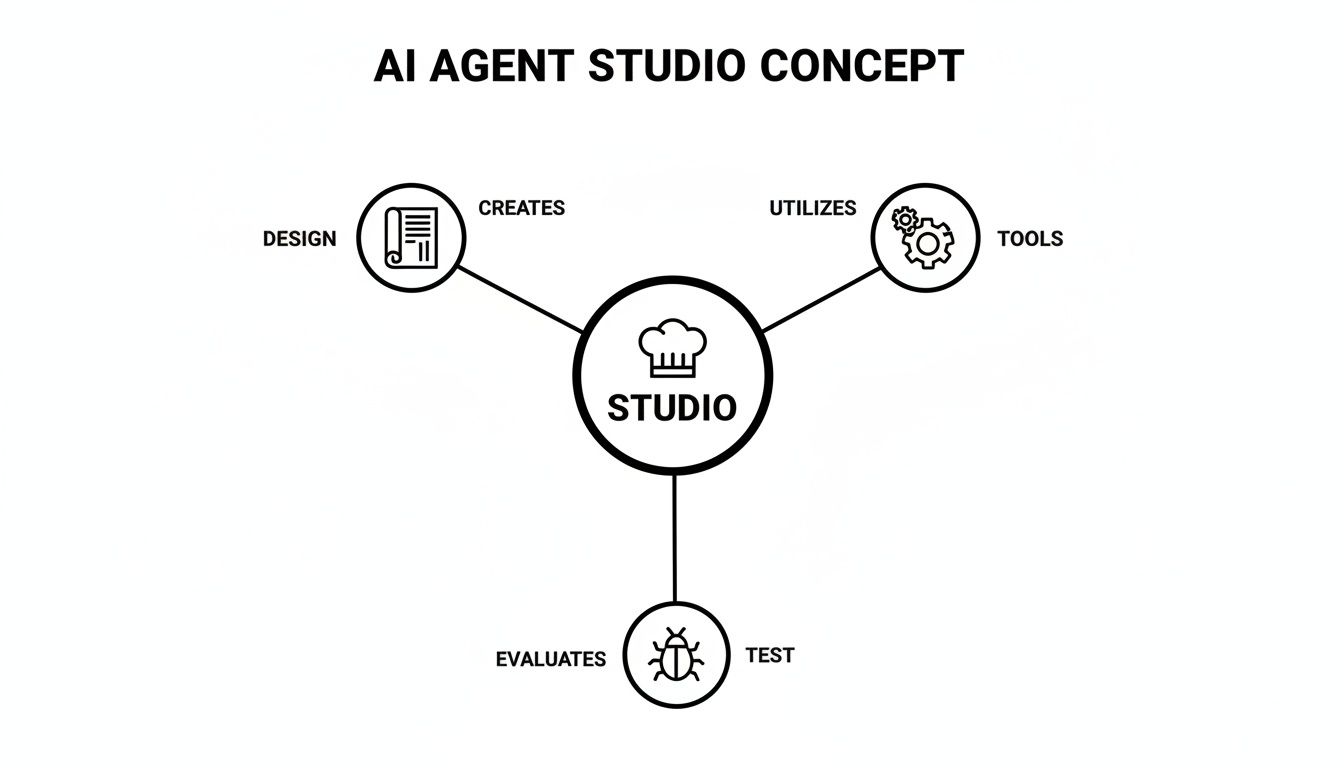
As you can see, a studio is more than just one piece of software. It's a whole ecosystem where you define what an agent does, give it the tools to do it, and make sure it does the job right.
H3: Multi-Agent Orchestration
One of the biggest ideas in modern automation is multi-agent orchestration. This is just a fancy way of saying the studio can manage a team of specialized agents that work together on a big problem. Think of it like a crack project team where every member is an expert in their specific role.
Instead of trying to build a single, clunky "do-everything" agent, you create a squad:
- A Researcher Agent digs through the web to find data on new leads.
- A Writer Agent takes that data and writes a personalized outreach email.
- A CRM Agent logs the whole interaction and updates the lead’s status in your database.
The studio acts as the project manager, dishing out tasks, making sure the handoffs are smooth, and keeping the entire workflow in sync. This approach makes your automations stronger, easier to fix when something breaks, and much easier to scale. When you're looking at an AI agent studio, check if it lets you set up how agents talk to each other and trigger these kinds of team-based workflows.
H3: Long-Term Memory And Contextual Awareness
For an agent to be more than a simple bot, it needs to remember what happened before and learn from it. That’s where long-term memory becomes absolutely essential. Basic bots have the memory of a goldfish; every conversation is brand new. Agents with long-term memory, however, can recall past chats, user preferences, and historical data to give smart, context-aware responses.
A study on AI in Microsoft 365 Copilot showed just how critical context is. The agent's ability to reference past conversations and documents made its output dramatically more relevant and useful.
Imagine a customer support agent with this capability. It can pull up a customer's entire ticket history in a second. No more asking the same questions over and over. It can even anticipate what the customer might need based on past problems. This is the difference between a frustrating, robotic loop and an interaction that feels genuinely helpful.
H3: Flexible Tool And API Integration
An AI agent is only as good as the tools it can use and the systems it can connect to. Any top-tier AI agent studio has to provide rock-solid and flexible tool integration. This isn't just about having a few pre-built connectors; it's about having a real framework for hooking into any API you need.
Your business doesn’t run on one piece of software. It's a whole mix of tools—CRMs like Salesforce or HubSpot, communication apps like Slack, and your own internal databases. The right studio lets your agents talk to all of them, pulling information from one system and pushing updates to another without missing a beat.
Here's a quick look at the features that really matter when you're evaluating different platforms.
AI Agent Studio Feature Comparison
| Feature | Description | Importance for B2B/SaaS | Example Use Case |
|---|---|---|---|
| Multi-Agent Orchestration | The ability to coordinate multiple specialized AI agents to complete a complex task together. | High: Enables sophisticated, end-to-end workflows that mimic a human team. | A lead generation "squad" where one agent finds leads, another qualifies them, and a third schedules meetings. |
| Long-Term Memory | The agent's capacity to retain and recall information from past interactions across different sessions. | Critical: Essential for personalization, context-aware support, and building customer relationships. | A support agent that remembers a customer's entire ticket history and product usage. |
| Flexible API Integration | A robust framework for connecting to any external software or internal database via APIs. | Critical: The agent is useless without access to your core business systems (CRM, ERP, etc.). | An agent that automatically syncs new lead data from a web form directly into your Salesforce CRM. |
| Custom Tool Creation | The ability to define new "skills" or "tools" for an agent, often by wrapping an internal API or script. | High: Allows agents to perform proprietary business functions unique to your company. | Creating a "Quote Generation Tool" that lets an agent build a custom sales quote using your internal pricing logic. |
Ultimately, without deep and flexible integration, your agents are stuck on a digital island, unable to perform the kinds of end-to-end workflows that actually drive business results. This feature is non-negotiable for any serious automation project.
See AI Agents in Action with Real Use Cases
It’s one thing to talk about the features of an AI agent studio, but seeing how these agents actually drive business results is where things get interesting. All the abstract ideas—logic flows, tool integrations, memory—really click when you see them applied to real-world problems.
And companies aren't just dipping their toes in the water anymore; they're diving in. In fact, 62% of organizations are already experimenting with AI agents, and a solid 23% are actively scaling them in at least one part of their business. This isn't some far-off trend; it’s happening right now. You can get a deeper look at the data in McKinsey’s latest state-of-AI survey.
Let’s dig into three powerful examples of how B2B and SaaS companies are using agents to solve common headaches and create serious value.
Inbound Support and Lead Qualification Agent
Imagine a teammate who works 24/7, responds instantly to every single customer question, and never lets a potential lead go cold. That’s exactly what an inbound support agent, built inside an AI agent studio, can do.
The Problem: A SaaS company was drowning in support tickets and website chats. Their team was stretched thin, response times were lagging, and—worst of all—hot leads were going cold because they came in after hours.
The Agent's Role:
- Instant Triage: The agent immediately engages anyone who lands on the website or sends an email. No more waiting.
- Smart Info Gathering: It asks the right questions to figure out who it's talking to. Is this a frustrated customer with a bug report or a new prospect who wants to see a demo?
- Quick Fixes: For common questions, the agent pulls answers directly from the knowledge base and solves the problem on the spot.
- Seamless Lead Qualification: When it sniffs out a potential sale, the agent gathers the necessary details, checks if they fit the ideal customer profile, and books a meeting right on a sales rep’s calendar.
The results were huge. Customer satisfaction went up, and the sales pipeline became way more efficient. The agent ended up handling over 40% of routine support tickets on its own, freeing up the human team for tougher cases and boosting lead conversions simply by being there to respond.
Outbound Sales Prospecting Agent
Cold outreach is a grind. It’s a numbers game that burns through time with manual research, contact hunting, and writing endless personalized emails. An outbound sales agent can put that entire workflow on autopilot.
The Problem: A B2B agency wanted to ramp up its outbound sales but didn't have the budget to hire a bunch of new Sales Development Reps (SDRs). Their current team was spending more time digging for information than actually talking to people.
By building an agent in an AI agent studio, they created a digital SDR that could execute the entire top-of-funnel process autonomously. This agent became a force multiplier for the human sales team.
The Agent's Role:
- Prospecting: You give it a target—say, tech companies with 50-200 employees—and it scours professional networks and websites to build a list of ideal contacts.
- Personalization: The agent then looks for a hook. It might find a prospect’s recent LinkedIn post or a news article about their company to make the outreach feel genuine.
- Automated Outreach: It writes and sends a hyper-personalized email, then automatically logs the entire interaction in the CRM.
- Follow-Up Cadence: If it doesn’t get a reply, the agent kicks off a pre-planned follow-up sequence over the next few days.
This simple shift allowed the sales team to stop prospecting and start selling. They tripled their daily outreach volume and saw their meeting booking rate jump by 25%—all without adding a single person to the payroll.
CRM Data Hygiene and Workflow Agent
A messy CRM is a silent productivity killer. Think of an AI agent as your always-on data steward, working behind the scenes to keep your most critical asset—your customer data—clean, accurate, and ready to use.
The Problem: A growing tech company's CRM was a total disaster. It was full of duplicate contacts, incomplete records, and outdated information. This bad data led to embarrassing marketing gaffes and made sales forecasting a guessing game.
The Agent's Role:
- Data Enrichment: The agent constantly scans for records with missing pieces—like a job title or phone number—and automatically searches online sources to fill in the blanks.
- Duplicate Merging: It intelligently identifies duplicate contacts and merges them, making sure to keep the most up-to-date and accurate information.
- Risk Flagging: By monitoring account activity, the agent can spot churn risks, like a sudden drop in product usage. When it sees a red flag, it automatically creates a task for the account manager to investigate.
The change was immediate. Data integrity shot up, marketing campaigns hit their mark, and the sales team could finally trust the numbers in their pipeline.
Your Step-By-Step Implementation Roadmap
So, you're ready to build an AI agent. The good news is that you don't need to be a developer to get started. The bad news? It's easy to get lost if you don't have a plan.
Let’s break it down into a practical, five-phase roadmap. Think of this less like a rigid instruction manual and more like a proven framework we’ve seen work time and time again. Following these steps will help you move from a rough idea to a fully functioning agent that actually adds value to your business.
Phase 1: Identify a High-Impact Use Case
Before you even log into a studio, stop and think. What problem are you really trying to solve? The most successful AI agent projects don't try to boil the ocean. They start by targeting a specific, high-value business challenge.
Look for the things that are repetitive, time-consuming, and governed by clear rules. Ask your team these questions to find the perfect starting point:
- What manual task is eating up the most hours? Think data entry, lead enrichment, or initial customer follow-ups.
- Where are the biggest bottlenecks in our current workflow? An agent can often be the perfect fix to get a stuck process moving again.
- Which process has the highest risk of human error? Automating tasks like data validation can instantly boost quality and consistency.
An unclear goal is the fastest way to a failed project. Give yourself a clear North Star by defining a measurable objective, like "reduce new ticket response time by 50%" or "qualify 100 new leads per day."
Phase 2: Prepare and Connect Your Data Sources
An AI agent is only as good as the data it can access. Simple as that. Once you’ve picked your use case, the next job is to get your information and systems ready for the agent to use.
This is where many projects stumble. Poor data quality will silently sabotage your efforts. Make sure your data sources—whether it’s your CRM or an internal database—are clean, accurate, and structured. A little cleanup upfront saves a world of headaches later.
Next, you’ll connect these systems to your agent studio. Most platforms today offer pre-built integrations for popular tools like Salesforce, HubSpot, and Slack. For everything else, you'll use API connectors. The goal is to give your agent secure, reliable access to exactly what it needs to make decisions.
Phase 3: Design the Agent Logic in the Studio
This is where your idea truly comes to life. Inside the studio, you'll use a visual canvas to map out the agent's brain—its logic, its tools, and the steps it takes when faced with different scenarios. You’re essentially writing a detailed playbook for your new digital teammate.
A well-designed logic flow should be clean, efficient, and—most importantly—prepared for when things go wrong. It's always best to start simple, test, and then layer in more complexity as you go.
Let’s say you’re building a lead qualification agent. The logic might look something like this:
- Trigger: A new lead fills out a web form.
- Action: The agent immediately searches online to enrich the lead's data (company size, industry, etc.).
- Decision: Does this company fit our ideal customer profile?
- Path A (If Yes): The agent drafts a personalized email and schedules a demo on a sales rep's calendar.
- Path B (If No): The agent adds the lead to a long-term nurturing sequence.
This is just one example, of course. For a much deeper look into the nuts and bolts of this stage, check out our guide on how to build an AI agent from scratch.
Phase 4: Test Relentlessly in a Sandbox
You wouldn’t let a new hire handle your biggest client on day one, right? The same logic applies to your AI agent. Before it ever touches live data or interacts with a real customer, it needs to be put through its paces in a safe, controlled sandbox environment.
This is basically a playground provided by the studio where the agent can run through its tasks without any real-world consequences. Use this phase to be its worst critic. What happens if it gets incomplete data? What if a connected API is down?
Rigorous testing is non-negotiable. It’s how you find bugs, smooth out the logic, and gain the confidence that your agent will perform reliably when it counts. Skipping this step is a recipe for disaster.
Phase 5: Deploy in Stages and Monitor Performance
It’s go-time. But a big-bang launch is often a bad idea. The smartest way to deploy is in phases. A great first step is to run the agent in "shadow mode," where it makes decisions and drafts actions, but a human has to approve them before they go out.
Once you see it’s making the right calls, you can gradually grant it more autonomy. Maybe you roll it out to a small segment of leads first or let it handle just one type of customer query. This lets you monitor its real-world impact and make tweaks without disrupting your entire operation.
And remember, deployment isn’t the finish line. Keep a close eye on the monitoring dashboard. Track success rates, processing times, and how it’s moving the needle on that business goal you set back in Phase 1. Constant monitoring and refinement are what separate a good agent from a great one.
Measuring Success and Avoiding Common Pitfalls
So, you’ve launched your first AI agent. That’s a huge first step, but it's just the starting line. To really prove the value of an AI agent studio, you need to know exactly how it’s moving the needle for your business. Otherwise, you’re just running an expensive tech experiment.
Let's get real about what success looks like. It’s not one single, flashy number. It’s a combination of metrics that tell a complete story about efficiency, growth, and savings.
- Efficiency Gains: This is the most straightforward win. How many hours is your team getting back every week? Do the math: if an agent saves 50 team hours a week, you can put a clear dollar figure on that reclaimed productivity.
- Revenue Impact: How are your agents helping you grow? You need to track things like the number of qualified leads they generate, meetings they book, or even sales contracts they automatically draft and send out.
- Cost Reduction: This one is easy to spot on a balance sheet. Are you spending less on operational overhead? Have you been able to reduce your reliance on outsourced services for tedious, repetitive work?
When you can show your leadership that an agent increased lead qualification by 30%, the conversation shifts. You're no longer talking about a piece of technology; you're talking about a tangible business asset.
Navigating Potential Roadblocks
Even with the best intentions, things can go wrong. The biggest trap I see companies fall into is setting the wrong expectations from the get-go. An AI agent is a powerful tool, but it's not a magic wand.
Be upfront about what it can do in the first few months. If you promise the world and deliver a small island, people will lose faith. Unrealistic expectations are the number one killer of AI projects.
Another landmine is governance and security. As you start giving agents the keys to more of your systems, you have to lock things down. That means clear security rules, regular audits of what the agents are doing, and a designated person or team responsible for oversight. This isn't just about ticking a box for the IT department; it’s about maintaining control and trust.
The Human-in-the-Loop Imperative
Finally, don't ever forget the value of human judgment. For any process where the stakes are high—think approving a massive expense or sending a final contract to a key client—you absolutely need a human-in-the-loop.
This model lets the agent do the heavy lifting for 95% of the workflow but flags a person for the final, critical sign-off. It’s a safety net that prevents costly mistakes while still giving you nearly all the benefits of the automation. This balanced approach is the secret to scaling AI responsibly and making sure it adds real, lasting value.
Your Questions, Answered
Got questions about putting AI Agent Studios to work? Let’s clear things up. Here are some of the most common questions we hear from business leaders exploring this technology.
What’s the Real Difference Between an AI Agent Studio and a Chatbot Platform?
It really comes down to conversation versus action.
A typical chatbot platform is built for dialogue. It follows a script, answers common questions, and maybe hands you off to a human. Think of it like a helpful FAQ page that can talk.
An AI Agent Studio, on the other hand, is a factory for building digital workers. These agents don't just talk; they do. An agent can take a customer query, dig through your CRM for their history, cross-reference inventory in your database, generate a custom quote, and then email it to the customer for approval. It completes the entire task, not just one part of the conversation.
Do I Need to Be a Developer to Use an AI Agent Studio?
For the most part, no. Modern studios are designed with business users in mind, featuring low-code or even no-code visual builders. If you can map out a process on a whiteboard, you can likely build an agent using a drag-and-drop interface.
Sure, having some technical know-how helps with more complex integrations or building custom tools from scratch. But the core idea is to empower the people who actually understand the business workflows—the process experts—to build their own solutions without waiting on IT.
The whole point of an AI Agent Studio is to put the power of automation directly into the hands of the people who know the problems best. It closes the gap between knowing what needs to be done and actually getting it done.
How Can I Make Sure These AI Agents Are Secure and Reliable?
That's a critical question, and security is a cornerstone of any serious enterprise studio. Reputable platforms come with built-in safeguards:
- Role-based access controls to limit what agents can see and do.
- Detailed audit logs that track every single action an agent takes.
- Sandbox environments so you can test and troubleshoot without any risk to your live systems.
The best approach is to follow the principle of least privilege—only give an agent the absolute minimum permissions it needs to perform its job. It's also wise to implement a "human-in-the-loop" for any high-stakes decisions. This means a person has to give the final sign-off before an agent executes a critical task, adding a vital layer of oversight and common-sense control.
Ready to see how intelligent automation can reshape your business operations? At MakeAutomation, we don't just talk about theory—we build and deploy AI agents that deliver tangible results. Schedule a discovery call with us today, and let's start building your new autonomous workforce.