
What is Revenue Cycle Management? A Simple Guide to Boosting Profits
Revenue Cycle Management, or RCM, isn't just another business acronym. It’s the entire financial journey a customer takes with your company, from their very first interaction as a lead all the way to the final dollar hitting your bank account.
Think of it as your business's financial lifeblood. It's the system that ensures cash flows smoothly and predictably, connecting your marketing efforts directly to the revenue you recognize on your balance sheet.
Unpacking the B2B Revenue Cycle
While the term RCM originally gained traction in the healthcare industry, the concept is a game-changer for B2B and SaaS businesses. In healthcare, it’s all about managing patient registrations, insurance claims, and billing. That sector has grown into a massive market—the global RCM industry hit an incredible USD 169.69 billion in 2025 and is expected to climb to USD 451.29 billion by 2034, according to Precedence Research.
But for a SaaS or B2B company, the framework is just as relevant. Your clients are the "patients," and your contracts and invoices are the "claims." Your revenue cycle kicks off the moment a prospect sees your ad or downloads a whitepaper and doesn't end until their payment is fully processed and logged.
This approach forces every department—marketing, sales, customer success, and finance—to work together as one unified, revenue-focused machine instead of in separate silos.
The Journey From Lead to Cash
This end-to-end process is often called the "lead-to-cash" or "quote-to-cash" cycle. It’s a complete view of your revenue stream that moves past isolated departmental metrics and focuses on the one thing that truly matters: turning interested prospects into reliable, recurring revenue. Every stage is a critical handoff from one team to the next.
To help you visualize this journey, we've broken down the core stages of the B2B SaaS revenue cycle. This table provides a simple roadmap for the entire lead-to-cash lifecycle, from initial customer engagement to final revenue recognition.
The B2B SaaS Revenue Cycle Management Journey at a Glance
| Stage | Description | Key Objective |
|---|---|---|
| Lead Generation & Nurturing | Attracting prospects through marketing and building relationships with them. | Create a pipeline of sales-qualified leads (SQLs). |
| Sales & Quoting | Engaging with qualified leads, creating proposals, and closing deals. | Convert SQLs into paying customers with signed contracts. |
| Onboarding & Service Delivery | Setting up new customers and delivering the promised product or service. | Ensure successful implementation and early customer value. |
| Billing & Invoicing | Generating and sending accurate, timely invoices based on the contract terms. | Bill customers correctly and on schedule to initiate payment. |
| Collections & Payment | Managing accounts receivable and ensuring timely payment collection. | Minimize days sales outstanding (DSO) and reduce bad debt. |
| Reporting & Analysis | Tracking financial performance, analyzing metrics, and recognizing revenue. | Gain insights into cash flow, profitability, and financial health. |
As you can see, each step flows directly into the next. For B2B and SaaS companies, mastering B2B lead nurturing best practices is an absolute must, as this first stage sets the foundation for a healthy, long-term customer relationship and a smoother cycle downstream.
At its core, RCM isn't just about getting paid. It’s about optimizing every single touchpoint that influences how quickly and efficiently you get paid. A weak link anywhere in the chain—from a slow proposal process to a single invoicing error—can disrupt your entire cash flow.
Truly understanding revenue cycle management means seeing your business not as a collection of separate functions, but as a single, integrated system designed for financial health and sustainable growth. Every action, from the first marketing click to the final bank deposit, is a crucial part of this vital process.
Mapping Your End-to-End Revenue Cycle Stages
To really get a handle on revenue cycle management, you have to see it as a complete journey—not just a checklist of disconnected tasks. Each stage is a critical handoff. A fumble at one point inevitably creates chaos downstream.
Let’s walk through the seven core stages of a modern B2B and SaaS revenue cycle, from that first spark of interest all the way to the final dollar hitting your bank account.
This flow chart boils it down to its simplest form: a customer interaction leads to an invoice, which leads to a payment.
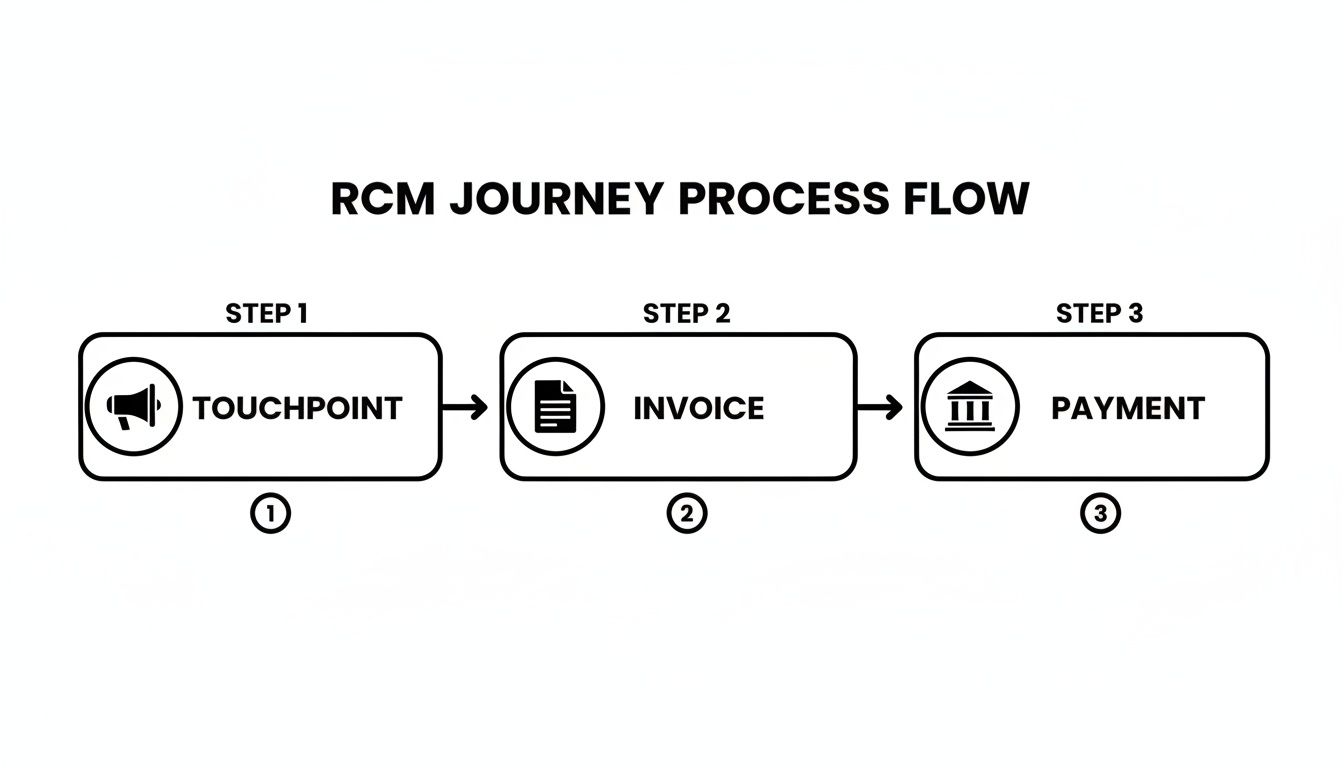
It’s a great reminder that every single interaction is a step toward getting paid. Making sure the transitions between these stages are smooth is absolutely essential for healthy cash flow.
Stage 1: Lead Generation and Qualification
This is square one for your revenue cycle. Your marketing and sales teams are out there trying to attract potential customers and, just as importantly, figuring out if they're a good fit. The goal isn’t just to get a high volume of leads; it’s about finding the ones who have a real problem you can solve and the budget to do it.
A classic pain point here is the all-too-common misalignment between marketing and sales. When marketing lobs unqualified leads over the fence, the sales team wastes precious time on prospects who were never going to convert. It starts the entire cycle off on the wrong foot.
Stage 2: Quoting and Proposal
Once a lead is qualified, it's time for the sales team to put together a quote or proposal. In the B2B and SaaS world, this gets complicated fast. You're often juggling different subscription tiers, usage-based pricing, and one-time setup fees. Accuracy is everything.
A single mistake on a quote can lead to serious revenue leakage or, worse, an angry customer who feels like they've been misled. This stage has to be precise because that quote becomes the foundation for the contract and every bill that follows.
Stage 3: Contract Management
With the proposal accepted, you move on to drafting, negotiating, and signing a formal contract. This is the legal document that spells out the scope of work, payment terms, service level agreements (SLAs), and what happens at renewal.
Poor contract management is a silent killer of profitability. Think about it: if a special term—like a unique discount or a non-standard billing date—isn't properly documented and passed to the finance team, invoicing errors are practically guaranteed. That creates friction and payment delays right out of the gate.
Key Insight: The handoff from sales to finance during contract management is one of the most common failure points in the entire revenue cycle. A single detail lost in translation can delay revenue recognition for months.
Stage 4: Service Delivery and Onboarding
Contract signed, check. Now, your team gets to work delivering the product or service. For SaaS companies, this means provisioning accounts, onboarding new users, and making sure the customer gets to that "aha!" moment of first value as quickly as possible.
Any hold-ups here don't just sour the customer experience; they can literally postpone your billing start date. If your contract says billing begins after a successful implementation, every internal inefficiency is directly pushing back your cash flow.
Stage 5: Invoicing and Billing
This is where the finance team steps into the spotlight. They take the contract terms and generate an invoice to send to the customer. For any subscription business, this is a recurring process that has to be perfect, every single time.
As you map your end-to-end revenue cycle stages, efficient invoice processing stands out as a critical step that directly impacts cash flow and revenue realization. Doing this manually is a recipe for mistakes—wrong amounts, incorrect billing addresses, missed line items—that all lead to payment delays and disputes. You can learn more about how to streamline this crucial step in our guide on how to automate invoice processing.
Stage 6: Collections and Dunning
Once an invoice goes out the door, the clock starts ticking. The collections process is all about managing accounts receivable, sending out payment reminders, and following up on accounts that are overdue. The specific term for this communication process is dunning.
This stage is a delicate balancing act. You have to be firm enough to get paid but gentle enough to avoid ruining the customer relationship. A slow or disorganized collections process can send your Days Sales Outstanding (DSO) through the roof, tying up cash your business needs to operate and grow.
Stage 7: Reporting and Analytics
The final stage loops back to the beginning. It’s all about analyzing the performance of your entire revenue cycle. This means you’re tracking key metrics, recognizing revenue according to accounting standards (like ASC 606), and hunting for bottlenecks to fix.
Without solid reporting, you’re flying blind. You won't have a clue where your process is breaking down, why your cash flow feels so unpredictable, or which customers are actually your most profitable. This data-driven feedback is what lets you continuously fine-tune every other stage for better efficiency and financial health.
How AI and Automation Supercharge Your RCM
Mapping out your revenue cycle is the easy part. Actually optimizing it? That's a different story. When you're managing every step by hand—from sifting through leads to chasing down late payments—you're not just moving slowly. You're actively putting your cash flow and ability to scale at risk.
This is exactly where AI and automation come in and completely change the game.
These aren't just tools for speeding up the old, clunky ways of doing things. They create entirely new, smarter pathways for managing revenue. Think of them as the digital nervous system for your entire RCM process, connecting all the separate pieces, stamping out human error, and freeing up your team to do the strategic work that actually matters.
From Manual Drudgery to Automated Precision
So, let's get practical. How does this technology actually fix the real-world problems in a B2B or SaaS revenue cycle? The impact is huge, turning your biggest bottlenecks into your greatest strengths.
Here's a look at how automation can be applied:
AI-Powered Lead Scoring: Forget having sales reps guess which leads are hot. AI can analyze behavior, company details, and past wins to automatically surface the prospects most likely to convert, ensuring your team’s time is spent on deals that will actually close.
Automated Quoting (CPQ): Configure, Price, Quote (CPQ) tools take all the risky guesswork out of building proposals. These systems grab the latest pricing, apply the right discounts based on rules you set, and churn out professional, error-free quotes in a fraction of the time.
Intelligent Contract Management: AI can scan contracts for weird terms, flag upcoming renewal dates, and even make sure that what’s in the contract automatically syncs with your billing system. This closes that dangerous gap between what sales promises and what finance actually bills for.
This shift is more than a trend; it's a fundamental change in how businesses manage their finances. The global RCM market is expected to jump from USD 102.16 billion in 2024 to a staggering USD 291.19 billion by 2033. What's driving that growth? AI-powered automation that slashes errors and gets companies paid faster. You can dig deeper into how the RCM market is being redefined by AI on PR Newswire.
Manual RCM vs Automated RCM: A Practical Comparison
To truly grasp the difference, let’s compare the old way with the new. This table breaks down how automation transforms tedious, error-prone tasks into efficient, reliable workflows at each stage of the revenue cycle.
| RCM Stage | Manual Approach (The Problem) | Automated Solution (The Fix) |
|---|---|---|
| Lead & Opportunity | Sales reps spend hours manually researching and qualifying leads with inconsistent results. | AI analyzes data to score and route the best leads automatically, focusing sales efforts. |
| Quote-to-Cash | Creating quotes by hand leads to pricing errors, forgotten discounts, and slow turnaround times. | CPQ software generates accurate, professional quotes in minutes, based on preset rules. |
| Contract Management | Key dates and terms are buried in PDFs, leading to missed renewals and billing discrepancies. | AI scans contracts, extracts key data, and syncs terms with billing systems automatically. |
| Invoicing & Billing | Finance teams manually create and send invoices, struggling with complex subscriptions or usage fees. | Billing platforms automate invoice generation and delivery, handling complex calculations flawlessly. |
| Collections | Chasing overdue payments is a time-consuming, inconsistent, and often awkward manual task. | Automated dunning systems send personalized payment reminders on a set schedule. |
As you can see, the "fix" isn't just about speed. It’s about building a more reliable and intelligent system that prevents problems from ever happening.
Supercharging Billing and Collections
The back half of the revenue cycle is where automation really shines, because it has a direct and immediate impact on your bank account.
Take subscription billing. For a SaaS company, managing prorations, usage-based tiers, and mid-cycle upgrades can be a nightmare. An automated billing platform handles all of that complexity without breaking a sweat, sending out perfect invoices every single time. That alone eliminates a huge number of customer support tickets and payment delays.
The Big Picture: Automation transforms your revenue cycle from a reactive, manual process into a proactive, intelligent system. It stops problems before they start—from preventing a bad quote to flagging an at-risk account for follow-up.
When it comes to collections, automation is a total game-changer. Instead of setting calendar reminders to chase invoices, you can build an automated dunning sequence. It can send a series of personalized emails or SMS alerts based on how late a payment is, ensuring consistent follow-up without eating up your team's day.
This is a key part of what's known as Intelligent Process Automation (IPA), which combines robotic automation with AI to handle more complex tasks that require a bit of judgment. If you're curious, you can learn more in our guide on what is intelligent process automation.
The Measurable Impact of RCM Automation
Bringing AI and automation into your RCM isn't just about making life easier for your team; it's about getting real, measurable business results. The benefits directly attack the most common pain points in the revenue cycle.
Here’s what you can actually expect to see:
Reduced Manual Errors: Automation gets rid of the typos, bad math, and copy-paste mistakes that cause incorrect invoices and damage customer trust. Fewer errors mean fewer disputes and cleaner revenue.
Accelerated Cash Flow: By automating invoicing and collections, you dramatically shorten the time it takes to get paid. This lowers your Days Sales Outstanding (DSO) and gets cash into your business much, much faster.
Increased Team Productivity: When your finance and sales teams aren't buried in administrative busywork, they can finally focus on what they were hired to do: find strategic growth opportunities, analyze financial performance, and build great customer relationships.
In the end, supercharging your RCM creates a powerful flywheel. Faster cash flow gives you more money to invest back into the business. Higher productivity lets you grow without your headcount costs exploding. It's the bedrock of a more efficient, resilient, and profitable company.
Key RCM Metrics Your Business Must Track
Having an automated, well-oiled process is a great first step, but it doesn’t mean much if you can’t actually measure what’s happening. To get a real grip on the health of your revenue cycle, you have to look past the workflows and get into the numbers. Tracking the right Key Performance Indicators (KPIs) is how you turn a flood of raw data into a clear story about what’s working and what’s not.
Think of these metrics like the dashboard in your car. It doesn't just show your speed; it flashes warnings about low fuel, engine trouble, or a flat tire long before you end up stranded on the side of the road. For any B2B or SaaS company, these KPIs are just as vital for navigating the path to real, sustainable growth.
Financial Health and Cash Flow Metrics
These first few metrics are all about the immediate financial pulse of your operations. They tell you how efficiently you’re turning your hard work into actual cash in the bank—the lifeblood of any business.
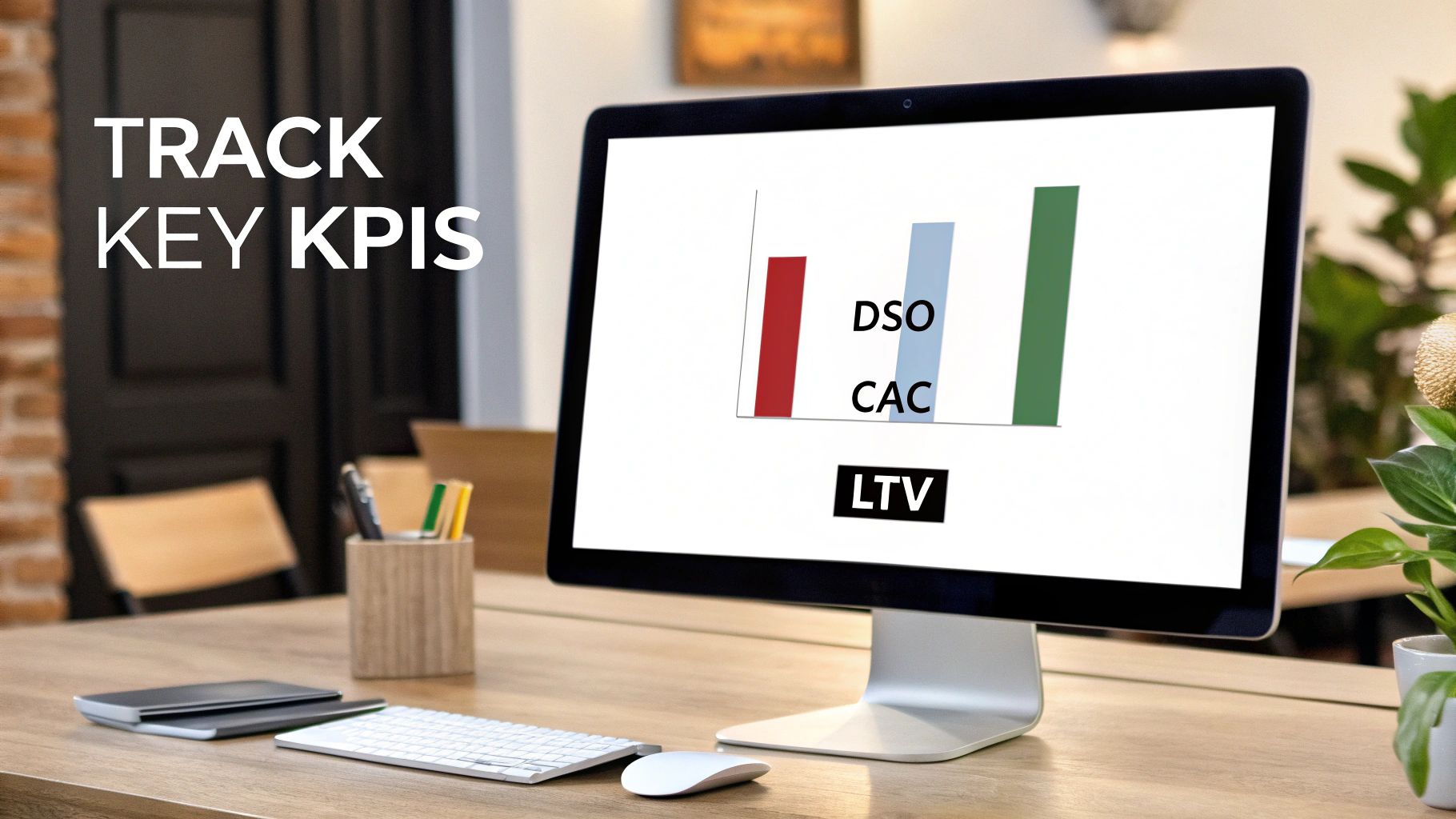
- Days Sales Outstanding (DSO): This one is huge. DSO calculates the average number of days it takes for you to get paid after you’ve made a sale. A high DSO is a major red flag, meaning your cash is stuck in accounts receivable instead of being used to run and grow your business. The goal is simple: keep this number as low as you possibly can.
- Average Revenue Per User (ARPU): Especially crucial in the SaaS world, ARPU shows the average revenue you bring in from each customer over a set period, like a month or a year. Watching this metric helps you gauge the value of different customer segments and see the real impact of pricing adjustments or upselling initiatives.
A consistently low DSO paired with a steadily climbing ARPU are two of the strongest signs you have a healthy and efficient RCM process.
Customer Value and Sustainability Metrics
Looking beyond immediate cash flow, you need to know if your customer base is actually profitable in the long run. These metrics reveal whether your growth is sustainable or if you're just burning cash to sign up customers who don't stick around.
The Core Idea: A great revenue cycle isn't just about collecting one invoice quickly. It's about optimizing the entire financial relationship with a customer to maximize their value and keep your business stable for the long haul.
Let's break down the key players here:
Customer Acquisition Cost (CAC): This is the total cost of your sales and marketing efforts divided by the number of new customers you signed. A high CAC can silently kill your profitability, especially if customers leave before you’ve earned back that initial investment.
Customer Lifetime Value (LTV): LTV is a prediction of the total revenue you can expect to earn from a single customer over the entire time they do business with you. It’s the ultimate measure of customer worth and is absolutely essential for making smart decisions on everything from ad spend to retention programs.
Churn Rate: This is the percentage of customers who cancel their service or stop paying you within a specific timeframe. High churn is a fire alarm. It tells you something is seriously wrong, whether it's with your product, your support, or even your billing process. And it directly torpedoes your LTV.
The Golden Ratio: LTV to CAC
The real magic happens when you put these metrics together. The LTV to CAC ratio is probably the single most important indicator of whether your business model actually works.
A healthy ratio for a SaaS business is generally considered to be 3:1 or better. In plain English, that means a customer's lifetime value is at least three times what you spent to get them in the door.
If your ratio is way too low—say, 1:1—you're basically lighting money on fire with every new customer you sign. Boosting this ratio means you either have to increase LTV (by keeping customers happy and upselling them) or decrease CAC (by making your marketing and sales more efficient). Both of these levers are directly tied to how well your RCM is functioning. A great starting point is ensuring your numbers are even correct; our guide on how to improve data quality can help with that.
Untangling the Knots in Your Revenue Cycle
Even with a perfect process map on the wall, things get messy in the real world. Friction points pop up, slowing down your revenue cycle. These aren't just small frustrations; they're silent drags on your cash flow and growth. The good news? Most of these problems are incredibly common, and more importantly, fixable.
Let's dive into the most frequent pain points. Once you understand what’s really causing the headache, you can apply the right fix and get money flowing smoothly again.
Disconnected Systems and Siloed Data
One of the biggest culprits is software that doesn't play nice together. All your deal information lives in the CRM, but the actual billing history is locked away in your accounting software. When these systems are separate, your team is stuck manually copying and pasting information from one screen to another—a mind-numbing process that's practically begging for human error.
This digital disconnect leads directly to incorrect invoices, delayed billing, and a reconciliation nightmare for your finance team. The solution is simple in concept: integrate your core systems. When you connect your CRM (like Salesforce or HubSpot) directly to your billing platform (like Stripe or Chargebee), contract details flow over automatically. This creates a single, reliable source of truth for every single customer.
Revenue Leakage from Unbilled Services
In the SaaS world, especially with usage-based or tiered pricing, it's shockingly easy for money to slip through the cracks. A customer upgrades their plan mid-month or adds a new feature, but if that change isn't tracked and billed for, you've just given away your product for free.
This is called revenue leakage, and it's a quiet killer of profitability. Those small, unbilled amounts might seem insignificant on their own, but they add up to a serious loss across your entire customer base.
Plugging these leaks is where automation becomes your best friend. Automated usage tracking and billing systems keep an eye on customer activity in real time. The moment a customer crosses a usage threshold or activates a new add-on, the system automatically adjusts their next invoice. No manual checks needed, and you can be confident you’re billing for 100% of the value you deliver.
High Days Sales Outstanding (DSO)
A high DSO is a clear signal that your cash is stuck in your customers' bank accounts instead of yours. This directly impacts your ability to invest in new projects, pay your team, and cover daily expenses. The root cause is almost always a slow, inconsistent, or completely manual collections process.
Implementing an automated dunning system is the most direct way to fix this. These tools work tirelessly in the background to:
- Send Timely Reminders: Automatically send polite nudges before, on, and after an invoice is due.
- Escalate Communications: Change the tone and frequency of messages as an invoice gets further past its due date.
- Provide Easy Payment Options: Include a one-click payment link in every email, making it as easy as possible for customers to pay.
This kind of consistent, automated follow-up can drastically shorten the time it takes to get paid. It's no surprise that the RCM market is projected to skyrocket from USD 163.7 billion in 2025 to USD 368.9 billion by 2034, largely driven by the adoption of web-based software. You can find more details on how software is shaping the RCM market at IMARC Group.
Your Action Plan to Implement RCM Automation
Knowing you need to automate your revenue cycle is the easy part. Actually building it? That’s a different story. Moving away from manual, piecemeal processes toward a smarter, automated system requires a clear, step-by-step plan.
This isn't about flipping a switch and hoping for the best. It's a methodical journey that turns your RCM from a source of constant headaches into a genuine growth engine. Let's break it down into five manageable steps.
Step 1: Audit Your Current Process
Before you can build something better, you need a painfully honest look at what’s happening right now. Map out your entire lead-to-cash process as it exists today—from the very first marketing touchpoint all the way to that final payment clearing the bank.
Get your sales, finance, and customer success teams in a room (or on a call) and pinpoint the real bottlenecks. Where do handoffs constantly break down? Which manual tasks are eating up everyone's time? Get specific. Find the exact points that lead to invoicing errors, delayed payments, and frustrated customers. This audit creates your "before" snapshot, giving you a clear baseline to measure all future improvements against.
Step 2: Define Your Automation Goals
Once you know where the problems are, you can set clear, measurable goals. Vague ambitions like "get more efficient" won't cut it. Your goals need to be tied directly to the key RCM metrics that matter.
Here are a few examples of what solid, actionable goals look like:
- Reduce Days Sales Outstanding (DSO) by 15% within the next six months.
- Slash invoice error rates by 90% next quarter.
- Cut the time your team spends on manual collections by 20 hours every week.
These kinds of concrete targets do two things: they guide your technology choices and make it much easier to prove the ROI of your efforts later on.
Step 3: Select the Right Technology Stack
Now for the fun part: choosing your tools. The objective isn't to buy the most feature-packed or expensive software on the market. It's to find platforms that solve your specific problems and can grow with you. The absolute key is that they must integrate well, creating a single source of truth for all your customer and financial data.
A typical B2B SaaS stack might involve a CRM like HubSpot, a billing platform like Stripe, and a powerful automation tool like Make to act as the glue, connecting everything and filling in the gaps. The magic happens when data can flow between these systems without any manual intervention.
Step 4: Document Workflows and SOPs
As you start rolling out new tools, you absolutely have to document the new, automated workflows. Create crystal-clear Standard Operating Procedures (SOPs) that detail exactly how each task gets done now. Who is responsible for what? How does the new technology fit into the process?
Don't skip this. This documentation is crucial for training your team and maintaining consistency. It’s what stops people from slipping back into old, inefficient habits and makes bringing new hires up to speed a whole lot smoother.
Step 5: Train Your Team and Monitor Performance
Finally, you need to invest real time in training your people on the new systems. The goal is to show them how this automation makes their jobs better and more strategic, not redundant.
Once you go live, the work isn’t over. You have to keep a close eye on the metrics you defined back in Step 2. Are you actually hitting your targets? Use this performance data to find what's working and what needs tweaking.
At MakeAutomation, this entire process is what we do day in and day out. We help businesses audit their workflows, implement the right AI and automation tools, and then fine-tune the system to drive real results. Think of it as building the operational backbone your company needs for truly predictable revenue and scalable growth.
Got Questions About RCM? We've Got Answers
Even with a solid plan, it's natural to have questions when you start digging into revenue cycle management. Let's tackle some of the most common ones to clear things up.
RCM vs. Billing: What's the Real Difference?
This is a big one. It's easy to mix them up, but the difference is huge.
Think of it this way: billing is a single, specific task—creating an invoice and sending it out. It’s a snapshot in time. Revenue Cycle Management (RCM), on the other hand, is the entire movie. It covers the full customer financial journey, from the moment a lead shows interest all the way through to final payment, reporting, and analysis.
Billing is just one stop on the RCM road trip. RCM is the entire itinerary—the map, the vehicle, the fuel stops, and the final destination.
When Should a Startup Bother Automating Its RCM?
The short answer? Sooner than you think.
A startup should start automating its revenue cycle the moment you find yourself doing the same tasks over and over again. The real red flag is when your team spends more time chasing down late payments or correcting invoicing mistakes than they do talking to customers and building the business.
You don't need a massive, complex system from day one. Implementing simple automation early on, like connecting your CRM to a billing tool, is a smart move. It stops bad habits from forming and builds a foundation that can actually grow with you.
How Can AI Voice Agents Actually Help with This?
This is where things get really interesting. AI Voice Agents are perfect for handling the kind of repetitive, high-volume conversations that eat up your team's day.
For instance, an outbound AI agent can take over the initial collections process. It can make those first polite payment reminder calls, freeing up your human team to handle the trickier, more sensitive accounts that require a personal touch.
And it works both ways. Inbound AI agents can be on call 24/7 to answer common billing questions or even securely take a payment over the phone. This not only makes your process more efficient but also gives your customers a professional, consistent experience every time they call.
At MakeAutomation, our bread and butter is implementing the exact AI and automation tools you need to build a powerful, scalable revenue cycle. We can help you map out your current process, connect your systems, and build the workflows that lead to predictable growth.
Learn how we can optimize your operations.