
Your Guide to Building an Auto DevOps Pipeline
Think of an auto DevOps pipeline as a fully automated assembly line for your software. It takes the raw material—code written by your developers—and systematically builds, tests, and deploys it into a finished product for your customers, all with minimal human touch. This isn't just about efficiency; it's about solving the chronic business problems of slow, error-prone, and expensive software releases.
What Is an Auto DevOps Pipeline
Let’s get real about the old way of doing things. A developer finishes a brilliant new feature. What happens next? That code starts a long, frustrating manual journey. It needs to be merged, then someone has to build it, then it's handed off to a QA team for testing, and finally, it lands with an operations team for a stressful late-night deployment.
This process is a minefield of delays, communication gaps, and human error. It’s slow, it’s expensive, and it’s why so many releases feel like a gamble.
An auto DevOps pipeline completely flips this script. Instead of a series of manual handoffs, it creates a single, automated superhighway that takes code straight from a developer’s commit to live production. Every time new code is checked in, a pre-defined sequence of steps kicks off automatically. It’s about building a predictable, reliable engine for delivering value, not just moving faster.
The Business Case for Automation
This shift toward automation is more than just a trend—it's a fundamental change in how successful companies operate. The DevOps market is set to explode to $86.16 billion by 2034, a massive 581% growth from 2024, largely driven by this exact kind of automation. For any B2B or SaaS company, ignoring this means getting left in the dust by competitors who ship better features, faster.
An auto DevOps pipeline turns the art of software delivery into a science. It provides the essential framework for continuous delivery, a practice that makes rapid and reliable releases the norm, not the exception.
An automated pipeline is the core asset that separates high-performing tech companies from everyone else. It transforms development from a series of disjointed, high-risk events into a smooth, low-risk, continuous flow of value to the customer.
By taking the repetitive and error-prone tasks off your team's plate, you unlock your most valuable resource: your engineers. Instead of babysitting deployments or manually running tests, they can finally focus on what they were hired to do.
- Building innovative features that win and keep customers.
- Solving the complex problems that drive your product forward.
- Responding instantly to market feedback and user needs.
Ultimately, an auto DevOps pipeline isn't just a technical tool; it’s a strategic business asset. It directly strengthens your competitive edge by accelerating speed to market, dramatically improving product quality, and boosting your overall operational efficiency. It's the foundation for true, scalable growth.
The Building Blocks of Your Pipeline
An Auto DevOps pipeline isn't some big, mysterious black box. It’s better to think of it as a high-tech assembly line for your software, made up of several specialized stations all working together. Each station has a specific job, and when they’re all in sync, you get a powerful, transparent factory that churns out quality code.
The core idea is to process code in stages, where each step adds value and gets it ready for the next. This staged approach is a proven concept, and if you're curious about the underlying principles, it's helpful to see how to build a data pipeline, as many of the same concepts apply.
This diagram shows how these technical components are the engine driving real business results like faster delivery, better reliability, and ultimately, growth.
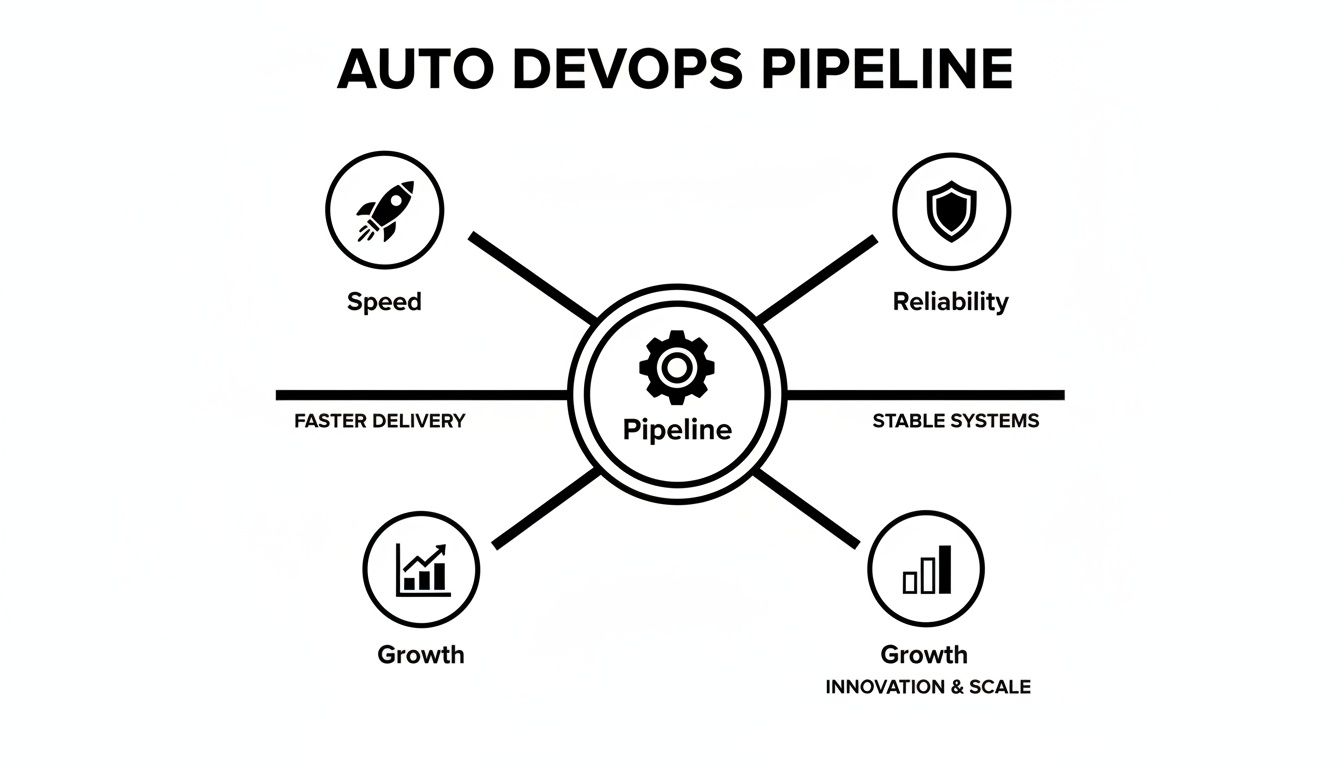
As you can see, a well-oiled pipeline translates directly into a healthier, more competitive business. Let's break down each of those building blocks.
Continuous Integration The First Line of Defense
The first stop on our assembly line is Continuous Integration (CI). As soon as a developer pushes new code, CI kicks into action. It automatically builds the application and runs a quick round of tests to answer one crucial question: "Does this new piece of code break anything?"
Think of CI as a vigilant gatekeeper. It stops integration conflicts from ever piling up, effectively killing the dreaded "it works on my machine" problem before it starts. By catching issues immediately, CI ensures your main codebase is always stable and ready for the next step.
Continuous Delivery and Deployment The Shipping Department
Once the code clears CI, it’s handed off to Continuous Delivery (CD). This station takes the approved code, packages it up, and makes it release-ready. With CD, your code is always in a state where you could deploy it to customers with a simple click of a button.
Continuous Deployment, which is a step beyond that, removes the button-click. It automatically pushes the code straight into production without anyone needing to lift a finger. This is your fully automated shipping process, getting new features and bug fixes into the hands of users the moment they pass all the checks. The feedback loop gets drastically shorter.
Infrastructure as Code The Master Blueprint
How do you make sure your development, testing, and production environments are perfect clones of each other? The secret is Infrastructure as Code (IaC). Instead of manually configuring servers, networks, and databases, you define them with code.
IaC is like having a digital blueprint for your entire infrastructure. You can instantly spin up a perfect, error-free replica of any environment, from testing to production, ensuring consistency and eliminating configuration drift.
This makes your infrastructure predictable, scalable, and version-controlled—just like the rest of your software. It’s a foundational piece for any truly reliable automated pipeline.
Automated Testing The 24/7 Inspection Crew
While CI runs some initial tests, Automated Testing is a much broader discipline that spans the entire pipeline. It’s your tireless inspection crew, working around the clock to verify every single aspect of your application’s quality.
This crew performs several kinds of inspections:
- Unit Tests: Checks the smallest pieces of your code, like individual functions, in isolation.
- Integration Tests: Ensures that different modules of your application can communicate and work together as intended. Our guide on Cypress integration tests offers some great hands-on examples.
- End-to-End Tests: Simulates a real user’s journey through your application to make sure the entire workflow is seamless.
Integrated Security And Continuous Monitoring
A great pipeline doesn't just move code forward; it also has to protect it and keep an eye on it. This is where security and monitoring come in.
Integrated Security (DevSecOps) isn't a single station but a security detail that patrols the entire factory floor. It weaves security checks into every stage, from scanning code for vulnerabilities to analyzing containers before deployment.
Finally, once your application is live, Continuous Monitoring becomes its eyes and ears. It tracks performance, logs errors, and watches the user experience in real-time. If something goes wrong, you know immediately. This constant feedback is what allows you to maintain high performance and resolve issues before they impact your customers.
How Automation Unlocks Business Growth
An auto DevOps pipeline does a lot more than just ship code faster—it reshapes the entire financial picture of your business. All those technical wins from automation, like better speed and reliability, have a direct and powerful impact on your bottom line. This is especially true for B2B and SaaS companies trying to scale.
Here's a simple way to look at it: every hour your developers sink into manual deployments is an hour they can't spend creating value. An automated pipeline gives that time back, letting your team focus on what they do best: building a product that wins.
Accelerate Feature Delivery and Gain a Competitive Edge
In today's market, getting there first is everything. An auto DevOps pipeline shifts your release cycle from a clunky, months-long ordeal into a steady stream of updates that can happen in days or even hours. This isn't just about moving quickly; it's about being nimble.
When you can push small changes regularly, you can respond to what customers are telling you almost in real time. This rapid feedback loop means you can:
- Launch new features before your competition even has a roadmap.
- A/B test ideas to see what people actually click on, not just what they say they want.
- Patch bugs before they turn into a full-blown customer support nightmare.
Think about a SaaS company that gets a game-changing feature request from a major client. With a solid pipeline, they can deliver that update in a single afternoon. That kind of responsiveness doesn't just make customers happy; it builds a reputation as an industry leader.
An auto DevOps pipeline lets your developers be innovators, not just deployment managers. When you automate the tedious work, your sharpest people are free to tackle your biggest business problems.
Boost Reliability and Enhance Customer Trust
Nothing kills trust faster than downtime. Every time your service goes down, you lose a little bit of customer confidence and creep closer to churn. A well-built auto DevOps pipeline acts as one of your best lines of defense against these interruptions by making reliability a core part of the process.
By automatically catching bugs with testing and creating identical environments with Infrastructure as Code, the pipeline nearly eliminates the risk of a bad deployment making it to production. You'll see your Change Failure Rate—a key measure of elite engineering teams—drop like a rock.
We’ve seen it happen. One SaaS client used to suffer from constant outages during their manual, late-night deployment windows. After implementing an auto DevOps pipeline, their deployment-related incidents fell by over 90%. This newfound stability didn't just stop customers from leaving; it became a major selling point, allowing them to promise and deliver a far better service level agreement (SLA). To get to this level of maturity, it's vital to think about architecting business process automation solutions.
Drive Operational Efficiency and Scale Your Team
As you grow, you can't just keep throwing more people at the problem—it's not sustainable. An auto DevOps pipeline lets your team achieve more without having to constantly hire. It essentially writes down your best practices in code, making sure every single deployment follows the exact same high-quality, secure steps.
This consistency allows junior developers to contribute meaningfully and safely, freeing up your senior engineers to work on tough architectural problems instead of babysitting every release. The pipeline empowers your whole team, helping you support a larger customer base without your operational costs getting out of hand. It’s how you build a lean, effective team that’s truly ready to scale.
Your Roadmap to Implementing the Pipeline
Jumping into an auto DevOps pipeline all at once is a recipe for disaster. It’s not about flipping a switch; it's a gradual, strategic process. For operations directors and project managers, having a clear roadmap is what separates a smooth transition from a chaotic, failed project. The best way to think about it is building a powerful engine, piece by piece, making sure each component works perfectly before adding the next.
This roadmap lays out a practical, phased approach. The goal is to build momentum, lock in some early wins, and keep disruption to a minimum. By following these steps, you can guide your team from clunky manual processes to full-scale automation and see a real return on your investment, fast.

Phase 1: Assess and Define
Before you touch a single line of code, take a hard look at your current software delivery workflow. Where are the bottlenecks? What tasks are manual, repetitive, and just begging for human error? Pinpoint the biggest pain points that automation can solve first.
Next, get specific with your business goals. "Go faster" is a wish, not a target. You need concrete outcomes to aim for, like:
- Cutting deployment time from 4 hours down to 30 minutes.
- Slashing the change failure rate by 50% in the next quarter.
- Increasing deployment frequency from once a month to once a week.
These clear targets will guide every decision you make, from tool selection to measuring success down the line.
Phase 2: Choose Tools and Launch a Pilot
With your goals set, it’s time to pick your platform and tools. Don't just chase whatever is popular on Twitter. Choose tools that genuinely fit your team's skills, your existing tech stack, and those business goals you just defined. Whether you go with GitLab, GitHub Actions, or another solution, the right tool is the one your team will actually adopt and use effectively.
Now, fight the temptation to automate everything at once. Start small with a pilot project. Pick an application that is low-risk but still meaningful—maybe an internal tool or a single microservice. This pilot is your sandbox. It’s where your team gets to learn, make mistakes, and build confidence without putting your main product on the line.
A successful pilot project is your most powerful tool for getting everyone else on board. It turns abstract promises into a visible success story, giving you concrete proof that justifies a bigger investment.
Phase 3: Build Incrementally and Embed Security
Once the pilot proves its worth, it's time to build out your auto DevOps pipeline—but do it incrementally. You don't need the entire CI/CD spectrum working on day one. Start with the foundation and build up from there.
- Nail Continuous Integration (CI): Automate your build and initial testing stages first. This gives you an immediate win by ensuring your main branch is always stable and ready.
- Layer in Automated Testing: Move beyond basic unit tests. Start integrating more sophisticated tests like integration, end-to-end, and performance tests into the pipeline.
- Introduce Continuous Delivery (CD): Automate deployments to your staging environments. Get the team comfortable with this step before you even think about pushing directly to production.
This is critical: integrate security from the very beginning. DevSecOps isn’t something you bolt on at the end. Add static application security testing (SAST) and dependency scanning right into your early CI stages. Finding a vulnerability at the source is infinitely cheaper and easier than fixing it in production.
This phased strategy is quickly becoming the industry standard. In fact, DevOps platform adoption is expected to jump by 220% by 2027, growing from just 25% of organizations in 2023 to 80%. As detailed in these insights on how AI will redefine DevOps, the most mature teams—those that automate over 61% of their deployments—get there by measuring real business outcomes, not just shipping speed.
Phase 4: Standardize and Scale
With a functioning pipeline running for your pilot project, the final phase is all about making this success repeatable. Document your new workflows, create reusable pipeline templates, and run training sessions for other teams. The goal is to make the automated pipeline the default, easy path for every developer in the organization.
By scaling systematically, you ensure every team reaps the same benefits of speed, quality, and security that you proved out in the pilot. This is how you turn one successful project into a true company-wide capability and build a lasting competitive edge.
Of course. Here is the rewritten section, designed to sound like it was written by an experienced human expert.
Common Pitfalls and How to Avoid Them
Even with a perfect plan on paper, the road to a working auto DevOps pipeline is paved with common traps. I've seen more teams get stuck not because the tech was wrong, but because they overlooked crucial details in their culture, tools, and overall strategy. Knowing what these pitfalls are ahead of time is often the difference between a stalled project and a successful one.
If you can anticipate these issues, you can steer around the costly delays and frustration that derail so many automation efforts. Let's walk through the most common mistakes I see and, more importantly, how to sidestep them.
The Shiny Tool Syndrome
One of the biggest traps is chasing the newest, shiniest tool on the market without a solid reason. A team gets excited about a complex orchestration platform because it's popular, only to discover it's a terrible fit for their developers' skills and what they actually need to accomplish. This always leads to the same place: an over-engineered pipeline that's a nightmare to maintain and slows everyone down.
The solution is deceptively simple: put your needs first. Before you even look at a single tool, write down the specific problems you're trying to solve. Is it slow builds? Poor test coverage? Complicated deployments? Pick the tool that directly fixes your problem, not the one generating the most buzz.
Forgetting the People Problem
Setting up an auto DevOps pipeline is as much a cultural shift as it is a technical one. You can build the most beautiful, efficient pipeline imaginable, but if your developers and ops engineers are still working in separate silos, you'll never get the real benefits. Automation can't fix a broken culture.
The most successful DevOps transitions happen when technology and culture evolve together. An automated pipeline is a powerful tool, but it's only effective when people are trained, empowered, and encouraged to use it collaboratively.
To get this right, you have to invest in cross-functional training from day one. Create shared goals and make everyone jointly responsible for the pipeline's success. The goal isn't to just hand work off to the next person in line; it's to build one unified team focused on delivering great software.
Treating Security as an Afterthought
In the race to automate everything, security often gets kicked down the road to the very end of the process. Many teams run a quick vulnerability scan right before deployment, treating security like a final checkbox. This is a dangerous and incredibly expensive mistake.
A vulnerability found in production can be up to 100 times more costly to fix than one caught early in development. The only way to win this game is to "shift left," building security into every single stage of the auto DevOps pipeline.
- Static Application Security Testing (SAST): Automatically scan your source code the moment it’s committed.
- Dependency Scanning: Constantly check your third-party libraries for known vulnerabilities.
- Container Scanning: Analyze your Docker images for security issues before they're pushed to a registry.
Of course, managing the credentials and API keys for all these security tools is a huge challenge in itself. For a detailed look at handling this, our guide on effective DevOps secrets management is a great resource. By making security an automated, continuous part of your workflow, you build a much more resilient application.
Failing to Define Success
So, your new pipeline is up and running. Is it actually working? Without clear metrics, you're just flying blind. Too many teams celebrate the launch of their pipeline but never bother to measure if it's delivering on its promises of speed, quality, and efficiency.
Before you write a single line of code for the pipeline, define the Key Performance Indicators (KPIs) that will spell out success. A great place to start is with the core DORA metrics: Deployment Frequency, Lead Time for Changes, Change Failure Rate, and Mean Time to Recovery. Track these from the very beginning to establish a baseline. This data not only proves your ROI but also shines a light on exactly where you need to improve next.
To help you keep these challenges top of mind, here's a quick summary of the most common issues and how to proactively solve them.
Table: Common Auto DevOps Pitfalls and Solutions
| Common Pitfall | Why It Happens | Preventative Solution |
|---|---|---|
| Shiny Tool Syndrome | Teams get distracted by popular or feature-rich tools instead of focusing on their core problems. | Define your requirements and pain points first. Conduct a Proof of Concept (PoC) to validate that a tool solves your specific issue before committing. |
| The People Problem | The focus is entirely on technology, ignoring the necessary cultural shift from siloed teams to a collaborative DevOps mindset. | Invest in cross-functional training, establish shared goals (like uptime or deployment frequency), and create shared responsibility for the pipeline. |
| Security as an Afterthought | In the rush to accelerate delivery, security checks are pushed to the end of the cycle, making vulnerabilities expensive to fix. | "Shift left" by integrating automated security tools (SAST, DAST, dependency scanning) early and throughout the CI/CD pipeline. |
| Failing to Define Success | Teams build a pipeline without establishing clear, measurable goals, making it impossible to prove value or identify areas for improvement. | Define and track key metrics (like the DORA metrics) from day one. Create a baseline and continuously measure against it to show progress. |
By keeping an eye out for these four pitfalls, you’re already well on your way to a successful implementation. Forewarned is forearmed.
Measuring the Success of Your Pipeline
Switching to an auto DevOps pipeline is a huge step, but how do you know it’s actually making a difference? Gut feelings are great, but you need proof. The old saying holds true: you can't improve what you don't measure. Tracking the right key performance indicators (KPIs) is the only way to connect your new automation to real-world business outcomes like speed and stability.
Without solid data, you're flying blind. The right metrics help you spot bottlenecks, show clear progress, and make smarter decisions about what to improve next. That's where the industry-standard DORA metrics come in.

The Four Essential DORA Metrics
The team behind DevOps Research and Assessment (DORA) identified four simple but incredibly powerful metrics that act as a health check for your entire software delivery process. They’ve become the gold standard for good reason.
Deployment Frequency: This one’s straightforward—how often do you successfully push code to production? Top-performing teams deploy on-demand, sometimes multiple times a day. This metric is a direct measure of your team’s agility and the efficiency of your pipeline.
Lead Time for Changes: How long does it take for a developer's committed code to actually go live in production? This is the ultimate benchmark for your end-to-end delivery speed. A short lead time means you can get new features and fixes to customers almost as fast as you can think of them.
These first two metrics, Deployment Frequency and Lead Time, are all about your team's velocity. They tell you exactly how quickly you can turn an idea into a reality for your users.
A mature auto DevOps pipeline does more than just ship code faster. It creates a system for rapid, reliable, and continuous value delivery that fundamentally changes how you innovate.
But moving fast is only half the battle. The next two metrics make sure your speed doesn't come at the expense of quality.
Measuring Stability and Reliability
Speed is worthless if every release introduces a new bug. A truly successful auto DevOps pipeline has to be just as stable and resilient as it is fast.
Change Failure Rate (CFR): Out of all your deployments, what percentage goes wrong and requires an immediate fix (like a rollback or an emergency patch)? Elite teams keep their CFR below 15%. A low failure rate is a clear signal that your automated testing and quality checks are doing their job.
Mean Time to Recovery (MTTR): When something does inevitably break, how long does it take to restore service? This isn't about the time to find the root cause; it's about how quickly you can get a working system back online for your users. A low MTTR shows your system is resilient and you can bounce back from problems without missing a beat.
Mastering these metrics isn't just about good DevOps; it creates a strong foundation that pays dividends in other areas, like AI adoption. In fact, 70% of organizations report that mature DevOps practices directly improve their AI outcomes. High-performing teams embed AI across their software lifecycle at a rate of 72%, worlds apart from the 18% managed by less mature organizations. You can dive into more of these findings in the full 2024 report.
Frequently Asked Questions About Auto DevOps
Switching to an auto DevOps pipeline is a big move. It changes how your teams work, how you manage technology, and how quickly you can deliver. It’s only natural to have a few questions.
We get asked about the practical side of this all the time. Let's dig into some of the most common questions we hear from leaders who are weighing their options.
How Long Does It Take to Implement an Auto DevOps Pipeline?
This is always the first question, and the most realistic answer is that it’s a journey, not a destination. You can get a basic, effective pipeline running for a single application in just a few weeks. A fully mature, organization-wide system, however, is something you’ll refine over time.
A typical rollout might look something like this:
- Weeks 1-2: The discovery phase. We're talking about mapping out your current process, deciding on a pilot project, and setting some clear, initial goals.
- Weeks 3-6: Building your first CI (Continuous Integration) stage. This is a huge first win. Getting your code to build and run unit tests automatically delivers value right away and builds momentum for what's next.
- Months 2-4: Now you layer in CD (Continuous Delivery). This involves automating deployments to a staging environment and integrating more robust testing, like security scans and integration tests.
- Months 4-6+: With a proven template, you can start rolling out the pipeline to more projects, standardizing your approach, and scaling it across the entire engineering organization.
The trick is to avoid a "big bang" implementation. Start small, get a quick win, and build on that success.
What Are the Most Popular Tools?
The market is crowded with tools, but most modern pipelines are built around a core set of platforms. The goal isn't to find one magic tool, but to assemble a "toolchain" that fits your team and your workflow perfectly.
Don't fall into the "shiny new tool" trap. The best platform is the one that solves your immediate problem and that your team will actually use. Always start with your needs, not the features list.
Here are the heavy hitters you’ll see in most setups:
| Tool Category | Popular Tools | Primary Function |
|---|---|---|
| CI/CD Platform | GitLab, GitHub Actions, Jenkins | The orchestrator, or "brain," that runs the entire pipeline. |
| Containerization | Docker, Podman | Bundles your app and all its dependencies into a single, portable container. |
| Orchestration | Kubernetes (K8s) | Manages and deploys all of your application containers at scale. |
| IaC | Terraform, Ansible | Defines your servers, networks, and other infrastructure as code. |
A lot of teams find success starting with an all-in-one platform like GitLab, which includes a fantastic "Auto DevOps" feature right out of the box. As they mature, they can easily plug in more specialized tools to handle specific needs.
Can a Small Team or Startup Truly Benefit?
Absolutely. In fact, small teams and startups often have the most to gain from an auto DevOps pipeline. When you have a small team, every single hour of a developer's time is incredibly valuable. Automating all the repetitive, manual work of building, testing, and deploying frees them up to do what they do best: build an amazing product.
Instead of one of your few engineers being the designated "deployment person," the pipeline handles that job 24/7. It acts as a force multiplier, giving a small team the speed and discipline of a much larger company. It’s the stable foundation you need to grow fast without having to hire a dedicated operations team before you're ready.
Ready to stop wasting developer hours on manual tasks and build an engine for growth? MakeAutomation specializes in implementing automated systems that give you a competitive edge. Find out how we can help you build your own auto DevOps pipeline.