
8 Code Review Examples for Faster, Better Code in 2026
A critical automation fails overnight. Leads stop flowing into the CRM, outbound sequences stall, and the morning starts with screenshots, Slack pings, and a scramble to find the last merged change. Teams often do not lose time because nobody reviewed the code. Instead, they lose time because the review never got past “LGTM.”
That is the gap this article targets.
Strong code review examples are not about showing a reviewer nitpicking whitespace or arguing over naming. The useful examples are the ones that catch the issues that break SaaS operations in production: a webhook handler that crashes on malformed JSON, a lead export that loads everything into memory, a race condition that sends duplicate outreach, or an AI-generated helper that looks polished but sneaks in unsafe assumptions.
The practical value is not theoretical. One classic software-maintenance case showed that before code reviews, 55 percent of one-line maintenance changes contained errors, and after reviews were introduced, that dropped to 2 percent. The same write-up notes that fewer than 20 percent of all changes were correct on the first attempt before reviews, versus 95 percent after implementation, and that inspections at Aetna detected 82 percent of program errors while decreasing development resources by 20 percent. It also summarizes Steve McConnell’s comparison of defect detection methods, where code inspections reached 55 to 60 percent, compared with 25 percent for unit testing, 35 percent for function testing, and 45 percent for integration testing (Code reviews and inspections case study).
Below are 8 code review examples drawn from real B2B and SaaS patterns. Each one uses before-and-after snippets, reviewer comments, and the strategic reason the change matters. The point is simple: move your team from perfunctory approvals to reviews that protect revenue, data, and deployment speed.
1. Missing Error Handling in API Integration
The fastest way to break a lead pipeline is to assume the API call will always work.
A lot of CRM sync code looks fine on first read because it is short and readable. The failure mode only appears when HubSpot returns a rate limit response, Salesforce sends back partial validation errors, or a LinkedIn enrichment endpoint times out.

Before and after
Before
def sync_lead_to_crm(lead):
    response = requests.post(
        CRM_URL,
        json={"email": lead.email, "name": lead.name}
    )
    data = response.json()
    return data["id"]
Reviewer comment
This assumes the request succeeds, the body is valid JSON, and the response contains
id. In production, any one of those can fail and drop the lead. Please handle network errors, non-200 responses, parse failures, and add logging with lead context.
After
import logging
import time
import requests

logger = logging.getLogger(__name__)

def sync_lead_to_crm(lead, max_retries=3):
    payload = {"email": lead.email, "name": lead.name}

    for attempt in range(max_retries):
        try:
            response = requests.post(CRM_URL, json=payload, timeout=10)

            if response.status_code == 429:
                wait = 2 ** attempt
                logger.warning(
                    "crm_rate_limited",
                    extra={"lead_id": lead.id, "attempt": attempt + 1, "wait": wait}
                )
                time.sleep(wait)
                continue

            response.raise_for_status()
            data = response.json()

            if "id" not in data:
                logger.error(
                    "crm_missing_id",
                    extra={"lead_id": lead.id, "response": data}
                )
                return None

            return data["id"]

        except requests.RequestException as exc:
            logger.error(
                "crm_request_failed",
                extra={"lead_id": lead.id, "attempt": attempt + 1, "error": str(exc)}
            )
        except ValueError as exc:
            logger.error(
                "crm_invalid_json",
                extra={"lead_id": lead.id, "error": str(exc)}
            )
            return None

    return None
What the reviewer is really protecting
In B2B automation, “just retry it” is not enough. You need to know whether the failure came from authentication, rate limiting, malformed payloads, or a temporary upstream outage.
That distinction matters because the operational response differs. A bad token needs rotation. A burst of 429s may need backoff and queueing. A malformed payload means the bug is yours.
A solid review comment here usually checks for three things:
- Failure visibility: Does the code emit logs with
lead_id, client context, and error type? - Retry discipline: Does it retry only transient failures instead of hammering a broken endpoint?
- Business fallback: If sync fails, does the lead get parked for reprocessing instead of disappearing?
One useful mental model is this: if the integration fails at 2:14 a.m., can the on-call engineer tell what happened without replaying the whole incident from raw traces?
2. Hardcoded Configuration Values in Automation Scripts
This one shows up in scrappy automation projects all the time. A script works for one client, so the developer hardcodes the API key, campaign threshold, retry limit, and region-specific business logic directly into the file. It ships fast. It ages badly.
Before and after
Before
const HUBSPOT_API_KEY = "abc123-secret";
const LEAD_SCORE_THRESHOLD = 72;
const MAX_CALL_ATTEMPTS = 4;
const DB_URL = "postgres://admin:password@prod-db/internal";

function shouldQualifyLead(lead) {
  return lead.score >= LEAD_SCORE_THRESHOLD;
}
Reviewer comment
These values should not live in code. Credentials are sensitive, and business thresholds vary by environment, campaign, and client. Move secrets to a secret manager and move runtime config to environment-backed settings with validation.
After
const config = {
  hubspotApiKey: process.env.HUBSPOT_API_KEY,
  leadScoreThreshold: Number(process.env.LEAD_SCORE_THRESHOLD || 70),
  maxCallAttempts: Number(process.env.MAX_CALL_ATTEMPTS || 3),
  dbUrl: process.env.DB_URL,
};

if (!config.hubspotApiKey || !config.dbUrl) {
  throw new Error("Missing required configuration");
}

function shouldQualifyLead(lead) {
  return lead.score >= config.leadScoreThreshold;
}
The trade-off reviewers should call out
Hardcoding is not just a security smell. It is also an operations smell.
If one outbound campaign should retry more aggressively and another should stop after fewer attempts, changing code for each policy turns routine adjustments into deployments. That creates a bad dependency between operations and engineering.
Good code review examples in this category mention both risks:
- Security risk: API keys, connection strings, and tokens do not belong in source files.
- Change management risk: thresholds and campaign rules should be adjustable without editing application logic.
The better review comment usually asks for a config schema, not just environment variables. That means documenting expected keys, default values, allowed ranges, and what happens when a setting is missing. Otherwise the team just replaces hardcoded constants with mystery strings in .env.
Store credentials separately from code, and treat business configuration as a product surface. If sales ops needs a developer to change a score threshold, the system is under-designed.
A useful extension is feature flags. When a team wants to test a revised qualification rule or a different retry policy, flags reduce the blast radius. You can change behavior for one client, one region, or one queue without merging branch-specific hacks.
3. Inefficient Database Queries in Lead Retrieval
A review can approve perfectly correct logic and still approve a production bottleneck.
That is what happens with lead retrieval code that works on a test dataset but degrades badly once campaigns, users, and activity histories grow.

Before and after
Before
def get_campaign_leads(campaign_id):
    leads = db.query("SELECT * FROM leads WHERE campaign_id = %s", [campaign_id])

    result = []
    for lead in leads:
        contact = db.query_one(
            "SELECT email, phone FROM contacts WHERE lead_id = %s",
            [lead["id"]]
        )
        result.append({
            "lead_id": lead["id"],
            "name": lead["name"],
            "email": contact["email"],
            "phone": contact["phone"]
        })
    return result
Reviewer comment
This creates an N+1 query pattern. It will get slower as campaign size grows. Fetch the required fields in one query, and avoid
SELECT *when the caller only needs a small projection.
After
def get_campaign_leads(campaign_id):
    return db.query("""
        SELECT l.id AS lead_id, l.name, c.email, c.phone
        FROM leads l
        JOIN contacts c ON c.lead_id = l.id
        WHERE l.campaign_id = %s
    """, [campaign_id])
Why this matters beyond speed
A slow query does more than delay a page load. In automation-heavy systems, it backs up workers, widens queue lag, and increases the chance that downstream jobs start operating on stale state.
This is one reason I like code review examples that discuss data shape, not just syntax. If a pull request fetches full prospect records when the workflow only needs email and phone, the reviewer should say so directly.
It also helps to connect query review to schema design. Teams that keep tripping over joins, duplicate attributes, or inconsistent lookup paths usually need both query cleanup and structural cleanup. If that is your situation, this guide on database normalization forms is a good companion to query-level review.
A reviewer can also be specific about what to inspect next:
- Execution plan: Ask the author to run
EXPLAINon the hot query. - Indexes: Verify that frequently filtered fields such as campaign status or lead ownership are indexed appropriately.
- Field scope: Remove unnecessary columns from the select list.
Google’s study of modern code review, based on 9 million changes, found that small changes and lightweight review workflows support efficient review at scale, with 70 percent of reviews completing in under 24 hours and 95 percent reviewer satisfaction (Google modern code review case study). Query-heavy pull requests are a good reminder that “small changes” should also mean small data surfaces.
A quick walkthrough on query tuning often helps developers spot this class of issue before review:
4. Insufficient Logging and Observability in Automation Workflows
Many code review examples stop at correctness. That is a mistake. Code that technically works but tells you nothing in production is still risky.
This gap shows up constantly in automation systems. A lead scoring rule runs. A webhook transforms data. An outbound call result changes status. Everything appears fine until a customer asks why a prospect disappeared from the workflow, and nobody can answer from the logs.
Before and after
Before
def score_lead(lead):
    score = 0

    if lead.company_size > 100:
        score += 20
    if lead.job_title in ["VP", "Director", "Head"]:
        score += 25
    if lead.country == "US":
        score += 10

    return score
Reviewer comment
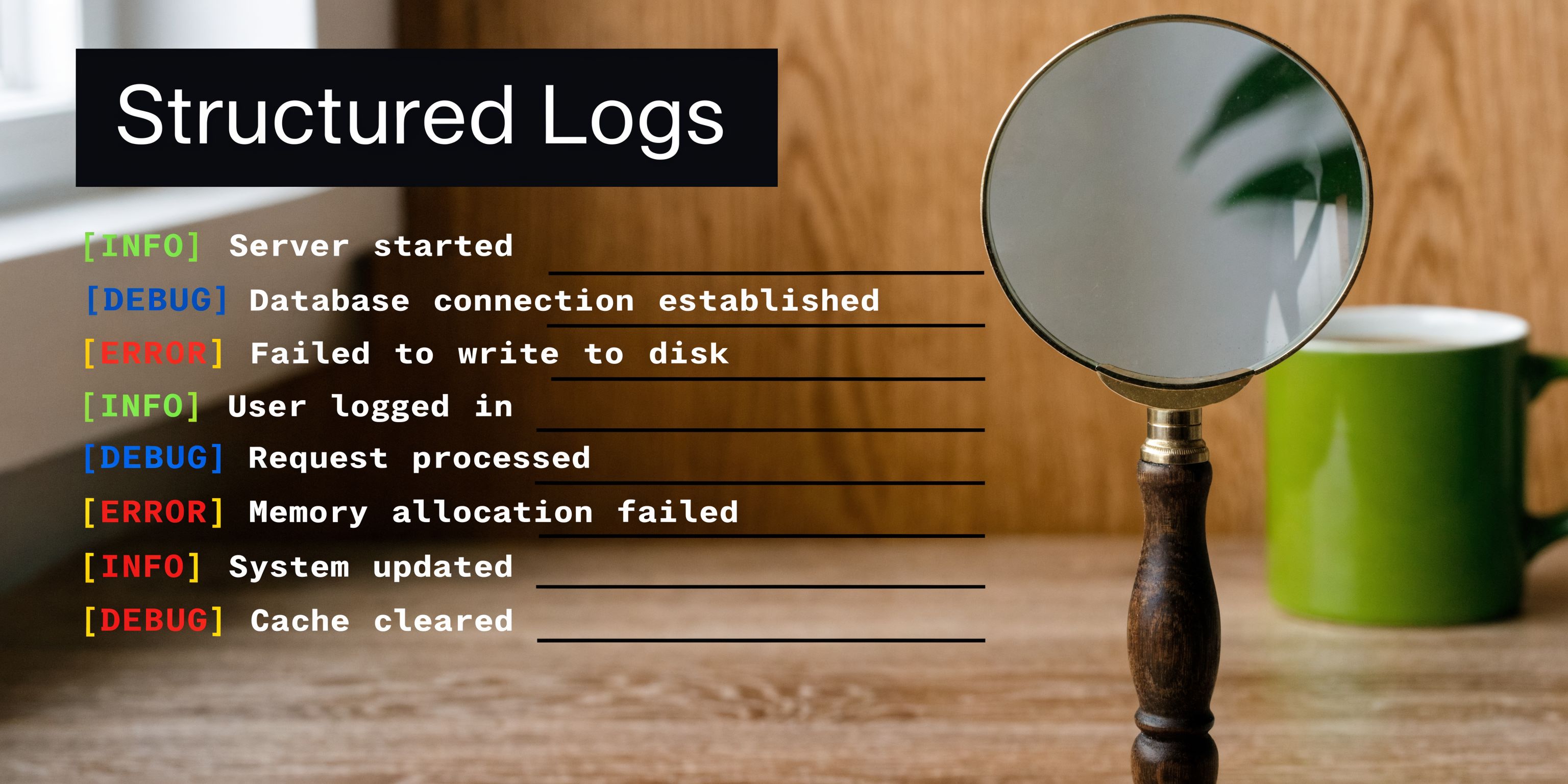
Add structured logs around scoring inputs and outcomes. When sales ops disputes a qualification result, we need to see which criteria fired for that lead and which workflow version produced the score.
After
import logging

logger = logging.getLogger(__name__)

def score_lead(lead):
    score = 0
    reasons = []

    if lead.company_size > 100:
        score += 20
        reasons.append("company_size_gt_100")

    if lead.job_title in ["VP", "Director", "Head"]:
        score += 25
        reasons.append("senior_title")

    if lead.country == "US":
        score += 10
        reasons.append("country_us")

    logger.info(
        "lead_scored",
        extra={
            "lead_id": lead.id,
            "client_id": lead.client_id,
            "score": score,
            "reasons": reasons,
            "workflow_version": "v3"
        }
    )

    return score
The underserved review question
Practitioner discussions around code review often point out that reviewers should check whether edge cases are logged and whether code is testable, because failures without traceability are hard to debug in production (discussion on what to look for in a code review).
That is the practical review question many teams skip: if this path fails in production, what evidence will we have?
I look for logs at business boundaries, not everywhere:
- when input enters the system
- when a decision is made
- when data changes shape
- when a side effect happens
- when an error is swallowed or retried
Log the decision, not just the exception. “Scored 35 because title and region matched” is far more useful than “completed scoring.”
The common failure mode is overcorrecting into noisy logging. Dumping full payloads can create privacy risk and drown useful signals. Good review comments push for structured context, identifiers, workflow versioning, and event names that map to operational questions.
5. Race Conditions in Concurrent Automation Workflows
In current Automation Workflows. Then “works on my machine” becomes “why did the prospect get two messages and three conflicting statuses?”
Concurrent automation is normal in SaaS systems. A lead can be touched by a webhook processor, a scoring worker, an SMS queue, and a CRM sync job within seconds. If the code treats those actions as independent when they are not, race conditions follow.
Before and after
Before
async function claimLeadForOutreach(leadId, workerId) {
  const lead = await db.leads.findById(leadId);

  if (lead.status === "new") {
    await db.leads.update(leadId, {
      status: "processing",
      workerId
    });
    return true;
  }

  return false;
}
Reviewer comment
Two workers can read
status = newbefore either update commits. This can assign the same lead twice. Use an atomic update or transaction that claims only unowned records.
After
async function claimLeadForOutreach(leadId, workerId) {
  const result = await db.query(`
    UPDATE leads
    SET status = 'processing', worker_id = $1
    WHERE id = $2 AND status = 'new'
  `, [workerId, leadId]);

  return result.rowCount === 1;
}
What experienced reviewers check
A race condition review is less about the line of code and more about the state transition.
The reviewer should ask:
- What other worker or service can touch this record at the same time?
- Is the read-check-write sequence atomic?
- If the job retries, is it idempotent?
- Can two channels claim the same prospect?
This matters a lot in voice AI, outbound sales, and multichannel orchestration. One workflow may mark a record as contacted while another still sees it as available. Then operations teams spend hours cleaning duplicates and apologizing to prospects.
A stronger implementation may use transactions, optimistic locking, queue partitioning, or distributed locks depending on the system boundary. The right answer depends on where contention lives.
One useful reviewer habit is to write the bug as a timeline:
- Worker A reads record.
- Worker B reads same record.
- Worker A updates.
- Worker B updates based on stale state.
If the timeline is plausible, the code is unsafe.
6. Missing Input Validation and Sanitization
A lot of automation bugs start outside the application. They arrive through CSV imports, webhook payloads, admin dashboards, or AI-generated field values. By the time the bad input reaches core logic, the original source is hidden.
That is why boundary validation belongs in code review.
Before and after
Before
app.post("/webhook/lead", async (req, res) => {
  const { email, phone, retryCount, timezone } = req.body;

  await saveLead({ email, phone, retryCount, timezone });
  res.status(200).send("ok");
});
Reviewer comment
Validate required fields, types, and allowed ranges before saving. Right now malformed email addresses, negative retry counts, and invalid timezone strings can enter the system and break downstream jobs.
After
const { z } = require("zod");

const leadSchema = z.object({
  email: z.string().email(),
  phone: z.string().min(7),
  retryCount: z.number().int().min(0).max(10),
  timezone: z.string().min(1)
});

app.post("/webhook/lead", async (req, res) => {
  const parsed = leadSchema.safeParse(req.body);

  if (!parsed.success) {
    return res.status(400).json({
      error: "Invalid payload",
      details: parsed.error.flatten()
    });
  }

  await saveLead(parsed.data);
  res.status(200).send("ok");
});
The review standard that saves downstream systems
Validation has two jobs. It protects security, and it protects system assumptions.
Reviewers should not settle for “we validate on the frontend.” In B2B systems, data also enters through partner APIs, manual imports, internal admin tools, migration scripts, and scheduled jobs. Every one of those paths can bypass a browser form.
If your team works in JavaScript or TypeScript, this roundup of a JavaScript data validation library can help standardize how schemas are defined and reused.
The most effective review comments on validation tend to be concrete:
- Requiredness: Which fields are mandatory at this boundary?
- Shape: Are nested objects and arrays constrained?
- Range: Can retry counts, score inputs, or weights go negative?
- Allowlist: Are status values and campaign types restricted to known values?
- Sanitization: Is any input later used in a query, prompt, shell command, or file path?
A subtle but important point: good validation also improves support. Specific errors let ops teams correct payloads quickly instead of guessing which field broke the workflow.
7. Lack of Pagination and Limits in Data-Heavy Operations
Some pull requests look innocent because they only add a “simple export” or “just one reporting endpoint.” Then production receives a request for every prospect ever touched, and the process runs out of memory.
This is one of the most reliable code review examples because the anti-pattern is easy to write and painful to unwind.
Before and after
Before
@app.get("/campaigns/{campaign_id}/leads")
def get_leads(campaign_id: str):
    leads = db.query("SELECT * FROM leads WHERE campaign_id = %s", [campaign_id])
    return {"items": leads}
Reviewer comment
This endpoint has no limit, pagination, or field projection. Large campaigns will return too much data, increase latency, and stress both the database and clients. Add pagination and enforce a maximum page size.
After
@app.get("/campaigns/{campaign_id}/leads")
def get_leads(campaign_id: str, limit: int = 50, offset: int = 0):
    limit = min(limit, 1000)

    leads = db.query("""
        SELECT id, name, email, status
        FROM leads
        WHERE campaign_id = %s
        ORDER BY id
        LIMIT %s OFFSET %s
    """, [campaign_id, limit, offset])

    return {
        "items": leads,
        "limit": limit,
        "offset": offset
    }
The strategic review lens
Pagination is not just an API style preference. It is a capacity control.
Teams often focus on database cost, but the blast radius is wider than that. Unbounded responses also increase app memory, worker time, serialization overhead, network transfer, client rendering cost, and retry pain when requests fail.
A reviewer should ask what kind of operation it is:
- UI endpoint: use pagination and sorting
- Bulk export: use streaming or background job generation
- Automation processor: use batching with progress checkpoints
- Search endpoint: cap result size and force filters
There is also a product trade-off. Users love “export all.” Engineers hate the resource spike. The compromise is usually asynchronous exports delivered by email or object storage rather than a blocking request.
One helpful comment pattern is: “What happens if this campaign has far more records than your local seed data?” That question catches a surprising number of bugs before merge.
8. Lack of Tests for Critical Automation Logic
Teams often review logic as if reading it carefully is enough. It is not. If the code decides who gets routed to sales, who enters a campaign, or how an outbound system prioritizes calls, the pull request needs tests.
This becomes more important when some of the code came from AI assistance. Recent guidance on AI-generated code review warns that AI output can look correct while hiding subtle security and data-flow issues, which means reviewers need deliberate scrutiny instead of assuming polished code is safe (Apiiro on code review process and AI-generated code risks).
Before and after
Before
def qualifies_for_sales(lead):
    if lead.company_size > 200 and lead.country == "US":
        return True
    if lead.source == "partner" and lead.score > 80:
        return True
    return False
Reviewer comment
This is core revenue logic and has no tests. Please add unit tests for boundary conditions, missing values, and client-specific overrides before merge.
After
def qualifies_for_sales(lead):
    if lead.company_size and lead.company_size > 200 and lead.country == "US":
        return True
    if lead.source == "partner" and lead.score and lead.score > 80:
        return True
    return False
def test_qualifies_large_us_company():
    lead = Lead(company_size=500, country="US", source="web", score=10)
    assert qualifies_for_sales(lead) is True

def test_qualifies_partner_with_high_score():
    lead = Lead(company_size=20, country="CA", source="partner", score=90)
    assert qualifies_for_sales(lead) is True

def test_rejects_partner_at_threshold():
    lead = Lead(company_size=20, country="CA", source="partner", score=80)
    assert qualifies_for_sales(lead) is False

def test_handles_missing_company_size():
    lead = Lead(company_size=None, country="US", source="web", score=50)
    assert qualifies_for_sales(lead) is False
What good reviewers ask for
Tests should mirror business risk, not just lines of code. If a change touches qualification, assignment, billing rules, or outreach eligibility, reviewers should expect explicit scenario coverage.
I like comments that ask for named business cases rather than generic “add tests.” That gets better results:
- a partner lead exactly at threshold
- a U.S. enterprise lead with missing company size
- a client override that disables partner routing
- duplicate lead data from two ingestion paths
If your team needs a starting point, these unit test templates are useful for standardizing case-based tests around decision logic.
The practical lesson from code review examples like this is simple. If a reviewer cannot quickly verify the intended behavior from tests, future refactors will break it.
8-Point Code Review Issues Comparison
| Issue | Implementation complexity | Resource requirements | Expected outcomes | Ideal use cases | Key advantages |
|---|---|---|---|---|---|
| Missing Error Handling in API Integration | Moderate: add try/catch, retries, circuit breaker | Developer effort, logging & retry infra, monitoring | Resilient integrations, fewer silent failures, audit trails | CRM syncs, third‑party API calls, lead routing | Prevents revenue loss, reduces manual fixes, enables alerts |
| Hardcoded Configuration Values in Automation Scripts | Low–Moderate: externalize config, integrate secrets manager | Secrets management, CI/CD changes, documentation | Secure deployments, per‑client configurations, easier updates | Multi‑tenant automation, white‑label clients, campaign tuning | Eliminates exposed creds, enables A/B testing and simple onboarding |
| Inefficient Database Queries in Lead Retrieval | High: query refactor, indexing, batching | DB expertise, profiling tools, maintenance windows | Faster queries, lower DB load, scalable concurrency | High‑volume lead processing, real‑time scoring, reporting | Improves speed, reduces infra cost, enables real‑time workflows |
| Insufficient Logging and Observability in Automation Workflows | Low–Moderate: add structured logs, levels, context | Log aggregation, storage, dashboards, alerting | Faster debugging, auditability, proactive monitoring | Complex multi‑step workflows, compliance, client transparency | Rapid root‑cause analysis, compliance trails, performance insights |
| Race Conditions in Concurrent Automation Workflows | High: locking, transactions, queues, idempotency | Architecture changes, concurrency testing, possible locks | Consistent state, no duplicate processing, data integrity | Multi‑channel outreach, concurrent workers, distributed services | Prevents data corruption, ensures reliable multi‑worker processing |
| Missing Input Validation and Sanitization | Low–Moderate: define schemas, sanitize inputs | Validation libraries, tests, clear error messages | Fewer injections/errors, improved data quality, compliance | API endpoints, lead imports, user‑provided configs | Enhances security, preserves data integrity, reduces failures |
| Lack of Pagination and Limits in Data‑Heavy Operations | Moderate: implement cursors, batching, streaming | API changes, client handling, cursor/state management | Prevents OOM/timeouts, responsive UI, scalable batch jobs | Large exports/imports, dashboards, bulk automation tasks | Memory safety, improved performance, scalable UX |
| Lack of Tests for Critical Automation Logic | Moderate–High: unit, integration, edge case tests | Test infra, CI, mocks, developer time | Fewer regressions, safe refactoring, documented behavior | Lead scoring, qualification rules, end‑to‑end workflows | Prevents regressions, speeds development, reduces manual QA |
From Examples to Excellence Building Your Review Playbook
These code review examples all point to the same truth. Great reviews are not mainly about catching typos, enforcing personal style, or proving that a senior engineer is paying attention. They are a risk-control system for software that runs real business operations.
In B2B and SaaS environments, the stakes are concrete. A missed error path can stall CRM sync. Weak validation can poison lead data. Poor observability can turn a minor production bug into an all-day investigation. A race condition can duplicate outreach and create customer-facing damage. Missing tests can change revenue logic.
That is why the most useful review culture is operational, not performative.
A good review playbook starts with a small set of repeatable questions. Not dozens. Just the ones your team needs every week:
- What breaks if this external dependency fails?
- What logs or traces will help us debug this in production?
- What happens under concurrency?
- Is data validated at the boundary?
- Will this query or endpoint still behave well at larger scale?
- Is the business logic covered by tests?
Those prompts turn reviews from opinion exchange into a shared engineering standard.
The next step is to make the standard visible. Put the patterns into pull request templates. Build short review checklists for common change types such as API integrations, queue workers, reporting endpoints, and AI-assisted code. Add examples of strong comments. Show reviewers how to ask for concrete changes without turning every review into a philosophy debate.
This is also where teams should be realistic about trade-offs. Not every pull request needs a dissertation. A tiny copy fix should move fast. A change to lead routing, billing logic, or auth middleware deserves a more deliberate pass. Review depth should match blast radius.
Automation can help, but it should not become a substitute for judgment. One case study of code review automation in an e-commerce CI/CD pipeline reported that review times were reduced by 40 percent, code quality improved by 30 percent, and automation flagged 85 percent of issues before human review, helping the team focus attention on complex logic (code review automation case study). That is the right model: Let tools handle syntax, style, and obvious anti-patterns, while humans focus on architecture, state transitions, business rules, observability, and failure modes.
The teams that improve fastest usually do one more thing well. They turn painful incidents into future review patterns. If a webhook failed because JSON parsing was unchecked, that becomes a standard review question for all inbound integrations. If a race condition duplicated outreach, reviewers start looking for atomic claims and idempotency. If a silent failure burned hours because nothing was logged, observability becomes part of the acceptance bar.
That is how engineering maturity grows. Not from generic advice, but from reusable lessons.
Start with one pattern from this list on your next pull request. Add one comment style, one test expectation, or one logging requirement that your team can repeat. Small review habits compound into faster releases, cleaner operations, and fewer emergency mornings.
MakeAutomation helps B2B and SaaS teams turn review lessons like these into scalable operating standards. If you want tighter engineering workflows, stronger automation reliability, cleaner CRM and lead-gen pipelines, or support implementing AI automation and Voice AI agents for inbound or outbound calls, MakeAutomation can help design the process, documentation, and hands-on improvements that make quality repeatable.