Agile Product Requirements: Master agile product requirements for outcomes
Agile product requirements are all about staying flexible and focused on the customer. Instead of writing a massive, rigid document upfront, we use formats like user stories to capture the real-world context of a feature—the who, what, and why. This allows development teams to pivot quickly based on feedback and shifting priorities.
Why Agile Requirements Trump Traditional Documents
If you’ve ever been handed a colossal Product Requirements Document (PRD), you know the feeling. They're often hundreds of pages long, detailing every last feature before a single line of code is written. It’s a well-intentioned process, but for modern software development, it’s fundamentally broken.
The old-school "waterfall" approach bets everything on being able to predict the future perfectly. It locks teams into a rigid plan, making it painfully slow and expensive to react when—not if—you get new customer insights or the market shifts. By the time you finally launch, the product you built is often based on assumptions that are months out of date.
This is where agile product requirements change the game. Instead of a one-time handoff, they create an ongoing conversation between product managers, developers, and stakeholders. It’s a built-in acknowledgment that the best products emerge from learning and adapting as you go.
The Core Components of Agile Requirements
At its heart, this approach uses a simple but powerful hierarchy to keep everyone aligned. It’s designed to ensure that the small, daily tasks always trace back to the big-picture business goals.
- Themes: Think of these as your high-level strategic goals. They’re broad focus areas for the business, like "Improve User Onboarding" or "Increase Mobile Engagement."
- Epics: An epic is a large chunk of work that helps you tackle a theme. It's essentially a big feature that's too complex to finish in a single sprint. For instance, an epic under the "Improve User Onboarding" theme might be "Implement Interactive In-App Tutorial."
- User Stories: This is where the real work gets defined. User stories are the smallest unit of work, describing a piece of functionality from the perspective of the person who will actually use it. They're the building blocks that make up an epic.
This structure creates a clear line of sight from a developer’s task all the way up to the overarching business objective it supports. Your team stops being a feature factory and starts becoming a value-delivery engine.
Below you can see how these elements all connect, breaking down a big goal into specific, actionable stories.
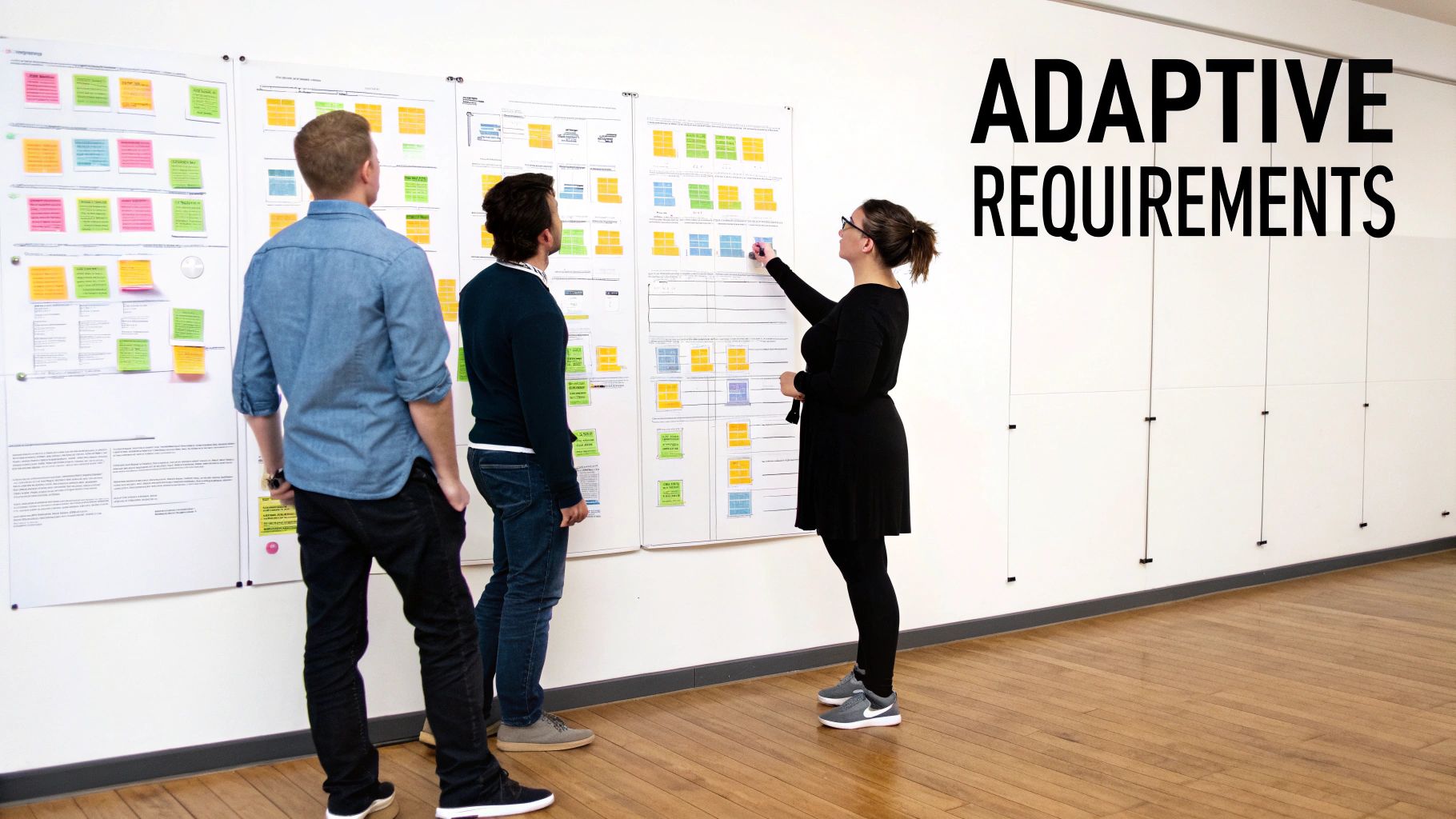
This kind of visual breakdown is key to showing how a large, ambitious goal gets deconstructed into small pieces the team can actually build and ship.
The Shift to a Living Backlog
Moving to agile requirements is more than just changing your document templates; it’s a total mindset shift. Your product backlog is no longer a static to-do list. It becomes a living, breathing artifact that reflects your team's most current understanding of what customers need and what the business should prioritize. It’s a dynamic roadmap, not a stone tablet.
For a deeper dive, our project management methodology comparison shows just how much this differs from more rigid approaches.
The goal is to build a shared language between product, engineering, and stakeholders, ensuring everyone is focused on delivering real customer value, not just checking off a feature list.
This transition isn't just a niche trend; it’s a full-blown movement. Between 2020 and 2021, agile methodology adoption skyrocketed to 86% among software teams, a massive leap from just 37% a few years prior. Frameworks like Scrum, used by 87% of these teams, are built entirely around this idea of a dynamic backlog. This isn't a fad—it's a direct response to the need for speed, flexibility, and a relentless focus on the customer.
Writing User Stories That Actually Work
Switching to agile means getting really good at writing user stories. This is how we take a customer need and turn it into something the development team can actually build. The problem is, many teams just fall into a fill-in-the-blank routine, which leads to vague, oversized, or untestable stories that cause more headaches than they solve.
A solid user story is much more than a sentence in a template—it's a promise to have a conversation. It's designed to capture the who, what, and why in a way that gets product, design, and engineering talking and collaborating effectively.
This way of defining work is spreading like wildfire, well beyond just software teams. In fact, engineering and R&D teams now represent about 48% of all Agile users, which is a significant 16% jump from 2022. This shows just how powerful these iterative processes are for driving innovation. Meanwhile, product owners—the people managing these requirements—make up 36% of Agile practitioners. You can dive deeper into these trends and see how Agile is expanding across industries over at businessmap.io.
Beyond The Standard Template
Everyone knows the classic format: "As a [type of user], I want [an action] so that [a benefit]." It's a great starting point, no doubt. It forces you to think from your user’s perspective and connect a feature directly to the value it provides.
But just following the template is the bare minimum. The real magic happens in the details that fuel a shared understanding across the team. Let's look at a typical SaaS example to see what I mean.
- Here's a weak story: "As a user, I want to export data so I can use it elsewhere."
This is way too generic. Which user? What kind of data? And where is "elsewhere"? This leaves far too much up to interpretation and guesswork.
- And here's a much better one: "As a marketing manager, I want to export a CSV of campaign performance data so that I can create custom reports in our internal BI tool."
Now we're talking. We have a clear persona (marketing manager), a specific action (export a CSV of performance data), and a concrete business outcome (custom reporting). The engineering team immediately has the context they need to start thinking about a real solution.
Using INVEST As A Quality Checklist
To make sure your stories are actually ready for a developer to pick up, you need a quality check. That's where the INVEST framework comes in. Think of it as a simple but powerful checklist for your requirements.
A good user story must be:
- Independent: Can be developed and shipped on its own.
- Negotiable: It's not a rigid contract; it's a starting point for discussion.
- Valuable: Delivers clear value to the user or the business.
- Estimable: The team can give a rough estimate of the effort involved.
- Small: Small enough to be completed within a single sprint.
- Testable: You can define clear criteria to confirm it's done correctly.
If a story fails any of these checks, it’s a red flag. It’s probably too big (an epic in disguise), too vague, or doesn't have a clear purpose. It needs more refinement before it's ready.
A user story isn't a specification; it's an invitation to a conversation. The goal is to establish a shared understanding, not to document every single detail upfront.
For instance, a story like "Build the new reporting dashboard" is a classic offender. It fails the "Small" and "Estimable" tests right away because it's massive. You'd need to break that down into smaller, more manageable stories like "View total clicks by date range" or "Filter report by campaign name."
To see how this works in practice, let's take a poor user story and run it through the INVEST checklist to improve it.
Applying the INVEST Criteria to a User Story
| INVEST Criteria | Before (Poor Example) | After (Good Example) |
|---|---|---|
| Independent | Depends on the "new UI" story being finished first. | "As a sales rep, I want to filter my contact list by 'last contacted date' using the existing UI components." (No external dependency) |
| Negotiable | "The button must be blue, 50px wide, and use hex code #007bff." | "I need a clear visual cue to apply the filter, and the team can propose the best design." (Opens a dialogue) |
| Valuable | "As a user, I want a filter." | "As a sales rep, I want to filter contacts so I can quickly identify who to follow up with today." (Clearly states the benefit) |
| Estimable | "As a user, I want to manage my contacts." (Too big and vague to estimate) | "As a sales rep, I want to edit the phone number field for a contact." (Specific and easy to size) |
| Small | "Build the entire contact management page." (An epic, not a story) | "As a sales rep, I want to add a new contact with a name, email, and phone number." (Fits within one sprint) |
| Testable | "The contact list should load fast." | "When I open the contact list, all contacts should be visible within 2 seconds on a standard connection." (Specific and verifiable) |
By applying each INVEST principle, we transform a vague, problematic requirement into a focused, actionable story that the team can confidently build and test.
Crafting Rock-Solid Acceptance Criteria
If the user story is the what and why, then Acceptance Criteria (AC) are the guardrails that define "done." They are simple, testable statements that must be true for the story to be complete. This is how you eliminate ambiguity and get everyone—product, developers, and QA—on the same page.
A fantastic format for this is the "Given/When/Then" structure borrowed from behavior-driven development. It’s a clean way to describe a specific scenario:
- Given: The initial context or setup.
- When: The action the user performs.
- Then: The expected outcome.
Let's go back to our marketing manager story and flesh out the ACs.
User Story: "As a marketing manager, I want to export a CSV of campaign performance data so that I can create custom reports in our internal BI tool."
Acceptance Criteria:
-
Given I am viewing the campaign performance dashboard,
When I click the "Export" button,
Then a CSV file named "[CampaignName]-performance.csv" starts downloading. -
Given the downloaded CSV file is opened,
When I view its contents,
Then I see columns for "Date," "Impressions," "Clicks," and "CTR." -
Given I have a custom date range selected on the dashboard,
When I export the data,
Then the resulting CSV file only contains data from within that specific date range.
These ACs leave no room for guesswork. The developer knows exactly what functionality to build, and the QA engineer has a clear script for what to test. This level of clarity is the bedrock of predictable sprints and high-quality product delivery.
How to Prioritize Your Product Backlog with Confidence
A well-groomed product backlog is far more than just a to-do list. It's the strategic heart of your product, guiding your team to deliver what actually matters. Without a solid prioritization strategy, even the best-written user stories can lead to chaos, with your team working hard on features that just don't move the needle.
True prioritization isn't about filling a queue; it's about making deliberate—and often tough—choices about what to build next. This ensures every sprint is laser-focused on the most impactful work, directly connecting your team's day-to-day efforts with bigger company goals. A huge part of effective product management comes down to knowing the proven steps for prioritizing product features so you can confidently tackle the most valuable items first.
Choosing Your Prioritization Framework
Let's be honest: there's no single "best" way to prioritize. The right method really depends on your product's maturity, your team's dynamics, and what you’re trying to achieve strategically. Just relying on your gut feeling is a recipe for disaster. A structured framework, on the other hand, brings objectivity and clarity to the table.
Here are three popular frameworks I've seen work exceptionally well in B2B SaaS:
- MoSCoW Method: This classic technique groups items into four buckets: Must-have, Should-have, Could-have, and Won't-have (for now). It’s fantastic for getting quick alignment with stakeholders on the scope of a new release or an MVP.
- RICE Scoring: If you're looking for a more data-driven approach, this is it. Every feature gets a score based on four factors: Reach, Impact, Confidence, and Effort. The final RICE score gives you a quantitative way to compare apples to apples.
- Kano Model: This one is all about customer delight. It helps you categorize features as Basic (the stuff people expect), Performance (the more, the better), or Excitement (the unexpected wow factor). It's perfect for figuring out which features will just meet expectations versus which ones will create a real competitive edge.
The secret isn't which one you pick, but that you pick one and stick with it. Consistency builds a shared language for talking about priorities and helps you defend your decisions with data and logic, not just opinion.
Transforming Backlog Refinement Sessions
I think we've all been in those dreaded "backlog grooming" meetings. They often turn into a long, painful slog where a product manager reads through a list of tickets while developers stare into the void. This isn’t just boring; it’s a massive waste of everyone's time.
The real goal of backlog refinement isn't just tidying up a list. It’s about building a shared understanding of what's coming down the pipe. It’s a critical time to clarify requirements, ask tough questions, and spot potential roadblocks long before sprint planning even starts.
Here’s a great visual of how a team can break down big epics into smaller, more digestible stories during a refinement session.
This image perfectly shows the shift from a high-level idea to concrete tasks, which is exactly what a good refinement meeting should accomplish.
Don't let backlog refinement become a monologue. Treat it as a high-energy workshop where the entire team—product, design, and engineering—collaborates to dissect, estimate, and prepare user stories for future sprints.
To make these sessions truly productive, you have to change the format. Instead of a line-by-line review, focus on the top-priority epics. Get people involved by asking clarifying questions and maybe even sketching out ideas on a whiteboard. A successful refinement session ends with the team walking away with a crystal-clear picture of what’s next and, more importantly, why it matters.
Keeping Your Backlog Lean and Strategic
A bloated backlog is often a symptom of a fuzzy strategy. If your backlog has hundreds of items that haven't been touched in over a year, it’s not a tool anymore—it's a graveyard of forgotten ideas.
You have to be ruthless. Set a strict "time-to-live" for backlog items. If a user story has been sitting there for six months without being prioritized, it’s probably not that important. Archive it or just delete it. This forces you to be intentional and stops the backlog from turning into an unmanageable monster.
Ultimately, every single item in your backlog should have a clear, direct link to your product vision and strategic goals, like your OKRs (Objectives and Key Results). If you can't draw a straight line from a user story to a key result, you have to ask yourself why it’s even there. This discipline is what keeps your team focused on building a product that wins.
From Backlog to Sprint: A Practical Workflow
This is where the rubber meets the road. All that careful planning, writing, and prioritizing of your agile requirements finally gets turned into real, working software. A perfectly groomed backlog is just a wish list until you translate it into focused development work, sprint after sprint.
The bridge between that strategic list and a committed sprint plan is the sprint planning meeting. This isn't just a ceremony to fill a calendar; it’s a negotiation. The product owner comes in championing the highest-priority user stories, explaining the why behind each one. The development team then pokes and prods, asks the tough questions, and collectively decides what they can realistically pull into the upcoming sprint.
Getting this meeting right is everything. If your team wants to really nail this part of the process, this guide to Master Agile Development Sprint Planning has some great insights. The success of the entire sprint hinges on the quality of the backlog items you bring to the table. Vague stories or unclear dependencies will stop a planning session dead in its tracks.
Defining Your Gates: Definition of Ready and Done
To keep things moving smoothly, the best agile teams I've worked with live by two simple but powerful agreements: the Definition of Ready (DoR) and the Definition of Done (DoD). These aren't rigid rules handed down from on high. They're social contracts created and agreed upon by the entire team.
The Definition of Ready is your quality gate for entering a sprint. Think of it as a checklist that confirms a user story is clear, feasible, and actionable before the team even considers it. It's the team's way of saying, "Don't hand us half-baked ideas."
On the flip side, the Definition of Done is the quality gate for leaving a sprint. It defines what it means for a story to be completely finished, which is always more than just "the code works." It includes things like code reviews, passing all tests, and updating documentation.
Think of it this way: The Definition of Ready protects the team from ambiguity at the start of a sprint. The Definition of Done protects the product from technical debt and shoddy quality at the end.
This simple framework of collecting, prioritizing, and refining requirements is the engine that gets work "Ready" for a sprint.
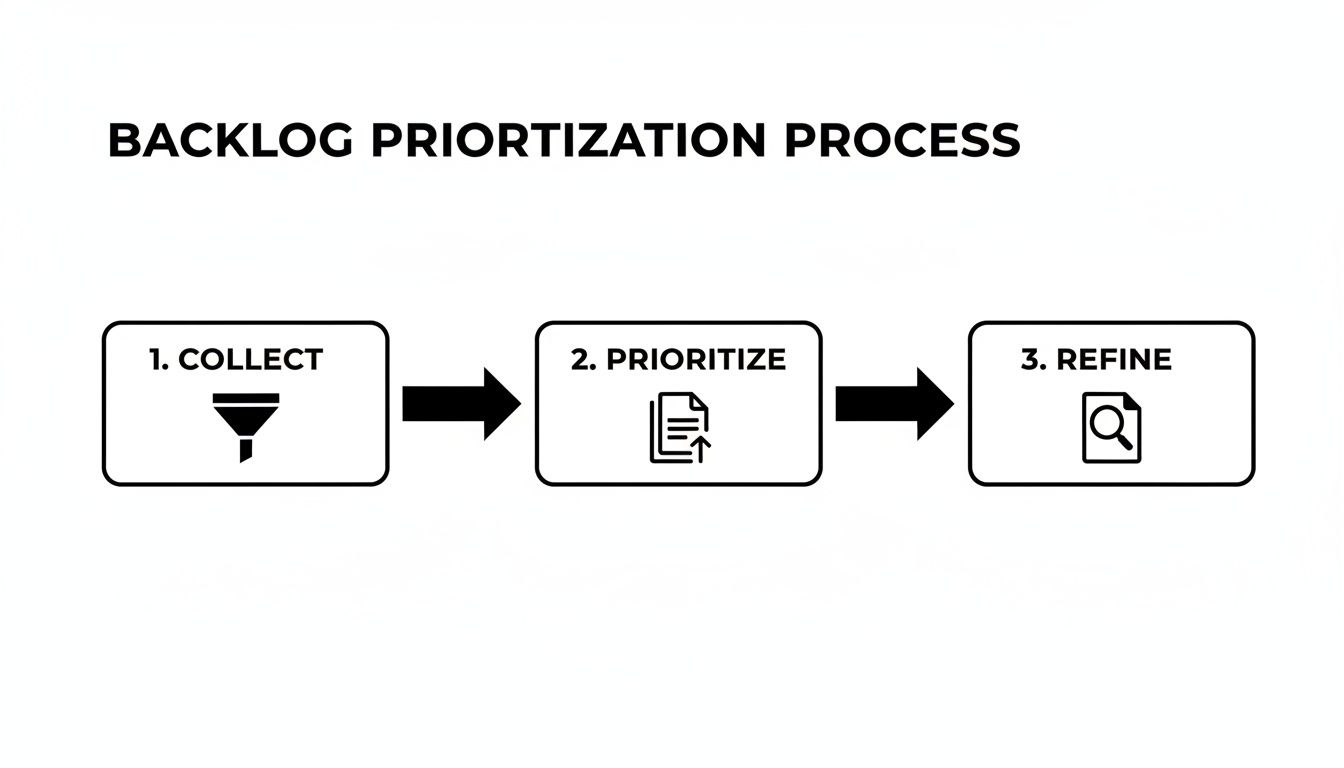
This continuous flow ensures there's always a steady stream of well-understood work ready for the team to pull from, preventing bottlenecks and keeping momentum high.
To make the distinction crystal clear, here’s a breakdown of what typically goes into each definition.
Definition of Ready vs Definition of Done
| Criteria | Definition of Ready (DoR) | Definition of Done (DoD) |
|---|---|---|
| User Story | Clearly written and understood by the team. | Code is complete and implements the story. |
| Acceptance Criteria | Defined, testable, and agreed upon. | All acceptance criteria have been met. |
| Dependencies | Identified and resolved (or a clear plan exists). | Code has been peer-reviewed. |
| Sizing | Story is estimated by the development team. | Unit and integration tests are written and passing. |
| Value | Business value is clearly articulated. | QA testing is complete; no critical bugs remain. |
| UX/UI | Mockups/designs are complete and attached. | Documentation is updated. |
This table serves as a great starting point for your team's own discussion. The key is that the entire team—devs, QA, product, and design—agrees on these criteria together.
Aligning Sprints with Strategic Goals
A sprint isn't just a two-week bucket for random user stories. A great sprint has a singular, focused sprint goal—a short statement of what the team plans to achieve. For instance, a sprint goal could be, "Launch the beta version of the CSV export feature for marketing managers."
This goal gives the work purpose. It helps the team make smart trade-off decisions when roadblocks appear and gives stakeholders a simple summary of what to expect. Every single user story pulled into the sprint should be a step toward achieving that goal.
This creates a powerful connection between daily work and the bigger picture.
- User Stories get completed…
- Which achieves the Sprint Goal…
- Which contributes to a larger Epic…
- Which, in turn, moves the needle on a quarterly OKR.
This clear line of sight is what makes the agile workflow so effective. It ensures every line of code connects back to real business value, a cornerstone of any healthy continuous delivery and DevOps culture. This is how you guarantee that every couple of weeks, you’re not just shipping features—you're making measurable progress.
Using AI and Automation to Manage Requirements

As your product scales, managing agile product requirements the old-fashioned way just doesn't cut it. The firehose of feedback from support tickets, sales calls, surveys, and app reviews can easily overwhelm even the most diligent product manager. This is exactly why savvy teams are turning to AI and automation to work smarter, not harder.
These aren't just buzzwords anymore. AI and automation are becoming practical, everyday tools that fundamentally change how you collect, polish, and maintain your product backlog. Instead of losing hours manually tagging feedback or grouping similar requests, you can set up systems to handle that grunt work for you.
Automating Requirement Discovery
Modern tools can plug directly into the places you talk to customers—think Zendesk, Salesforce, or Gong. Using natural language processing (NLP), they sift through mountains of unstructured text and voice data, automatically spotting recurring themes, pain points, and feature requests.
Picture this: an AI listens to hundreds of sales call recordings and flags that 5% of prospects are asking for a specific integration. That insight can instantly generate a draft user story—complete with links to the source calls—and pop it into your backlog for review. This frees up your product team to focus on validating the opportunity, not just finding it.
This shift from manual discovery to automated insight generation is a game-changer. It lets product teams build a backlog that truly reflects the market's voice, not just the loudest opinions in the room.
This push for smarter, more agile processes is a global trend. The Agile transformation services market in Asia-Pacific, for example, hit $1.3 billion in 2023. In countries like Singapore, an incredible 81% of businesses have adopted Agile methods. This massive investment shows a worldwide demand for tools that make agile development more scalable and data-driven. You can dig into this trend further in this analysis of agile adoption in Singapore.
AI-Powered Quality Control and Refinement
AI isn't just for discovery; it can also be your tireless assistant during backlog refinement. New platforms can analyze your user stories as you write them, offering instant feedback and acting as a powerful quality check for your agile product requirements.
Here are a few ways AI is helping teams write better requirements:
- INVEST Framework Audits: An AI can scan a user story and flag potential issues. It might warn you if a story seems too large for a single sprint ("Fails the 'S' in INVEST") or if the user value is murky ("Fails the 'V'").
- Acceptance Criteria Generation: Based on a story's description, an AI can draft a solid first version of your acceptance criteria in the Given/When/Then format. It still needs a human review, of course, but it's a huge time-saver.
- Dependency Identification: By analyzing your entire backlog, AI can spot potential dependencies between stories that a human might easily miss, helping you avoid nasty integration surprises down the line.
Bringing these tools into your workflow doesn't mean you have to rip and replace everything. Many offer direct integrations with project management software like Jira or Azure DevOps. The real goal is to embed these smart assistants right where your team already lives.
If you're curious about the nuts and bolts, our guide on AI-powered workflow automation offers a great overview. By offloading these tedious tasks, your product managers get their time back to focus on what really matters: strategy, talking to customers, and steering the product to success.
Got Questions About Agile Requirements?
Even with a solid framework, theory doesn't always translate perfectly to the real world. When you're in the trenches, a lot of practical questions pop up. Let's dig into some of the most common ones we see B2B and SaaS teams wrestle with.
How Detailed Does a User Story Need to Be?
This is the million-dollar question, isn't it? It's all about finding that sweet spot. A story needs enough meat for the team to estimate and build it, but it shouldn't be a 10-page novel that stifles any creative problem-solving. Remember, a user story is a conversation starter, not a rigid contract.
The classic "who, what, why" format gives you the essential context. Then, the acceptance criteria provide the guardrails. A good rule of thumb? If you find yourself writing more than five or six acceptance criteria, that's a huge red flag. It almost always means the story is too big and you need to break it down.
Is This a Bug or a New Story?
Ah, the age-old debate. The line can feel blurry, but here’s a simple way I've learned to distinguish them.
Ask yourself: is the software failing to meet the agreed-upon acceptance criteria for an existing feature? If the answer is yes, you've got a bug on your hands.
But what if a user says, "This is great, but it should also do X"? If that "X" was never part of the original conversation or requirements, that's not a bug—it's a feature request. It should be captured as a new user story, added to the backlog, and prioritized against everything else. Trying to sneak it in as a "bug" just blows up your sprint and undermines your whole prioritization process.
A bug is when the product is broken based on what you already agreed to build. A new story is when you discover a new way to make the product better.
Who Actually Writes the User Stories?
Officially, the Product Owner (or Product Manager) owns the backlog and is accountable for its quality. But that doesn't mean they should be the only one writing stories. In fact, they shouldn't be. Great ideas and crucial insights come from all over.
- Developers are often the best people to write stories for paying down technical debt or making infrastructure improvements.
- Customer Support is on the front lines and can draft stories directly from user pain points they hear about all day.
- Sales teams can capture valuable requests that could close a major deal.
Think of the Product Owner as the curator of the backlog, not its sole author. Their job is to make sure every story, no matter where it came from, is clear, valuable, and slotted into the right place in the priority list.
What About Requirements with No "User"?
You're right, not everything fits neatly into the "As a user…" template. Sometimes you need to refactor a messy part of the codebase, upgrade a server, or speed up the CI/CD pipeline. Forcing these into a user-centric format feels clunky because there is no direct end-user.
Don't be afraid to drop the template in these cases. Clarity is more important than rigid consistency. A technical story can be a simple, direct statement of the goal: "Upgrade the primary database to the latest version to improve query performance by 15%."
The trick is to still articulate the value—the "why." Even if a customer isn't the direct beneficiary, there's always a reason, whether it's performance, stability, or developer efficiency.
At MakeAutomation, we specialize in implementing AI and automation frameworks that help B2B and SaaS companies manage their product development processes more effectively. If you're looking to eliminate manual workflows and scale your operations, explore our services at https://makeautomation.co.