Drive Growth with AI Powered Sales Automation
AI-powered sales automation isn't just about putting repetitive sales tasks on autopilot. It’s about adding a genuine layer of intelligence to your process. Think of it as the difference between a simple macro and a strategic assistant—one that can score leads, predict revenue, and even draft outreach that feels personal and relevant to each recipient.
Ultimately, this frees up your sales team to stop chasing administrative tasks and start focusing on what they do best: building relationships and closing high-value deals.
Why AI-Powered Sales Automation Is Your New Growth Engine
If your sales process feels bogged down by manual work, you're not just losing time—you're leaving money on the table. The B2B and SaaS worlds move too fast for human effort alone. This is exactly where a smart AI strategy stops being a "nice-to-have" and becomes the core growth engine for your entire operation.
Switching to AI-powered sales automation isn't just about doing the same old things faster. It's a complete shift in how you find, nurture, and close business. You go from guessing at your pipeline to having data-backed forecasts that give you a crystal-clear picture of what’s coming.
Breaking Through Revenue Plateaus
So many businesses hit a wall where hiring more reps doesn't lead to more revenue. The real problem? That mountain of administrative work burying your best people. They're stuck doing data entry, manual follow-ups, and lead research instead of actually selling.
AI-driven workflows tear down these barriers. By automating the grunt work, you empower your top performers to focus on strategic conversations that actually require a human touch. And this isn't just a theory; we're seeing real, measurable results.
Businesses using AI for forecasting are seeing 15-20% higher forecast accuracy. The best systems analyze thousands of data points to predict outcomes with up to 95% precision—a huge jump from the 60-70% we typically see with manual guesswork. This can shorten sales cycles by 25% and lift quota attainment by as much as 30%.
The Core Concepts of Intelligent Automation
At its heart, AI in sales is about making smarter decisions, faster. It brings an intelligence that standard automation just can't match. If you're new to this, our guide on what sales automation is is a great starting point. Here, we’re focused on what makes the AI-powered approach different.
- Intelligent Lead Scoring: Forget simple point systems. AI models analyze behavior, company data, and engagement patterns to pinpoint which leads are actually ready to convert, so your team is always focused on the right prospects.
- Personalized Outreach at Scale: This is a game-changer. Generative AI can draft incredibly personal emails by pulling details from a prospect’s LinkedIn, recent company news, or CRM notes. Every message feels one-to-one.
- Predictive Analytics: AI digs through your historical deal data and current market signals to flag risks and opportunities in your pipeline, allowing leadership to get ahead of problems instead of reacting to them.
By weaving these capabilities into your sales process, you build a machine that doesn’t just work harder—it works smarter.
Designing Your AI Sales Automation Architecture

A powerful AI-powered sales automation engine isn’t something you can just buy off the shelf. It has to be designed. You need a solid blueprint—an architecture—that’s built around your specific sales process. Without one, you’ll end up with a tangled mess of tools that create more problems than they solve.
The entire goal here is to build a seamless system where data flows intelligently from one step to the next. Think of this architecture as the central nervous system for your whole sales operation, making sure every move is smart and efficient.
First, Map Your Existing Sales Process
Before you can automate a single task, you have to understand the ground truth. That means mapping out your entire sales process as it stands today, from the first time a lead hears about you to the final hand-off.
This isn't just about listing stages on a whiteboard. It’s about getting granular—identifying the exact actions, the tools used, and the people involved at every turn.
For a typical B2B SaaS company, that flow might look something like this:
- A prospect fills out a form on a landing page (Lead Capture).
- The system automatically pulls in company details (Initial Enrichment).
- An SDR vets the lead against your Ideal Customer Profile (ICP) criteria (Qualification).
- The SDR kicks off a multi-touch email and LinkedIn sequence (Outreach).
- The prospect clicks a link and schedules a demo (Meeting Booked).
- The now-qualified lead is assigned to an Account Executive (Hand-off).
When you lay it all out like this, the friction points and manual bottlenecks become glaringly obvious. Where are your reps burning the most time on tedious work? That's exactly where you want to point your AI cannons first.
Selecting Your Core Technology Stack
Your tech stack is the foundation everything else is built on. The trick isn't just picking best-in-class tools; it's choosing tools that play well together. A fragmented stack is the enemy of automation, creating data silos that stop your progress cold.
For most sales teams, the stack should revolve around a central hub: your Customer Relationship Management (CRM) platform. If you're building from scratch or rethinking your setup, our guide on how to implement a CRM system is a great place to start.
A modern sales stack really boils down to three key components:
- System of Record: This is your CRM, like HubSpot or Salesforce. It’s the single source of truth for all customer data.
- Engagement & Outreach Platforms: These are the tools your team lives in to talk to prospects—think Apollo.io or Salesloft. They handle everything from email sequences to call logging.
- Intelligence & Enrichment Tools: This is where the data that fuels your AI comes from. Platforms like Clearbit or ZoomInfo add critical context like company size, tech stack, and buying signals.
The magic isn't in the tools themselves, but in how they talk to each other. A great architecture means that when a lead replies to an email in your outreach platform, that event is instantly updated and acted upon inside your CRM.
A Sample B2B Sales Architecture
Let's make this real. Here’s a look at a common architecture we build for our B2B clients. It’s all about creating a unified system where our custom AI models work in tandem with standard platforms to streamline everything from lead capture to close.
Picture this: a new lead fills out a HubSpot form. Here’s the automated journey that follows:
- The Trigger: A new form is submitted in HubSpot.
- Enrichment: Clearbit instantly finds and adds the prospect’s company size, industry, and current tech stack to their contact record in HubSpot.
- AI Qualification: A custom AI model, connected through a platform like Make.com, gets to work. It analyzes all that enriched data, scores the lead against your ICP, and assigns a "qualification status"—like Tier 1, Tier 2, or Nurture.
- Automated Routing:
- Tier 1 leads are immediately assigned to an available AE in HubSpot and simultaneously enrolled in a high-priority outreach sequence in Apollo.io. No waiting.
- Tier 2 leads are routed to an SDR for a quick manual review and a more personalized follow-up.
- Nurture leads are dropped into a long-term automated email workflow inside HubSpot to keep them warm.
- Keeping Data in Sync: Every action from Apollo.io—email opens, clicks, replies—is automatically logged back to the contact’s activity timeline in HubSpot. The AE has the full picture without ever having to switch tabs.
This kind of setup guarantees your best leads get immediate attention, while everyone else is handled appropriately. It wipes out manual data entry, stops leads from slipping through the cracks, and frees up your sales team to do what they do best: build relationships and close deals.
Turning Strategy Into Action: Building Your AI Sales Workflows
Alright, the architecture is designed. Now for the fun part: bringing it to life. This is where we move from blueprints to building the automated workflows that actually generate revenue. Forget the theory; this is where you’ll see how an AI-powered sales automation system becomes your unfair advantage.
We're going to walk through the sales funnel, stage by stage, with practical, real-world automation recipes you can steal and adapt for your own team.
Stop Leaks at the Top: Automating Lead Capture and Qualification
Let's be honest, the top of the funnel is where most good leads go to die. Manual lead management is just too slow and inconsistent. High-intent prospects get buried in an inbox, and opportunities are missed. This is the first, and often most impactful, place to put AI to work.
A game-changer here is using chatbots for lead generation. Think beyond the simple "How can I help you?" pop-up. Imagine an intelligent bot on your site that engages visitors in a real conversation, asking smart questions about their company size, role, and biggest challenges.
Based on those answers, the bot can qualify them on the spot and book a demo directly onto the right sales rep’s calendar. No human needed. This simple workflow provides 24/7 lead engagement and stops your SDRs from wasting time on tedious initial screening.
The goal isn't to replace your team. It's to arm them with a steady stream of perfectly qualified, high-intent leads so they can do what they do best—build relationships and close deals.
Once that lead is captured, a series of AI-driven actions should kick off instantly:
- Instant Enrichment: A tool like Clearbit or ZoomInfo jumps in, automatically adding crucial company and contact data to the new record in your CRM.
- AI-Powered Scoring: Your AI model gets to work, analyzing this fresh data against your Ideal Customer Profile (ICP). It looks at everything—industry, tech stack, employee count, even recent funding rounds—to assign a priority score.
- Intelligent Routing: The system then automatically routes the lead based on that score. The hottest leads? They get a meeting booked with an AE immediately. Lower-priority ones? They’re funneled into a targeted nurture campaign.
AI-Powered Sales Workflow Templates
To make this more concrete, here’s a breakdown of how these workflows look at each stage. This isn't just a list of tasks; it's a strategic plan for turning your sales funnel into an intelligent, self-optimizing engine.
| Sales Stage | Objective | Example Automation Workflow | Key Tools & AI Models |
|---|---|---|---|
| Lead Capture | Engage & qualify website visitors 24/7. | A website chatbot asks qualifying questions and books demos for high-fit visitors. | Make.com, HubSpot, an AI chatbot platform, GPT-4 for conversational AI. |
| Qualification | Prioritize the hottest leads for immediate follow-up. | A new CRM contact triggers data enrichment and an AI lead scoring model. Top-tier leads are instantly routed to AEs. | Clearbit, your CRM (e.g., Salesforce), a custom lead scoring model. |
| Outreach | Personalize cold outreach at scale to boost reply rates. | An AI agent researches a prospect's LinkedIn & company news, then generates personalized snippets for an email sequence. | Apollo.io, Clay, Make.com, Claude 3 or GPT-4 for research and generation. |
| Hand-Off | Seamlessly transfer context from SDR to AE when a lead shows intent. | An AI model detects positive sentiment in an email reply, automatically reassigns the lead, and generates a summary brief for the AE. | Your CRM, Gong (for conversation intelligence), a sentiment analysis API. |
These templates are your starting point. The real power comes when you begin customizing them to fit the unique nuances of your sales process and customer journey.
From Cold to Warm: Crafting Hyper-Personalized Outreach with AI
Let's face it, generic email blasts are a waste of time. The only way to break through the noise today is with genuine personalization, and generative AI is what makes it possible to do this at scale.
We're not just talking about inserting a {{first_name}} tag. A smart workflow can use AI to craft messages that are deeply relevant. By connecting an outreach tool like Apollo.io to a generative AI model via Make.com, you can build a powerful research-and-personalize machine.
Here's how it works in practice:
- The Trigger: A lead is scored "Tier 1" in your CRM, kicking off the workflow.
- The AI Researcher: The automation grabs the prospect's LinkedIn profile and company website and feeds them to an LLM.
- The Prompt: You give the AI a specific job: act as a sales researcher. You might ask it to:
- "Find a recent LinkedIn post from this person about industry challenges."
- "Pinpoint a recent company announcement, like a new partnership or funding round."
- "Summarize the company's mission from their 'About Us' page in one sentence."
- The Output: The AI returns clean, structured data—a few killer bullet points.
- The Assembly: These AI-generated snippets are then dynamically inserted into your email template.
Suddenly, your generic email becomes something like, "Saw your post on LinkedIn about scaling data infrastructure, and it really struck a chord given your company's new focus on enterprise solutions." That’s a message that gets a reply. It's a level of personalization that would take a human hours to replicate but takes an AI mere seconds.
The Perfect Handoff: From SDR to AE, Seamlessly
One of the biggest black holes in any sales org is the handoff from an SDR to an Account Executive. Context gets lost, leads go cold, and the prospect has to repeat themselves. AI automation completely eliminates this friction.
The trick is to use intelligent triggers that transfer ownership and all relevant context at precisely the right moment. For example, when a prospect replies with clear buying intent ("This looks great, when can we chat?"), an AI sentiment analysis model can catch it instantly.
That positive signal then triggers a flawless handoff:
This automated flow means your highest-intent leads get a response in minutes, not hours or days. The impact on your conversion rates can be massive. We see teams using AI-driven tools to close deals 30% faster just by cutting out this kind of administrative drag.
And the numbers back it up. Studies show predictive AI can lift conversion rates by 20-30% simply by prioritizing leads correctly. With the AI sales market projected to hit $1.3 trillion by 2032, this isn't just a trend—it's the new standard for high-performing teams.
Measuring Success And Calculating Your Automation ROI
Putting an AI-powered sales automation system in place is a serious investment. And like any smart investment, you have to know if it's actually paying off. This means looking past vanity metrics like email open rates and focusing on what really moves the needle.
The true value of these systems shines through when you start tracking the right data. Are your reps spending less time buried in admin work? Is your sales cycle shrinking? Answering these questions is how you prove the power of your automation engine and justify every dollar spent.
This diagram shows a simplified, yet powerful, view of how AI can drive a sales workflow, breaking down the journey from qualification to close.
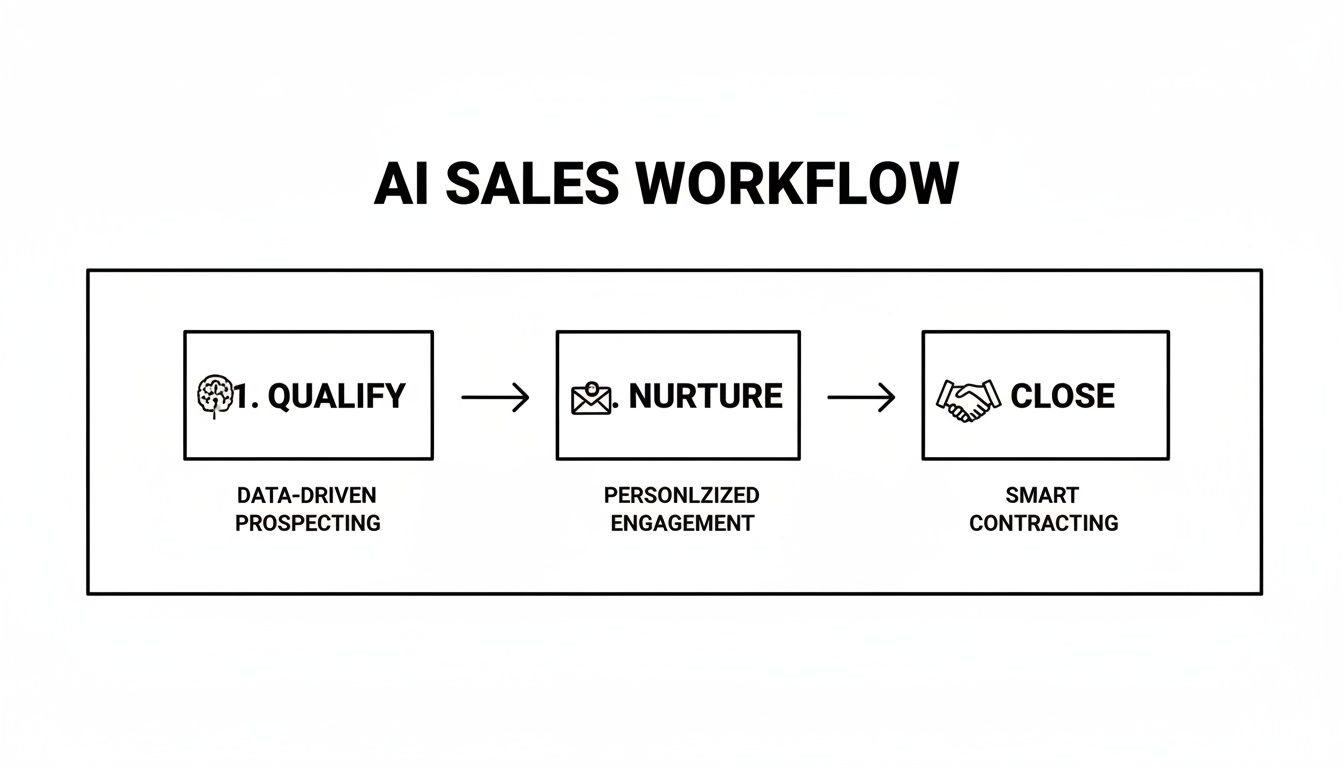
As you can see, AI intelligently guides leads through the funnel. The whole point is to make each stage faster and more effective, which ultimately creates a much more efficient sales motion.
The KPIs That Actually Matter
To really gauge the success of your AI-powered sales automation, you need a dashboard that reflects tangible business results. Forget the surface-level numbers; we're talking about the indicators that directly hit your bottom line.
Here are the essential KPIs you should be watching like a hawk:
- Reduction in Customer Acquisition Cost (CAC): Automation cuts down on the manual grind needed to land a new customer. Track your CAC over time—as it drops, you're directly quantifying the savings your AI system is delivering.
- Increased Lead-to-Close Velocity: How fast are leads moving from first touch to signed contract? AI-driven qualification and nurturing accelerate the whole journey. A shorter sales cycle means cash in the bank, sooner.
- Sales Team Productivity Lift: This isn't just about "being busy." Measure the number of high-value activities—demos, strategic calls, proposal reviews—your reps complete each day. When AI handles the grunt work, your team is freed up for the work that actually closes deals.
- Improvement in Lead Qualification Accuracy: This is a simple but powerful one. Compare the conversion rates of your AI-qualified leads against those your team qualified manually. If the AI-scored leads are converting at a higher rate, your system is doing its job perfectly.
The investment in AI is already paying off big time for early adopters. We're seeing marketing teams report an astounding 300% average ROI from a mix of new revenue and cost savings. This is fueled by productivity gains of up to 40% and sales cycles that are a full 25% shorter.
Calculating Your Automation ROI
Figuring out the return on your investment doesn't require a degree in finance. A simple framework can give you a crystal-clear picture of the financial benefits.
At its core, the formula is: (Financial Gain – Investment Cost) / Investment Cost.
Let’s break this down for a typical B2B SaaS company:
Financial Gain:
- Increased Revenue: Start with the extra revenue you’ve closed from having better-qualified leads and a faster sales cycle.
- Cost Savings: Don't forget to quantify the value of reclaimed time. For example, if AI saves each of your 5 reps 8 hours a week, and you value their time at $50/hour, that’s $8,000 per month in productivity you just got back.
Investment Cost:
- This is everything you put in: software licenses, implementation fees (like working with us at MakeAutomation), and any internal team members' time dedicated to the project.
There's a reason sales and marketing teams now command over 50% of corporate AI budgets—they see it as a direct path to B2B growth. With 61% of sales organizations already using AI for routine tasks like updating the CRM, the pressure is on to keep up.
For a deeper dive into the numbers, exploring resources on mastering automation ROI can provide some great benchmarks. And for our detailed, step-by-step guide, check out our post on how to calculate return on investment. This framework will give you everything you need to build a rock-solid business case and prove the value AI is delivering.
Navigating Common Pitfalls and Ensuring Team Adoption
Rolling out a powerful new tech stack is just one piece of the puzzle. The other, and frankly, the harder part, involves your people. Even the most perfectly engineered AI-powered sales automation system is destined to fail if your sales team doesn't get it, doesn't trust it, or simply doesn't use it. Success truly boils down to mastering the human side of this shift.
Having guided dozens of B2B companies through this exact process, we’ve seen where the wheels fall off. The problems are rarely technical; they’re almost always about strategy, communication, and a failure to manage the change happening on the ground floor.
Ignoring these human factors is the quickest way to watch a promising investment turn into a source of frustration. A successful launch demands a proactive plan that anticipates pushback and starts building buy-in from the very beginning.
The Over-Automation Trap
One of the biggest mistakes we see is companies getting carried away with the tech and trying to automate everything at once. This is particularly dangerous when it comes to personalization. When you use AI to fake a human connection instead of making a real one better, prospects can sniff it out from a mile away, and it backfires—big time.
The goal isn't to take your reps out of the conversation. It's to arm them with better intelligence and offload the tedious tasks so their human-to-human interactions are sharper and more impactful.
- Bad Automation: An AI drafts and sends a full email about a prospect’s recent promotion without any human review. The tone is just slightly off, and it mentions an irrelevant detail, which immediately gets it flagged as spam.
- Good Automation: An AI agent spots a prospect’s promotion on LinkedIn and creates a task for the sales rep. The task includes a quick summary and a suggested opening line, letting the rep craft a genuine, timely congrats.
Winning Over Your Sales Team
Let’s be honest: sales reps are often skeptical of new tech, and they have every right to be. They’ve been let down by clunky CRM updates and so-called “time-saving” tools that just add more work to their plate. On top of that, many are worried that AI is coming for their jobs.
There's a saying that your job won't be replaced by AI; it will be replaced by someone who knows how to use AI. Framing this technology as a career-enhancing tool, rather than a replacement, is absolutely essential for getting your team on board.
To win them over, you have to position the new AI system as their personal co-pilot—something that vaporizes their most hated tasks and helps them hit quota faster.
The best way to do this is by getting them involved early. Ask your top performers what their biggest time-sinks are. Is it the mind-numbing data entry? The hours spent on prospect research? Writing endless follow-up emails? Design your first automations to solve their biggest headaches. Once they see the system giving them back hours in their week, they’ll become its biggest champions.
Setting Clear Expectations and Providing Hands-On Training
Just sending out an email announcement and hoping for the best is a surefire way to fail. A smooth rollout needs a real change management plan. Start by setting realistic expectations—this system isn't going to triple your revenue overnight.
Here are a few strategies that we've seen work time and time again:
- Host a Kick-Off Session: Don't just show them what is changing; show them why. Walk through the exact workflows you've automated and connect each one back to a pain point they helped identify.
- Provide Role-Specific Training: Nobody needs to be trained on everything. Your Account Executives need to know how AI-qualified leads will show up in their pipeline. Your SDRs need to know how to use the new AI outreach tools. Keep the training focused on their day-to-day reality.
- Create a "Center of Excellence": Find one or two people on the team who are naturally tech-savvy and make them your internal AI champions. They can offer peer-to-peer support and act as a crucial feedback channel from the front lines, which helps you keep improving the system.
At the end of the day, getting your team to adopt AI-powered sales automation comes down to building trust. When they see the technology as a reliable partner that helps them close more deals, you won't have to push them to use it—they'll demand it.
Got Questions About AI in Your Sales Process?
Switching to an AI-driven sales model is a big move, and it's smart to have questions. It’s a shift in how your team operates, so you need a clear picture before jumping in. Here are some straight answers to the questions we hear most often from B2B and SaaS leaders exploring this path.
Is This Going to Replace My Sales Reps?
Not a chance. In fact, it’s the exact opposite. The goal is to make your existing sales team smarter, faster, and far more effective. Think of AI as a world-class sales assistant for every single person on your team.
AI is brilliant at handling the repetitive, soul-crushing tasks that bog reps down—things like initial lead scoring, sifting through data for personalization hooks, and all that manual data entry.
When you lift that administrative burden, you free up your team to do what humans do best: build real relationships, understand nuanced buyer problems, and close high-value deals. They get to spend less time on grunt work and more time selling.
What’s a Realistic Budget to Get Started?
The investment really runs the gamut, which is great because it means there’s a viable entry point for almost any company. A startup or a smaller business might dip their toes in by simply activating the AI features already built into their CRM, which could be just a few hundred dollars a month.
On the other end of the spectrum, a larger company aiming for a sophisticated setup—connecting multiple platforms like Salesforce and Outreach with custom AI models—could be looking at a few thousand dollars per month.
The best way to approach it is with a phased rollout. Start with one high-impact, low-complexity workflow. Nail that first, prove the ROI, and then you can confidently scale your investment as the revenue starts to climb.
How Long Until We’re Actually Up and Running?
This really depends on how ambitious you're getting out of the gate. A simple, focused automation—like automatically enriching new leads with company data the moment they hit your CRM—can be built and launched in just a few days. It's a fantastic quick win.
A full, end-to-end system that handles everything from lead capture to SDR hand-off is a different story. That involves integrating your tech stack, building out the logic, rigorous testing, and getting the team trained up. A comprehensive project like that typically takes anywhere from 4 to 12 weeks from kickoff to launch.
How Can I Make Sure Our AI Outreach Doesn't Sound Like a Robot?
This is the most important question of all. The secret is to use AI for intelligence, not just for writing generic sentences. You're aiming for personalization at scale, which is a world away from old-school, one-size-fits-all automation.
Forget asking an AI to write a cold email from a blank page. Instead, think of it as a hyper-efficient research assistant.
- Find Actionable Intel: Use AI to scan a prospect’s latest LinkedIn posts or find a new funding announcement from their company.
- Power Dynamic Templates: Plug that specific, timely insight into a battle-tested email framework.
- Keep a Human in the Loop: Let generative AI help polish a sentence or adjust the tone, but always have a real person give the final review for your most important accounts.
When it's done right, AI-powered sales automation actually makes your outreach feel more human and relevant because it’s based on real-time data. It enhances the human touch, it doesn't erase it.
Ready to stop wondering and start building? The team at MakeAutomation specializes in creating custom AI and automation frameworks that eliminate manual work and scale revenue for B2B and SaaS companies. Schedule a consultation with us today to discover how we can design your perfect sales engine.