Requirements Document Template Agile: Build Clarity Faster
When we talk about an effective requirements document template for agile, we’re not talking about some static, hundred-page manuscript. Forget that. What we need is a lean, living guide that revolves around user stories, clear acceptance criteria, and a constant feedback loop. It's all about providing just-in-time clarity, giving development teams exactly what they need to build great software, one sprint at a time.
Why Traditional Requirements Sabotage Agile Teams
In too many companies, the ghost of Waterfall development still haunts the planning process. I’ve seen teams get completely bogged down by bulky, hundred-page Business Requirements Documents (BRDs). These artifacts are the complete opposite of what modern, agile SaaS companies need to stay competitive. They are a notorious bottleneck.
The fundamental conflict is philosophical. Traditional methods are built on rigid, exhaustive upfront planning, trying to define every single feature before a line of code is ever written. That approach just shatters when it meets the reality of a fast-paced market where customer feedback and competitor moves demand you adapt—or die. Before we dig into building a better template, it’s worth getting grounded in the core principles of the Agile software development methodology itself.
The Real-World Cost of Outdated Documents
This clash between old-school documentation and agile work isn't just theoretical; it creates very real, very expensive problems. When you set requirements in stone months ahead of time, they're often obsolete before the work even begins. This kicks off a painful cycle of scope creep, endless meetings to "clarify," and costly rework.
Picture a SaaS company planning a new analytics feature. They spend two months crafting a 120-page BRD that details every chart, filter, and data point. But by the time development finally kicks off, a competitor has launched a similar tool, and early feedback from their own user base shows the initial assumptions were just plain wrong. Now what? The team is stuck either building something nobody wants or facing a massive, demoralizing rewrite.
This isn't just a hypothetical. I've seen it happen. This friction burns through development budgets, tanks team morale, and hits the bottom line hard. It’s the difference between shipping value and shipping waste.
The Vicious Cycle of Miscommunication and Rework
The damage from these rigid documents is well-known. In the old Waterfall days, requirements documents would easily swell to over 100 pages. The resulting miscommunications often wasted 30-50% of development time on rework. In fact, some research points to poor requirements clarity as the reason 71% of projects failed. For B2B and SaaS founders trying to scale to 7-figure growth, that kind of waste is simply unsustainable.
The good news? Shifting to a truly agile requirements process has been shown to slash project delays by up to 40%. You can dig into more of the data on how agile requirements have improved project outcomes at buildbetter.ai.
This outdated process creates a few distinct pain points:
- Analysis Paralysis: Teams get stuck documenting instead of building, which means value gets to users much, much later.
- Developer Frustration: Engineers are left to interpret dense, ambiguous walls of text, which almost guarantees they'll build the wrong thing.
- Lack of Ownership: When a document is handed down from on high, the dev team feels totally disconnected from the user and the product vision.
Ultimately, these traditional documents become a barrier, not a bridge, between the business goals and the people actually building the solution. This is exactly why you need to adopt a more flexible framework—a requirements document template that your agile team will actually use to get work done and drive real growth.
The Anatomy Of An Effective Agile Requirements Template
If you've ever been stuck with a rigid, 100-page requirements document, you know how quickly it can grind a project to a halt. In Agile, we do things differently. A great requirements document template for agile isn't meant to be a replacement for good conversation—it's what gets those conversations started. Think of it as a lean, living guide that gives your team context and clarity, not a book of rules.

The real aim here is to build a shared understanding. This document should champion the why behind every feature, not just list out the what. Below, I’ll walk you through the core components of a template you can start using right away.
To get started, here's a quick look at the fundamental sections you'll want to include in your own agile requirements template.
Core Components Of An Agile Requirements Template
| Template Section | Purpose | Example for a SaaS Feature |
|---|---|---|
| Vision Statement | Sets the high-level goal and answers "Why are we building this?" in 1-3 sentences. | "Provide sales managers with a real-time, at-a-glance view of team performance to spot coaching opportunities and celebrate wins instantly." |
| Success Metrics | Defines what success looks like with measurable, quantifiable targets. | "Reduce churn in the first 30 days by 15%." |
| User Personas | Creates empathy and focus by describing the target user, their goals, and their pain points. | "Sarah, a busy Marketing Manager who needs to quickly track campaign ROI but struggles with complex reporting tools." |
| Assumptions | Lists unverified beliefs that could impact the project if they turn out to be false. | "We assume users are comfortable authenticating via their existing Google account." |
| Dependencies | Identifies external factors or teams you're relying on to complete the work. | "The feature is dependent on the marketing team providing finalized API keys for the new email service by Wednesday." |
Each of these sections plays a critical role in aligning the team and making sure everyone is building the right thing for the right reason.
A Clear Vision To Set The Stage
Every feature worth building starts with a clear vision. This isn't some fluffy mission statement; it’s a tight, one-to-three-sentence summary of the problem you're solving and who you're solving it for. It’s the north star that keeps every decision, from design to deployment, pointed in the right direction.
For a new dashboard feature, that vision might sound something like this: "Provide sales managers with a real-time, at-a-glance view of team performance so they can identify coaching opportunities and celebrate wins instantly." That single sentence immediately puts the focus on user value.
If you’re moving from a more traditional environment, it can be helpful to see what you can borrow and what you should leave behind. Looking at a comprehensive product requirements document template can give you a good sense of those foundational elements.
Measurable Success Metrics
"Improve user engagement" is not a goal; it's a wish. To know if a feature actually works, you need measurable Success Metrics. These are the concrete, quantifiable targets that tell you, without a doubt, whether you've hit the mark.
Good metrics connect your team's work directly to business outcomes. Here’s what that looks like in practice:
- Business Goal: Increase user retention.
- Metric: Reduce churn in the first 30 days by 15%.
- User Goal: Simplify the checkout process.
- Metric: Decrease the average checkout time from 90 seconds to under 60 seconds.
- Operational Goal: Reduce support ticket volume.
- Metric: Lower support tickets related to "billing confusion" by 40%.
Pro Tip: A well-defined metric acts as an accountability partner. It forces you to get specific about the intended impact and gives you a clear benchmark for measuring performance after launch.
Agile methods have exploded in popularity for a reason. With adoption rates showing a 65% increase between 2020 and a projected 2026, companies are clearly seeing the benefits. Teams using these streamlined documents have been shown to cut their time-to-market by an average of 37%.
User Personas That Build Empathy
You aren't building for a faceless "user." You're building for real people with specific goals and frustrations. This is where User Personas come in. They are short, fictional profiles that represent your key user segments, helping your team build empathy and stay grounded.
A simple but effective persona includes:
- Name & Role: "Sarah, Marketing Manager"
- Goals: What is she trying to accomplish day-to-day?
- Frustrations: What obstacles get in her way?
- Tech Savviness: Is she a power user or a total beginner?
This simple act of giving your user a name and a story keeps the team focused on solving a human problem, which always leads to better product decisions. We cover this in more detail in our guide on the essentials of a good agile PRD: https://makeautomation.co/prd-template-agile/
Assumptions And Dependencies
No project happens in a bubble. Getting your Assumptions and Dependencies down on paper is one of the most important things you can do for risk management. You don't need a massive list, just the big-ticket items that could blow up your sprint if you ignore them.
Assumptions are things you believe are true but haven't actually confirmed. An example for a SaaS feature might be: "We assume users are comfortable authenticating via their existing Google account." If that's wrong, your sign-up flow is dead on arrival.
Dependencies are things you need from others. For instance: "This feature is dependent on the marketing team providing finalized API keys for the new email service provider by Wednesday."
Listing these out forces critical conversations early on. It turns potential emergencies into simple checklist items and is a true sign of a mature and proactive agile team.
Translating Ideas Into Actionable User Stories
A great agile requirements document does one thing exceptionally well: it turns fuzzy ideas into concrete, buildable tasks. This is where the big-picture vision gets translated into the day-to-day reality of a development sprint. Your goal is to break down those ambitious features, or Epics, into small, testable chunks of work that everyone on the team can understand.

The user story is your most powerful tool for this. It’s a simple but brilliant trick that forces you to frame a technical requirement as a user-centric goal. This single practice keeps the team anchored to who they’re building for and why it matters.
The Power of the User Story Format
You’ve probably seen the classic user story format. It’s popular for a reason—it works. It forces you to connect every piece of work directly to user value.
As a [user], I want [action], so that [benefit].
This simple sentence is a powerful checksum for your requirements, making sure you can answer three vital questions:
- Who is this for? This should tie directly back to one of your user personas.
- What do they need to do? This is the actual feature or function.
- Why do they want it? This is the value proposition, the problem you're solving.
Let's see it in action. A vague request like "add a dashboard widget" is a recipe for confusion. Framed as a story, it becomes crystal clear: "As a Sales Manager, I want to see a leaderboard of my top-performing reps on my dashboard, so that I can quickly recognize their achievements." A developer immediately knows what a successful outcome looks like.
For more in-depth examples, check out our guide on epics and user stories.
Writing Crystal-Clear Acceptance Criteria
If the user story is the "what" and "why," then Acceptance Criteria (AC) are the "how." These are the specific, testable conditions a feature has to meet before you can call it "done." This is your best defense against the dreaded "that's not what I meant" conversation at the end of a sprint.
Good ACs are black and white—a condition is either met or it isn't. They transform a subjective goal into an objective checklist.
Let's expand on our dashboard widget story with some solid ACs:
User Story: As a Sales Manager, I want to see a leaderboard of my top-performing reps on my dashboard, so that I can quickly recognize their achievements.
Acceptance Criteria:
- The widget displays the top 5 sales reps by revenue for the current quarter.
- Each rep's name, photo, and total revenue are clearly visible.
- Widget data refreshes automatically every 15 minutes.
- Clicking a rep's name navigates to their full performance profile page.
- A clear error message appears if the data fails to load.
With this level of detail, the product owner, developer, and QA tester all share the exact same definition of success.
From Vague Request to Developer-Ready Task
Let's walk through another real-world scenario. The marketing team wants a new way to get leads from the company blog. That’s a great goal, but it’s an Epic—way too big for a single sprint.
The first step is to break that Epic into manageable user stories:
- Story 1 (Form Creation): As a marketer, I want to add a newsletter sign-up form to the bottom of every blog post, so that I can capture reader email addresses.
- Story 2 (Data Sync): As a marketer, I want new sign-ups automatically added to our CRM with the tag "Blog Subscriber," so that I can include them in our weekly newsletter campaign.
- Story 3 (Confirmation Email): As a new subscriber, I want to receive an immediate confirmation email after signing up, so that I know my subscription was successful.
Each of these stories is small enough to be tackled in a sprint. From here, you’d write specific acceptance criteria for each one, creating a chain of well-defined, developer-ready tasks. The clarity this brings is transformative.
We've seen this structured approach boost team productivity by 50-70% for growth-stage B2B companies. Before adopting agile templates, many SaaS projects struggled with defect rates as high as 45% because of unclear specifications. After implementation, with testable criteria like "the system must handle 1,000 concurrent users with 99.9% uptime," those defect rates often plummet to below 10%.
When you build this process right into your requirements document, you create a repeatable system that moves ideas into action. You'll spend less time on rework and more time shipping high-quality features that make a real impact.
Integrating Your Template With Jira and Your Backlog
An agile requirements document template is a fantastic start, but it’s just that—a start. Its real power comes alive only when you weave it directly into your team's day-to-day workflow. If your meticulously crafted document ends up buried in a shared drive, it’s not just forgotten; it’s a liability, quickly becoming outdated and causing confusion.
The trick is to make it a living, breathing part of your development cycle. For nearly every agile team I've worked with, that means a tight integration with Jira and the product backlog. This turns your document from a static artifact into a dynamic source of truth that feeds directly into the work developers pull into each sprint.
Mapping Template Fields to Jira Issues
A seamless integration starts with a simple but crucial step: making your document's structure mirror Jira’s hierarchy. Most teams organize work into Epics, Stories, and Sub-tasks. Your template should do the same, building a natural bridge between the high-level business goals and the specific tasks developers will execute.
Here’s how that mapping typically looks in practice:
- Feature/Initiative in your doc becomes a Jira Epic. The Vision Statement and Success Metrics you’ve already defined in your template? They're the perfect content for the Epic's description, giving everyone immediate context.
- User Stories in your doc become Jira Stories. Each "As a…, I want…, so that…" statement from your template translates directly into a new Story issue in Jira, often as the summary line.
- Acceptance Criteria in your doc goes into the Jira Story. These critical bullet points should be copied verbatim into the description of the corresponding Jira Story. This gives developers and QA a clear, unambiguous definition of "done" right where they work.
This direct mapping is non-negotiable. It stops critical details from getting lost in translation and ensures the "why" behind the work is carried all the way from the initial idea into the backlog.
My most successful teams treat their requirements document as the "genesis" of every Jira ticket. The Product Owner drafts the story and acceptance criteria in a shared space first—like Confluence or Notion—then uses that polished content to create the ticket. This solidifies the document as the master reference.
Creating A Single Source of Truth
Ultimately, connecting your template to your backlog is all about establishing a single source of truth. When requirements are scattered across Slack threads, email chains, and random documents, chaos is right around the corner. Linking your agile requirements document to your Jira backlog creates a clean, traceable line from concept to code.
The best way to do this is with simple, two-way linking. For instance, in your requirements document (especially if you use a tool like Confluence that pairs natively with Jira), drop in links to the corresponding Jira Epics and Stories. Then, do the reverse: in every Jira Epic, add a prominent link pointing back to the main requirements document.
This creates a feedback loop. A developer looking at a story in Jira can jump to the document to understand the big picture. A stakeholder reviewing the document can click through to see the real-time development status in Jira. For more hands-on examples of this, check out our guide on structuring Jira epics and stories.
This tight connection makes backlog grooming sessions incredibly efficient. The Product Owner can walk the team through the requirements document, and everyone can see exactly how it connects to the work being prioritized. It’s a simple discipline that cuts down on ambiguity and keeps the entire team aligned.
Automating Your Agile Requirements Workflow
Once you've nailed down your requirements document template for agile teams, the next logical step is to automate it. Let's be honest: manual data entry is where efficiency goes to die. Copying user stories from meeting notes into a document, and then painstakingly re-entering them into Jira, is a classic bottleneck. It's tedious, error-prone, and a complete waste of your team's valuable time.
This is precisely where automation platforms like Make.com change the game. They let you connect all your different tools so information flows seamlessly between them.
This isn't about shaving off a few minutes. It's about creating a truly scalable system. Imagine a client submits a feature request via a form. Instantly, a draft requirements doc is generated, a new Epic pops up in Jira, and the product owner gets a notification to review it. That's not a far-off dream; it's what's possible right now.
Blueprint For An Automated Workflow
The core idea behind this kind of automation is connecting triggers and actions. A trigger is the event that starts the process (like a new form submission), and an action is what your system does in response (like creating that Jira ticket).
With a tool like Make.com, you don't need to be a developer to build these workflows. It’s a visual process. You literally drag and drop icons representing your apps—like Google Docs, Typeform, Slack, and Jira—and link them together to define the flow of information. It makes complex automation surprisingly straightforward.
This visual builder is what it's all about. You're turning a series of manual, repetitive tasks into a simple, automated flow that just runs in the background.
A Real-World Automation Scenario
Let’s make this concrete. Say a product manager wraps up a discovery call and drops their notes into a page on Notion. As soon as they tag that page as "New Feature," a pre-built automation can instantly spring into action:
- Document Creation: An automation grabs your agile requirements template and creates a new Google Doc. It then pulls key details from the Notion page—client name, project vision, initial user stories—and slots them into the right fields. No copy-pasting needed.
- Jira Integration: Simultaneously, a new Epic is created in Jira. The Epic's title is the feature name, and its description gets populated with the vision statement and success metrics from the document. A link back to the Google Doc is automatically included so developers have the full picture.
- Team Notification: To close the loop, a message is fired off to the right Slack channel, pinging the product owner and lead dev. They know a new feature request is officially in the system and ready for backlog grooming.
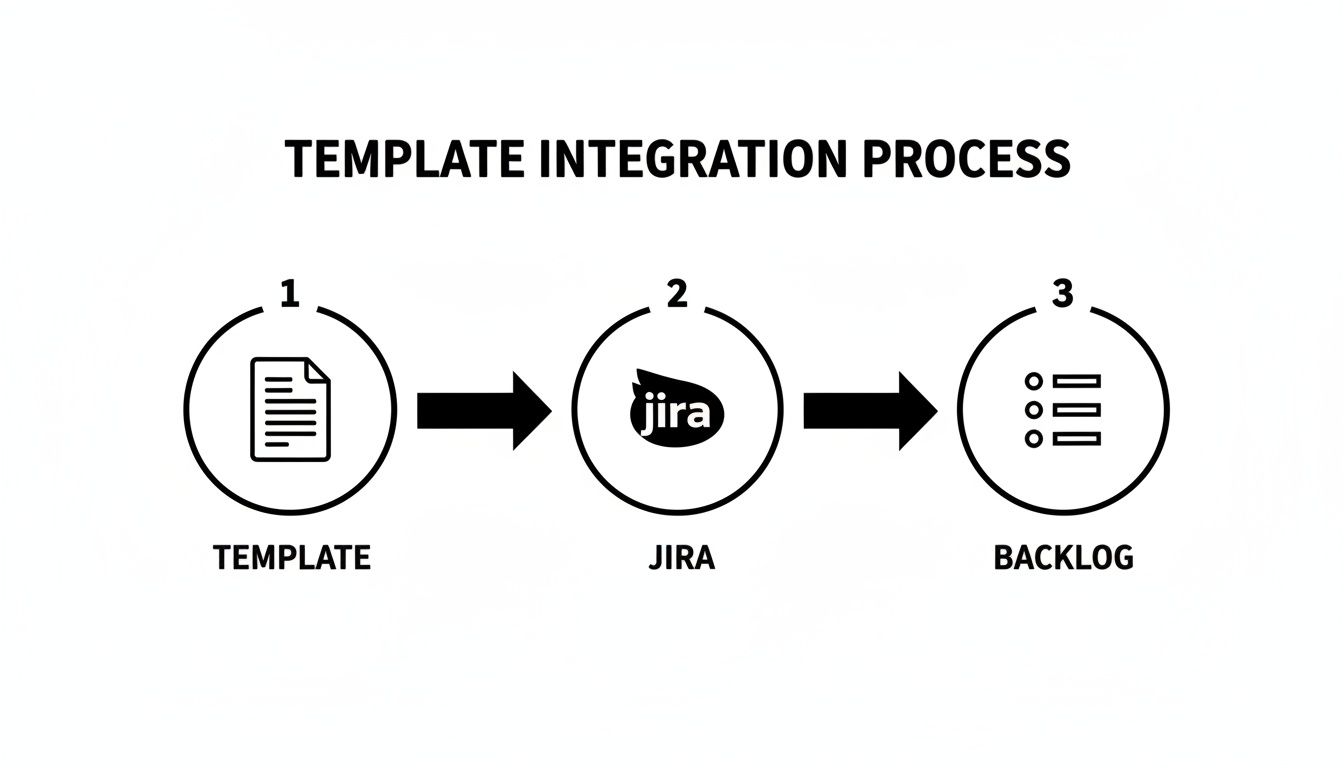
This simple flow chart shows how a standardized document can feed directly into your project management tools, creating a clean handoff from planning to development.
A good template is the source, Jira is the system of record, and the backlog is where the work gets done. Automation is the bridge that connects them all.
By automating this process, you're not just saving a few hours of admin work. You're enforcing consistency and nearly eliminating the risk of human error. Every requirement follows the exact same path, every single time.
This frees up your team from mind-numbing clerical tasks, so they can spend their time on what they do best: thinking strategically, refining user stories, and building great software. At MakeAutomation, we specialize in designing and implementing these exact kinds of custom workflows for B2B and SaaS companies that need to operate more efficiently as they scale.
Of course. Here is the rewritten section, designed to sound like it was written by an experienced human expert.
Common Questions About Agile Requirements Documents
When teams make the switch from older, more rigid development methods, a lot of questions pop up. It’s totally normal. Shifting to a lean requirements document template for agile can feel strange, especially if you're used to traditional, heavyweight project management. Honestly, if you're asking these questions, it’s a good sign—it means you’re thinking critically about your process.
Let's dig into some of the most common questions and myths I hear from teams on the ground. Getting these sorted out will give you and your team the confidence to really lean into a more fluid and effective way of working.
Isn't "Agile Documentation" a Contradiction?
This is the big one, and I hear it all the time. It comes from a common misreading of the Agile Manifesto. The principle is "working software over comprehensive documentation," but the key word there isn't "documentation"—it's comprehensive. Agile never meant no documentation. It means creating just enough of the right kind of documentation to bring clarity and keep things moving.
Your agile requirements document is a living guide, not a static contract. Its job is to spark conversation and provide essential context. Forget about the hundred-page tomes that try to predict every possible future. Instead, you're focusing on user stories and acceptance criteria that are immediately useful for the work ahead. The goal is simply to make sure everyone is on the same page about the "why" behind the work, not to define every last detail months in advance.
A great agile document is a conversation starter, not a conversation ender. It provides the minimum necessary information to empower your team to ask the right questions and make smart decisions.
How Should We Handle Version Control and Changes?
This is where an agile document really shines. It's built for change. Instead of getting bogged down by formal change request forms and bureaucratic approval cycles that just kill momentum, you embrace evolution. In an agile world, change isn't a problem; it's an expected part of the process.
The best way to handle this is to keep your requirements document on a collaborative, cloud-based platform. Tools like Confluence, Notion, or even a well-organized Google Doc work beautifully because they have built-in version history and allow for real-time collaboration.
Here's a simple, low-friction process that successful teams use:
- Clear Ownership: The Product Owner is the steward of the document. They're ultimately responsible for keeping it current and accurate.
- Constant Conversation: Changes aren't made in a vacuum. They're discussed as a team during your regular ceremonies, like sprint planning or backlog grooming sessions.
- Lightweight Tracking: When a story or its criteria changes, add a quick, dated note explaining what changed and why. For example: "(Oct 15) – Updated AC #3 to require 15-minute data refresh based on user feedback from the beta group."
This approach gives you a transparent audit trail without adding friction. It keeps everyone in the loop while letting the team move fast.
What Is the Difference Between a PRD and an Agile Requirements Document?
While both aim to define what you're building, their entire philosophy is different. A traditional Product Requirements Document (PRD) is an attempt to specify an entire product in exhaustive detail before a single line of code is written. It's a predictive approach born from Waterfall thinking.
An agile requirements document, on the other hand, is descriptive and meant to evolve. It captures needs through user stories that explain who a feature is for, what they want to accomplish, and why it matters. It’s designed for flexibility, built on the assumption that you’ll learn and adapt as you go. This gives your development team the crucial context they need to make smart implementation choices sprint by sprint, rather than just blindly following an outdated script.
At MakeAutomation, we specialize in helping businesses implement and automate these exact kinds of modern workflows. If you're ready to stop wrestling with outdated documents and build a system that truly supports your agile team, we can design the custom solution you need. Find out how we can help you scale your operations at https://makeautomation.co.