A Guide to Running Lambdas Locally in 2026
Tired of waiting on slow deployment pipelines? Or maybe you're just tired of watching the cloud bill creep up during development? Running your Lambdas locally solves both problems by letting you code, test, and debug right on your own machine. This isn't just a minor convenience—it creates a rapid feedback loop that’s a game-changer for modern engineering teams.
Why Running Lambdas Locally Is a Strategic Advantage
The move to serverless, and especially AWS Lambda, is happening fast. It's gotten so popular that the market for AWS Lambda consulting is expected to grow at a potential CAGR of 25% through 2033, which just shows how many companies are jumping in. You can see the full projections in this AWS Lambda consulting market report.
But here's the catch that often comes with this rapid adoption: the dreaded cloud development loop.
Pushing every small code change to a staging environment just to see if it works is a huge productivity killer. It slows your developers to a crawl, runs up the AWS bill with test invocations, and frankly, it just stifles creativity. That constant context switch between writing a line of code and waiting five minutes for a deployment is enough to drive anyone crazy.
The Power of the Inner Loop
Real productivity happens inside a tight "inner loop"—that cycle of writing code, running it, and immediately seeing the result. Running Lambdas locally makes this loop almost instantaneous. Instead of waiting minutes, developers see their changes come to life in seconds.
For engineering teams, the benefits are huge:
- Faster Development: When feedback is instant, you can deliver features and fix bugs much more quickly.
- Lower Cloud Costs: You'll slash your CI/CD and Lambda invocation costs by cutting out all those "just testing" deployments.
- True Offline Work: Developers can actually be productive on a flight or a train, no spotty internet connection required.
- Happier Developers: A snappy local environment boosts morale and lets engineers focus on what they do best: solving problems, not fighting with their tools.
A Real-World Scenario
I once worked with a B2B SaaS team building a pretty complex AI workflow. Their Lambda function had to take user data, ping a machine learning model, and save the output. Trying to test this in the cloud was a nightmare. Every little tweak meant a full deployment.
They switched to local emulation using a tool like LocalStack, which let them simulate the entire workflow—API Gateway, S3, Lambda, the works—right on their laptops. In a single afternoon, they could hammer through dozens of iterations, fine-tune their logic, and test every edge case they could think of without spending a dime on AWS.
This is the core advantage right here. Local development empowers your team to experiment freely, fail fast, and build much more solid serverless applications before they ever hit a real cloud environment. It turns development from a slow, expensive chore into a fast, creative, and cost-effective process.
Choosing the Right Local Development Toolkit
Picking the right toolkit for running your Lambda functions locally isn't about finding a single "best" tool. It's about finding the right one for your project, your team, and your workflow. The good news is that we have plenty of great options, but they each have their own philosophy and trade-offs.
Getting this choice right from the start can make a huge difference in your team's day-to-day productivity. Your decision will likely come down to a few key questions: How deep are you in the AWS ecosystem? How complex is your serverless architecture? Do you need to support other clouds?
If you're feeling the pain of slow CI/CD pipelines and long feedback loops, you're on the right track. Shifting to a local-first development model is often the answer.
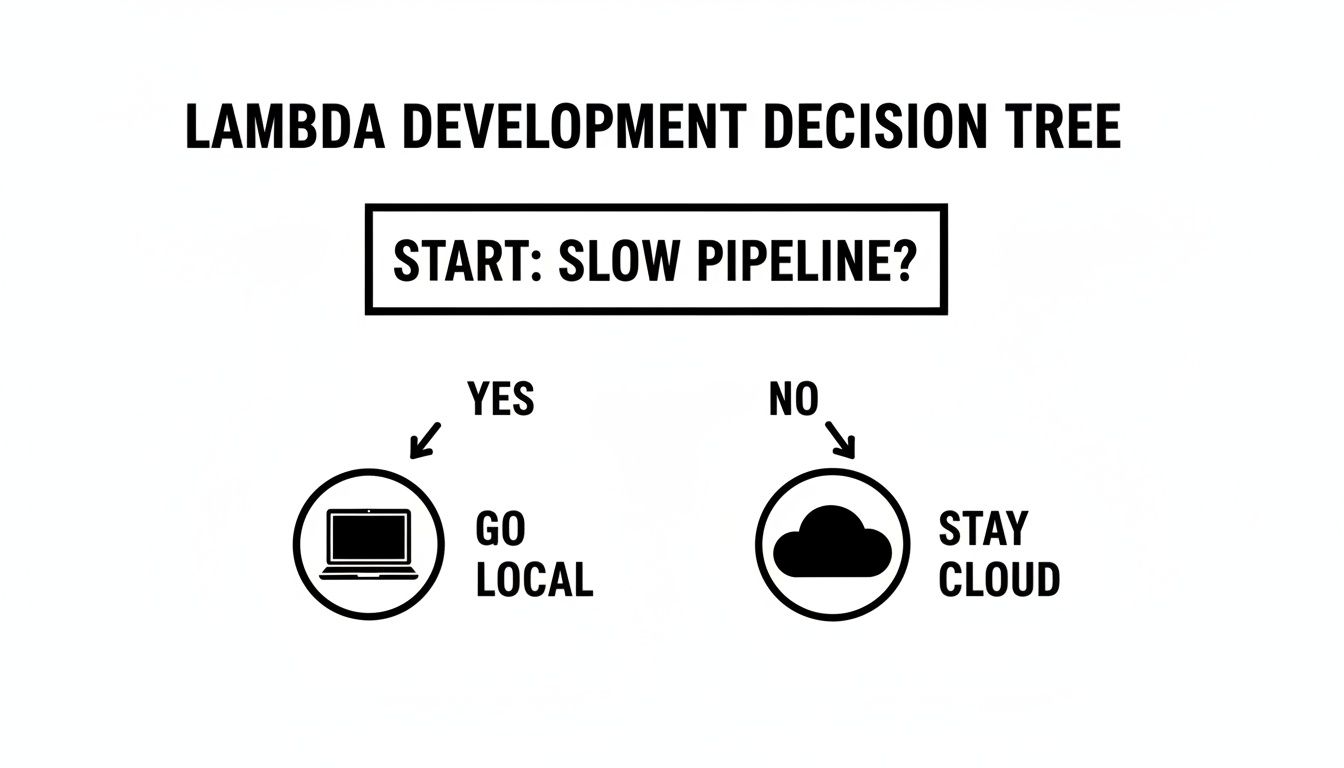
As the diagram suggests, a slow feedback loop is a powerful reason to start running things locally. Let's dive into the most popular ways to do just that.
AWS SAM: The Official Choice
The AWS Serverless Application Model (SAM) CLI is AWS's own framework for building and running serverless applications. Its biggest selling point is its first-party status. This means it has the tightest integration with the AWS platform and is almost always the first to support new Lambda features right out of the box.
If your team lives and breathes AWS—especially services like CloudFormation and CodeDeploy—SAM will feel like a natural fit. It’s built on top of CloudFormation, so you’re using familiar syntax to define your resources.
For local development, you'll lean heavily on commands like sam local invoke and sam local start-api. These let you execute a single function or spin up a local API Gateway endpoint with surprising ease. It's the go-to for teams who want an AWS-native experience without a lot of extra complexity.
The Serverless Framework: The Flexible Veteran
Long before SAM came along, the Serverless Framework was the dominant player, and it still commands a massive, active community. Its core appeal has always been its provider-agnostic design. While it offers first-class support for AWS, it also works with Azure Functions, Google Cloud Functions, and more.
This flexibility is a huge win for organizations looking to avoid vendor lock-in or those already operating in a multi-cloud reality. The configuration lives in a single serverless.yml file, which many developers find more direct and less verbose than raw CloudFormation.
For teams that value flexibility and a rich plugin ecosystem, the Serverless Framework is often the go-to choice. Its massive library of community-built plugins can extend its functionality to cover almost any imaginable use case, from managing domain names to optimizing package sizes.
LocalStack: The Full Cloud Emulator
But what happens when your Lambda function is just one small piece of a much larger puzzle? What if it needs to talk to S3, SQS, and DynamoDB just to get its job done? That's exactly the problem LocalStack was built to solve.
LocalStack's mission is ambitious: to provide a fully functional AWS cloud stack that runs right on your machine. It spins up a suite of emulated AWS services inside a Docker container, allowing you to test complex, event-driven applications completely offline. For integration testing, this is a game-changer.
Imagine a developer working on an image processing pipeline. They can simulate a file upload to S3, which triggers a Lambda, which then writes metadata to a DynamoDB table—all without ever hitting a real AWS endpoint. The setup is definitely more involved, but the high-fidelity integration testing it unlocks is unparalleled.
Docker and RIE: The Minimalist Approach
For engineers who want total control and prefer to work without the overhead of a framework, there's a more direct route: using Docker with the AWS Lambda Runtime Interface Emulator (RIE). The RIE is the exact piece of software that the real AWS Lambda service uses to communicate with your function.
This approach means you write a Dockerfile that precisely mirrors the Lambda execution environment, package your code, and run it with the RIE. It gives you the highest possible fidelity for the runtime itself because you're using the very same interface.
It’s a more manual path that requires a strong command of Docker, but it's ideal for backend specialists who want a lightweight, portable, and completely transparent setup. If you're already fluent in containers, learning how to run containers on AWS Lambda creates a beautifully consistent model from local development all the way to production.
Comparison of Local Lambda Development Tools
To help you visualize the trade-offs, this table breaks down how these tools stack up against each other based on what engineering teams typically care about.
| Tool | Best For | Setup Complexity | Service Emulation | Debugging Experience |
|---|---|---|---|---|
| AWS SAM CLI | Teams all-in on AWS | Low | Basic (API Gateway) | Excellent (VS Code integration) |
| Serverless Framework | Multi-cloud or plugin-heavy needs | Low | Basic (plugins available) | Good (framework-specific) |
| LocalStack | Complex, multi-service applications | Medium | Extensive (many AWS services) | Good (depends on service) |
| Docker + RIE | Maximum control and minimalism | High | None (runtime only) | Manual (requires Docker skills) |
Ultimately, the best tool is the one that best fits your context. A team building a straightforward API might be perfectly happy with AWS SAM's simplicity. Another team building a sprawling, event-driven system will find LocalStack to be an indispensable part of their workflow. Take a hard look at your project's scope, your team's existing skills, and your long-term architectural goals to make the right call.
Alright, enough with the theory. The best way to learn is by doing, so let's get our hands dirty and actually build and run some Lambda functions locally. We're going to tackle this from two different angles, each representing common real-world development scenarios.
First, we'll use the AWS SAM CLI to create a lightning-fast development loop for a single function. After that, we'll fire up LocalStack to spin up a mini-AWS cloud right on your machine, perfect for testing how your function interacts with other services.
By the end of this, you’ll know how to rapidly iterate on your function's logic and how to test complex, multi-service architectures without deploying a single thing to the cloud.
The Fast Inner Loop with AWS SAM
When you’re laser-focused on getting the logic inside a single Lambda function just right, AWS SAM is your best friend. It’s all about creating a rapid "inner loop"—the cycle of writing code, running it, and seeing the results in seconds.
Let's say we're building a basic function that takes a name from an API Gateway request and returns a greeting. First, make sure you have the AWS SAM CLI and Docker installed. From there, you can bootstrap a new project.
sam init –name sam-app –runtime nodejs18.x –app-template hello-world
cd sam-app
This command scaffolds a new project for you, complete with a template.yaml file to define your serverless resources and a hello-world/app.js file with your starter function code.
Now for the fun part. You can invoke your function locally with a single command. SAM builds it, spins up a Docker container that perfectly mimics the AWS Lambda environment, executes your code against a test event, and then cleans up.
sam local invoke HelloWorldFunction –event events/event.json
That event.json file is just a mock payload, simulating what API Gateway would send to your function. This instant feedback is exactly why running lambdas locally is so powerful for squashing bugs and prototyping ideas quickly.
The real win here is speed. You aren't simulating all of AWS, just the Lambda execution environment itself. It’s a lightweight approach that lets you focus entirely on your function's code without getting bogged down by other services.
Simulating API Gateway with SAM
Invoking a function from the command line is useful, but let's be honest—most functions are triggered by an event source like API Gateway. SAM has you covered there, too.
Just run sam local start-api. This command fires up a local web server that acts like API Gateway. It reads your template.yaml, finds any API event definitions, and maps the routes directly to your local Lambda function.
sam local start-api
You can now hit the local endpoint (typically http://127.0.0.1:3000/hello) with a POST request from your favorite API client. Your function will execute just as if it were live. Better yet, SAM’s hot-reloading means any changes you save in app.js are live on the very next request. No restarts needed. This is that developer "inner loop" in its purest form.
Full Service Emulation with LocalStack
But what happens when your function isn't an island? What if it needs to talk to S3, write to a DynamoDB table, or publish to an SNS topic? This is where a tool like LocalStack really proves its worth. It emulates a suite of AWS services on your local machine, allowing you to test those complex interactions offline.
Let's walk through a more involved scenario: a Lambda that triggers when a new image is uploaded to an S3 bucket, which then writes image metadata to a DynamoDB table. We can manage all these local services cleanly using a docker-compose.yml file. If you're new to Docker Compose, our guide on how to dockerize a Node.js application is a great primer.
A simple docker-compose.yml for this setup would look something like this:
version: "3.8"
services:
localstack:
image: localstack/localstack:latest
ports:
– "4566:4566" # Main endpoint for all services
environment:
– SERVICES=lambda,s3,dynamodb
– DEFAULT_REGION=us-east-1
Running docker-compose up will bring your local AWS environment to life. Suddenly, you have fully functional S3, Lambda, and DynamoDB APIs running on localhost:4566.
Building a Local Multi-Service Workflow
With LocalStack running, you use its awslocal CLI—a thin wrapper around the standard AWS CLI—to talk to your local services.
First, you'll need to provision the resources.
Create the S3 Bucket:
awslocal s3 mb s3://my-image-bucketCreate the DynamoDB Table:
awslocal dynamodb create-table
–table-name image-metadata
–attribute-definitions AttributeName=ImageID,AttributeType=S
–key-schema AttributeName=ImageID,KeyType=HASH
–provisioned-throughput ReadCapacityUnits=5,WriteCapacityUnits=5
From here, you’d deploy your Lambda function (as a zip archive) to your local LocalStack instance and configure the S3 trigger. Once that's set up, uploading a file to your local my-image-bucket will cause LocalStack to trigger your local Lambda. Your function's code, using an AWS SDK pointed at the LocalStack endpoint, can then write metadata to the local image-metadata table.
This entire chain of events—file upload, function invocation, database write—happens right on your machine. You can catch tricky integration bugs between services long before your code ever hits a shared staging environment. It’s a powerful technique for building robust, event-driven applications with confidence.
Mastering Advanced Debugging and Testing
Alright, so you've got your Lambda running locally. That's a great start, but the real work—the nitty-gritty of professional engineering—is just beginning. Now you need to hunt down tricky bugs and prove your code actually works as expected.
It's time to move past littering your code with console.log() statements. For any serious serverless project, you need a workflow that includes real debugging and a solid testing strategy. After all, a fast feedback loop is pointless if you're just guessing at what's broken.
Being able to step through your code line-by-line, inspect variables, and see the call stack in real-time isn't a luxury; it's a necessity.
Attaching a Real Debugger in VS Code
For those of us using the AWS SAM CLI, one of its most powerful capabilities is hooking a live debugger from your IDE right into the local Lambda container. This completely changes the game, turning frustrating guesswork into a precise, surgical process. It’s saved me countless hours.
Getting this running in Visual Studio Code is surprisingly simple. The trick is to invoke your function with a special debug port flag.
sam local invoke MyFunction --event events/event.json -d 5892
This command tells SAM to start the function but to wait for a debugger to connect to port 5892 before it actually executes the code. Over in VS Code, you just need a launch.json configuration that knows how to connect to that process.
{
"version": "0.2.0",
"configurations": [
{
"name": "Attach to SAM CLI",
"type": "pynode",
"request": "attach",
"address": "localhost",
"port": 5892,
"localRoot": "${workspaceFolder}/my-function",
"remoteRoot": "/var/task",
"protocol": "inspector"
}
]
}
With that config in place, head to the "Run and Debug" panel and fire up the "Attach to SAM CLI" configuration. Your IDE will connect to the waiting container, and now you can set breakpoints right in your source code. The next time you invoke the function, execution will pause exactly where you told it to, giving you full access to inspect everything.
This kind of interactive debugging is a huge productivity booster. It brings the rich, familiar debugging experience from traditional app development right into your serverless workflow.
Structuring Your Local Testing Strategy
Debugging helps you find problems, but testing is what prevents them from ever reaching production. When running lambdas locally, a multi-layered testing strategy is key. You need to test both the isolated pieces of your code and how it all works together.
Unit Tests: Think of these as fast, focused tests for a single piece of logic. They shouldn't have any AWS dependencies at all. A great example is testing a helper function that simply transforms a data structure. They should be lightweight and run in milliseconds.
Integration Tests: This is where you verify that your Lambda plays nicely with other services. Tools like LocalStack are perfect for this, letting you test if your Lambda can actually write to a mock DynamoDB table or pull from a mock SQS queue.
A healthy test suite relies heavily on unit tests for the core logic and then uses a few high-value integration tests to validate the critical interaction points.
Effective Integration Testing with LocalStack
Let’s imagine a common scenario: a message lands in an SQS queue, triggering a Lambda that processes it and writes a record to a DynamoDB table. A proper integration test needs to verify that entire flow from start to finish.
With LocalStack running, your test script can automate this whole process. You’d first programmatically send a test message to your local SQS queue. Then, your script would poll the local DynamoDB table, waiting for a new record to appear. Finally, you assert that the data written to the table is exactly what you'd expect based on the initial SQS message.
This single test confirms your trigger is configured correctly, your Lambda's IAM permissions (as emulated by LocalStack) are right, and its core logic is sound. Building these tests is fundamental to creating reliable, event-driven applications. In fact, many of the same principles apply to browser automation; teams that have built solid Cypress integration tests will find the patterns feel very familiar.
By combining interactive debugging for quick fixes with a structured testing strategy, you build a powerful quality firewall. This ensures the code you ship isn't just developed quickly—it's also robust, reliable, and truly cloud-ready.
Integrating Local Testing into Your CI/CD Pipeline
Getting your Lambda functions running smoothly on your laptop is a huge win for productivity, but it's only half the battle. If bugs are still slipping through to production, that fast local feedback loop isn't delivering its full value. The real goal is to close the gap between your machine and your live environments for good.
This is exactly where you bring your local testing tools into your Continuous Integration/Continuous Deployment (CI/CD) pipeline. By automating the same checks you run locally, you create a powerful quality gate that stops integration problems and regressions before they're ever merged into your main branch.
Creating a Quality Gate with GitHub Actions
The whole idea is to get your CI runner to mimic your local test environment. A perfect example is setting up a GitHub Actions workflow that spins up a LocalStack container, deploys your serverless app into it, runs your test suite, and then tears it all down.
This automated process becomes a high-fidelity check on every single pull request. It's the ultimate "works on my machine" killer because it proves your function plays nicely with its dependent AWS services—like S3, SQS, or DynamoDB—in a clean, repeatable environment.
A typical GitHub Actions job to accomplish this would look something like this:
- Check out code: The workflow always starts by pulling the latest version of your repository.
- Start LocalStack: You can use a pre-built action from the marketplace or a simple Docker command to get the LocalStack container running with the specific services you need.
- Deploy to LocalStack: With the
awslocalCLI, your script can then create the necessary S3 buckets, DynamoDB tables, and deploy your Lambda function code. - Run Integration Tests: Kick off your test runner (like
pytestorjest) and point it at the local endpoints provided by LocalStack. - Stop LocalStack: Once the tests pass or fail, the final step cleans up the Docker container.
With this in place, no code gets merged unless it passes a full integration test against a realistic, emulated AWS environment.
Managing Credentials and Looking Ahead
Of course, you can't talk about CI without talking about credentials. You should never hardcode AWS keys directly in your workflow files. Instead, rely on your CI provider's built-in secrets management, such as GitHub Actions secrets, to inject them securely at runtime.
A crucial best practice is to always use short-lived credentials scoped with the absolute minimum permissions needed for the pipeline to do its job. This drastically shrinks your security risk if a key were ever accidentally exposed.
This approach of building robust, multi-step workflows is only becoming more important. The entire serverless world is moving beyond simple, single-function architectures. In fact, AWS has started releasing tools like Lambda durable functions with Kiro power, which uses AI to help build complex, multi-step applications. You can read more about this shift toward AI-native backends and what it means for developers on the AWS blog.
By embedding these local testing frameworks into your CI pipeline, you aren't just catching today's bugs faster. You're building a resilient, automated foundation that's ready to handle the next generation of serverless complexity, letting your team ship features with speed and confidence.
Common Questions About Running Lambdas Locally
As teams dive into local serverless development, the same questions and hurdles pop up time and time again. Answering these early can save you hours of head-scratching and help establish solid practices from day one.
Let's walk through some of the most frequent sticking points we see when engineering teams start running Lambdas locally.
How Do I Manage Environment Variables for Local and Cloud?
You absolutely need to separate your local config from what you deploy to the cloud. This is non-negotiable for security and sanity. The standard playbook is using .env files for your local setup, and you must add this file to your .gitignore so it never gets committed.
For your cloud environments, secrets should never be in your repository. Instead, your function should fetch them at runtime from a secure service like AWS Systems Manager (SSM) Parameter Store or AWS Secrets Manager.
This separation pays off in a few key ways:
- Keeps Secrets Safe: Your sensitive keys and tokens stay out of your Git history for good.
- Easy Local Overrides: Any developer can tweak variables on their machine without breaking the setup for others.
- Centralized Cloud Management: You can rotate an API key or update a database endpoint in one place without having to redeploy any code.
For instance, if you're using the AWS SAM CLI, you can use the --env-vars flag to point to a local JSON file. In a LocalStack setup with Docker Compose, you can define them right in your docker-compose.yml file. This clean split is a hallmark of a professional serverless workflow.
Can I Accurately Test IAM Permissions Locally?
This is a big one, and the short answer is no. Local emulation tools have their limits here. Most, like AWS SAM and the free tier of LocalStack, are intentionally designed to run in a permissive mode to speed up development. They don't enforce strict IAM permissions.
Do not assume that a function working locally will have the correct permissions once deployed. This is a common and dangerous mistake that leads to "it works on my machine" turning into a production outage.
The best strategy is a layered one. First, use your local environment to test your function's business logic—the part where permissions are relaxed. Then, treat your CI/CD pipeline as the real security gatekeeper. The pipeline should run your integration tests against a temporary, dedicated AWS account using IAM roles that are an exact clone of production. This is where you'll catch those permission errors before they ever cause a problem.
What Is the Performance Difference Between Local and AWS?
The difference is huge. A Lambda running in a Docker container on your MacBook is great for checking if your code actually works, but it is not a reliable benchmark for performance.
Your laptop's resources will dictate execution speed, memory usage, and cold starts. You simply can't measure or tune these things with any accuracy on your local machine.
Use your local setup to get the logic right and confirm your function talks to other services correctly. When it's time for performance tuning or load testing, you have to run those tests in a real AWS environment that mirrors production. Tools like AWS Lambda Power Tuning are built for exactly this—helping you find the most cost-effective memory setting for your function, a task that’s impossible to do locally.
Ready to stop wrestling with manual workflows and start building scalable, automated systems? MakeAutomation specializes in helping B2B and SaaS businesses implement the same kind of efficient processes we've discussed. We provide the frameworks and hands-on support to optimize your operations, from development pipelines to client outreach, so you can reclaim time and accelerate growth. Learn how we can help at https://makeautomation.co.