Workflow: workflow automation for small business boosts efficiency
Diving into workflow automation doesn't mean you have to rip and replace all your systems overnight. For a small business, it's all about making smart, strategic moves. The real magic happens when you pinpoint and eliminate the small, repetitive tasks that secretly eat up your team's day. We’re hunting for the quick wins that deliver immediate value and get your people back to doing what they do best—growing the business.
Finding Your First Automation Wins
Most small businesses are powered by a surprising number of manual routines. Think about it: someone is probably copying customer details from a web form into a spreadsheet right now. Or manually chasing down late payments. Or walking a new client through an onboarding checklist that lives in a forgotten folder.
On their own, these tasks feel small. But add them all up, and they create a massive drag on your team’s momentum. The first step is to simply find these hidden time-wasters.
Uncovering Hidden Time Sinks
This isn't some formal, stuffy audit. It’s a genuine conversation with your team to see where the friction is. The people on the front lines always know where the system is broken.
Just ask a few simple questions:
- "What's the most mind-numbingly boring part of your day?"
- "Where are you constantly copying and pasting the same information?"
- "Which task is most likely to have a typo or error?"
- "If you could get rid of one task forever, what would it be?"
Their answers are your roadmap. You're not just listing tasks; you're identifying genuine pain points that are costing you time and morale. For a more structured approach, our guide on how to automate repetitive tasks is a fantastic resource to walk you through this process.
Expert Tip: Don't start with your most complex, mission-critical process. Start with the low-risk, high-frequency annoyances. Getting a quick, visible win builds momentum and gets everyone excited about what's next.
From Pain Points to Actionable Ideas
Once you start gathering feedback, you’ll notice patterns emerging. Maybe three different people mention how much they hate updating the CRM after a call. Or perhaps your project manager admits to spending hours every week just reminding clients to send over files.
Boom. Those are your opportunities.
Let’s say you run a marketing agency. Your team might be spending five hours every single week manually pulling data from Google Analytics, Facebook Ads, and LinkedIn just to build a client report. That's a perfect candidate for an automated reporting workflow.
To get your gears turning, check out these powerful business process automation examples and see what other businesses are doing. This simple exercise transforms vague complaints like "I'm so busy" into concrete problems you can actually solve.
To help you visualize where to start, here are some common areas where small businesses can find high-impact automation opportunities right away.
High-Impact Automation Opportunities for Small Businesses
| Manual Task Area | Example Process | Automation Solution | Primary Benefit |
|---|---|---|---|
| Lead Management | Manually entering new leads from web forms into a CRM and spreadsheet. | Automatically create a new contact in the CRM and add a row to a Google Sheet when a form is submitted. | Speed to lead and no more lost leads. |
| Client Onboarding | Emailing a welcome packet, contract, and invoice to new clients one by one. | Trigger a workflow that sends a sequence of welcome emails, a contract for e-signature, and an invoice. | A consistent, professional first impression. |
| Sales Follow-up | Forgetting to follow up with cold or warm leads after a set period of time. | Set up a task reminder in your CRM or an automated email nurture sequence after 7 days of no contact. | Increased conversion rates and fewer missed opportunities. |
| Invoicing & Payments | Manually creating invoices and sending reminder emails for overdue payments. | Use accounting software to generate recurring invoices and send automated payment reminders. | Improved cash flow and less time chasing money. |
Looking at your processes through this lens makes it much easier to identify where a small change can free up a significant amount of time and mental energy for your team.
How To Prioritize Automations for Maximum Impact
Alright, you've mapped out all the manual tasks slowing you down, and you've got a list of exciting automation ideas. But where on earth do you start?
It’s tempting to jump in and start automating everything, but that's a recipe for wasted time and money. The real key is to be strategic. You need to find that first big win that proves this whole automation thing is worth it.
Not all automations are built the same. Sure, you could automate that complex internal report you create once a month, but will that really move the needle? Probably not as much as automating a daily, revenue-generating activity.
Let's break down how to pick the right battles and get a solid win right out of the gate.
Using the Impact Versus Effort Matrix
I always come back to a simple but incredibly powerful tool: the Impact vs. Effort matrix. It’s just a four-quadrant grid where you plot each potential automation based on two simple things: how much value it will create (Impact) and how hard it will be to set up (Effort).
Your mission is to find the tasks that land squarely in the "High-Impact, Low-Effort" box. These are your quick wins—the projects that give you the biggest bang for your buck.
To figure out where a task fits, ask yourself these questions:
- How often does this happen? Automating something you do 20 times a day, like entering new leads into your CRM, will give you a way better return than a task you only do once a quarter.
- How much time does it suck up? Think in terms of real hours. Freeing up five hours of your team’s time every single week is a tangible, immediate victory.
- What’s the cost of a mistake? How much damage does a simple human error cause here? Automating invoice generation, for instance, can prevent costly mistakes that mess with your cash flow and annoy clients.
- Is it tied to revenue? Does this task directly help you get new customers or make a sale? Automating your lead follow-up emails is a direct line to more revenue. No question.
A Real-World Prioritization Scenario
Let me give you an example. I once worked with a B2B service company that had two huge time-sinks: creating a detailed internal performance report and manually onboarding every new client.
The report was a pain, but it was only done once a month. The client onboarding, however, was a weekly scramble of sending contracts, creating project folders, scheduling kickoff calls, and mailing welcome kits.
When we put it on the matrix, the choice was obvious. Client onboarding was High-Impact. It was frequent, prone to error, and directly tied to client happiness and getting that first payment. The internal report? Low-Impact, at least for now.
They decided to automate the onboarding sequence first. The result? They cut the time it took to set up a new client by a whopping 70%. That massive, immediate success got the whole team fired up to tackle even bigger projects down the road.
Choosing your first project is all about building momentum. A decisive, high-impact win proves the value of automation and gets your entire team excited for what’s possible.
This chart shows where most businesses, in my experience, find their biggest initial wins.
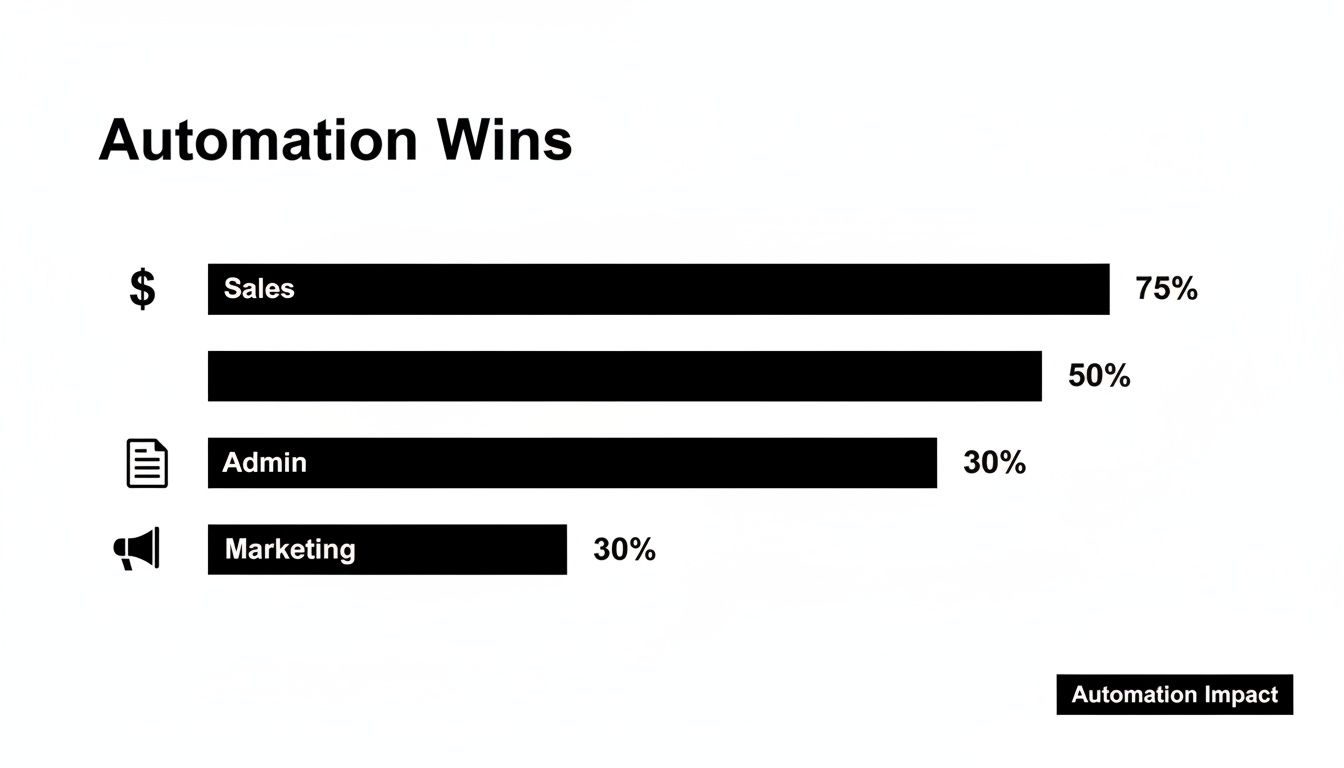
As you can see, sales processes almost always offer the biggest initial payoff because they're directly connected to bringing in cash.
Focus on Revenue and Customer Experience First
If you're ever in doubt, start with tasks that directly touch your customers or your cash flow. It’s that simple. These automations are the easiest to measure and provide the most compelling argument for doing more.
Think about processes like these:
- Lead Follow-Up: Instantly sending a personalized email or text the moment a new lead comes in.
- Quote Generation: Automatically creating a detailed quote when a prospect fills out a form on your website.
- Invoice Reminders: Sending polite, automated nudges for overdue payments so you don't have to.
This isn't just about saving a few minutes here and there. It's about speeding up your sales cycle, making your customers happier, and keeping your business financially healthy. Start here, and you’ll guarantee your first automation projects are a massive success.
4. Pick the Right Tools for the Job
Okay, you've pinpointed the most frustrating, time-sucking task on your list. Now comes the big question: what software will actually do the work for you?
Walking into the world of automation tools can feel like navigating a maze. There are hundreds of options, all promising to solve your problems. But here’s the secret: you don't need the fanciest, most expensive platform. You just need the right tool for the specific job you've identified.
Think of it this way—you wouldn't use a sledgehammer to hang a picture frame. The same logic applies here. For most small businesses just starting out, the best move is to begin with a simple "connector" tool.
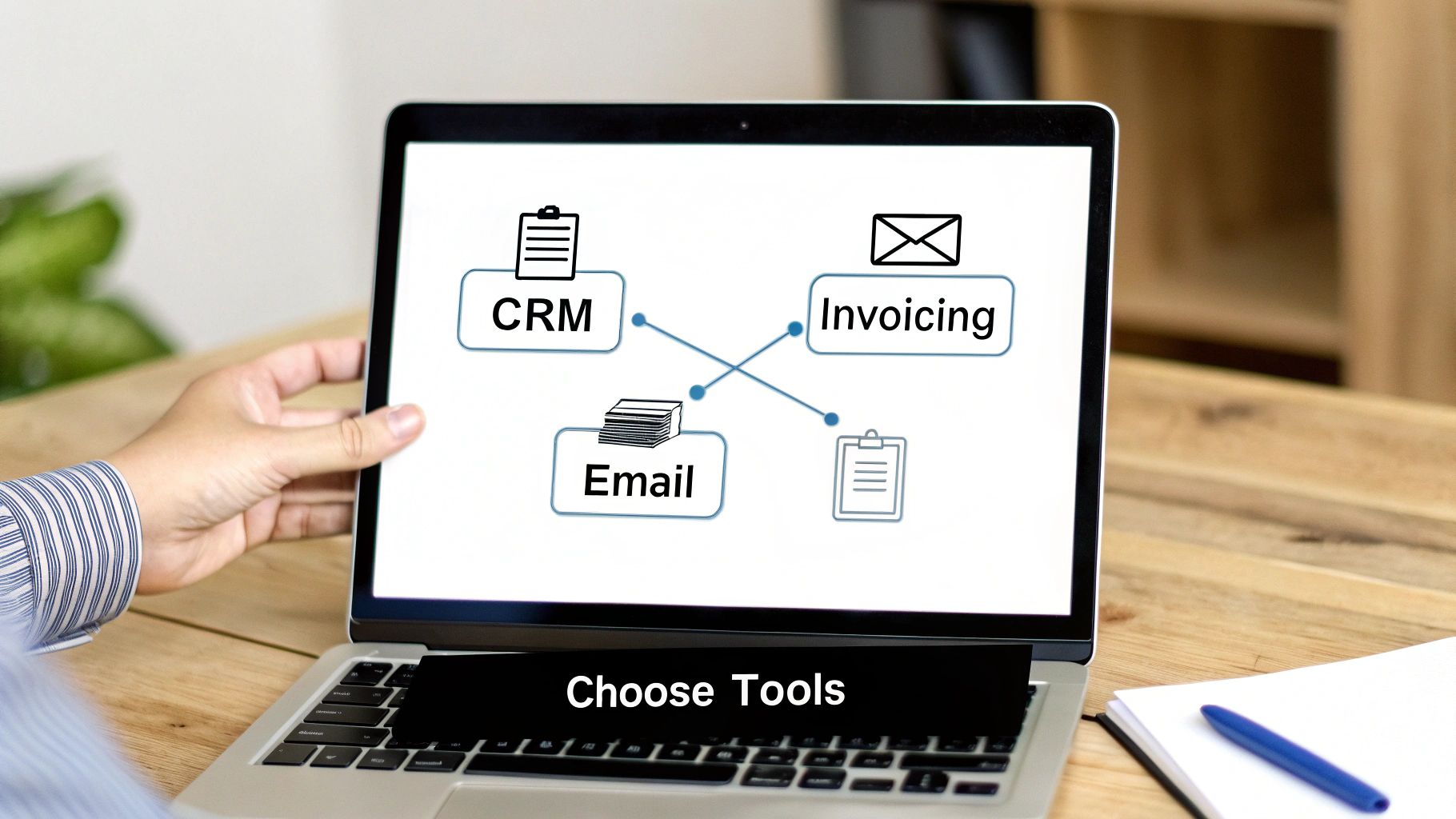
These platforms, known as iPaaS (Integration Platform as a Service), are the digital duct tape of the internet. They don't do the work themselves. Instead, they create bridges between the apps you already rely on, like your email, calendar, and accounting software. They work on a simple "trigger" and "action" basis—when something happens in one app, they make something else happen in another.
Finding Your Fit: The Main Types of Automation Platforms
To avoid getting bogged down, it helps to understand the main categories of tools out there. Each one is built for a different kind of task.
-
Connectors (iPaaS): These are your best friends when starting out. Tools like Zapier or Make are designed to link cloud-based apps. Their superpower is a massive library of pre-built integrations, which means you can probably connect your favorite tools without writing a single line of code. Perfect for those "if this, then that" tasks.
-
All-in-One Platforms: Many of the systems you already use have automation built right in. Think about modern CRMs like HubSpot, which can automatically send follow-up emails to new leads or create tasks for your sales team. These are fantastic for any process that lives entirely inside that one system.
-
Specialized Workflow Builders: When you have a really structured, multi-step process like onboarding a new client or hiring an employee, you might need something more robust. Tools like Process Street or Kissflow are designed for these complex scenarios, where tasks, approvals, and checklists need to follow a strict order.
To help you decide, here's a quick breakdown of how these tool categories stack up against each other.
Comparing Automation Tool Categories
| Tool Category | Best For | Example Tools | Typical Cost Structure |
|---|---|---|---|
| Connectors (iPaaS) | Linking different cloud-based apps together for simple "if-this-then-that" tasks. | Zapier, Make, Integrately | Per "task" or "operation" used per month. Many have free tiers for low volume. |
| All-in-One Platforms | Automating processes that happen entirely within a single system, like sales or marketing. | HubSpot, Salesforce, Mailchimp | Included in higher-tier subscriptions of the main software. Cost is tied to the platform. |
| Specialized Builders | Complex, multi-step internal processes with checklists, approvals, and strict ordering. | Process Street, Kissflow, Pipefy | Per user, per month. Often priced for teams rather than individual task volume. |
Each category has its place. Your job is to match the tool to the task you prioritized in the last step, not the other way around.
A Practical Checklist for Evaluating Tools
Before you even think about signing up for a free trial, take a moment to ask a few practical questions. This will save you a world of headache down the road.
-
Does it connect to my key apps? This is the deal-breaker. If you need to get leads from your Squarespace form into your Pipedrive CRM, the tool must support both. Go to the platform's website and check its app directory before you do anything else.
-
Can my team actually use it? The goal is to make life easier, not create a new technical bottleneck. If building a simple workflow requires a computer science degree, it's the wrong tool. Look for a visual, drag-and-drop interface.
-
How much is this really going to cost? Most connectors charge based on how many times your automations run each month (called "tasks" or "operations"). Do a quick back-of-the-napkin calculation. If you get 150 new leads a month, how much will that cost you?
-
Can it grow with me? Right now, you might just need a simple A-to-B connection. But what about next year? See if the tool can handle multi-step workflows, conditional logic (e.g., "only run this automation if the lead is from the US"), and data formatting.
I see so many small business owners make the same mistake: they buy a hugely powerful platform and end up using only 10% of its features. Start with a tool that solves 80% of your immediate problem at a price you're comfortable with. You can always level up later.
For a deeper look at some of the best options on the market, check out this guide on the best workflow automation tools for small businesses.
Ultimately, the right tool should feel like a reliable assistant, not another piece of complicated software you have to wrestle with. Find one that solves your biggest pain point first, get that initial win, and build from there.
Bringing Your Automated Workflows to Life (and Documenting Them)
An automation idea is just an idea until you build it. This is where the magic happens—turning your plans into a real, functioning process that hums along in the background. It’s time to get your hands dirty, but there’s one crucial piece of the puzzle that many people skip: documentation.
I know, creating a Standard Operating Procedure (SOP) sounds like a chore. But trust me on this, it's one of the most valuable things you can do. Without it, you’ve built a black box that only you understand. A solid SOP, on the other hand, makes it a breeze to train new people, troubleshoot when things go wrong, and scale your operations without a hitch.
Map it Out Before You Click a Thing
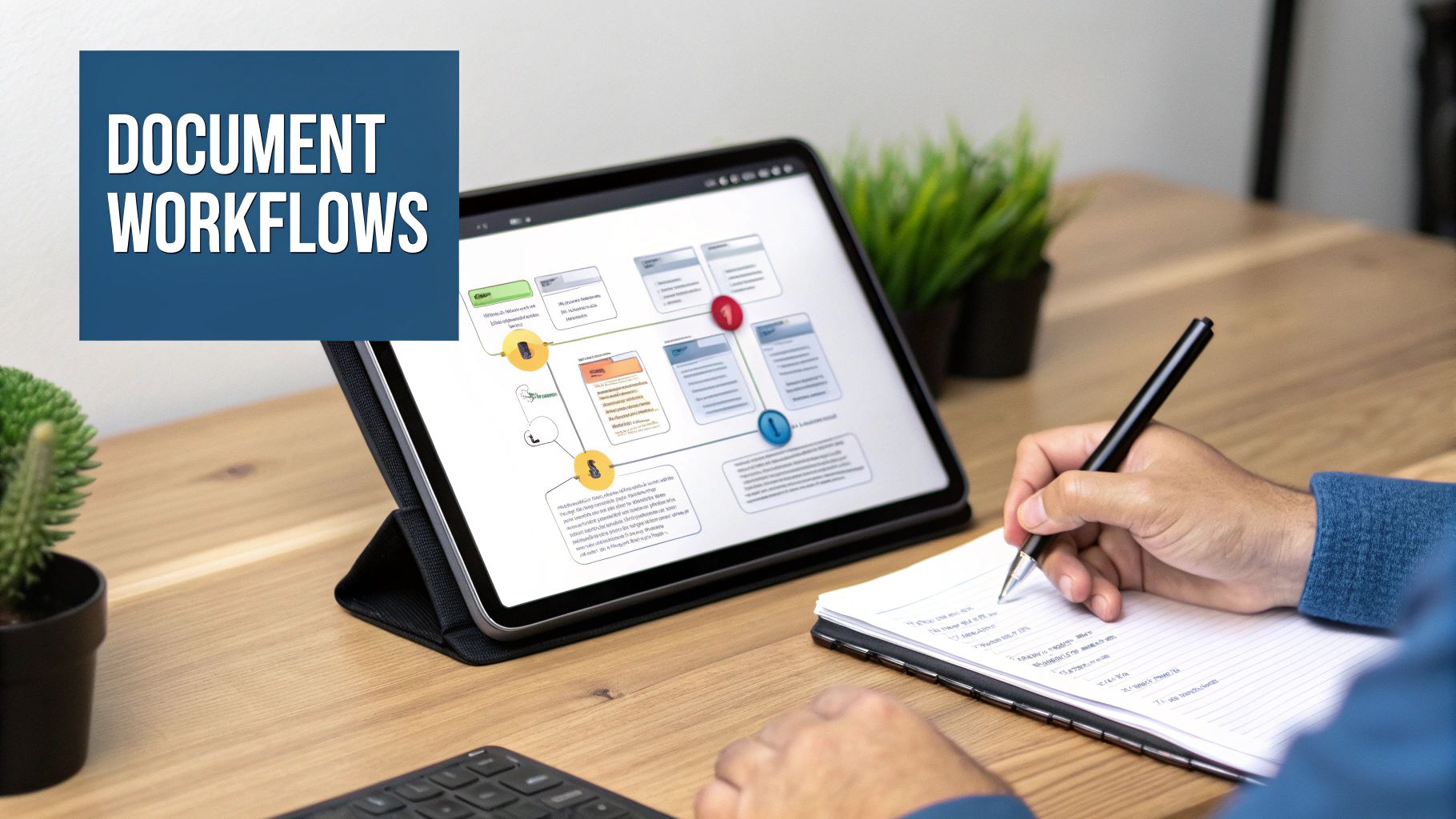
Before jumping into a tool like Zapier or Make, grab a piece of paper or open a digital whiteboard. Sketch out the entire workflow from start to finish. This simple act forces you to think through the logic and helps you spot potential roadblocks before you’ve written a single line of code or configured a single step.
Let's walk through a classic small business example: automating lead qualification. Someone fills out your "Contact Us" form, and you want to instantly figure out if they're a hot lead or someone to nurture over time.
Your map might look like this:
- The Trigger: A new form is submitted. Easy enough.
- First Action: The system grabs that info and creates a new contact in your CRM.
- The Logic: Now for the smart part. The workflow checks one of the fields, say, "Company Size." Is it "Over 50 employees"?
- Path A (Yes, it's a big fish!): Fire off a Slack notification to your top sales rep and automatically create a high-priority follow-up task in their calendar.
- Path B (No, smaller company): Add them to your email marketing list and send out a friendly "Welcome" email with some helpful resources.
See? By mapping it first, you’ve created a clear blueprint. Building it in your tool is now just a game of connecting the dots.
Your SOP: The Simple "How-To" Guide
Your SOP doesn't need to be a 20-page novel. It just needs to be clear, concise, and easy for anyone on the team to pick up and understand. Think of it as the user manual for your automation.
A well-documented process is the foundation for consistency and growth. For a deeper dive, you can learn more about how to document business processes here.
My Two Cents: Don't save documentation for the very end. Treat it as part of the building process. Jot down notes and take screenshots as you go—it’ll make the final SOP practically write itself and ensures you don't forget any of the "whys" behind your decisions.
Here's a straightforward template you can steal for any workflow you build.
SOP Template: Lead Qualification Workflow
| Section | Details |
|---|---|
| Workflow Name | Automated Lead Qualification & Routing |
| Owner | Jane Doe (Marketing Manager) |
| Purpose | To instantly qualify new website leads and get them to the right person, ensuring our high-value prospects get a fast follow-up. |
| Trigger | A new entry is submitted via the "Contact Us" form on our website. |
| Tools Used | Website Form Builder, HubSpot (CRM), Slack, Mailchimp. |
| Step-by-Step Actions | 1. Data Entry: Form data automatically creates a new contact in HubSpot. 2. Qualification Check: A filter checks if the "Company Size" field is greater than 50. 3. High-Value Route: If yes, a Slack message is sent to the #sales-leads channel and a task is assigned to the sales lead.4. Nurture Route: If no, the contact is added to the "Newsletter" audience in Mailchimp and receives the automated welcome sequence. |
| Expected Outcome | High-value leads are contacted within 15 minutes. All other leads are automatically added to our nurture funnel. No more manual data entry. |
This simple document transforms a complex automation into a clear, understandable business process that anyone can follow. It's no longer a mystery—it's a valuable company asset.
Putting Your New Automation to the Test and Measuring Its Real-World Value
You’ve mapped out the process, built the workflow, and you're ready to hit "go." This is the exciting part, but don't get ahead of yourself. Before you unleash your new automation on your business, you absolutely have to put it through its paces.
This isn't just about a quick check to see if it runs. It’s about making sure it runs perfectly, every single time. Trust me, a buggy automation can create far more headaches and chaos than the manual task it was supposed to fix. A solid, structured test is your insurance policy.
A Simple Protocol for Pre-Launch Testing
Your testing process doesn't need to be a massive, complicated affair. The real goal here is to mimic real-world scenarios so you can catch any potential breaking points before they impact your clients or your team.
Here's how I typically approach it:
-
Start with Fake Data: First, run the entire workflow using dummy information. Create a few fake contacts or use internal email addresses. If you've built a lead qualification workflow, for example, submit test forms with different company sizes to ensure both your "high-value lead" and "nurture sequence" paths trigger exactly as you planned.
-
Then, Use Real Scenarios: Once the basics look good, grab a few recent, real-life examples from your business. Use the actual info from a past client inquiry or a recent invoice. This is where you catch the weird edge cases that fake data often misses, like names with special characters or international addresses that break your formatting.
-
Check Every Single Output: Don't just assume the email was sent or the Trello card was created. You need to physically go into your CRM, your project management tool, and your email marketing platform to verify that every action fired correctly. Did the contact details populate perfectly? Was the task assigned to the right person with the right due date?
The Golden Rule of Testing: Test for what should happen and what shouldn't. If your automation is designed to filter out junk leads containing the word "test," make sure it actually does. Confirming the workflow stops when it's supposed to is just as crucial as confirming it runs.
Proving It Was Worth the Effort: Measuring True Business Impact
Okay, so your workflow runs like a dream. That's a huge win! But the job isn't done. The whole point of this exercise is to deliver a tangible return on your investment (ROI).
You need to track the metrics that directly reflect the pain point you set out to solve in the first place. Your key performance indicators (KPIs) will obviously depend on the process you've automated.
Here are some of the most common KPIs I see clients track:
- Time Saved: This is the easiest one to see. How many hours a week is your team not spending on this task anymore?
- Error Rate Reduction: Count the number of human errors—like data entry typos or missed follow-ups—before and after you launched the automation.
- Lead Response Time: For any sales automation, this is critical. Measure the time from a form submission to the very first email or text they receive.
- Invoice Payment Speed: If you automated invoicing, track the average number of days it takes for a client to pay after you implemented automated reminders.
How to Calculate the Financial ROI of Your Automation
Tracking those KPIs is fantastic, but turning them into dollars and cents is what really makes the case for doing more of this. You don't need a finance degree to figure this out.
A simple formula will get you there:
Financial Gain (or Cost Savings) – Cost of Investment / Cost of Investment = ROI
Let’s run a quick example. Say your new invoicing automation saves your administrative assistant five hours per week. If you pay them $25 an hour, that's a direct savings of $125 per week, which comes out to $500 per month. If the automation tool you're using costs $50 per month, the math is simple:
($500 Savings – $50 Cost) / $50 Cost = A 900% ROI
That's the kind of hard data that gets attention. It reframes automation from a neat tech project into a core business strategy that directly fattens your bottom line. Research actually shows that around 50% of all work activities could be automated with the tech available right now. If you can automate even a small fraction of that, you can unlock thousands in saved productivity. You can learn more about these powerful workflow automation statistics and what they mean for your business.
By diligently testing your workflows and then measuring their impact, you create a powerful feedback loop. It not only justifies the time and money you've spent but also builds momentum and excitement for tackling the next efficiency win.
Your Top Workflow Automation Questions, Answered
Jumping into workflow automation always kicks up a few key questions. It's totally normal to wonder about the real costs, whether you'll lose that personal touch with clients, or if you need to be some kind of tech wizard to make it all work.
Let's cut through the noise and tackle these common concerns head-on. Many small business owners I talk to initially think automation is a luxury for big corporations. But that's just not the case anymore. In fact, a recent survey showed 43% of small business owners now consider automation their top priority. They see it for what it is: a vital tool for smart, sustainable growth.
What’s the Real Cost of Implementing Workflow Automation?
This is usually the first question, and it's a good one. But we need to frame it correctly. The conversation shouldn't just be about the monthly subscription fee, but about the return you get on that investment.
You can get started with some incredibly powerful tools for as little as $20-$50 per month. Sure, more advanced platforms can run into the hundreds, but the price tag is only half the picture.
The real focus has to be on value. Let’s say a tool costs you $50 a month but it saves your team 10 hours of tedious manual work. If you value your team's time at a conservative $25 per hour, you've just saved $250. That’s a net gain of $200 right there, which works out to a 400% ROI.
Start small. Pick one high-impact project and prove the financial value. Once you get that first clear win, it’s much easier to justify scaling your investment into other parts of the business.
This simple shift changes the question from, "How much does it cost?" to, "How much will this make or save us?"
Can I Automate Client Processes Without Losing That Personal Touch?
This is a big—and completely valid—concern. The answer is a definite yes. Actually, great automation should do the exact opposite of what you fear. It should free up your team to be more human, not less.
Here’s a good way to think about it: automation is for the robots, relationships are for the people. You can and should automate tasks like:
- Sending the initial welcome email with all the logistical details.
- Generating and sending out invoices on a set schedule.
- Firing off polite reminders for overdue payments.
- Sharing a link for a client to book a meeting.
By letting the software handle these predictable, administrative steps, you get consistency and speed. This gives your team more time and mental energy for the high-value stuff—like personalized check-in calls, offering strategic advice, and building genuine rapport. Automation handles the logistics so your people can focus on the relationship.
How Much Technical Skill Do I Actually Need?
Honestly, you need far less technical know-how than you probably think. The boom in "no-code" and "low-code" platforms has made workflow automation for small business owners more accessible than ever before.
If you can map out a simple flowchart on a whiteboard—think "When a new form is submitted, then create a contact in our CRM"—you have all the foundational skill you need. Most modern tools use intuitive, drag-and-drop interfaces that are designed for non-developers.
For example, connecting a web form on your site to your sales pipeline and a Slack channel doesn’t require a single line of code. While super complex, enterprise-level workflows might eventually need a specialist, a huge number of the most valuable automations are well within reach for any reasonably tech-savvy business owner.
Which Business Area Should I Automate First?
When you’re not sure where to start, just follow the pain. The best jumping-off point is almost always the part of your business that's causing the most friction, frustration, or costly mistakes.
Ask yourself a few simple questions to find your first target:
- Where is my team most bogged down? Think about repetitive, soul-crushing data entry. This is often hiding in sales or admin tasks.
- What simple mistakes are costing us money or trust? Are you dealing with invoicing errors or missed follow-ups?
- What’s slowing down our ability to make money? Is it a lag in lead response time or a clunky client onboarding process?
If your sales team is drowning in new leads, start with CRM automation. If you’re tired of chasing down payments, begin with your invoicing. Nailing a quick, decisive win in your most painful area builds the momentum and internal buy-in you need to tackle everything else.
Ready to stop chasing tasks and start building scalable systems? The team at MakeAutomation specializes in creating custom automation frameworks that eliminate manual work and accelerate your growth. Schedule a free consultation today and discover your first high-impact automation win.