12 Best Recruitment Automation Software Tools for 2025
In a competitive talent market, manual recruiting processes are a significant bottleneck. Sifting through hundreds of resumes, scheduling interviews across time zones, and maintaining consistent candidate communication creates an immense administrative burden on hiring teams. This drag on resources slows down the time-to-hire, introduces inconsistencies, and often results in losing top candidates to faster-moving competitors.
The solution is strategic automation, but choosing the right tool is critical. This guide is a practical buyer's resource, created to help you find the best recruitment automation software for your specific needs. We move beyond generic feature lists to provide a detailed breakdown of 12 top-tier platforms, helping you build a truly scalable hiring engine.
Inside this comprehensive review, you will find:
- Detailed Analysis: For each platform, we cover ideal use-cases, honest pros and cons, and pricing tiers.
- Visual Guidance: Screenshots and direct links are included for every tool to simplify your evaluation process.
- Implementation Insights: We provide practical tips for migration and highlight key integrations to ensure a smooth transition.
Our goal is to equip you with the actionable information needed to select a platform that not only automates tasks but also enhances your overall recruitment strategy. While many of these systems offer built-in assessment modules, understanding the science behind candidate evaluation is also key. For deeper insights into specialized tools that support recruitment, such as psychometric assessments, you might find a discussion with insights from Revelian's CEO on talent assessment technology valuable, highlighting how tech can scale recruiting efforts. This list will help you reclaim time, reduce hiring costs, and build a more effective, data-driven talent acquisition function.
1. MakeAutomation
MakeAutomation distinguishes itself not as a single-purpose software, but as a strategic automation partner offering end-to-end implementation services. While traditional tools provide the platform, MakeAutomation delivers the entire solution: from strategy and process documentation (SOPs) to the hands-on building and deployment of custom recruitment workflows. This makes it an exceptional choice for companies that lack the internal resources or expertise to design and manage complex automation systems themselves.

This service-based model is ideal for high-growth B2B and SaaS companies that need to scale their talent acquisition pipelines without scaling their administrative headcount. Instead of just selling software, MakeAutomation builds, documents, and supports bespoke systems designed to eliminate manual tasks, reduce human error, and accelerate the entire hiring lifecycle.
Key Strengths and Use Cases
MakeAutomation excels in creating integrated systems that connect disparate tools into a single, cohesive engine. This approach makes it some of the best recruitment automation software for teams needing a fully managed solution.
Practical Use Cases:
- Automated Candidate Sourcing & Outreach: Build systems that automatically source candidates from platforms like LinkedIn, enrich their data, and initiate personalized multi-channel outreach sequences via email and social media.
- AI-Powered Candidate Screening: Deploy AI Voice Agents to conduct initial phone screenings, ask qualifying questions, and automatically schedule qualified candidates for interviews, freeing up recruiter time for high-value interactions.
- Seamless CRM & ATS Integration: Create a unified workflow where candidate data from various sources is automatically parsed, cleaned, and synced between your CRM and Applicant Tracking System (ATS), ensuring a single source of truth.
- Automated Interview Scheduling & Follow-ups: Eliminate the back-and-forth of scheduling by implementing a system that syncs with interviewer calendars, sends automated reminders, and follows up with candidates post-interview.
| Feature/Service Focus | Description | Ideal For |
|---|---|---|
| End-to-End Implementation | Strategy, SOP creation, building, and ongoing support for custom automation. | Teams without dedicated automation or ops personnel. |
| AI Voice Agents | Deploys conversational AI for inbound/outbound calls and initial screenings. | High-volume recruitment and initial candidate qualification. |
| Custom Workflow Design | Tailored automation roadmaps specific to your company's hiring process. | Businesses with unique or complex recruitment funnels. |
| ROI-Focused Delivery | Services are structured to deliver measurable ROI by reducing manual hours. | Leadership focused on operational efficiency and cost savings. |
Pros and Cons
Pros:
- Fully Managed Service: Provides a "done-for-you" solution from strategy to execution, eliminating the need for in-house expertise.
- Specialized Expertise: Focuses on B2B and SaaS growth, understanding the unique challenges of scaling technical and sales teams.
- Advanced AI Capabilities: Integrates cutting-edge tools like Voice AI to automate tasks that traditionally require a human touch.
- Practical ROI Focus: The entire engagement is built around creating scalable systems that deliver tangible time and cost savings.
Cons:
- Consultation Required: The website provides an overview, but a consultation is necessary to understand specific solutions and pricing.
- Requires Investment & Change Management: As a comprehensive service, it requires a greater upfront investment than off-the-shelf software and a commitment to adopting new processes.
Website: https://makeautomation.co/services/
2. Greenhouse
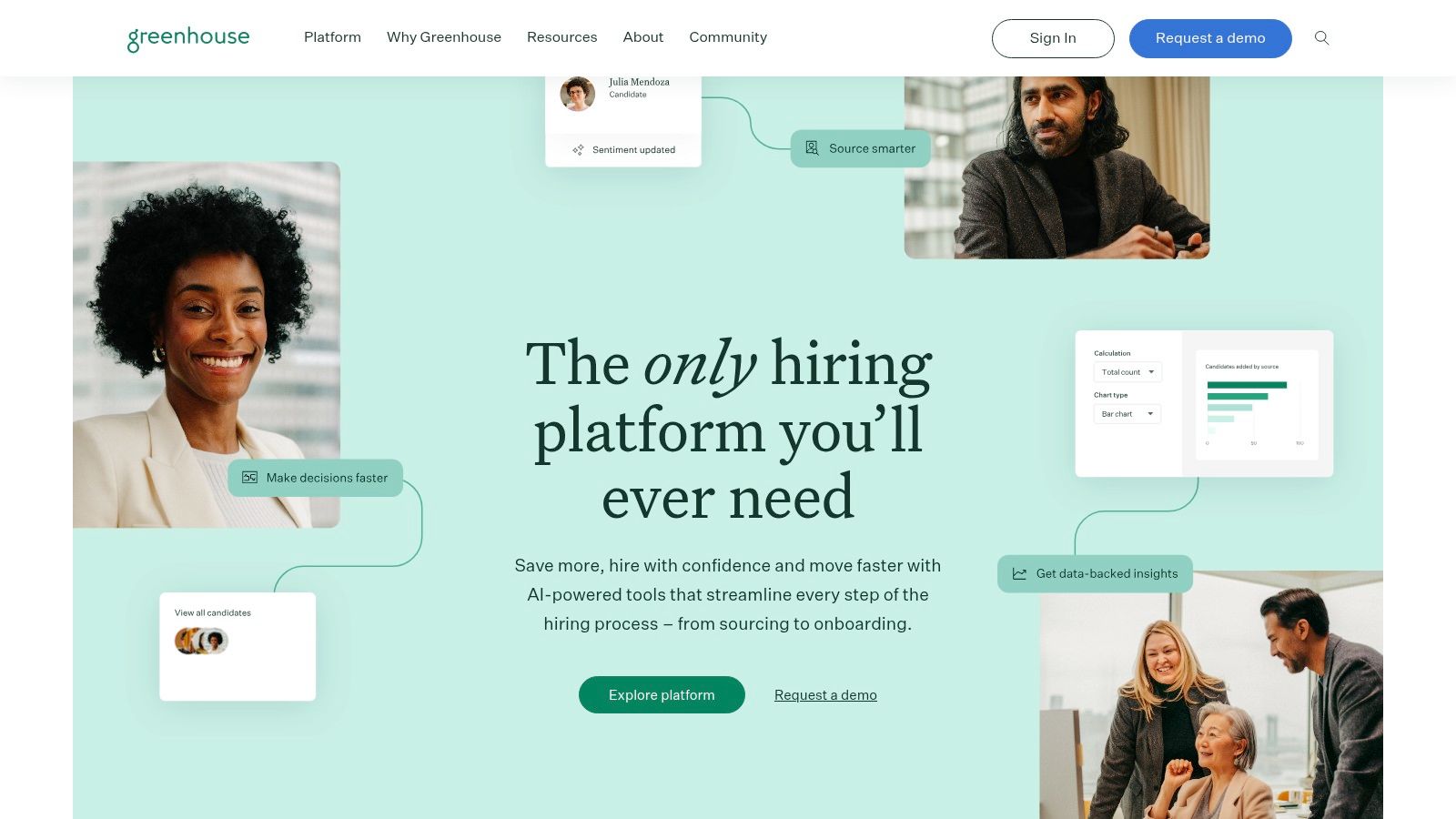
Greenhouse stands out as a top-tier applicant tracking system (ATS) and end-to-end hiring platform, particularly for enterprise and scaling companies prioritizing structured hiring and robust automation. It's more than just an ATS; it’s a comprehensive ecosystem designed to manage the entire talent acquisition lifecycle, from sourcing to onboarding.
The platform excels at embedding AI and automation directly into the hiring workflow. For instance, its "Campaigns" feature automates talent sourcing and nurture sequences, keeping your pipeline warm without manual intervention. This makes it a powerful piece of recruitment automation software for teams aiming to build and maintain strong talent pools.
Key Features & Use Cases
- Structured Hiring: Greenhouse promotes a consistent and fair evaluation process with configurable interview kits, scorecards, and a focus on removing bias.
- Candidate Self-Service: Automated scheduling tools and a seamless candidate portal reduce administrative burdens on your recruiting team.
- Massive Integration Marketplace: With over 500 pre-built integrations, you can connect tools for background checks, assessments, and more, creating a single source of truth.
- AI-Powered Sourcing: Use its AI tools to identify and engage passive candidates, automating the top-of-funnel activities that consume significant time.
Pros and Cons
| Pros | Cons |
|---|---|
| Enterprise-grade features and governance | Pricing is not public; requires a sales call |
| Extensive integration marketplace | Can be complex for smaller teams to implement |
| Mature platform with established best practices | The sheer number of features can be overwhelming |
Pricing
Greenhouse follows a quote-based pricing model, tailored to company size, feature requirements, and hiring volume. You must contact their sales team for a custom quote. For a more detailed look at how it stacks up against alternatives, see our in-depth recruitment software comparison.
3. Lever
Lever merges the functionalities of an Applicant Tracking System (ATS) and a Candidate Relationship Management (CRM) system into a single, unified platform. It's designed for companies that prioritize proactive sourcing, talent nurturing, and a collaborative hiring experience, all underpinned by powerful automation.
The platform's strength lies in its ability to manage the entire talent pipeline, from initial outreach to a signed offer. Features like its Automation Hub allow teams to build trigger-based workflows, sending personalized emails or moving candidates between stages automatically. This makes Lever a top choice for teams looking for the best recruitment automation software to engage candidates at scale.

Key Features & Use Cases
- Automation Hub: Create "if-this-then-that" rules to automate repetitive tasks, such as sending rejection emails or advancing qualified candidates to the next stage.
- Candidate Self-Scheduling: Eliminate back-and-forth emails by allowing candidates to book interview times directly from a recruiter's calendar.
- Native CRM & Nurture Campaigns: Build and maintain talent pools with automated, multi-touch email sequences to keep passive candidates engaged over time.
- Deep Integrations: Lever integrates seamlessly with core tools like LinkedIn Recruiter System Connect (RSC), Slack, and Zoom to streamline recruiter workflows.
Pros and Cons
| Pros | Cons |
|---|---|
| Strong pipeline nurturing and analytics | No public price list; requires a customized quote |
| Modern, user-friendly interface | Advanced automation may require an add-on |
| Scales well from SMBs to enterprise-level | Can be more CRM-focused than some teams need |
Pricing
Lever uses a custom pricing model based on the size of your organization and the specific features you require. Potential customers must contact their sales team for a personalized quote. You can learn more and request a demo on the Lever pricing page.
4. Workable
Workable is a highly popular applicant tracking system (ATS) designed for small to mid-market businesses that need a powerful, accessible, and quick-to-implement solution. It stands out by offering transparent pricing and self-service purchasing options, a rarity in a market often dominated by custom quotes. The platform provides a balanced mix of core ATS functions and sophisticated automation.
Its strength lies in its user-friendly interface and built-in tools that automate crucial hiring stages, from one-click job posting across 200+ sites to AI-powered candidate sourcing. This makes Workable an excellent choice for teams looking for the best recruitment automation software without the complexity or cost of enterprise-level systems, enabling a rapid time-to-value.

Key Features & Use Cases
- Automated Job Distribution: Post jobs to over 200 premium and free job boards simultaneously with a single click, automating the sourcing process.
- AI-Powered Sourcing: Use AI Recruiter to scan millions of profiles and automatically identify top candidates for your open roles, complete with contact information.
- Self-Serve Purchasing & Setup: Get started quickly with clear, public pricing and the ability to purchase and set up the platform without lengthy sales cycles.
- Optional Add-Ons: Enhance your process with integrated tools for video interviews, assessments, and SMS texting, allowing you to build a custom solution.
Pros and Cons
| Pros | Cons |
|---|---|
| Clear packaging and quick time-to-value | Add-ons can significantly increase total cost |
| Good automation coverage for the price point | Fewer deep enterprise controls than top-tier suites |
| Easy purchasing process and cancellation rules | Base plans have limits on active jobs |
Pricing
Workable offers transparent, tiered pricing based on company size and features, starting with a "Starter" plan for up to 50 employees. Plans like Standard and Premier include unlimited jobs and more advanced features. They offer a self-serve checkout with a credit card or direct debit. For more details, visit their pricing page.
5. iCIMS Talent Cloud
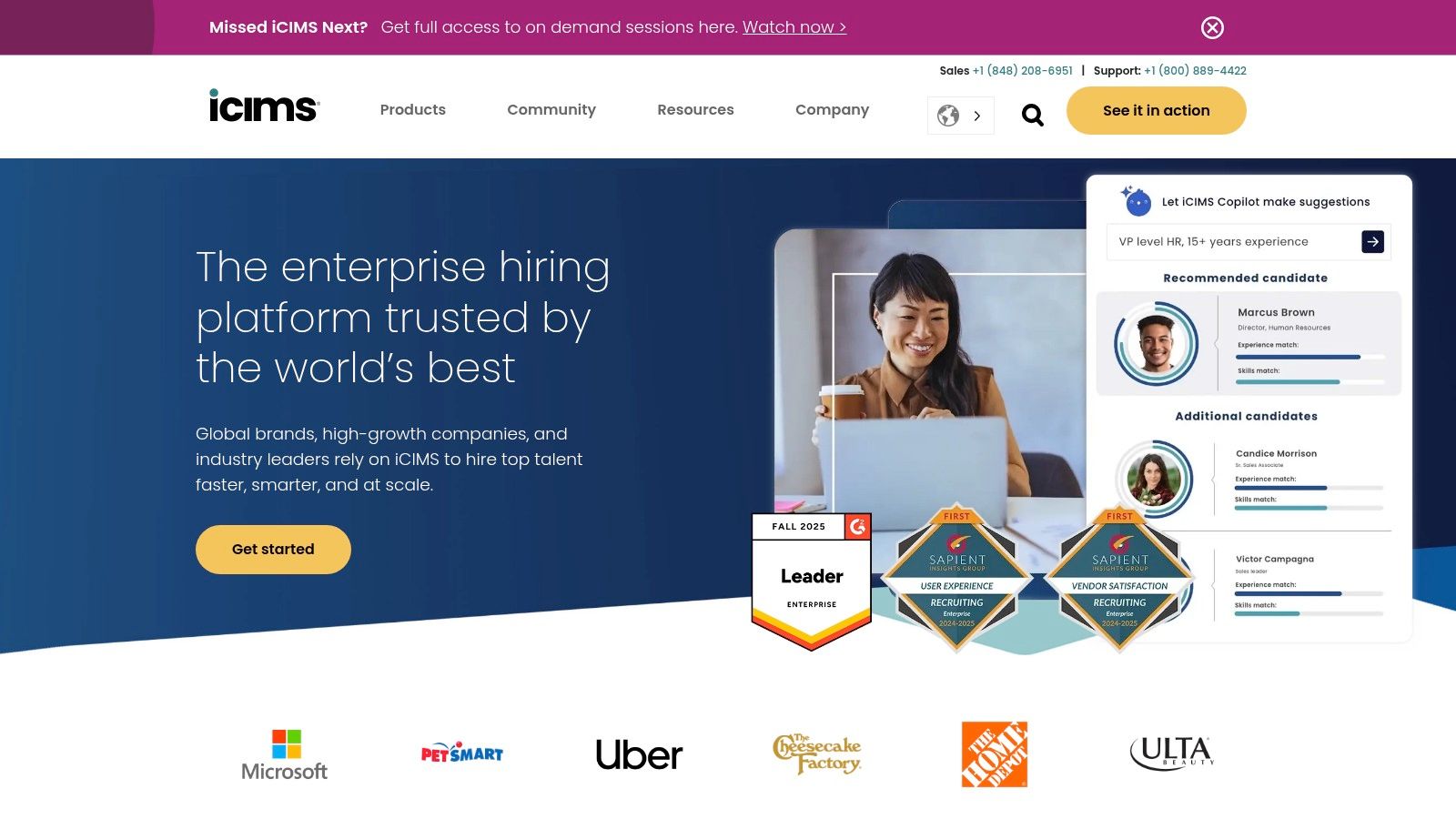
iCIMS Talent Cloud is an enterprise-grade recruiting suite designed for high-volume, global hiring where compliance and scalability are paramount. It combines a powerful Applicant Tracking System (ATS) with a candidate relationship management (CRM) platform, career sites, and an overarching AI layer called Talent Cloud AI. This integrated approach helps large organizations manage the entire talent lifecycle from a single, unified system.
The platform's strength lies in its ability to automate complex recruiting processes at scale. With its AI-powered engine, iCIMS can automatically match and rank candidates against open roles, significantly reducing manual screening time. This makes it a formidable piece of recruitment automation software for global enterprises looking to streamline operations while maintaining a strong focus on data security and compliance.
Key Features & Use Cases
- AI-Powered Matching: The system uses AI to automatically surface the best-fit internal and external candidates for a role, ranking them based on skills and experience.
- Automated Nurture Campaigns: The integrated CRM (iCIMS Engage) allows recruiters to build and automate communication sequences to keep talent pipelines warm.
- Candidate Self-Service: Automates interview scheduling and provides candidates with a portal to track their application status, reducing recruiter administrative workload.
- Global Ecosystem: Offers extensive global and multilingual support, along with a marketplace of over 800 integrations for a highly connected tech stack.
Pros and Cons
| Pros | Cons |
|---|---|
| Deep enterprise capabilities and ecosystem | Pricing is complex with a higher total cost of ownership |
| Strong AI roadmap with a focus on compliance | Implementation effort can be significant and lengthy |
| Excellent for high-volume and global hiring | Can be overly complex for small to mid-sized businesses |
Pricing
iCIMS utilizes a quote-based pricing model that depends on company size, employee count, required products, and hiring volume. A direct consultation with their sales team is necessary to get a custom price. For more details, visit the official iCIMS website.
6. SmartRecruiters
SmartRecruiters positions itself as a comprehensive talent acquisition suite, blending an ATS, CRM, and powerful AI capabilities. It is designed for mid-market to enterprise companies looking to leverage automation for high-volume hiring and improve recruiter efficiency. The platform is built around a "Hiring Success" methodology, focusing on outcomes rather than just processes.
Its strength lies in its AI-powered Hiring Agent, which automates tasks like screening, matching, and scheduling. This makes SmartRecruiters a strong contender for the title of best recruitment automation software, especially for organizations that need to manage large candidate pools and reduce manual screening time, allowing recruiters to focus on strategic engagement.

Key Features & Use Cases
- AI-Powered Hiring Agent: Automates candidate screening and matching against job requirements, significantly speeding up the top-of-funnel process.
- Conversational AI & SMS: Engages candidates through an automated chatbot and text messaging, providing instant answers and scheduling interviews.
- Dynamic Scheduling: Simplifies the complex task of coordinating interviews across multiple calendars, reducing back-and-forth communication.
- Scalable Packages: The suite offers tiered packages from "Essential" to "Complete," allowing companies to choose a feature set that matches their growth stage.
Pros and Cons
| Pros | Cons |
|---|---|
| Clear public entry pricing (Essential package) | Most SKUs beyond the entry level are quote-only |
| Strong AI focus for high-volume recruiting | Advanced analytics are limited to higher tiers |
| Scales effectively from mid-market to enterprise | The full suite might be too robust for smaller businesses |
Pricing
SmartRecruiters offers a transparent starting point with its "Essential" package, which begins at $14,995 per year. More advanced packages like "Standard," "Pro," and "Complete" are tailored to specific needs and require a custom quote from their sales team. You can explore their pricing tiers at the official SmartRecruiters pricing page.
7. Ashby
Ashby has rapidly emerged as a powerful all-in-one recruiting platform, combining a modern applicant tracking system with advanced automation and analytics. It's particularly appealing to tech startups and scaling companies that want to consolidate their tool stack, replacing separate tools for sourcing, outreach, scheduling, and reporting with a single, cohesive system.
The platform is designed around efficiency, embedding automation deep into every workflow. From automated email sequences for candidate outreach to intelligent scheduling that finds the best time for interview panels, Ashby is a prime example of recruitment automation software built for speed and data-driven decisions. Its transparent pricing for smaller teams also makes it an accessible entry point for companies that are just beginning to scale their hiring efforts.
Key Features & Use Cases
- All-in-One Functionality: Combines sourcing, CRM, scheduling, and ATS features, reducing the need for multiple subscriptions and integrations.
- Powerful Scheduling Automation: Automates complex interview scheduling, including panel interviews and sequence-based meetings, freeing up significant coordinator time.
- Advanced Analytics & Reporting: Offers deep, customizable analytics out-of-the-box, allowing teams to track metrics like time-to-hire, pipeline health, and sourcing channel effectiveness.
- Integrated Sourcing & Outreach: Build and automate multi-stage email campaigns to engage passive candidates directly within the platform.
Pros and Cons
| Pros | Cons |
|---|---|
| Consolidated toolset reduces vendor sprawl | Larger plans are quote-based, not publicly priced |
| Strong analytics and automation in one UI | Some advanced capabilities are reserved for higher tiers |
| Public starting price helps with budgeting | Still a newer player compared to established giants |
Pricing
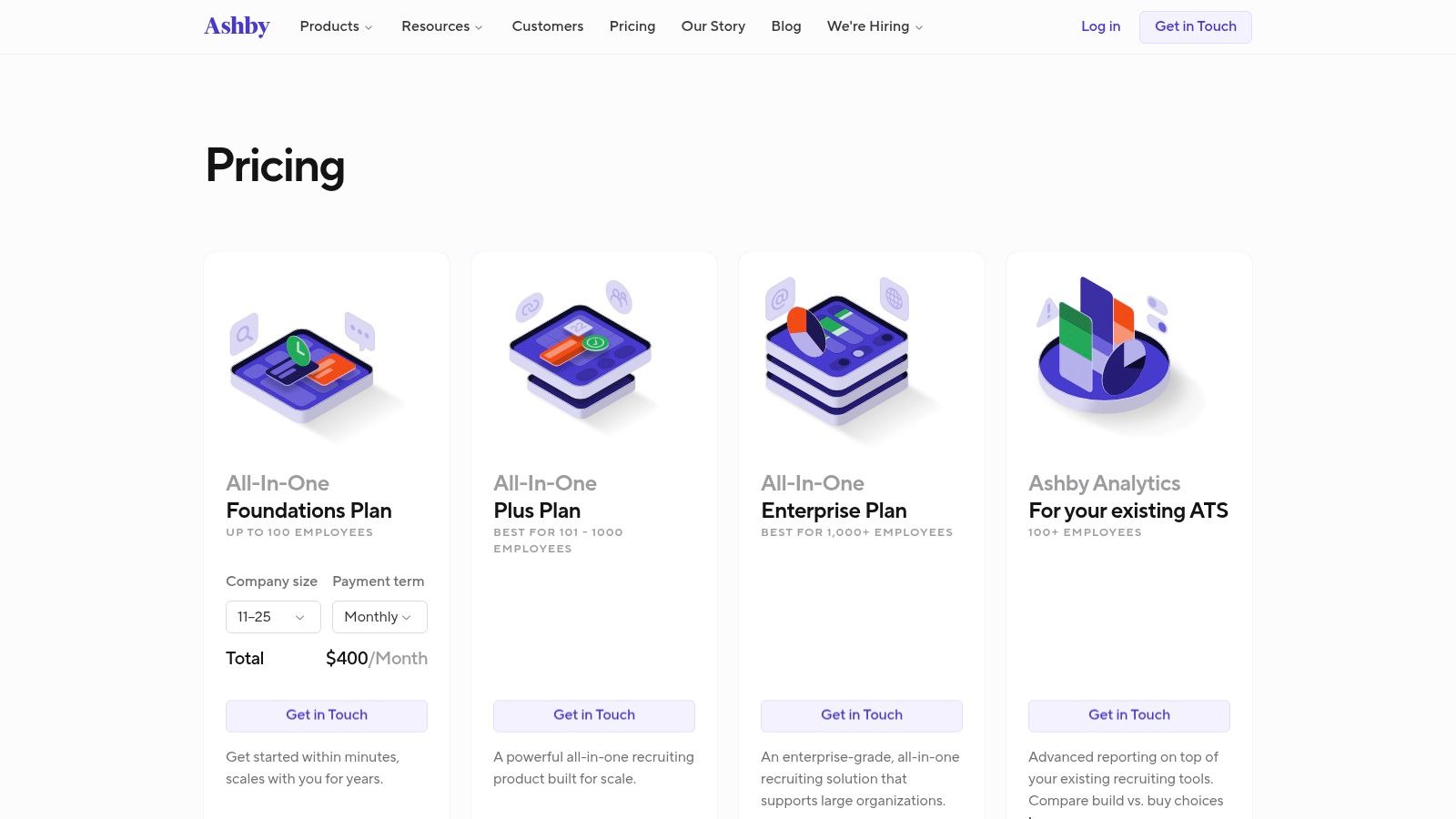
Ashby offers a "Foundations" plan with transparent monthly pricing for companies with 100 or fewer employees, which is excellent for startups. For larger organizations, the "Plus" and "Enterprise" plans are available via a custom quote from their sales team. You can find more details on their pricing page.
8. Paradox (Olivia)
Paradox, powered by its conversational AI assistant Olivia, serves as an intelligent automation layer designed to sit on top of your existing ATS. It specializes in automating high-volume, repetitive tasks like screening, scheduling, and candidate Q&A, primarily for frontline, hourly, and high-volume hiring environments. Its core strength is engaging candidates where they are, often via text message.
This mobile-first approach makes it one of the best recruitment automation software options for industries like retail, hospitality, and logistics. By using text-to-apply codes, QR codes at physical locations, and instant chat on career sites, Paradox dramatically reduces candidate drop-off and accelerates the time-to-hire by automating the most time-consuming initial steps of the recruitment process.

Key Features & Use Cases
- Conversational AI Screening: Olivia screens and dispositions candidates 24/7 via chat and text, asking knockout questions and ensuring only qualified applicants move forward.
- Instant Interview Scheduling: The AI handles all scheduling and rescheduling logistics, integrating with recruiter calendars to book interviews in seconds without back-and-forth emails.
- Text-to-Apply & Event Hiring: Automates candidate capture at hiring events or from physical job ads, allowing applicants to apply and schedule an interview in minutes from their phone.
- Deep ATS Integration: Works seamlessly with major systems like Workday, SAP SuccessFactors, and Taleo, enhancing their capabilities rather than replacing them.
Pros and Cons
| Pros | Cons |
|---|---|
| Excellent for high-volume hiring | Pricing is not public; requires annual contracts |
| Dramatically reduces time-to-schedule | Best ROI is seen at moderate to high hiring volumes |
| Superior mobile-first candidate experience | May be too specialized for low-volume corporate roles |
Pricing
Paradox utilizes a custom, quote-based pricing model that depends on factors like hiring volume, company size, and specific feature modules. A conversation with their sales team is required to get a detailed quote. You can learn more at their website, Paradox.
9. HireVue
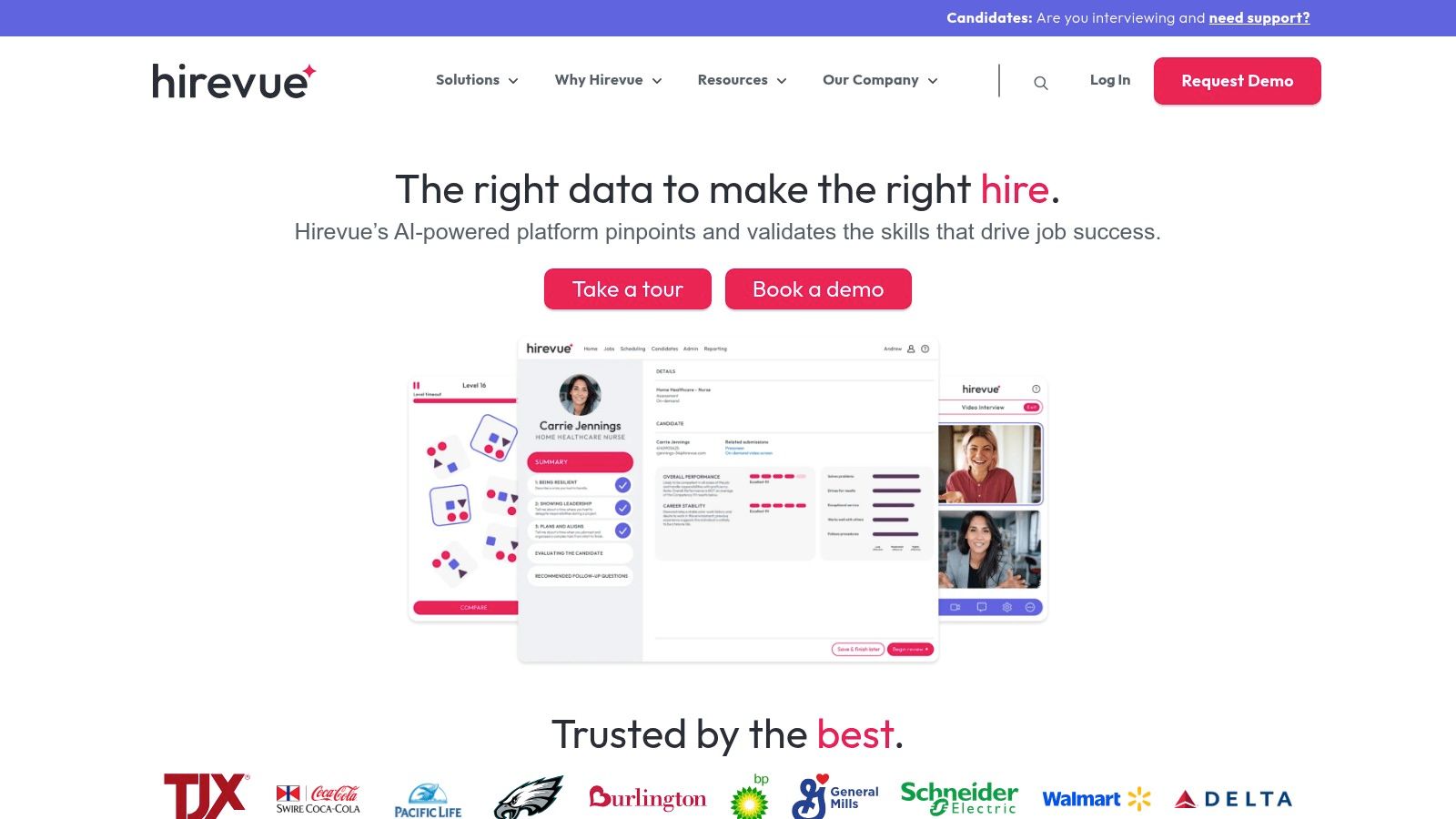
HireVue carves out its niche by focusing intensely on interview and assessment automation, making it ideal for large-scale, enterprise-level hiring. It streamlines the top and middle of the funnel by replacing traditional phone screens with on-demand video interviews and validated skills assessments, allowing recruiters to evaluate more candidates consistently and efficiently.
The platform is a leader in using AI to structure and analyze interviews, offering deep insights into candidate competencies. For organizations that need to hire hundreds or thousands of people, this level of recruitment automation software dramatically reduces time-to-hire and frees up recruiters to focus on final-stage candidates and strategic initiatives.
Key Features & Use Cases
- On-Demand & Live Video Interviewing: Scale initial screening by allowing candidates to record answers on their own time or conduct structured live interviews globally.
- Validated Assessments: Deploy a range of assessments, including skills-based, game-based, and coding challenges, to get objective data on candidate capabilities.
- Automated Scheduling: Reduces the administrative hassle of coordinating interviews with automated scheduling and calendar integrations.
- Enterprise-Grade Compliance: Offers robust security and compliance, including SOC 2/ISO and a FedRAMP-authorized option, making it suitable for government and highly regulated industries.
Pros and Cons
| Pros | Cons |
|---|---|
| Proven to reduce time-to-hire | Pricing is sales-quoted and often enterprise-level |
| Scalable globally with strong support | Assessments can be costly add-ons in some tiers |
| Robust compliance posture for US entities | Lacks full-funnel ATS capabilities |
Pricing
HireVue’s pricing is quote-based and tailored to company size, hiring volume, and the specific modules required. You will need to contact their sales team for a custom proposal. For more on tools that assist with initial candidate evaluation, explore our guide on automated resume screening software.
10. Gem
Gem is an AI-first recruiting platform designed to supercharge sourcing and outreach efforts. It operates as a powerful layer on top of your existing ATS, combining sourcing, candidate relationship management (CRM), and deep analytics into a single hub. Gem excels at automating the most time-consuming parts of outbound recruiting, making it essential for teams that proactively source talent.
The platform's core strength lies in its ability to build and engage talent pools with automated, multi-stage outreach sequences. This makes it an indispensable piece of recruitment automation software for sourcers and recruiters focused on building a consistent pipeline. It streamlines everything from finding profiles on LinkedIn to nurturing candidates until they are ready to engage.

Key Features & Use Cases
- Automated Sourcing & Outreach: Use the 1-click Chrome extension to capture profiles from LinkedIn and other sites, then enroll them in personalized, sequenced email campaigns.
- AI-Powered Personalization: Gem’s AI generates hyper-personalized messages based on a candidate's profile, significantly improving response rates without manual effort.
- Talent CRM: Centralize every candidate interaction, track relationships over time, and rediscover past applicants for new roles, ensuring no talent gets lost. Gem is a leading example of how to use AI effectively, as you can see in our guide to the best AI tools for recruitment.
- Full-Funnel Analytics: Gain deep insights into your entire hiring funnel, from initial outreach to hire, to understand team performance and optimize your strategy.
Pros and Cons
| Pros | Cons |
|---|---|
| Powerful outbound automation for sourcing teams | Full enterprise pricing is quote-based |
| Consolidates CRM, ATS, and scheduling capabilities | ATS connectors and some integrations are add-ons |
| Clear startup and staffing plan paths, including trials | Can be an additional expense on top of your core ATS |
Pricing
Gem offers several pricing tiers, including specific plans for Startups and Staffing agencies, which are transparently priced on their website. For larger, enterprise-level needs, Gem uses a quote-based model. You will need to contact their sales team for a custom proposal based on your company's scale and requirements.
11. LinkedIn Talent Solutions (Recruiter)
LinkedIn Talent Solutions, particularly its Recruiter and Recruiter Lite licenses, is an indispensable platform for sourcing and outreach. While not a traditional end-to-end ATS, its strength lies in providing direct access to the world's largest professional network and integrating this activity back into your core hiring system. It's the go-to tool for teams that heavily rely on sourcing passive candidates directly from LinkedIn.
The platform's automation capabilities shine through its Recruiter System Connect (RSC) feature, which syncs data between LinkedIn Recruiter and your Applicant Tracking System. This integration eliminates manual data entry and ensures candidate profiles and interaction histories are consistent across both platforms, making it a crucial piece of recruitment automation software for maintaining a single source of truth.

Key Features & Use Cases
- Advanced Search & Filtering: Utilize powerful filters to pinpoint ideal candidates within the vast LinkedIn network, from skills and experience to location and company history.
- Recruiter System Connect (RSC): Link your ATS to LinkedIn to see candidate records, past interactions, and application history directly within Recruiter, reducing duplicate work.
- Targeted InMail Outreach: Engage passive candidates with personalized InMail messages and track their engagement rates to refine your outreach strategy.
- Collaborative Pipeline Management: Share candidate profiles, notes, and projects with your hiring team to create a unified sourcing workflow.
Pros and Cons
| Pros | Cons |
|---|---|
| Unparalleled access to a massive candidate network | Pricing for corporate licenses is not public and quote-based |
| RSC integration streamlines workflows with your ATS | InMail limits and add-ons can increase the total cost |
| Scales from solo recruiters (Lite) to large enterprise teams | Primarily a sourcing tool, not a full-cycle ATS |
Pricing
LinkedIn Recruiter Lite has publicly available pricing, often on a monthly or annual subscription basis. For the more advanced Recruiter Corporate and Recruiter Professional Services (RPS) licenses, pricing is quote-based and requires contacting their sales team. You can explore their offerings at LinkedIn Talent Solutions.
12. G2
G2 isn't a software platform itself, but rather an indispensable market-review site for anyone evaluating recruitment automation tools. It serves as a comprehensive resource, hosting up-to-date category pages, verified user reviews, and side-by-side comparisons to help you validate vendor claims and understand real-world user experiences before committing to a purchase.
The platform's value lies in its aggregated user sentiment and detailed filtering. You can quickly shortlist vendors based on company size (enterprise, mid-market, or small business) and see how different tools stack up on key features. This makes it an essential first stop to discover niche vendors or validate the suitability of a major player, making your search for the best recruitment automation software more efficient and data-driven.
Key Features & Use Cases
- Verified User Reviews & Rankings: Access a live snapshot of the market based on reviews from authenticated users, providing unfiltered insights.
- Segment-Specific Filtering: Easily narrow down your options by filtering for solutions designed for enterprise, mid-market, or small business needs.
- Side-by-Side Vendor Comparison: Directly compare features, user satisfaction ratings, and other key metrics for your shortlisted tools.
- Alternative Discovery: Use G2’s "alternatives" feature on any product page to quickly find direct competitors and explore other options.
Pros and Cons
| Pros | Cons |
|---|---|
| Current market snapshot with real user sentiment | Some listings and reviews can be vendor-optimized |
| Quickly surfaces niche automation tools | Pricing information is often indicative, not contractual |
| Useful for discovering alternatives and confirming fit | Requires cross-referencing with vendor websites for accuracy |
Pricing
G2 is free to use for buyers researching software. Vendors pay for premium profile features and marketing services. You can access all reviews, comparisons, and reports at no cost by visiting their recruiting automation category page.
Top 12 Recruitment Automation Tools Comparison
| Product | Core focus | Automation strengths | Best for | Pricing / USP |
|---|---|---|---|---|
| MakeAutomation — Services | End-to-end AI & automation optimization for B2B/SaaS | CRM automation, Voice AI agents, lead-gen frameworks, SOPs, implementation & docs | B2B/SaaS teams scaling to 7-figures needing hands-on delivery | Quote-based; tactical implementation + measurable ROI |
| Greenhouse | Enterprise ATS & hiring platform | AI recruiting, sourcing campaigns, candidate self-service, 500+ integrations | Enterprise HR teams needing governance & scale | Sales-quoted; broad integrations & mature best practices |
| Lever | Unified ATS + CRM for pipeline-driven hiring | Trigger-based workflows, scheduling, bulk actions, reporting | SMB → mid-market recruiting teams (scales to enterprise) | Quote-based; modern UI and strong analytics |
| Workable | SMB-focused ATS with self-serve options | Job distribution, AI sourcing credits, optional video/text assessments | SMBs wanting clear packaging and fast time-to-value | Transparent plans, self-serve checkout; add-ons may increase cost |
| iCIMS Talent Cloud | Enterprise recruiting suite with global support | AI matching/ranking, automated CRM campaigns, 800+ integrations | High-volume and global hiring organizations | Quote-based; enterprise compliance & deep ecosystem |
| SmartRecruiters | Multi-product talent acquisition suite | AI Hiring Agent, conversational AI/SMS, dynamic scheduling | Mid-market to enterprise with high-volume needs | Public entry price for Essential; higher tiers quote-based |
| Ashby | All-in-one ATS with strong analytics | Scheduling automation, integrated sourcing/outreach, analytics | Startups and small teams (foundations ≤100 employees) | Transparent starter pricing; quick setup, higher tiers quoted |
| Paradox (Olivia) | Conversational AI for candidate engagement | Conversational screening, instant scheduling, text-to-apply | Frontline / high-volume hiring teams | Annual contracts; mobile-first CX, integrates with major ATSs |
| HireVue | Interview automation & validated assessments | On-demand/live video, automated scheduling, role-based assessments | Organizations needing scalable interviewing and compliance | Sales-quoted; strong compliance (FedRAMP/SOC2/ISO options) |
| Gem | AI-first sourcing & outreach platform | 1‑click LinkedIn capture, AI-personalized messaging, sequencing | Sourcers, recruiting teams, staffing firms, startups | Tiered pricing; strong outbound automation, connectors available |
| LinkedIn Talent Solutions (Recruiter) | LinkedIn sourcing and outreach platform | Advanced search, InMail, Recruiter System Connect (RSC) | Teams relying on LinkedIn for candidate discovery | Quote-based; unmatched candidate network and RSC integration |
| G2 | Market reviews and vendor comparison site | Live rankings, verified reviews, side-by-side comparisons | Buyers shortlisting recruiting automation vendors | Free market insights; user sentiment and vendor links |
From Software to Strategy: Making Your Automation Work for You
Choosing from the extensive list of the best recruitment automation software is a critical first step, but it's only the beginning. The real transformative power of these tools is unlocked when they are integrated into a cohesive, well-defined hiring strategy. As we’ve explored with platforms like Greenhouse, Lever, and Ashby, the right software can serve as the engine for your talent acquisition, but a powerful engine is ineffective without a clear roadmap.
The journey from manual, time-consuming recruitment cycles to a streamlined, automated workflow requires more than just a software license. It demands a fundamental shift in how you approach talent acquisition. The true ROI isn't just in saved hours; it's in improved candidate experience, higher quality hires, and the ability to scale your team at the speed your business demands.
Key Takeaways: From Selection to Implementation
Reflecting on the tools we've analyzed, from comprehensive ATS solutions like iCIMS to specialized engagement platforms like Gem, several core principles emerge for making a successful choice.
- Define Your Problem First: Before getting dazzled by feature lists, pinpoint your biggest bottleneck. Is it sourcing top-tier talent (consider Gem or LinkedIn Talent Solutions)? Is it managing high-volume applications efficiently (look at Workable or SmartRecruiters)? Or is it creating a seamless, AI-driven candidate experience (Paradox's Olivia is a leader here)? Your primary pain point should guide your selection.
- Integration is Non-Negotiable: A recruitment tool that doesn't communicate with your existing HR tech stack creates more work, not less. Prioritize platforms with robust APIs and pre-built integrations. A disjointed system will always undermine your automation goals and lead to data silos.
- Scalability Matters: The software that fits your 50-person startup may not support your growth to 500 employees. Consider the scalability of each platform's features, pricing tiers, and customer support. Choosing a system that can grow with you prevents a costly and disruptive migration down the road.
Actionable Next Steps for Your Team
With these insights in mind, your path forward should be deliberate and strategic. Don't rush into a demo without doing your homework.
- Audit Your Current Process: Map out your entire recruitment workflow, from job posting to offer letter. Identify every manual touchpoint, every delay, and every point of friction for both your recruiters and your candidates. This audit becomes the blueprint for your automation strategy.
- Involve Key Stakeholders: Your hiring managers, IT department, and finance team all have a stake in this decision. Their input is crucial for ensuring smooth adoption, technical compatibility, and budget alignment. A tool chosen in isolation is often a tool that fails.
- Plan for Change Management: Implementing any new software requires training and a shift in daily habits. Develop a clear communication plan, provide comprehensive training, and celebrate early wins to build momentum and encourage user adoption across your team.
Ultimately, the best recruitment automation software is the one that seamlessly extends your team's capabilities, eliminates administrative drag, and allows your recruiters to focus on what they do best: building meaningful relationships with talented people. While our guide provides a strong foundation, the landscape is always evolving. As you continue your research, you can explore other top recruiting automation tools for 2025 to gain an even broader perspective on solutions that could fit your unique needs.
The goal isn't just to buy software; it's to build a strategic, automated system that becomes a competitive advantage in the war for talent.
If your team needs more than just a tool and requires a partner to design, build, and manage a truly custom and scalable hiring engine, MakeAutomation can help. We specialize in creating tailored recruitment workflows that integrate the best platforms with custom solutions like Voice AI agents to deliver a system perfectly aligned with your growth goals. Learn more at MakeAutomation.