A Practical Guide to AI in Project Management
Think about the last project you managed. How much of your time was spent reacting to problems? A key dependency was late, the budget started to creep up, or a team member was suddenly overloaded. It often feels like you're just putting out fires.
That's traditional project management in a nutshell. Now, imagine having a co-pilot that could see those fires starting before you even smelled the smoke. That’s the shift we’re seeing with AI in project management. It’s not about replacing managers; it’s about giving them a serious upgrade.
Shifting from Reactive to Predictive Project Management

For years, project management has been a game of looking in the rearview mirror. We rely on Gantt charts that are outdated the moment they’re made, spreadsheets that require constant manual updates, and a heavy dose of gut feeling. We react to delays, budget overruns, and resource conflicts after they’ve already happened.
Artificial intelligence flips the script entirely. It moves us from a reactive stance to a proactive one by adding a predictive layer to our work. Instead of just tracking what’s already gone wrong, AI crunches massive amounts of data to forecast what’s likely to go wrong next. This gives project leaders a fighting chance to get ahead of problems before they derail the entire project.
The Core Function of AI in Projects
At its core, AI in project management is all about augmenting our own skills. It's not here to take over, but to handle the heavy lifting of data analysis at a speed and scale no human team could ever match. Think of it as having a super-analyst on your team who never sleeps.
Here’s how that plays out in the real world:
- Automating the Grunt Work: AI can handle the tedious, repetitive tasks that eat up a manager's day—scheduling meetings, sending follow-up emails, and compiling progress reports. This frees you up to focus on the human side of things, like mentoring your team and managing stakeholders.
- Predicting Project Risks: Machine learning algorithms can spot subtle patterns in your project data that signal trouble ahead. It might flag a task that consistently causes bottlenecks or identify a team member who is approaching burnout, giving you time to intervene.
- Delivering Data-Driven Insights: AI helps you move beyond educated guesses. It can provide clear, evidence-based recommendations on how to best allocate resources or where to adjust the budget, helping you make smarter decisions, faster.
This isn't just a niche trend. The market for AI in project management was valued at $3.08 billion and is expected to hit $7.4 billion by 2029, a clear sign that businesses are betting big on this technology.
The true power of AI is its ability to turn data into foresight. It equips leaders with the visibility needed to steer projects with confidence, rather than constantly reacting to what’s already happened.
Ultimately, bringing AI into your project management workflow builds a more resilient and efficient operation. It’s a foundational piece in understanding how AI can drive business growth by fine-tuning your core processes. By letting the algorithms handle the complex data crunching, AI empowers project managers to do what they do best: lead people, solve complex problems, and deliver incredible results. This guide will walk you through exactly how to put this technology to work.
Unpacking Key AI Capabilities for Project Success
To really get what AI in project management means, we have to look past the buzzwords and dig into what it actually does. AI isn't some magic wand you wave at a project. It’s better to think of it as a specialized toolkit, with each tool built to solve a very real, very specific problem.
These capabilities work together to make your project environment smarter and more agile. Once you understand what each function brings to the table, you can pinpoint exactly where AI will make the biggest difference in your workflow.
Let's break down the core capabilities you’ll actually be using.
Predictive Analytics: Your Early Warning System
Imagine seeing a major roadblock on your project timeline weeks before it actually appears. That’s essentially what predictive analytics does. It uses machine learning to comb through all your past project data—timelines, budgets, resource plans, you name it—to find patterns that scream "trouble ahead."
Instead of reacting to a missed deadline after the fact, the AI flags at-risk tasks or potential budget blowouts while you still have plenty of time to steer things back on course. It’s like having a data-driven crystal ball.
For example, an AI tool might scan your last ten software sprints and notice that tasks related to a certain API integration consistently run 15% over schedule. It can then automatically flag similar tasks in your current project, giving you a heads-up to add a buffer or assign more help.
Predictive analytics shifts the project manager’s role from a historical record-keeper to a forward-looking strategist. It answers the question, "Based on everything we know, what is most likely to go wrong next week?"
Intelligent Automation: The Ultimate Task Master
Every project manager feels the pain of administrative drag. Chasing down status updates, scheduling yet another recurring meeting, and sending endless reminder emails are a necessary evil. Intelligent automation takes that grunt work completely off your hands.
This is way more than simple macros or calendar rules. AI-driven automation understands context, makes simple judgments, and can connect the dots across different tools your team uses.
Here’s what that looks like in the real world:
- Automated Reporting: An AI agent can pull task progress from Jira, budget data from your finance software, and key discussions from Slack to build a comprehensive weekly status report—perfectly formatted and ready to go.
- Smart Scheduling: Need to get the whole team together? An AI can scan everyone's calendar, find the best possible time slot, book a room, and send the invites without you lifting a finger.
Natural Language Processing: The Communication Analyst
So much of a project’s true status is buried in how people talk. It's in the Slack channels, email threads, and meeting notes. Natural Language Processing (NLP) is the technology that lets a computer read, understand, and analyze all that human language.
NLP can get a pulse on team morale by analyzing the sentiment in chat logs, spotting frustration or burnout before it becomes a real problem. It can also scan technical documents to find conflicting requirements or vague instructions that are guaranteed to cause headaches down the line. Some of the more advanced AI chatbot platforms use NLP to provide instant support and answer team questions, keeping everyone aligned.
Optimized Resource Allocation: The Strategic Matchmaker
Putting the right person on the right task is more of an art than a science—or at least, it used to be. AI turns this complex puzzle into a data-driven decision, weighing countless variables in seconds.
The system can look at a team member's skills, their current workload, their availability, and even their track record on similar tasks. From there, it recommends the best person for every new task, ensuring no one is overloaded while your best talent is focused where they can make the biggest impact.
This is a game-changer for preventing bottlenecks and making sure every task is handled by the person most likely to knock it out of the park.
Real-World Use Cases in B2B and SaaS
The theory behind AI is interesting, but let's be honest—what really matters is seeing how it solves actual, expensive business problems. For B2B and SaaS companies, where every deadline is critical and client happiness is the name of the game, AI is already making a huge difference. This isn't about some far-off future; it's about shipping projects on time and keeping clients happy, right now.
So, let's step away from the abstract and look at a couple of real-world stories that show how companies are getting ahead with AI. These aren't just hypotheticals; they show the real return on investment when AI tackles the messy, everyday challenges of project work.
Keeping SaaS Development Sprints on Track
Imagine a rapidly growing SaaS company constantly missing its release dates. The development team worked in two-week sprints, but surprise dependencies and overly optimistic estimates meant delays were the norm. This pushed back feature launches, annoyed customers, and gave competitors an edge. The project managers were always in firefighting mode, scrambling to fix problems long after the sprint had already gone off the rails.
They decided to bring in an AI-powered project management tool. This wasn't just another task tracker; it was a system that learned from their past work. By digging into historical sprint data, the AI built a scarily accurate picture of the team's actual capacity and started spotting the subtle patterns that always led to delays.
Their entire workflow changed.
- An Early Warning System: The AI now acts like a watchdog, monitoring the sprint in real-time. If a task tied to a critical feature starts to slip, even by a few hours, it’s immediately flagged as a high-risk item.
- Intelligent Resource Suggestions: Instead of just sounding an alarm, the AI offers up real solutions. It might suggest reassigning a task to a developer who has a history of crushing similar work or point out a less critical task that could be paused to free someone up.
- Predictive Timeline Adjustments: The system constantly re-calculates the release date based on live progress. This gives stakeholders a realistic forecast, not a Gantt chart that was out of date the moment it was made.
The results came fast. Within just three months, the team’s on-time sprint completion rate shot up from a shaky 60% to over 90%. They stopped being blindsided by issues and moved from frantic, reactive problem-solving to smart, proactive course corrections.
Preventing Scope Creep in a B2B Agency
Now, let's pivot to a B2B digital marketing agency facing an equally painful problem: scope creep and client churn. You know the story—a client sends an email asking for a "quick tweak" or a "minor addition." These small requests pile up, bloating the project, killing profitability, and creating resentment. Even worse, by the time the agency realized a client was unhappy, it was often too late.
Their solution was an AI tool that plugged into their email and project management platforms. It used Natural Language Processing (NLP) to read and understand all client communication, searching for subtle but crucial signals.
By analyzing the language clients use, AI can identify early indicators of dissatisfaction or confusion long before a human project manager might notice. It acts as a sentiment barometer for client health.
The AI was trained to zero in on specific phrases. For example, "Just a small change" or "While you're at it, could you also…" were immediately flagged as potential scope creep. At the same time, if a client’s emails became less positive or they started asking more skeptical questions, the system sent an alert about declining satisfaction.
This gave the agency's project managers two new superpowers:
- Address Scope Creep Proactively: When the AI flagged a request that would expand the scope, the PM could have an immediate, friendly conversation with the client to clarify if it was a new line item that needed its own quote.
- Intervene Before Escalation: A dip in client sentiment triggered an alert, prompting the PM to schedule a check-in call. This let them get ahead of problems before they turned into full-blown crises.
This proactive approach had a massive impact. The agency cut down its unbilled work by over 25%, making each project significantly more profitable. More importantly, their client retention rate jumped by 15% in the first year alone. They were no longer just managing tasks; they were managing relationships with data-driven precision.
If you are looking to explore options, you can check out some of the best AI tools for project management available today.
Your Roadmap for Implementing AI in Project Management
Diving into AI in project management can feel like a massive undertaking, but it doesn't have to be a high-stakes gamble. The smartest way to start isn't with a huge, company-wide overhaul. Instead, begin with a focused, step-by-step approach that proves value quickly without causing a ton of disruption.
Think of it less like flipping a giant switch and more like building a bridge, one solid piece at a time. The plan is to start small, learn fast, and build momentum. This roadmap will walk you through that exact process, helping you take your first steps into AI with confidence.
Start With Your Biggest Headache
Before you even glance at a single AI tool, stop and identify the most significant, recurring pain point in your current workflow. Where's the biggest bottleneck? Is it constantly blowing past deadlines, fighting over who’s available to do the work, or watching project scope spiral out of control?
Pinpointing a specific, high-impact problem gives your AI initiative a clear mission.
Don't try to boil the ocean. Pick one single area where an improvement would make a real, tangible difference. For example, if your team consistently underestimates how long tasks will take, your pilot project should zero in on an AI tool that can improve estimation accuracy. This laser-focused approach makes measuring success a whole lot easier.
Run a Controlled Pilot Project
Once you’ve identified your target problem, it’s time for a small-scale experiment. This isn't about forcing a new system on everyone. It’s about testing a potential solution with a small, motivated team on a real—but low-stakes—project.
Here’s how to run an effective pilot:
- Select the Right Tool: Find an AI platform built specifically to solve the problem you’ve identified.
- Define Clear Metrics: You need to know what success looks like from the start. If you’re tackling timeline issues, your key metric might be the “Percentage Reduction in Schedule Slippage.”
- Gather Feedback: The pilot team’s experience is gold. Ask them about the tool's usability, the quality of its insights, and how it actually affected their day-to-day work.
This flow chart shows a common AI-driven process in SaaS development, illustrating how a system can monitor data, flag potential issues, and suggest solutions.
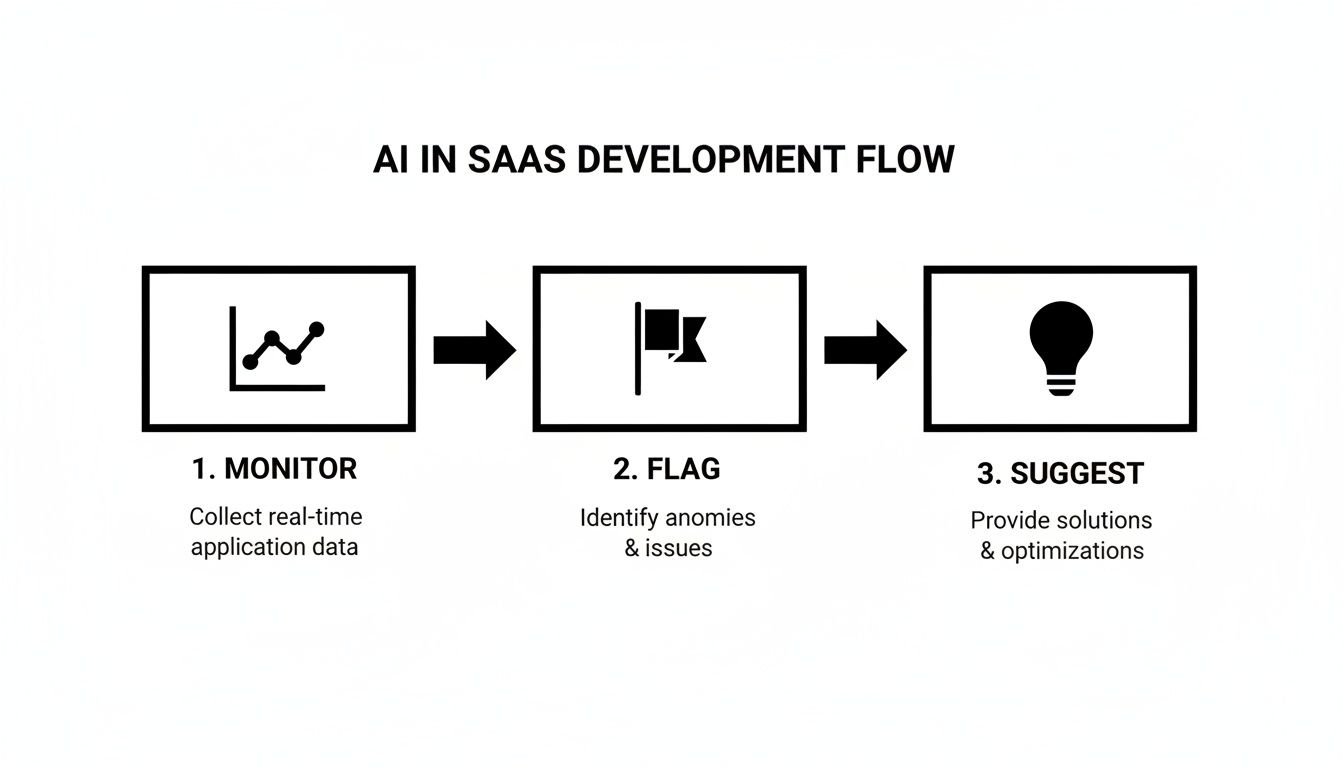
This process highlights how AI helps teams shift from being reactive to proactive. A successful pilot will demonstrate this shift on a small scale, building a powerful case for wider adoption.
Establish Data Hygiene and Governance
An AI tool is only as good as the data you feed it. Before you even think about scaling up, you have to lay a solid foundation for data quality and governance. This is a non-negotiable step for any long-term success.
Clean, consistent, and accessible data is the fuel for any successful AI initiative. Without it, even the most advanced algorithms will produce unreliable insights.
This means standardizing how your team logs hours, updates task statuses, and documents project changes. Creating a clear governance framework ensures everyone knows their role in keeping the data clean. To learn more, check out our guide on how to create an AI program: https://makeautomation.co/how-to-create-an-ai-program/
While this sounds straightforward, many organizations are just getting started. Current data shows that only 22% of project managers say AI tools are actively used at their companies, showing a big gap between interest and implementation. For a faster transition, it's worth looking into methods for accelerating AI project delivery to see value sooner.
How to Measure Success and Sidestep Common Pitfalls
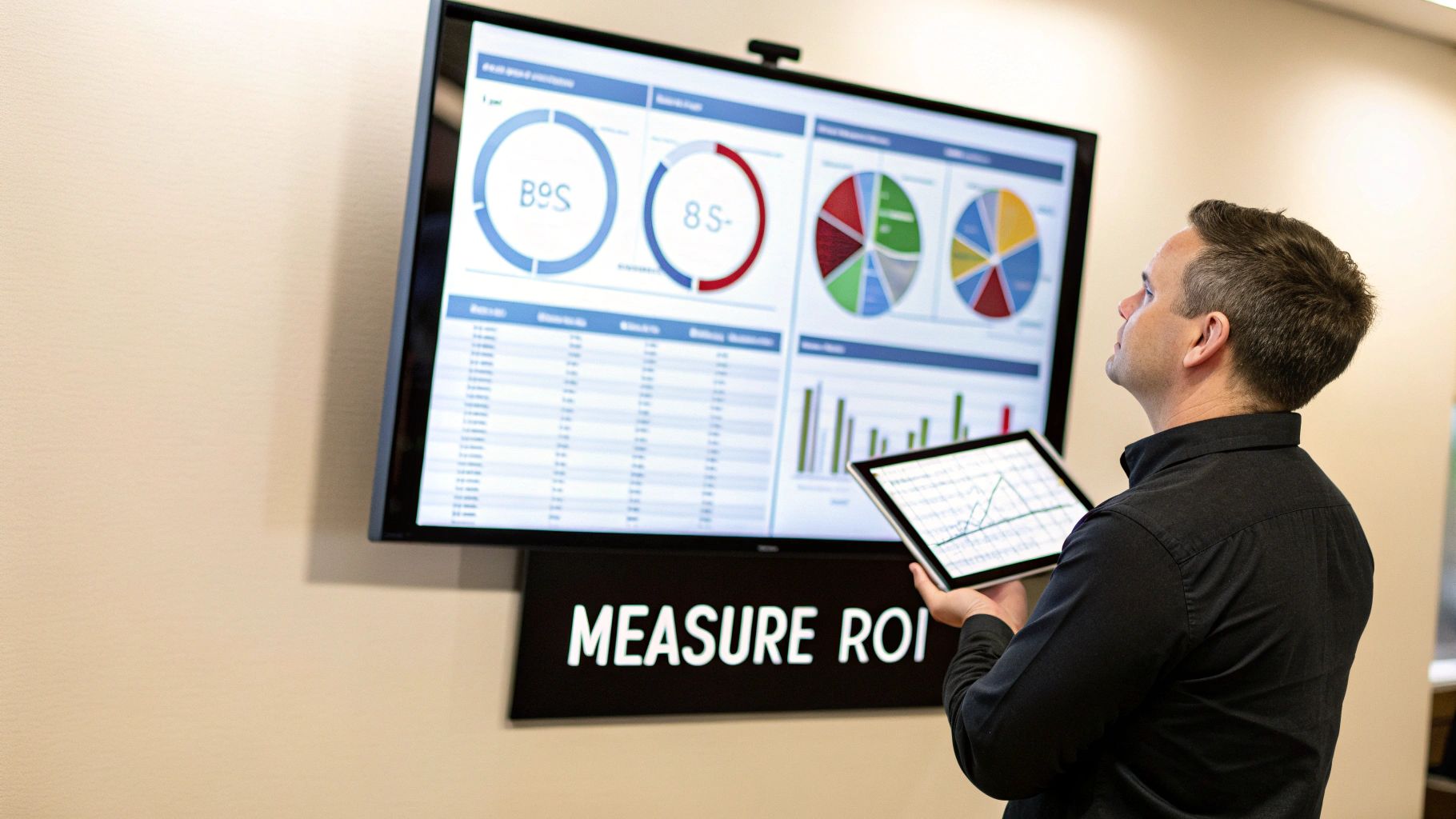
Bringing AI into your project management workflow isn't just about getting a shiny new tool; it's about delivering real, measurable business results. To prove the investment is paying off, you have to move beyond vague goals like "improving efficiency." The only way to know if you're succeeding is to track specific, needle-moving Key Performance Indicators (KPIs) that connect directly to the problems you set out to solve.
Without a solid measurement plan, you’re just flying blind. You won't know if the AI is genuinely making life easier or just adding another layer of complexity to your team's day. Defining these metrics from day one is essential for showing real ROI and making a case for future investment.
Defining Your Key Performance Indicators
So, how do you actually measure the impact of AI? It boils down to tracking the financial and operational outcomes it influences. Your KPIs need to be concrete, measurable, and tied directly to what makes a project successful in your organization. Forget generic metrics; you need to measure what actually matters to your bottom line and your delivery dates.
Here's a breakdown of the key performance indicators we see making the biggest difference.
| KPI | What It Measures | How to Track It |
|---|---|---|
| On-Time Completion Rate | The percentage of projects or sprints that meet their original deadlines. | Compare the completion rates of projects managed with AI against a baseline of projects managed without it. |
| Budget Overrun Percentage | The average percentage by which projects exceed their allocated budget. | Track budget variance before and after AI implementation to see if predictive cost analysis is working. |
| Resource Utilization Rate | The percentage of your team's available time spent on billable or productive work. | Use time-tracking data to measure if AI-driven resource allocation is reducing bench time and improving workload balance. |
| Time Spent on Admin Tasks | The hours project managers spend on manual reporting, scheduling, and follow-ups. | Survey your PMs to get a baseline, then measure again after a few months with the AI tool to quantify time savings. |
These aren't just vanity metrics. They directly reflect whether the AI is doing its job—helping you deliver better projects, faster and more predictably.
A study from the Project Management Institute (PMI) puts a fine point on this. They found that organizations using AI reported 61% of their projects were delivered on time, a significant jump from just 47% for those without AI tools.
Navigating the Most Common Implementation Pitfalls
Even with the best intentions and the most powerful software, an AI initiative can easily go off the rails. The good news is that most failures aren't about the technology itself. They’re about foundational issues with data, people, and processes that you can get ahead of.
Here are the three biggest traps we see teams fall into, and how you can avoid them.
Pitfall 1: Poor Data Quality
This is the big one. The most common reason AI projects fail is the classic "garbage in, garbage out" problem. If your historical project data is a mess—full of inconsistencies, missing information, or just plain inaccuracies—the AI's predictions will be worthless. It can't spot meaningful patterns in chaos.
The Fix: Before you even think about deploying a tool, you have to conduct a data audit. Clean house. Standardize how your team logs hours, updates task statuses, and documents project changes. Think of it as a non-negotiable prerequisite; good data hygiene is the foundation for everything that follows.
Pitfall 2: Lack of Team Buy-In
If your team sees AI as a threat coming for their jobs, or just another overly complicated tool they're being forced to learn, they'll never adopt it. They might “forget” to update their tasks or simply ignore the system's recommendations, which makes the whole thing useless. This almost always happens when leadership fails to explain why the change is happening.
The Fix: You have to frame the AI as an assistant, not a replacement. Be crystal clear about the specific, nagging problems it's going to solve for them—like cutting down on tedious status reports or preventing those last-minute weekend fire drills. Even better, get them involved in a pilot project. It gives them a sense of ownership and lets them see the benefits for themselves.
Pitfall 3: Unrealistic Expectations
Expecting an AI tool to magically solve every project management headache you've ever had is a surefire recipe for disappointment. AI is a powerful assistant, not a silver bullet. It needs time to learn from your data, and your team needs time to adjust to a new way of working.
The Fix: Start small. Pick one narrow, well-defined problem and set a realistic goal for your pilot project. Instead of promising to eliminate all delays in the first month, aim for an incremental win, like improving task estimation accuracy by 10%. Celebrate these small victories along the way. It builds momentum and keeps everyone’s expectations grounded in reality.
Frequently Asked Questions About AI In Project Management
As you explore AI in project management, similar questions tend to surface. It might feel like a steep climb, but the basic ideas are surprisingly approachable. Below, you’ll find straightforward answers to the queries we hear most often.
We’ll cover everything from roles and skills to practical next steps—so you can make informed decisions and move ahead with confidence.
Will AI Replace Project Managers
Not at all. Picture AI as a personal research assistant that handles time-consuming data chores—analyzing past performance, flagging potential delays, and drafting routine status reports.
This leaves you free to focus on what you do best: negotiating trade-offs, mentoring your team, and crafting creative solutions when challenges arise. In short, AI hands you richer insights; you bring the strategic direction.
What Is The First Step To Implementing AI In My Team
The smartest move is to tackle one clear pain point rather than revamping everything at once. I always suggest running a pilot project with a small group.
For instance:
- Unreliable Time Estimates: Let an AI tool learn from previous sprints to suggest more accurate task durations.
- Resource Conflicts: Use AI to flag when someone’s workload spikes before it becomes a roadblock.
Keep it focused, set measurable goals, and collect feedback. A tight win builds the strongest case for wider rollout.
A focused win builds momentum far faster than a broad, unfinished plan.
How Much Technical Skill Is Needed To Use These Tools
Surprisingly little. Modern AI-driven project platforms are built for project professionals, not data scientists. You’ll see drag-and-drop interfaces, visual dashboards, and even natural-language prompts.
The heavy lifting happens behind the scenes. Your role is to interpret the insights and steer your projects using the data provided—no coding required.
Can AI Help With Managing Remote Or Hybrid Teams
Absolutely. When your team spans multiple time zones, it’s easy for tasks and concerns to slip through the cracks. AI can serve as a virtual coordinator, keeping everyone aligned and spotting issues early.
Here’s how AI steps in:
- Central Hub: A unified project overview accessible to all team members, regardless of location.
- Sentiment Analysis: AI scans chats and emails to highlight morale shifts or brewing frustrations.
- Automated Notifications: Get alerted when deadlines drift or dependencies are at risk, so you can course-correct promptly.
When you’re ready to move from ideas to real results, MakeAutomation offers hands-on support to integrate AI agents into your workflows. From smarter resource planning to proactive risk alerts, we’ll help you turn these concepts into everyday practice. Book a call to discover how we can help you deliver projects on time and on budget.