Jira programme management: Align Strategy with Execution for Growth
If you've ever managed a single project in Jira, you know it's like conducting one musician. You focus on their timing, their notes, and their performance. But what happens when you need an entire orchestra to play a complex symphony in perfect harmony? That’s the heart of Jira programme management.
It’s the discipline of turning Jira from a simple task tracker into a strategic command center for your entire organization.
From Team Tasks to Strategic Vision

As a business grows, a familiar and expensive problem starts to creep in. Teams drift into their own silos, project dependencies become a tangled mess, and the link between day-to-day work and the big-picture goals gets fuzzy.
Individual teams can be incredibly busy and productive, but if their efforts aren't pulling in the same direction, the company starts to lose steam. This is exactly the kind of operational friction that a solid programme management practice is built to fix.
The Core Problem of Scale
Let's take a real-world example. Imagine a SaaS company is gearing up for a major new product release. This one initiative is actually a collection of smaller projects all running at the same time:
- The backend team is building out the new APIs.
- The frontend team is overhauling the user interface.
- The marketing team is putting together the launch campaign.
- The support team is creating new training guides and documentation.
Without a programme-level view, each team lead is only looking at their piece of the puzzle. They have no real visibility into the other moving parts. A small delay in the backend API development could completely derail the marketing launch, but nobody flags it until it’s already a crisis. This is where you get resource conflicts, blown deadlines, and a slow drift away from the original strategy.
Jira programme management is the conductor, making sure every team—from engineering to marketing—is reading from the same sheet music and playing their part in the same strategic melody.
Bridging the Gap with a Programme Approach
When you put a structured programme framework in place within Jira, you're building a system that ties every single task back to your most important business objectives. This goes way beyond better tracking; it's about embedding clarity and control directly into your growth engine.
Jira's footprint in the industry speaks for itself. It serves over 350,000 customers, including 80% of the Fortune 500. More importantly for B2B and SaaS businesses, the user base has evolved significantly. According to the official Atlassian shareholder letter, nearly 50% of Jira users are now in non-technical roles like marketing, finance, and operations. This shows it’s no longer just a dev tool—it’s an organizational one.
This evolution allows leaders to finally see the entire picture. You can spot cross-project dependencies before they become blockers, put your resources where they’ll make the biggest difference, and give every stakeholder a clear, real-time view of how work is progressing towards the company’s goals. It’s what transforms Jira from a bunch of isolated project boards into a living, breathing map of your business strategy in action.
Choosing the Right Tool for Programme Management
Now that we've covered why programme management in Jira is so vital for a growing business, the next logical question is how. Atlassian doesn't leave you guessing; it offers two powerful, but very different, solutions to level up Jira from a team-based task tracker to a strategic command center: Jira Advanced Roadmaps and Jira Align.
Think of it like choosing a vehicle. You wouldn't take a sports car on a rugged off-road trail, and you wouldn't use a heavy-duty truck for a quick trip to the grocery store. Each is built for a specific job. In the same way, picking the right Jira tool hinges entirely on your company's size, the complexity of your work, and where you're headed next.
Jira Advanced Roadmaps: The Scalable Planner
For most growing B2B, SaaS, or agency businesses, Jira Advanced Roadmaps is the natural first step. Available with Jira Software Premium and Data Center, it's designed for organizations that are just starting to feel the growing pains of coordinating work across multiple teams and projects.
Its magic is in its visualization. Advanced Roadmaps gives you a timeline view that pulls together epics, stories, and other issues from different team boards. This lets programme managers finally see the whole picture, spot dependencies between teams, and get a handle on resource capacity.
It's built to answer the questions that keep managers up at night:
- If the backend team's API work is delayed, what does that do to the mobile app team's launch schedule?
- Is our senior designer stretched too thin across three different initiatives next month?
- Can we actually ship these three connected projects by the end of Q3?
In short, Advanced Roadmaps is perfect for orchestrating a handful of projects without drowning in complexity. It helps you get all your teams playing from the same sheet of music, focusing on executing a programme across closely related projects.
Jira Align: The Enterprise Strategy Engine
If Advanced Roadmaps is a powerful SUV for navigating a complex city, then Jira Align is the air traffic control system for a major international airport. It’s a true enterprise-grade platform built from the ground up for massive organizations that need to connect top-level corporate strategy directly to the day-to-day work of hundreds or even thousands of people.
Jira Align isn't just a planning tool; it's a strategic alignment platform. It sits above the team-level chaos in Jira, linking high-level business themes and portfolio goals to the epics and stories that developers are working on. It's purpose-built for companies embracing scaled agile frameworks like SAFe®, LeSS, or Scrum@Scale.
Jira Align creates a single source of truth that connects a CEO's strategic vision all the way down to an individual developer's line of code. It’s about making sure every dollar spent and every hour worked pushes a key business outcome forward.
This is the tool you need when you’re managing complex programme increments, tracking budgets against strategic goals, and creating sophisticated reports for the C-suite. It's the solution for when your portfolio of programmes has become so large that you need a dedicated system to steer the entire ship.
Jira Advanced Roadmaps vs Jira Align Feature Comparison
So, how do you decide? This table breaks down the core differences to help you see which tool aligns with your current needs and future ambitions.
| Feature | Jira Advanced Roadmaps | Jira Align |
|---|---|---|
| Ideal For | Growing businesses, departments, or programmes with 3-50 teams. | Large enterprises with 50-1000+ teams practicing scaled agile. |
| Primary Goal | Cross-team and cross-project planning, dependency mapping, and capacity management. | Enterprise-wide strategic alignment, linking strategy to execution. |
| Scope | Programme Level: Managing a collection of related projects. | Portfolio & Enterprise Level: Managing multiple programmes and value streams. |
| Frameworks | Framework-agnostic. Works well with Scrum, Kanban, or hybrid models. | Purpose-built for scaled agile frameworks like SAFe®, LeSS, and Scrum@Scale. |
| Reporting | Focuses on programme progress, timelines, and resource allocation. | Advanced reporting on financials, portfolio health, strategy, and outcomes. |
| Integration | Built directly into Jira Software (Premium/Data Center). | A separate platform that integrates deeply with Jira and other systems. |
| Complexity | Relatively easy to set up and learn. An extension of the core Jira experience. | Significant investment in implementation, training, and process change. |
Ultimately, Advanced Roadmaps helps you manage the work better, while Jira Align helps you manage the business better. Before you commit, it's critical to evaluate your internal processes and consider choosing the right project management methodology for your goals. Making the right choice here is the difference between simply buying a tool and making a strategic investment that pays dividends.
Designing Your Jira Programme Blueprint
So you’ve picked your tools. Now comes the architectural work. How do you actually get Jira to mirror your programme’s ambitions? This is more than just setting up projects and tasks. It’s about building a repeatable blueprint that connects high-level strategy to the daily grind.
Think of it like building a house. You wouldn't just start putting up walls and hoping it all holds together. You’d need a detailed plan showing how every room, floor, and support beam fits into the bigger picture. In Jira, your issue hierarchy is that blueprint.
Translating Strategy Into Jira Issues
The heart of any solid Jira programme setup is mapping your big business ideas to Jira’s issue types. This creates a clear, multi-level view that links top-down strategy with the bottom-up work getting done. For most companies, this hierarchy breaks down pretty simply:
Initiative/Theme (The Big 'Why'): This is your major strategic goal. Think "Improve Customer Retention by 15% in H2" or "Launch V3 of our SaaS Platform." These are often custom issue types you create, or they live at the highest level in a tool like Jira Align.
Epic (The Programme 'What'): An Epic is a significant chunk of work that moves an Initiative forward. For that "Launch V3" initiative, an Epic might be "Redesign User Dashboard" or "Build New Reporting Engine." We dive deeper into the specifics of structuring these in our guide on Jira Epics vs Stories.
Story/Task (The Team 'How'): These are the tangible pieces of work that teams pull into their sprints. A Story under the "Redesign User Dashboard" Epic could be something like "Create new login widget" or "Develop mobile-responsive navigation menu."
This structure isn't just for neatness; it creates a direct line of sight. When a developer marks a single Story as 'Done', a programme manager can instantly see how that work rolls up to an Epic, which in turn nudges a strategic Initiative closer to completion.
This diagram shows how Jira's core platform gets supercharged by other tools to manage this entire hierarchy.
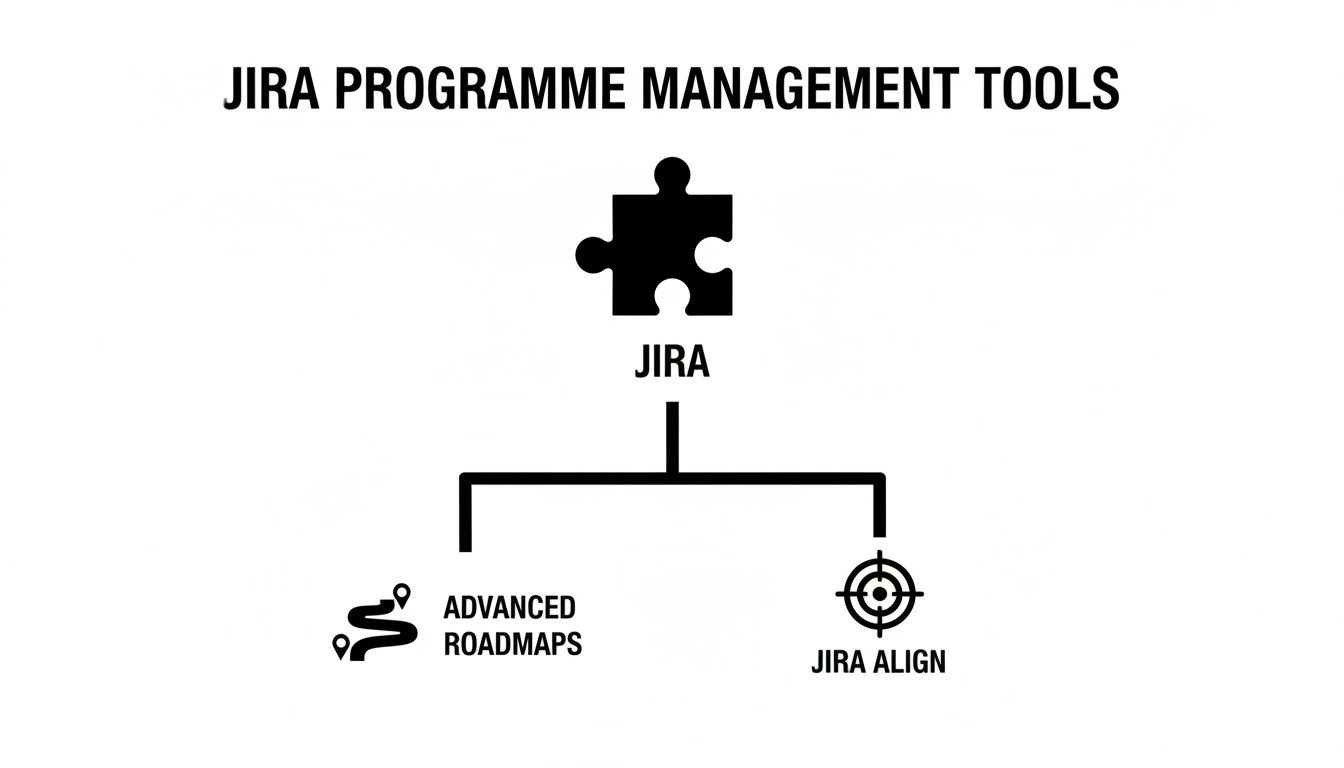
The key takeaway? While Jira provides the foundation, you need tools like Advanced Roadmaps or Jira Align to really build out the programme and portfolio layers on top.
Structuring Projects For Clarity And Autonomy
Here’s a classic mistake: trying to cram every team into one giant, monolithic Jira project. That approach kills team autonomy and quickly becomes an administrative nightmare.
A much smarter way is to give individual teams or workstreams their own dedicated Jira projects.
A well-designed programme structure provides both team autonomy at the project level and executive visibility at the programme level. It’s about creating freedom within a framework.
This lets each team set up their own world. The backend team can run a Kanban board focused on continuous delivery, while the frontend team might prefer two-week Scrum sprints. The real magic happens when a tool like Advanced Roadmaps pulls all those different projects into a single, unified programme view, giving leadership the big picture without micromanaging the details. This is where you can spot cross-project risks and dependencies before they become real problems.
Creating Your Programme Configuration Pattern
To make this all repeatable and scalable, you need a configuration pattern—a standard operating procedure for launching any new programme.
- Define Your Hierarchy: Lock in your issue hierarchy (e.g., Initiative > Epic > Story > Sub-task) and create any custom issue types you need.
- Establish Project Naming Conventions: A simple, consistent naming scheme for team projects is a lifesaver. Think "PROGNAME-Backend" and "PROGNAME-Frontend." It makes filtering and reporting infinitely easier.
- Create a Programme Board/Plan: In Advanced Roadmaps, build a plan that sources all the relevant team projects. This plan becomes the single source of truth for the programme's timeline and progress.
- Configure Cross-Project Linking: Coach your teams to correctly use issue links to flag dependencies between their projects. Advanced Roadmaps will then visualize these connections, turning potential blockers into manageable risks.
By creating this blueprint, you graduate from an ad-hoc approach to a deliberate system for Jira programme management. This foundation is what prevents the operational chaos that so often comes with growth, ensuring your setup can scale right alongside your ambitions.
Automating Workflows and Gaining AI Insights
Great programme management isn't about more manual tracking; it's about building a smart, responsive system that practically runs itself. Once you've laid down your Jira blueprint, the real magic begins when you inject automation and AI. This is how you stop chasing tasks and start getting ahead of them, turning your static plan into a living, breathing operation.

Let's be honest: manual updates, constant status checks, and hunting down information are huge time sinks. The whole point of automation is to eliminate that administrative drag so you can focus on making strategic calls, not doing clerical work.
Building Your Automation Rulebook
This is where Jira Automation, a native feature in Cloud instances, becomes your best friend. It’s built on a simple "if this, then that" logic. By setting up just a handful of smart rules, you can create a system that keeps itself in check.
Here are a few of my favorite automation recipes that deliver a big impact:
- Automated Dependency Updates: Set up a rule so that when a story blocking another is marked "Done," the dependent story automatically moves from "Blocked" to "To Do." You can even have it assign the task to the right person. No more manual handoffs.
- Stakeholder Progress Notifications: Create an automation that pings a specific Slack channel with a quick summary every time a high-level programme Epic moves from "In Progress" to "In Review." Your stakeholders stay informed without you lifting a finger.
- Risk Escalation: Build a rule that says if a "High Priority" task sits in the same status for more than five days, it automatically comments, tags the programme manager, and slaps a "Stale" label on it. Instant visibility, zero delay.
These aren't complicated, but they are incredibly effective. They cut down on human error, keep communication flowing, and make sure nothing important gets lost in the shuffle.
The best programme managers don't work harder; they build smarter systems. Automation turns your Jira setup into an active participant in managing the programme, not just a passive filing cabinet for tasks.
The Game Changer: Atlassian Intelligence
While basic automation handles the what, artificial intelligence helps you understand the why and predict the what if. This is where Atlassian Intelligence, built right into the Jira ecosystem, really shines. It goes way beyond simple rules to offer genuine analysis, smart summaries, and predictive insights.
This isn't just a gimmick; it's fundamentally changing how teams work. As of Q2 FY24, Atlassian reported over 3.5 million monthly active users were already using its AI capabilities. This enterprise-grade AI can draft Jira tickets from a project brief, suggest updates to existing work, and even help tidy up your projects by flagging duplicates or old issues. Learn more about Atlassian's AI growth on their blog.
Practical AI Applications For Programme Leaders
So, what does this mean for you day-to-day? The benefits are immediate and powerful. Instead of digging through data, you can just ask Jira questions in plain English.
- AI-Powered Summaries: Picture this: instead of spending an hour reading through dozens of tickets before a stakeholder meeting, you ask Atlassian Intelligence to "summarise the progress of all epics related to the Q3 platform launch." In seconds, you get a clean, concise report.
- Predictive Risk Assessment: AI can look at your historical data—team velocity, ticket cycle times, dependency chains—and flag potential trouble spots before they become full-blown crises. It might warn you that an epic is trending behind schedule, giving you time to actually do something about it.
- Optimised Resource Allocation: The AI can even act as a strategic partner. By analysing workloads, it might suggest reassigning a developer from a lower-priority project to a critical task that's starting to slip. For a deeper dive, check out our comprehensive article on AI in project management.
When you combine solid automation rules with the brainpower of AI, you get a system that doesn't just run smoothly—it gives you the foresight you need to guide complex programmes to the finish line.
Measuring Progress with Programme Level KPIs
Without the right reporting, all the data you’ve collected in Jira is just noise. To get programme management right, you have to move beyond the basic team-level charts and start tracking Key Performance Indicators (KPIs) that tell the real, strategic story.
Let's be honest, team metrics like burndown charts and story points are fantastic for sprint health checks. But they don’t give executives the bird's-eye view they need to make tough business decisions. The goal is to build dashboards that measure business impact, not just how busy everyone is.
Moving From Team Metrics to Programme KPIs
This shift requires a change in mindset. Instead of asking, "How much work did the team do?" you need to start asking, "Is this programme delivering the value we expected, on time and on budget?"
This is exactly where tools like Jira Advanced Roadmaps and Jira Align really start to shine. They're built to roll up data from dozens of individual team projects into a single, cohesive view that answers the big-picture questions.
Here are a few core programme-level KPIs you should start tracking:
- Programme Velocity: This isn't just one team's velocity; it's the average amount of work (in story points or issue count) that all teams in the programme complete over time. It’s your secret weapon for forecasting future delivery dates with far greater confidence.
- Dependency Health: Advanced Roadmaps is brilliant at visualizing the web of cross-team dependencies. A critical KPI here is the number of blocked tasks versus resolved ones. If you see that "blocked" number climbing, it’s a massive red flag for the entire programme.
- Progress Toward Strategic Goals: When you link your epics back to larger business initiatives or themes, you can finally track what percentage of a strategic goal is actually complete. This is the metric that gets leadership to sit up and listen.
- Cycle Time: This measures the total time it takes for an issue to travel from "In Progress" to "Done." A low, consistent cycle time across the entire programme is a sign of a well-oiled machine, indicating an efficient workflow across all teams.
Building Your Programme Dashboard
Your Jira dashboard needs to be the single source of truth for the programme's health, and it must be tailored to its audience. A dashboard for the C-suite should look completely different from the one your programme team uses daily. To get this right, it’s crucial to have a solid understanding the difference between KPIs and metrics.
For a high-level, leadership-focused dashboard, you could combine a few key gadgets in Jira:
- Issue Statistics Gadget: Set this up to show a simple breakdown of all issues in the programme by their status (To Do, In Progress, Done). It’s a perfect at-a-glance overview of forward momentum.
- Filter Results Gadget: Create a JQL filter to surface any high-priority issues that are flagged as "Blocked" or haven't been updated in a while. Think of this as your early warning system for major risks.
- Advanced Roadmaps Plan View: You can embed a view from your Advanced Roadmaps plan directly onto the dashboard. This gives stakeholders a powerful visual timeline of every epic, its dependencies, and how it’s tracking against the schedule.
The ultimate goal of a programme dashboard is to turn complex data into a clear story. It should empower you to spot risks early, make data-driven decisions, and confidently communicate progress to any stakeholder.
The Impact of a Data-Driven Approach
Getting this level of reporting in place isn't just a "nice-to-have." The data is clear: when organizations adopt structured project management practices and tools like Jira, their projects become 2.5 times more successful.
Even more telling, a staggering 77% of high-performing projects rely on these kinds of tools. This shows a direct line between a solid software setup and actual success. It’s proof that investing in modern management infrastructure isn't an expense—it's a competitive necessity that drives real business results.
By focusing on insightful, programme-level KPIs, you shift the conversation from outputs to outcomes. You can finally demonstrate the tangible business value your programmes are delivering, making it far easier to justify investment and get stakeholder buy-in for what comes next.
If you're looking to take this even further, check out our guide on what is business intelligence reporting to explore even more advanced data strategies.
Frequently Asked Questions
When you're moving from basic project tracking to managing full-blown programmes in Jira, a lot of questions pop up. Here are some straight-talking answers to the most common ones we hear from leaders in B2B, SaaS, and agency environments.
Can I Do Programme Management in Jira Standard?
This is the big one, and the short answer is: not really. Jira Standard is brilliant for a single team managing its own work, but it just wasn't built for the bigger picture.
Think of it like trying to direct city traffic while only being able to see what’s happening on your own street. You can manage your team's tasks perfectly, but you’re completely blind to how your project depends on, connects to, or impacts anyone else's.
True programme management demands a bird's-eye view across multiple teams and projects. This is where you absolutely need to step up to Jira Premium to get Advanced Roadmaps. It’s the tool that gives you the cross-project planning, dependency mapping, and capacity insights that form the foundation of any real programme coordination. Anything less is just guesswork.
What Is the Difference Between a Project and a Programme in Jira?
Getting this distinction right is crucial for structuring your work properly. People throw these terms around interchangeably, but in the world of Jira, they have very specific meanings.
A project in Jira is a container for tasks that lead to a single, defined outcome. It's usually owned by one team with a clear scope.
- Example of a Project: "Launch New Website Feature" or "Develop Q4 Marketing Campaign."
A programme, on the other hand, is a collection of those related projects, all working together to hit a much larger, strategic business goal. It’s the coordinating layer that makes sure all the individual project pieces add up to something significant.
- Example of a Programme: "Increase Q3 User Engagement by 20%." This programme might pull together the website feature project, the marketing campaign, and another project to improve customer support.
Think of it this way: a project is like building a house. A programme is like developing the entire neighbourhood—it coordinates building all the houses, roads, and parks to create a functional community.
How Do You Handle Resource Management Across Multiple Projects?
Resource management is where good intentions often fall apart. When you've got your best people spread across multiple initiatives, it's dangerously easy to create bottlenecks and burnout without a central view of who is doing what, when. This is a core problem that Jira programme management tools are designed to solve.
The key is to stop thinking about resources on a project-by-project basis and start looking at capacity across the entire programme. This is exactly what a tool like Advanced Roadmaps is for.
Inside an Advanced Roadmaps plan, you can actually see your team's capacity visualized over time, showing you how individuals are allocated across different epics and projects. That timeline view makes it glaringly obvious if a key developer is accidentally booked for 150% of their time in a single week.
This visibility lets you:
- Spot Over-allocations Early: Catch when people are stretched too thin before it causes delays and frustration.
- Identify Bottlenecks: See which roles or skills are in high demand and are likely to become a constraint.
- Make Data-Driven Decisions: Adjust timelines, re-prioritize work, or bring in help based on a realistic view of your team's bandwidth—not just wishful thinking.
When Should Our Company Upgrade from Advanced Roadmaps to Jira Align?
This is a big strategic question, and the answer comes down to scale and complexity. Moving from Advanced Roadmaps to Jira Align isn't just about getting more features; it’s a completely different way of connecting top-level strategy to the daily work on the ground.
Advanced Roadmaps is the perfect tool for orchestrating work across a handful of agile teams. It’s fantastic for programme management—coordinating several projects, managing dependencies, and planning capacity. If you're a growing business or department managing anywhere from 3 to 50 teams, it’s your sweet spot.
You hit the tipping point for considering Jira Align when your organization's complexity simply outgrows programme-level planning. It's time to have the conversation when you need to:
- Connect Strategy to the Entire Enterprise: When the CEO's five-year vision needs to be directly and measurably linked to the backlog of hundreds of individual teams.
- Implement a Scaled Agile Framework: If you're formally adopting a framework like SAFe® (Scaled Agile Framework), LeSS, or Scrum@Scale, Jira Align is purpose-built to support them.
- Gain Portfolio and Financial Insights: When you need to manage budgets across entire portfolios, track value streams, and give the C-suite financial reports that tie every dollar of investment to a business outcome.
In short, you upgrade when the challenge is no longer just coordinating teams but aligning the entire business. Advanced Roadmaps helps you run your programmes better; Jira Align helps you run the business better.
Ready to stop juggling spreadsheets and bring true clarity to your programmes? MakeAutomation specializes in implementing the automation and AI-driven workflows in Jira that give you back control. We build the systems that eliminate manual work, provide clear visibility, and connect your team's efforts directly to your business goals. Learn how we can optimize your Jira setup for scalable programme management.