12 Essential Unit Test Templates to Streamline Your Code in 2026
Writing tests is non-negotiable for high-quality software, but setting them up can be a tedious, repetitive chore. How much developer time is lost to configuring test runners, scaffolding folders, and writing the same initial test stubs over and over? This drain on productivity doesn't just slow down feature delivery; it actively discourages thorough testing. The solution lies in using standardized, battle-tested starting points: unit test templates.
This guide is a productivity toolkit, not just another list. We have gathered the most essential unit test templates, scaffolding tools, and project generators across major languages and ecosystems. You will find practical starting points for:
- JavaScript/TypeScript: Jest, Vitest, and Angular CLI
- Java: Apache Maven, Spring Initializr
- .NET: xUnit, NUnit, and MSTest templates
- Python: Cookiecutter templates for Pytest
- And more: Go, Kotlin, Rust, and PHP
Each entry provides actionable code examples, direct download or command-line instructions, and honest assessments of their specific use cases. We'll show you how to stop writing boilerplate and instead generate consistent, reliable test foundations in seconds. You will learn how to integrate these templates into your development workflow and CI/CD pipelines, helping you enforce standards and ship with confidence. This resource is designed to help you find the right tool quickly, with clear screenshots and direct links to get you started immediately.
1. .NET CLI "dotnet new" test project templates (xUnit, NUnit, MSTest)
For developers in the C#/.NET ecosystem, the most direct and stable source for unit test templates is the .NET SDK itself. Using the dotnet new command, you can instantly scaffold a complete, runnable test project for the most popular .NET testing frameworks: xUnit, NUnit, and MSTest. This command-line approach bypasses IDE-specific wizards, ensuring a consistent project structure that is perfect for automated CI/CD pipelines.
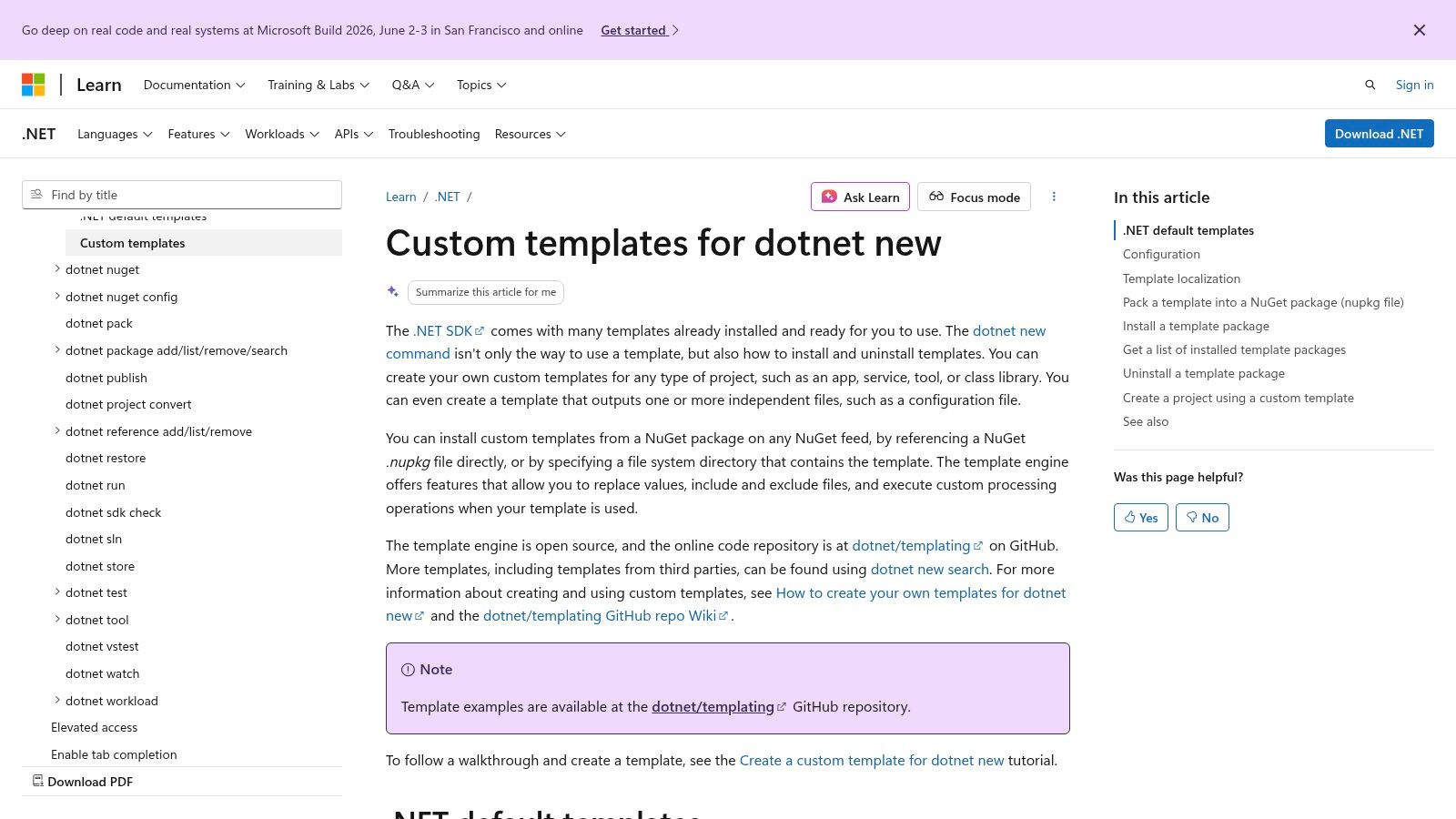
The primary advantage is its official support and integration. These templates are maintained by Microsoft, compile immediately, and are fully compatible with tools like Visual Studio Test Explorer, VS Code, and the dotnet test runner. This makes them a reliable foundation for any enterprise-grade application.
Practical Application
Creating a new test project is as simple as running a command like dotnet new xunit -n MyProject.Tests. The resulting project includes necessary package references and a basic placeholder test file, giving you a clean starting point. This method aligns well with modern development workflows where infrastructure is defined as code.
Key Benefit: The main value here is standardization. When every developer on a team uses the same
dotnet newtemplate, you eliminate the "it works on my machine" problem for test project setups. This consistency is crucial for enforcing quality assurance best practices across an organization.
Limitations and Considerations
While these built-in templates are excellent for boilerplate, they are intentionally minimal. They don't include more advanced libraries for mocking (like Moq or NSubstitute) or fluent assertions (like FluentAssertions). Your team will need to establish its own standards for these additional tools and add them to the project manually after scaffolding.
- Access: Included with the free .NET SDK (version 8.0 and later).
- Website: .NET Custom Templates Documentation
2. Angular CLI test file templates (.spec.ts with Jasmine/Karma or Vitest)
For front-end developers working within the Angular framework, the Angular CLI is the definitive tool for generating consistent and integrated unit test templates. When you use a command like ng generate component MyComponent, the CLI not only creates the component's TypeScript, HTML, and CSS files but also automatically generates a corresponding MyComponent.spec.ts file. This built-in scaffolding ensures every part of your application has a test-ready starting point that follows official Angular style conventions.
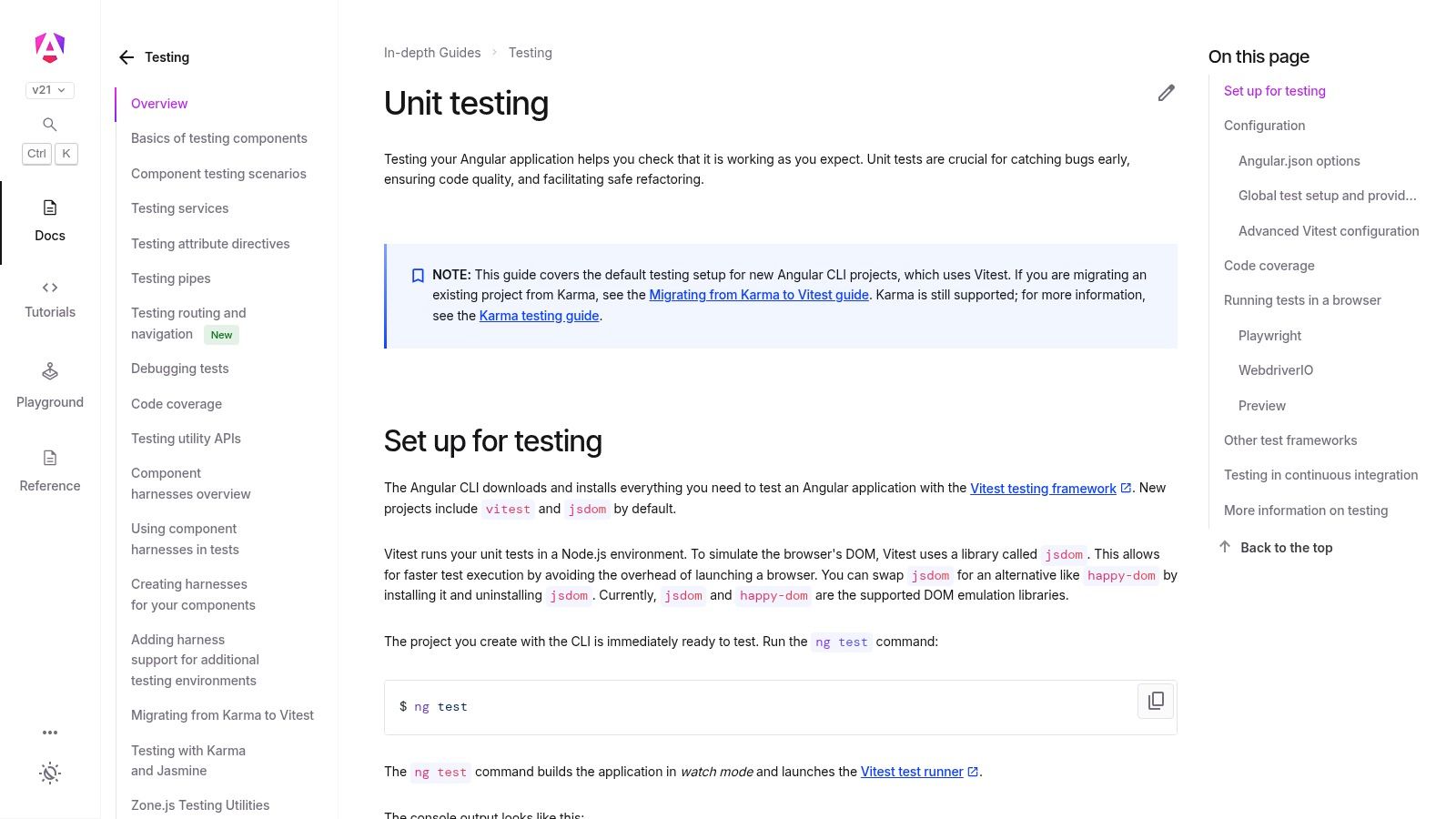
The key strength of this approach is its deep integration into the Angular ecosystem. The generated spec.ts files come pre-configured with the necessary imports and a basic test bed setup, drastically reducing the manual configuration required to start testing a new component or service. This automation allows developers to focus on writing meaningful test logic instead of wrestling with boilerplate.
Practical Application
Running a single command, such as ng generate service auth, provides an auth.service.spec.ts file with a functional test suite. The CLI handles wiring up the test runner, whether it's the classic Karma with Jasmine or the more modern and faster Vitest. This turnkey process is ideal for teams that need to move quickly while maintaining high standards for code coverage and quality.
Key Benefit: The main value is enforcing consistency and best practices from the start. By automatically creating
.spec.tsfiles that align with the Angular Style Guide, the CLI helps teams maintain a clean, uniform, and maintainable test suite across large and complex front-end applications.
Limitations and Considerations
While the generated templates are a fantastic starting point, they are intentionally basic. They set up the TestBed but don't include complex scenarios, mock dependencies, or spy objects. Teams must build on this foundation by adding their own mock implementations for services and handling asynchronous operations. Additionally, migrating older projects from the default Karma runner to Vitest requires manual updates to the project's configuration files. While unit tests cover component logic, you'll still need other tools for end-to-end validation; many teams find that combining these with a framework for browser automation provides complete coverage, a topic explored further in guides to Cypress integration tests.
- Access: Included with the free Angular CLI.
- Website: Angular Testing Guide
3. Vitest (Vite-native JS/TS test runner)
For JavaScript and TypeScript developers working with Vite, Vitest offers a modern, high-speed testing experience that feels like a natural extension of the development environment. It's designed to provide near-zero configuration for Vite projects, making it an incredibly efficient choice for testing SPAs (Single Page Applications) and component libraries built with frameworks like Vue, React, or Svelte.
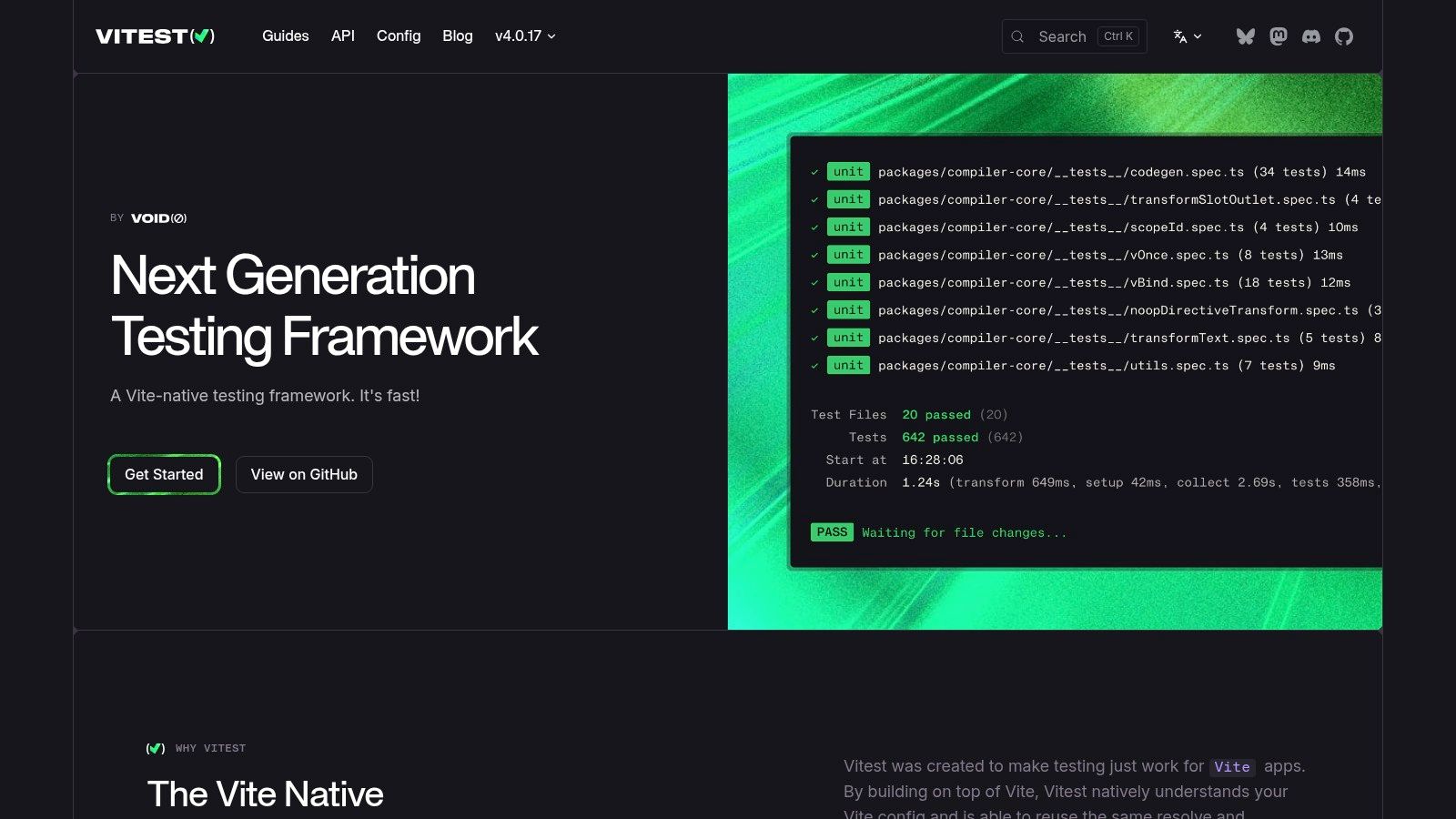
The primary appeal of Vitest is its developer-first focus and deep integration with the Vite ecosystem. It uses Vite's own server and transformation pipeline during testing, which means your test environment is nearly identical to your development and production builds. This drastically reduces configuration overhead and eliminates inconsistencies between how code behaves during development versus during testing.
Practical Application
Setting up Vitest in an existing Vite project is straightforward, often requiring just a few package installations and a minimal configuration file. Its Jest-compatible API makes migration from older test frameworks familiar, while its fast watch mode provides instant feedback as you code. This makes it an ideal source for unit test templates within modern frontend workflows, where rapid iteration is key.
Key Benefit: The main value is the exceptional developer experience and performance. By sharing Vite's configuration and leveraging its on-demand compilation, Vitest provides lightning-fast test execution and a seamless workflow that helps developers stay productive without context switching.
Limitations and Considerations
While Vitest is superb for Vite-based projects, its benefits diminish when used in non-Vite environments. Setting it up in a project that uses a different bundler (like Webpack or Rollup outside the Vite context) requires more manual configuration to replicate the test environment, partially negating its "zero-config" advantage.
- Access: Free and open-source (MIT License).
- Website: Vitest Documentation
4. Jest (npm init jest@latest)
For JavaScript and TypeScript developers, Jest is the de facto standard for testing. Its interactive initializer, launched via npm init jest@latest, acts as a powerful generator for unit test templates. This command walks you through creating a jest.config.js file tailored to your project, whether it's Node.js, React, or vanilla JS, and provides sample test files to get you running immediately.
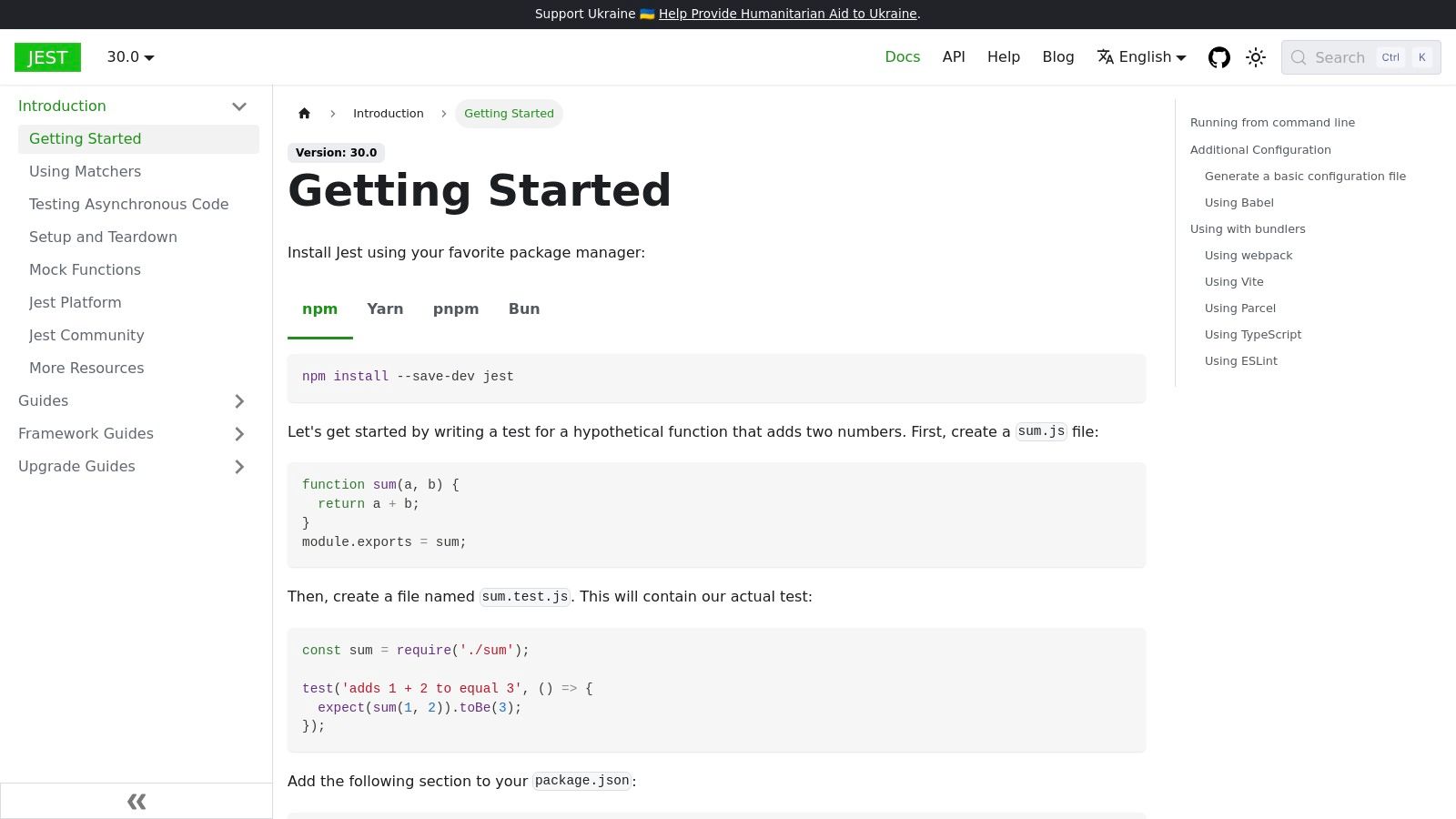
The primary appeal of Jest is its "all-in-one" nature. It bundles a test runner, assertion library, and a robust mocking framework out of the box. This built-in functionality, including features like snapshot testing and code coverage reports, simplifies the initial setup and ensures a consistent developer experience across different projects and teams.
Practical Application
Running npm init jest@latest in your project's root directory kicks off an interactive CLI. It asks questions about your environment, such as whether you're using TypeScript, which helps it generate the correct configuration. The result is a ready-to-use testing suite, allowing you to write your first test in minutes. Its "watch mode" is particularly effective, automatically re-running tests related to changed files.
Key Benefit: The main value is the integrated ecosystem. By providing assertions, mocking, and a test runner in one package, Jest reduces configuration friction and dependency management, which is a common pain point in the JavaScript world. This aligns well with testing best practices in Agile by enabling rapid feedback loops.
Limitations and Considerations
While the interactive setup is excellent, complex project structures involving both ESM and CommonJS modules or advanced TypeScript path aliases may still require manual adjustments to the jest.config.js file. For front-end frameworks like Svelte or Vue, you might also need additional transformers, which adds a layer of configuration beyond the initial template.
- Access: Free and open-source, installed via npm.
- Website: Jest Getting Started Documentation
5. Apache Maven Quickstart Archetype (Java + JUnit)
For Java developers, Apache Maven archetypes are the canonical way to generate project structures, and the maven-archetype-quickstart is the most fundamental starting point. It scaffolds a standard Java project that includes a ready-to-run JUnit test class out of the box. This command-line tool ensures a predictable, CI/CD-friendly structure that is instantly recognizable to any Java developer, significantly speeding up onboarding and integration.
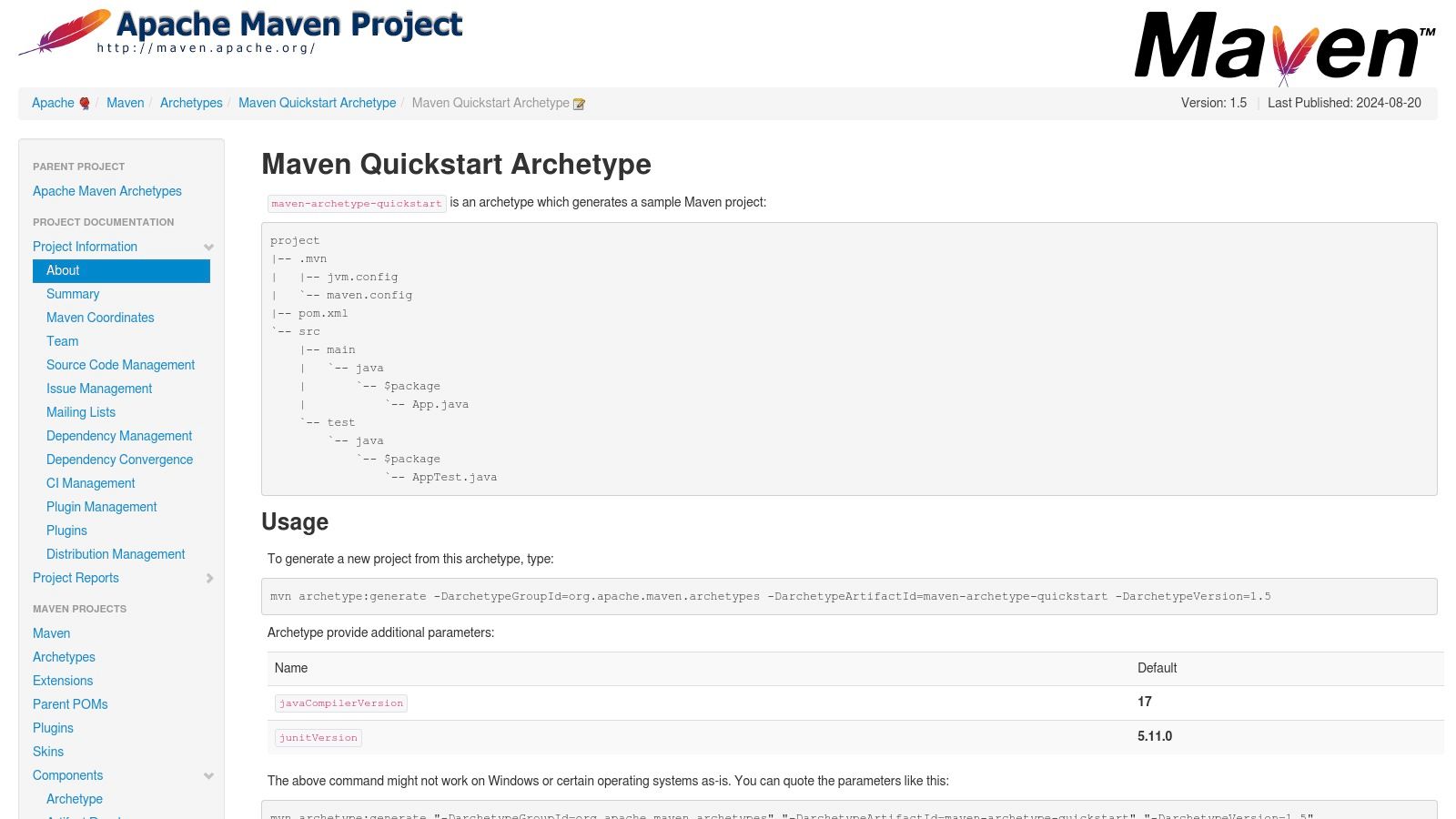
The primary benefit of this archetype is its deep integration with the Maven ecosystem. The generated pom.xml is pre-configured to use the Maven Surefire Plugin, the standard for executing tests during the build lifecycle. This makes it an ideal, no-fuss foundation for building service libraries, SDKs, or any backend Java component where build consistency is critical.
Practical Application
Creating a project involves a single command: mvn archetype:generate. The interactive wizard prompts for project details like groupId and artifactId and then generates the standard directory layout (src/main/java, src/test/java). The result is a simple but complete project with a sample App.java and a corresponding AppTest.java file, providing a clear example of one of the most common unit test templates.
Key Benefit: The archetype enforces the "convention over configuration" principle. By providing a standard layout that all build tools and IDEs (like IntelliJ IDEA and Eclipse) understand, it eliminates debates about project structure and lets teams focus immediately on writing code and tests.
Limitations and Considerations
The quickstart archetype is intentionally bare-bones. The included unit test template is a minimal placeholder, and it does not bundle advanced testing libraries like Mockito for mocking or AssertJ for fluent assertions. Teams will need to manually add these dependencies to their pom.xml to build a more robust testing suite. The template offers a starting line, not a complete, domain-specific example.
- Access: Included with the free Apache Maven build automation tool.
- Website: Maven Quickstart Archetype Documentation
6. Spring Initializr (Java/Spring Boot)
For Java developers building applications with the Spring Framework, Spring Initializr is the definitive starting point. This web-based tool generates a complete Spring Boot project structure based on your specifications. More than just a file generator, it automatically includes the spring-boot-starter-test dependency, which bundles essential testing libraries like JUnit 5, Mockito, and Hamcrest, creating a CI-ready project from the very first click.
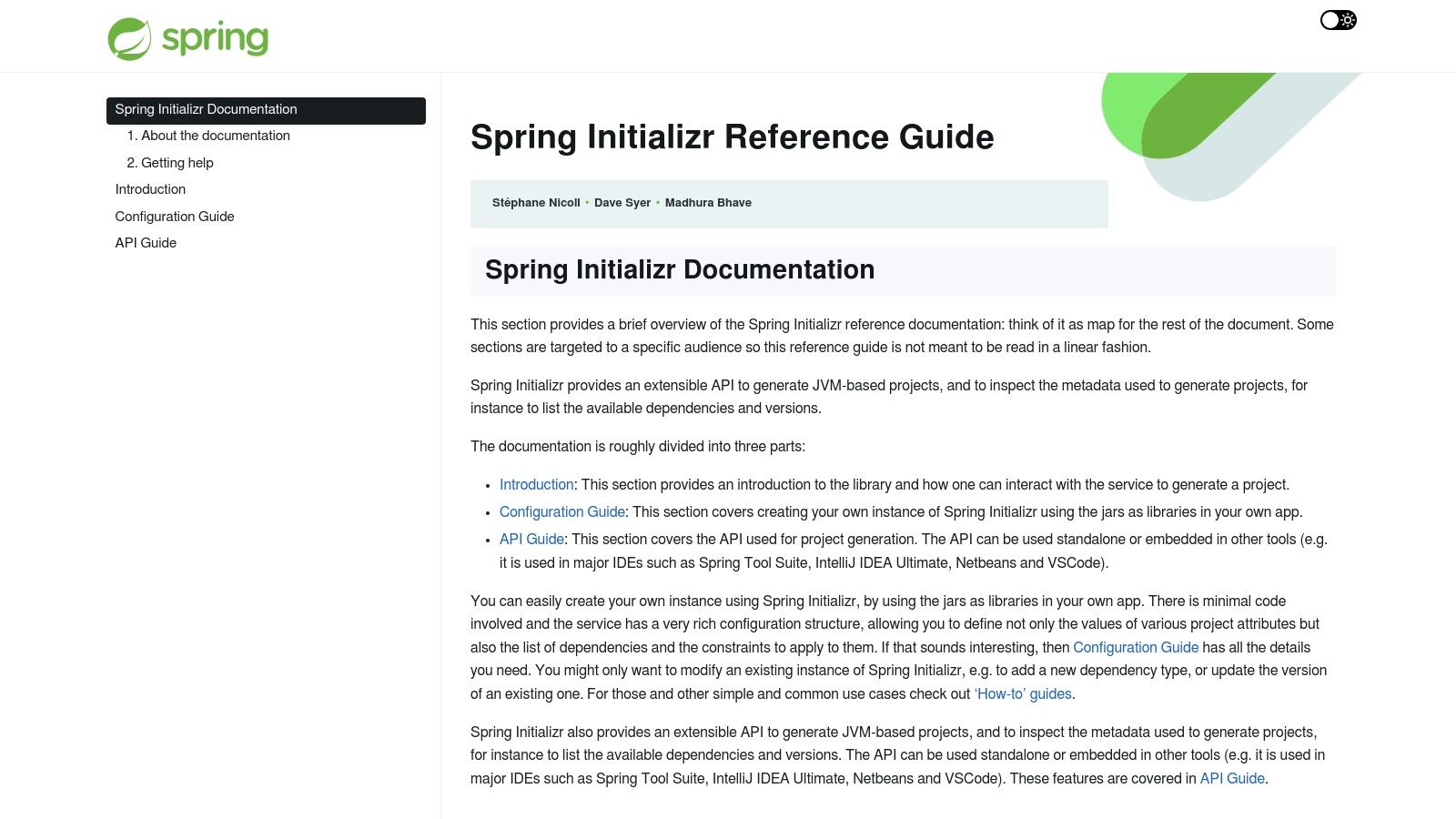
Its primary strength lies in its convention-over-configuration approach. By providing sensible defaults for microservices and web applications, it drastically reduces boilerplate setup. The generated project includes a sample test class that verifies the Spring application context loads correctly, giving developers an immediate, runnable example of a basic integration test.
Practical Application
Using the web interface at start.spring.io, you can select your project metadata, Java version, and desired dependencies. The tool then produces a downloadable ZIP file or a Maven/Gradle project ready to be imported into any major IDE. This instant, standardized setup ensures every microservice in an ecosystem starts with the same solid testing foundation, a critical factor for maintaining quality at scale.
Key Benefit: The biggest value is the immediate establishment of a testing culture. By including a functional test scaffold by default, Spring Initializr encourages developers to write tests from day one, rather than treating them as an afterthought. This built-in standard is perfect for teams building distributed systems where consistency is paramount.
Limitations and Considerations
While the initial setup is powerful, the provided unit test templates are minimal. The default test only confirms the application context loads, which is more of a smoke test. Developers are still responsible for writing meaningful unit and integration tests for their business logic, as well as defining the boundaries between different test types. The initial test requires significant modification to become a useful template for real-world application features.
- Access: Free to use and accessible via the web or through IDE integrations.
- Website: Spring Initializr Documentation
7. gotests (Go test generator)
For developers working with Go, the gotests command-line tool is a powerful accelerator for creating idiomatic unit tests. Instead of manually writing boilerplate for every function, gotests automatically generates table-driven _test.go files from your source code. It intelligently scaffolds test functions, complete with subtests and placeholder cases, significantly speeding up the initial test creation process.
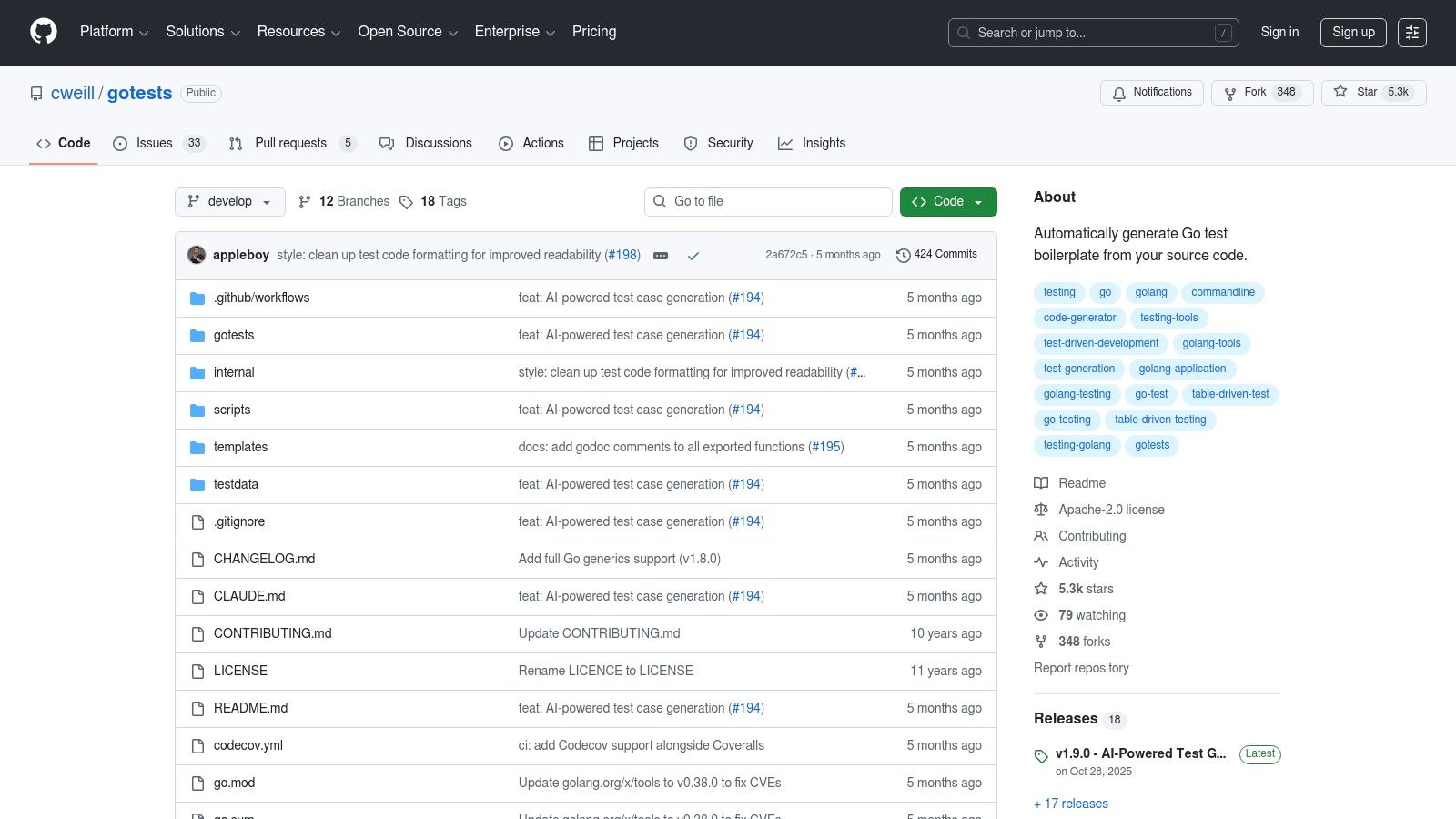
The standout feature of gotests is its promotion of table-driven tests, a widely accepted best practice in the Go community. This structure organizes test cases into a slice of structs, making it easy to add, remove, or modify test inputs and expected outputs. By generating this format by default, it encourages developers to build robust and maintainable test suites from the start.
Practical Application
After installing the tool, a developer can run a command like gotests -all -w . in their project directory. This command will find all functions without corresponding tests and write the generated test files directly. While the tool creates the structure, the developer's job is to populate the table with meaningful test cases, including edge cases and expected results, and write the necessary assertions. The tool also supports custom templates, allowing teams to enforce their specific testing conventions.
Key Benefit: The primary value is a massive reduction in manual, repetitive work. For large Go codebases with hundreds of functions,
gotestscan save hours of developer time that would otherwise be spent writing boilerplate, allowing teams to focus on the logic and correctness of the test cases themselves.
Limitations and Considerations
It is important to remember that gotests provides a starting point, not a complete solution. The generated output is a scaffold; it requires a developer to refine the test logic, add specific assertion logic using Go's built-in testing package or a library like testify, and create necessary data fixtures. Relying solely on the generated shells without thoughtful implementation will result in weak, ineffective tests.
- Access: Free and open source, installed via
go install. - Website: gotests on GitHub
8. cookiecutter-pypackage (Pytest template)
For Python developers building distributable packages, cookiecutter-pypackage is a foundational tool. It is a highly popular Cookiecutter template that scaffolds a complete Python package structure, not just the tests. This comprehensive approach pre-wires everything needed for a professional project, including pytest for testing, tox for automated environment management, and GitHub Actions for continuous integration. It creates a standardized repository layout perfect for SDKs, CLIs, and internal libraries.
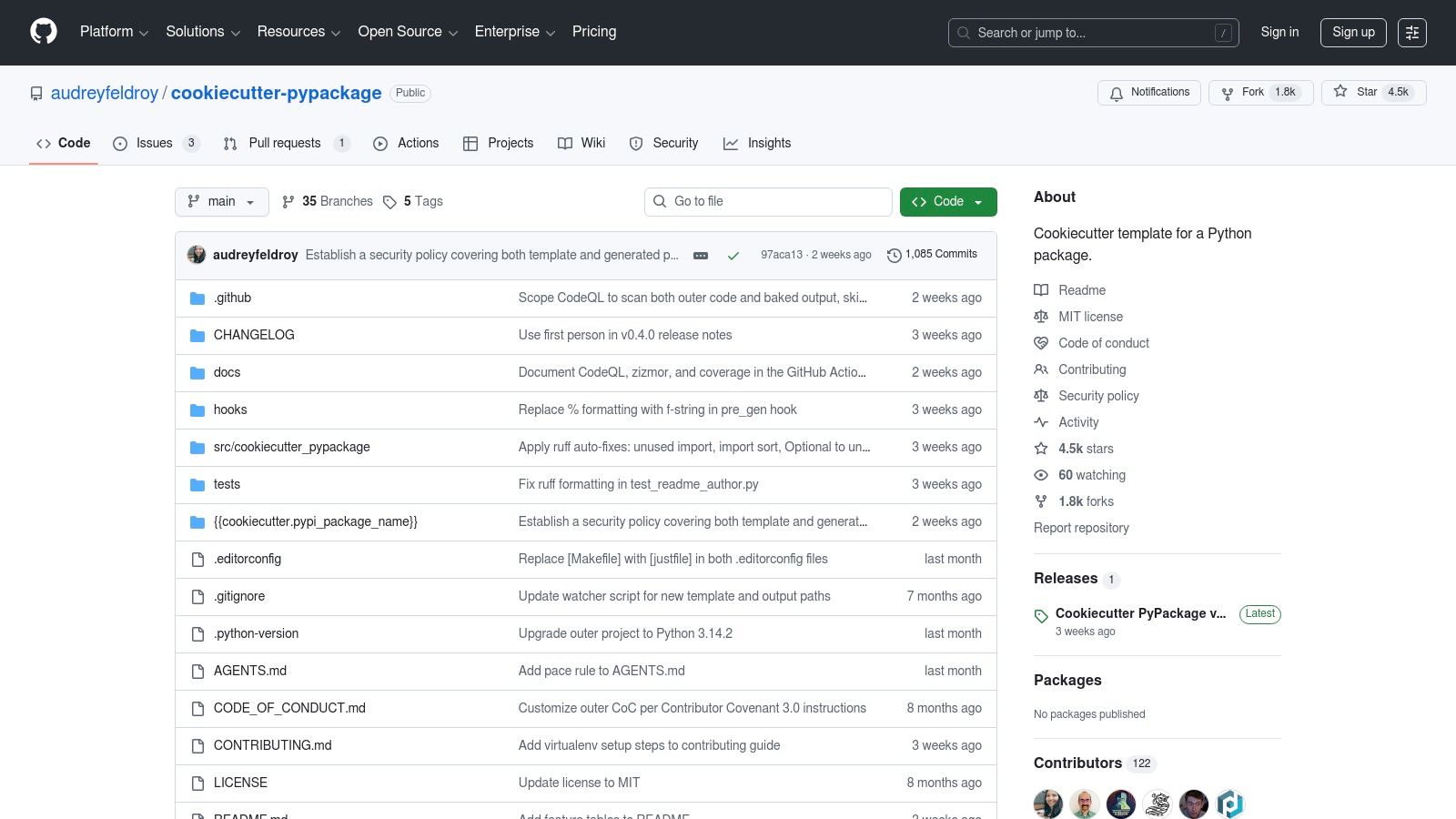
The primary advantage is its all-in-one nature. Instead of starting with empty folders, developers get a project with packaging metadata, a tests directory, and CI configurations already in place. This makes it one of the most effective unit test templates for projects that need to be published and maintained over time.
Practical Application
After installing Cookiecutter (pip install cookiecutter), you run cookiecutter gh:audreyfeldroy/cookiecutter-pypackage. The command-line interface will prompt you for project details like the name, version, and license. The output is a ready-to-use project directory with a pre-configured pytest.ini and a placeholder test file, allowing you to start writing code and tests immediately.
Key Benefit: The main value is enforcing repository hygiene and consistency. When multiple teams or open-source contributors work on packages, this template ensures everyone follows the same structure for testing, documentation, and releases, significantly speeding up onboarding.
Limitations and Considerations
This template is quite opinionated about its toolchain. While it provides a solid default setup (pytest, tox, flake8), your team might prefer alternatives like nox over tox or ruff for linting. Customizing or replacing these tools requires manually editing the generated files after the initial scaffolding, which can add a small setup step for teams with different standard practices.
- Access: Free and open-source; requires Python and Cookiecutter to be installed.
- Website: cookiecutter-pypackage GitHub Repository
9. cookiecutter-pytest-plugin (pytest plugin template)
For Python development teams building internal tooling or extending pytest, the cookiecutter-pytest-plugin template is an essential resource. It scaffolds a complete, best-practice pytest plugin project, moving far beyond simple test files. This Cookiecutter template generates a full project structure with working tests, tox for automation, CI/CD configuration, documentation, and even a publishing workflow.
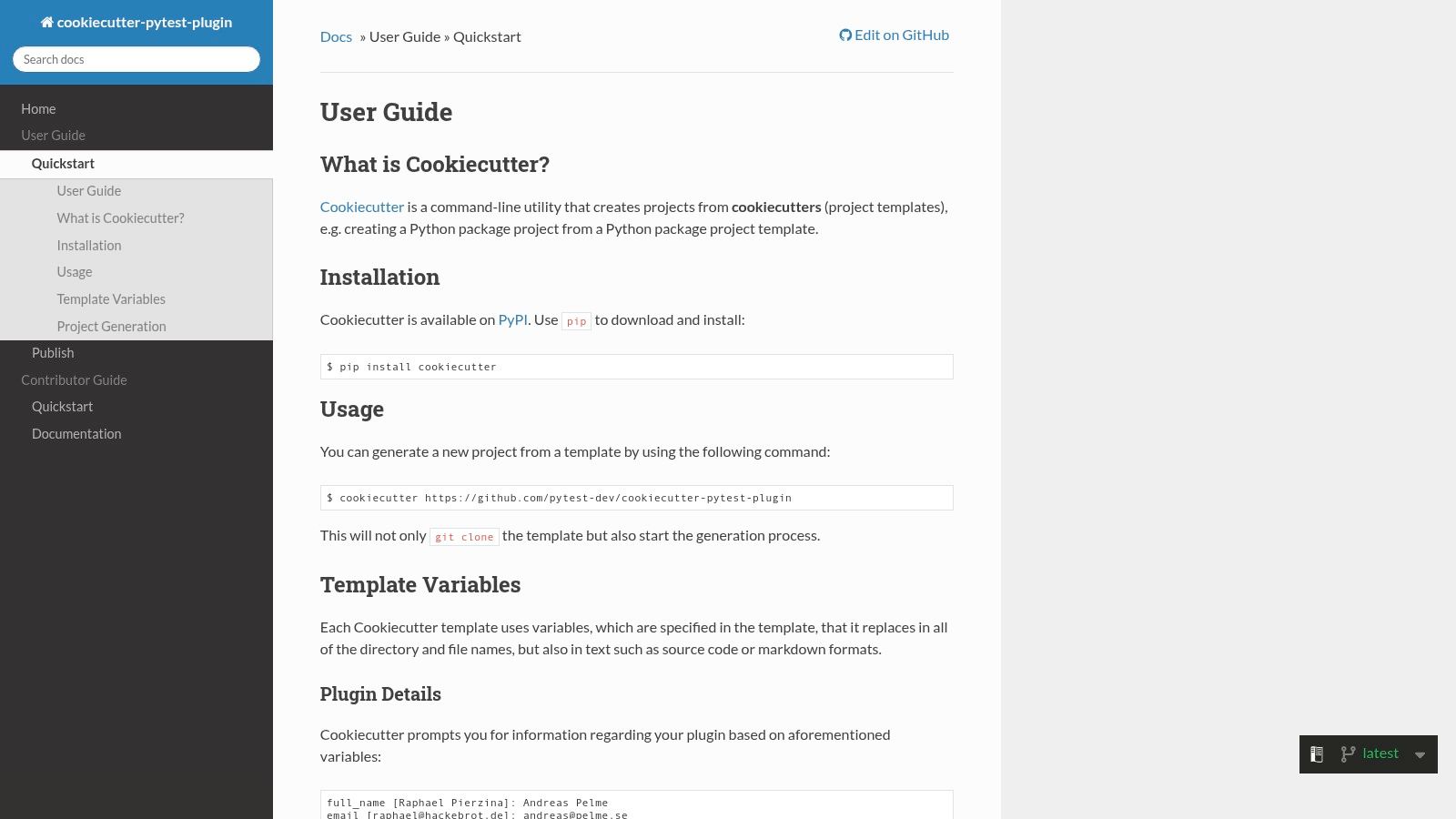
The primary advantage is its focus on creating distributable pytest extensions. Instead of just offering a basic test_*.py file, it provides an entire plugin ecosystem out of the box. This makes it ideal for platform teams responsible for creating shared testing libraries or custom assertion helpers for their organization.
Practical Application
Using this template involves running cookiecutter gh:pytest-dev/cookiecutter-pytest-plugin. The command-line utility will then prompt you for project details like the plugin name and author. The output is a ready-to-use repository with example tests that validate the plugin's own fixtures, giving you a clear pattern to follow for test-driven development of your custom plugin.
Key Benefit: The main value here is accelerated development for pytest extensibility. It codifies the community's best practices for plugin architecture, saving engineering teams days of setup and configuration. This allows them to focus immediately on writing the logic for their custom fixtures or hooks.
Limitations and Considerations
This template is highly specialized and represents overkill for standard application testing. It is specifically designed for developers writing pytest plugins, not for writing unit tests for a typical Python application. If your goal is just to test a Django or Flask app, a simpler, more direct template would be more appropriate.
- Access: Free and open-source, requires
cookiecutterto be installed (pip install cookiecutter). - Website: cookiecutter-pytest-plugin Documentation
10. Kotest (Kotlin/JVM/KMP project setup)
For Kotlin developers, Kotest offers a powerful and flexible testing framework that goes beyond the standard capabilities of JUnit. Its quickstart guide and example repositories serve as effective unit test templates, demonstrating ready-made project setups that integrate seamlessly with the JUnit Platform. This allows developers to adopt Kotest's rich feature set while maintaining compatibility with existing tooling.
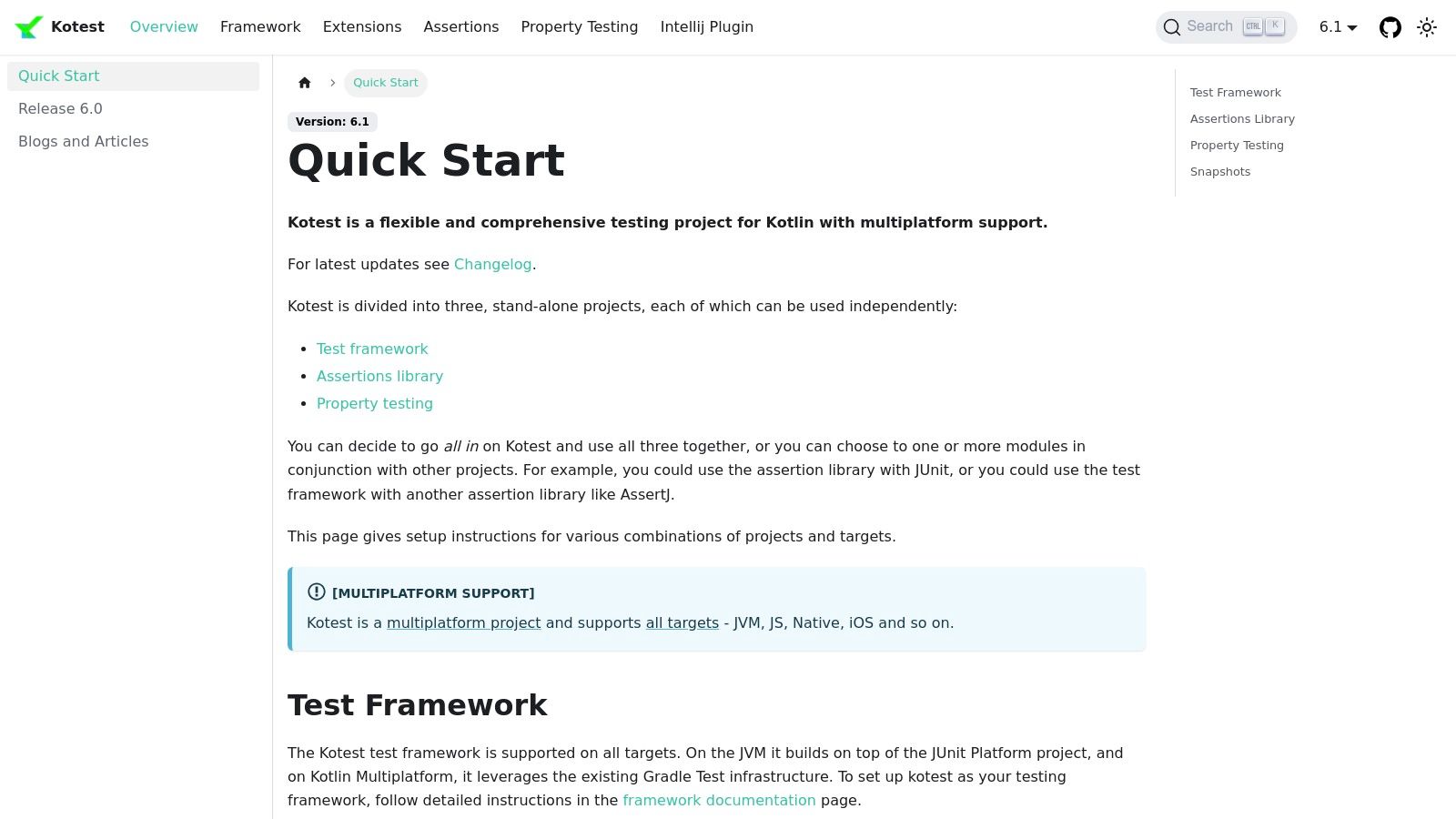
The framework's main appeal is its expressive, BDD-style spec formats (like FunSpec and ShouldSpec), which make tests more readable and descriptive. Kotest is particularly well-suited for modern Kotlin applications, including microservices and multiplatform (KMP) projects, providing a consistent testing experience across different targets.
Practical Application
Getting started involves adding the Kotest dependencies to your build.gradle.kts or build.gradle file and creating a test class that inherits from a Kotest spec. The documentation provides clear, copy-paste examples for setting up different spec styles and integrating extensions for features like Allure reporting or advanced data-driven testing. This makes it simple to establish a robust testing foundation for any Kotlin project.
Key Benefit: The primary value of Kotest is the superior developer experience it provides for Kotlin. Its flexible syntax, powerful data-driven testing, and property-based testing capabilities allow teams to write more expressive and comprehensive tests with less boilerplate code than traditional JUnit.
Limitations and Considerations
While Kotest runs on the JUnit Platform, teams migrating from a pure JUnit 5 environment may face a learning curve. Conventions for test structure, naming, and assertion styles are different, which requires an adjustment period. Furthermore, some CI/CD tools may need minor configuration tweaks to properly parse Kotest's output if they are hardcoded for standard JUnit XML formats.
- Access: Open-source and free to use.
- Website: Kotest Quickstart Documentation
11. Rust Cargo project templates (cargo new + built‑in test scaffolding)
For developers working in the Rust ecosystem, the official build tool and package manager, Cargo, provides the most fundamental and integrated source for test project scaffolding. Using the cargo new command, developers can instantly generate a new Rust project or library that comes with built-in support and a designated structure for unit, integration, and even documentation tests, all without external tools.
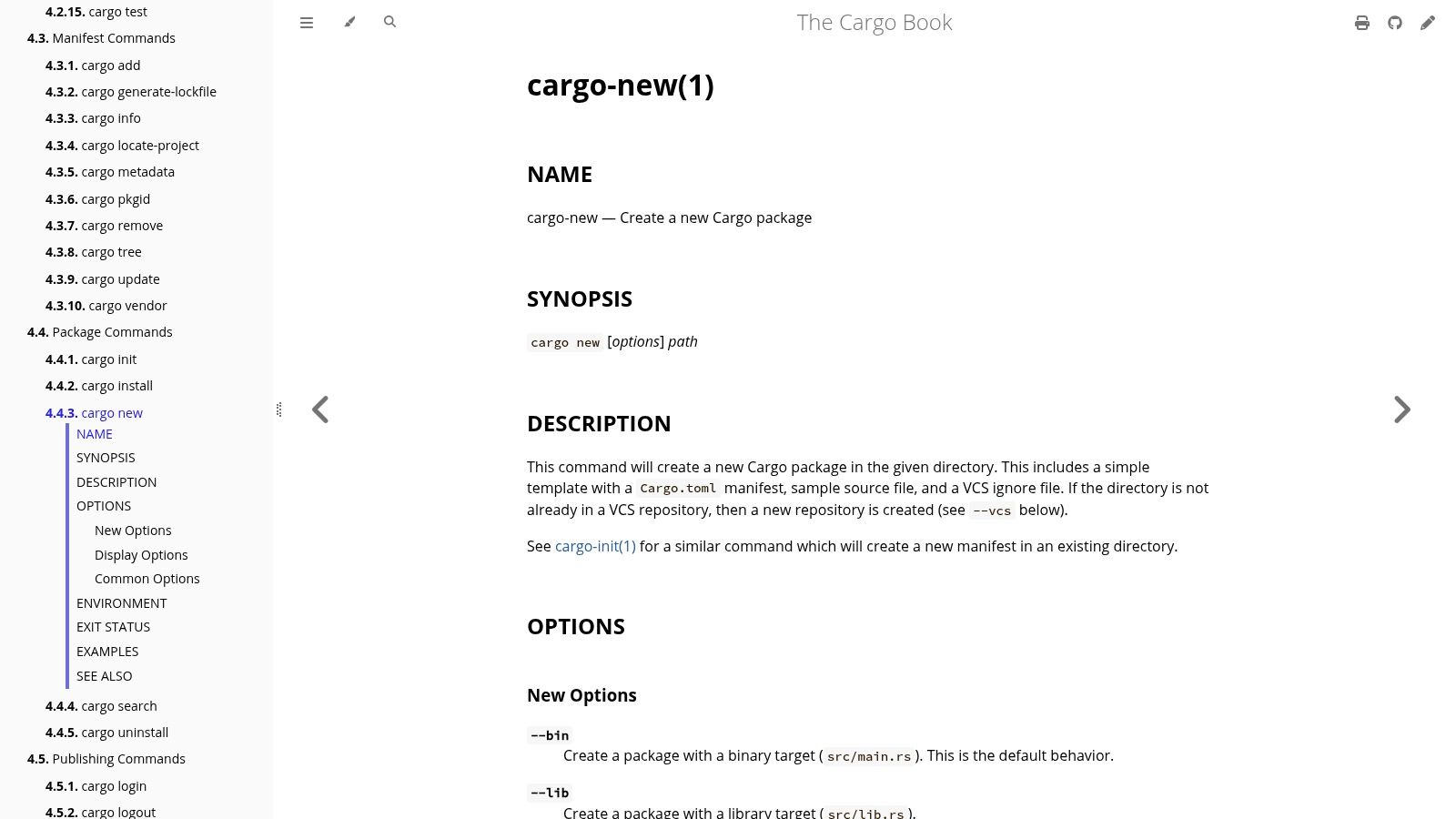
The primary strength of this approach is its seamless integration into the core Rust development workflow. The cargo test command acts as a unified test runner, discovering and executing tests from all parts of your project. This built-in functionality ensures a consistent and reliable foundation for any Rust application, from small libraries to large-scale systems.
Practical Application
Creating a new library with a test module is as simple as cargo new my_library --lib. This command generates a src/lib.rs file containing a placeholder function and a corresponding #[cfg(test)] module with a sample unit test. This encourages a test-as-you-go mentality and ensures every new library starts with a testing structure in place.
Key Benefit: The main value is the promotion of documentation-driven testing. Rust's native support for doc-tests, which are code examples in your documentation that
cargo testverifies, ensures your examples never become outdated. This creates a powerful feedback loop where good documentation directly contributes to code quality.
Limitations and Considerations
While Cargo provides an excellent starting point, the generated boilerplate is intentionally minimal. It doesn't include specialized testing crates for mocking, property-based testing, or more complex fixtures. Developers will need to manually add dependencies like mockall or proptest to their Cargo.toml file to build a more advanced testing suite.
- Access: Included with the free, open-source Rust toolchain.
- Website: Cargo
newCommand Documentation
12. Pest (PHP testing framework and project scaffold)
Pest is a modern PHP testing framework designed with a focus on simplicity and developer experience. Built on top of the battle-tested PHPUnit, it offers an elegant, readable Domain-Specific Language (DSL) that makes writing tests feel more natural. By running pest --init, developers can instantly scaffold a complete testing setup, including a Pest.php configuration file and example tests, providing a clean and approachable starting point.
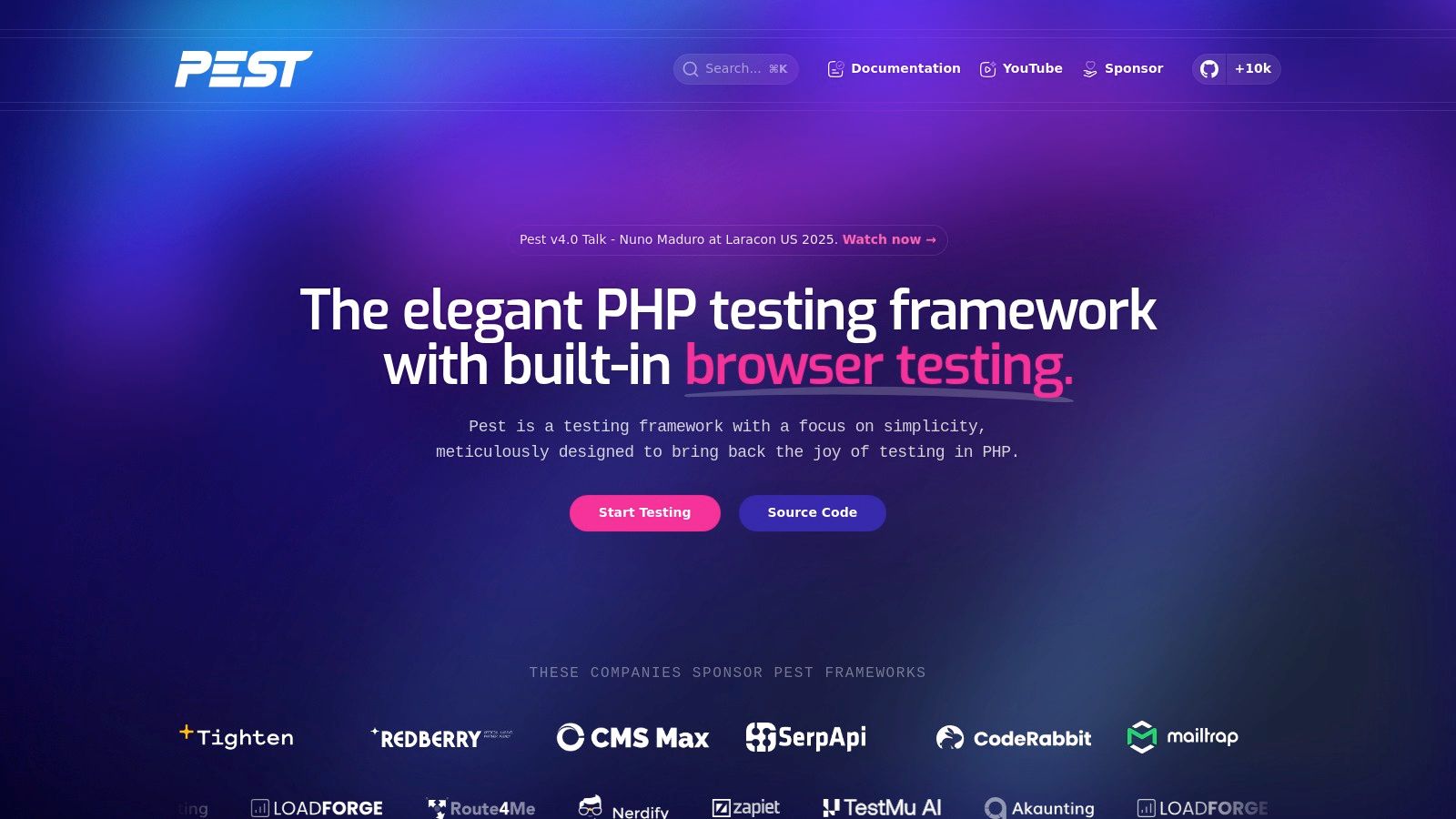
The primary advantage of Pest is its low learning curve, especially for developers new to PHP testing or those coming from JavaScript backgrounds familiar with frameworks like Jest. Its syntax, using simple it() and test() functions, abstracts away much of PHPUnit's class-based boilerplate. This makes the resulting unit test templates cleaner and more focused on the test logic itself.
Practical Application
Initializing a test suite is done with a single command: vendor/bin/pest --init. This creates a tests directory with a Pest.php file for global setup and an ExampleTest.php file demonstrating the basic syntax. This immediate, runnable setup is perfect for quickly adding tests to a new or existing PHP project, especially within frameworks like Laravel, where Pest has first-party support.
Key Benefit: The main value here is productivity through simplicity. Pest's expressive syntax reduces cognitive load, allowing developers to write tests faster and more intuitively. This encourages better test adoption across teams that might otherwise find PHPUnit's verbosity to be a barrier.
Limitations and Considerations
While Pest is built on PHPUnit and can use its assertions, some veteran PHP developers may prefer the traditional, object-oriented style of PHPUnit. The DSL-driven approach, though clean, can be a point of resistance for teams deeply accustomed to class-based test suites. Migrating a large, existing PHPUnit test base might also require a cultural shift more than a technical one.
- Access: Free and open-source, installed via Composer.
- Website: Pest Official Website
Top 12 Unit Test Template Comparison
| Template / Tool | Target audience | Core features | Dev experience / Setup | Cost & CI friendliness |
|---|---|---|---|---|
| .NET CLI "dotnet new" (xUnit/NUnit/MSTest) | C#/.NET backend teams, enterprise CI | One‑command scaffolding for xUnit/NUnit/MSTest; template management; VS/CI integration | Runnable immediately; may need to add mocking/assertion libs | Free (OSS); CI‑friendly, standard layout |
| Angular CLI spec.ts (Jasmine/Karma or Vitest) | Angular frontend teams | Auto‑generates spec.ts, wires test runner (Karma/Vitest), skip‑tests flag | Turnkey; mirrors Angular style guide; minimal setup | Free; integrates with Angular CI pipelines |
| Vitest (Vite‑native) | Modern JS/TS Vite apps (React/Vue/Svelte) | Near‑zero‑config, fast watch, coverage, TS & mocking support | Excellent DX; near‑instant for Vite projects; non‑Vite needs config | Free; good CI support with config |
| Jest (npm init jest@latest) | Node.js and cross‑framework JS/TS projects | Interactive init, jest.config, mocking, snapshots, watch mode | Easy interactive setup; may need extra ESM/TS tooling | Free; ubiquitous CI support |
| Apache Maven Quickstart Archetype (Java + JUnit) | Java libraries and services | mvn archetype:generate, JUnit test class, standard Maven layout, Surefire | Predictable, CI‑friendly structure; tests are minimal examples | Free; integrates with Maven CI pipelines |
| Spring Initializr (Spring Boot) | Java microservices & Spring teams | Generates project with spring‑boot‑starter‑test (JUnit, Mockito), example tests | Convention‑based, instant setup; examples need tailoring | Free; CI‑ready defaults included |
| gotests (Go) | Go codebases needing test scaffolding | Generates *_test.go with table‑driven tests, subtests, custom templates | Major time‑saver; output is starter code requiring refinement | Free; works with go test and CI |
| cookiecutter-pypackage (pytest) | Python SDKs, CLIs, libraries | Package scaffold with pytest, tox, GitHub Actions, coverage, packaging metadata | Opinionated but complete; speeds onboarding and standardization | Free; CI templates prewired |
| cookiecutter-pytest-plugin | Pytest plugin authors & tooling teams | Plugin skeleton with tests, tox, CI, docs, publishing workflow | Best‑practice layout for plugins; overkill for simple apps | Free; CI and release workflow included |
| Kotest (Kotlin/JVM/KMP) | Kotlin microservices, libraries, multiplatform projects | Multiple spec styles, assertions, property testing, extensions | Great DX for Kotlin; may require CI convention alignment from JUnit | Free; integrates with JUnit Platform and CI |
| Rust Cargo templates (cargo new) | Rust libraries and apps | cargo new with starter code, built‑in unit/integration/doc tests, cargo test runner | Unified workflow with zero external plugins; minimal boilerplate | Free; excellent CI support via cargo |
| Pest (PHP) | PHP teams and Laravel users | pest –init creates DSL tests, snapshots, PHPUnit interoperability | Fast ramp‑up and readable syntax; interoperable with PHPUnit | Free; compatible with PHP CI tools |
From Templates to Automated Quality: Next Steps
This journey through twelve distinct unit test templates reveals a powerful, underlying principle: effective testing starts with removing friction. Whether you are generating a new project with the .NET CLI, scaffolding a component with the Angular CLI, or initializing a repository with cookiecutter-pypackage, you are establishing a standardized, working baseline. This foundation allows your development team to bypass tedious setup and focus directly on what matters: writing meaningful assertions that validate critical business logic.
The real value of these templates emerges when you view them not as an endpoint, but as the first crucial step in a larger automation strategy. They provide the consistency needed to build a robust and scalable quality assurance process.
Key Takeaways and Strategic Selection
Reflecting on the tools we've explored, several key themes stand out. The most effective unit test templates are those deeply integrated into a language's or framework's ecosystem. For example, dotnet new, cargo new, and the Apache Maven Archetype are not just templates; they are part of the standard developer workflow, making their adoption almost effortless.
When selecting the right tool, consider these factors:
- Ecosystem Integration: How well does the template fit with your existing toolchain? A solution like Spring Initializr is indispensable for Spring Boot developers, while
gotestsis a perfect fit for a Go-centric environment. - Boilerplate Reduction: The primary goal is to write less boilerplate. Tools like
gotestsand the Jest initializer excel here by automatically generating test file structures based on your source code. - Scalability and Convention: For growing teams, templates that enforce convention are critical.
cookiecutter-pypackageand Pest for PHP ensure that every new project or test suite follows the same predictable structure, simplifying onboarding and code reviews. - Customization vs. Convention: Decide where your team falls on the spectrum. A tool like
cookiecutteroffers immense flexibility for creating your own project standards, whereas built-in CLI tools like Angular's or Rust's favor strong, framework-defined conventions.
From Template to Fully Automated Pipeline
Adopting these unit test templates is the starting point for reclaiming developer hours and building a culture of quality. The next level of efficiency comes from automating the entire test-and-deploy cycle.
Integrating these standardized tests into your CI/CD pipeline is the logical next step. This ensures every single commit is automatically validated against your test suite, catching regressions and bugs long before they have a chance to impact production. A well-configured pipeline, triggered on every push, turns your collection of unit tests into an active defense system for your codebase.
Furthermore, you can amplify the power of these templates with AI-assisted code generation. Modern tools can analyze your functions and methods, suggesting relevant test cases and even writing the initial test code. This process transforms a simple template into a nearly complete test suite, requiring only developer review and refinement. This synergy between a solid template foundation and intelligent automation is where true development velocity is unlocked.
Ultimately, the goal is to create a seamless, self-validating system where quality is not an afterthought but a built-in, automated part of your development process. By starting with the right unit test templates, you lay the groundwork for achieving operational excellence and scaling your engineering efforts with confidence.
Is your team buried in manual processes that slow down development and deployment? At MakeAutomation, we specialize in designing and implementing automation frameworks that connect your entire workflow, from code commit to final release. We build tailored systems for CI/CD, automated QA, and process documentation that eliminate bottlenecks and help your business scale faster. Schedule a consultation with MakeAutomation to discover how we can transform your testing strategy into a powerful growth engine.