
Cannot Read Properties of Undefined: A Debugging Guide
The page loads fine in your local dev environment. Then production throws a red wall of text. A sales dashboard stops rendering, a CRM sync panel goes blank, or a lead routing workflow fails to function as expected because one property in an API payload isn't there when your code expects it.
That’s the true cost of cannot read properties of undefined. It isn’t just a JavaScript annoyance. In B2B and SaaS products, it can block revenue work, stall onboarding, and send your team into reactive debugging when they should be shipping.
The good news is that this error is usually solvable fast if you debug it systematically. The better news is that you can design your code so it stops reaching production in the first place.
Decoding the Stack Trace to Pinpoint Errors
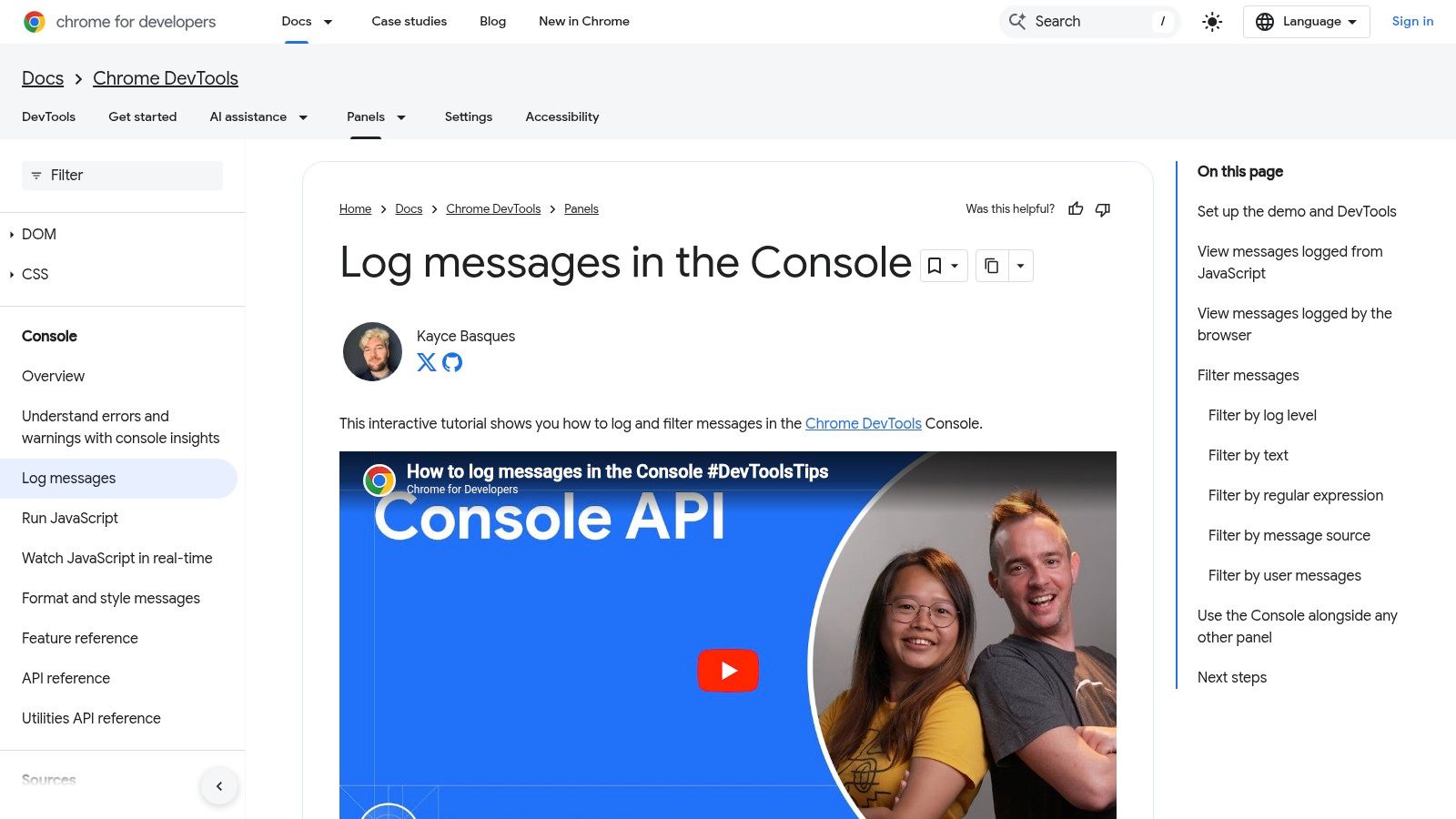
When you hit TypeError: cannot read properties of undefined, the stack trace is your map. Most engineers waste time guessing. Don’t guess. Read the trace from the top, find the exact property access, then follow the call chain back to the first place your assumptions broke.
Start with the first useful line
The first line usually tells you three things:
The error type
TypeErrormeans JavaScript tried to perform an operation on a value of the wrong type.The property being read
You’ll often see something likereading 'map',reading 'id', orreading 'name'.The location
A file name, line number, and column number. That’s your first stop.
If the message says Cannot read properties of undefined (reading 'map'), don’t focus on map first. Focus on the thing before the dot. In posts.map(...), posts is the problem, not map.
Walk down the call stack
A stack trace shows the sequence of function calls that led to the crash. The top frame is where the exception surfaced. Lower frames show how execution got there.
Read it like this:
- Frame one points to the exact access that failed
- The next few frames show which function passed the bad value
- The earliest app-level frame often reveals the root cause
This matters in React, Next.js, Redux, and component-heavy dashboards because the line that crashes is often not the line that created the bad state.
Practical rule: Ignore framework internals until you’ve found the first line in your own codebase. React, Vite, and Next.js stack frames are usually noise until you identify your component, hook, selector, or utility.
Use DevTools like a debugger, not a log viewer
Open browser DevTools with F12. Click the stack frame that points into your code. Set a breakpoint on that line, then reload the page or reproduce the action.
Once execution pauses, inspect:
- The undefined variable itself
- The parent object
- The function arguments
- The previous assignment
- Whether the value is missing entirely or just late
If the code is customer.account.owner.name, inspect customer, then customer.account, then customer.account.owner. Find the first nullish link in the chain.
Ask when the value became undefined
The stack trace gives you location. The next question is timing.
In UI apps, undefined values usually come from one of these moments:
- Initial render before async data arrives
- A prop passed before a parent finishes loading
- A branch of state that wasn’t initialized
- A third-party payload that changed shape
- An event firing before a dependency is ready
That timing question is what separates a one-line patch from a durable fix.
The fastest debugger in the room isn’t the one typing more
console.log. It’s the one asking, “What did this variable look like one render earlier?”
A simple triage routine
When production breaks, use this order:
- Open the failing screen and reproduce it
- Read the top meaningful stack frame
- Set a breakpoint
- Inspect the undefined value
- Trace backward to the assignment, fetch, prop, or selector
- Check whether the bug is bad data, bad timing, or bad assumptions
That routine is boring. It’s also what works.
If you build dashboards, automation consoles, or revenue tooling, speed matters here. A blank table or broken outreach panel doesn’t just annoy engineers. It blocks operators who are trying to move deals, update records, or launch campaigns. The stack trace is where you stop the panic and start narrowing the problem.
Solving Common Causes of Undefined Properties
A rep opens the lead queue at 9:02 a.m. The table is blank, the enrichment panel crashes, and the workflow that should route new opportunities into the CRM stops halfway through. In B2B and SaaS products, cannot read properties of undefined is rarely a cosmetic bug. It blocks revenue work.

The same failure patterns show up across products. A React component renders before the API response arrives. A prop shape changes after an integration update. A nested field exists for one account tier but not another. In SaaS systems tied to CRM syncs, AI outputs, and lead routing, these bugs spread fast because the same payload often feeds multiple screens and automations.
One of the most common versions is .map() on missing data. In React apps, that usually means the code assumed an array before the fetch finished or before the backend returned a usable shape. In practice, optional chaining and safe initial state cut a large share of these crashes, but they only help if the missing value is expected and temporary.
The first render beats the API
This bug shows up constantly in lists, activity feeds, and pipeline views.
function LeadsList() {
  const [leads, setLeads] = useState();

  useEffect(() => {
    fetch('/api/leads')
      .then(res => res.json())
      .then(setLeads);
  }, []);

  return (
    <ul>
      {leads.map(lead => (
        <li key={lead.id}>{lead.name}</li>
      ))}
    </ul>
  );
}
leads starts as undefined, React renders immediately, and leads.map(...) throws before your network call completes.
Use a safe initial value and validate the response at the boundary:
function LeadsList() {
  const [leads, setLeads] = useState([]);

  useEffect(() => {
    fetch('/api/leads')
      .then(res => res.json())
      .then(data => setLeads(Array.isArray(data) ? data : []));
  }, []);

  return (
    <ul>
      {leads.map(lead => (
        <li key={lead.id}>{lead.name}</li>
      ))}
    </ul>
  );
}
That fix prevents the crash. It does not explain whether the API is late, empty, or wrong. If the screen needs to distinguish "loading" from "no leads found," keep separate loading and error state. Sales teams care about that difference because an empty queue means one thing, while a broken sync means another.
Optional chaining helps. It can also hide a contract failure
Optional chaining is useful when missing data is valid for a short period or for a known subset of records.
{posts?.map(post => (
  <PostRow key={post.id} post={post} />
))}
Use it for tolerant reads. Do not use it as a blanket excuse to ignore bad upstream data.
If a CRM integration is supposed to return contacts and starts returning null, contacts?.map(...) keeps the UI from crashing, but it can also hide a regression that will surface later in reporting, outbound sequences, or AI-generated account summaries. The right trade-off depends on the contract. If the field is optional, guard it. If the field is required, log it, alert on it, and fix the producer.
Teams building config-driven UIs run into this often because one malformed config object can break an entire rendering path. A guide to React dynamic component patterns is useful if your undefined errors are tied to configurable dashboards instead of fixed screens.
Type systems help here too. Stronger type checking catches a lot of these shape mismatches before deploy, especially in apps that pass integration payloads through several layers. Teams that need help tightening those contracts often look at Refact's Typescript development.
The object shape changed and nobody noticed
A sales workflow often starts with an assumption like this:
const ownerName = deal.owner.name;
Then the integration changes. Some records come back as:
{ owner: null }
Others arrive as:
{ assignedUser: { name: 'Sam' } }
The old code matched the old contract. Production only breaks after the contract drifts.
Guard the access path and normalize once at the edge:
const ownerName = deal?.owner?.name ?? 'Unassigned';
Better:
function normalizeDeal(raw) {
  return {
    id: raw?.id ?? null,
    ownerName: raw?.owner?.name ?? raw?.assignedUser?.name ?? 'Unassigned',
    stage: raw?.stage ?? 'Unknown'
  };
}
That keeps fallback logic out of every component and gives your team one place to update when HubSpot, Salesforce, or an internal enrichment service changes its response shape.
Props arrive before parents are ready
This shows up in dashboards with several widgets loading in parallel. The parent fetches account data. A child assumes it already exists.
function AccountPanel({ account }) {
  return <h2>{account.name}</h2>;
}
If account is undefined on an early render, the child crashes.
You have two reasonable fixes. Guard in the parent:
{account && <AccountPanel account={account} />}
Or guard in the child:
function AccountPanel({ account }) {
  if (!account) return null;
  return <h2>{account.name}</h2>;
}
The trade-off is straightforward. Parent guards keep child components cleaner and make loading flow easier to reason about. Child guards make components safer to reuse in messy parts of the app where data timing is less predictable.
Arrays are only one failure point
Developers remember map(). They miss destructuring, event handlers, and utility functions that assume an object exists.
const { id } = user;
That line throws immediately if user is undefined. Safer options include:
const id = user?.id;
Or:
function processUser(user = {}) {
  const { id = null } = user;
}
Defaulting to {} prevents the crash, but it can also let an invalid workflow continue. That is acceptable in presentation code. It is risky in business logic. If an AI agent response is missing customerId, or a lead scoring job passes an undefined account object into a downstream task, failing unannounced can create worse damage than failing fast.
A short explainer can help reset your mental model before patching a messy component:
A practical fix hierarchy
When production is down, apply the smallest fix that reflects reality about the data and the workflow.
| Problem | Fast fix | Better long-term fix |
|---|---|---|
| Async array is undefined | Initialize with [] |
Add loading, empty, and error states |
| Nested object may be missing | Use ?. and ?? |
Normalize API responses |
| Child gets undefined prop | Guard render | Tighten prop contracts and data flow |
| Handler assumes object exists | Add guard clause | Validate earlier in the workflow |
Patch the crash where it happens if you need to restore service. Then trace the bad value back to the first boundary where it should have been validated. In B2B systems, that source is often an integration adapter, a workflow payload, or an AI response formatter. Fixing that layer prevents the same undefined value from breaking three other features next week.
Writing Resilient Code with Defensive Patterns
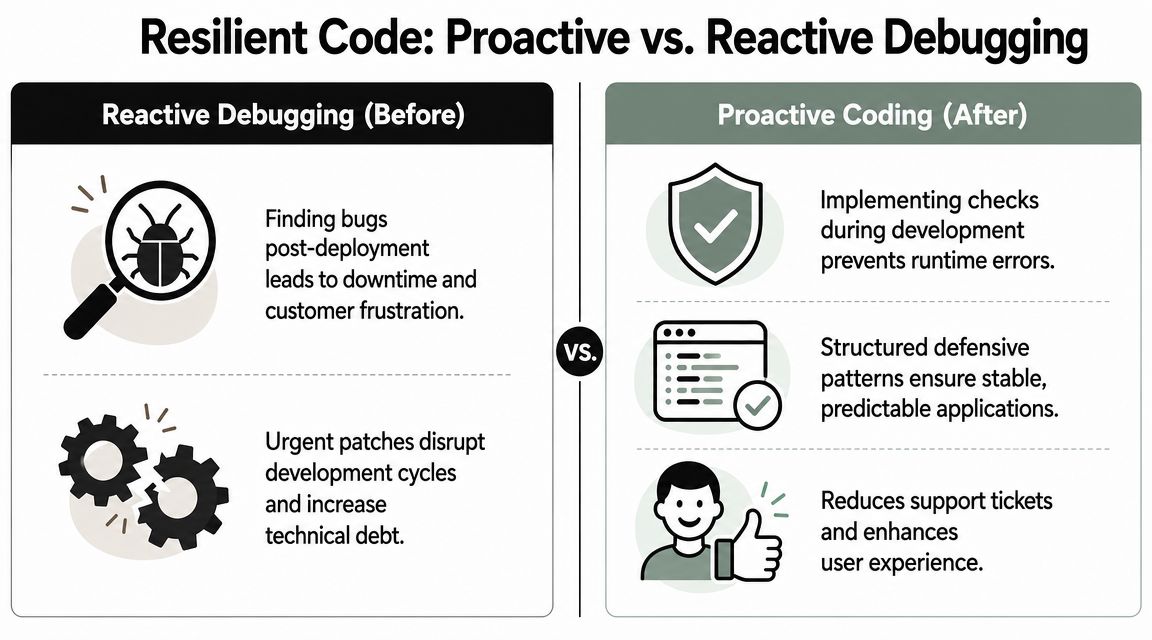
The best code doesn’t assume data is clean, complete, or on time. It treats incoming values with suspicion and makes that skepticism visible in the code.
Optional chaining versus guard clauses
Optional chaining is excellent for read-only access where missing data is acceptable.
const city = customer?.billingAddress?.city;
Guard clauses are better when the rest of the function should not continue without valid input.
function sendInvoice(customer) {
  if (!customer || !customer.billingAddress) {
    return;
  }

  // safe to continue
}
These aren’t competing techniques. They solve different problems.
Comparing defensive coding patterns
| Pattern | Best For | Example |
|---|---|---|
| Optional chaining | Reading nested values that may be absent | order?.customer?.email |
| Nullish coalescing | Providing a fallback only for nullish values | user?.name ?? 'Guest' |
| Default parameter | Making function inputs safe at the boundary | function renderRows(items = []) |
| Destructuring default | Avoiding crashes when object fields are missing | const { title = 'Untitled' } = post ?? {} |
| Guard clause | Stopping invalid execution early | if (!session) return null |
| Normalizer function | Converting unstable payloads into stable app data | normalizeLead(apiLead) |
What works well in practice
Use optional chaining when the UI can tolerate absence. A profile avatar, a secondary tag, or a non-essential metric can safely render with a fallback.
Use guard clauses when absence means the operation should stop. Payment submission, workflow execution, and CRM writeback aren’t places for soft assumptions.
Use default values at component boundaries. If a list component only knows how to render arrays, make sure it receives an array.
function ActivityFeed({ items = [] }) {
  return items.map(item => <Row key={item.id} item={item} />);
}
Use normalization when third-party systems send inconsistent payloads. This is one of the most impactful habits in SaaS apps that ingest data from multiple services.
Working heuristic: The closer you are to the network boundary, the more explicit your validation should be. The closer you are to presentation code, the more graceful your fallbacks can be.
Where TypeScript helps and where it doesn’t
TypeScript removes a lot of undefined mistakes before runtime. It forces you to acknowledge nullable values and optional properties. Teams that want stronger compile-time guarantees often invest in patterns similar to Refact's Typescript development, especially when multiple engineers touch shared domain models.
But TypeScript only protects what you type. It doesn’t make external data truthful. If your API says a field exists and the payload omits it, runtime still wins.
That’s why runtime validation matters too. Libraries discussed in guides on JavaScript data validation are useful because they check real inputs, not just declared interfaces.
Choose the pattern based on failure cost
Here’s the trade-off:
- Low-risk display field
Use optional chaining and a fallback. - Critical workflow step
Use a guard clause and log the invalid payload. - Repeated external payload
Normalize once, upstream. - Shared component API
Use defaults and clear prop contracts.
The wrong move is applying one pattern everywhere. That’s how you end up with code that either crashes too easily or ingests bad business data unnoticed.
A CRM dashboard can tolerate a missing avatar. It should not proceed unacknowledged with customer.id missing during a sync action. Defensive coding isn’t about making errors disappear. It’s about deciding which failures should render safely, which should stop execution, and which should trigger investigation.
Troubleshooting Undefined Errors in Complex Systems
A sales rep opens a lead record five minutes before a call. The page needs CRM fields, permissions, enrichment data, and an AI-generated summary. One service returns a partial object, the UI reaches for lead.owner.id, and the screen fails at the exact moment the rep needs it.
That kind of incident looks like a frontend bug in the stack trace. In B2B and SaaS products, it often starts earlier. The missing property may come from an integration contract drift, a stale cache entry, a mapper that dropped a field, or a server and client render path that disagreed about available data.

Follow the value through every handoff
Once the error shows up in a component, trace the property across the full request path:
- Network response
Did the API return the field? - Transformation layer
Did a serializer, mapper, or adapter rename or drop it? - Store or cache
Did Redux, Zustand, React Query, or local cache hold an older shape? - Component boundary
Did the parent pass a different object than the child expects? - Render timing
Did the component render before the data was ready?
Teams lose time when they patch the final line and stop there. Production stability improves when you fix the first broken handoff.
A realistic SaaS failure chain
Consider a lead generation workflow:
- HubSpot sync starts
- Backend enrichment runs
- A workflow service appends AI summary text
- Frontend reads
lead.contact.company.name - One upstream step returns a partial object
- The page crashes during render
The debugging move is simple, but disciplined. Compare the raw network payload with the object your component receives. If the field exists in the response and disappears later, inspect the mapper, selector, or cache layer. If the field is already missing in the response, the contract failed upstream and the frontend is only where the failure surfaced.
Undefined in a complex app usually means an assumption broke between systems.
SSR and hydration need their own debugging path
Next.js and similar frameworks add another failure mode. The server can render with one object shape while the client hydrates with another. That creates production-only errors that are hard to reproduce because local timing is cleaner and data often arrives faster.
Code like this is a common trigger:
const accountId = session.user.account.id;
If session differs between server render and client hydration, the same route can work for one user and fail for another. Treat hydration bugs as state consistency problems, not just null-check problems. Check what data exists on the server, what exists on the client, and when each render path runs.
Library boundaries can hide the real cause
Third-party packages make stack traces noisy. A charting library, editor, map wrapper, or UI grid may throw the error even though your code passed the invalid shape into it.
That changes the debugging sequence:
- Reproduce the issue in the smallest possible component
- Remove wrappers and plugins one at a time
- Freeze and inspect the exact payload the library receives
- Review recent package upgrades and peer dependency changes
- Validate inputs before they cross the library boundary
This matters in SaaS products because shared components sit on critical flows. One malformed object passed into a chart can break pipeline reporting. One missing field in a grid row can block account review. One bad AI response shape can stop an agent workspace from rendering the next recommended action.
The same discipline applies to analytics and event pipelines. Teams working across product, marketing, and revenue operations should care about how to ensure digital analytics quality, because event payloads fail for the same reason application payloads fail. Multiple systems pass data with assumptions nobody enforced.
Use observability that helps you isolate the bad handoff
In production, broad logs are less useful than correlated logs. Capture enough context to identify which boundary introduced the undefined value:
- request or workflow ID
- integration source, such as Salesforce, HubSpot, webhook, or AI provider
- payload version or schema version
- route, component, or job name
- user action that triggered the path
Good tests should mirror those failure modes. If your test suite only covers happy-path payloads, the same incident will reappear under a different record shape. Teams that simulate partial objects and delayed responses early catch more of these before release. For frontend work, practical guides on mocking failure cases with Jest mock functions are useful when you need to model missing fields, slow integrations, and inconsistent third-party responses.
Failure patterns worth classifying
Treating every undefined error as the same bug leads to weak fixes. Classify the incident first.
| Failure type | Typical root cause | Better response |
|---|---|---|
| Render-time undefined | Async data arrived after initial render | Add loading states and gate access until prerequisites exist |
| Repeated workflow crash | Partial or inconsistent integration payload | Validate and normalize at the boundary where data enters |
| Production-only mismatch | Server and client rendered different shapes | Separate SSR assumptions from client-only assumptions |
| Library-surfaced exception | Invalid shape passed into a third-party component | Build a minimal repro and validate inputs before handoff |
The business cost is direct. In a B2B product, one undefined property can stop a rep from opening an account, prevent an AI assistant from generating a reply, or break a lead routing screen during peak volume. Fixing the line that threw the error closes the incident. Tracing the system boundary is what keeps the same class of failure from taking down the next workflow.
Building a Strategy for Long-Term Prevention
A rep opens a high-value account before a renewal call, and the page crashes because one nested CRM field came back missing. An AI agent tries to draft a response, hits undefined, and returns nothing. A lead routing rule fails undetected, and qualified inbound leads sit untouched for hours. That is what this error looks like in a B2B or SaaS product. It is rarely just a frontend annoyance.
If your team keeps seeing cannot read properties of undefined, treat it as a delivery and reliability problem. The fix is to make unsafe assumptions harder to write, easier to catch, and cheaper to recover from before they hit a customer-facing workflow.
TypeScript changes team behavior
TypeScript matters because it forces a conversation your code was avoiding. Is this value always present? Optional? Null from the API? Unavailable until a second request finishes?
Those distinctions are not academic in SaaS systems. CRM records vary by plan and account history. Enrichment vendors return partial matches. CSV imports arrive with missing columns. AI outputs drift in shape unless you constrain them. A typed model will not protect you from every bad payload, but it will stop a large share of casual property access that slips through local testing and breaks a revenue workflow later.
Validate at the boundary, not after the crash
Compile-time types only describe what you expect. They do not verify what production sends.
That is why boundary validation pays for itself. Validate webhook payloads before they enter your job queue. Normalize CRM responses before they reach UI components. Reject malformed AI output before it reaches customer-visible content. In practice, the strongest setup is a layered one:
- TypeScript to model expected shapes
- Runtime validation with Zod or a similar schema library
- CI mocks for partial, delayed, and malformed responses
- Lint rules that flag risky property access and weak null handling
Teams skip this because it feels slower at first. It is slower than writing record.owner.name and hoping for the best. It is much faster than debugging a broken sales handoff during business hours.
Test the bad paths on purpose
Happy-path tests create false confidence. Production incidents usually come from the record that is missing company, the array that came back empty, or the integration response that changed shape after a vendor update.
Write tests for conditions your product will face:
- missing nested objects
- empty arrays where records are expected
- null values in optional integration fields
- delayed or partial responses
- schema drift after third-party package or API changes
If your team needs a better way to design those cases, this guide on how to create test cases is useful because it starts from conditions and expected outcomes instead of implementation details.
One policy is worth enforcing. Every production bug caused by undefined access should add at least one test that would have caught it.
Review for assumptions, not just syntax
Code review catches more of these errors when reviewers ask system questions, not just style questions.
- Where did this data originate?
- What happens on first render before async data arrives?
- Is this shape guaranteed by contract or assumed from sample data?
- Should this path fail loudly, or degrade gracefully and log context?
- Are we fixing the boundary, or hiding the symptom in a component?
That habit matters outside engineering. A broken dashboard delays sales ops. A failed automation forces support to do manual triage. A crash in an internal admin tool slows onboarding, renewals, and reporting. Reliability work protects revenue operations, not just code quality.
Prevention lowers operational drag
Undefined errors create more than bug tickets. They trigger interrupts, force engineers into reactive work, and teach internal teams not to trust the product during integration changes.
Good prevention work is boring by design. Strong typing, boundary validation, linting, and realistic test coverage reduce the number of incidents that reach production and shorten the ones that do. For B2B and SaaS teams running CRM automations, AI-assisted workflows, and lead generation funnels, that reliability is part of the product.
If your team is dealing with fragile CRM automations, flaky lead workflows, or AI-driven processes that break on inconsistent data, MakeAutomation can help you harden those systems. They specialize in building and optimizing automation for B2B and SaaS operations, including CRM workflows, outreach systems, project processes, recruitment pipelines, and AI or Voice AI agents that need to behave reliably under real production conditions.