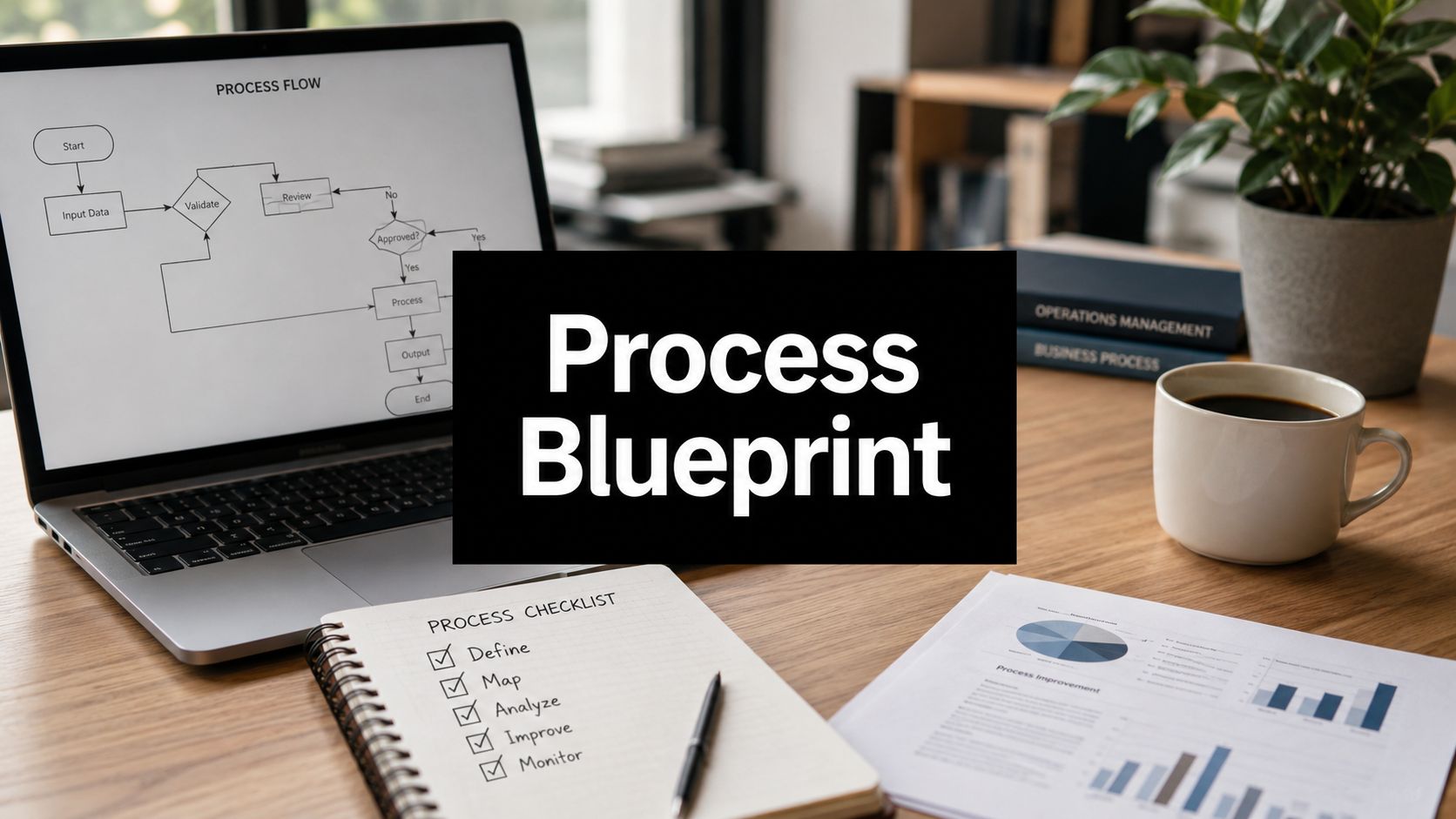
Process Standardization: Your B2B Automation Blueprint
Most advice about process standardization gets the sequence wrong. It treats standardization like a cleanup task you do after growth, after hiring, or after buying automation tools. In practice, that order burns money.
B2B and SaaS teams usually feel the pain in a different way first. Leads get handled differently by each rep. Client onboarding depends on who's online. Project handoffs live in Slack threads, Notion pages, Loom videos, and someone's memory. Then leadership tries to fix the mess with AI or workflow automation.
That's where projects stall. Organizations with high process variation see automation failure rates up to 40% higher than those with standardized workflows, because inconsistent inputs break deterministic AI logic, as noted by The Lab Consulting on standardization and automation readiness. If your team performs the same task five different ways, your automation doesn't have a stable target. It has five edge-case factories.
Process standardization isn't bureaucracy. It's the operating discipline that lets a company repeat good work, remove avoidable variation, and automate without constant exception handling. The teams that scale well don't standardize everything. They standardize the parts of work that must be consistent, then design controlled flexibility where judgment still matters.
Why Your Growth Is Capped Without Process Standardization
The fastest-growing companies often believe process standardization will slow them down. I've seen the opposite. The absence of standards creates hidden tax everywhere: longer ramp time, inconsistent delivery, duplicate work, missed follow-ups, and automation projects that need constant babysitting.
When a founder says, “We move fast because we're flexible,” what that usually means operationally is that the team improvises. Improvisation works for a while when the company is small and the founder still catches every dropped ball. It breaks when lead volume rises, delivery gets more specialized, and managers can't inspect every decision.
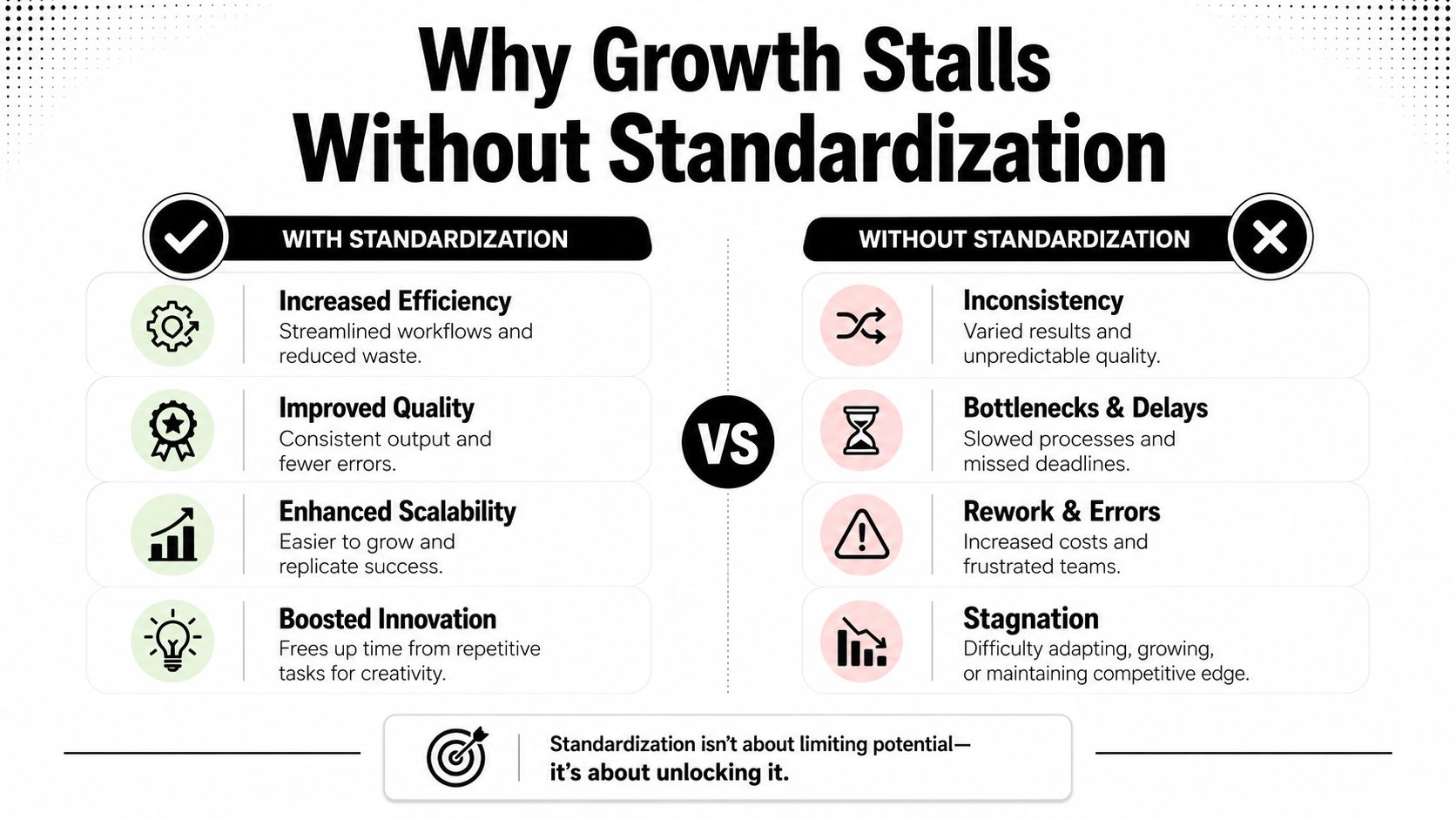
Standardization removes variation where variation hurts
A lot of teams resist standardization because they confuse it with rigid scripts. Good process design doesn't eliminate judgment. It eliminates unnecessary judgment. Your sales team shouldn't reinvent qualification criteria on every call. Your onboarding team shouldn't guess which documents to request. Your operations lead shouldn't manually reconcile exceptions that could have been prevented by a cleaner intake process.
That distinction matters even more with automation. AI agents, workflow builders, CRM automations, and routing rules all depend on predictable inputs and known decision paths. If each employee names stages differently, skips fields, or follows different approval logic, the automation layer inherits the chaos.
Practical rule: Don't automate variation. Standardize the decision path first, then automate the repeatable parts.
The real ceiling is operational inconsistency
Growth doesn't usually stall because a company lacks ambition. It stalls because execution becomes inconsistent before leadership notices. Sales promises one thing, onboarding starts another way, delivery uses a third process, and reporting arrives in four formats.
Standardization fixes that by giving teams a shared way to execute recurring work. That shared method improves handoffs, makes training easier, and creates a stable base for measurement. It also makes technology investments more useful because the software is supporting a process that already makes sense.
The common failure pattern is simple:
- Tool-first thinking: A team buys HubSpot workflows, Zapier automations, or AI assistants before defining the underlying operating logic.
- Local workarounds: Staff create their own versions of the process to keep work moving.
- Exception overload: Managers spend their time handling unusual cases that turn out to be recurring cases with no defined rule.
- Fragile automation: The system works only when specific people remember to enter data in a specific way.
When leadership sees standardization as a strategic advantage instead of admin work, the conversation changes. You stop asking, “How do we document everything?” and start asking, “Which repeatable workflows are important enough to run the same way every time?”
Charting Your Course for Standardization
Many organizations recognize the need for improved processes. The problem is scope. If you try to standardize everything at once, the work turns into a documentation project with no business result.
Start with the processes that are high-frequency, cross-functional, and expensive when done poorly. That's where standardization pays back fastest.

Pick the right starting point
The most useful filter is simple. Evaluate each process against three criteria:
| Process filter | What to ask | Typical SaaS examples |
|---|---|---|
| Frequency | How often does the team perform it? | Lead qualification, support triage, weekly reporting |
| Business impact | What happens if it goes wrong? | New client onboarding, proposal approval, billing setup |
| Current friction | Where do delays, confusion, or rework happen now? | Project kickoff, handoff from sales to delivery, renewal prep |
A process that happens often, touches revenue or customer experience, and regularly causes confusion should move to the top of the list.
For most B2B and SaaS teams, the first wave usually includes:
- Lead qualification: Define required CRM fields, qualification criteria, ownership rules, and follow-up timing.
- Client onboarding: Standardize kickoff inputs, document collection, stakeholder introductions, and platform setup.
- Project kickoff: Create one approved handoff format between sales, success, and delivery.
- Monthly reporting: Set one reporting template, one source of truth, and one approval flow.
Map reality before you design the ideal
The five-step methodology matters here. According to 6Sigma's guide to process standardization for operational excellence, the core sequence starts by identifying and mapping core processes, then analyzing them for bottlenecks and inconsistencies before piloting, training, and continuous improvement.
That first step gets skipped all the time. Teams jump straight into SOP writing without understanding how work moves. Then they document an imaginary process no one follows.
A practical process map doesn't need to be fancy. A whiteboard, Miro board, Lucidchart diagram, or swimlane flow is enough if it answers these questions:
- What triggers the process
- Who owns each step
- Which tools are used
- Where approvals happen
- Where work commonly stalls
- What output marks completion
If you need a cleaner way to visualize recurring workflows, a workflow visualization approach for operations teams helps expose hidden handoff issues before you write documentation.
Teams usually discover the same surprise during mapping: the delay isn't in the “main task.” It's in missing inputs, unclear ownership, and inconsistent approval rules.
Define the minimum standard first
Don't aim for a perfect process on day one. Aim for a usable standard. That usually means:
- A clear start trigger
- Required inputs
- Named owner
- Standard sequence of steps
- Rules for common exceptions
- Definition of done
That's enough to test. Once the process runs consistently, then you refine, tighten, and automate.
From Tribal Knowledge to Actionable SOPs
Most SOPs fail because they're written like policy manuals instead of working tools. A 20-page document in Google Docs doesn't help a project coordinator who needs to launch onboarding correctly at 9:00 a.m. on Monday.
Useful SOPs are operational assets. They live where work happens. They're easy to scan. They show exactly what to do, who does it, and what good output looks like.
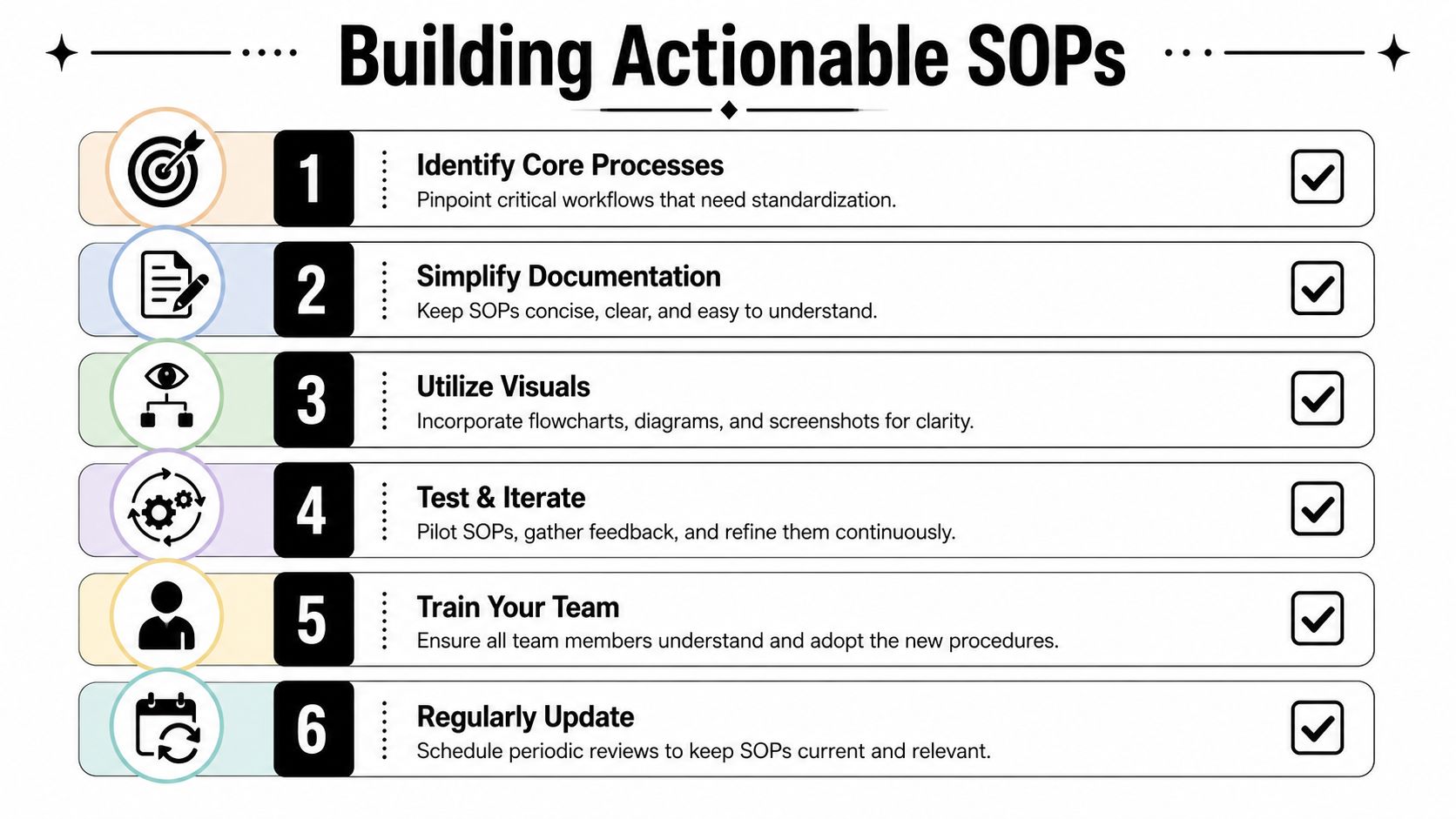
Build SOPs for execution, not storage
Strong SOPs combine a few formats instead of relying on text alone. In practice, the best mix often looks like this:
- Short written checklist: Good for recurring tasks and quality control.
- Annotated screenshots: Useful when steps happen inside tools like HubSpot, ClickUp, Asana, or Airtable.
- Short Loom video: Helpful for showing judgment calls that are hard to describe in text.
- Decision table: Best for routing, approvals, and exception handling.
A lot of teams document the “how” but ignore the “why.” That's a mistake. People are more likely to follow a standard when they understand why the step exists and what failure it prevents.
Technical guidance also matters. Finyear's analysis of global process standardization levers notes that SOPs should include not only procedural instructions, but also best practices and guidelines established through industry experience, regulatory requirements, or internal optimization. That's what turns a procedure into a reliable operating standard.
A practical SOP template that teams actually use
Use this structure for most recurring operational workflows:
| SOP element | What it should contain |
|---|---|
| Purpose | Why this process exists and what outcome it protects |
| Trigger | The event that starts the process |
| Owner | Primary role accountable for completion |
| Inputs | Required information, files, approvals, or fields |
| Steps | Ordered actions written in plain language |
| Decision rules | What to do in common scenarios or exceptions |
| Definition of done | The exact condition that marks completion |
| Quality checks | What must be verified before handoff |
| Linked assets | Templates, forms, videos, screenshots, examples |
If your team is still trapped in scattered documents and outdated instructions, a practical guide on how to create SOPs that people will follow can help shift documentation into a more usable format.
Here's a simple principle I apply. If a new hire can't execute the process with the SOP open, the SOP isn't finished.
Make the SOP living, not static
Older documentation methods reveal their limitations. Teams write the SOP once, save it, and never revisit it. Three months later, the software changed, the customer requirement changed, or the internal handoff changed. Now the SOP is technically complete and operationally wrong.
The better model is a living SOP:
- Versioned: Teams know which process version is current.
- Owned: A named person maintains the standard.
- Embedded: The SOP is linked directly inside the tool or task template.
- Reviewed: Feedback from actual users updates the process.
A short visual walkthrough can help teams see what “usable SOP” design looks like in practice.
An SOP should answer the question, “What do I do next?” within seconds, not after five minutes of searching.
Rolling Out New Processes Without a Team Revolt
Bad rollouts create resistance that leaders misread as cultural resistance to discipline. Most of the time, the team isn't resisting standards. They're resisting clumsy implementation.
When a new process lands as a top-down mandate, people assume it's surveillance, not support. They protect themselves by ignoring it, creating side channels, or performing compliance in meetings while continuing the old way in private.
Co-create the process with the people who use it
The fastest way to destroy adoption is to standardize a workflow without involving the people who do the work. They know where exceptions happen, where information arrives late, and where the documented version will fail in practice.
That doesn't mean every process should be designed by committee. It means the owner should gather input before freezing the standard. A solid rollout usually includes:
- Operator interviews: Ask front-line users where the current process breaks.
- SME review: Validate steps with subject matter experts before launch.
- Small pilot group: Test the process with a manageable team before wider rollout.
- Visible revisions: Show that feedback changed the process.
This lines up with a recurring lesson from practice. Standardization efforts struggle when companies fail to engage stakeholders early or try to scale too broadly before proving the model.
Launch with a pilot, not a proclamation
Pilot programs work because they reduce political risk and expose practical issues. A pilot team can test the workflow, pressure-test the SOP, and identify which steps create confusion before the process reaches the rest of the company.
Use the pilot to watch behavior, not just outcomes. Are people skipping fields? Are they creating shadow checklists? Are approvals getting delayed because ownership is fuzzy? That information is more useful than a polished launch deck.
Standardization lands better when the team experiences less confusion immediately. If the new process feels lighter, people adopt it.
Frame standardization as relief
The message matters. If leadership presents process standardization as tighter control, teams hear micromanagement. If leadership presents it as a way to reduce ambiguity, rework, and repeated mistakes, adoption improves.
A practical rollout message sounds like this:
- This removes guesswork
- This makes handoffs cleaner
- This reduces avoidable corrections
- This gives managers a better way to support the team
For companies struggling with adoption friction, a grounded approach to implementing change management in operational teams is often what prevents a well-designed process from dying on rollout.
Training also needs to be short and role-specific. Don't run a generic company-wide lecture if only three functions are affected. Train each role on what changed, why it changed, and what they now own.
Measuring What Matters and Automating for Growth
A standardized process should produce operational evidence, not just cleaner documentation. If nothing is easier to measure after standardization, the process is probably still too vague.
The strongest signal is that the workflow now has stable inputs, repeatable steps, and a clear output. That makes performance easier to track and automation easier to design.
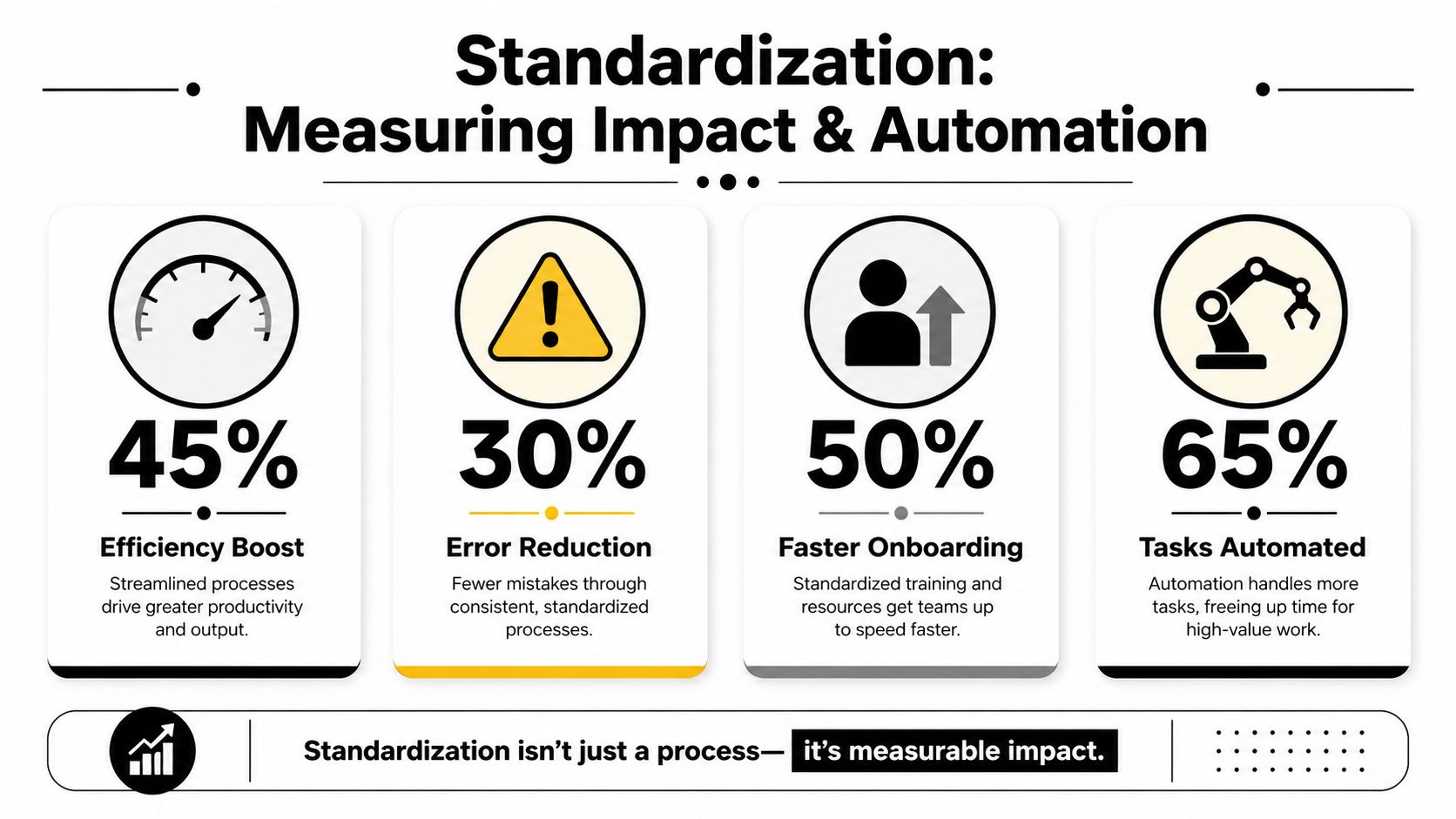
Measure the process, not just the department
Outcomes are often over-measured, while workflow health is under-measured. Revenue, churn, and margin matter, but they don't tell you where the operational failure started.
Track process-level indicators such as:
- Cycle time: How long the workflow takes from trigger to completion
- Error frequency: Where rework, missing data, or correction requests occur
- Handoff quality: Whether the receiving team gets complete and usable inputs
- Compliance to standard: Whether users follow the defined process
- Exception patterns: Which cases fall outside the standard and how often
These measures tell you whether the process is stable enough to automate.
Standardization is what makes automation economical
Many B2B and SaaS teams finally see the connection. Once the process is documented and stable, you can inspect it step by step and identify which actions are deterministic, repetitive, and system-based.
That analysis usually surfaces tasks like:
| Good automation candidate | Why it works well after standardization |
|---|---|
| CRM field validation | Input rules are defined and exceptions are known |
| Lead routing | Assignment logic can follow a clear decision tree |
| Onboarding task creation | Trigger events and required task sets are consistent |
| Status updates and reminders | The workflow has standard stages and due rules |
| Report assembly | Data sources and output format are fixed |
Without standardization, these automations become brittle. With standardization, they become straightforward.
There's also a direct efficiency case. Pipefy's overview of business process standardization states that using business process standardization as an initial step in Intelligent Process Automation initiatives is key to achieving 50 to 60 percent efficiency gains. The same source also cites projections that process standardization supporting hyperautomation would lead to a 30 percent reduction in operational costs by 2023. Those figures are useful not because they promise magic, but because they show where the advantage comes from. The gain doesn't come from software alone. It comes from software applied to stable workflows.
Read your SOP like an automation blueprint
A useful way to spot automation opportunities is to review each SOP and mark:
- Steps that are always performed
- Steps that rely on copying, pasting, updating, or notifying
- Decisions with explicit if-then rules
- Tasks triggered by a standard event
- Actions that happen inside the same tools every time
Those are strong candidates for automation with tools like HubSpot workflows, Zapier, Make, Airtable automations, or AI agents handling structured intake and response patterns.
Field note: If the SOP still relies on “use judgment” in the middle of core execution, don't automate that step yet. Tighten the rule first.
The right sequence is simple. Standardize the workflow. Measure how it performs. Then automate the parts that now behave predictably.
From One-Off Project to Continuous Improvement
The biggest objection to process standardization in SaaS is reasonable. Teams worry that standards will harden too early and become a brake on iteration. That happens when companies treat standardization as frozen documentation instead of operational governance.
The better model is living standardization. The process has a current standard, but it also has versioning, exception rules, and a named owner who updates it when the business changes.
Rigid standards fail in dynamic teams
This is not a theoretical problem. BOC Group's guide to process standardization notes that 68% of growth-stage SaaS companies abandon standardization efforts within 12 months due to rigidity clashes with rapid product iteration. The same source frames the answer as living standardization, where standard workflows include built-in exception protocols and versioning.
That model fits how modern teams work. Product changes. Service packages evolve. Customer expectations shift. The process can't stay static.
What living standardization looks like in practice
A durable standardization system usually includes:
- Process owners: One person is responsible for keeping the workflow current.
- Version control: Teams know which SOP is active and what changed.
- Exception protocols: Users know when they can deviate and how to escalate.
- Review cadence: Standards get checked regularly, not only after failure.
- Feedback loops: Front-line users can suggest updates based on actual friction.
This balance is what high-growth operators aim for. Stability in the repeatable core. Flexibility at the edges.
Process standardization works best when it stops being a one-time project and becomes part of how the business runs. First you reduce chaos. Then you make the work measurable. Then you automate the parts that should never require human effort in the first place. That sequence is what turns operations into a growth asset instead of a drag on growth.
If your team needs help turning messy workflows into scalable systems, MakeAutomation can support the full path from process mapping and SOP design to automation rollout and AI implementation. For B2B and SaaS companies that want cleaner execution before spending more on tools, that kind of hands-on operational work usually makes the difference between fragile automation and automation that scales.