
Master Micro Frontend Angular for Scalable Apps
Your Angular app probably didn’t start as a coordination problem. It started as a product. One team shipped fast, then two teams shared the same repo, then every release needed a small summit meeting because billing touched auth, auth touched navigation, and navigation somehow broke reporting.
That’s the point where micro frontend angular stops being a trendy architecture topic and becomes an operating model question. You’re no longer deciding only how to split code. You’re deciding whether teams can ship on their own cadence, whether releases can be isolated, and whether your frontend can scale with the business instead of slowing it down.
For B2B and SaaS platforms, that trade-off matters more than it does for brochure sites. Admin panels, workflow builders, analytics views, onboarding flows, and account settings often evolve at different speeds. Forcing them through one frontend deployment pipeline usually creates the exact bottleneck the business is trying to outgrow.
When Your Monolith Becomes a Bottleneck
A mature Angular monolith usually fails in predictable ways. Builds get heavier. Releases become riskier. Teams start negotiating over shared dependencies, routing changes, and UI contracts instead of shipping product work.
The technical pain is obvious, but the business cost is usually worse. A billing team shouldn’t have to wait for a dashboard release window. A customer onboarding change shouldn’t require retesting the entire application if the actual blast radius is small. Once the frontend becomes one giant deployment unit, your team structure starts fighting the product structure.

What changes when you split by domain
Micro frontends work best when you stop thinking in technical layers and start thinking in business domains. Product catalog, checkout, account administration, reporting, and support tooling are clearer boundaries than “shared components” and “feature modules.”
The idea gained major traction after Zalando formally introduced it in 2016, and Angular teams had a practical path by 2021 when Module Federation in Webpack 5 enabled remote Angular modules to load at runtime. In multi-team setups, that approach has been reported to reduce bundle sizes by 30 to 50% in the right transition scenarios, according to Angular Architects on modern Angular micro frontends.
If your backend already follows a service-per-domain model, the frontend often benefits from a similar split. Teams that already understand microservices architecture usually adapt faster because the organizational logic is familiar, even though frontend integration has its own rules.
Practical rule: If multiple teams need independent release timing, your frontend should reflect that reality instead of hiding it behind one repository and one deployment artifact.
The business reason to do this
This architecture is not a prize for technical ambition. It’s useful when independent delivery has direct business value.
That usually looks like this:
- Faster product iteration: One team can release a customer-facing workflow without waiting for unrelated features.
- Lower coordination overhead: Teams own bounded areas instead of constantly merging on shared screens.
- Safer deployments: A defect in one remote can be isolated more easily than a defect in a single massive shell.
- Clearer accountability: Product and engineering leadership can map ownership to actual business capabilities.
A lot of teams call their frontend modular when what they really have is a monolith with folders. A real split changes deployment, ownership, and runtime composition. If you’re evaluating that move, a useful starting point is this practical guide to micro front end implementation patterns.
Comparing Angular Micro Frontend Architectures
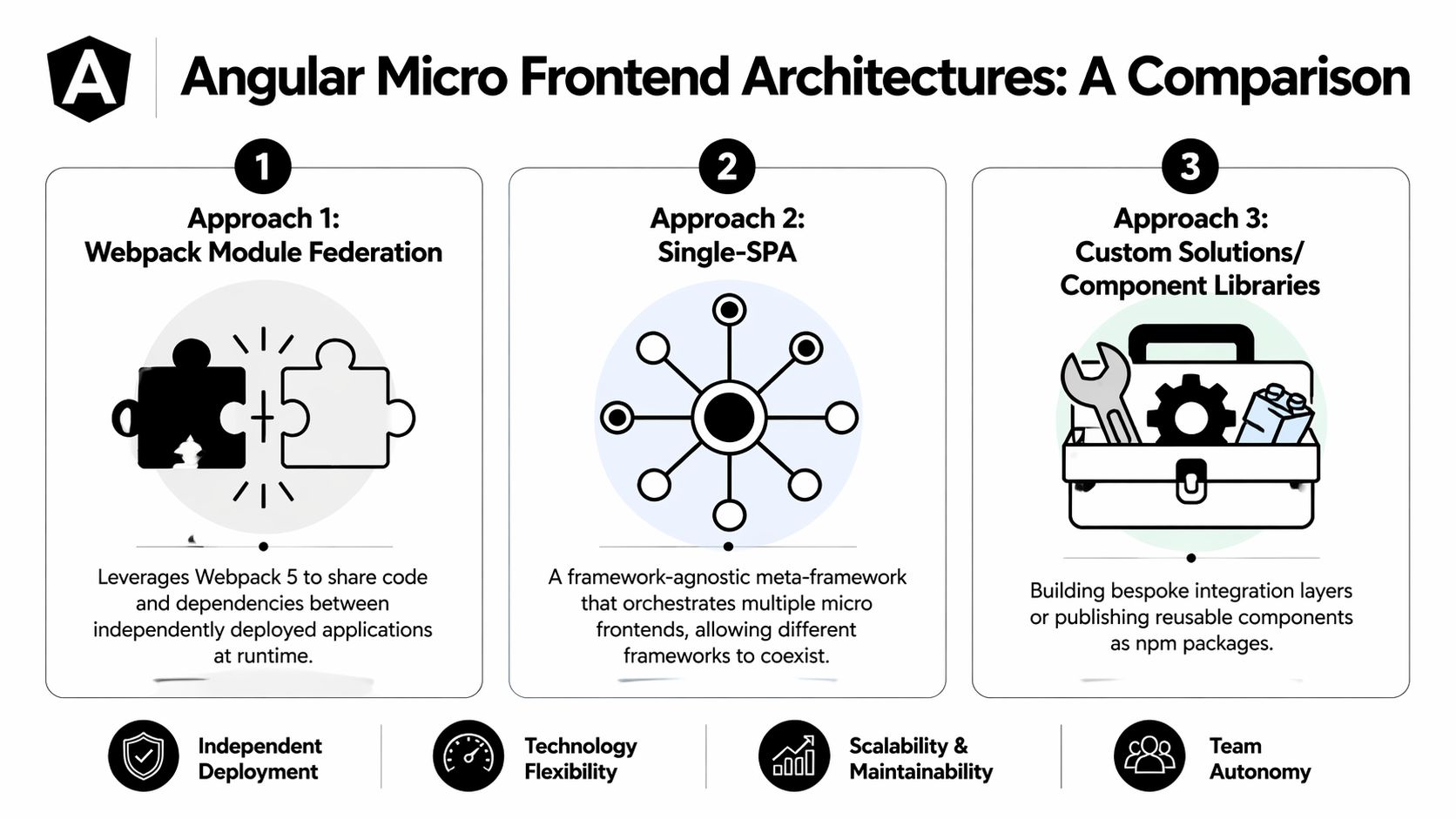
Not every micro frontend approach gives you the same trade-offs. In Angular projects, most teams end up weighing three realistic choices: Module Federation with Nx, single-spa, or IFrames for legacy containment.
That decision should be made on four criteria: how teams deploy, how much runtime complexity you accept, how hard cross-app communication becomes, and how much future maintenance you’re willing to own.
What each approach is good at
Module Federation with Nx is the practical default for Angular-heavy organizations. You get runtime composition, better tooling around shared libraries, and a workflow that fits teams already invested in Angular CLI-style development. It’s usually the strongest option when the shell and most remotes share Angular conventions.
single-spa is more of an orchestration model. It shines when you need framework diversity or you’re integrating older apps that won’t be rewritten soon. That flexibility is useful, but you pay for it with more orchestration logic and more care around lifecycle boundaries.
IFrames are rarely elegant, but they remain useful for hard isolation. If you’re embedding a legacy admin module, a vendor portal, or something with difficult dependency conflicts, IFrames can create a clean wall. The downside is UX fragmentation and weaker integration.
The best architecture is the one your teams can operate without constant exceptions, not the one with the cleanest conference demo.
The performance trade-off is real
Micro frontends improve autonomy, but autonomy isn’t free. According to the Angular team’s write-up on Native Federation, micro frontends can increase initial load times by up to 2 to 3x compared to monorepos because of duplication, while 2025 to 2026 experiments with Native Federation v2 point to 15 to 25% bundle sharing gains as a promising direction rather than a current universal outcome, as described in Angular’s Native Federation discussion.
That’s why architectural choice has to follow product shape. If your application is one tightly coupled workflow with heavy shared state, a monorepo-first design may still be better. If your application behaves like a suite of business domains, runtime composition becomes easier to justify.
Angular Micro Frontend Approach Comparison
| Criterion | Module Federation with Nx | single-spa | IFrames (Legacy) |
|---|---|---|---|
| Best fit | Angular-first product suites with multiple teams | Mixed-framework estates and gradual migrations | Strong isolation for legacy or third-party apps |
| Team autonomy | High, especially when teams own remotes and release pipelines | High, but requires stronger orchestration discipline | Moderate, teams are isolated but UX cohesion suffers |
| Developer experience | Strong for Angular teams, shared libs and workspace tooling help | More moving parts, especially across frameworks | Simple integration, awkward day-to-day development |
| Runtime integration | Native-feeling when contracts are controlled | Flexible but more lifecycle management | Weak, communication is more constrained |
| Performance risk | Moderate, depends on dependency sharing and lazy loading | Moderate to high in mixed ecosystems | Often heavy and less seamless |
| When to avoid | If your app is too tightly coupled to split by domain | If all apps are Angular and you don’t need extra orchestration | If consistent UX and shared navigation matter |
A decision pattern that holds up
Use Module Federation with Nx when your teams are largely Angular, deployment independence matters, and you want one operating model instead of several.
Choose single-spa when coexistence is the problem you’re solving. That usually means Angular plus React, or multiple product lines being consolidated into one shell.
Keep IFrames for containment, not as your long-term architecture. They’re a useful boundary for difficult transitions, not a good foundation for a unified SaaS experience.
If your product also includes framework-mixed surfaces, this breakdown of web components with React integration patterns is useful because it reflects the same boundary question from the component side rather than the repo side.
Hands-On Setup with Module Federation and Nx
If I were guiding a team through a first production-minded proof of concept, I wouldn’t start with five remotes. I’d start with one shell and one remote that owns a real business area, such as account administration or billing settings.
That gives you enough surface area to prove routing, deployment, and ownership without drowning in coordination.

Start with the right workspace shape
Create an Nx workspace that can host a shell and at least one remote. Keep names business-oriented. Don’t call a remote mfe1 in a real system. Call it billing, customers, or admin.
A clean initial layout usually looks like this:
- Shell app: Owns top-level navigation, auth bootstrap, route registration, and global layout.
- Remote app: Owns one bounded domain and exposes routes or a feature entry.
- Shared libraries: Hold contracts, UI primitives, and domain types. Keep them small and intentional.
This setup matters because the architecture fails when teams share too much in the wrong place. If your shared folder becomes the new monolith, you’ve only moved the problem.
Generate shell and remote
With Nx, the practical flow is straightforward:
- Create the workspace.
- Generate a host application.
- Generate a remote application.
- Wire the shell router to lazy-load the remote entry.
The exact commands can vary by Nx and Angular versions, so treat the generated output as the source of truth for your workspace. The important decision is not the command syntax. It’s the ownership boundary.
A typical generated structure leads to configuration like this:
// apps/billing/module-federation.config.js
module.exports = {
  name: 'billing',
  exposes: {
    './Routes': 'apps/billing/src/app/remote-entry/entry.routes.ts',
  },
};
And the shell side typically references the remote through its route setup:
// apps/shell/src/app/app.routes.ts
export const appRoutes: Routes = [
  {
    path: 'billing',
    loadChildren: () =>
      import('billing/Routes').then((m) => m.remoteRoutes),
  },
];
The point of this pattern is simple. The shell owns the top-level route. The remote owns everything inside its domain.
Working rule: The shell should compose domains, not implement them.
Why Nx and dynamic loading fit SaaS products
For B2B systems, route-level loading usually maps well to the way users work. Most users don’t open billing, analytics, admin, onboarding, and support views all at once. They enter one area and stay there for a session.
That’s why Nx 14+ Dynamic Module Federation is so useful. It enables runtime discovery of remotes, which can reduce initial load times by 40 to 60% versus static bundling, and when the shell has already loaded the Angular runtime at roughly 1.2MB, remotes can add only small increments, saving up to 70% in global memory usage in the scenarios described by Angular Love on dynamic module federation.
That doesn’t mean every implementation will hit those numbers. It means the model is favorable when you load only what the user needs.
A good remote contract
Expose routes when the remote is a domain. Expose a component only when you need embedded composition inside an existing screen.
For example, routes make sense for:
- Billing
- User management
- Reporting
- Settings
Component exposure makes more sense for:
- A usage chart widget
- A lead enrichment panel
- A small admin card embedded in a larger shell page
A route-based remote usually keeps ownership cleaner because the team controls its own navigation and feature flow inside the domain.
Add dynamic remote configuration
One of the first production issues teams hit is environment drift. Hardcoding remote URLs for local, staging, and production creates rebuild churn and release coupling.
Use a runtime manifest or equivalent indirection so the shell can discover remote locations without needing a full rebuild for every environment change. That keeps deployment mechanics aligned with the point of the architecture.
A simplified idea looks like this:
{
  "billing": "billing-remote-entry-url",
  "customers": "customers-remote-entry-url"
}
The shell reads the manifest at startup, then resolves remotes at runtime. That’s a better fit for SaaS operations where domains may move through environments on different schedules.
A walkthrough can help if your team wants to see this pattern in action before adapting it to your workspace:
Keep the shell thin
The shell should do only a few things well:
- Authenticate users
- Set up layout
- Register top-level routes
- Provide global services that must be singletons
- Handle cross-domain navigation
What it shouldn’t do is absorb feature logic because “it’s easier.” That’s the shortest path back to a distributed monolith.
A practical shell often includes shared providers such as auth state, interceptors, and app configuration, while each remote keeps its own domain logic, local services, and feature modules.
Router setup that won’t fight you later
Use Angular routing to lazy-load remotes at clear boundaries. If the billing remote owns /billing, let it own nested routes under that prefix too. Don’t make the shell understand billing sub-routes unless you have a specific reason.
A route setup might look like this:
export const appRoutes: Routes = [
  { path: '', pathMatch: 'full', redirectTo: 'dashboard' },
  {
    path: 'dashboard',
    loadComponent: () =>
      import('./dashboard/dashboard.component').then((m) => m.DashboardComponent),
  },
  {
    path: 'billing',
    loadChildren: () =>
      import('billing/Routes').then((m) => m.remoteRoutes),
  },
];
Inside the remote:
export const remoteRoutes: Routes = [
  {
    path: '',
    loadComponent: () =>
      import('./billing-home.component').then((m) => m.BillingHomeComponent),
  },
  {
    path: 'invoices',
    loadComponent: () =>
      import('./invoices.component').then((m) => m.InvoicesComponent),
  },
];
That separation gives the billing team a clear contract. The shell owns entry, the remote owns the journey.
Shared libraries need strict rules
Create shared libraries for contracts, not convenience. Teams often dump reusable code into a shared lib because it avoids duplicate work. Then six months later, every remote depends on everything.
Use separate libraries for distinct purposes:
| Shared library type | What belongs there | What does not |
|---|---|---|
| UI primitives | Buttons, inputs, tables with stable APIs | Domain-specific billing or CRM logic |
| Contracts | Interfaces, route contracts, shared models | Feature services with hidden side effects |
| Platform services | Auth interfaces, config tokens, logging abstractions | Remote-specific orchestration code |
If a shared library changes every sprint because one team needs it, it probably isn’t shared. It’s a feature hiding in the wrong place.
A proof of concept should answer business questions
A good proof of concept doesn’t stop at “the remote loaded.” It should answer these operational questions:
- Can one team deploy the remote without redeploying the shell
- Can auth and navigation remain consistent
- Can observability tell you whether a failure happened in the shell or a remote
- Can product teams own domain boundaries without shell edits every week
If the answer to those is yes, your micro frontend angular migration has a real foundation. If not, keep the scope small and fix the contracts before you add more remotes.
Managing Communication and Shared State
Communication is where many Angular micro frontend projects become tangled. Teams split the UI into separate deployables, then rebuild the same coupling through shared services, duplicated stores, or hidden assumptions in event flows.
The right approach is to use the lightest communication model that still fits the business need.
Start simple and stay local where possible
Most cross-remote communication doesn’t need a global state platform. It needs a clear contract.
Use direct inputs and outputs when one remote is embedded inside another controlled context. Use route params and query params when navigation already carries the data. Use browser events or message passing only when apps are decoupled at runtime.
That keeps teams from overengineering synchronization problems they don’t have.
Put shared services in the host only when they are truly global
Some services must behave like singletons. Auth state is the obvious example. HTTP interceptors, maintenance-mode checks, and environment configuration often belong there too.
Angular’s APP_INITIALIZER is useful in the host when critical configuration or session checks must complete before child remotes load. Angular waits for all initializers before startup, which makes it a good fit for bootstrapping concerns that need to exist before runtime composition begins.
A practical pattern looks like this:
- Host owns: auth bootstrap, app config, maintenance checks, global interceptors
- Remote owns: domain services, feature-specific caching, local UI state
- Shared library owns: interfaces and tokens, not hidden singleton behavior
Use optional injection for resilience
A remote shouldn’t crash because a host provides a service differently than expected. Angular’s optional injection patterns assist in preventing this.
In a 2023 survey of 153 practitioners, 68% reported increased bundle sizes due to redundant libraries, and 42% experienced inter-micro-frontend communication failures that isolated tests did not catch. The same write-up recommends centralizing services where appropriate and using optional injection flags such as @Optional() to avoid brittle integrations, as discussed in Infinum’s guide to micro frontend implementation challenges.
Here’s the architectural takeaway. If a dependency is optional at runtime, make that explicit in code. Don’t let remotes assume every host provides every service in exactly one way.
Shared state should be rare, obvious, and boring. If it feels clever, it’s probably too coupled.
Three communication patterns that hold up
Route and input-driven communication
Best for straightforward shell-to-remote interactions. The shell passes context such as account ID, locale, or selected workspace through routing or component inputs.Shared contracts and host-provided services
Good for auth, configuration, and platform concerns. Use Nx libraries to publish TypeScript interfaces and injection tokens so remotes compile against the same contract.Event-driven coordination
Useful when remotes need loose coupling. Custom events, RxJS subjects, or a small messaging layer are often enough. Keep event names explicit and versionable.
A lot of teams jump straight to a central store spanning multiple remotes. That usually recreates a monolith in another form. Shared state should solve a clear user journey, not satisfy a preference for centralization.
Test the integrated experience, not just the parts
Micro frontends usually pass unit tests and still fail in production because the hard bugs live in the seams. Auth timing, stale route state, interceptor order, and event naming conflicts don’t show up when every remote is tested in isolation.
Run integration and end-to-end tests against the assembled application. That’s where you learn whether your contracts are real or only implied.
Automating Deployment with Independent CI/CD Pipelines
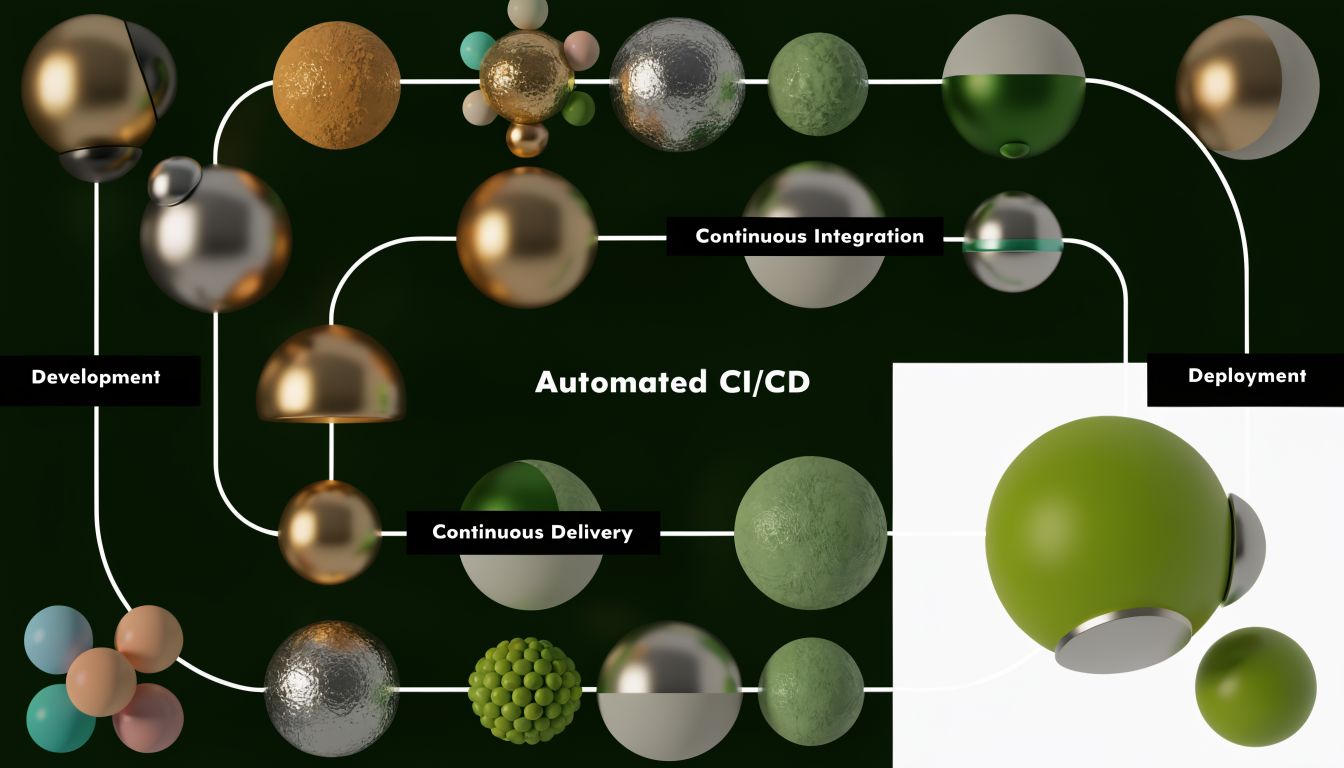
A micro frontend architecture without independent delivery is mostly ceremony. If every remote still waits for one central release train, you haven’t gained autonomy. You’ve just spread complexity across more repositories or build targets.
For B2B and SaaS teams, independent CI/CD pipelines are the payoff. They let domain teams ship on their own cadence while keeping the shell stable.
What independent delivery should look like
Each remote should have its own build, test, and deploy pipeline. The shell should too. Shared libraries need their own validation path, but they shouldn’t force a synchronized deployment unless a contract actually changes.
That means your pipeline logic should answer three questions:
- What changed
- Which app or library depends on that change
- What needs to be rebuilt, tested, and deployed because of it
Nx helps because affected-project workflows map well to this model. GitHub Actions and GitLab CI can both support it cleanly.
Don’t wait to design release boundaries
Teams often postpone pipeline separation until after the frontend split. That’s backwards. If you don’t define release boundaries early, teams start adding shell dependencies, manual checks, and cross-team approvals that inadvertently recreate the monolith.
A strong default pipeline includes:
- Remote-level build and unit tests
- Contract validation for shared libraries
- Environment-specific deployment of the changed remote
- End-to-end checks against the integrated shell
- Rollback capability at the remote level
If you’re designing this operating model, this practical reference on an automated DevOps pipeline is a useful complement because the same discipline applies here. Build only what changed, test the seams, and keep release flow observable.
A distributed monolith usually doesn’t start in code. It starts in the release process.
Test what users actually run
Unit tests remain useful, but they won’t prove that independently deployed remotes still behave as one product. Run browser-level tests against the integrated environment using Playwright or Cypress. Focus on auth handoff, navigation, remote load failures, and fallback behavior.
If a remote fails to load, the shell should degrade intentionally. Users should see a controlled error state, not a blank area and a console stack trace.
Common Pitfalls and How to Avoid Them
The most dangerous mistake in micro frontend angular projects is assuming the hard part is the setup. It isn’t. The hard part is keeping boundaries clean after the first few releases.
Teams usually stumble in the same places: routing, dependency duplication, shared styling, and organizational sprawl.
Multiple routers can break navigation in subtle ways
Routing issues are often underexplained in tutorials because the demo works until a real shell and real remote both want to interpret the URL.
A frequently overlooked pitfall is managing multiple Angular Router instances. According to 2024 analysis from NG-DE conference discussions, unresolved routing problems in micro frontend setups can increase bug rates by 30 to 50% in enterprise pilot projects, as covered in this NG-DE discussion on hidden routing challenges.
Symptoms usually include:
- Back button behavior that feels inconsistent
- Deep links that open the shell but not the expected remote view
- Parent and child routes competing for control
- Navigation events firing in confusing order
The fix is architectural, not cosmetic. Give each remote a clear route prefix, let the shell decide only the top-level segment, and let the remote own the nested path space inside that boundary.
Dependency duplication can erase your gains
One remote imports a charting library. Another imports a slightly different version. A third wraps the same capability in a shared utility package. Soon the browser is paying for the same idea multiple times.
This usually happens because teams optimize locally. The remedy is shared dependency policy, version discipline, and regular bundle inspection. If you don’t review what each remote ships, duplication becomes visible only after users feel it.
Shared styling needs rules, not hope
CSS leaks are less glamorous than federation setup, but they can wreck confidence in the architecture. If one remote can accidentally affect another, no team really owns its UI.
Good defaults help:
- Use design-system primitives with stable APIs
- Prefer explicit style scoping
- Avoid global resets inside remotes
- Treat shell-level layout styles as a platform concern
A unified product experience doesn’t require one giant stylesheet. It requires shared design contracts.
Too many micro frontends is its own failure mode
A common assumption is that finer splits always improve autonomy. They don’t. Small boundaries create more contracts, more release surfaces, and more coordination.
Use business domains, not team wishes, as the guide. If a domain can’t be described clearly to product, support, and engineering in the same way, it probably isn’t a good micro frontend boundary yet.
A practical prevention checklist
| Pitfall | Root cause | Better approach |
|---|---|---|
| Routing conflicts | Shell and remotes both try to own the same URL space | Define route prefixes and keep nested routing inside the remote |
| Bundle bloat | Redundant libraries and loose version governance | Audit dependencies and share only what is intentionally common |
| UI inconsistency | Each team invents local patterns | Use shared contracts and a small design system |
| Distributed monolith behavior | Teams still share release process and shell logic | Enforce independent pipelines and thin shell boundaries |
| Over-fragmentation | Splitting by team preference instead of domain | Map remotes to stable business capabilities |
The teams that succeed with micro frontends don’t chase maximum decomposition. They create a few strong boundaries, automate delivery, and keep the shell from becoming the new bottleneck.
If your B2B or SaaS platform is reaching the point where frontend complexity is slowing releases, MakeAutomation can help you turn architecture decisions into workable delivery systems. That includes documenting domain boundaries, designing independent CI/CD workflows, tightening operational handoffs, and building the automation layer around the product so teams can scale without adding manual coordination everywhere.