Your Guide to the Agile Requirements Document
The days of writing a massive, static requirements document upfront are over. That old-school approach, a hallmark of the Waterfall method, simply doesn't work in a market that changes in the blink of an eye. It locks teams into a rigid plan that often becomes obsolete before the product ever sees the light of day, leading to wasted effort building something nobody wants.
Why Traditional Requirements No Longer Work
Think about it this way. A team spends an entire year painstakingly building a new mobile banking app, following a 300-page Software Requirements Specification (SRS) to the letter. They hit every deadline and launch a perfectly executed product. The only problem? Six months into their development cycle, a competitor released an app with instant peer-to-peer payments—a feature that customers now consider essential.
That year-long project, based on requirements frozen in time, was dead on arrival.
This isn't a rare occurrence. The fundamental weakness of heavy, traditional documentation is its complete lack of flexibility. It treats software development like building a skyscraper, where the blueprint is finalized before a single brick is laid. But software isn't a building; it’s a living tool that has to evolve with the people who use it.
The Disconnect Between Static Plans and Dynamic Realities
This "set it and forget it" mentality creates a huge chasm between the initial plan and the product's actual value in the real world. This old way of working is riddled with problems:
- Building on Assumptions: It forces teams to make massive guesses about what users will need a year or more from now, usually without any real feedback to back them up.
- Delayed Value: Nothing gets into the hands of customers until the very end. This means you miss out on countless opportunities to learn and adjust course along the way.
- Sky-High Cost of Change: When—not if—the market shifts or a core assumption turns out to be wrong, trying to change the plan is incredibly expensive and slow.
The biggest flaw in the traditional model is that it treats requirements like a legal contract to be fulfilled, not an ongoing conversation. Agile flips that on its head, and that change in perspective is everything.
Embracing Agility in Documentation
Modern product development demands a more nimble approach. It's no surprise that agile methodologies have skyrocketed, with adoption rates now hovering between 80% and 88% globally. These methods are tied to significantly higher project success rates—as high as 75.4%—precisely because they are built for adaptation. You can find more details on these agile adoption rates on Mosaicapp.
This is where the agile requirements document comes in. It’s not a dusty, signed-off tome; it’s a living, breathing guide that grows and changes right alongside the product. It’s built on continuous conversation and collaboration, not rigid, upfront specifications.
To really grasp the difference, let's break it down.
Traditional vs Agile Requirements At a Glance
This quick comparison highlights the fundamental differences between old-school Software Requirements Specifications (SRS) and a modern Agile Requirements Document (ARD).
| Characteristic | Traditional SRS | Agile Requirements Document |
|---|---|---|
| Timing | Created entirely upfront, before any work begins | Evolve continuously throughout the project lifecycle |
| Format | A long, formal, and exhaustive text document | A collection of user stories, backlogs, and prototypes |
| Level of Detail | Highly detailed and granular from the start | High-level at first, with details added just-in-time |
| Flexibility | Very rigid; changes require a formal, slow process | Highly flexible; designed to embrace and adapt to change |
| Author | Often written by a business analyst in isolation | Created collaboratively by the entire team and stakeholders |
| Goal | Define a fixed scope and create a contract | Guide development and facilitate ongoing conversation |
Ultimately, an agile requirements document ensures your team is always focused on building what customers actually want, not just what was planned a year ago. To dive deeper into how these frameworks differ, you can explore a detailed project management methodology comparison in our guide. Making this pivot from a static artifact to a dynamic tool is the single most important step you can take toward building successful, relevant products.
Crafting Your Agile Requirements Document
Alright, let's get down to brass tacks. Building an agile requirements document isn't about following a rigid, formal process; it's about sparking and sustaining a clear conversation among your team. We've talked about the why, so now it's time for the how. How do you actually build one of these things from the ground up?
It all starts with a compelling product vision. This isn’t some fluffy mission statement you stick on a wall and forget. It's the project's North Star. It has to answer the big questions: What are we building? Who is it for? What real-world problem are we solving? Without this clarity, your backlog will be a jumble of disconnected ideas, and your team will spin its wheels trying to make sense of it all.
For instance, if you're creating a new project management tool, your vision might be: "To empower small teams to manage work visually and intuitively, freeing them from complex spreadsheets and chaotic email threads." Every single feature, from a simple drag-and-drop board to automated reminders, must trace back to that core vision.
Weaving the Narrative with User Stories
With a solid vision locked in, you can start building the heart of your document: user stories. Forget the exhaustive, 50-page technical specs of the past. A user story is a short, simple description of a feature, told from the perspective of the person who actually wants it.
The gold standard format, for good reason, is this simple structure:
As a [type of user], I want [some goal], so that [some reason].
This format is brilliant because it forces you to nail down the who, what, and why for every single requirement. It’s a built-in check that connects every bit of code back to real user value, stopping you from building features "just because."
This approach is a cornerstone of the Agile Product Development Process, ensuring every sprint is grounded in what the user actually needs. Let's make it real with an e-commerce example.
- A weak requirement: The website needs a search filter.
- A strong user story: As a shopper on a budget, I want to filter products by price, so that I can quickly find items I can actually afford.
See the difference? The user story gives you immediate context. The team now knows they're building this for someone who is price-conscious, which could totally change how they design the filter to make it prominent and easy to find.
This shift away from frustrating, static documents is what the agile transformation is all about.
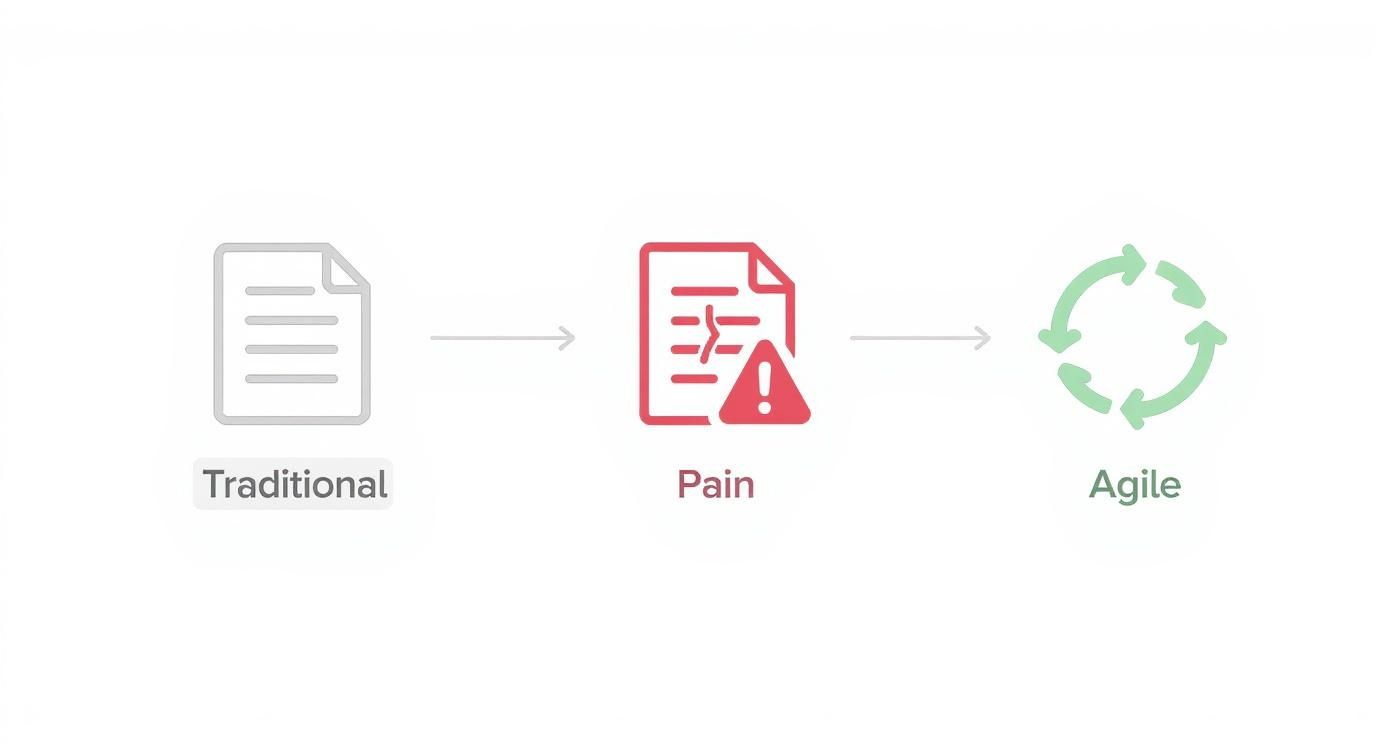
As you can see, agile methods are designed to resolve the inherent "pain" of traditional processes, leading to a much more dynamic and responsive way of working.
Defining Success with Acceptance Criteria
A user story tells you what to build, but how does the team know when it’s truly done? That's where acceptance criteria come in. These are the specific, testable conditions a feature must meet to be considered complete and correct by the product owner and stakeholders.
One of the most effective ways to write these is using the Gherkin Given-When-Then syntax. It frames each criterion as a bite-sized scenario, which is perfect for both development and testing.
- Given: The setup or initial context.
- When: The specific action the user performs.
- Then: The expected result or outcome.
Let's apply this to our price filter story:
User Story: As a shopper on a budget, I want to filter products by price, so that I can quickly find items within my spending range.
Acceptance Criteria:
- Scenario 1: Applying a valid price range
- Given I am on the product results page.
- When I enter a minimum price of "$50" and a maximum of "$100" and click "Apply".
- Then the page must refresh to show only products priced between $50 and $100.
This simple format is a game-changer because it eliminates ambiguity. Developers know exactly what "done" looks like, and QA knows precisely what to test. It makes the requirement verifiable from the get-go.
Incorporating Visuals and Non-Functional Needs
An agile requirements document isn't just a wall of text. In fact, it shouldn't be. Visuals are often the fastest way to get everyone on the same page and hash out complex ideas.
Don't be afraid to embed or link directly to:
- Wireframes: Quick, low-fidelity sketches showing the basic layout of a screen.
- Mockups: High-fidelity designs that give a feel for the final look of the UI.
- Process Flows: Simple diagrams that map out a user's journey through a task.
Finally, don't forget to capture your non-functional requirements (NFRs). These are the "quality" attributes of the system—the things that describe how the system should behave, not just what it should do.
Think about things like:
- Performance: How fast does it need to be? (e.g., "Search results must load in under 2 seconds.")
- Security: What are the rules around access and data protection?
- Usability: How easy should it be to use? (e.g., "A new user must be able to complete a purchase without needing a tutorial.")
These are often written as overarching constraints that apply to a whole set of stories or even the entire product. By weaving together clear user stories, testable acceptance criteria, helpful visuals, and crucial NFRs, you create a living document that truly guides your team toward building the right product.
Prioritizing Your Backlog for Maximum Impact
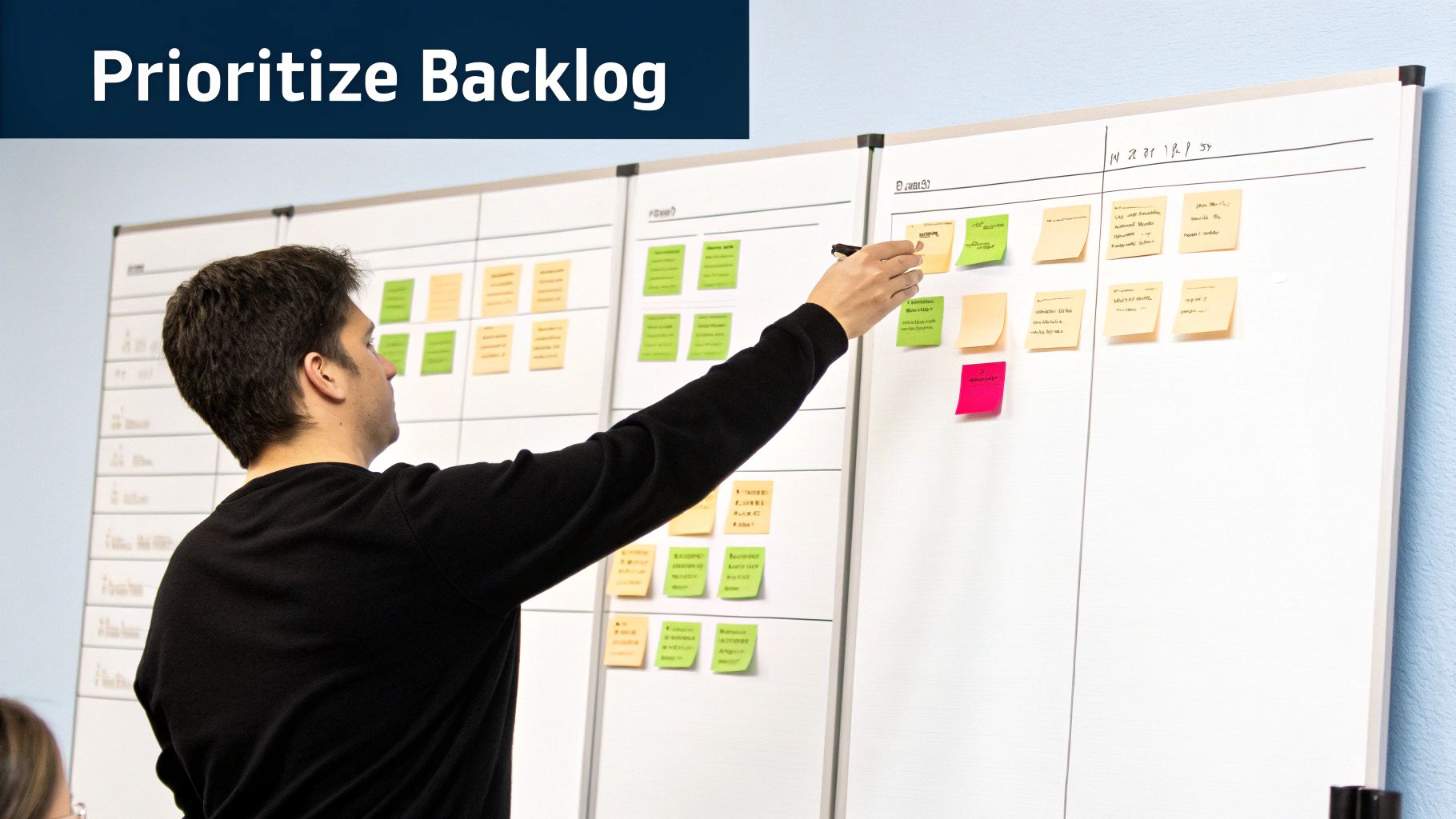
So you've got a great list of user stories. Now for the hard part: what do you build first? This is where the real power of an agile requirements document comes into play. It's not a static checklist; it's a dynamic, prioritized backlog that guides your every move.
Simply slapping a "high" or "low" priority tag on everything just doesn't cut it. That's a surefire way to create confusion and kick off arguments among stakeholders. To build the right product, you need to get more strategic. It's all about making smart, data-informed decisions that ship the most value to your users, fast. This is where prioritization frameworks become your best friend.
The MoSCoW Method for Defining What Matters
One of the most battle-tested frameworks out there is MoSCoW. It’s a beautifully simple way to sort requirements and force your team to make tough calls, which is absolutely essential when you're launching a new product or a Minimum Viable Product (MVP).
MoSCoW is an acronym that breaks down like this:
- Must-Have: These are the absolute, non-negotiable features. Without them, the product is dead on arrival. For a new e-commerce app, this is the ability to view products and a checkout process that actually works.
- Should-Have: These are important, but not deal-breakers for the first launch. They add a ton of value, but the product can function without them. Think of a "wishlist" or "save for later" feature.
- Could-Have: These are the "nice-to-haves." They're small touches that improve the user experience but won't be missed if they're not there on day one. Things like social sharing buttons or custom profile themes fit here.
- Won't-Have (This Time): This is just as important as the others. It’s an explicit list of what's out of scope for the current release. Clearly defining this manages expectations and stops scope creep in its tracks. A complex loyalty program or international shipping support might land here for an MVP.
I see teams make one mistake all the time: they classify way too many things as "Must-Haves." A good MoSCoW session requires you to be ruthless. If everything is a must-have, then you don't really have any priorities.
Let’s say a startup is building a new project management tool. They have a dozen features they’re excited about but only three months to get an MVP out the door.
Using MoSCoW, their backlog might shake out like this:
- Must-Have: User login, create a new task, assign a task to a team member.
- Should-Have: Add comments to a task, set due dates.
- Could-Have: Dark mode theme, integrations with other apps.
- Won't-Have: Gantt charts, time tracking, advanced reporting.
Suddenly, their MVP is crystal clear. They know exactly what they need to build to deliver a functional core product and can ignore the noise of features that can wait.
Mapping Value vs. Effort for Strategic Wins
While MoSCoW is fantastic for bucketing your requirements, the Value vs. Effort matrix is perfect for figuring out the order of attack. The idea is to plot each user story on a simple four-quadrant grid based on two simple questions:
- Value: How much will this feature actually benefit our users and the business?
- Effort: How complex, time-consuming, or expensive will this be to build?
Of course, gauging development work is a real skill. For a deeper dive into that, you can learn more about estimating software projects in our comprehensive guide. Getting this right will make your matrix much more accurate.
Once you plot your stories, they’ll fall into four distinct categories:
| Quadrant | Description | Action Plan |
|---|---|---|
| High Value, Low Effort | Quick Wins: This is the low-hanging fruit. Big results for minimal work. | Do these now. They build momentum and deliver immediate value. |
| High Value, High Effort | Major Projects: These are the big, strategic features that define your product. | Plan carefully. Break them down into smaller, manageable chunks. |
| Low Value, Low Effort | Fill-ins: These are minor tweaks you can tackle when you have downtime. | Do them later. Never let them delay more important work. |
| Low Value, High Effort | Time Sinks: These features offer a tiny return on a huge investment. | Avoid these. They are resource drains with almost no upside. |
Laying out your backlog on this grid gives you a visual roadmap. The "Quick Wins" are your obvious next targets, while the "Major Projects" are the epics you need to break down. This approach ensures your agile requirements document is a true strategic asset, constantly pointing your team toward the most impactful work.
Practical Templates and Real-World Examples
Let's be honest, theory is one thing, but starting with a blank page is a whole different kind of challenge. To get you off the ground, I’ve put together a foundational template. This isn't a rigid, set-in-stone document; think of it more as a flexible starting point you can mold to fit your project’s real needs.
The whole point is to create a living document that gets your team talking, not a static contract that gathers dust. This template covers the essential bases, balancing the high-level vision with the nitty-gritty details your team needs to actually start building.
A Foundational Agile Requirements Document Template
Here’s a clean, straightforward structure you can copy and paste right into your favorite tool—whether that's a Confluence page, a Notion doc, or even a simple shared document. It’s built with placeholders to guide your thinking and make sure you don't miss any key pieces from the get-go.
- 1. Product Vision Statement: Your north star. A single, powerful sentence that declares the product's ultimate goal.
- Example: "For [target customer] who [statement of need], the [product name] is a [product category] that [key benefit/reason to buy]."
- 2. Key Personas: Quick, insightful profiles of your primary user types. Who are you building this for?
- Persona Name: [e.g., The Busy Professional]
- Goals: [What are they really trying to achieve?]
- Pain Points: [What frustrates them with how things are now?]
- 3. Epics: The big rocks. These are your high-level features or large chunks of work.
- Epic 1: [e.g., User Account Management]
- Epic 2: [e.g., Recipe Search & Discovery]
- 4. User Stories & Acceptance Criteria: The heart of the document. These are the detailed requirements, all tied back to an Epic.
- User Story: As a [persona], I want [action], so that [outcome].
- Acceptance Criteria (Given/When/Then format)
Your template is a guide, not a rulebook. The best agile requirements document is one that your team actually uses. If a section isn't providing value, change it or remove it. The document serves the team, not the other way around.
Example in Action: The Savory App
Let's make this tangible. Imagine we're building "Savory," a new mobile app for recipe discovery and meal planning.
Here’s what a slice of our agile requirements document might look like after the initial discovery work.
1. Product Vision Statement
- For home cooks who feel uninspired by their weekly meals, Savory is a recipe discovery app that provides personalized suggestions to make meal planning exciting and effortless.
2. Key Personas
- Persona Name: The Busy Parent
- Goals: Find quick, healthy recipes the whole family will eat. Plan meals for the week in under 30 minutes.
- Pain Points: Spends too much time searching for recipes, struggles with picky eaters, and often defaults to the same boring meals.
3. Epics
- Epic 1: User Onboarding & Profile Creation
- Epic 2: Recipe Discovery & Filtering
- Epic 3: Favorite Recipes & Meal Planning
4. User Stories & Acceptance Criteria (for Epic 1)
- User Story 1.1: As a new user, I want to create an account with my email and password, so that I can save my favorite recipes.
- AC 1: Given I am on the signup screen, when I enter a valid email and a password that meets complexity rules, then my account is created and I am logged in.
- AC 2: Given I am on the signup screen, when I enter an email that is already registered, then I see an error message telling me the email is in use.
Suddenly, everything is clearer. The development team understands not just what to build (an account creation screen), but who they're building it for (a busy parent) and why it matters (so they can save recipes). The acceptance criteria leave no room for guessing what "done" really means.
Interestingly, how teams approach Agile practices like this can vary wildly depending on where you are. A recent report found that Africa has the highest agile culture score at 79%, while North America sits much lower at 32%. This is a great reminder that a one-size-fits-all template isn’t the answer; you have to adapt your documents to your team's specific culture and maturity. You can dig into more of these global agile trends in this report. And if this template doesn't quite click, you can always explore other business process documentation templates to find a structure that resonates with your team.
Tools to Streamline Your Documentation Workflow
Your agile requirements document is a living thing. If you try to manage it manually in a static Word doc or spreadsheet, you're signing up for version control nightmares and lost updates. I've seen it happen too many times.
This is where dedicated project management platforms are non-negotiable. They turn your document from a simple file into a dynamic, single source of truth that the whole team can rally around.
Tools like Jira, Asana, and Trello are so much more than task trackers. They’re built to manage your entire agile requirements workflow. With them, you can turn user stories from text on a page into interactive work items—items you can track, discuss, and link directly to the code that brings them to life.
Configuring Your Platform for Success
The trick is to bend the tool to your will, not the other way around. Don't just accept the default settings. Configure the platform to mirror your team's actual agile process.
A simple Kanban board is a great place to start. Set up columns that reflect how you really work. A common, effective setup looks something like this:
- Backlog: The holding pen for all potential ideas and raw user stories.
- To Do (Sprint Ready): Stories that have been refined, prioritized, and are ready for the next sprint.
- In Progress: What the development team is actively building right now.
- In Review: Code is complete and is now waiting for QA or stakeholder approval.
- Done: The feature is shipped, live, and delivering value.
This visual board gives everyone instant clarity on the project's status. It practically eliminates the need for those constant "what's the status on…" meetings. You can also add custom fields to each user story for crucial details like story points, the parent epic, or MoSCoW priority tags. Using labels for features (like "user-authentication") makes filtering a breeze.
The real game-changer with these tools isn't just organization; it's creating a transparent, central hub for all communication. Every comment, question, and decision lives directly on the user story card, finally ending the chaos of scattered email threads and Slack messages.
The Power of Integration and Traceability
Now, here’s where you get to the next level. The real magic happens when you integrate your project management tool with the other platforms your team lives in every day. This creates a seamless, traceable link from the initial idea all the way to deployed code.
- Connect to Design Tools: Integrating with platforms like Figma or Sketch lets you attach mockups and interactive prototypes directly to the relevant user story. Designers get the full context, and developers see exactly what they need to build, all in one spot.
- Link to Code Repositories: When you link to GitHub or GitLab, you can connect specific commits and pull requests back to the user story. This provides incredible visibility. Anyone can trace a line of code all the way back to the original business requirement that sparked its creation.
This tight integration ensures your agile requirements document isn't just a plan; it's a living history of your product's evolution. It frees your team from the soul-crushing admin of manual updates and tedious cross-referencing, letting them focus on what they do best: building exceptional software.
Common Questions About Agile Requirements
Even with a solid process, moving to a more dynamic way of documenting requirements can kick up some dust. The lines between different agile artifacts can feel blurry at first, and roles that seemed set in stone can suddenly feel a lot more fluid. Let's tackle some of the most common points of confusion to help clear the air.
This section gives you straightforward answers to the tricky questions that almost always come up when a team starts using a living agile requirements document.
How Is an Agile Requirements Document Different from a Product Backlog?
This is easily the question I hear most often, and getting the distinction right is critical. Think of the agile requirements document as the complete library for your product. It holds the big picture stuff—the product vision, detailed user personas, and the entire universe of potential user stories, from half-baked ideas to fully fleshed-out features. It’s the source of truth, packed with context and history.
The product backlog, on the other hand, is the curated playlist you create from that library. It’s a prioritized, actionable list of user stories the team is either working on now or will tackle in the near future. It’s a tactical tool, focused entirely on the next sequence of work.
Here’s a simpler way to look at it:
- The Document: The strategic context. This is the "Why are we building this, and for whom?"
- The Backlog: The immediate tactical plan. This is the "What are we building next?"
Your document is the single source of truth for everything you could build, while the backlog is the team's immediate to-do list.
Do We Still Need a Business Analyst?
Absolutely. In fact, their role becomes even more crucial. In a traditional waterfall setup, a Business Analyst (BA) might spend months writing a massive requirements document before handing it off. In an agile world, their job transforms from a one-time author to a continuous collaborator.
Instead of writing a static book of requirements, the BA (or often the Product Owner) is now responsible for:
- Continuously grooming and prioritizing the product backlog.
- Working side-by-side with stakeholders to unearth and define new user stories.
- Collaborating with the development team every single day to clarify acceptance criteria.
- Making sure the living document always reflects the latest business priorities.
Their work becomes incredibly dynamic. They are the constant bridge between the business's needs and the team building the solution, ensuring the conversation never stops and the right thing gets built, sprint after sprint.
The agile BA doesn't just write requirements; they curate and cultivate them. Their focus shifts from creating a perfect upfront specification to guiding a continuous flow of value.
How Do You Handle Scope Change?
One of the foundational ideas in agile is to welcome change, not fight it. An agile requirements document is built precisely for this. When a new requirement or a change request pops up, it’s not treated as a disruption—it’s just new information.
The process is pretty simple. The new item is captured as a user story and added to the main requirements document. From there, it gets prioritized against everything else in the backlog based on its business value versus the effort needed to implement it. It won’t throw the current sprint off course, but it will get a fair shot at being included in an upcoming one.
This approach lets the product evolve with market feedback or new business opportunities without creating chaos. It keeps the team focused on building the most valuable thing at any given moment, turning scope change from a project-killing crisis into a managed, strategic process.
At MakeAutomation, we specialize in implementing the systems that make agile workflows seamless. If you're looking to eliminate manual project management hurdles and build scalable processes that accelerate your growth, explore how we can help at https://makeautomation.co.