AI Agent Workflow Builder: A Practical B2B Guide
Your sales team is still qualifying leads in spreadsheets. Recruiting is still copying candidate notes between email, LinkedIn, and the ATS. Client onboarding still depends on whoever remembered to send the next message.
Most B2B teams don't have one broken process. They have fifty semi-working ones. Each task looks small on its own, but the handoffs are where time disappears and mistakes start.
That's where an AI agent workflow builder becomes useful. Not as a flashy chatbot. As an operating layer that turns disconnected tasks into a controlled system with inputs, decisions, actions, and logs. For a custom implementation, n8n consulting for AI-agent workflows can connect the agent, business rules, and operational systems.
This shift isn't theoretical anymore. A recent industry compilation reports that 85% of enterprises and 78% of SMBs are already using AI agents, while 90% of businesses view them as a competitive advantage. The same source says agents are expected to automate 15% to 50% of business tasks by 2027, and organizations using them report 55% higher efficiency and 35% lower costs (AI agent adoption statistics).
From Manual Chaos to Automated Clarity
A common pattern shows up in growth-stage SaaS teams.
A lead fills out a demo form. Marketing sends the record to the CRM. A sales coordinator checks the company manually, scans the website, looks at LinkedIn, reads the inquiry, and decides whether the account should go to an SDR, an AE, or a nurture list. If the coordinator is busy, the lead waits. If the notes are weak, the rep starts the call cold.
Recruitment looks similar. Someone applies. HR screens the resume, checks role fit, summarizes experience, forwards notes to a hiring manager, schedules next steps, and updates the ATS. Every step is manageable. The full chain is slow.
What scattered work actually looks like
The problem usually isn't effort. It's fragmentation.
- Lead handling breaks at handoff points. Form tools, enrichment tools, CRM fields, and outbound sequences rarely stay in sync without active maintenance.
- Recruitment screening becomes inconsistent. Different recruiters summarize differently, use different criteria, and escalate different profiles.
- Operations teams carry hidden queue work. Status updates, follow-up reminders, task creation, and approvals pile up in Slack and inboxes.
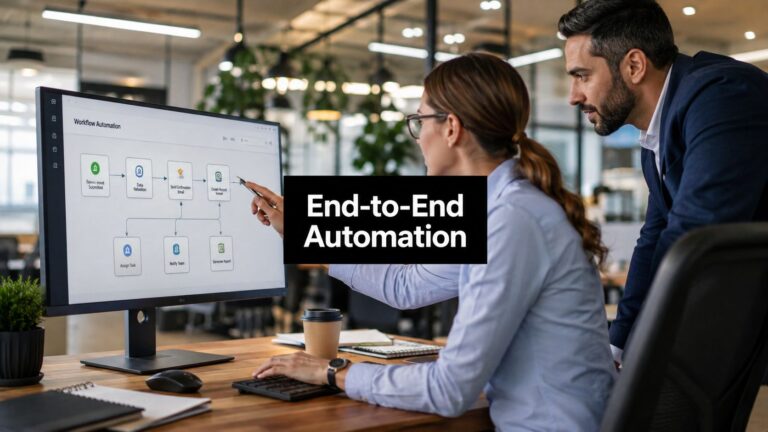
An AI agent workflow builder fixes the gap between “task automation” and “process automation.” Instead of automating one step, it orchestrates the sequence.
For example, a lead qualification workflow can read the form submission, research the company, summarize buying signals, apply qualification rules, route the lead, and log every action to the CRM. The same pattern works for inbound support triage, proposal generation, renewal monitoring, and candidate screening.
Practical rule: If your team repeats the same judgment process across tools, you probably don't need another SOP document. You need orchestration.
Why this moved from experiment to requirement
This category exists because vendors moved beyond single-task automations into multi-step systems. For teams comparing tools, a curated list of best AI agents for B2B teams is useful because it frames the options around business workflows rather than novelty features.
The business case is straightforward. Faster routing improves sales response. Better summaries improve recruiter throughput. Cleaner handoffs reduce rework. Those gains matter more than having the most advanced model in the stack.
What changed is adoption. Teams no longer ask whether agents belong in operations. They ask where to start, how much autonomy to allow, and how to prove the workflow is working without letting errors spread unnoticed.
Architecting Your First AI Agent Workflow
The fastest way to build a bad workflow is to open a visual builder before deciding what kind of system you need.
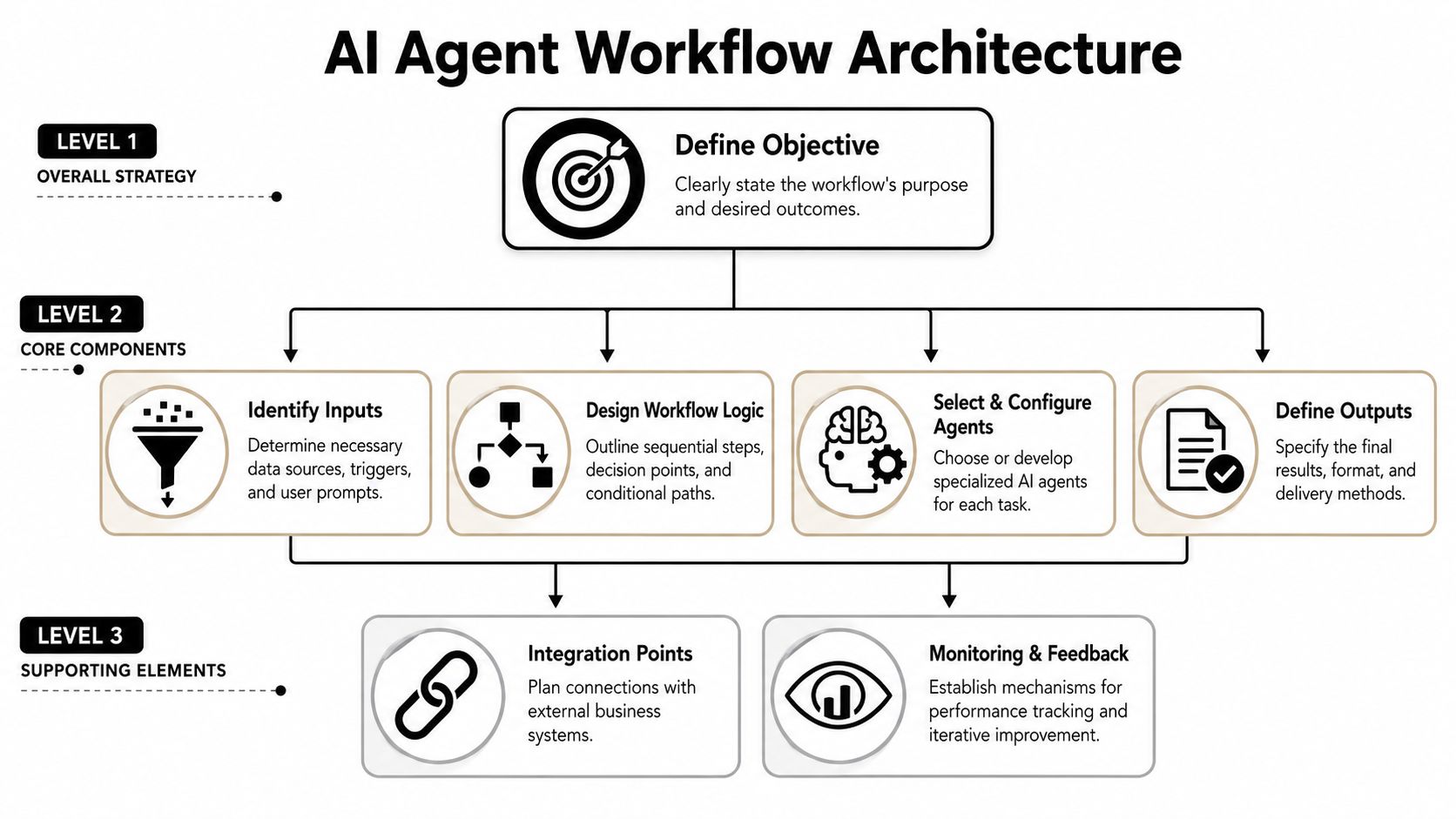
An AI agent workflow builder is now a distinct enterprise category because vendors shifted from single-task automation to multi-step orchestration. OpenAI describes Agent Builder as a visual canvas for multi-step workflows, and Microsoft documents autonomous agentic workflows in Azure Logic Apps, which shows the category is settling into a standard enterprise pattern (OpenAI Agent Builder guide).
Start with the outcome, not the tool
Most first workflows should begin with one sentence:
When this trigger happens, the system should produce this outcome, under these rules.
That statement forces clarity around scope. If the workflow is “qualify inbound leads and route them correctly,” that's narrow enough to design. If it's “improve sales productivity,” it's too vague and will turn into a pile of nodes.
Use this architecture lens early:
| Workflow type | Best fit | Typical example |
|---|---|---|
| Single-agent workflow | Linear tasks with limited branching | Summarize a discovery call and update CRM notes |
| Agent plus rules | Reasoning with deterministic guardrails | Analyze a lead, then route based on territory and account type |
| Multi-agent workflow | Complex work with distinct specialist roles | Planner, researcher, and writer producing a market brief |
When a single agent is enough
A single agent works well when the job has one core reasoning step and a few connected actions.
Good examples:
- Extracting structured fields from an intake form
- Summarizing a candidate profile
- Turning meeting notes into CRM updates
- Drafting a follow-up email from a call transcript
These workflows stay reliable because the reasoning surface is small. The agent reads, interprets, and writes. Deterministic rules handle the rest.
When to split into multiple agents
A multi-agent setup makes sense when one role starts doing too many different kinds of work. That usually happens when a workflow needs planning, research, verification, and output formatting in separate stages.
A useful decomposition looks like this:
- Planner decides what sub-tasks are needed
- Researcher gathers facts from approved systems
- Verifier checks whether required fields or evidence are present
- Writer creates the final output in the right format
One agent doing five jobs usually looks efficient in a demo and brittle in production.
The trade-off is overhead. More agents mean more prompts, more handoffs, more logs to inspect, and more failure points. If a simpler chain can do the job, use the simpler chain.
Design for control from day one
Strong workflows don't rely on the model alone. They combine model reasoning with tools, conditions, and explicit boundaries.
Architect for these components before you build:
- Inputs from forms, CRM records, ATS entries, emails, or meeting transcripts
- Tool access limited to the systems the workflow needs
- Decision logic that separates model judgment from hard business rules
- Outputs with fixed formats so downstream systems can consume them
- Observability through logs, run history, and action traces
That last point matters more than is often realized. A workflow that saves time but can't explain what it did won't survive contact with legal, security, or finance.
Building Your Workflow From an SOP
The easiest workflow to automate is the one your team already performs consistently.
If your lead qualification process lives in scattered Slack messages and tribal knowledge, fix that first. If it already exists as a written checklist or SOP, you can translate it into a working agent system much faster. A practical reference for cleaning up that documentation is this guide on how to write standard operating procedures.
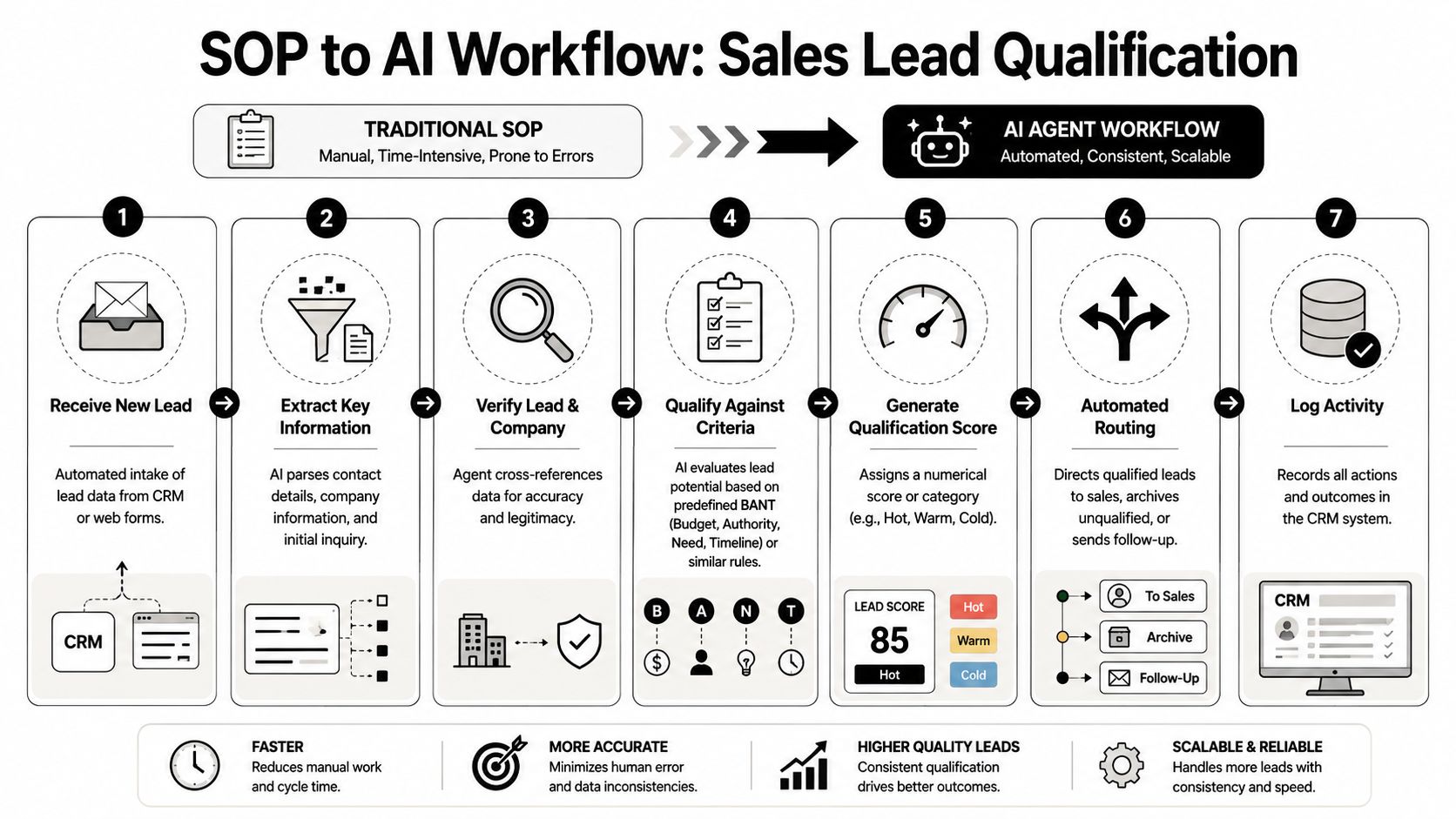
A reliable build pattern is a six-step loop: define the outcome, map the current human workflow, identify where agents add value, choose the platform, build the workflow, then test, monitor, and optimize it over time. In B2B settings, the highest-value automations usually involve research, analysis, or summarization (practical AI agent workflow pattern).
Example SOP for lead qualification
Take a standard inbound lead workflow:
- New lead enters through a form or chat
- Coordinator checks company and role
- Team reviews fit against ICP and buying intent
- Lead gets routed to sales or nurture
- CRM gets updated with notes and status
That's already a workflow. The builder's job is to make it executable.
Here's how that translation works in practice.
Step one through step three
Define the outcome
Be specific. “Qualify leads” is not enough. A better target is: “Classify inbound leads into sales-ready, nurture, or reject, then log the rationale and next action in the CRM.”
Success depends on outputs you can inspect:
- classification
- reasoning summary
- owner assignment
- CRM update
- optional follow-up task
Map the human process
Write down what a human checks, not what the SOP claims happens. Organizations often discover hidden steps here, such as opening LinkedIn, checking headcount, scanning the company website, or searching past CRM activity.
Identify where the agent adds value
Agents are strongest where a person is reading unstructured information and turning it into a decision support output.
That includes:
- summarizing inquiry text
- extracting company details from web content
- comparing a lead against qualification criteria
- generating a recommendation with rationale
It does not include hard routing rules like territory assignment or ownership based on account segment. Keep those deterministic.
A short walkthrough can help visualize how this translation works in a real builder environment:
Step four through step six
Choose the platform
Pick the platform that matches the workflow's complexity and the team's operating model. If ops owns the workflow and needs visual control, a builder with strong connectors and audit visibility is often the right fit. If engineering needs custom logic, a hybrid setup may work better.
Build the workflow
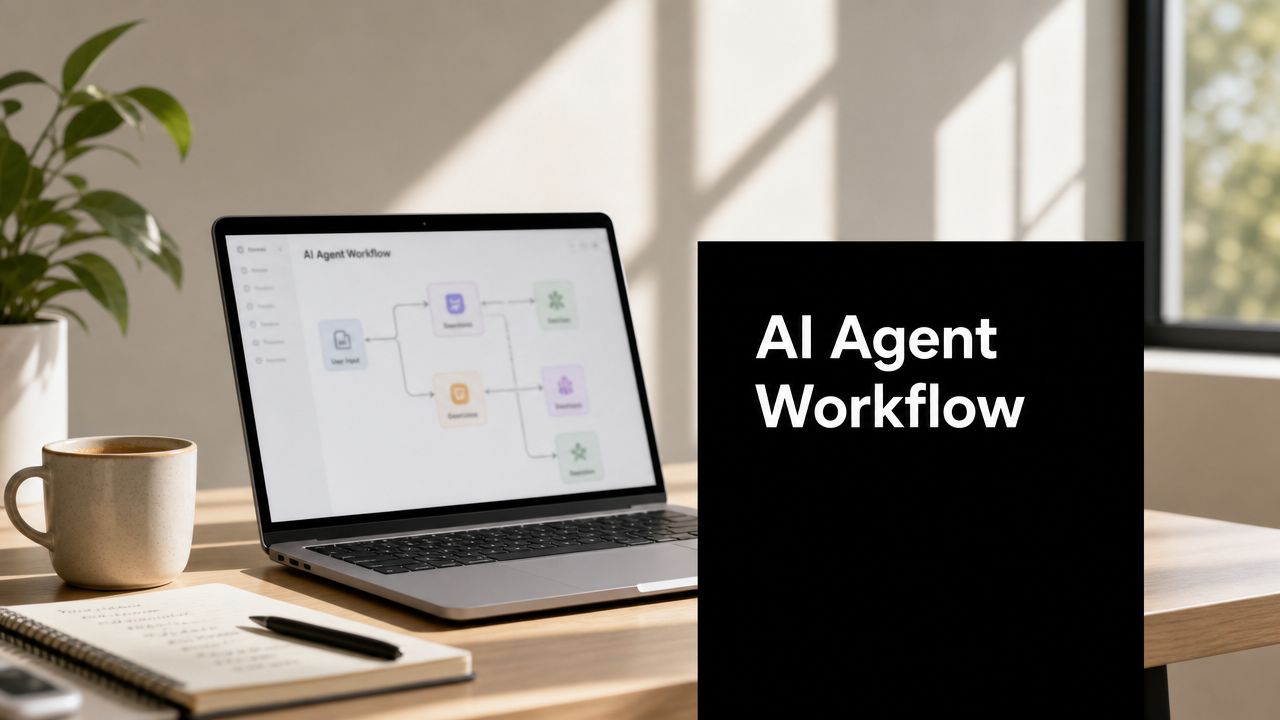
At node level, the structure often looks like this:
- Trigger node receives a new form submission or CRM event
- Normalization node cleans required fields
- Research node gathers approved external or internal context
- Evaluation node applies the prompt and qualification rubric
- Rule node handles deterministic branching
- Action node updates CRM, task manager, or outreach queue
- Logging node stores summary, reason, and timestamp
Prompts should be narrow. Don't ask the model to “decide everything.” Give it a job, a format, and a boundary.
For example, a qualification prompt should define:
- the allowed categories
- the evidence to use
- the exact output schema
- what to do when data is missing
If the output can't be parsed cleanly by the next step, the prompt is still too loose.
Test, monitor, and optimize
Run the workflow against old leads first. Compare the system's decisions to what your team would have done. You'll quickly spot where the prompt overweights job titles, ignores context, or fails when data is incomplete.
One practical rule helps here: start with the smallest workflow that can produce a useful output. Don't add enrichment, email drafting, and booking logic on day one. First prove that the qualification decision is trustworthy.
Integrating with Your Business Systems
A workflow that only produces a nice summary inside the builder UI doesn't change operations. It becomes valuable when it reads from and writes to the systems your team already uses.
That usually means the CRM, the ATS, the project management tool, internal docs, ticketing systems, and communication channels. The agent should sit inside the process, not beside it.

A good baseline before wiring anything together is to align your team around data integration best practices. That avoids the classic mistake of connecting tools first and cleaning up field definitions later.
The three integrations that matter first
For most B2B teams, these are the highest-value connection points:
- CRM integration for lead records, account context, lifecycle stage changes, and activity logging
- ATS or HR system integration for candidate records, screening notes, and interview progression
- Task and project tools such as Asana, ClickUp, Jira, or similar systems for follow-up actions
These integrations do two things. They give the agent context, and they turn its outputs into operational work.
What to connect and what to avoid
A practical lead workflow might do this:
| Trigger | Agent action | System update |
|---|---|---|
| New demo form submission | Research and qualify lead | Update CRM status |
| Qualified lead | Create follow-up summary | Assign owner and create task |
| Missing required data | Flag incomplete record | Notify ops or send enrichment task |
That structure is simple, but it's enough to remove manual triage from the first response process.
For recruitment, the pattern is similar. When a candidate applies, the workflow can extract key experience points, summarize fit against the role, and write a standardized note into the ATS for recruiter review. If the profile is ambiguous, the system can escalate rather than guess.
Integration design mistakes that cause downstream mess
Most integration failures are not technical failures. They're mapping failures.
Watch for these:
- Field mismatch. The agent outputs “company size: mid-market,” while the CRM expects a specific picklist value.
- Action without ownership. A workflow creates tasks but doesn't assign them to a team or queue.
- Too much write access. The agent can edit fields it should only read.
- No fallback path. Missing data causes the workflow to stall instead of routing to review.
The best integrations don't just move data. They preserve meaning across systems.
Keep the first version narrow. One trigger, one decision layer, one or two system updates. If the workflow proves stable, then expand into richer syncs like outreach enrollment, onboarding tasks, or candidate communications.
Deploying Monitoring and Securing Your Agents
Teams spend too much time asking how to build agent workflows and not enough time asking how to run them safely.
That's backward. A workflow only creates business value if people trust it. In production, the key questions are operational: What triggered this run? Which tools did it use? What did it change? Where did it fail? Who approved the sensitive step?
Builder.io's enterprise framing gets this right. Production-ready workflows need connections to tickets, designs, code, and CI/CD, with automated checks and human review. The deeper question buyers ask is not “can it automate?” but “how do I prevent silent errors and prove what the agent did?” (governance and failure control in AI workflows).
For teams operationalizing this in real environments, secrets handling and credential boundaries matter early. A practical foundation is to treat credentials the same way you would any other production system, using disciplined DevOps secrets management.
Where workflows fail in real operations
The dangerous failures aren't always dramatic. They're quiet.
A lead gets misrouted because the research step pulled weak context. A candidate note gets written to the wrong record. A workflow updates a field confidently even though the source data was incomplete. Nobody notices until the sales rep calls the wrong account or the recruiter rejects a strong applicant.
That's why governance is part of design, not a cleanup task.
Controls that should be non-negotiable
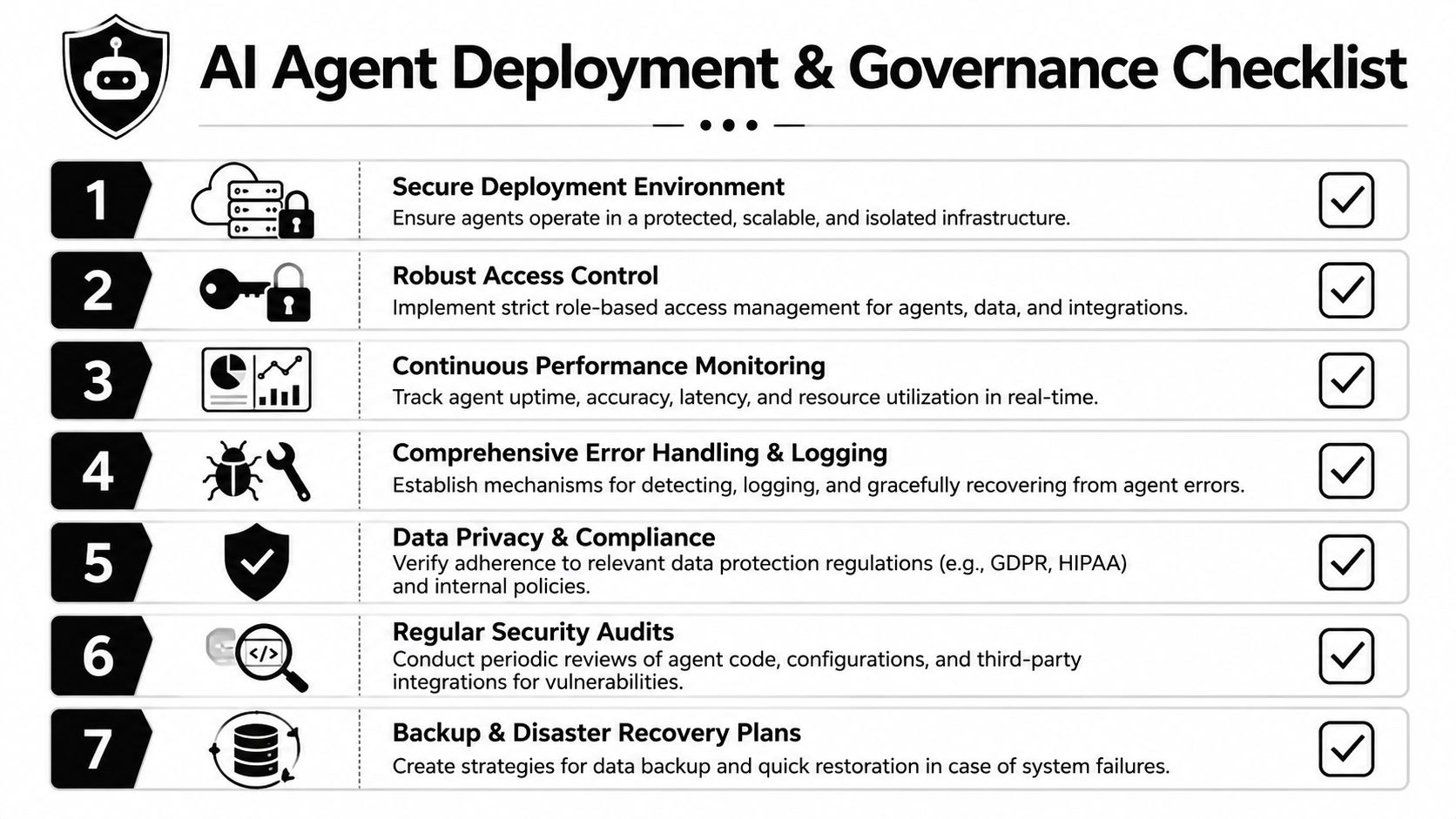
Build these into the workflow before launch:
- Run history so every execution can be reviewed
- Action logs that show tool calls, outputs, and decision points
- Role-based permissions so agents only access approved systems and fields
- Human review checkpoints before high-risk actions such as sending messages, changing core records, or escalating candidates
- Error handling paths for missing data, tool failures, and uncertain outputs
A useful operating model is “automate recommendation first, automate action second.” Let the agent gather, summarize, and recommend. Add autonomous write actions only after the team trusts the pattern.
More autonomy is not the same as better automation. In B2B operations, controlled autonomy usually wins.
The deployment mindset that works
Start with workflows triggered by clear events. New lead created. Candidate applied. Meeting ended. Ticket moved to a new stage. These event-based triggers are easier to inspect than broad, always-on agents.
Then define review levels:
| Workflow action | Suggested control |
|---|---|
| Internal summary generation | Automated |
| CRM note creation | Automated with logging |
| Lead routing | Automated if rules are clear |
| External email send | Review checkpoint |
| Record deletion or major status change | Restricted approval |
Often, many teams make the wrong call. They want end-to-end autonomy immediately. In practice, the strongest systems usually automate less at first and add controlled checkpoints. That slows the rollout slightly, but it prevents expensive cleanup later.
Measuring ROI and Scaling with Reusable Templates
If a workflow saves time but nobody can show where the value came from, it won't get budget for phase two.
ROI for an AI agent workflow builder should be measured at the process level, not the model level. Don't ask whether the agent is “smart.” Ask whether lead response is faster, summaries are more consistent, and skilled employees spend less time on repetitive review work.
A practical ROI scorecard
Use a simple before-and-after comparison tied to the workflow you deployed.
Track items like:
- Time saved per workflow run through reduced manual review or data entry
- Cycle time reduction such as faster lead routing or quicker candidate screening
- Output consistency across summaries, qualification notes, and handoff quality
- Rework reduction when fewer records need correction after the workflow runs
- Human escalation rate to understand where the workflow still needs support
Here, many teams get stuck. They try to prove enterprise-wide transformation too early. A narrower question works better: did this one workflow reduce operational drag enough to justify expanding it?
Turn successful builds into templates
Once one workflow is stable, don't rebuild the logic from scratch for the next use case. Abstract it.
Read AI's discussion of multi-agent systems highlights a useful direction here. Specialized agents can work in parallel, and role-based patterns such as planner, researcher, and report writer show how complex work can be decomposed into modular handoffs (multi-agent workflow design).
That modular thinking is what makes scaling possible.
A reusable template usually includes:
- A fixed trigger pattern such as new record, updated field, or completed meeting
- A standard context pack with approved systems and required fields
- A prompt set for classification, summarization, verification, or drafting
- A decision layer that separates model outputs from business rules
- A logging structure so every template produces inspectable run data
What template scaling looks like in B2B teams
A lead qualification template can become:
- inbound demo triage
- partner application review
- event lead follow-up
- expansion account research
A recruitment screening template can become:
- applicant triage
- interview note summarization
- hiring manager briefing packs
- candidate follow-up drafting
The key is reuse at the pattern level, not at the prompt-only level. Teams that scale well standardize the orchestration model, the logging format, and the review checkpoints. Then they swap the business logic for each department.
Treat a good workflow like a product. Version it, document it, and reuse it.
That's how an agent initiative stops being a pile of experiments and starts becoming operating infrastructure.
If your team wants to move from scattered automations to governed, ROI-focused agent systems, MakeAutomation can help design the workflow, map the SOP, connect the stack, and deploy the controls that make it usable in real B2B operations.