The 12 Best Appointment Scheduling Software for Small Business in 2026
Finding the best appointment scheduling software for your small business can feel overwhelming, but it's a critical step in streamlining operations and eliminating the endless back-and-forth of coordinating times. Manual booking not only consumes valuable hours but also introduces the risk of double-bookings, no-shows, and a disjointed client experience. The right automated tool solves this by providing a professional, self-service portal for clients to book, reschedule, and receive reminders, freeing you to focus on core business activities.
This guide is designed to help you navigate the crowded market of scheduling platforms. We will cut through the marketing noise to provide a detailed, feature-by-feature comparison of the top solutions available. Before diving into specific software, understanding the entire client interaction through concepts like customer journey mapping can help you select a solution that optimizes every touchpoint, including booking. Our analysis focuses on practical application, highlighting specific use cases for different business models, from service-based consultants and digital agencies to sales teams and HR departments.
Instead of generic feature lists, you will find an honest assessment of each tool's strengths and limitations. We provide insights into:
- Core Functionality: What does it do best and for whom?
- Integration Capabilities: How well does it connect with your existing tech stack (CRM, email, payment processors)?
- Pricing and Scalability: Which tiers offer the best value for a growing business?
- Implementation: What should you expect during setup and migration?
Each review includes screenshots for a clear visual reference and direct links to get started. Our goal is to equip you with the information needed to make a confident, strategic decision that aligns with your operational needs and budget. Let's find the perfect scheduling software to help your business grow.
1. Calendly
Calendly has become a household name in scheduling, and for good reason. It stands out as one of the best appointment scheduling software options for small businesses due to its simplicity, clean user interface, and powerful team-based features. Its core strength lies in eliminating the back-and-forth emails required to find a meeting time, allowing prospects and clients to book directly into available calendar slots.
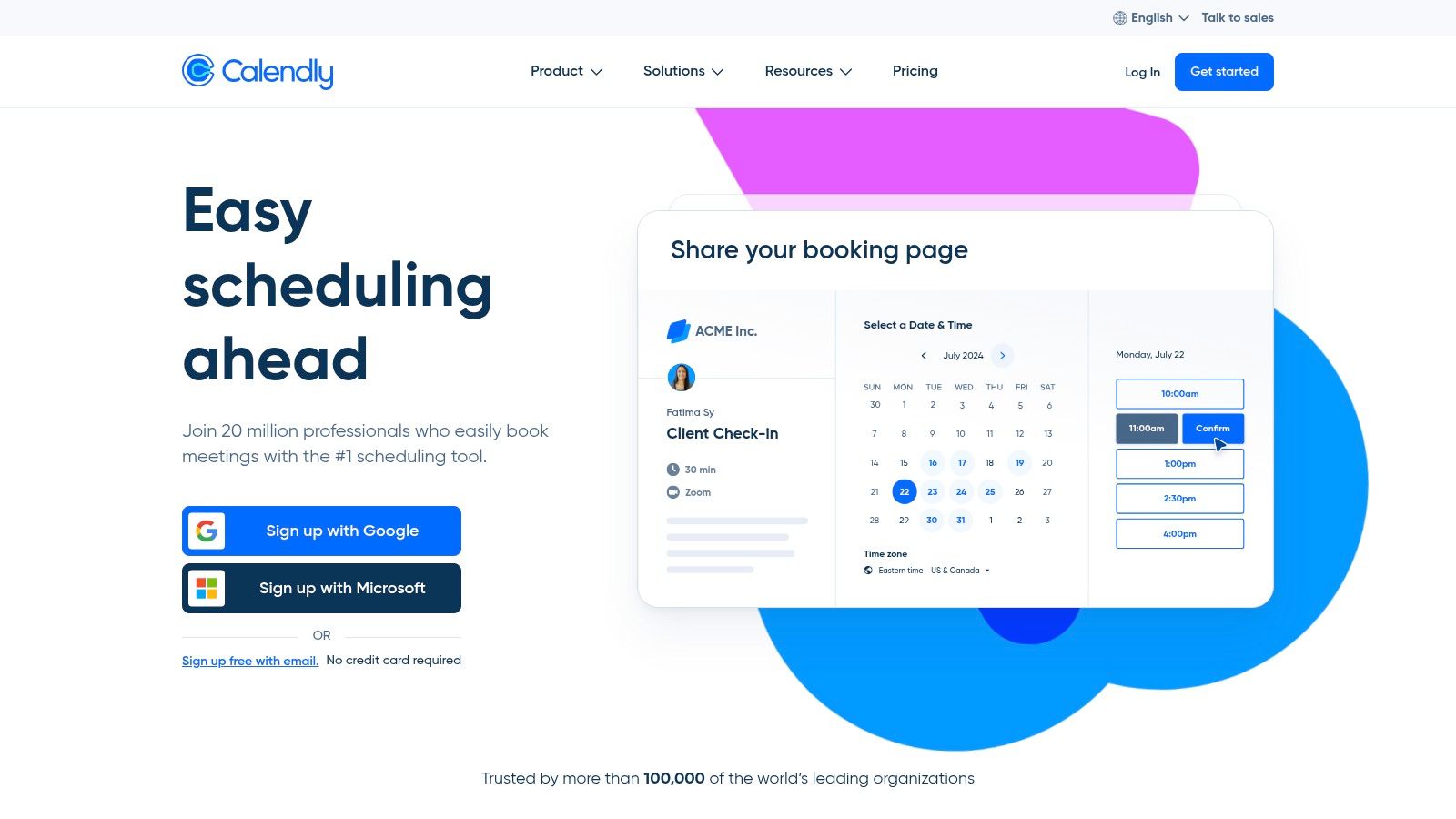
The platform is incredibly intuitive, making setup a breeze even for non-technical users. Its widespread adoption means many of your clients will already be familiar with the interface, reducing friction in the booking process. Calendly excels in scenarios where multiple team members are involved, such as sales demos or client success calls, thanks to its intelligent lead routing and round-robin scheduling.
Key Features & Pricing
| Feature | Details | Availability |
|---|---|---|
| Team Scheduling | Round-robin, collective, and group event types to manage team availability. | Standard Tier & Up |
| Workflow Automation | Automate reminders, thank-you notes, and follow-up communications. | Standard Tier & Up |
| Core Integrations | Connects natively with Google Calendar, Microsoft 365, Zoom, and Salesforce. | All Tiers |
| Payments | Accept payments for appointments via Stripe and PayPal integrations. | Standard Tier & Up |
Pricing starts with a generous free forever plan for individuals. Paid plans begin at $10 per seat/month (billed annually) for the Standard tier, scaling up to the Teams plan at $16 per seat/month, which unlocks Salesforce integration and advanced routing features.
Pros & Cons
- Pros:
- Extremely fast setup and an intuitive, user-friendly interface.
- Strong integration ecosystem connects with CRMs, video conferencing, and payment gateways.
- Scales affordably from solopreneurs to small teams.
- Cons:
- Advanced branding controls and routing logic are locked behind higher-priced tiers.
- Per-user pricing can become costly for larger teams or businesses with occasional users.
By connecting Calendly to other tools, businesses can create powerful automated systems; you can learn more about workflow automation for small business here.
Website: https://calendly.com
2. Squarespace Scheduling (Acuity)
Squarespace Scheduling, formerly known as Acuity Scheduling, is a powerhouse for service-based businesses that treat their time as inventory. It goes beyond simple meeting booking, offering robust tools to sell services in packages, subscriptions, or as part of a membership. This makes it one of the best appointment scheduling software options for small businesses like coaching, consulting, and wellness studios that need deep customization and e-commerce-like functionality.
While it integrates seamlessly with Squarespace websites, it operates perfectly as a standalone solution that can be embedded on any site. Its strength lies in its flexibility, allowing businesses to manage complex scheduling needs, including client intake forms, multiple staff calendars, and resource management. The platform is designed to handle the entire client lifecycle, from booking and payment to follow-ups and repeat business.
Key Features & Pricing
| Feature | Details | Availability |
|---|---|---|
| Packages & Subscriptions | Sell appointment packages, gift certificates, memberships, and recurring subscriptions. | Growing Tier & Up |
| Custom Branding | Remove Acuity branding and customize the scheduler with your own logo and colors. | Growing Tier & Up |
| SMS/Text Reminders | Send automated text message reminders to clients to reduce no-shows. | Growing Tier & Up |
| Advanced Integrations | Connects with accounting software, CRM systems, and email marketing platforms. | All Tiers |
There is no free plan, but a 7-day free trial is available. Pricing begins with the Emerging plan at $16 per month (billed annually), which covers one calendar. The Growing plan at $27 per month unlocks subscriptions and packages, while the Powerhouse plan at $49 per month supports up to 36 calendars.
Pros & Cons
- Pros:
- Powerful commerce-like features for selling time (packages, memberships).
- Highly customizable and can be embedded seamlessly on any website.
- Manages multiple staff, locations, and resources effectively.
- Cons:
- The extensive feature set can create a steeper learning curve compared to simpler tools.
- Core features like SMS reminders and subscriptions are not available on the base plan.
Website: https://acuityscheduling.com
3. Square Appointments
Square Appointments is the ideal solution for service-based businesses already integrated into the Square ecosystem or those seeking an all-in-one platform. It combines robust scheduling with Square’s powerful POS, payment processing, and hardware, making it a top contender for the best appointment scheduling software for small business, especially in retail, salon, and wellness sectors. Its strength lies in unifying booking, checkout, and client management into a single, cohesive system.

The platform goes beyond simple booking by offering features like resource management (booking specific rooms or equipment), multi-staff calendars, and automated client reminders. For businesses that take payments in person, the direct integration with Square’s card readers and registers creates a seamless customer experience from booking online to paying on-site.
Key Features & Pricing
| Feature | Details | Availability |
|---|---|---|
| Integrated Payments | Accept payments online, in-app, or in-person with Square POS. Supports invoices and Afterpay. | All Tiers |
| Unlimited Staff | Create unlimited staff calendars with customizable schedules and permissions. | All Tiers |
| Automated Reminders | Reduce no-shows with automated email and SMS appointment reminders. | All Tiers |
| Client Management | Maintain detailed client profiles with appointment history, notes, and contact info. | All Tiers |
Pricing is exceptionally compelling, with a robust free plan for single-location individuals. Paid plans for teams start at $29 per month per location for the Plus tier, which adds features like waitlists and automated confirmations. The Premium plan at $69 per month per location unlocks advanced features like resource management and a custom-branded booking site.
Pros & Cons
- Pros:
- Excellent free plan for solo practitioners and single-location businesses.
- Seamless end-to-end solution combining scheduling, POS, payments, and invoicing.
- Competitive payment processing fees with fast, next-business-day transfers.
- Cons:
- Per-location pricing can become expensive for businesses with multiple sites.
- Best suited for businesses committed to the Square ecosystem; less flexible if using other payment processors.
Using an integrated system like Square is a key way to streamline your business processes.
Website: https://squareup.com/us/en/appointments
4. Zoho Bookings
For businesses already invested in the Zoho ecosystem, Zoho Bookings is a powerful and seamless addition. It stands out as one of the best appointment scheduling software choices for small businesses that need tight integration with their CRM and other business tools. Its primary strength is its native connection to Zoho CRM, allowing for effortless lead and contact management tied directly to scheduled appointments.
The platform is designed to manage complex scheduling needs, such as multi-location businesses, different departments, or various resources like equipment or rooms. It provides a unified workspace where you can define services, assign staff, and manage availability across the entire organization. This makes it an ideal solution for service-based businesses like consulting firms, salons, or repair shops looking for an affordable, all-in-one system.
Key Features & Pricing
| Feature | Details | Availability |
|---|---|---|
| Zoho CRM Integration | Automatically adds new bookings as leads or contacts in Zoho CRM. | All Tiers |
| Workspace Management | Create separate booking pages and calendars for different locations or teams. | All Tiers |
| Two-Way Calendar Sync | Syncs with Zoho, Google, and Microsoft 365 calendars to avoid double-bookings. | All Tiers |
| Online Payments | Accept payments for appointments through Stripe, PayPal, and other gateways. | Premium Tier |
Zoho Bookings offers a capable free forever plan for one user. The Basic plan starts at $6 per user/month (billed annually) adding team scheduling, and the Premium plan at $9 per user/month unlocks payment processing and recurring appointments.
Pros & Cons
- Pros:
- Unbeatable value, with highly competitive per-user pricing.
- Deep, native integration with Zoho CRM and the broader Zoho One suite.
- Excellent for managing multiple staff, resources, or business locations.
- Cons:
- The user interface feels most intuitive if you are already familiar with the Zoho ecosystem.
- Key features like online payments are reserved for the highest-priced tier.
Website: https://www.zoho.com/bookings
5. Microsoft Bookings
For businesses already operating within the Microsoft ecosystem, Microsoft Bookings presents a compelling and seamless option. As a scheduling tool included with many Microsoft 365 Business plans, it eliminates the need for a separate subscription and benefits from deep integration with Outlook and Teams. Its primary advantage is its native feel for organizations that rely on Microsoft for their day-to-day operations.
The platform allows you to create public-facing booking pages where clients can schedule appointments based on your team’s real-time Outlook calendar availability. It automatically generates Teams meeting links for virtual appointments, simplifying the workflow for both staff and clients. Because it’s part of Microsoft 365, it inherits the platform's robust security, compliance, and centralized admin controls, making it a secure choice for handling sensitive client information.
Key Features & Pricing
| Feature | Details | Availability |
|---|---|---|
| Native M365 Integration | Syncs directly with Outlook calendars for real-time staff availability. | Included with Plan |
| Teams Meeting Automation | Automatically creates and adds a unique Microsoft Teams meeting link to every booking. | Included with Plan |
| Centralized Administration | Manage booking pages, staff, and policies from the Microsoft 365 admin center. | Included with Plan |
| Customizable Pages | Create multiple booking pages for different services with custom fields and branding. | Included with Plan |
Microsoft Bookings is included at no extra cost with Microsoft 365 Business Standard, Business Premium, A3, A5, E3, and E5 plans. It is not available as a standalone product, so access depends entirely on having a qualifying Microsoft 365 subscription.
Pros & Cons
- Pros:
- No additional cost if you already have a compatible Microsoft 365 plan.
- Seamless integration with Outlook and Teams provides a frictionless user experience.
- Benefits from enterprise-grade Microsoft security, SSO, and compliance.
- Cons:
- Lacks the advanced features and customization of dedicated scheduling tools.
- Requires a specific Microsoft 365 Business license, which may be a barrier for some.
Website: https://www.microsoft.com/en-us/microsoft-365/business/with-copilot-plans-and-pricing
6. Google Workspace Appointment Scheduling (Google Calendar)
For businesses deeply embedded in the Google ecosystem, Google Workspace Appointment Scheduling offers a native and streamlined solution. Instead of adding another tool to your stack, this feature is built directly into Google Calendar, making it one of the best appointment scheduling software choices for teams that prioritize simplicity and integration over advanced, standalone features. Its primary advantage is its seamless connection to your existing calendar and video conferencing tools.
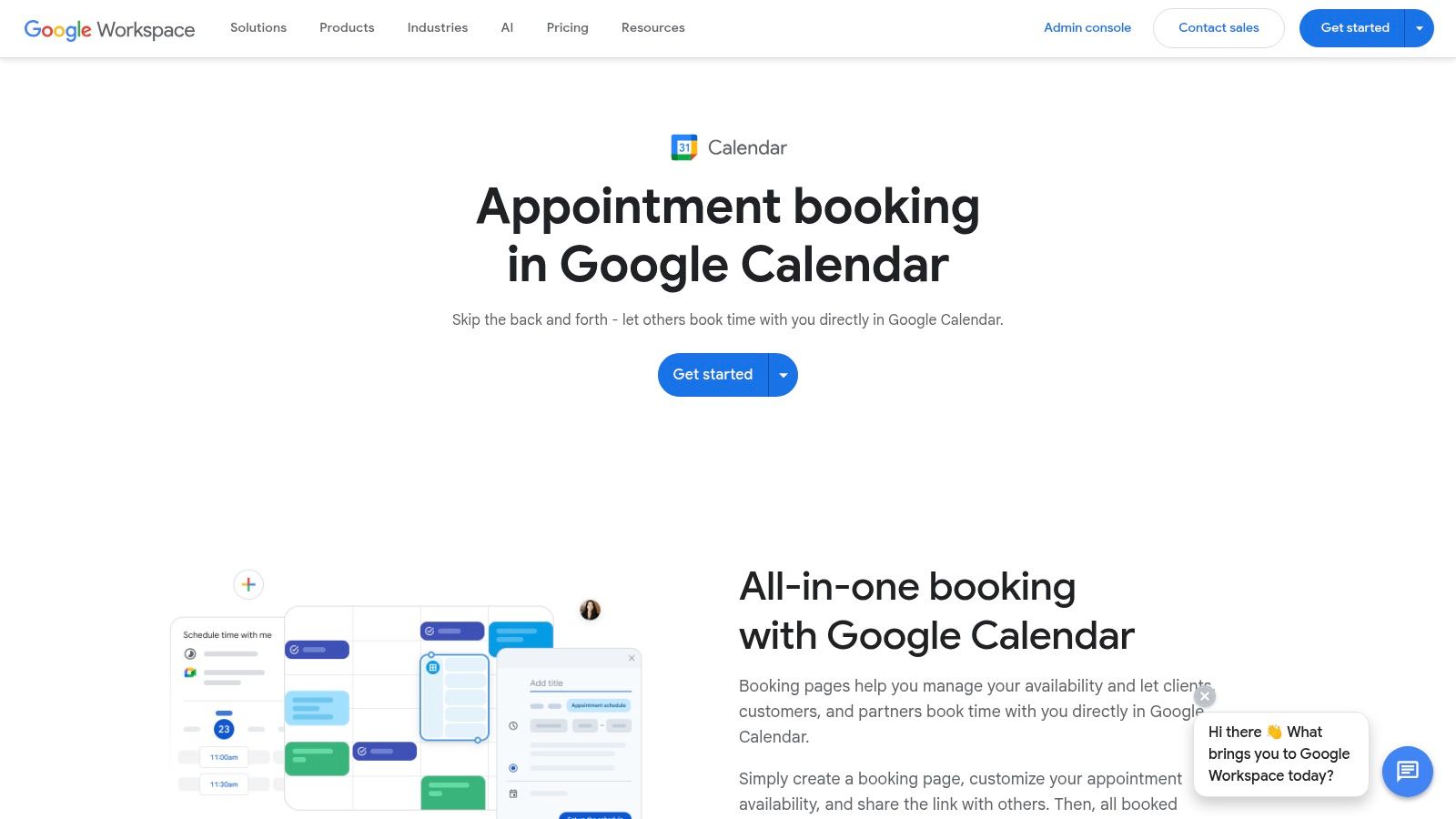
The user experience is exactly what you'd expect from Google: clean, familiar, and highly functional. Setting up a booking page is straightforward, allowing you to define your availability, add buffer times, and include custom questions. Because it lives inside the tool your team already uses daily, there is virtually no training required, which significantly reduces friction for adoption.
Key Features & Pricing
| Feature | Details | Availability |
|---|---|---|
| Native Calendar Integration | Booking pages are created and managed directly within Google Calendar. | All Tiers |
| Google Meet Link | Automatically generates and adds a Google Meet link to all scheduled appointments. | All Tiers |
| Automated Reminders | Sends customizable email reminders to you and the booker before the appointment. | Business Standard & Up |
| Stripe Payments | Require payment upfront for appointments by connecting a Stripe account. | Business Standard & Up |
Basic appointment scheduling is available on all Google Workspace plans. However, premium features like automated reminders, payment collection, and multiple booking pages require a Google Workspace Business Standard plan or higher, which starts at $12 per user/month.
Pros & Cons
- Pros:
- Perfect, native integration with Google Calendar and Google Meet.
- Extremely simple to use with no learning curve for existing Google users.
- No additional software cost if you already use a premium Workspace plan.
- Cons:
- Lacks advanced features like team-based routing or complex conditional logic.
- Key features like payments and reminders are locked behind more expensive Workspace tiers.
Website: https://workspace.google.com/resources/appointment-scheduling/
7. HubSpot Meetings
For businesses already invested in the HubSpot ecosystem, the HubSpot Meetings tool is a no-brainer. It's not just a standalone scheduler; it’s a fully integrated component of the HubSpot CRM, making it one of the best appointment scheduling software choices for sales and marketing teams. Its primary advantage is eliminating the data gap between booking an appointment and tracking a lead's journey, as every meeting is automatically logged in the CRM.
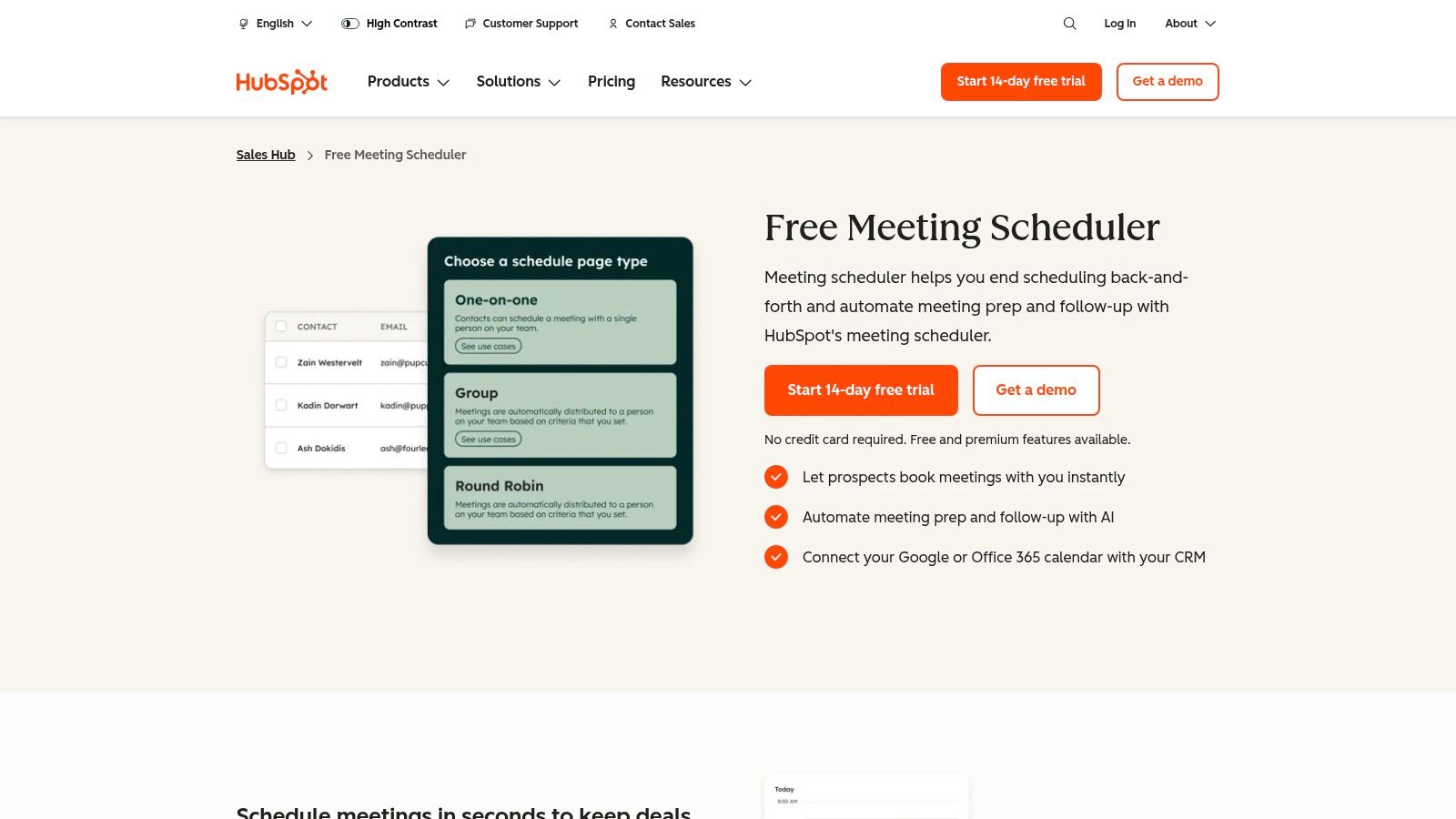
This seamless integration allows go-to-market teams to embed booking links directly into marketing emails, sales sequences, and website chatbots. When a prospect books a meeting, the contact record is instantly updated, providing a complete, unified view of every interaction. This makes it exceptionally powerful for B2B companies focused on lead nurturing and pipeline management.
Key Features & Pricing
| Feature | Details | Availability |
|---|---|---|
| Native CRM Integration | Meetings are automatically created and logged on contact timelines within HubSpot CRM. | All Tiers |
| Round-Robin Links | Distribute meetings evenly across sales team members to ensure prompt follow-up. | Sales Hub Starter & Up |
| Booking Automation | Use meetings as triggers in HubSpot Workflows to enroll contacts in nurture sequences. | Sales Hub Professional & Up |
| Embeddable Calendars | Place your booking calendar directly on your website or landing pages. | All Tiers |
The core meeting scheduler is available within the free HubSpot CRM tools. Advanced features like round-robin scheduling and automation require a paid subscription to one of the HubSpot Hubs, such as Sales Hub Starter, which begins at $15 per seat/month (billed annually).
Pros & Cons
- Pros:
- Unbeatable integration with the HubSpot CRM, eliminating data silos.
- Excellent for sales teams using sequences and pipeline tracking.
- Included for free with the powerful HubSpot CRM platform.
- Cons:
- Advanced automation and reporting are tied to more expensive HubSpot Hub subscriptions.
- Can be overkill and less cost-effective for businesses not using the broader HubSpot ecosystem.
By centralizing scheduling within your CRM, you can gain deeper insights into your sales cycle; you can learn more about customer relationship management here.
Website: https://www.hubspot.com/products/sales/schedule-meeting
8. OnceHub (ScheduleOnce / Route / Engage)
OnceHub is an end-to-end scheduling platform designed for revenue-focused teams that need more than simple appointment booking. It goes beyond basic scheduling by integrating powerful lead qualification, intelligent routing, and chatbot engagement. This makes it one of the best appointment scheduling software options for small businesses looking to automate the entire meeting lifecycle, from initial contact to qualified booking.
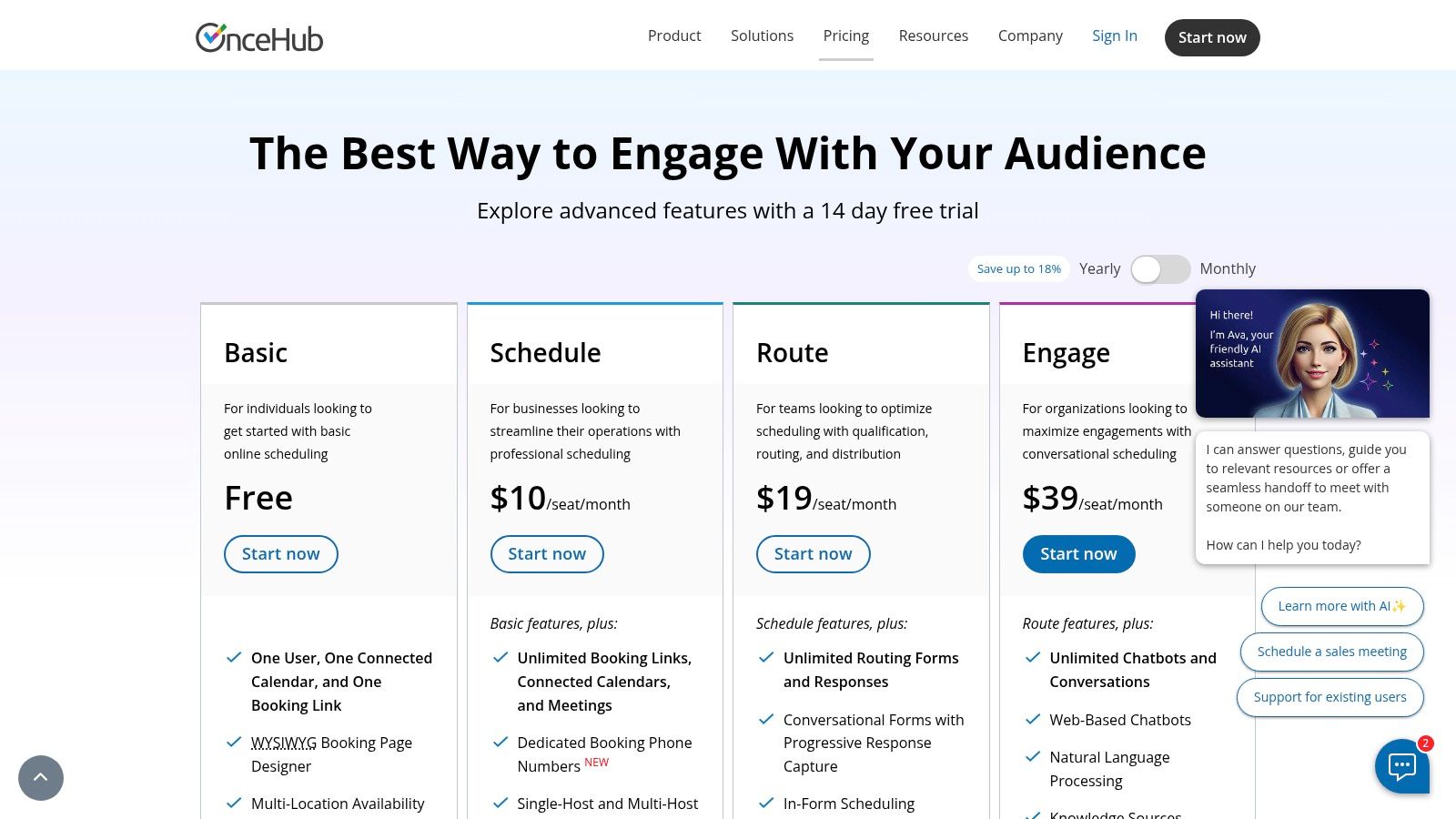
The platform combines three core products: ScheduleOnce for booking, Route for lead routing, and Engage for chatbots. This integrated approach allows businesses to qualify visitors on their website with a chatbot, route them to the correct salesperson based on CRM data or form responses, and then instantly schedule a meeting, all in one seamless flow. This is ideal for sales, marketing, and customer success teams aiming to improve conversion rates and operational efficiency.
Key Features & Pricing
| Feature | Details | Availability |
|---|---|---|
| Intelligent Routing | Use forms to screen, qualify, and route leads to the right team or person. | Growth Tier & Up |
| Chatbot Scheduling | Deploy chatbots that qualify visitors and schedule meetings 24/7. | Growth Tier & Up |
| Security & Compliance | Advanced security features including SSO and options for HIPAA compliance. | Enterprise Tier |
| Round-Robin | Distribute meetings fairly across team members to balance workloads. | All Tiers |
OnceHub offers a free forever plan for basic scheduling. Paid plans start at $10 per user/month for the Growth tier, which unlocks routing forms and chatbots. The Enterprise plan offers custom pricing for advanced security, compliance, and support needs.
Pros & Cons
- Pros:
- Powerful lead qualification and distribution logic streamlines sales funnels.
- Integrated chatbot and scheduling tools improve website conversion rates.
- Strong focus on enterprise-grade security and compliance features.
- Cons:
- Can be more complex to configure than simpler, single-purpose schedulers.
- Key routing and chatbot features are reserved for paid tiers.
Website: https://oncehub.com/pricing
9. SimplyBook.me
SimplyBook.me is a highly versatile scheduling platform designed for service-based businesses that need more than just a calendar link. It provides a complete booking solution, including a customizable booking website, embeddable widgets, and even a branded client app. This makes it one of the best appointment scheduling software options for small businesses like salons, consultants, and fitness studios that want a comprehensive, client-facing system.
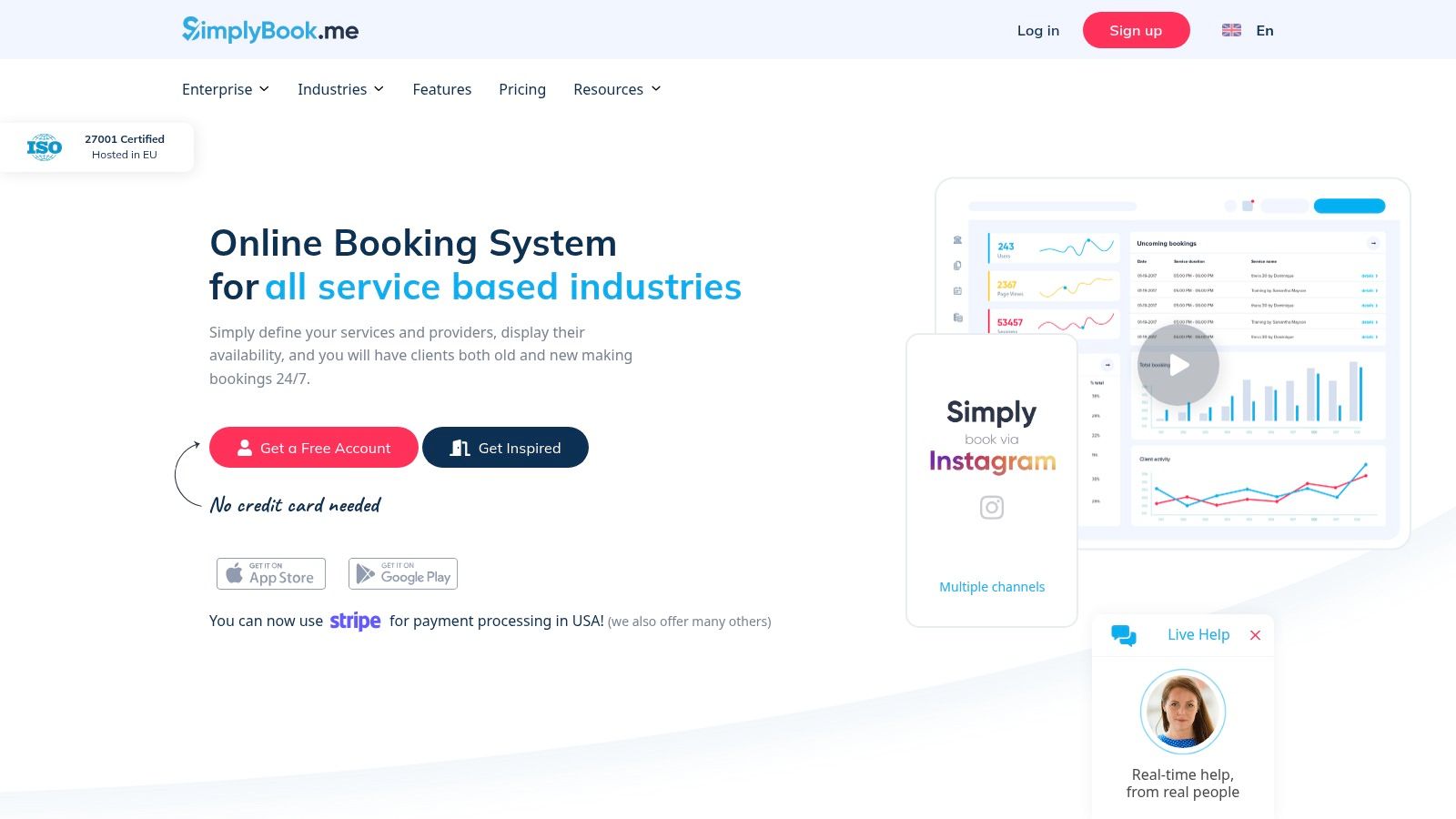
Its strength lies in its extensive feature set, which supports everything from deposits and gift cards to integrated point-of-sale (POS) functionality. For businesses in regulated industries, SimplyBook.me offers optional HIPAA and SSO capabilities, allowing it to scale from a solo practitioner to a multi-location enterprise while maintaining compliance and security standards.
Key Features & Pricing
| Feature | Details | Availability |
|---|---|---|
| Custom Booking Site | Create a professional, standalone booking website with your branding. | All Tiers |
| Client App | Offer clients a dedicated mobile app for easy booking and management. | Standard Tier & Up |
| POS & Payments | Accept deposits, full payments, tips, and sell gift cards. | Standard Tier & Up |
| HIPAA & SSO | Optional security features for handling sensitive data and enterprise access. | Premium Tier & Up |
Pricing includes a free plan with 50 bookings per month. Paid plans start with the Basic tier at $8.25 per month (billed annually), which includes 100 bookings and more features. Higher tiers unlock more custom features and increase booking limits, with add-on credits available for SMS and WhatsApp notifications.
Pros & Cons
- Pros:
- Extremely flexible feature set tailored for diverse service businesses.
- Scales well from solo providers to multi-location enterprises with compliance needs.
- Provides a full booking website, not just a calendar embed.
- Cons:
- The feature-rich interface can feel complex for users with simple scheduling needs.
- Booking limits on all tiers and pay-per-use add-ons can increase costs.
Website: https://simplybook.me
10. Setmore
Setmore positions itself as an accessible and powerful scheduling solution, particularly for service-based businesses like salons, consultants, and health practitioners. It excels at creating a public-facing booking page where clients can easily view services, staff availability, and book appointments or classes themselves. Its standout feature is an incredibly generous free tier that supports up to four users, making it a go-to choice for new or budget-conscious small teams.
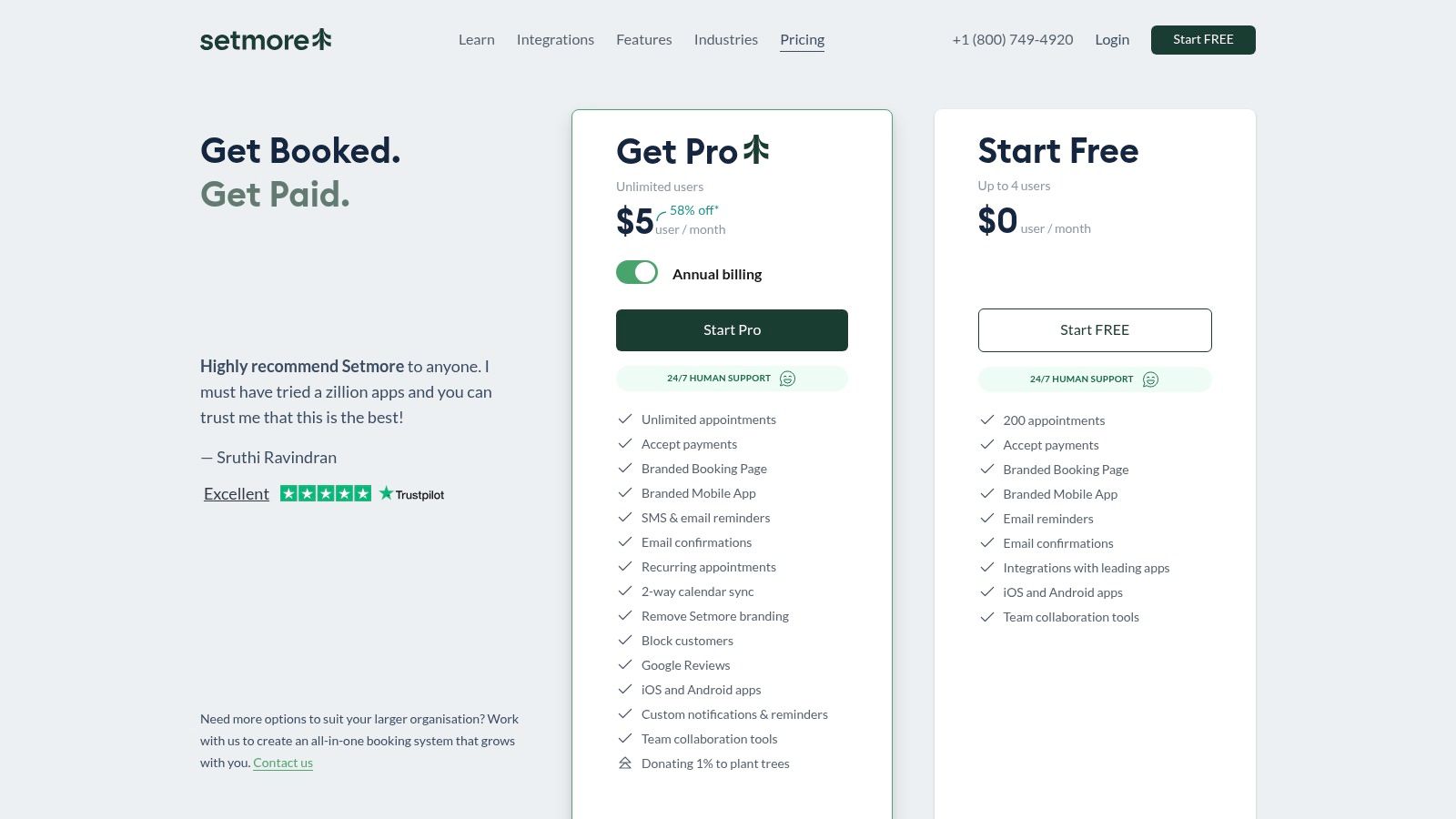
The platform is designed for speed and simplicity, allowing businesses to get their booking system online in minutes. It handles both one-on-one appointments and group sessions or classes with ease, and its integration with major payment gateways ensures you can take payments upfront. For businesses seeking a more hands-on approach, Setmore offers a unique 24/7 live receptionist add-on service.
Key Features & Pricing
| Feature | Details | Availability |
|---|---|---|
| Generous Free Plan | Supports up to 4 user logins, unlimited appointments, and payment processing. | Free Tier |
| Class & Group Booking | Easily schedule and manage bookings for group sessions, workshops, or classes. | All Tiers |
| Payment Integrations | Accept payments and deposits directly via Stripe, Square, and PayPal. | All Tiers |
| Two-Way Calendar Sync | Syncs appointments with Google Calendar and Microsoft 365 to avoid double bookings. | Pro Tier & Up |
Setmore’s free plan is a major draw. For more advanced features like two-way calendar sync, SMS reminders, and removing Setmore branding, the Pro plan is available from $5 per user/month (billed annually), with the Team plan starting at $5 per user/month for 2+ users.
Pros & Cons
- Pros:
- One of the best free plans available, supporting up to 4 team members.
- Very straightforward setup process and easy-to-use interface.
- Affordable paid tiers offer significant value for growing teams.
- Cons:
- Advanced automation and CRM features are less robust than specialized competitors.
- Two-way calendar sync, a crucial feature for many, is locked behind a paid plan.
Website: https://www.setmore.com/
11. Appointy
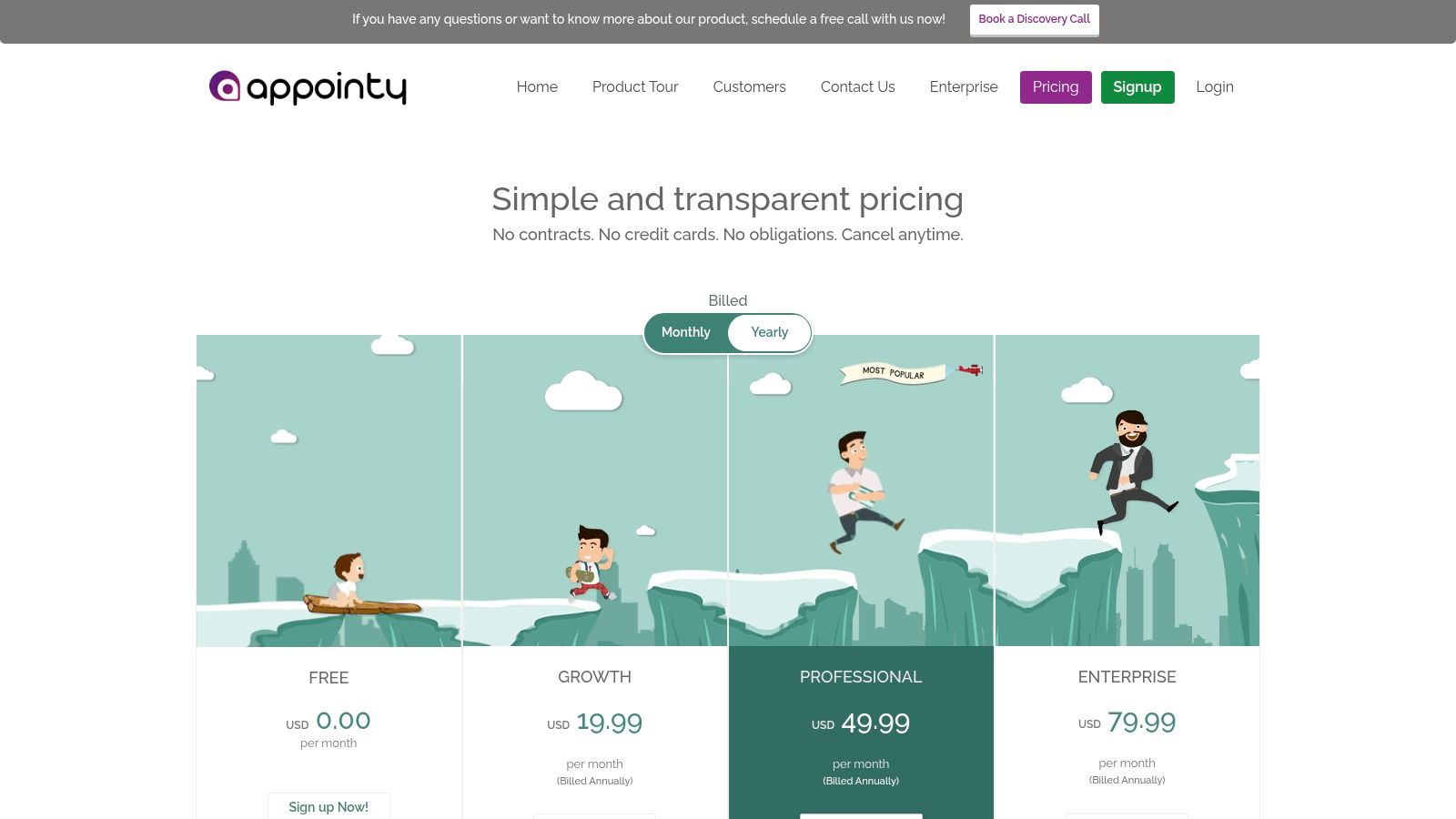
Appointy positions itself as a versatile and one of the best appointment scheduling software options for small businesses, particularly those in service-based industries like wellness, education, and professional services. It offers a clear, scalable path from a single user to a multi-location enterprise, focusing on both appointment booking and resource management. The platform’s strength is its structured approach to handling staff logins, locations, and bookable resources like rooms or equipment.
This makes it a great fit for businesses that need to manage more than just a person's time. For instance, a yoga studio can manage class schedules, instructor availability, and studio room bookings all within one system. Appointy also provides essential features like website integration, automated reminders, and mobile apps to manage bookings on the go.
Key Features & Pricing
| Feature | Details | Availability |
|---|---|---|
| Resource Scheduling | Schedule non-staff resources like rooms, equipment, or facilities. | Growth Tier & Up |
| Staff Logins | Provide individual logins for team members to manage their own schedules. | Growth Tier & Up |
| Payment Processing | Integrates with Stripe, PayPal, and Authorize.Net to take payments. | All Tiers |
| Recurring Bookings | Allow clients to book repeating appointments or a series of classes. | All Tiers |
Appointy offers a robust free forever plan that includes 1 staff member and up to 100 appointments per month. Paid plans start with the Growth tier at $20 per month (billed annually), which adds 5 staff members and resource scheduling. The Professional plan at $50 per month adds features like gift certificates, and the Enterprise plan at $80 per month removes all Appointy branding.
Pros & Cons
- Pros:
- Generous free plan suitable for solopreneurs starting out.
- Strong focus on resource and multi-location scheduling.
- Clear and logical upgrade path as your business grows.
- Cons:
- The user interface is functional but feels less modern than some competitors.
- Key features like removing branding are locked behind the most expensive tiers.
Website: https://www.appointy.com/pricing/
12. Comparison Marketplaces (G2 & Capterra)
While not a scheduling tool itself, using a comparison marketplace like G2 or Capterra is a crucial strategic step in finding the best appointment scheduling software for your small business. These platforms aggregate thousands of verified user reviews, detailed feature comparisons, and comprehensive buyer guides, allowing you to evaluate the market from a bird's-eye view before committing to a specific solution.
These sites excel at helping you discover niche or industry-specific vendors that might not appear in typical top-10 lists. You can filter options by business size, feature set, pricing model, and integration capabilities, quickly creating a shortlist of tools that meet your exact requirements. Their leaderboards and comparison grids provide an objective look at how different tools stack up based on real user satisfaction and market presence.
Key Features & Pricing
| Feature | Details | Availability |
|---|---|---|
| User Reviews & Ratings | Access thousands of verified reviews from real users, providing authentic feedback. | All Tiers |
| Side-by-Side Comparison | Use grids and filters to compare tools based on features, pricing, and industry. | All Tiers |
| Leaderboards | View market leaders based on satisfaction and presence, updated quarterly (G2 Grid). | All Tiers |
| Buyer Guides | Download in-depth reports and guides to understand market trends and features. | All Tiers |
Access to these platforms is completely free for buyers. Vendors pay for premium profiles and sponsored placements, but the core functionality of searching, comparing, and reading reviews is available to all users without a subscription.
Pros & Cons
- Pros:
- Large, current, and verified review bases provide trustworthy user feedback.
- Powerful filters help quickly shortlist tools by industry, business size, and specific features.
- Excellent for discovering niche solutions beyond the most well-known market leaders.
- Cons:
- Sponsored listings can influence which vendors are most visible.
- Review quality can be inconsistent; always verify details on the vendor's official website.
Website: https://www.g2.com/categories/online-appointment-scheduling
Top 12 Small-Business Appointment Schedulers — Feature Comparison
| Tool | Core features | UX & integrations | Value proposition | Best for / Target audience | Price & USP |
|---|---|---|---|---|---|
| Calendly | Multiple event types, round-robin, calendar & app integrations, payments, reminders | Clean, fast setup; strong third‑party ecosystem | Reduces booking friction; quick roll-out for GTM teams | SMBs, B2B sales, customer success teams | Per-seat pricing; familiar to prospects; scales affordably for small teams |
| Squarespace Scheduling (Acuity) | Client self-scheduling, classes/packages/memberships, payments, advanced theming | Highly customizable & embeddable; steeper learning curve | Sell time like commerce; strong branding & packaged offerings | Service businesses, creatives, educators | Deep commerce features; works with or without Squarespace; advanced features on higher tiers |
| Square Appointments | Unlimited staff calendars, reminders, built-in payments, POS & invoicing | Native Square POS/hardware integration; end-to-end stack | Unified booking + payment + POS reduces tool sprawl | Salons, wellness, field services that charge onsite | Free for solo; location-based team pricing; optimized for Square ecosystem |
| Zoho Bookings | Two-way calendar sync, round-robin, multi-workspace, payments (Premium), customer portal | Tight Zoho suite integration; cost-effective UI | Easy CRM alignment; strong multi-location/resource scheduling | Multi-team SMBs, Zoho CRM users | Very competitive per-user pricing; best value inside Zoho stack |
| Microsoft Bookings | Public booking pages, staff calendars, automatic Teams links, Outlook sync | Lightweight; bundled with Microsoft 365; enterprise admin controls | Low-friction rollout with M365 security & SSO | Organizations invested in Outlook/Teams and M365 | Included in many M365 plans; limited customization vs specialists |
| Google Workspace Appointment Scheduling | Booking pages in Calendar, buffer times, custom questions, Meet integration | Native to Gmail/Calendar; minimal training overhead | Minimal tooling overhead; quick sharing and embedding | Google Workspace orgs wanting built-in scheduling | Built-in to Workspace; premium features require Business tiers |
| HubSpot Meetings | Shareable links, calendar sync, automatic CRM logging, AI prep/follow-ups | Seamless CRM logging; strong GTM workflow integration | Eliminates silos between booking and CRM; supports pipeline automation | B2B sales teams using HubSpot Sales/CRM | Included in HubSpot ecosystem; advanced automation needs paid Hubs |
| OnceHub (ScheduleOnce / Route / Engage) | Multi-host meetings, routing forms, chatbots/AI, enterprise security (SSO/HIPAA) | Powerful but complex to configure; enterprise integrations | Pre-qualifies & routes leads at scale; improves conversion | Revenue teams and enterprises with complex routing needs | Enterprise-grade features and compliance; advanced capabilities in higher tiers |
| SimplyBook.me | Custom booking sites/widgets, POS, deposits/tips, HIPAA/SSO, gift cards | Feature-rich and scalable; UI can feel heavy | Flexible platform for regulated or multi-location service SMBs | Service SMBs growing into enterprise/regulated use cases | Many paid add-ons and booking/SMS credits; white-label options on higher tiers |
| Setmore | Booking pages, class booking, automated reminders, calendar sync (Pro), payments | Generous free tier; quick and simple setup | Low-cost starter solution for freelancers and small teams | Freelancers, small teams, class-based businesses | Free for up to 4 users; affordable Pro per-user pricing; optional live receptionist |
| Appointy | Website integration, Google Calendar sync, reminders, packages, mobile apps | SMB-friendly; clear upgrade path to multi-location | Easy entry with scalable staff/resource controls | SMBs across verticals (education, wellness, gov) | Free plan (100 appts/mo); vertical features; branding removal on higher tiers |
| Comparison Marketplaces (G2 & Capterra) | Reviews, leaderboards, side-by-side filters, buyer guides | Aggregates real-user feedback and comparisons | Helps shortlist tools and validate vendor claims | Buyers, procurement teams, shortlist builders | Free access; useful for discovery but verify vendor details (sponsored listings) |
Final Thoughts
Navigating the crowded market for the best appointment scheduling software for small business can feel overwhelming, but the journey to reclaim your time and streamline your operations is well worth the effort. Throughout this guide, we've dissected a dozen leading solutions, from versatile all-rounders like Calendly and Squarespace Scheduling to powerful, ecosystem-integrated tools like HubSpot Meetings and Zoho Bookings. The key takeaway is clear: there is no single "best" platform, only the one that best aligns with your unique business model, workflow, and growth ambitions.
Your decision process should move beyond a simple feature checklist. It's about finding a strategic partner in your business's efficiency. A solo consultant might find the simplicity and direct integration of Google Workspace's scheduling feature perfectly adequate, eliminating the need for another subscription. Conversely, a growing digital agency will likely gravitate towards the robust lead routing and qualification capabilities of a tool like OnceHub to manage a complex sales pipeline effectively.
Key Takeaways for Choosing Your Scheduling Software
Making the right choice involves a thoughtful self-assessment of your business needs. Before you commit, revisit these critical decision-making pillars:
- Integration is Non-Negotiable: Your scheduling tool cannot operate in a vacuum. Prioritize software that seamlessly connects with your existing tech stack, especially your CRM, email marketing platform, and video conferencing tools. A disconnected system creates more manual work, defeating the purpose of automation.
- Scalability Matters: The software that fits your one-person operation today might not support a team of ten tomorrow. Consider the platform’s ability to grow with you. Look at pricing tiers, team management features, and access to more advanced automation as your business expands.
- User Experience is Paramount (for both you and your clients): A clunky, confusing booking process can deter potential clients and frustrate your team. Test the front-end user experience yourself. Is it intuitive? Is it mobile-friendly? Does it reflect your brand's professionalism?
- Industry-Specific Needs: While many tools are general-purpose, some industries have unique requirements. Retail and service-based businesses using a POS system will find immense value in Square Appointments' integrated payment processing. Similarly, businesses in highly regulated fields may need the advanced security and compliance features offered by enterprise-level plans.
Actionable Next Steps: From Selection to Implementation
You've reviewed the options and narrowed down your list. What now? The next phase is just as critical for ensuring a positive return on your investment.
- Utilize Free Trials: Almost every provider offers a free trial or a freemium plan. Use this period to do more than just look at the dashboard. Set up a real-world booking scenario, integrate it with one key tool (like your primary calendar), and ask a colleague or friend to test the booking process.
- Plan Your Rollout: Don't just switch on the new software and hope for the best. Plan a phased implementation. Start by using it internally for team meetings before rolling it out to clients. Create simple documentation or a short video tutorial for your staff.
- Update Your Assets: Once you've committed, update all client-facing assets. Add your new booking link to your email signature, website contact page, social media profiles, and business cards. Make it as easy as possible for clients to find and use.
Ultimately, selecting the right appointment scheduling software can do more than just manage calendars; it can also significantly impact customer loyalty, as highlighted when considering the best salon booking software to drive loyalty. By automating the tedious back-and-forth of scheduling, you free up invaluable time to focus on what truly drives your business forward: building relationships and delivering exceptional value to your clients.
Ready to take your automation to the next level? While scheduling tools manage your calendar, MakeAutomation can connect them to your entire workflow, automating tasks across 1000+ apps. Supercharge your new scheduling software by visiting MakeAutomation to build powerful, codeless automations that save you time and drive growth.