10 Game-Changing Business Process Automation Examples for B2B Growth in 2025
In today's competitive B2B landscape, manual processes aren't just slow—they're a direct threat to your growth. As businesses push toward 7-figure revenues and beyond, the reliance on repetitive tasks in sales, marketing, HR, and operations creates bottlenecks that stifle scalability and drain valuable resources. The solution lies not in working harder, but in working smarter through strategic automation. This is about building systems that operate flawlessly in the background, freeing your team to focus on high-impact activities like closing deals, innovating products, and building customer relationships.
This guide moves beyond theory to provide a deep dive into 10 practical business process automation examples that are transforming how modern B2B and SaaS companies operate. We will break down the exact triggers, steps, tools, and ROI for each workflow, giving you a replicable blueprint to reclaim hundreds of hours and unlock exponential growth. Forget generic advice; we are providing detailed, actionable strategies you can implement immediately. To further understand how automation drives operational efficiency and compliance, explore insights on the future of business efficiency and compliance through automation.
From lead qualification and CRM management to employee onboarding and invoice processing, you'll gain a clear understanding of how to implement these systems. Each example is a mini-case study designed for B2B leaders, operations directors, and startup founders who need scalable solutions now. Let’s explore how to automate your way to a more efficient and profitable future.
1. Lead Generation and Qualification Automation
Manual lead management is a significant bottleneck for growing B2B and SaaS companies. Teams spend countless hours on data entry, enrichment, and initial qualification, only to pass unqualified or poorly-timed leads to sales. This process is slow, prone to errors, and distracts high-value sales reps from their primary goal: closing deals. Business process automation examples like this one completely transform the top of the sales funnel.
Automating lead generation and qualification creates a system that captures, enriches, scores, and routes leads in real-time. This ensures that every inbound prospect is handled instantly and consistently, maximizing conversion potential and freeing up your sales team to focus exclusively on revenue-generating conversations with high-intent buyers.
Strategic Breakdown
- Purpose: To systematically capture, enrich, and qualify leads from various channels, ensuring sales only engages with prospects who meet specific fit and intent criteria.
- Trigger: A new lead is created from a source like a website form, a webinar registration, a trade show list upload, or an inbound email.
- Automated Actions:
- Capture & Centralize: The lead's data is instantly pulled from the source and created as a new contact in the CRM (e.g., HubSpot, Salesforce).
- Enrichment: An enrichment tool (e.g., Apollo.io, Clearbit) is triggered via API to append crucial data like company size, industry, technology stack, and job title.
- Scoring: A predefined scoring model runs, assigning points based on demographic, firmographic, and behavioral data (e.g., +10 for a VP title, +5 for visiting the pricing page).
- Qualification & Routing: If the lead score exceeds a set threshold (e.g., > 75), the system automatically assigns it to the appropriate sales rep based on territory or specialization and creates a task for immediate follow-up. Leads below the threshold are added to a nurturing email sequence.
Implementation Blueprint
- Recommended Tools: HubSpot, Marketo, Apollo.io, Conversica, Zapier.
- Expected ROI: Expect a 20-30% increase in sales-qualified leads (SQLs) and a 15% reduction in sales cycle length by eliminating manual delays.
- Common Pitfalls: Avoid setting scoring rules based on assumptions. Instead, analyze the attributes of your best closed-won deals to build an accurate model. For more in-depth guidance, you can explore strategies on how to qualify sales leads effectively.
2. Email Marketing and Outreach Automation
Manually sending personalized emails to hundreds of leads is an impossible task that burns out sales and marketing teams. The process is repetitive, difficult to track, and often results in generic messages that fail to resonate. This lack of scalability and personalization leads to low engagement, missed opportunities, and an inefficient outreach process that simply doesn't work in the modern B2B landscape.
Automating email marketing and outreach allows teams to execute highly personalized, multi-touch campaigns at scale. It uses triggers based on user behavior and lifecycle stage to deliver the right message at the right time, nurturing leads, booking meetings, and driving conversions without constant manual intervention. This is one of the most impactful business process automation examples for driving predictable pipeline growth.

Strategic Breakdown
- Purpose: To engage, nurture, and convert prospects through automated, personalized email sequences triggered by specific actions or data points, increasing efficiency and response rates.
- Trigger: A contact is enrolled in a sequence based on a specific event, such as downloading an ebook, being added to a cold outreach list, or becoming a sales-qualified lead.
- Automated Actions:
- Enrollment: The contact is automatically added to a predefined email sequence (e.g., a "Welcome Series" or "Cold Outreach Cadence").
- Personalized Send: The first email is sent using merge fields (like
{firstName}and{companyName}) and dynamic content based on the contact's segment. - Conditional Logic: The system waits a set period (e.g., 2 days). If the contact replies or books a meeting, they are automatically unenrolled.
- Follow-up & Escalation: If there is no reply, a follow-up email is sent. The sequence continues with different message angles and delays until the prospect engages or the sequence ends, at which point a task might be created for manual review.
Implementation Blueprint
- Recommended Tools: Outreach.io, Salesloft, HubSpot, Lemlist, Apollo.io.
- Expected ROI: Businesses often see a 50%+ increase in meeting bookings from outbound campaigns and a 15-25% improvement in lead-to-opportunity conversion rates from automated nurturing.
- Common Pitfalls: Avoid overly aggressive follow-up cadences that feel robotic. Use variable delays between emails and mix in manual tasks (like a LinkedIn connection request) to make the outreach feel more human and authentic.
3. CRM Data Synchronization and Management
In siloed organizations, customer data becomes a liability. The marketing team has one version of a contact in HubSpot, sales has a slightly different one in Salesforce, and the support team has yet another in Zendesk. This fragmentation leads to embarrassing miscommunications, inaccurate reporting, and a broken customer experience. Manual data entry and cleanup are not scalable solutions; they are costly, slow, and riddled with human error.
Automating CRM data synchronization creates a single source of truth for all customer information. This process ensures that when a record is updated in one system, the change is instantly reflected across all connected platforms. It eliminates duplicate entries and conflicting information, providing every department with a real-time, 360-degree view of the customer, which is a foundational element of many successful business process automation examples.
Strategic Breakdown
- Purpose: To maintain data consistency and accuracy across all business-critical applications (CRM, marketing automation, support desk, ERP), providing a unified customer view.
- Trigger: A record (e.g., contact, company, deal) is created or updated in a primary system like Salesforce or HubSpot.
- Automated Actions:
- Detect Change: A webhook or API call instantly detects the change in the source application (e.g., a contact's email address is updated in the CRM).
- Identify & Match: The automation platform uses a unique identifier (like email address or company ID) to find the corresponding record in other connected systems (e.g., Zendesk, Marketo).
- Update Records: The platform pushes the updated information to all matched records, ensuring data fields are synchronized according to predefined mapping rules.
- Log & Alert: The sync action is logged. If a conflict arises (e.g., two systems are updated simultaneously) or a match isn't found, an alert is sent to an administrator for manual review.
Implementation Blueprint
- Recommended Tools: Make (formerly Integromat), Zapier, Workato, Celigo, HubSpot Operations Hub.
- Expected ROI: Achieve a 90% reduction in data-related errors, a 25% increase in operational efficiency, and a 15% improvement in customer satisfaction scores due to more personalized interactions.
- Common Pitfalls: Avoid starting the sync without a clear data governance policy. You must define which system is the "master" for specific data points (e.g., Salesforce is the master for deal stages, HubSpot for marketing engagement) to prevent data overwrites and conflicts.
4. Recruitment and Candidate Screening Automation
Traditional recruitment is a manual, time-intensive process that burdens HR teams. Recruiters spend hundreds of hours sifting through resumes, scheduling interviews, and communicating with candidates, often for roles that receive thousands of applications. This administrative overload slows down the hiring process, leads to a poor candidate experience, and increases the risk of missing out on top talent in a competitive market.
Automating recruitment and candidate screening creates an efficient, data-driven hiring pipeline. It uses AI and rule-based systems to handle the repetitive, high-volume tasks of sourcing, screening, and scheduling. This frees up recruiters to focus on strategic activities like building relationships with high-value candidates, conducting meaningful interviews, and closing offers, ultimately reducing time-to-hire and improving the quality of new hires.
Strategic Breakdown
- Purpose: To automatically source, screen, and engage with candidates, identifying the most qualified applicants for a role while significantly reducing manual recruiter workload.
- Trigger: A new candidate applies for an open position through a job board, the company careers page, or is sourced via a platform like LinkedIn.
- Automated Actions:
- Initial Screening: The applicant tracking system (ATS) parses the resume and application, automatically screening for mandatory qualifications (e.g., specific degrees, years of experience, certifications).
- AI-Powered Scoring: An AI model scores the candidate against the job description, ranking them based on skills, experience, and keyword relevance. Candidates exceeding a certain score are moved to the next stage.
- Automated Assessment & Scheduling: High-scoring candidates automatically receive a link to a one-way video interview or a skills assessment (e.g., a coding challenge). Upon completion, a scheduling tool (e.g., Calendly) integrates with the recruiter's calendar to book a follow-up interview.
- Status Communication: The system sends automated, personalized email updates to candidates, informing them of their status at each stage of the process. Unqualified applicants receive a polite rejection notice.
Implementation Blueprint
- Recommended Tools: Greenhouse, Lever, HireVue, Spark Hire, Zapier.
- Expected ROI: Achieve a 40-50% reduction in time-to-hire and a 25% increase in recruiter productivity by automating top-of-funnel tasks. For a practical example of how AI can transform recruitment, consider this real-time AI recruitment case study.
- Common Pitfalls: Avoid over-relying on keyword matching, which can filter out qualified candidates with unconventional resumes. Regularly audit AI models for unintentional bias to ensure fair hiring practices. To dive deeper, explore these AI resume screening tools and their best practices.
5. Invoice and Payment Processing Automation
Manual accounts payable (AP) is a drain on finance teams, riddled with data entry, endless paper trails, and the constant risk of human error. This outdated process leads to late payments, missed early payment discounts, and strained vendor relationships. Business process automation examples like automated invoice processing digitize and streamline the entire procure-to-pay lifecycle, ensuring accuracy and speed.
Automating invoice and payment processing transforms AP from a cost center into a strategic function. It uses technology like Optical Character Recognition (OCR) to extract data, matches invoices against purchase orders, and routes them for approval automatically. This frees the finance team to focus on cash flow management, financial analysis, and strategic planning rather than manual paperwork.

Strategic Breakdown
- Purpose: To eliminate manual data entry, accelerate invoice approval cycles, and ensure timely, accurate payments to vendors.
- Trigger: An invoice is received via a designated email inbox or supplier portal.
- Automated Actions:
- Data Extraction: An OCR tool scans the invoice document (e.g., PDF, image) and automatically extracts key data points like vendor name, invoice number, amount due, and line items.
- Validation & Matching: The system validates the extracted data and performs a three-way match by cross-referencing the invoice against the corresponding purchase order (PO) and goods receipt note in the ERP or accounting software.
- Approval Routing: Based on predefined rules (e.g., by department, project, or invoice amount), the invoice is automatically routed to the correct approver(s) for digital sign-off.
- Payment Execution: Once approved, the invoice is queued in the payment system (e.g., Bill.com, Stripe). The system executes the payment on the scheduled date and automatically syncs the transaction record back to the general ledger.
Implementation Blueprint
- Recommended Tools: Bill.com, SAP Concur, Coupa, Tipalti, Rossum.
- Expected ROI: Achieve a 40-60% reduction in invoice processing costs and accelerate payment cycles by up to 50%, often capturing more early payment discounts.
- Common Pitfalls: Neglecting to establish clear exception-handling workflows is a major risk. Define a process for managing flagged discrepancies, non-PO invoices, or OCR data that falls below a certain confidence threshold to prevent bottlenecks.
6. Project Management and Task Automation
Manual project setup and status tracking drain productivity from teams that should be focused on execution and delivery. Project managers and team leads often spend hours creating projects from templates, assigning tasks, chasing status updates, and compiling reports. This administrative overhead is not only time-consuming but also introduces the risk of human error, leading to missed deadlines and inconsistent communication.
Automating project management workflows eliminates these manual bottlenecks. It establishes a system that instantly creates projects, assigns tasks based on predefined logic, sends reminders, and compiles progress reports automatically. This ensures projects are launched consistently, stakeholders are always informed, and your team can dedicate its energy to high-value work rather than administrative upkeep, making it a critical business process automation example for operational efficiency.
Strategic Breakdown
- Purpose: To automate the creation, assignment, and tracking of projects and tasks, reducing administrative overhead and ensuring consistent workflow execution.
- Trigger: A new client is marked as "Closed-Won" in the CRM, a new service is requested via a form, or a recurring internal project (like a monthly report) becomes due.
- Automated Actions:
- Project Creation: When triggered, the automation instantly creates a new project in a tool like Asana or Monday.com using a predefined template for that specific service or client type.
- Task Assignment: The system populates the project with all necessary tasks and subtasks from the template and assigns them to the correct team members based on roles or conditional logic (e.g., assign all design tasks to the design lead).
- Status Updates & Reminders: The automation sends notifications to team members about new assignments and upcoming deadlines via Slack or email. It can also automatically update a task's status based on a related action, such as a file being uploaded to a specific folder.
- Reporting & Escalation: The system aggregates task completion data into a real-time dashboard. If a task becomes overdue by a set amount of time, it automatically escalates the issue by notifying a project manager or reassigning the task.
Implementation Blueprint
- Recommended Tools: Asana, Monday.com, Jira, Smartsheet, Make/Zapier.
- Expected ROI: Expect a 25-40% reduction in time spent on project administration and a 15% improvement in on-time project completion rates.
- Common Pitfalls: Avoid automating a chaotic process. Standardize your project templates and workflows before building the automation. Also, ensure escalation rules are clear and don't create notification fatigue. To further enhance these systems, you can explore the role of AI in project management.
7. Customer Support Ticket Routing and Resolution Automation
As businesses scale, the volume of customer support inquiries can quickly overwhelm a manual triage process. Agents spend valuable time categorizing tickets, routing them to the right departments, and answering the same repetitive questions. This manual effort leads to slower response times, frustrated customers, and agent burnout, directly impacting customer satisfaction and retention.
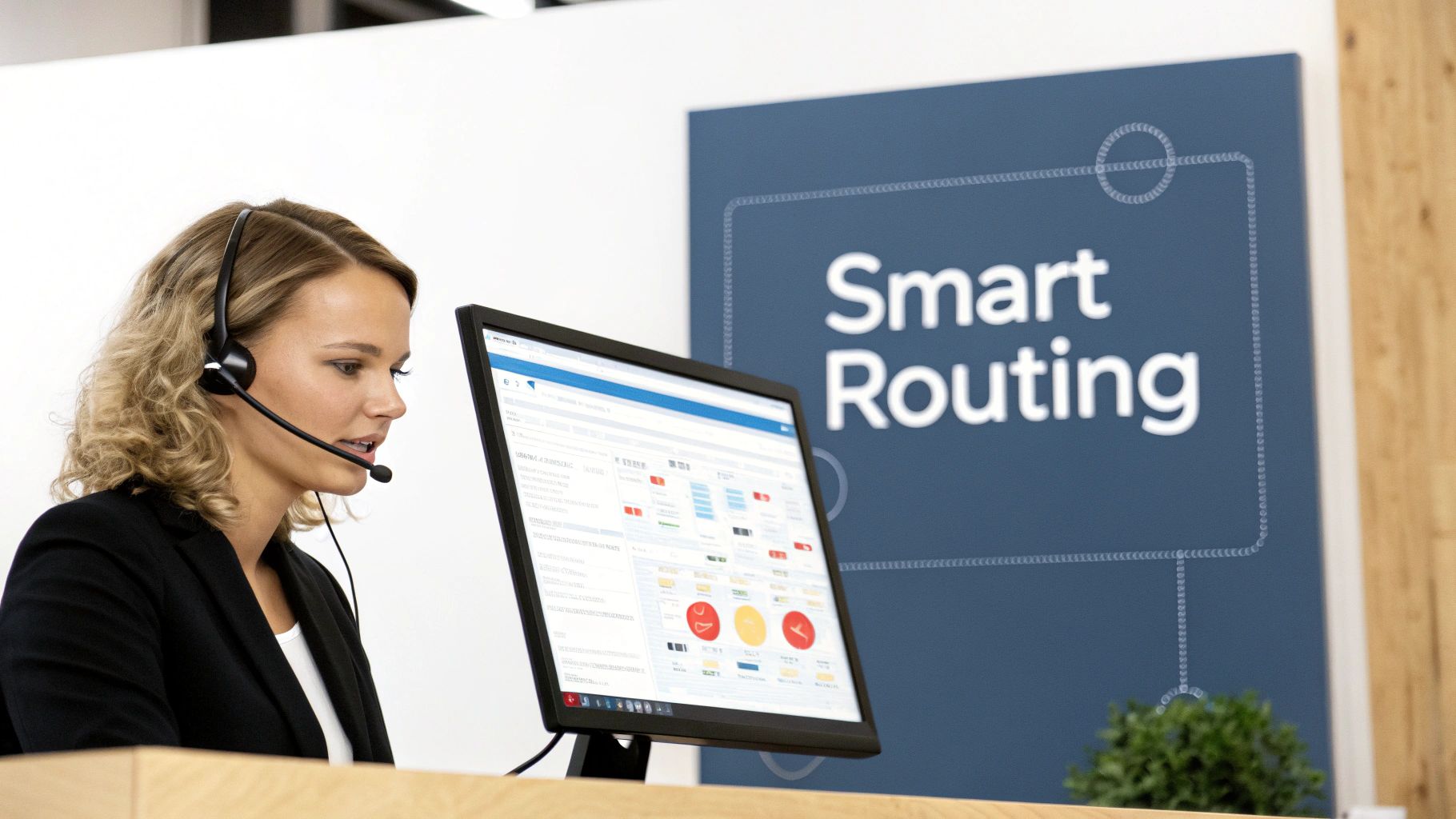
Automating ticket routing and resolution creates an intelligent, self-service support system. It instantly categorizes incoming requests, provides immediate answers to common questions, and ensures complex issues are escalated to the correct agent without delay. This is one of the most impactful business process automation examples for improving operational efficiency and the customer experience simultaneously.
Strategic Breakdown
- Purpose: To intelligently manage and resolve customer support tickets by automatically categorizing, routing, and answering inquiries, freeing up agents to focus on high-complexity issues.
- Trigger: A new support ticket is created via email, a support portal, a live chat widget, or social media.
- Automated Actions:
- Categorization & Prioritization: An AI-powered system (e.g., Zendesk AI, Freshdesk's Freddy AI) analyzes the ticket content, using natural language processing (NLP) to identify keywords, intent, and sentiment. It automatically tags the ticket (e.g., "Billing," "Bug Report," "Feature Request") and sets a priority level.
- Instant Resolution Attempt: The system scans a connected knowledge base for relevant articles. If a matching solution is found, an automated response is sent to the customer with a suggested article or FAQ, potentially resolving the issue without any human intervention.
- Intelligent Routing: If self-service fails or the issue is complex, the ticket is automatically routed to the appropriate agent or team based on predefined rules (e.g., "Billing" tickets go to the finance team, "Bug Report" tickets go to Tier 2 engineering support).
- Agent Assist: When the ticket lands in an agent's queue, the AI provides them with suggested macros, canned responses, and relevant knowledge base articles to accelerate their resolution time.
Implementation Blueprint
- Recommended Tools: Zendesk, Intercom, Freshdesk, Drift, ChatGPT for support integrations.
- Expected ROI: Achieve a 30-40% reduction in first-response time and a 25% increase in agent productivity. You can also expect a 10-15 point improvement in Customer Satisfaction (CSAT) scores due to faster resolutions.
- Common Pitfalls: Avoid deploying a chatbot without a robust, well-maintained knowledge base. The AI is only as smart as the information it can access. Also, ensure there is a clear and simple escalation path to a human agent to prevent customer frustration.
8. Sales Pipeline and Opportunity Management Automation
Manual pipeline management is a drain on sales productivity and a major source of inaccurate forecasting. Sales reps are often forced to spend hours updating CRM records, moving deals between stages, and logging activities, which takes them away from selling. This manual process leads to stale data, stalled deals going unnoticed, and management decisions based on incomplete or outdated information.
Automating sales pipeline and opportunity management creates a dynamic, self-updating system that reflects the true state of your pipeline in real-time. It uses data from rep activities like calls, emails, and meetings to automatically advance deals, flag risks, and trigger next steps. This frees reps to focus on building relationships and closing deals, while providing leadership with a consistently accurate view of the business.
Strategic Breakdown
- Purpose: To automate the progression of sales opportunities through the pipeline, provide accurate forecasting, and proactively alert teams to at-risk deals.
- Trigger: A specific sales activity is logged or a predefined condition is met (e.g., a proposal is sent, a demo is completed, no activity for 10 days).
- Automated Actions:
- Data Capture & Logging: A sales engagement platform (e.g., Revenue.io, Gong) automatically logs a completed call or a sent email and associates it with the correct opportunity in the CRM.
- Stage Progression: Based on predefined rules (e.g., "If demo is marked 'Completed'"), a workflow automatically moves the deal to the next stage, such as "Proposal."
- Task Creation & Reminders: The system creates a follow-up task for the rep (e.g., "Send proposal within 24 hours") and sets a reminder.
- Stalled Deal Alerts: If an opportunity sits in a stage longer than the average time without any new activity, the system automatically alerts both the sales rep and their manager via email or Slack.
Implementation Blueprint
- Recommended Tools: Salesforce Sales Cloud, HubSpot Sales Hub, Pipedrive, Revenue.io, Gong.
- Expected ROI: Businesses can see a 10-15% improvement in forecast accuracy and a 20% reduction in time spent on manual CRM administration per rep.
- Common Pitfalls: Avoid automating major stage movements without some form of rep confirmation. Define clear, objective stage progression criteria before building any workflows; ambiguity leads to an inaccurate pipeline.
9. HR Onboarding and Offboarding Process Automation
Manual employee onboarding and offboarding are logistical nightmares for HR and IT departments. The process involves mountains of paperwork, repetitive data entry across dozens of systems, and endless coordination to provision or revoke access. This administrative burden leads to inconsistent employee experiences, security vulnerabilities from lingering access, and significant delays in making new hires productive.
Automating these critical employee lifecycle events creates a standardized, secure, and efficient workflow. This particular business process automation example ensures every new hire has a smooth first day with all necessary tools and access, while guaranteeing that departing employees are cleanly and securely removed from all company systems. It transforms a high-friction, high-risk process into a seamless operational function.
Strategic Breakdown
- Purpose: To streamline and secure the entire employee lifecycle from onboarding to offboarding, ensuring consistency, compliance, and a superior employee experience.
- Trigger: An "Offer Accepted" status is marked in the Applicant Tracking System (ATS), or a termination date is entered into the Human Resource Information System (HRIS).
- Automated Actions:
- Account Creation & Provisioning: The HRIS (e.g., Workday, BambooHR) triggers a workflow that creates user accounts in core systems like Google Workspace, Slack, and Microsoft 365. An identity management tool (e.g., Okta) then provisions access to role-specific applications.
- Equipment & IT Setup: An automated ticket is created in an IT service management tool (e.g., ServiceNow, Jira) detailing the required hardware (laptop, monitor) and software for the new hire, assigned to the IT department.
- Task & Training Assignment: The system assigns onboarding tasks to the new hire, their manager, and HR in a project management tool. It also enrolls the new hire in mandatory compliance and role-based training modules within the Learning Management System (LMS).
- Secure Offboarding: For departures, the trigger initiates a reverse workflow. Access to all systems is automatically revoked at a set time, a ticket is created to recover company assets, and final payroll/exit interview tasks are assigned to HR.
Implementation Blueprint
- Recommended Tools: BambooHR, Workday, Okta, ServiceNow, Zapier.
- Expected ROI: Achieve a 50% reduction in time-to-productivity for new hires and a 90% reduction in manual administrative tasks for HR and IT during onboarding and offboarding.
- Common Pitfalls: Do not automate without mapping the entire process first. Coordinate closely with IT, security, and department heads to define roles and access permissions accurately to avoid granting incorrect privileges.
10. Voice AI Agent and Inbound/Outbound Call Automation
High-volume call centers and sales development teams are often overwhelmed by repetitive, low-value calls. Agents spend hours on appointment confirmations, simple customer queries, and initial lead qualification calls, which leads to burnout and prevents them from focusing on complex, revenue-driving conversations. This manual approach is inefficient, difficult to scale, and often results in inconsistent customer experiences.
Automating inbound and outbound calls with Voice AI agents transforms this operational bottleneck into a highly efficient, scalable system. Intelligent voice bots can handle thousands of concurrent calls, provide instant responses 24/7, and execute perfectly scripted conversations every time. This is one of the most powerful business process automation examples for freeing up human agents to manage high-stakes interactions.
Strategic Breakdown
- Purpose: To automate routine inbound and outbound call workflows, handling tasks like lead qualification, appointment scheduling, customer support queries, and feedback collection at scale.
- Trigger: An inbound call is received on a specific support or sales line, or a new record in the CRM is tagged for an outbound follow-up call.
- Automated Actions:
- Call Initiation/Reception: The AI agent either initiates an outbound call to a contact from a CRM list or answers an incoming call instantly.
- Intent Recognition: Using Natural Language Processing (NLP), the agent understands the caller's intent (e.g., "I need to check my order status," "I want to book a demo").
- Data Retrieval & Interaction: The agent accesses the CRM or other integrated systems via API to retrieve relevant data (e.g., order details, calendar availability) and provides a conversational, human-like response.
- Action & Escalation: The agent completes the requested action (e.g., confirms the appointment, provides the shipping update). If the query is too complex or the caller requests a human, the call is seamlessly transferred to the appropriate live agent with full context.
Implementation Blueprint
- Recommended Tools: Aloware, Google Cloud Contact Center AI, Dialpad, Gorgias, Amazon Connect.
- Expected ROI: Achieve a 40-60% reduction in call handling costs for routine inquiries and a 25% increase in lead contact rates by ensuring immediate and persistent follow-up.
- Common Pitfalls: Avoid deploying a voice AI with a generic, robotic script. Train the AI on your brand’s specific voice and successful call scripts. Always implement a clear and easy escalation path to a human agent to prevent customer frustration. For outbound calling, ensure strict compliance with regulations like TCPA.
10 Business Process Automation Examples Compared
| Automation Type | Implementation Complexity | Resource Requirements | Expected Outcomes (typical ROI / metrics) | Ideal Use Cases | Key Advantages |
|---|---|---|---|---|---|
| Lead Generation and Qualification Automation | Moderate–High (initial setup, model tuning) | CRM & multi-channel integrations; AI scoring; intent data | Shorter sales cycles (30–40%); ROI ~250–400% (6 months) | B2B sales, high-volume lead capture, outbound prospecting | Improved lead quality; scalable capture; reduced manual errors |
| Email Marketing and Outreach Automation | Low–Moderate (deliverability & sequencing setup) | Email platform, clean lists, personalization AI, A/B testing | Open rates +20–30%; ROI ~300–500% (3 months) | Behavioral nurture, lifecycle campaigns, scaled outreach | Personalized messaging at scale; automated optimization; frees marketing time |
| CRM Data Synchronization and Management | High (complex integrations, governance) | Multi-platform integrations, APIs, data governance tools | Consistent customer data; ROI ~200–350% (efficiency gains) | Organizations with multiple systems needing single customer view | 360° customer view; reduced duplicates; improved reporting |
| Recruitment and Candidate Screening Automation | Moderate–High (model training, bias audits) | ATS/HRIS integration, AI screening & assessment tools | Time-to-hire ↓ to ~15–20 days; ROI ~400–600% | High-volume hiring, campus recruiting, initial resume screening | Fast screening at scale; reduced recruiter workload; better candidate experience |
| Invoice and Payment Processing Automation | High (OCR tuning, legacy integrations) | OCR/ML, ERP/accounting integrations, payment rails, compliance | Invoice processing time ↓80%+; cost per invoice ↓70%; ROI ~200–300% (6 months) | Accounts payable automation, procurement-heavy firms | Faster payments; fewer errors/fraud; improved cash flow visibility |
| Project Management and Task Automation | Moderate (process standardization required) | PM tool integrations, templates, workflow rules | Project setup time ↓70%; ROI ~150–250% (efficiency gains) | Teams with repeatable projects, agencies, product teams | Faster setup; improved visibility; automated reporting |
| Customer Support Ticket Routing and Resolution Automation | Moderate–High (knowledge base & ML tuning) | Knowledge base, chatbots/ML models, helpdesk integrations | First-response time ↓60%+; 30–40% tickets auto-resolved; ROI ~200–400% | High-volume support, FAQ-heavy products, 24/7 support needs | Faster responses; reduced agent load; consistent handling |
| Sales Pipeline and Opportunity Management Automation | Moderate (requires activity tracking & rules) | CRM automation, activity capture (email/calls), analytics | Forecast accuracy +25–35%; shorter cycles; ROI ~150–300% | Sales teams needing pipeline hygiene and follow-up automation | Better forecasting; fewer stalled deals; reduced CRM data entry |
| HR Onboarding and Offboarding Process Automation | High (IT/security integrations, compliance) | HRIS & IT integrations, provisioning systems, compliance workflows | Onboarding time ↓weeks→days; ROI ~180–280% | Companies scaling hires, multi-system account provisioning | Consistent compliance; faster productivity; audit trails |
| Voice AI Agent and Inbound/Outbound Call Automation | High (NLP training, telephony & compliance) | Voice/NLP models, telephony/IVR integrations, compliance tooling | Handles 60–80% inbound; call handling time ↓40%+; ROI ~300–600% | High-call-volume contact centers, surveys, confirmations | Scale call volume; 24/7 availability; detailed call analytics |
Your Next Step: From Examples to Implementation
We've journeyed through a comprehensive collection of business process automation examples, spanning critical functions from lead generation and CRM management to HR onboarding and customer support. Each example illustrates a powerful, repeatable blueprint for transforming manual, error-prone tasks into streamlined, data-driven workflows. The strategic thread connecting them is undeniable: automation is not merely a tool for cost-cutting, but a fundamental catalyst for scalable growth, enhanced accuracy, and strategic empowerment.
By deconstructing processes like invoice processing, candidate screening, and even complex Voice AI call routing, we have seen how targeted automation unlocks significant competitive advantages. It frees your most valuable asset, your team, from the repetitive tasks that consume their time and energy. Instead, they can dedicate their expertise to high-value activities such as building customer relationships, innovating on product features, and closing strategic deals.
From Inspiration to Actionable Strategy
The true value of these business process automation examples lies not just in understanding what is possible, but in identifying which opportunities will yield the highest return for your specific business. The path forward involves a strategic audit of your current operations to pinpoint the most significant bottlenecks and inefficiencies.
Consider these core takeaways as you plan your next steps:
- Start with Pain Points: The best automation projects solve a tangible problem. Is your sales team drowning in manual data entry? Is your finance department chasing down late payments? Begin with the process that causes the most friction and has the clearest potential for a measurable ROI.
- Data is the Foundation: Effective automation relies on clean, accessible data. The CRM data synchronization and management example is foundational. Without a single source of truth, automations in sales, marketing, and support will inevitably falter.
- Integration is Key: No tool operates in a vacuum. Your success will depend on creating a seamless flow of information between your CRM, marketing platform, project management software, and financial tools. This integrated ecosystem is what enables complex, multi-step automations to function flawlessly.
- Think in Workflows, Not Tasks: Instead of just automating a single action, visualize the entire end-to-end process. The HR onboarding example is a perfect illustration. It doesn’t just send a welcome email; it orchestrates document signing, IT provisioning, and training schedules into a cohesive, positive experience for new hires.
The Path to Seamless Implementation
Moving from concept to a fully realized, automated system can be a formidable challenge. It requires a unique blend of strategic process design, technical integration expertise, and a deep understanding of the software landscape. This is where many organizations encounter roadblocks, as a poorly planned automation can create more problems than it solves.
The examples we've explored, from setting up sophisticated triggers for sales pipeline management to configuring AI-powered customer support ticket routing, are not just theoretical ideas. They are practical, achievable systems that drive real business results. The key is a methodical approach that starts with a clear goal, defines precise logic, and selects the right technology stack to bring it to life. Mastering this implementation process is what separates companies that merely dabble in automation from those that build a true operational advantage.
Ready to turn these business process automation examples into a reality for your business? MakeAutomation specializes in designing and implementing the exact custom workflows and integrations detailed in this article. We handle the technical complexity so you can focus on scaling your operations and achieving your growth targets. Book a discovery call with MakeAutomation today to identify your highest-impact automation opportunities.