Creating Initiatives in Jira: A Practical Guide to Jira Roadmaps
If you want to connect your company's high-level strategy with the day-to-day grind of your development teams, creating initiatives in Jira is non-negotiable. By setting up a clear hierarchy—Initiative > Epic > Story—you can finally translate big business goals into the tangible work your teams execute, giving leadership a real-time view of progress.
Connecting Strategy to Execution in Jira

I've seen it countless times in B2B and SaaS companies: teams are drowning in a reactive cycle of tasks. Everyone is busy, but are they busy with the right things? This is where Jira initiatives come in. They aren't just another issue type to manage; they are the essential link between a company's ambitious vision and the actual code being shipped.
Think of it this way. Your board and leadership team don't really think in terms of user stories or technical tasks. They operate on a much higher level, focusing on large-scale goals that will drive revenue, capture market share, or boost customer loyalty. An initiative is simply how you capture one of those big-picture goals right inside Jira.
How the Hierarchy Works in Practice
The real power of this approach comes from the structured hierarchy that initiatives create. It brings clarity and purpose to every level of the organization.
Let's walk through a common scenario. Imagine a SaaS company sets a major strategic goal for the year: "Launch V2 of Our AI Analytics Engine." This is a textbook initiative. It's a massive, cross-functional effort that will likely span several quarters.
From that single initiative, you can break the work down into manageable chunks:
- Initiative: Launch V2 of Our AI Analytics Engine
- Epic 1: Develop New Predictive Modeling Feature
- Epic 2: Redesign Analytics Dashboard UI/UX
- Epic 3: Integrate with Third-Party Data Sources
Each epic is then broken down even further into stories and tasks that engineering teams can pull into their sprints. All of a sudden, a developer working on a small API integration can see exactly how their work connects to a core company objective. This creates a powerful sense of alignment that's often lost in a flat backlog.
If you want to dive deeper into managing these larger workstreams, our guide on https://makeautomation.co/jira-programme-management/ is a great next step.
This hierarchical view gives founders and ops leaders the one thing they crave most: predictability. Instead of asking, "What is everyone working on?" they can ask, "How's progress on our Q3 strategic goals?" and get a data-backed answer straight from Jira.
From Task Management to Strategic Operations
To help you visualize how this all fits together, here’s a quick reference table that breaks down the standard Jira hierarchy. This is the framework that connects high-level business goals directly to the work being done every single day.
The Jira Hierarchy from Strategy to Task
| Hierarchy Level | Purpose | Example Use Case (SaaS) |
|---|---|---|
| Initiative | A large, cross-functional strategic project | "Expand into the European Market" |
| Epic | A significant feature or body of work | "Achieve GDPR Compliance for EU Launch" |
| Story | A user-facing requirement or feature | "As a user, I want to provide cookie consent" |
| Task | A specific, actionable to-do | "Implement cookie consent banner on the homepage" |
| Sub-task | A small part of a larger story or task | "Test consent banner on Chrome, Firefox, Safari" |
Understanding this structure is the first step in moving away from a purely reactive workflow and toward a scalable, predictable operational model. It's how you start tracking progress against your actual business goals, not just a mountain of completed tickets.
Of course, implementing this in Jira works best when it's built on a solid foundation of strategic thinking. If you're looking to brush up on general strategic planning principles, there are great resources out there that can help you frame your company's goals effectively before you bring them into Jira.
Ultimately, this structured approach helps you answer the tough questions that keep leaders up at night: Are we on track? Where are the bottlenecks? Should we reallocate resources? By creating initiatives in Jira, you build the very framework needed to answer those questions with confidence.
How to Configure Jira for Strategic Initiatives
Before you can even think about tracking your big-picture goals in Jira, you need to teach it what an "Initiative" actually is. A fresh Jira instance doesn't know the difference between a major product launch and a simple bug fix. This initial setup is where we lay the groundwork, turning your strategic plans from ideas on a whiteboard into tangible, trackable work.
First things first: you need an "Initiative" issue type. If you're on Jira Premium or Enterprise, you're in luck—it's usually there by default thanks to Advanced Roadmaps. If you're using Jira Standard, no worries, you'll just have to create it yourself.
Head over to your Jira settings, find "Issues," and then select "Issue types." From there, you can add a new issue type and name it "Initiative." The key is to make sure you associate it with the correct issue type scheme for the projects where you'll be managing your strategy.
Give Your Initiatives a Real-World Workflow
An initiative doesn't move through a simple "To Do -> In Progress -> Done" cycle. That's for tasks. An initiative has a strategic lifecycle, from initial pitch to final delivery, and its workflow needs to reflect that journey.
We've found a workflow with these stages gives leaders the best visibility:
- Proposed: The idea is on the table, usually with a high-level business case.
- In Review: Stakeholders and leadership are weighing its value against company goals and available resources.
- Executing: It's a go. The initiative is funded, and teams have started work on the child epics.
- On Hold: Work is temporarily paused. This could be due to a market shift, a dependency on another team, or a change in priorities.
- Done: The goal has been achieved, and all the underlying work is complete.
- Canceled: The initiative was dropped, either because it was no longer viable or didn't align with strategic shifts.
This kind of multi-stage workflow is what separates a task list from a strategic pipeline. It tells you not just what's being worked on, but what's being considered and what's been delivered.
Capture the Data That Actually Matters
An initiative in Jira is only as good as the information it contains. This is where custom fields come in—they're what transform a basic ticket into a rich source of strategic data.
You'll be doing this work within Jira's configuration screens, which look something like this:
Don't just stick with the default fields. To get real value, you need to add custom fields that provide context and make reporting truly insightful.
We always recommend adding these to your Initiative screen:
- Strategic Goal: A dropdown or text field that links the initiative directly to a company OKR or strategic theme. No more guessing why a project exists.
- Target Quarter: A simple select-list (e.g., "Q3 2024," "Q4 2024") to pin down the expected delivery window.
- Success Metrics: A text field to explicitly state what success looks like (for example, "Increase user retention by 15%").
- WSJF Score: A number field to implement Weighted Shortest Job First. This is how you introduce an objective, ROI-focused lens to prioritization.
Pro Tip: Adding a "WSJF Score" field is a game-changer. It forces a data-driven conversation about value and effort, ending the "who shouts loudest" method of prioritization. It’s an incredibly powerful tool for operations directors and founders alike.
There's a reason Jira is the standard for so many teams; its flexibility is unmatched. In fact, 82% of surveyed teams plan to keep or increase their Jira Cloud licenses. This is especially true when it's configured for high-level work, whether you're an ops director optimizing an HR pipeline or a startup founder automating lead generation. You can see more on Jira's staying power in the full ETR Data research.
By spending a little time upfront on the issue type, workflow, and custom fields, you're not just tweaking a tool. You're building a system that connects your company's highest-level goals directly to the teams doing the work.
Alright, with the configuration out of the way, it’s time to move from theory to practice. This is where your high-level strategy starts becoming tangible work inside Jira. We’ll cover two primary ways to create initiatives: the simple UI method and the far more powerful bulk-import approach for when you need to scale.
Let's start with the most common method: creating an initiative right from the Jira interface. This is perfect when you're just adding a single new project or getting your feet wet with the process.
You'll start by clicking the "Create" button, just like you would for any other issue. The only real difference is that you'll select "Initiative" from the issue type dropdown. This brings up the custom screen you built earlier, ready for you to fill in all that crucial strategic information.
Populating and Linking Through the UI
Once you're on the creation screen, take your time filling out the fields. The data you enter here directly feeds your high-level reports and roadmaps down the line, so diligence pays off.
I always tell teams to focus on getting these fields right from the start:
- Summary: Keep it clear and high-level. Something like "Q4 Customer Onboarding Overhaul" tells everyone exactly what it is.
- Strategic Goal: This is your "why." Link the initiative to the specific company OKR it's meant to advance.
- Target Quarter: Assign it to a delivery window, such as "Q4 2024."
- Success Metrics: Be specific. How will you know you've won? A good example is "Reduce support tickets from new users by 30%."
After the initiative is created, the next step is connecting it to the actual work. Open the initiative and use the "Link issue" feature to attach its child epics. The most common link type here is "is parent of" or a similar custom link you've set up for Advanced Roadmaps. If you're still fuzzy on how epics and stories fit into this picture, our guide on the differences between Jira epics and user stories is a great resource.
This manual linking process is what solidifies your strategic hierarchy. When you look at the initiative, you'll see a clean list of all the epics rolling up to it, giving you an immediate, top-down view of all the moving parts.
The Power User Method: Bulk Creation with CSV
Creating initiatives one by one works for a few projects, but what happens when you’re planning an entire year's roadmap? This is where bulk importing from a CSV file becomes your best friend. It can save you hours of mind-numbing data entry and ensures your initiatives are all structured consistently.
The whole process boils down to creating a spreadsheet. Each row represents an issue—an initiative or an epic—and each column maps to a Jira field. The best part? You can define the parent-child relationships right inside the spreadsheet.
Here's a simplified look at what your CSV structure might look like:
| Issue Type | Summary | Parent ID | Target Quarter |
|---|---|---|---|
| Initiative | AI-Powered Analytics V2 Launch | Q1 2025 | |
| Epic | Develop Predictive Modeling Engine | INITIATIVE-1 | Q1 2025 |
| Epic | Redesign Analytics Dashboard | INITIATIVE-1 | Q1 2025 |
| Initiative | European Market Expansion | Q2 2025 | |
| Epic | Achieve GDPR Compliance | INITIATIVE-2 | Q2 2025 |
To get this into Jira, you'll use the built-in external system import tool. You just upload your CSV, map your spreadsheet columns to the right Jira fields, and let Jira handle the rest.
This is how you can spin up an entire quarter’s worth of strategic work—both the initiatives and their child epics—in minutes, not days. For anyone managing a large portfolio, mastering this technique is an absolute must.
4. Visualizing Your Strategy with Advanced Roadmaps
An initiative is just a name in a backlog until you can actually see it on a timeline. This is where the real power of Jira's Advanced Roadmaps (what many of us still call Portfolio) comes into play. It’s the tool that bridges the gap between your high-level strategy and the day-to-day work happening in the trenches, turning a flat list of goals into a dynamic, visual plan.
Now that you have your initiatives and epics configured, Advanced Roadmaps is where you bring it all to life. The tool is specifically designed to understand the hierarchy you just built, translating those parent-child links into a multi-level timeline that executives can finally understand at a glance.
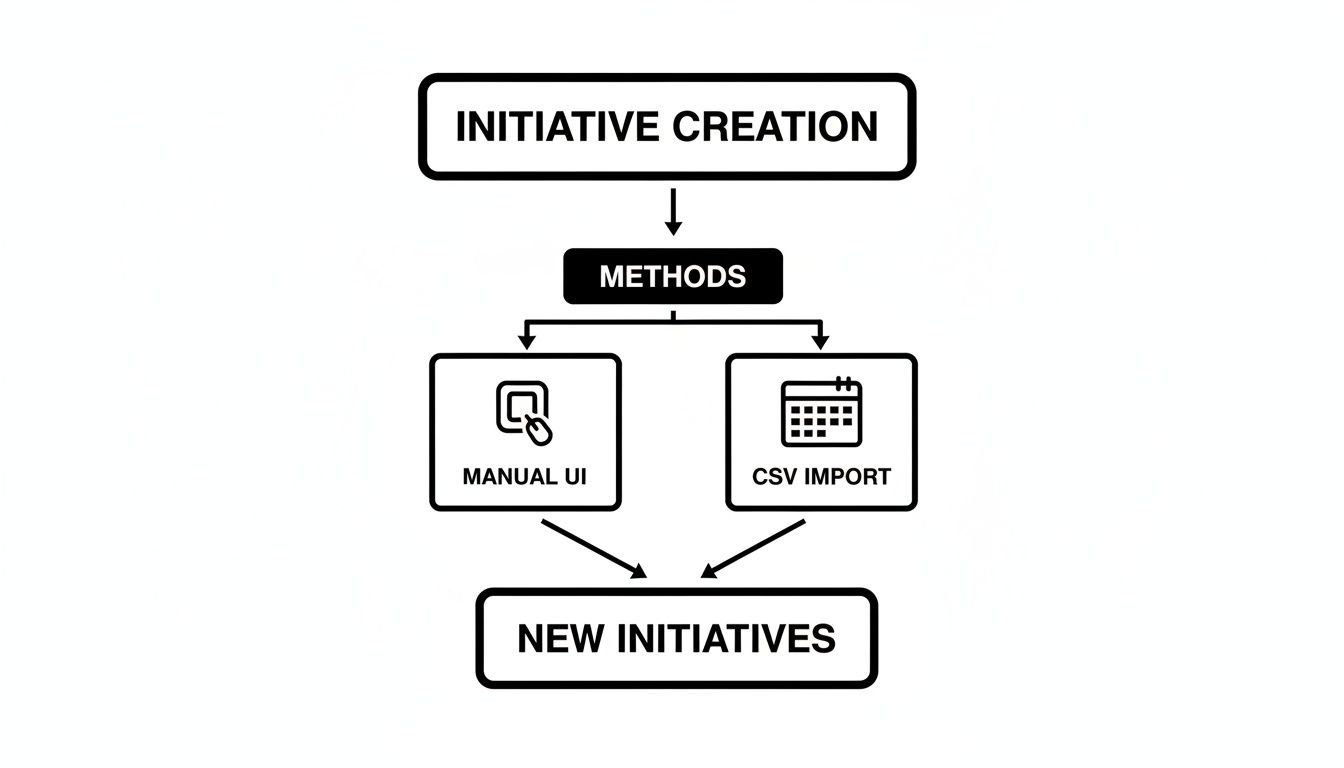
Whether you added your initiatives one by one or through a CSV import, the next step is getting them onto a roadmap where they become truly actionable.
Setting Up Your Roadmap View
First things first, you'll need to create a "plan" inside Advanced Roadmaps. Think of a plan as your canvas. During setup, Jira will ask for your "issue sources"—this is you telling the roadmap what to display. Be sure to select the projects containing your initiatives, epics, and stories.
The most critical part of the setup is configuring the hierarchy levels. This is where you explicitly teach the roadmap how your issue types relate to each other. You’ll map your custom "Initiative" issue type to the level directly above the default "Epic" level. Getting this right is what makes the whole thing work.
Once that's set, your roadmap will instantly organize itself. You'll see your initiatives as broad, high-level bars, with all their child epics nested neatly underneath. For many teams, this is the "aha!" moment—the first time they see their strategic goals laid out clearly against time.
Mapping Dependencies and Forecasting Timelines
A standalone roadmap is useful, but in the complex world of B2B and SaaS, no initiative exists in a vacuum. A new feature launch might be completely blocked until a platform upgrade is finished. Advanced Roadmaps lets you draw these connections directly on the timeline.
- You can create "Finish-to-start" dependencies, showing that Initiative B can't kick off until Initiative A is done.
- This immediately surfaces potential bottlenecks. If Initiative A gets delayed, the roadmap automatically visualizes the ripple effect on every dependent piece of work.
This dependency mapping is fundamental for de-risking your strategy. You move from hopeful guesses to a data-informed model, enabling proactive conversations about delays months before they become a crisis.
Beyond just showing dependencies, Advanced Roadmaps helps forecast when work might actually get done. It can factor in your team's velocity or story point estimates to project completion dates. This is a game-changer for providing realistic timelines to stakeholders and customers. For a deeper dive on this, our guide on https://makeautomation.co/scheduling-in-jira/ offers some great techniques.
Modeling Scenarios for Strategic Decisions
Here’s a feature that leadership absolutely loves: the ability to sandbox "what-if" scenarios. Instead of making a risky change directly in your live Jira projects, you can experiment within your Advanced Roadmaps plan first.
Wondering what happens if you pull in that urgent request from your biggest customer? Just create a scenario and drop the new initiative onto the roadmap. You'll instantly see how it impacts other timelines and whether you even have the team capacity to handle it. This gives you a safe environment to test strategic pivots before you commit a single engineering hour, making your roadmap an invaluable decision-making tool.
Given Jira's massive 57.5% adoption rate among development professionals, it’s the natural home for this kind of strategic work. For a B2B SaaS founder, this means a grand vision for a new lead generation workflow can start as an initiative, be modeled on a roadmap, and then be broken down into tangible tasks for the team. We’ve even seen business teams use custom fields to automatically calculate Weighted Shortest Job First (WSJF) scores right on their initiatives, ensuring high-value work gets prioritized from day one.
As you build out these visualizations, it's worth keeping some product roadmap best practices in mind to ensure your plans are clear, realistic, and drive the right outcomes.
Automating Your Initiative Workflows and Reporting

If you’re relying on people to manually update an initiative's status every time an epic moves forward, your data is already out of date. Things get missed. It’s inevitable. This is precisely where you can get a huge win by putting Jira’s built-in automation engine to work.
Spending a few hours setting up some smart rules turns Jira from a simple task list into a proactive system that works for you. You’re not just tracking work; you’re building an engine that reduces busywork, ensures your data is trustworthy, and keeps everyone in the loop without a single "just checking in" email.
High-Impact Automation Rules to Implement Now
You don’t have to be a developer to make a real difference here. The rule builder is surprisingly intuitive. Let's look at a couple of my favorite automations that have a huge impact right away.
One of the most valuable rules automatically updates an initiative's status based on the work happening below it. For example, the moment the first epic on an initiative is moved into progress, you can have the initiative itself flip from ‘To Do’ to ‘In Progress’. This gives leadership an immediate, accurate signal that a strategic goal is officially underway.
- Trigger: Issue transitioned
- Condition: If
Issue Type=EpicANDStatuschanged TOIn Progress - Action: Transition parent issue to
In Progress
This one rule alone saves program managers countless clicks and ensures your roadmaps always reflect what's actually happening on the ground.
Another game-changer is automatically calculating completion. Manually figuring out how "done" an initiative is feels like guesswork. Instead, let Jira handle the math.
I always recommend adding a custom number field to your initiative, something like "Progress %". Then, you can build a rule that recalculates this field every time a child epic or story is closed. This gives you a clear, at-a-glance metric that is always up to date.
Building Real-Time Initiative Dashboards
Once your data is reliable, thanks to automation, you can start to visualize it effectively. A well-designed Jira dashboard can become the command center for your entire portfolio, offering a live view of initiative health, team progress, and any roadblocks.
The trick is to move beyond the default gadgets and use JQL (Jira Query Language) to create highly specific filters for each panel on your dashboard.
Here are a few gadgets I include on every initiative-level dashboard:
- Filter Results: I set up two of these. One shows "Initiatives At Risk" (I define this with a JQL query looking for initiatives with overdue child epics). The other shows "Upcoming Initiatives" slated for the next quarter.
- Pie Chart: A simple chart breaking down all initiatives by their current status (‘Proposed,’ ‘In Progress,’ ‘On Hold’) gives you a fantastic 30,000-foot view of the portfolio.
- Two-Dimensional Filter Statistics: This one is incredibly powerful. You can configure it to show a matrix of your initiatives, maybe with Status on one axis and Strategic Goal on the other. It’s perfect for board-level reporting.
This approach transforms the entire process of creating initiatives in Jira into a transparent, manageable system. The platform's massive global footprint, with 33.56% of its users in the US and 12.18% in India, is built on this kind of deep customization. You can dig into more global statistics on its usage.
Clever teams I've seen in the Atlassian Community even automate the calculation of WSJF priority scores based on custom fields, which ensures their most important work gets attention first. By combining smart automation with focused dashboards, you give executives the visibility they crave and let your teams focus on what they do best: shipping great work.
Best Practices for Managing Initiatives at Scale
Getting your first couple of initiatives into Jira feels like a win. But scaling that to dozens of initiatives across multiple teams? That’s an entirely different ballgame. Without a solid governance model, your strategic portfolio can quickly devolve into a messy, unaligned backlog.
The first place to start is with ownership. You have to be deliberate about who gets to create initiatives. For most growing companies, this privilege should be reserved for leadership, department heads, or a dedicated PMO. This single decision prevents your Jira instance from becoming a dumping ground for "strategic" ideas that lack true strategic backing.
Institute Clear Naming Conventions
Once you’ve locked down who can create initiatives, the next step is standardizing how they’re named. A simple, consistent naming convention is a lifesaver for reporting and clarity. I’ve seen this format work wonders: [Quarter] - [Goal] - [Project Name].
For example: Q3 2024 – User Retention – Onboarding Flow Redesign.
A title like that instantly tells you its timeline, its strategic purpose, and what the team is actually building. It's a small bit of discipline that pays off enormously when you’re staring at a roadmap packed with initiatives.
Governance isn't about adding bureaucracy; it's about building a predictable system. By standardizing who creates initiatives and how they're named, you establish a single source of truth that everyone—from an executive to a developer—can actually trust.
Establish a Cadence for Review
Your strategy will change. Your market will shift. So, your initiative management process can't be set in stone. Building a regular review cadence is the only way to ensure your execution stays locked in with your evolving company goals.
This usually breaks down into two essential meetings:
- Quarterly Initiative Planning: This is the high-level, strategic session. Here, leadership decides which new initiatives get funded and prioritized for the upcoming quarter. It's where the big bets are made.
- Monthly Progress Check-ins: This meeting is more tactical. It’s a forum to review the status of in-flight initiatives, tackle blockers, and make sure everything is still on track to deliver its intended value.
These touchpoints are what ground your high-level plans in reality. They create the space to make hard calls, reallocate people, and confirm the work being done still serves the strategy. Ultimately, this rhythm is foundational to successfully creating initiatives in Jira at scale.
Frequently Asked Questions
When teams first start working with initiatives in Jira, a few key questions almost always come up. We've helped dozens of SaaS and B2B companies navigate this, so let's get you some direct, practical answers.
What Is the Real Difference Between an Initiative and an Epic?
It really helps to think in terms of strategy versus execution. An initiative is the big, strategic business goal—the why. It’s something that often involves multiple teams and might span a few quarters. An epic, on the other hand, is a specific, large piece of work that helps you get that initiative done.
Let's use a real-world SaaS example. A product leader might define a strategic initiative like, “Enhance AI-Powered Customer Support.” This is the big-picture objective.
The epics are the concrete projects that bring it to life. They would look something like this:
- Develop Chatbot Intent Recognition Model
- Integrate Chatbot with CRM for Contextual Support
- Build a Feedback Loop for AI Accuracy
Each epic is a self-contained chunk of work for a team, but the initiative is what ties them all together, connecting the day-to-day development back to a core business outcome.
Can I Create Initiatives Without Jira Premium?
Absolutely. In any version of Jira, even Standard, you can simply create a custom issue type and call it "Initiative." From there, you just use standard issue links (like "relates to" or a custom link type) to manually connect your new initiative to its child epics. It's a perfectly workable solution.
The big thing you're missing without Jira Premium is Advanced Roadmaps. This is the engine that gives you those powerful timeline views, automatically maps dependencies across initiatives, and helps with capacity planning. For small-scale use, the manual method is fine. But if you want true strategic portfolio management, Advanced Roadmaps is pretty much essential.
How Should We Decide What Becomes an Initiative?
This is a crucial question, and getting it right separates a clear roadmap from a cluttered one. Your initiatives should flow directly from your company's high-level strategy, like your annual goals or OKRs.
An idea is a great candidate for an initiative if it checks a few key boxes. Does it require work from multiple teams, broken down into several epics? Will it likely take more than a single quarter to finish? And most importantly, does it directly move the needle on a major business metric?
Try to resist the temptation to promote every big feature to an initiative. When you do that, you just add another layer of bureaucracy and make your strategic view noisy. The whole point of creating initiatives in Jira is to maintain laser focus on the big, cross-functional bets that will actually grow the business. Keep them strategic and high-impact.
Ready to stop wasting time on manual processes and start scaling your operations? MakeAutomation specializes in building the automated frameworks that help B2B and SaaS businesses accelerate growth. We can help you implement AI and automation in your project management, lead generation, and more. Explore our tailored solutions and book a discovery call today.