
Memoization in JavaScript A Performance Guide
A lot of JavaScript apps don’t look slow in code review. They look reasonable. The handlers are clean, the API calls are wrapped, the dashboard loads, and the automation job finishes eventually.
Then production traffic hits. A CRM sync starts processing the same account transformations over and over. A lead scoring function recomputes the same values for every render. A recursive helper that seemed harmless in local testing starts burning CPU in a Node.js worker. The app still works, but every repeated calculation adds latency, cost, and user frustration.
That’s where memoization in javascript stops being a textbook idea and becomes a practical engineering tool. Used well, it cuts duplicate work, stabilizes response times, and helps automation systems keep up without throwing more infrastructure at the problem. Used badly, it creates stale results, memory bloat, and hard-to-debug behavior in long-running services.
Why Your JavaScript Apps Feel Slow and How Memoization Helps
Most slowdowns in business apps don’t come from one catastrophic bug. They come from repeated work.
A sales dashboard recalculates the same summary metrics whenever filters change. A recruitment workflow transforms the same candidate records multiple times before exporting them. An automation script enriches lead data, then re-runs the same formatting logic for identical inputs because no one stored the prior result. Each individual operation looks cheap. In aggregate, they drag the system down.
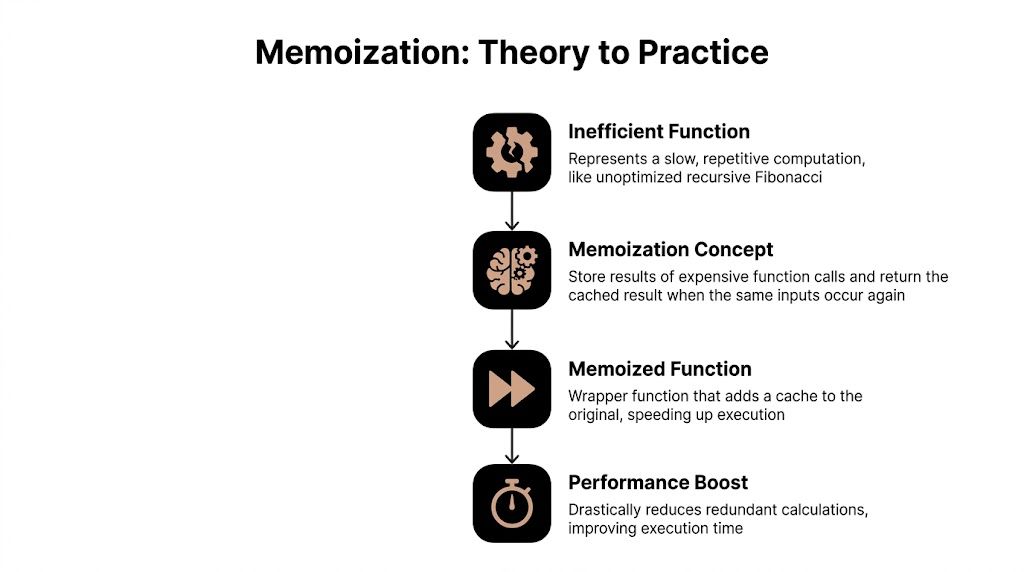
Memoization fixes that pattern by storing the result of an expensive function call and returning the stored value when the same input appears again. The simplest mental model is a support rep who remembers the answer to a common customer question instead of re-reading the documentation every time. The work happens once. Reuse does the rest.
Where the waste shows up
In day-to-day JavaScript systems, repeated computation usually hides in places like these:
- Dashboard rendering: Components derive the same filtered datasets or totals across renders.
- Automation workers: Data normalization, scoring, and mapping functions run on duplicate records.
- Recursive logic: Tree traversal, dependency resolution, and sequence calculations explode in cost without caching.
- API-heavy pipelines: The same lookup gets triggered repeatedly by adjacent parts of the workflow.
The payoff can be dramatic when the function is computationally intensive and the same inputs keep reappearing. In a Fibonacci benchmark, memoization in JavaScript reduced redundant computations by up to 99%, with non-memoized fib(40) making ~165,580 calls versus 40 calls for the memoized version, and the same source notes that React’s useMemo can reduce re-renders by 60% in growth-stage marketing tools (memoization benchmark details from John Kavanagh).
Practical rule: If your function is expensive, pure, and called repeatedly with the same inputs, memoization is usually worth testing.
That matters beyond engineering neatness. Faster recomputation means less CPU time spent on duplicate work. In an operations-heavy SaaS product, that can mean quicker dashboards for users, lower pressure on Node.js workers, and fewer scaling headaches when batch jobs stack up.
Memoization is one part of a broader performance strategy
Memoization won’t fix every slow app. If your bottleneck is network latency, a bad query, or blocking I/O, cached function results won’t save you. It works best as one layer in a broader performance plan that includes profiling, reducing unnecessary renders, and tightening server behavior. If you want a broader checklist around server-side optimization, Cleffex has a useful breakdown of ways to enhance Node.js performance that complements memoization well.
The key point is simple. If your app keeps doing the same work, stop letting it.
Implementing Your First Memoized Function
The easiest way to understand memoization is to build it by hand. Start with a function that’s obviously wasteful, then add a cache in front of it.
A classic example is recursive Fibonacci. It’s not business logic, but it exposes the problem cleanly. The naive version recomputes the same values again and again.
function fib(n) {
  if (n < 2) return n;
  return fib(n - 1) + fib(n - 2);
}
That implementation is fine for small inputs. It falls apart as n grows because each call fans out into more calls. The mechanics are exactly what you see in real systems when one helper keeps reprocessing the same inputs.
The manual version
A memoized function follows a simple pattern:
- Create a cache.
- Turn the input into a cache key.
- Return the cached value if it exists.
- Otherwise compute, store, and return.
That pattern is the core of memoization for recursive functions, and benchmarks show memoized fib(40) can complete in <1ms versus a non-memoized timeout, a 99%+ time saving (recursive memoization walkthrough from GeeksforGeeks).
Here’s a straightforward implementation:
function memoizedFib() {
  const cache = {};

  function fib(n) {
    if (n in cache) {
      return cache[n];
    }

    if (n < 2) {
      cache[n] = n;
      return n;
    }

    const result = fib(n - 1) + fib(n - 2);
    cache[n] = result;
    return result;
  }

  return fib;
}

const fib = memoizedFib();

console.log(fib(10)); // 55
console.log(fib(40)); // returns much faster than naive recursion
Why the closure matters
The important piece here isn’t just the cache object. It’s the closure.
The inner fib function still has access to cache after memoizedFib() has finished running. That means the stored results survive across calls. Without that closure, every invocation would create a fresh cache and you’d lose the benefit.
In practical automation code, this is how you cache repeated transformations without turning the whole module into global state. You keep the cache private, scoped to the wrapper, and only expose the function that uses it.
Closures make memoization usable in real code because they preserve state without leaking implementation details into the rest of the app.
Translating the pattern to business logic
The Fibonacci example is just a teaching tool. The same pattern shows up in production functions like:
- Formatting CRM records before sync
- Scoring leads from a stable set of attributes
- Building report summaries from repeated filter combinations
- Resolving workflow dependencies in project management tools
A simple memoized helper might look like this:
function createMemoizedLeadTierCalculator() {
  const cache = {};

  return function getLeadTier(score, region) {
    const key = `${score}-${region}`;

    if (key in cache) {
      return cache[key];
    }

    let tier = "standard";

    if (score > 80 && region === "US") tier = "priority";
    else if (score > 60) tier = "qualified";

    cache[key] = tier;
    return tier;
  };
}
This works because the function is deterministic. Same input, same output. That’s the sweet spot.
The first pitfall most people hit
The cache key is where beginners get sloppy.
For a single number like n, using the value directly is easy. For multiple arguments, especially objects, key generation gets tricky fast. If you build keys poorly, different inputs can collide and return the wrong cached result. If you serialize everything blindly, the serialization cost can eat into the performance win.
A quick decision guide helps:
| Input type | Good starting key strategy | Main risk |
|---|---|---|
| Single primitive | Direct value or template string | Very low |
| Multiple primitives | Concatenated string | Accidental collisions if poorly formatted |
| Objects or arrays | JSON.stringify(args) |
Serialization overhead |
| Large nested objects | Custom resolver | More code to maintain |
For a first implementation, keep the scope narrow. Memoize a pure function with primitive arguments, confirm the repeated calls are a real hotspot, then expand from there.
Creating a Reusable Higher-Order memoize Function
Manually adding a cache inside every expensive function doesn’t scale. It works once, then turns into repetition.
The better pattern is a higher-order function. Instead of rewriting the caching logic for each helper, write one memoize function that accepts another function and returns a wrapped version with caching built in. That moves memoization from a one-off trick to a reusable engineering tool.

The generic wrapper
Here’s the standard starting point:
function memoize(fn) {
  const cache = {};

  return function (...args) {
    const key = JSON.stringify(args);

    if (key in cache) {
      return cache[key];
    }

    const result = fn.apply(this, args);
    cache[key] = result;
    return result;
  };
}
Use it like this:
function calculateSegment(score, region, source) {
  if (score > 80 && region === "US") return "enterprise";
  if (score > 60) return "mid-market";
  return "self-serve";
}

const memoizedCalculateSegment = memoize(calculateSegment);

console.log(memoizedCalculateSegment(90, "US", "ads"));
console.log(memoizedCalculateSegment(90, "US", "ads")); // cached
This version can be readily integrated into utilities. It handles multiple arguments and keeps the calling code clean.
Why this pattern works in real projects
Higher-order memoization is useful because many expensive functions in SaaS products are structurally similar. They take inputs, derive output, and do no side effects. That includes formatters, selectors, scoring logic, report builders, and dependency resolvers.
A benchmark using performance.now() found that repeating a memoized function 1M times completed in 50ms versus 2.5s for the non-memoized version, a 98% speedup, and the same source frames memoization as effective for reducing recursive tree traversal calls from 1M+ to 10k (multi-argument memoization benchmark from Jeremy Marx).
That doesn’t mean every function gets a free speed boost. It means repeated expensive work becomes a candidate for caching, especially in automation flows that revisit the same input combinations throughout a run.
Key generation is the real engineering decision
The wrapper above uses JSON.stringify(args) because it’s simple and reliable enough for many cases. But trade-offs become apparent.
JSON.stringify gives you a stable string for many arrays and plain objects. It also adds overhead. In low-cost functions, that overhead can outweigh the savings. In high-throughput code, especially where arguments are large objects, it can become the bottleneck.
A practical way to view this is:
- Use direct primitive keys when the function takes one simple value.
- Use a composed string for a few primitive arguments.
- Use
JSON.stringifywhen correctness matters more than raw speed. - Use a custom resolver when only part of a large object defines the result.
For example, this is better than stringifying an entire lead object if only two fields matter:
function memoizeByResolver(fn, resolver) {
  const cache = new Map();

  return function (...args) {
    const key = resolver(...args);

    if (cache.has(key)) {
      return cache.get(key);
    }

    const result = fn.apply(this, args);
    cache.set(key, result);
    return result;
  };
}

const getLeadBucket = memoizeByResolver(
  (lead) => {
    if (lead.score > 80) return "priority";
    if (lead.score > 60) return "qualified";
    return "nurture";
  },
  (lead) => `${lead.id}-${lead.score}`
);
That approach matters in automation systems because payloads are often noisy. You rarely need every property in a CRM record to determine the output.
Keep the wrapper testable
Reusable caching utilities are easy to get wrong. A tiny bug in keying or cache checks can create subtle stale-data issues that look like business logic failures. When you start wrapping shared helpers, it’s worth testing cache hits, misses, and object argument behavior directly. If your team uses Jest, a practical pattern is to validate wrapper behavior with Jest mock functions in JavaScript tests.
Here’s a short rule set I give new hires:
- Memoize pure functions only. If output depends on time, random values, or hidden state, skip it.
- Choose keys deliberately. The fastest cache is useless if it returns the wrong answer.
- Profile before and after. Memoization should solve a measured problem, not a guessed one.
A quick visual explanation helps before you roll the utility out across a codebase.
Handling Complex Scenarios and Memory Management
Most memoization tutorials stop at synchronous examples with tiny inputs. Production systems don’t.
Real automation platforms deal with async API calls, long-running Node.js processes, worker queues, and object-heavy payloads from CRMs, enrichment providers, and internal services. That’s where a basic cache wrapper starts to show its limits.

Why async memoization is different
Standard memoization examples usually assume the function returns a value immediately. In modern business software, expensive operations often return a Promise because they involve I/O. That changes the problem.
Most content on memoization misses async functions and Promises, even though this is a critical gap for B2B automation where API calls drive lead generation workflows and AI agent operations. Standard patterns often don’t address stale data, race conditions from concurrent calls, or whether rejected Promises should be cached (async memoization gap overview from hmpljs on dev.to).
A common mistake looks like this:
const memoizedFetch = memoize(async function fetchLead(id) {
  const response = await api.getLead(id);
  return response;
});
It seems fine until several callers request the same id at once. Then you need to answer three questions:
- Should all callers share the same in-flight Promise?
- What happens if that Promise rejects?
- When should the cached result expire?
If you ignore those questions, your cache can become a bug factory.
A safer async pattern
A practical pattern is to cache the in-flight Promise, remove it on rejection, and optionally expire it later.
function memoizeAsync(fn, { ttlMs } = {}) {
  const cache = new Map();

  return async function (...args) {
    const key = JSON.stringify(args);

    if (cache.has(key)) {
      return cache.get(key).value;
    }

    const promise = fn.apply(this, args).catch((error) => {
      cache.delete(key);
      throw error;
    });

    const entry = { value: promise };
    cache.set(key, entry);

    if (ttlMs) {
      setTimeout(() => {
        cache.delete(key);
      }, ttlMs);
    }

    return promise;
  };
}
This solves a real issue in automation workflows. If two users trigger the same lead enrichment lookup at nearly the same time, both can await the same Promise instead of launching duplicate requests.
Don’t treat async memoization as regular memoization with
asyncadded. In-flight deduplication and rejection handling are part of the design, not optional extras.
Memory leaks are the silent failure mode
The second production problem is cache growth.
A memoized function with no eviction strategy keeps every unique key forever. In a short-lived script, that may be acceptable. In a Node.js API, job runner, or worker process that stays alive for long periods, it’s risky. If the function sees many unique inputs, memory keeps climbing.
You won’t notice this in a local demo. You notice it in production when a service gets slower over time, garbage collection becomes more visible, and the process starts behaving unpredictably under load.
A simple checklist helps:
- Memoize bounded workloads when the set of repeated inputs is small and predictable.
- Use eviction when keys can grow with user traffic or record volume.
- Add observability so you can inspect cache size, hit patterns, and invalidation behavior.
- Avoid caching large transformed objects unless repeated retrieval is clearly worth the retained memory.
LRU and TTL are practical controls
If you’re caching in a server process, use constraints.
A TTL works when freshness matters. Cached entries expire after a defined window. This is useful for API responses, temporary lookup tables, or anything tied to changing CRM state.
An LRU cache works when reuse matters more than age. The least recently used item gets evicted first. This is a better fit when the process handles many keys but a smaller subset gets hit frequently.
Here’s a conceptual comparison:
| Strategy | Best fit | Trade-off |
|---|---|---|
| No eviction | Small, fixed input space | Memory grows unchecked if assumptions break |
| TTL | Data changes over time | Can evict frequently used entries |
| LRU | Large input space with repeated hot keys | More moving parts than a plain object |
| Manual clear | Batch jobs with clear lifecycle boundaries | Requires disciplined cache reset points |
For automation jobs, manual clearing can also be enough. If a worker processes one account batch and exits, a temporary cache can be fine. If the service is long-lived, assume unbounded caches will bite you eventually.
Map versus WeakMap
Developers often hear that WeakMap prevents memory leaks, then apply it broadly. That advice is incomplete.
WeakMap only works with object keys. It allows entries to disappear when nothing else references those key objects. That can help when you memoize transformations keyed directly by object identity. But it also changes how the cache behaves. You can’t enumerate keys or inspect the cache the same way, and it won’t help if your keying strategy is based on strings or primitives.
A practical decision framework looks like this:
- Use Map when you need explicit control, inspection, custom keys, or eviction.
- Use WeakMap when the natural cache key is the object itself and object lifetime should control cache lifetime.
- Don’t switch to
WeakMapjust because the input contains objects. If your cache key is a derived string,WeakMapisn’t the right tool.
WeakMap is a memory-management tool for specific identity-based cases. It isn’t a general upgrade over Map.
When not to memoize in server code
This matters just as much as implementation.
Skip memoization when the function is cheap, impure, or fed mostly unique inputs. Also skip it when stale data would create operational risk. In automation software, examples include functions that read time-sensitive account state, mutate records, or rely on external systems that change frequently.
Memoization works best when all of these are true:
- The function is deterministic.
- Inputs repeat enough to produce cache hits.
- The result is expensive enough to justify cache overhead.
- You have a plan for cache growth and invalidation.
That’s the line between a performance optimization and a production incident.
Production-Ready Memoization with Libraries and Frameworks
After you understand the mechanics, the next question is whether to keep your own implementation or use a library. The answer to this question often depends on the shape of the workload.
A hand-rolled memoizer is fine for tightly scoped use. Once you need custom key resolution, eviction behavior, or framework-specific behavior, established tools usually save time and reduce edge-case bugs.

Choosing the right tool
The big mistake is treating all memoization libraries as interchangeable. They aren’t.
Here’s the practical view:
| Tool | Strong fit | Watch out for |
|---|---|---|
lodash.memoize |
Familiar utility-heavy codebases | Generic, not always the fastest choice |
memoize-one |
UI logic where only the latest arguments matter | Very narrow caching model |
fast-memoize.js |
Throughput-sensitive server-side functions | You still need good key strategy |
React useMemo and useCallback |
Component render optimization | Easy to overuse |
The standout performance library in this space is fast-memoize.js. In 2016, it was developed as the world’s fastest JavaScript memoization library, reaching 50 million operations per second and outperforming lodash.memoize by 35% in throughput and 52% in memory efficiency on Node.js v6 (fast-memoize.js benchmark details from RisingStack).
That speed came from careful separation of concerns around cache, serializer, and strategy. The lesson isn’t just “use the fastest library.” The lesson is that serializer overhead matters, especially in automation backends where the same function might run across huge numbers of records.
Build versus buy
If I were guiding a new developer on a production codebase, I’d use this filter:
- Build your own when the use case is small, local, and easy to reason about.
- Use a library when the memoization pattern appears across multiple services or modules.
- Use framework-native options when the performance issue is specifically tied to rendering.
For frontend work, React has its own memoization vocabulary. useMemo helps cache derived values during rendering. useCallback stabilizes function references. React.memo avoids unnecessary child re-renders when props don’t change.
That’s why teams working on dashboards and SaaS interfaces often need both backend and frontend strategies. If your focus is UI engineering, a broader primer on ReactJS development gives useful context around the render patterns where React memoization becomes valuable.
React tools solve a different problem
At this point, many teams blur concepts.
Backend memoization usually targets CPU-heavy repeated computation or request deduplication. React memoization targets unnecessary render work. The core idea is shared, but the failure modes are different. In React, over-memoization can make code harder to understand without delivering visible wins.
Use useMemo for values that are expensive to derive and reused across renders. Use useCallback when unstable function references cause downstream re-renders. Don’t wrap every computed value out of habit.
A compact example:
import { useMemo } from "react";

function LeadTable({ leads, region }) {
  const filteredLeads = useMemo(() => {
    return leads.filter((lead) => lead.region === region);
  }, [leads, region]);

  return (
    <ul>
      {filteredLeads.map((lead) => (
        <li key={lead.id}>{lead.name}</li>
      ))}
    </ul>
  );
}
This helps when filtering is expensive or when the result gets passed to memoized children. It doesn’t help much if the computation is trivial.
Memoization inside deployed Node.js services
Memoization also behaves differently once you package and deploy your app. In containerized services, cache lifetime is tied to process lifetime. A restart clears in-memory cache. Multiple containers don’t share memoized state unless you externalize caching, which is a different architecture choice.
That’s one reason deployment context matters when evaluating any in-memory optimization. If your team runs Node.js services in containers, it helps to think about memoization alongside startup behavior, worker lifecycle, and process isolation. This guide to dockerizing a Node.js application is useful background because it frames the environment where in-process caches reside.
A memoized function is local state with performance benefits. Treat it like local state. Know when it resets, where it lives, and which process owns it.
A practical selection rule
If you need a default stance, use this:
- For utility functions in backend services, start with a focused custom wrapper or a proven library.
- For high-throughput server code, evaluate serializer cost and consider performance-oriented libraries.
- For React components, prefer framework-native memoization and only keep it where profiling justifies it.
That keeps the tool aligned with the problem, which is the primary goal.
Memoization as a Strategic Performance Tool
Memoization is easy to describe and easy to misuse.
At its best, it removes repeated computation from the hot path. That means faster dashboards, lighter workers, less wasted CPU time, and smoother automation pipelines. In systems that process the same lead records, pricing rules, routing logic, or dependency graphs repeatedly, that compounds into a meaningful operational advantage.
At its worst, it hides stale data, retains too much memory, and gives teams a false sense of optimization. A cached wrong answer is still wrong. A fast memory leak is still a leak.
When it earns its place
Use memoization when the function is pure, expensive, and fed repeated inputs. That’s the pattern behind effective use in selectors, scoring logic, derived UI state, and repeated transformation layers inside workflow engines.
It also fits well when the system’s business value depends on responsiveness. Sales teams won’t care that your cache is elegant. They care that the dashboard doesn’t lag while reviewing accounts. Operations teams care that batch jobs finish on time. Founders care that growth doesn’t require scaling infrastructure just to recompute the same answers.
When to leave it out
Avoid memoization in these cases:
- Impure functions: Anything with side effects, time dependence, randomness, or mutable hidden state.
- Cheap functions: If the work is tiny, cache overhead can be worse than recomputation.
- Mostly unique inputs: If every call is new, the cache becomes storage with little payoff.
- High-freshness requirements: If the underlying data changes constantly, stale results can create real business problems.
A good engineering habit is to pair memoization with profiling, not optimism. Measure the hotspot, add caching where it fits, then confirm that latency or compute cost improved.
The strategic view
This is why memoization belongs in performance discussions, not just coding interviews. It’s one of the few optimizations that can improve both user experience and infrastructure efficiency when applied carefully.
For Node.js teams, it also pairs naturally with concurrency decisions. Some work should be cached. Some should be offloaded. Some should run in parallel. If you’re evaluating the boundary between repeated work and parallel work, it helps to understand multithreading in Node.js alongside memoization so you don’t solve every performance problem with the same tool.
The teams that get the most value from memoization are usually the ones that stay disciplined. They cache the right functions, cap memory growth, handle async behavior deliberately, and remove memoization where it adds complexity without enough return.
That’s the true skill. Not adding caches everywhere. Adding them where they change the economics of the system.
If your team is building automation-heavy JavaScript systems and needs help turning performance bottlenecks into reliable workflows, MakeAutomation can help design and implement the underlying automation, AI operations, and Node.js execution patterns that keep those systems fast at scale.