
Mastering Scheduling in Jira for Scalable Workflows
Effective scheduling in Jira is what separates wishful thinking from predictable results. It’s the engine that turns a chaotic to-do list into a smooth, growth-oriented workflow, making your project management tool a genuine strategic advantage.
Why Effective Scheduling in Jira Is a Game-Changer
For countless B2B and SaaS companies, Jira is the operational hub. But if you're just assigning tasks and setting due dates, you're missing out on its true power. Mastering scheduling in Jira helps you build a predictable, scalable system that directly impacts your company's growth. It’s how the best teams I've worked with turn sprawling, complex projects into a series of manageable, automated steps.
This goes way beyond just meeting deadlines. We're talking about getting a clear line of sight across everything—from marketing campaigns and sales pipelines to your hiring process. When your scheduling is dialed in, you can put the right people on the right tasks, spot potential roadblocks weeks in advance, and give stakeholders forecasts they can actually trust.
From Hazy Timelines to Tangible Revenue
Think about a digital agency juggling a dozen client projects. Shoddy scheduling is a recipe for disaster: missed deadlines, a burnt-out team, and frustrated clients. Now, picture that same agency with a well-oiled Jira schedule. They can easily balance workloads, see how billable hours are tracking against retainers, and confidently take on new business. That level of operational control is a massive competitive edge.
The real prize you get from disciplined scheduling is predictability. When you can accurately forecast when work will get done, you can manage client expectations, plan resource needs for the next quarter, and make strategic decisions based on hard data instead of gut feelings.

Every card on a board like this represents a piece of the puzzle. Without a solid schedule, it’s just a collection of tasks; with one, it becomes a clear roadmap to the finish line.
The Power of a Connected System
The magic really happens when scheduling bridges the gaps between different parts of your business. Imagine a SaaS company gearing up for a major feature release. With smart scheduling, the development epics are directly linked to the marketing team’s content calendar and the sales team's outreach campaigns. If you're trying to build that kind of clarity, our guide on https://makeautomation.co/making-a-roadmap/ is a great place to start.
Atlassian itself is a testament to this, now serving over 350,000 customers and recently hitting its first-ever $1 billion Cloud revenue quarter. A big part of that growth comes from integrating AI features that are completely changing what's possible with scheduling—moving from manual assignments to intelligent, automated forecasting.
This evolution is a huge deal for project managers who need to deliver timelines with razor-sharp accuracy. Ultimately, Jira remains a top-tier project management software for engineers precisely because it provides the framework to orchestrate these complex workflows and deliver on time, every time.
Core Jira Scheduling Features at a Glance
For teams just getting started or looking to level up, it helps to know the core tools at your disposal right out of the box. Here's a quick rundown of what Jira offers and where each piece fits into the puzzle.
| Feature | Primary Use Case | Best For |
|---|---|---|
| Due Dates | Setting a hard deadline for an individual task. | Simple, non-dependent tasks or external commitments. |
| Start/End Dates | Defining a specific work period for a task. | Tracking time-sensitive work or multi-day efforts. |
| Sprints | Time-boxing work into 1-4 week cycles (Scrum). | Agile development teams focused on iterative delivery. |
| Backlog | Prioritizing a list of upcoming tasks and stories. | Product owners and managers planning future work cycles. |
| Basic Roadmaps | Visualizing epics and initiatives over a timeline. | High-level planning and communicating strategy to stakeholders. |
Think of these as your fundamental building blocks. Mastering them is the first step toward building a more sophisticated and predictable scheduling system for your entire organization.
Building Your Foundation with Core Scheduling Techniques
When it comes to scheduling in Jira, you have to walk before you can run. Before you even think about complex roadmaps or fancy automation, you need to get the basics right. The entire foundation rests on three simple but powerful fields on your Jira issues: the Start Date, the Due Date, and Time Tracking.
Think of these as the building blocks of your project's timeline. The Start Date is your green light, the Due Date is your finish line, and Time Tracking is the honest measure of the effort it takes to get there. By making a habit of using these fields on every task, you instantly bring a layer of clarity to your work. A fuzzy backlog starts to look more like a set of clear, actionable commitments.
From Individual Tasks to Structured Sprints
Once you’re comfortable setting dates for individual issues, the next logical step is to group them into focused chunks of work. If you're running on Scrum, this means organizing your tasks into sprints. These are short, time-boxed periods—usually one to four weeks—where the team commits to a specific goal.
Defining a sprint is as simple as giving it a start and end date. This small action creates a powerful sense of focus and urgency. The whole team knows what they need to deliver and by when, which is critical for keeping momentum high. The aim is to create a predictable and repeatable rhythm for getting work done.
I’ve seen so many teams fall into the trap of letting sprint scope creep. Treat your sprint start and end dates as sacred. When you protect those boundaries, your team can truly focus on what they committed to, which leads to more accurate velocity and way better forecasting.
Gaining Visual Clarity with the Calendar Gadget
Having dates on your issues is great, but seeing them laid out visually is a game-changer. That's where the basic Jira Calendar gadget proves its worth. You can pop this right onto your main dashboard for a simple, at-a-glance view of what's coming up.
It’s not meant to replace a full-blown roadmapping tool, but for quick daily check-ins, it's perfect. You can filter the calendar to show issues from a specific project, for a certain person, or based on any custom filter you've created.
For example, a content manager could create a calendar that only shows blog posts and social media campaigns due this month. This immediately helps them spot scheduling conflicts or gaps in their content plan without having to sift through a long list of issues. To see how these smaller tasks roll up into bigger goals, check out our guide on Jira epics and stories.
Using JQL for Quick Scheduling Insights
Ready to dig a little deeper? Jira Query Language (JQL) is your best friend for getting specific answers about your schedule. Think of it as a search superpower.
Here are a few JQL queries I use all the time:
- Find all unresolved issues due this week:
project = "YourProject" AND status != "Done" AND due <= endOfWeek() - See tasks scheduled to start next Monday:
project = "YourProject" AND startDate = startOfWeek("+1") - Identify overdue tasks assigned to you:
assignee = currentUser() AND due < now() AND status != "Done"
Save these queries as filters on your dashboard. This gives you one-click access to the most important scheduling information, helping you stay ahead of problems instead of just reacting to them.
Visualizing Project Timelines with Advanced Roadmaps
When simple start and end dates just don't cut it anymore, you’ve hit the limits of basic scheduling. This is where you need to bring in the heavy hitter: Advanced Roadmaps. Available in Jira’s Premium and Enterprise plans, this tool is built for the kind of big-picture planning that’s essential for scheduling in Jira at scale.
If you're juggling multiple teams, trying to untangle cross-project dependencies, or need to give stakeholders a forecast they can actually trust, this is the tool for you.
Advanced Roadmaps lets you pull issues from different projects and boards into one unified plan. Instead of siloed task lists, you get a single source of truth. I’ve seen this be a lifesaver for complex product launches where the marketing team's content calendar is completely dependent on the dev team hitting key feature milestones. Without a shared timeline, that's a recipe for chaos.
Mapping Dependencies and Forecasting Releases
The real magic of Advanced Roadmaps is how it handles dependencies. You can visually link one issue to another, clearly showing that Task B can’t kick off until Task A is complete. As you map these connections, Jira automatically shuffles the timeline, giving you a dynamic, living schedule that reflects reality.
This is the foundational flow of scheduling—moving from a simple baseline to a fully visualized, interconnected timeline.
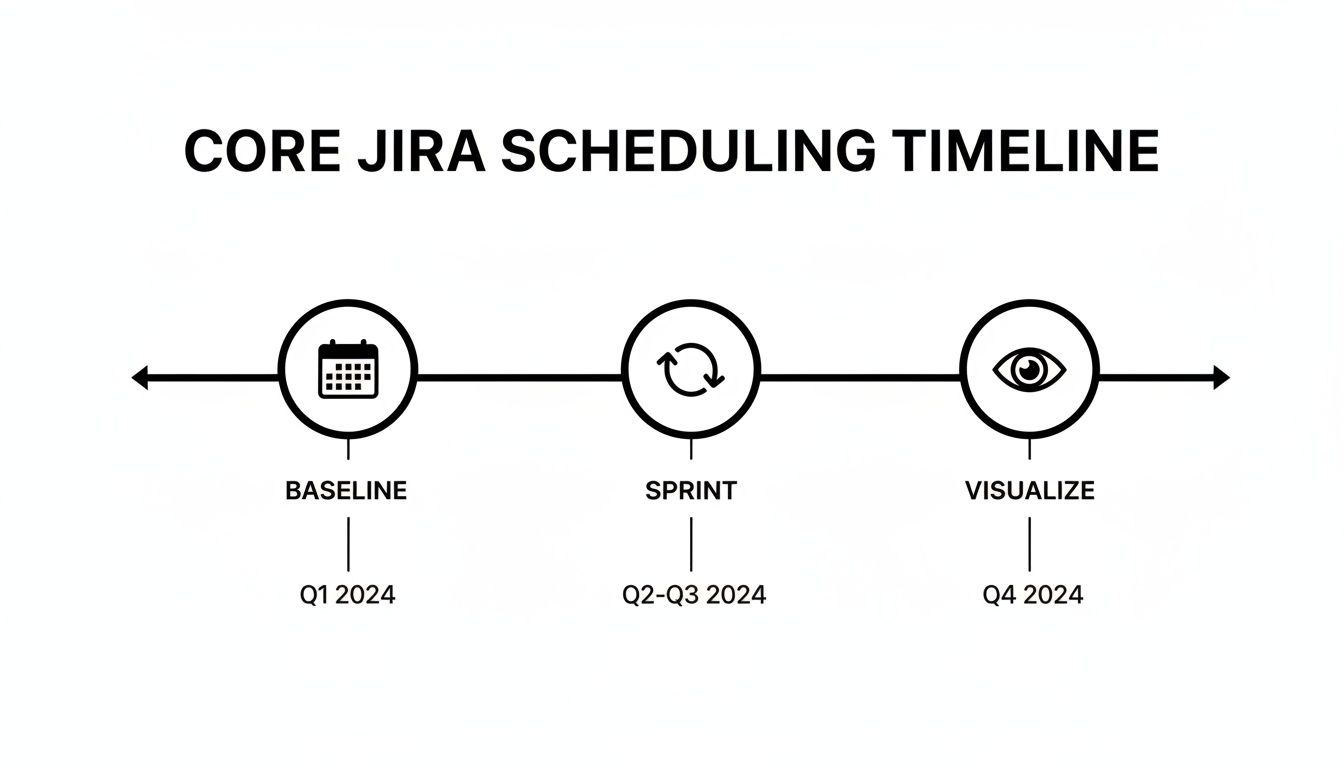
This visual shows how powerful tools like Advanced Roadmaps build on core concepts to give you much deeper insight into your projects.
But it gets better. Advanced Roadmaps also factors in your team's capacity. By looking at historical sprint data and velocity, it helps you forecast release dates with far more confidence than just spitballing a date. If your plan has a team completely underwater, the roadmap flags it. This lets you reallocate work or have a realistic conversation about deadlines before you miss them. Brushing up on concepts like the critical path method can make you even more effective at building these schedules.
Pro Tip: Don't treat your roadmap like a static document you create once and forget. The most successful teams I’ve worked with treat their roadmaps as living plans. They review and adjust them weekly, adapting to new information and shifting priorities. That agility is what makes the plan useful.
Practical Scenarios for Your Business
So, what does this look like in the real world? Imagine a sales leader planning a multi-quarter outreach campaign. They can use Advanced Roadmaps to map out every phase—content creation, list building, email sequencing—and assign work, all while tracking everything against high-level business goals.
Here’s a simple way you could structure a plan like that:
- Initiative: Q4 Lead Generation Push
- Epic 1: Develop New Ebook (Marketing Team)
- Epic 2: Build Targeted Prospect List (Sales Ops Team)
- Epic 3: Launch Email Outreach Campaign (SDR Team)
By linking these epics, the sales leader immediately sees that the outreach campaign (Epic 3) is blocked until the ebook is done and the list is ready. This kind of birds-eye view is a cornerstone of effective program management in Jira, ensuring all the moving parts of a major initiative come together at the right time. It turns a complex goal into a clear, actionable plan everyone can rally behind.
Automating Schedules to Reclaim Your Time

Let's be honest, manual scheduling can be a soul-crushing time-sink. It’s that repetitive, low-impact work that chips away at your day, pulling you away from the stuff that actually matters. This is where Jira Automation really shines, letting you build 'set-it-and-forget-it' rules to handle all that busywork.
Instead of manually creating the same set of tasks week in and week out, you can set up automated workflows to run on a predictable schedule. We’re not just talking about saving a few minutes here and there. This is about building a reliable system that runs like clockwork, no hand-holding required.
Scheduled Triggers and Cron Expressions
The secret sauce behind Jira Automation is the scheduled trigger. This is what kicks off your automation rule at a specific time or interval. You can go with a simple schedule like "every Tuesday at 9 AM," or you can get incredibly specific using cron expressions.
If you've never used them, cron expressions are just text strings that define a precise schedule. They might look a little intimidating at first glance, but they give you a massive amount of control once you get the hang of them.
Here are a few real-world examples of what this looks like in practice:
- Weekly Team Reminders: Automatically create a "Prepare for Weekly Sync" task for each team member every Friday afternoon.
- Monthly Reporting Tasks: On the first day of every month, generate a "Compile Monthly Performance Report" issue and assign it directly to the project lead.
- Daily Check-ins: Post a message to a Slack channel every morning at 8 AM, prompting the team to review their assigned tasks for the day.
This is the kind of powerful, scheduled rule you can build right inside Jira's automation interface.
Real-World Automation Recipes
So, how does this actually play out?
Imagine you’re a sales manager tracking leads in Jira. You could build a rule that runs every single night to scan for any lead that's been sitting in the "Initial Contact" stage for more than five days. The rule can then automatically bump its status to "Follow-up Needed" and ping the assigned sales rep. No more leads falling through the cracks.
Scheduling in Jira hit a new efficiency milestone as product teams worldwide integrate AI for smarter prioritization, saving an average of 2 hours daily per user. Nearly half of these teams lacked time for strategic planning before AI tools automated routine scheduling tasks, a finding that’s especially vital for sales leaders and project managers. Discover more about these productivity gains from Atlassian's report.
Stakeholder communication is another great use case. You could set up a rule to run every Monday morning. It would use a JQL query to pull all high-priority issues scheduled for the upcoming week, compile them into a neat list, and send a summary email to key stakeholders. They get a clear digest of what's on the docket, and you didn't have to lift a finger.
That's how you start reclaiming your time and building a truly scalable operation.
Integrating Jira with Your Calendar and External Tools
Let's be realistic: your team doesn't live inside Jira. Their daily schedule is probably managed in Google Calendar, Outlook, or another calendar app. If your Jira schedule stays isolated, you're creating friction and forcing everyone to constantly switch between tools just to see what's due. That’s a surefire way to kill productivity.
The whole point of integration is to bring all commitments into one place. When a developer’s Jira deadlines pop up right next to their team meetings in Google Calendar, there's no more guesswork. This kind of unified view is essential for spotting conflicts early and making sure everyone is on the same page.
Choosing Your Integration Path
So, how do you actually connect Jira to your calendar? You've got a few solid options, and the best one for you really depends on your team's needs, budget, and how much control you want.
Jira's Built-in iCal Feed: This is the simplest way to get started. Jira Cloud can generate a basic iCal feed for a project, which you can subscribe to in almost any calendar app. It’s a one-way street—it pushes due dates from Jira to your calendar—but it’s free and incredibly easy to set up for personal visibility.
Apps from the Atlassian Marketplace: For a much more powerful connection, you’ll want to look at the Atlassian Marketplace. Apps like Calendar Sync for Jira or Outlook/Google Calendar for Jira create a true two-way sync. This means you can often create and update Jira issues directly from your calendar, which is a massive time-saver.
Automation Platforms: If you need complete control, tools like Zapier or Make.com are the way to go. They let you build custom workflows. For instance, you could create a rule: "When a Jira issue gets the 'Client-Meeting' label, automatically create a calendar event and invite the client."
The automation route gives you the power to design a system that fits your exact process, no matter how unique it is.
Don't overcomplicate it from the start. The best integration is the one that solves an immediate pain point. Often, a simple one-way sync to a shared team calendar is all you need to make a huge difference. You can always get fancier later.
Practical Integration Examples
Here’s a real-world example I see all the time. Imagine a marketing team using Jira for content creation. They can set up a simple automation so that when a blog post issue is dragged into the "Ready for Publish" column on their Kanban board, an event is automatically created on the team's shared Google Calendar for the publish date.
Suddenly, the social media manager knows exactly when to schedule their posts without ever having to ask. It's a small change that eliminates communication bottlenecks and prevents things from slipping through the cracks.
To help you choose the right path, here’s a quick breakdown of the different integration methods.
Jira Calendar Integration Methods Compared
Connecting Jira to your team's calendar can be as simple as a free, one-way feed or as robust as a custom, two-way sync. This table breaks down the most common methods to help you decide what fits your workflow and budget.
| Method | Ease of Use | Cost | Key Feature |
|---|---|---|---|
| Native iCal Feed | Very Easy | Free | One-way sync of due dates to any calendar that supports iCal. |
| Marketplace App | Easy | $ (Varies) | Two-way synchronization and the ability to edit issues from your calendar. |
| Automation Tool | Moderate | $$ (Varies) | Unlimited flexibility to create custom, trigger-based workflows. |
Ultimately, choosing the right method depends on your team's specific needs. But no matter which you pick, integrating these tools turns scheduling from a simple administrative task into a vital part of your team's communication strategy.
Working Through Common Jira Scheduling Problems
Even with the best-laid plans, things can go sideways. When you're managing schedules in Jira, you're bound to hit a few bumps in the road. The trick isn't avoiding problems altogether—it's learning how to spot them early and fix them before they snowball.
One of the most classic pitfalls I see is the overloaded sprint. The team heroically commits to a huge pile of work, but as the days tick by, it becomes clear they can't get it all done. This isn't a failure of the team; it's a breakdown in planning.
The Problem: Overloaded Sprints
How do you know if you're overloading your sprints? Look for the tell-tale signs: stories constantly rolling over to the next sprint, an all-over-the-place velocity chart, and a general dip in morale. When sprint goals feel more like wishful thinking than concrete targets, you've got a problem. This is what happens when we plan based on what we want to happen, not what our data tells us can happen.
The fix is to get real with your data.
- Look at your actual velocity. Don't guess. Calculate the team's average velocity over the last 3-5 sprints. That number, not some aspirational goal, should be your starting point for sprint commitments.
- Don't forget about real life. People take vacations, get sick, and have company-wide meetings. If a developer is out for a week, their capacity is cut in half for that sprint. You have to account for this and adjust the total commitment down.
The Problem: Wildly Inaccurate Roadmaps
Another all-too-common headache is a roadmap that seems to change with the wind. You tell stakeholders a major feature will land in Q3, but as the deadline looms, it's obvious you're nowhere close. This kind of thing kills trust and makes any kind of long-term planning feel pointless.
An inaccurate forecast isn't just a missed date on a calendar. It's a fundamental disconnect between the plan you've sold and the reality of the work on the ground. The root cause is almost always a failure to map out dependencies or account for complexity.
To get your forecasts back on track, you need to become a bit of a data detective. Jump into Advanced Roadmaps and start auditing your issue dependencies. Are tasks really linked correctly? Are you seeing hidden blockers?
Next, take a hard look at your team's estimation accuracy. If issues consistently take twice as long as the original estimate, your entire roadmap is built on a foundation of bad data. It's time to refine how you estimate or start building in realistic buffers to give your timelines a fighting chance.
Got Questions About Jira Scheduling? We've Got Answers.
Here are a couple of the most common questions I hear from teams trying to get a handle on scheduling in Jira.
How Do I Set Up Recurring Tasks in Jira?
It's a common stumbling block: Jira doesn't actually have a native "recurring task" button. But don't worry, there's a straightforward and powerful way to handle this using Jira Automation.
The trick is to build a rule with a scheduled trigger. Think of it like a cron job for Jira. You can tell it to run on a set schedule—say, every Tuesday morning at 8 AM—and its job is to create a specific issue. This is a game-changer for things like generating weekly performance reports, reminding the team to prepare for a sprint demo, or creating monthly server maintenance tickets.
Is It Possible to See My Jira Schedule in Google Calendar?
Absolutely, and you have a couple of options here. The quickest, built-in method is to use Jira's iCal feed subscription. This creates a one-way connection that pushes issues with due dates right into your calendar. It's read-only, but it's fantastic for pure visibility.
If you need something more powerful, like a two-way sync where you can actually edit Jira issues from your calendar events, you'll want to look at the apps available on the Atlassian Marketplace.
My two cents: Start with the simple iCal feed first. It solves the visibility problem for 90% of teams without adding complexity. If you find yourself constantly wishing you could create or update an issue right from a calendar event, then it's time to explore a Marketplace app. Don't overcomplicate it from the get-go.
At MakeAutomation, this is what we do day-in, day-out: building these kinds of smart, automated Jira workflows for B2B and SaaS companies. If you’re ready to build a system that manages itself so you can focus on growth, we should talk. See how we build automation frameworks at https://makeautomation.co.