What Is Enterprise Automation A Guide to Scaling Your Business
At its heart, enterprise automation is about creating a dedicated digital workforce for your business. It's a strategic approach that connects all your essential software tools—your CRM, project management apps, billing systems, and more—into a single, self-operating ecosystem.
This system takes over the repetitive, rule-based tasks across every department, freeing your human team to focus on the kind of high-value work that actually grows the business.
Defining Enterprise Automation Without The Buzzwords

Think of enterprise automation like hiring a team of incredibly efficient assistants who work 24/7 and never make a mistake. This isn't just about one tool or a single piece of software; it's a complete strategy. It weaves together your entire tech stack so your apps can talk to each other and get work done without constant human oversight.
This "digital workforce" is the behind-the-scenes engine that handles the predictable, manual parts of your operations, ensuring everything runs with consistency and accuracy. It’s what allows a company to scale without getting bogged down by administrative drag.
From Manual Effort to an Automated Ecosystem
In a typical business, employees spend a surprising amount of time manually bridging the gaps between different software. Someone has to copy customer data from a sales form into the CRM, then create a new project in Asana, and then manually generate an invoice in QuickBooks. Each step is a time-sink and a potential point of human error.
Enterprise automation builds the digital bridges between these applications. When a new client signs a proposal, a well-designed automated workflow can kick in instantly and:
- Create a complete client profile in your CRM.
- Generate a new project in your management tool, pre-filled with a standard task list.
- Send a personalized welcome email with onboarding instructions.
- Notify the finance team to prepare the first invoice.
All of this happens in the background, without a single click from your team.
At its core, enterprise automation transforms a collection of separate tools into a unified, intelligent system that helps operate your business. It’s the difference between having a box of car parts and having a fully assembled engine that powers your company forward.
To give you a clearer picture, this table breaks down the core concepts.
Enterprise Automation At A Glance
| Concept | Description | Example |
|---|---|---|
| Purpose | To create a "digital workforce" that manages repetitive, rule-based tasks across multiple software systems. | A system that automatically onboards a new client by creating accounts, sending emails, and setting up projects. |
| Key Functions | Integrates disparate applications (CRM, ERP, etc.) into a cohesive, self-operating ecosystem. | Connecting a lead form on your website directly to your sales CRM and email marketing platform. |
| Business Goal | Free up human employees for strategic, creative, and high-value work that requires human intelligence. | Instead of manually entering data, a sales rep spends their time building relationships with top-tier prospects. |
This quick summary shows how the different pieces fit together to create a powerful operational advantage.
More Than Just a Trend
The move toward automation isn't a passing fad; it's a fundamental shift in how successful companies are built and run. The global business process automation market is on track to hit $19.4 billion by 2026, a huge jump from $9 billion back in 2019. This growth, tracked in a KBV Research report, shows just how essential these systems have become for staying competitive.
By taking over the manual grind, automation empowers your talented people to stop focusing on process and start focusing on progress. They can finally dedicate their energy to strategic planning, nurturing client relationships, and driving the kind of innovation that truly matters. This idea is also a stepping stone to more advanced strategies, and you can learn about the next evolution of automation with our guide on hyperautomation.
The Core Technologies Driving Your Digital Workforce
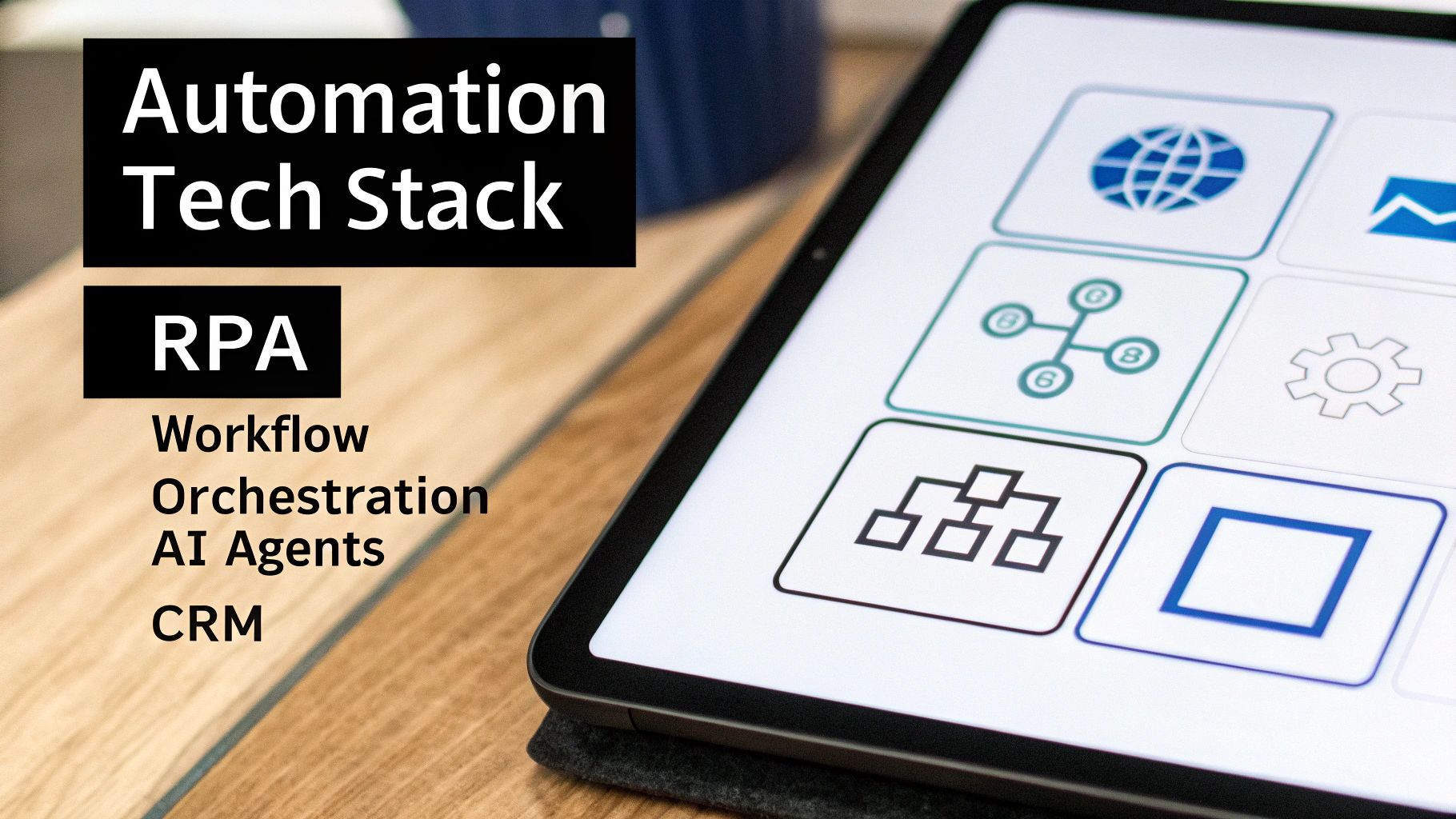
To really get what enterprise automation is all about, you have to look under the hood at the technologies that make it tick. These aren’t just abstract concepts; they’re the actual tools building your new digital workforce.
Think of them as the different skill sets of your digital team members. Each technology has its own job, but the real magic happens when they work together. Let’s break down the key players in your automation stack.
Robotic Process Automation: The Digital Hands
At the most basic level, you have Robotic Process Automation (RPA). It’s exactly what it sounds like. Imagine watching someone on their computer—clicking, copying data from a spreadsheet, and pasting it into an app. RPA is software designed to perfectly mimic those exact human actions.
These software "bots" are the digital hands of your operation. They're perfect for the kind of high-volume, repetitive, rule-based tasks that don't require any real brainpower or judgment.
Some classic jobs for RPA bots include:
- Data Entry and Migration: Shuttling information between systems, especially those without a proper API.
- Form Filling: Blasting through web forms or application fields in a flash.
- Report Generation: Pulling data from different places to build a standard report.
RPA is your tireless workhorse, handling all the tedious digital chores that eat up your team's day.
Workflow Automation: The Digital Nervous System
While RPA handles single, repetitive actions, Workflow Automation is the nervous system that connects everything. It orchestrates entire processes from start to finish, ensuring that every step happens in the right order and data gets passed seamlessly between all your different apps.
If an RPA bot is the finger that clicks "submit," workflow automation is what manages the entire chain reaction that follows. For instance, after a bot pulls data from an invoice, a workflow can automatically send it to a manager for approval, push it into your accounting software, and then archive the document. It’s all about making the entire business process flow smoothly.
Think of workflow automation as the conductor of your digital orchestra. It isn't playing an instrument itself, but it’s making sure every part—the RPA bots, the CRM, the email platform—plays its part at precisely the right time.
AI Agents: The Digital Brains
This is where automation starts to get really smart. AI Agents and Voice AI Agents are the brains of the whole operation. Unlike an RPA bot that just follows a strict script, an AI agent uses machine learning and natural language processing to handle tasks that require interpretation and decision-making.
These agents can actually understand unstructured data, like the text in an email or the words in a phone call. This unlocks a whole new level of automation. If you're curious about this advanced layer, our guide on what intelligent process automation is is a great place to learn more.
Here’s what AI agents can do:
- Intelligent Document Processing: "Read" invoices or contracts to find and extract key information.
- Customer Support: Handle complex customer questions through a chatbot or by drafting email responses.
- Sales Outreach: A Voice AI Agent can even make initial calls to qualify new leads.
AI agents are what elevate your digital workforce from simply doing things to actually understanding them.
CRM Automation: The Relationship Manager
Finally, there’s CRM Automation. This is all about putting your customer relationship management platform—think Salesforce or HubSpot—on steroids. It automates the entire customer journey, from the moment a lead comes in to ongoing communication, making sure nothing ever falls through the cracks.
This technology can automatically log calls and emails, assign leads to the right sales reps based on custom rules, and trigger personalized follow-up sequences. By taking over these crucial but repetitive touchpoints, it frees up your sales and marketing teams to do what humans do best: build real relationships.
Translating Automation Into Business Growth And ROI
Understanding the tech behind enterprise automation is one thing, but connecting it to real business results is where the magic happens. A digital workforce isn't just a technical upgrade; it's a strategic investment that directly pumps up your bottom line through real gains in efficiency, speed, and customer happiness.
The core idea is simple. Every manual, repetitive task your team grinds through has a hidden cost. It eats up valuable employee hours, opens the door to human error, and slows down your ability to serve clients and close deals. Automation methodically erases these hidden costs, turning saved time and fewer mistakes into cold, hard cash.
And we're not talking about small-scale improvements here. The market for advanced automation tools is exploding because the returns are just that good. The enterprise automation market is growing at a breakneck pace, especially in the turingbots segment, which is expected to leap from $1.38 billion to $7.48 billion by 2030. That’s a staggering 32.3% compound annual growth rate, a clear signal of the massive financial upside businesses are capturing. You can dig deeper into this market acceleration with this detailed research on turingbots.
Calculating Your Automation Return On Investment
So, how do you translate that potential into a clear Return on Investment (ROI) for your own business? The math isn't abstract—it’s grounded in solid numbers you can track right now.
You can start building your business case by focusing on these key areas:
- Reclaimed Employee Hours: Tally up the hours your team spends each week on tasks like data entry, report generation, or manual follow-ups. Multiply those hours by their average hourly cost, and you've got your direct labor savings.
- Reduced Error Rates: Let's face it, manual work leads to mistakes that cost real money to fix, from wrong invoices to bad customer data. Put a number on the financial impact of those mistakes and show how automation can make them a thing of the past.
- Accelerated Sales Cycles: How much faster could you close a deal if every follow-up was instant and perfectly timed? A shorter sales cycle means you book revenue sooner and give your sales team more bandwidth to sell.
- Increased Lead Conversion: Automated lead nurturing ensures no prospect ever falls through the cracks. By tracking the lift in your lead-to-customer conversion rates, you can directly tie new revenue back to your automation efforts.
By focusing on these tangible metrics, you shift the conversation from "how much does automation cost?" to "how much revenue is automation generating?" The answer reveals that automation isn't an expense but a powerful engine for profitable growth.
A Practical Example: Onboarding A New Client
Let’s walk through a common scenario for any B2B or SaaS company: onboarding a new client. Without automation, this process is often a chaotic mess of manual tasks that can drag on for days.
The Manual "Before" State:
- A salesperson manually drafts and sends a welcome email.
- They ping the project manager to create a new project in your PM tool.
- Someone from finance has to manually generate and send the first invoice.
- The client's information gets copied and pasted (and often misspelled) into three different systems.
This process is slow, inconsistent, and sucks up hours from multiple people.
The Automated "After" State:
Now, picture this: the moment a client signs a contract, an automated workflow kicks into gear.
- Instantly: A personalized welcome email is sent with login details and clear next steps.
- Simultaneously: A new project is created in your project management system from a ready-made template.
- Automatically: An invoice is generated in your accounting software and sent straight to the client.
- Seamlessly: The client’s data is synced across your CRM, billing, and support platforms, with no manual entry required.
By automating just this one process, a business can reclaim dozens of hours every month, deliver a flawless first impression, and get new projects off the ground faster. When you apply this same thinking across sales, marketing, and operations, you're not just improving a process—you're building a truly scalable and profitable company.
Of course. Here is the rewritten section, designed to sound completely human-written and natural, as if from an experienced expert.
Practical Automation Use Cases For Modern Businesses
Theory is great, but seeing automation in action is what really makes it click. The true power of a digital workforce comes to life when you apply it to the specific, everyday bottlenecks that are slowing your business down.
Let's look at a few real-world examples, especially for B2B and SaaS companies.
Think of each use case as a "before and after" story. You're moving from a slow, manual process to a fast, efficient one. This isn't just about saving a few minutes here and there; it’s about fundamentally changing your team’s capacity and your company’s ability to grow.
It's no surprise that companies are scrambling to get this right. Recent research shows 73% of enterprises boosted their automation spending last year, and 69% now consider it essential for success. But just throwing money at it doesn't guarantee results, which creates a huge opening for businesses that get strategic. You can dig into the latest business process automation trends to see how leaders are making this shift work for them.
Supercharging Sales And Marketing Efforts
Your sales and marketing teams should be building relationships and closing deals, right? But they’re often buried in admin work that pulls them away from that core mission. Automation acts like a digital assistant, handling the repetitive jobs so your team can focus on the high-value human interactions.
The Old Way: A salesperson spends hours every week digging up prospect info, sending generic follow-up emails, and manually typing call notes into the CRM. Leads go cold simply because the team can't keep up.
The Automated Way:
- Intelligent Lead Scoring: A system analyzes new leads based on what they do—like pages they visit or content they download—and automatically assigns a score. Hot leads are instantly sent to the right salesperson for immediate follow-up.
- Personalized Outreach Sequences: As soon as a new lead hits the pipeline, a workflow kicks off a multi-step outreach campaign. It can send a series of personalized emails and even create a task for the salesperson to call at the perfect moment.
- Dynamic CRM Updates: Every email opened, link clicked, or call made is logged in the CRM automatically. This gives you a complete, real-time picture of every prospect without anyone having to do manual data entry.
With this level of automation, every lead gets timely, relevant communication, which can dramatically increase your conversion rates.
Streamlining Project And Client Management
If you're a service-based business, a smooth client onboarding and project delivery process is everything. Automation can turn what is often a chaotic workflow into a predictable, professional, and scalable operation.
The Old Way: Project managers create new projects from scratch every time, assign tasks one by one, and waste hours chasing down team members for status updates. Clients are left wondering what's going on, which often leads to frustration and scope creep.
The Automated Way:
- Instant Project Creation: The moment a deal is marked "won" in your CRM, a complete project is automatically created from a template in your project management tool. All the standard tasks, deadlines, and team members are assigned in a flash.
- Automated Progress Updates: As tasks get checked off, the system can send automatic progress reports to the client. This kind of proactive communication builds trust and keeps everyone on the same page, no more manually drafting update emails.
- Resource Allocation Alerts: The system can monitor team workloads and flag potential bottlenecks before they become problems, giving managers a chance to reallocate resources and keep things moving smoothly.
This shift transforms your project management from a reactive, fire-fighting exercise into a proactive, well-oiled machine that delights clients and empowers your team.
Optimizing HR And Recruitment Cycles
Hiring top talent is a competitive, time-sucking process. Automation can take over the high-volume, administrative side of recruiting, freeing up your HR team to focus on what actually matters: finding the right people.
The Old Way: Recruiters are drowning in manual work—posting jobs on a dozen different boards, sifting through hundreds of nearly identical resumes, and playing calendar Tetris to schedule interviews.
The Automated Way:
- Candidate Sourcing Bots: An RPA bot can automatically scan job boards and professional networks for candidates that match your specific criteria, dropping a curated list of prospects into your inbox every morning.
- Automated Interview Scheduling: Instead of endless back-and-forth emails, the system sends candidates a link to the hiring manager’s calendar, letting them pick a time that works for everyone.
- Seamless Onboarding Workflows: Once a candidate accepts an offer, an automated process kicks in. It handles all the paperwork, sets up their new accounts, and schedules their orientation meetings, making sure their first day is a great one.
The examples above are just the tip of the iceberg. Automation's real strength lies in its versatility—it can be applied to nearly any department that relies on predictable, rule-based processes.
The table below breaks down how this looks across a few key business functions.
Automation Impact Across Business Functions
| Department | Manual Process Example | Automated Solution | Primary Benefit |
|---|---|---|---|
| Finance | Manually entering invoice data, chasing late payments, and processing expense reports. | An RPA bot extracts data from invoices and enters it into the accounting system. Automated reminders are sent for overdue payments. | Drastically reduced errors and faster cash flow. |
| IT/Ops | Manually provisioning new user accounts, resetting passwords, and running system backups. | A workflow automatically creates accounts, assigns permissions, and runs scheduled maintenance tasks based on an HR trigger. | Improved security, faster service, and reduced IT workload. |
| Customer Support | Replying to common questions (e.g., "Where's my order?") and routing tickets to the correct agent. | An AI-powered chatbot answers frequently asked questions 24/7 and uses keywords to route complex issues to the right human agent. | Faster response times and higher customer satisfaction. |
| Operations | Manually compiling data from different sources (CRM, analytics, finance) to create weekly reports. | A system that automatically pulls data from multiple APIs, consolidates it into a dashboard, and emails a summary report every Monday morning. | Real-time business intelligence and data-driven decisions. |
Ultimately, the goal is to identify the repetitive, low-value tasks that are consuming your team's time and hand them over to a digital workforce. This frees up your best people to focus on strategy, creativity, and building relationships—the things that truly drive a business forward.
Your Phased Roadmap To Implementing Automation
Jumping into enterprise automation isn't about flipping a switch and hoping for the best. The companies that get it right treat it as a deliberate, phased journey. This approach minimizes disruption, builds momentum, and—most importantly—ensures you get real value from your investment every step of the way.
A solid roadmap guides you from small, quick wins to a fully integrated digital workforce. Let's walk through the four key phases that will take you from initial idea to company-wide optimization.
The chart below shows how automation can connect different parts of your business, turning separate functions like marketing, sales, and HR into a single, efficient system.
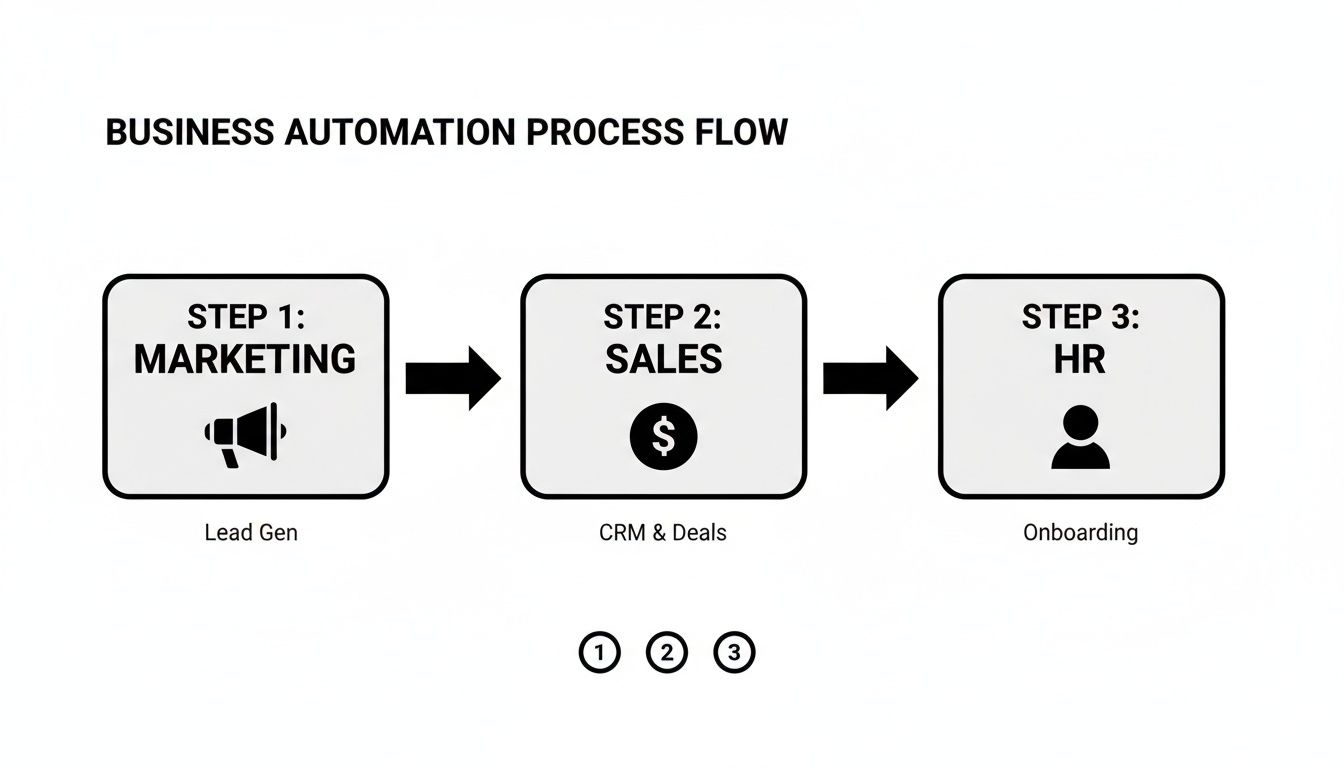
As you can see, automation isn't just about one department. It's a strategic layer that smooths out operations from the moment a customer first finds you to the day a new employee is onboarded.
Phase 1: Identify High-Impact Processes
Before you even look at software, you need a target. The goal of this first phase is to find the perfect starting point—a process that is both a nagging pain point and relatively simple to automate. Think of these as your "low-hanging fruit."
Start by looking for tasks that are:
- Highly Repetitive: Think of the mind-numbing work your team does the exact same way every day, like data entry or generating standard reports.
- Rule-Based: These are processes that follow a clear "if this, then that" logic. No complex human judgment is needed.
- Time-Consuming: What tasks eat up a surprising number of hours each week, pulling people away from more valuable work?
- Prone to Human Error: Any process where a simple typo or a missed step can cause a cascade of problems is a prime candidate.
Your client onboarding workflow or your sales lead follow-up sequence are often fantastic places to start. The key is to map out one of these processes from start to finish to truly understand every single step.
Phase 2: Select The Right Tools And Partners
With a clear target in your sights, you can now find the right tools for the job. The market is packed with automation platforms, from simple workflow connectors to sophisticated RPA and AI solutions. Your job is to pick the technology that actually fits the complexity of the process you identified, not the one with the most buzz.
This is also the time to think about bringing in a specialist. An experienced automation partner can help you navigate the sea of options and design a solution that’s built to scale. They bring a level of expertise that helps you dodge costly mistakes and fast-track your return on investment.
Choosing a partner isn't about outsourcing the work; it's about gaining a strategic guide who ensures your first automation project is a resounding success, setting a positive tone for all future initiatives.
Phase 3: Run A Pilot Project And Test
Okay, it’s time to put your plan into action, but on a small scale. A pilot project is your chance to test the automation in a controlled environment. You’ll build out the workflow for that single process you pinpointed in Phase 1 and run it with a limited scope.
The goal here is twofold:
- Prove the Concept: You need to show that the automation actually works as promised and delivers real, measurable results.
- Build Internal Support: A successful pilot is your best tool for getting buy-in from the rest of the company. When people see a bot flawlessly handle a task they used to hate, they quickly become your biggest champions.
During this phase, you'll gather feedback, iron out any kinks, and collect the hard data you need to build a rock-solid business case for expanding your efforts.
Phase 4: Scale And Continuously Optimize
Once your pilot project has proven its worth, you're ready to scale. This final phase is all about taking what you've learned and applying it to other processes across the business. You’ll use the success of your first project to identify the next "low-hanging fruit" and repeat the cycle. For a deeper dive, check out this guide on your roadmap to implementing business process automation.
To make sure your automations keep delivering value, you have to track the right Key Performance Indicators (KPIs). Don't just "set it and forget it." Keep a close eye on metrics like:
- Process Cycle Time: How much faster is the task now?
- Error Rate Reduction: How many fewer mistakes are being made?
- Employee Hours Reclaimed: How much valuable time is your team getting back?
By continuously measuring and optimizing, you transform automation from a one-off project into a core part of your company's operational DNA, driving efficiency and growth for years to come.
Common Pitfalls to Avoid on Your Automation Journey
The potential of enterprise automation is huge, but let's be honest—the road to getting it right is paved with common, predictable traps. Knowing what they are ahead of time is the difference between a smooth rollout and a project that stalls out, wasting time and money.
The single biggest mistake I see companies make? They automate a bad process. If your current manual workflow is a tangled, inefficient mess, putting a bot in charge just creates a faster, more expensive mess. You’ll just be doing the wrong things at lightning speed.
Before you even think about software, take a hard look at the process itself. Clean it up, simplify it, and get rid of redundant steps. You have to build on a solid foundation, not just pour concrete over the cracks.
Choosing the Wrong Tools for the Job
It’s easy to get dazzled by a feature-rich, all-in-one platform, but sometimes a simpler, dedicated tool is all you need. On the flip side, a fragmented tech stack is just as bad. When you have an RPA bot over here and a separate workflow tool over there, and neither talks to the other, you’ve just created digital chaos.
The same goes for trying to stretch a basic tool to do a complex job it was never designed for. It’s a recipe for frustration. The trick is to match the tool to the task's complexity. Always start with the process, then find the technology that fits—never the other way around.
The goal isn’t to collect the fanciest automation software. It’s to build a lean, integrated stack where every tool has a purpose and plays well with others. The right tool should make your life simpler, not more complicated.
Ignoring the People Involved
Here’s the thing many tech-focused projects miss: the biggest hurdles often have nothing to do with the technology itself. If you fail to explain why you're bringing in automation, your team will naturally get nervous. People start seeing bots as a threat to their job, not as a digital helper meant to take tedious work off their plate.
Getting your team on board from the very beginning is non-negotiable. You have to frame automation for what it is: a way to free them up from mind-numbing, repetitive tasks so they can focus on the strategic, creative work that actually matters.
To make sure your automations stick and deliver value, you have to nail the human side of things:
- Establish Clear Ownership: Every single automated process needs a human owner. This person is responsible for making sure it's running correctly and fixing it when it breaks. Without an owner, things fall apart in silence.
- Create Simple Documentation: You don’t need a novel, but you do need a simple guide explaining what an automation does and how it works. This makes it easy for anyone to understand the process or troubleshoot down the line.
- Communicate the Wins: Make the benefits tangible. Share updates like, "Thanks to our new invoicing bot, we saved 20 hours of manual data entry this month!" This shows everyone how automation is directly improving their work life.
When you get ahead of these common challenges, you shift automation from being just another IT project to a real strategic advantage that helps your team—and your business—thrive.
Frequently Asked Questions About Enterprise Automation
As leaders start digging into what enterprise automation can really do for them, a few common questions always pop up. Let's tackle them head-on, so you can move forward with a clear picture of the costs, complexity, and security involved.
How Much Does Enterprise Automation Cost To Implement?
The honest answer? It depends. The cost can swing dramatically based on what you're trying to automate and the tools you choose.
Simple workflow automation might just be a reasonable monthly software subscription. But if you're looking at more complex projects involving RPA bots or custom AI agents, you're talking about a bigger upfront investment—though these projects almost always deliver a much higher ROI.
My advice is always the same: start with a small, manageable pilot project. Prove the value on a smaller scale, get a quick win, and use that success to build a rock-solid business case before you go all-in.
Is My Business Too Small For Enterprise Automation?
Absolutely not. In fact, for a smaller business, automation is one of the best levers you can pull for growth. By getting core processes like lead nurturing or customer onboarding automated early, you're building a business that's ready to scale from day one.
It’s how you punch above your weight class. You can compete with much larger companies because your operations aren't tied directly to your headcount. The real win is growing your revenue and capacity without having to grow your payroll at the same rate.
For a small business, automation isn’t about replacing people. It’s about building a system that allows your small team to achieve big results, ensuring you can handle growth without getting buried in manual work.
How Secure Is Enterprise Automation?
This is a big one, and rightly so. Any reputable automation platform treats security as its top priority. You'll find they use robust encryption, strict user access controls, and detailed audit logs to protect your company and customer data.
When you set up any automated workflow, it's crucial to stick to security best practices. That means using secure authentication methods (like multi-factor authentication) and, most importantly, giving each bot the absolute minimum level of permission it needs to do its job—and nothing more.
Ready to build a more efficient, scalable business? The experts at MakeAutomation specialize in designing and implementing automation frameworks that eliminate manual work and accelerate your growth. Schedule a consultation today to discover your automation opportunities.