What Is Marketing Automation Software? a Practical Guide
Your webinar ends at noon. Three hundred people registered, half showed up, and someone now owes every one of them a different follow-up. Attendees need the replay. No-shows need the recording with a softer pitch. The person who visited your pricing page twice that morning needs a rep, not another generic email. Done by hand, that work takes days and half of it never happens. That's the everyday problem behind the question of what marketing automation software is, and why the honest answer starts with data readiness, shared definitions, and measurement design, not a feature list. Get those right and the software scales good process. Skip them and it scales confusion faster.
What Marketing Automation Software Actually Does
Take that webinar list. A rep copies names from the registration tool, pastes them into a spreadsheet, writes three versions of the same email, and sends the last batch on Friday. By then, interest has cooled and nobody can say which session question signaled buying intent.
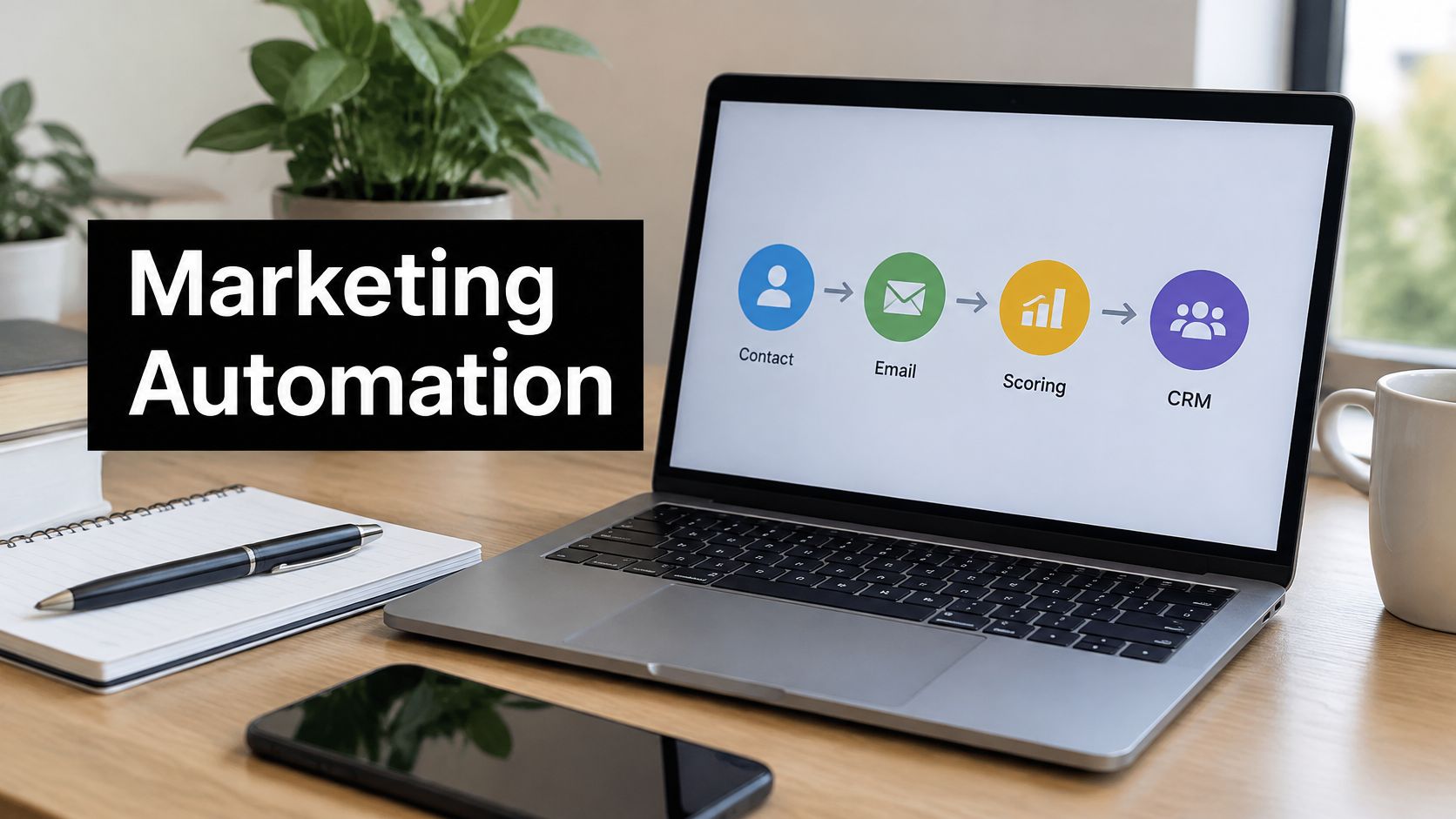
Marketing automation software is a platform that runs repeatable marketing work on rules and contact data. Your team designs the logic once, and the system executes it for every contact who meets the conditions. It's a practical tool, not magic, and it doesn't replace your judgment about messaging, offers, or who you should target in the first place.
The Three Parts in Every System
- A contact record: It stores profile details, source, and behavior, such as pages visited and emails clicked.
- Rules and triggers: These react when something happens, such as a form fill, a pricing-page visit, or a stage change.
- Actions: The system sends emails, creates task alerts, updates CRM fields, and feeds reports.
If you're still sorting out the broader concept, workflow automation basics for 2026 covers how trigger-and-action logic applies across business processes, not just marketing.
Marketing tasks before and after automation
| Marketing task | Manual approach | Automated workflow |
|---|---|---|
| Webinar follow-up | Rep emails each attendee by hand, often days later | Confirmation within minutes, reminder 24 hours before, replay sent after the event |
| Lead qualification | Sales reviews every form fill and decides who is ready | Lead score rises with pricing-page visits and demo requests; sales is alerted at the threshold |
| Audience segmentation | Analyst filters a spreadsheet before each send | Contacts sort automatically by industry, company size and funnel stage |
| Lifecycle updates | Reps update CRM fields after calls | Stage changes write to the CRM when a form, deal or email event occurs |
| Campaign reporting | Monthly export and manually built charts | Dashboard refreshes with opens, clicks, meetings and pipeline per campaign |
| Dormant lead re-engagement | Team remembers to chase old leads, usually never | Rule checks last activity date weekly and enrolls inactive contacts in a short re-engagement sequence, then suppresses non-responders |
Test any task with three questions: Is it repeated, can you state the rule, and does the data to run it already exist? Three yeses mean it's a candidate.
Readers often confuse this category with two neighbors. A CRM is the system of record for accounts, contacts, and deals, where sales tracks the relationship. An email service sends messages, but it usually can't branch on behavior, score contacts, or update lifecycle stages on its own. Automation sits between them, moving people through stages and telling both systems what changed.
How the Software Moves a Prospect From Signal to Sales
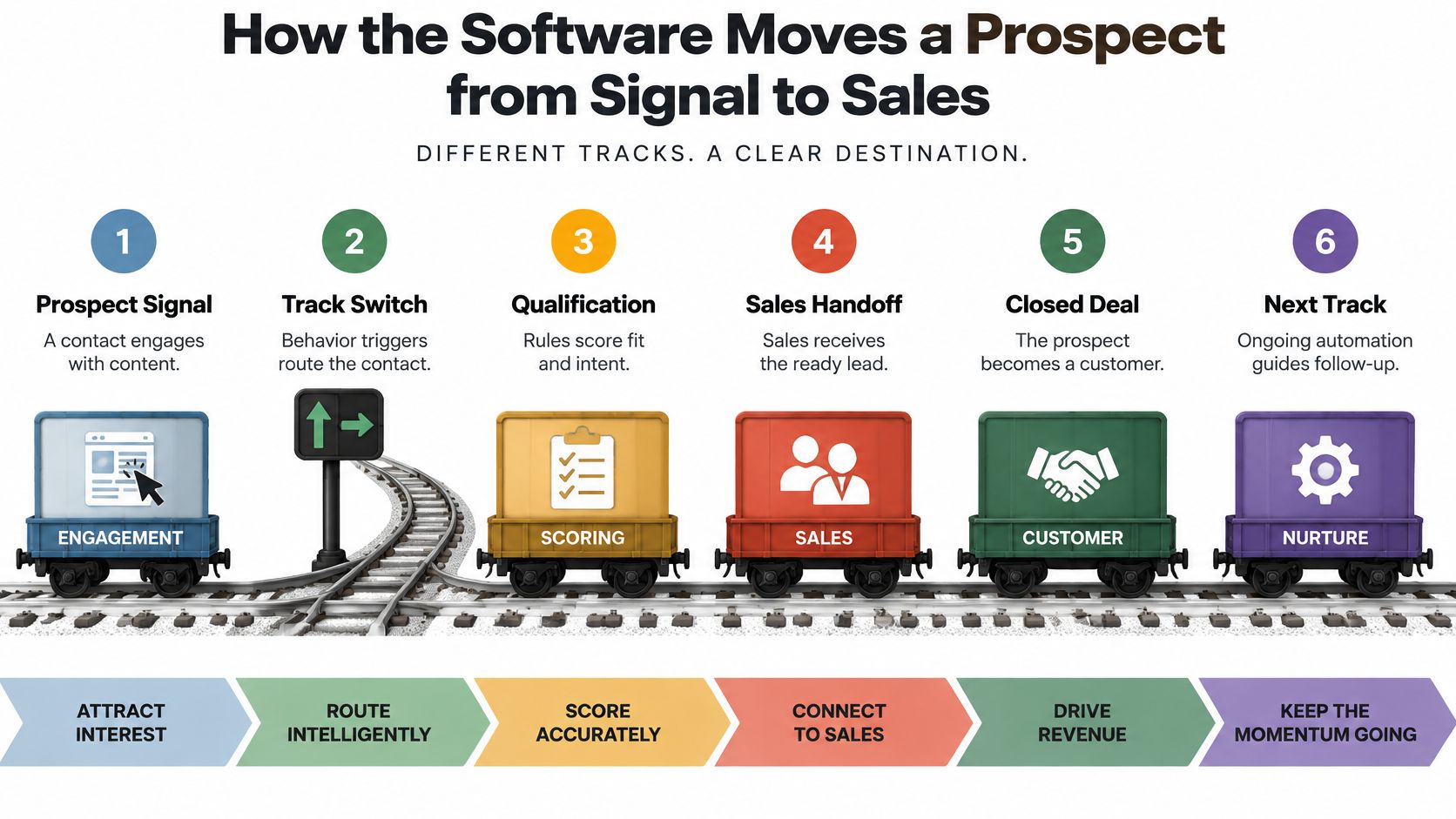
Think of a rail switching yard. Contacts are the railcars. Behavior signals are the track switches, and your rules decide which track each car takes. The diagram below traces that path from first signal to a closed deal and onto the next track.
One Prospect, Step by Step
Say a prospect downloads a report. The form captures name, company, and source, and attaches that activity to the contact record. Two days later she visits the pricing page, which adds points to her lead score and puts her in a segment of active evaluators. She enters a three-email nurture track with case studies matched to her industry.
For a fuller picture of how these clicks and visits signal intent, how LeadBeast explains B2B buying signals breaks down which actions usually matter. When her score reaches 60, the switch flips, the system routes her to a named sales owner, creates a task, and sends an alert. Building sequences like this is the core of structured lead nurturing automation, where timing and content follow behavior instead of a fixed calendar.
The Four Building Blocks
- Data capture: Forms, page tracking, and email events write to the record.
- Segmentation: Rules group contacts by fit, stage, and recent behavior.
- Scoring: Points accumulate for intent actions until a threshold triggers routing.
- Triggered actions: Emails, alerts, tasks, and stage updates fire automatically.
Running underneath all four is CRM sync, which keeps lifecycle stages identical in both systems. Without it, marketing nurtures someone sales already closed, or sales calls someone who asked to be left alone. That coordination is why this is an orchestration layer, not an email tool. Research in the Journal of Marketing study on automated lead nurturing found that automated lead nurturing improved lead-conversion probability by between 0 and 23 percentage points across studies, with outcomes depending strongly on sales-cycle length, expected deal value, and the prospect's existing relationship with the seller.
Flows break in predictable places. Missing entry and exit conditions trap contacts in sequences forever. Duplicate records split one person's score across two profiles, so neither reaches the threshold. Stages that stop syncing send reps chasing stale information.
Read any workflow diagram in this order: find the entry trigger, follow the branches, confirm the exit condition, then check the handoff. If one is missing, the flow isn't finished.
Core Features and What Each One Does
No two products bundle features the same way, so a shared checklist beats vendor demos. The seven capabilities below appear in most platforms worth evaluating. Judge each one against your own process, not against a competitor's logo list.
Core marketing automation features
| Feature | What it does | Example in a B2B SaaS team |
|---|---|---|
| Contact database | Stores profile, source and activity history for each contact | Lead record shows a pricing-page visit before the demo request |
| Journey and email builder | Sends sequences that branch on recipient behavior | Opened but did not click, so the contact receives a case study |
| Lead scoring | Adds points for fit and engagement and flags a threshold | Pricing-page visits and a demo request lift the score past 60 and alert the owner |
| Dynamic segmentation | Groups contacts by rules that update as data changes | Trial users with 50 to 200 employees and no login in 7 days |
| Landing pages and forms | Captures leads and writes them into the database | Gated report form stores campaign and UTM fields |
| CRM sync | Keeps contact and deal stages aligned across systems | Deal closed-lost removes the contact from active nurture |
| Analytics and attribution | Reports which campaigns contribute to pipeline | Shows which webinar sourced the opportunities closed this quarter |
Where Buyers Misjudge Features
Lead scoring only works when sales agrees to the point values. If marketing decides alone that a webinar registration is worth 20 points, reps learn to ignore the alerts within a month. Sit down together, weight the actions that preceded real deals, and revisit the model quarterly. Our own CRM automation work bundles automated lead scoring, smart segmentation, behavior-triggered campaigns, and predictive analytics for exactly this reason, because scoring without segmentation and follow-through changes nothing.
Dynamic segmentation updates live as contacts change, so a trial user who logs in today leaves the at-risk segment tonight without anyone touching a spreadsheet. Analytics need the same discipline. Opens tell you a subject line worked. Opportunities created per campaign tell you whether the spend was worth it. Insist reports can trace a contact from first form fill to closed deal.
- Start here for a 10-person SaaS team: Journey builder, CRM sync, and scoring cover your highest-volume work.
- Defer until volume justifies it: Advanced ad audiences and multi-brand landing pages add maintenance before they add revenue.
Where B2B and SaaS Teams Use It Most
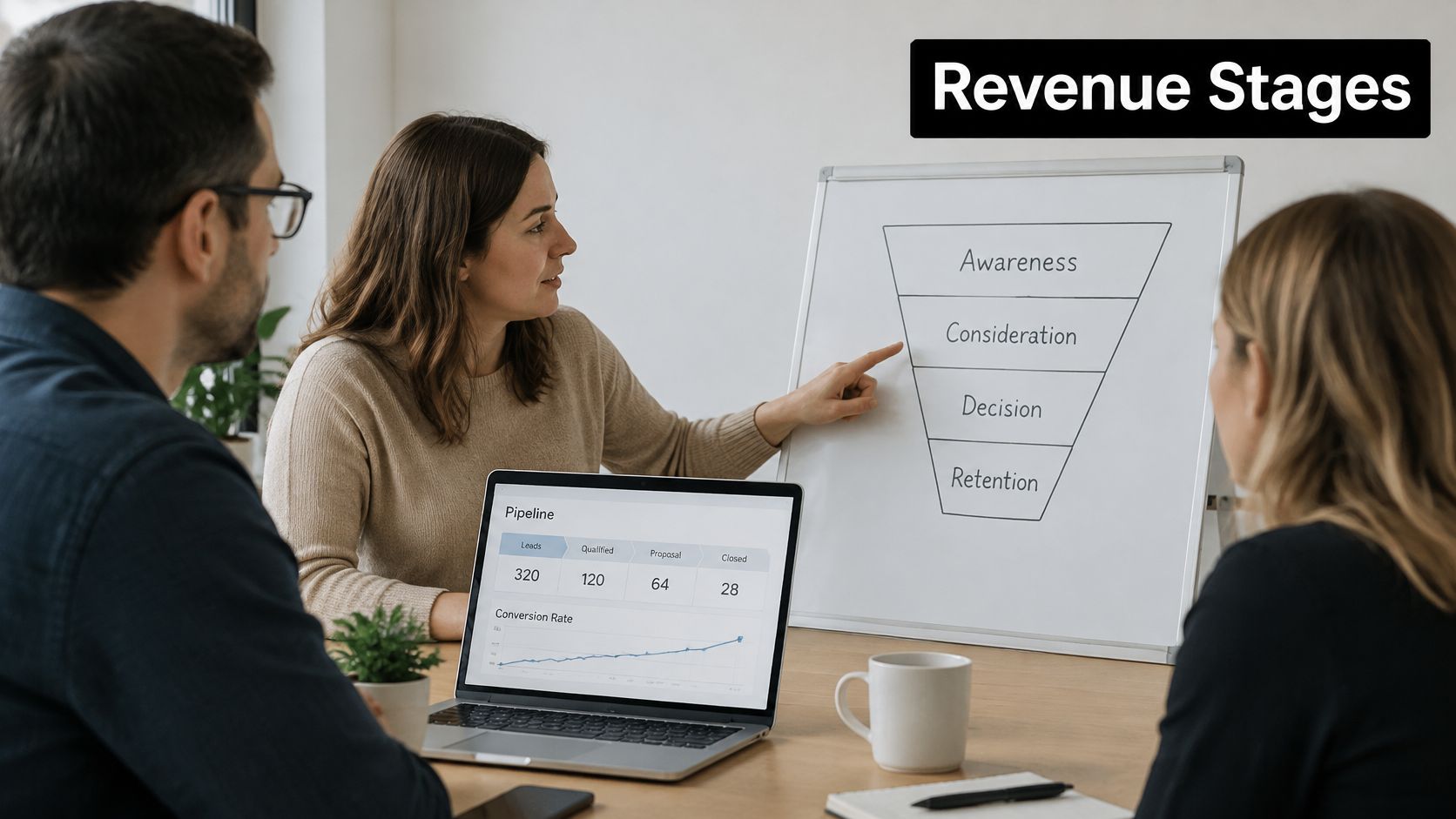
Revenue in B2B SaaS moves in stages, acquisition, conversion, onboarding, expansion, and retention, so organize use cases that way rather than by channel. The photo below shows the kind of working session where teams usually map those stages before building anything.
Common B2B and SaaS automation use cases
| Use case | Trigger | Automated action | Metric to watch |
|---|---|---|---|
| Trial onboarding | Free trial sign-up | Welcome sequence with setup steps; users who skip setup get a nudge after two days | Trial-to-paid rate |
| Demo request routing | Demo form submitted | Route by company size and territory, book the meeting, alert the owner in Slack | Time to first contact |
| Content nurture for long cycles | Whitepaper download | Three to five emails with case studies, then a sales check-in task | Meeting-booked rate |
| Expansion signals | Seat usage crosses a set threshold | Account manager task and tailored upgrade email | Expansion revenue per account |
| Churn-risk outreach | Logins drop for 14 consecutive days | Check-in email and a customer success task | Retention rate of flagged accounts |
| Event follow-up | Event registration or badge scan | Follow-up segmented by sessions attended | Pipeline created from the event |
What This Looks Like in a Real Pipeline
One B2B SaaS client came to us with a sales pipeline that had no defined stage rules, so deals sat wherever a rep left them. We designed a 4-stage sales pipeline with automated stage advancement and built 12 automated nurture sequences, so movement depended on recorded actions rather than memory. The practical payoff in cases like this is unglamorous, less administrative time for reps, faster first contact, and follow-up that happens for every lead instead of the memorable ones.
The video below walks through how these stage-based workflows connect in practice.
Be honest about fit, because it varies by deal size. High-volume, low-touch flows such as trial onboarding and webinar follow-up show returns quickly, since the same steps repeat hundreds of times. Complex enterprise deals work differently. Routing rules, stakeholder alerts, and task creation help there, but a three-email sequence won't move a committee. Automate the coordination and leave the persuasion to people.
Choosing your first workflow: Pick the flow with the highest repeated volume and a metric your team already tracks. You'll know within one cycle whether it worked.
Integration Points to Plan Before You Connect Anything
Automation only works with the data it can see. A platform disconnected from your product, billing, and support tools sees form fills and email clicks, then guesses about everything else. Integration is the central design question, not a go-live afterthought.
Systems to connect and what to check
| System | Data to share | Check before launch |
|---|---|---|
| CRM (HubSpot, Salesforce) | Contacts, deals and lifecycle stage | Field mapping, two-way sync and duplicate rules |
| Product analytics | Feature usage, plan and trial events | Consistent event names and user IDs that match CRM records |
| Website and forms | Form fields, UTM parameters and page visits | Tracking on every page and a working consent banner |
| Support desk | Tickets, satisfaction scores and open escalations | Promotional emails suppressed for accounts with open escalations |
| Billing system | Plan, renewal date and payment status | Status updates after a failed payment or cancellation |
| Calendar and chat | Meetings booked and sales alerts | Owner assignment and alert routing tested with real records |
| Data warehouse | Full history for reporting | Refresh schedule and agreed contact identity rules |
Choosing How to Connect
- Native connectors: Fastest to set up, but limited to the fields the vendor chose to support.
- Middleware such as Zapier: Suits many tools with light logic, though costs climb with task volume.
- Webhooks: Handle real-time events well when one system must react instantly.
- Custom APIs: Fit unusual data models, at higher build and maintenance cost.
Enrichment is part of this picture too. When a form captures only an email, company data for AI workflows can supply firmographic details your segmentation and routing rules depend on. We work across HubSpot, Salesforce, Airtable, Notion, and Slack, and integrate with more than 200 platforms including Pipedrive, Asana, Monday.com, Google Workspace, Microsoft 365, and custom APIs, which is why mapping comes before building. Our marketing automation integration work starts with that map rather than with individual zaps.
Bidirectional CRM sync deserves extra care. Set deduplication rules so one person can't exist as three records, and pass consent status with every record, so a contact suppressed in one tool stays suppressed everywhere. Getting consent wrong isn't a data nuisance, it's a compliance failure.
Put four questions to any vendor. Can it write back to the CRM? Does it log failed syncs? Where is consent stored? Who owns field mapping after launch? Vague answers now become broken workflows later.
Confirm Your Data Is Ready Before You Commit
More automation does not automatically mean more revenue. Automation increases activity, speed, and message volume by itself. Whether it adds pipeline depends on how you will measure it, and many teams have not decided that when they sign.
The gap shows up clearly in a 2025 survey reported by Chief Marketer, which found that 63% of marketers used generative-AI tools, while only 49% of users measured their return on investment, and among teams with fewer than 25 marketers, just 38% measured ROI. Privacy and security concerns were the leading stated barrier to AI adoption for 21% of respondents. Tools get adopted. Proof lags behind.
Separate Leading From Lagging Measures
- Leading indicators, reviewed weekly: Response time, email deliverability, and qualified pipeline created tell you whether the machine is running well.
- Lagging outcomes, reviewed quarterly: Win rate, sales-cycle length, retention, and gross profit tell you whether the machine matters.
Then run a holdout test. Keep a random share of eligible contacts out of the new workflow, let a full sales cycle pass, and compare outcomes between groups. Attribution alone can't prove causation, because it credits whatever touched the deal last. The holdout is what separates "the workflow ran" from "the workflow worked." Our data quality assurance process exists because tests built on duplicate, incomplete records produce confident wrong answers.
Three Misconceptions to Drop
More emails don't mean more pipeline. Volume without segmentation burns your list and your sender reputation. Connecting a tool to the CRM doesn't mean the data is clean. Sync moves records, it doesn't fix them, and it will faithfully copy every duplicate and dead address you own. AI features don't replace consent management or human review of high-impact messages, such as pricing changes or churn outreach, where one bad send costs a customer.
You're ready to commit when you can name the process, its owner, the handoff criteria, the required clean fields, and the control group. If you can't, fix the data first.
That's also what our free discovery call covers. It audits your current workflows, identifies the highest-ROI automation opportunities, provides a custom implementation plan, and gives a clear timeline and pricing, so the readiness questions get answered before money moves.
How to Implement Marketing Automation in Six Steps
Once you've passed the readiness gate, the build itself is straightforward if you respect the order. The checklist below summarizes the sequence, then each step explains what to do and where teams slip.
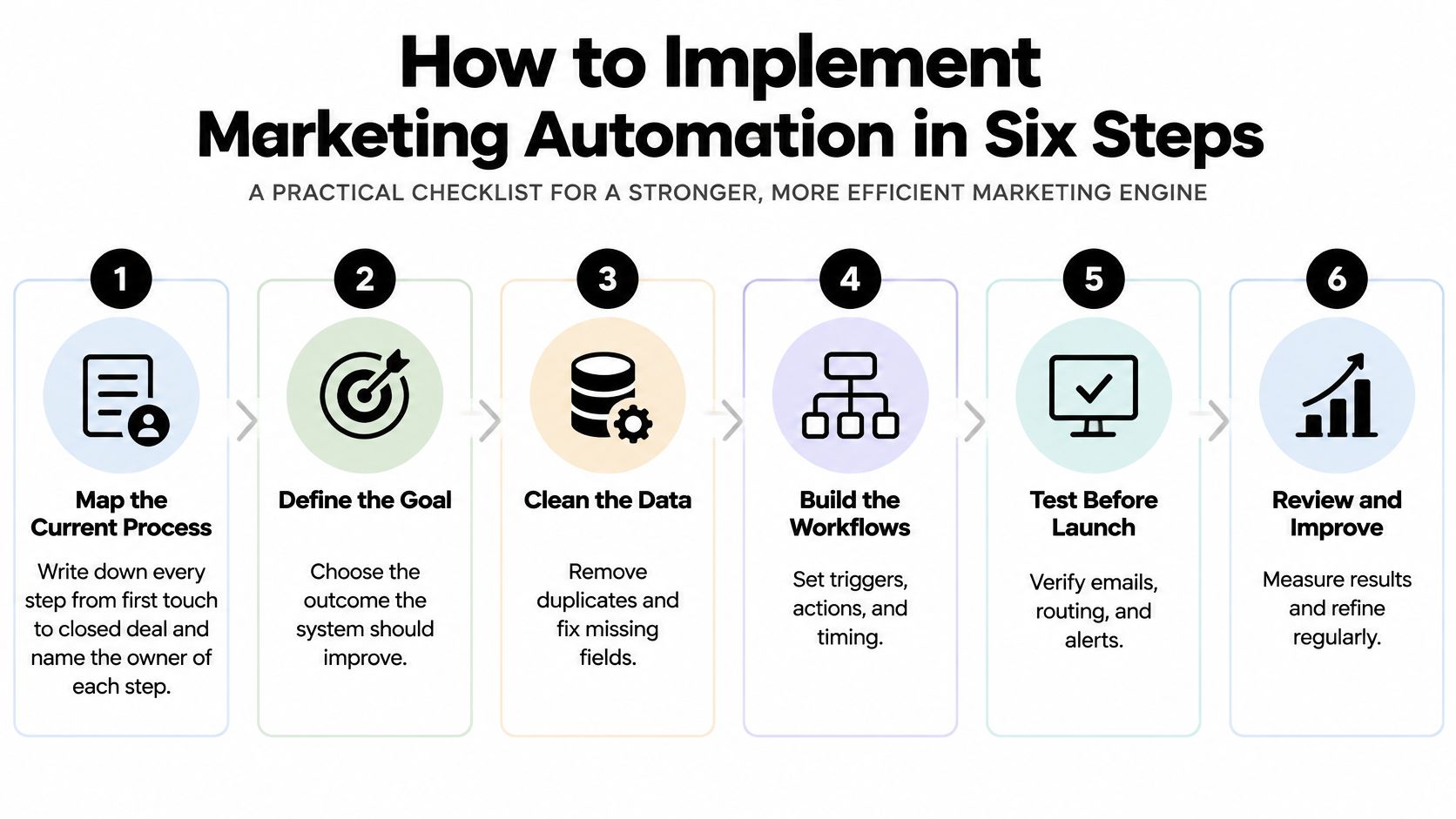
Steps 1 to 3 Prepare the Ground
1. Map the current process. Write down every step from first touch to closed deal and name the owner of each one, including the manual workarounds people use. Common slip: mapping only the ideal path, so the automation covers a process nobody follows.
2. Define lifecycle stages and handoff rules. Set the score or action that moves a lead to sales, and agree it with the sales lead in writing, not in a hallway. Common slip: leaving the threshold unagreed, which guarantees arguments about lead quality within a quarter.
3. Clean and structure the data. Remove duplicate contacts, standardize fields such as industry and company size, and record consent status for each contact before anything syncs. Common slip: assuming the CRM connection has already cleaned them. It hasn't, and whatever it spreads now becomes harder to fix later.
Steps 4 to 6 Build and Prove
4. Build one workflow first. Start with trial onboarding or webinar follow-up, set explicit entry and exit conditions, and hold out a control group using the design that separates activity from actual lift. Common slip: skipping the control group, which produces results nobody can trust when budget questions arrive.
5. Connect integrations and test with internal records. Push test contacts through every branch, check each sync in both directions, and confirm alerts reach the right owner. Common slip: building five workflows at once, which makes failures nearly impossible to trace to their source.
6. Review after 30 days. Judge the workflow on leading indicators, fix what broke, adjust scoring if reps report weak handoffs, then extend to the next workflow. Common slip: declaring success on opens alone, which measures curiosity rather than pipeline.
One working, measured workflow beats five half-tested ones. Expand only after the first proves itself against its control group.
Teams without developers aren't blocked here. We handle the full process from strategy to deployment to ongoing optimization, and customers don't need to hire developers or learn new platforms. The free discovery call is the practical entry point, since it audits your current workflows, identifies the highest-return automation opportunities, and provides a custom implementation plan with timeline and pricing before you commit to a build.
If that webinar follow-up still lives in a spreadsheet, start with the readiness questions, your definitions, your clean fields, your control group, and then automate the one flow you repeat most. We build those systems end to end for B2B and SaaS teams, from data cleanup and CRM sync to the workflows your reps use. Visit MakeAutomation to book a free discovery call and get a custom plan with timeline and pricing for your first workflow.