What Makes a Good Code for B2B Automation Success
Your lead routing looks fine on Monday. By Thursday, replies are down, a few records are missing in the CRM, and nobody can say when the break started. The automation didn't explode. It drifted. That's what bad code usually does in a SaaS business. It fails without notice, inside processes that look healthy from the outside.
Founders often ask what makes a good code as if it's a style question. It isn't. It's an operations question. If your outbound engine, onboarding workflow, billing sync, or voice agent depends on code, then code quality directly affects revenue capture, customer experience, and how much management time gets burned on “small” issues that keep returning.
I've seen the same pattern across automation-heavy teams. Code gets approved because it works for today's happy path. Then the business changes. A new pricing rule appears. A lead source changes its payload. A sales team wants one extra branch in the workflow. Suddenly a script that looked efficient becomes a trap. Nobody wants to touch it, so the company builds around it, adds manual checks, and calls the result a process.
Good code is what keeps that from happening. It gives you systems that can be changed without fear, reviewed without archaeology, and monitored without guessing. In a B2B setting, that's not engineering polish. That's business infrastructure.
Beyond Code That Simply Works
A lot of automation code passes its first test for the wrong reason. It produces the expected output once, under controlled conditions, with the person who wrote it standing nearby. That's enough to ship in a hurry. It's not enough to trust with lead handoffs, proposal generation, customer onboarding, or outbound calling.
The problem starts when “working code” becomes the standard. A script can run and still be dangerous. It can hide assumptions about field names, pricing tiers, time zones, retry behavior, or API responses. It can pass data from one tool to another while inadvertently dropping edge cases that only show up in production.
Good automation code doesn't just succeed when conditions are perfect. It behaves predictably when the business gets messy.
For a SaaS founder, this matters because most costly failures aren't dramatic. A webhook parser mislabels a lead source. A deduplication step merges the wrong accounts. An AI call workflow writes partial notes back to the CRM. Sales, ops, and support then spend hours tracing symptoms instead of growing the business.
That is the defining line between code that works and code that is good. Good code is built to survive change. It tells the next engineer what it is doing. It limits how much can go wrong in one place. And when something does break, it makes the fault visible fast enough to fix before your team creates workarounds around it.
If your automations are becoming critical to revenue, service delivery, or hiring, code quality stops being a developer preference. It becomes part of risk management.
The Core Characteristics of Good Code
Good code for automation looks a lot like a well-built operations system. The wiring is labeled. The load paths are clear. If one room needs work, you don't tear down the building. That's how founders should evaluate code too. Not by whether it's clever, but by whether it supports the business without becoming a maintenance liability.
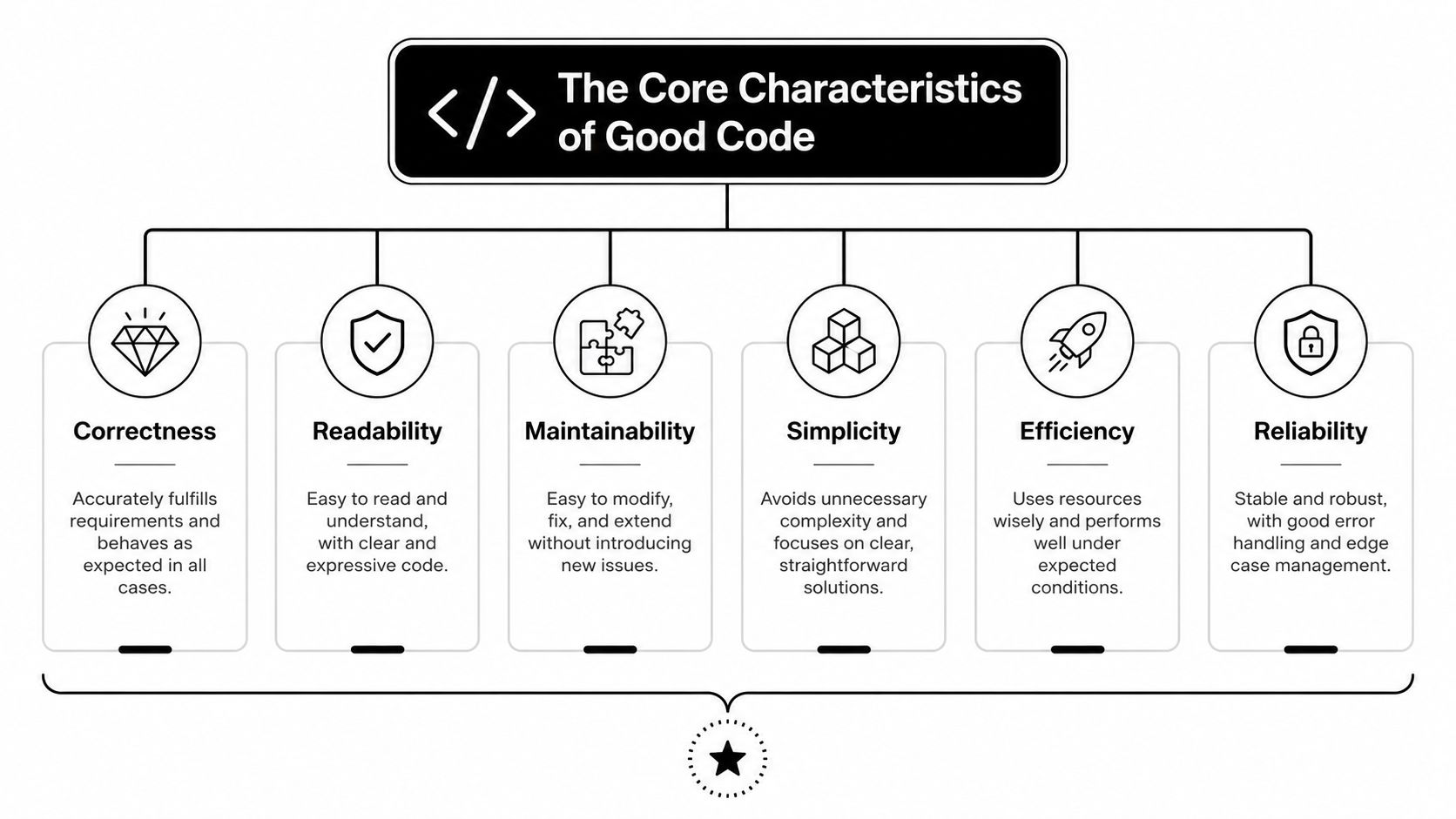
Readability is operational clarity
The machine only needs valid syntax. Your team needs intent.
Readable code makes the business rule obvious. When a founder asks, “Why did this lead get routed to enterprise instead of self-serve?” someone should be able to inspect the logic and answer quickly. That means descriptive names, short functions, consistent structure, and comments that explain business decisions, not obvious syntax.
One practical benchmark matters here. Code following structured programming principles has 40% fewer defects per 1,000 lines of code, and keeping cyclomatic complexity below 10 per function can boost maintainability by 50% and lead to 60% faster onboarding for new developers, according to Path-Sensitive's discussion of code quality principles.
Maintainability is cost control
Every automation script becomes a living asset. Lead scoring changes. Integrations update. Teams add approval steps. If the code can't absorb those changes cleanly, the business pays for it later in slower delivery and repeated fixes.
Maintainable code usually has these traits:
- Single-purpose functions that do one job, such as validating a contact, enriching a record, or posting to a CRM.
- Reusable modules so one rule change doesn't require edits in five places.
- Low-complexity decision trees because dense conditional logic becomes expensive to change.
If your team wants a reference point for how reviews surface these issues early, MakeAutomation's code review examples for backend, performance, and security issues are useful because they show what reviewers should look for.
Reliability and scalability are linked
Reliable code is code that behaves the same way under pressure as it does in testing. In automation, that means handling retries, partial failures, malformed inputs, and time-dependent workflows without corrupting data.
Scalable code doesn't mean “handles massive traffic” in the abstract. It means your current automation can support the next product line, the next sales motion, or the next market without a rebuild.
Practical rule: If adding one business rule means editing a giant function in three places, the code isn't scalable even if the server can handle the load.
A founder doesn't need to inspect every line to judge this. Ask one simple question: can your team change a workflow safely next month, or are they afraid to touch it?
Examples and Anti-Patterns in Automation Scripts
Software development groups often understand good code faster when they see the bad version first. In automation work, the same anti-patterns keep showing up. Vague variable names. Hard-coded values. One giant function that validates data, transforms it, calls APIs, and logs errors all in one place. That code may still run, but it's brittle in exactly the areas a growing SaaS company can't afford.
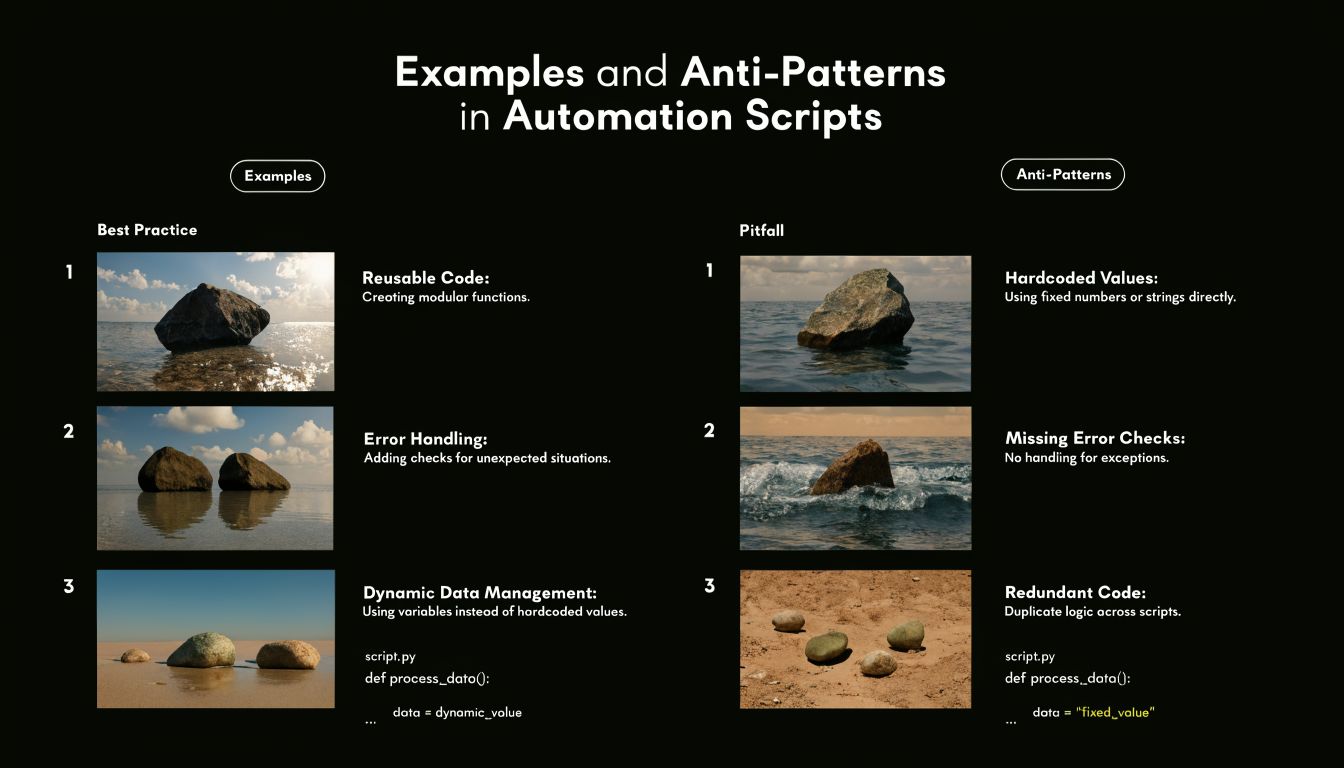
Naming that explains intent
This is the simplest upgrade with outsized payoff.
Bad example:
def proc(d):
    if d["s"] == 1:
        send(d["e"], "A")
Better example:
def send_trial_followup(contact_record):
    if contact_record["subscription_status"] == "trial":
        send_email(contact_record["email"], TRIAL_FOLLOWUP_TEMPLATE)
The second version costs a few more keystrokes and saves hours later. According to the data summarized in the PMC article on code quality assurance, using descriptive variable names can cut debugging time by 55%. The same source notes that style standards like PEP8, common in 85% of Python-based SaaS automations, correlate with 3x faster code reviews and 40% lower maintenance costs.
For a founder, that translates into less waiting whenever a workflow needs adjustment.
Magic numbers and hidden business rules
A common automation smell is a number or string that carries business meaning but appears with no explanation.
Bad example:
if account["monthly_spend"] > 5000:
    route_to = "team_3"
What does 5000 mean? What is team_3? Enterprise? Mid-market? A legacy owner group?
Better example:
ENTERPRISE_SPEND_THRESHOLD = 5000
ENTERPRISE_SALES_QUEUE = "enterprise_sales"

if account["monthly_spend"] > ENTERPRISE_SPEND_THRESHOLD:
    route_to = ENTERPRISE_SALES_QUEUE
Now the next person can update the rule safely. This matters when pricing, segmentation, or ownership changes. Without named constants, your codebase turns business logic into scavenger hunts.
Monolithic functions break adaptation
Here's what often happens in growth-stage teams. One script starts small. Then it gains deduplication, enrichment, scoring, CRM sync, Slack alerts, and fallback logic. Eventually one function controls half the funnel.
That creates three business problems:
- Change risk rises because one edit can break unrelated steps.
- Testing gets weaker because nobody can isolate behavior cleanly.
- Channel expansion slows because the same script can't be reused for inbound, outbound, partner, and event workflows.
Bad shape:
def process_lead(payload):
    # validate input
    # normalize fields
    # score lead
    # assign owner
    # create CRM record
    # notify Slack
    # write audit log
    # retry failures
Better shape:
def process_lead(payload):
    validated_lead = validate_lead(payload)
    normalized_lead = normalize_lead(validated_lead)
    lead_score = score_lead(normalized_lead)
    owner = assign_owner(normalized_lead, lead_score)
    crm_id = create_crm_record(normalized_lead, owner)
    notify_sales(crm_id, owner)
    write_audit_log(normalized_lead, crm_id)
If a script reads like a whole department's org chart, it's too large.
Small functions aren't about elegance. They let your team replace one part of the machine without rewiring the entire system.
The New Challenge of AI-Generated Code
AI can write usable code fast. That part is real. For internal tooling, prototypes, and repetitive glue logic, it can remove a lot of typing and speed up the first draft. The problem is that speed makes people lower their standards for what “done” looks like.
That's risky in automation-heavy businesses because generated code often looks cleaner than it is. It has plausible names, reasonable structure, and the right library calls. What it may not have is a reliable understanding of business intent. That's where bad edge-case behavior sneaks in.
According to ByteByteGo's overview of coding principles and AI-generated code reliability, AI-generated code is present in 65% of B2B repositories as of 2025, yet a Microsoft DevDiv study found it fails 30% more often in edge cases. The same source states that 42% of AI-generated code contains hidden bugs that can crash SOP automations without clear warnings.
Where AI code goes wrong in SaaS automation
The most common failure isn't syntax. It's false confidence.
Generated code may:
- Handle the happy path only while ignoring malformed payloads or missing fields.
- Leak business logic across modules because it guesses where rules belong.
- Use insecure defaults when connecting services or processing external input.
- Hide fragile assumptions behind polished helper functions.
This gets serious when the automation controls recruitment routing, invoice handling, CRM enrichment, or voice workflows. A human operator can often spot when a process is odd. A silent script won't raise its hand.
If your team is adopting tools like AI coding agents, the useful mindset is to treat them like fast junior contributors. They can draft, refactor, scaffold, and suggest tests. They still need review from someone who understands failure modes, data flow, and the commercial cost of being wrong.
The hybrid model that actually works
The right question isn't whether AI-generated code counts as good code. It can, but only after human review turns generated output into business-grade software.
That means reviewing for:
- Intent alignment with the actual workflow
- Edge-case handling around nulls, retries, and unexpected states
- Security boundaries around inputs, credentials, and external actions
- Clear ownership so someone can maintain it later
Fast code generation helps. Unreviewed code generation creates debt at machine speed.
In practice, AI is best used as an accelerator inside a disciplined process, not as a substitute for one.
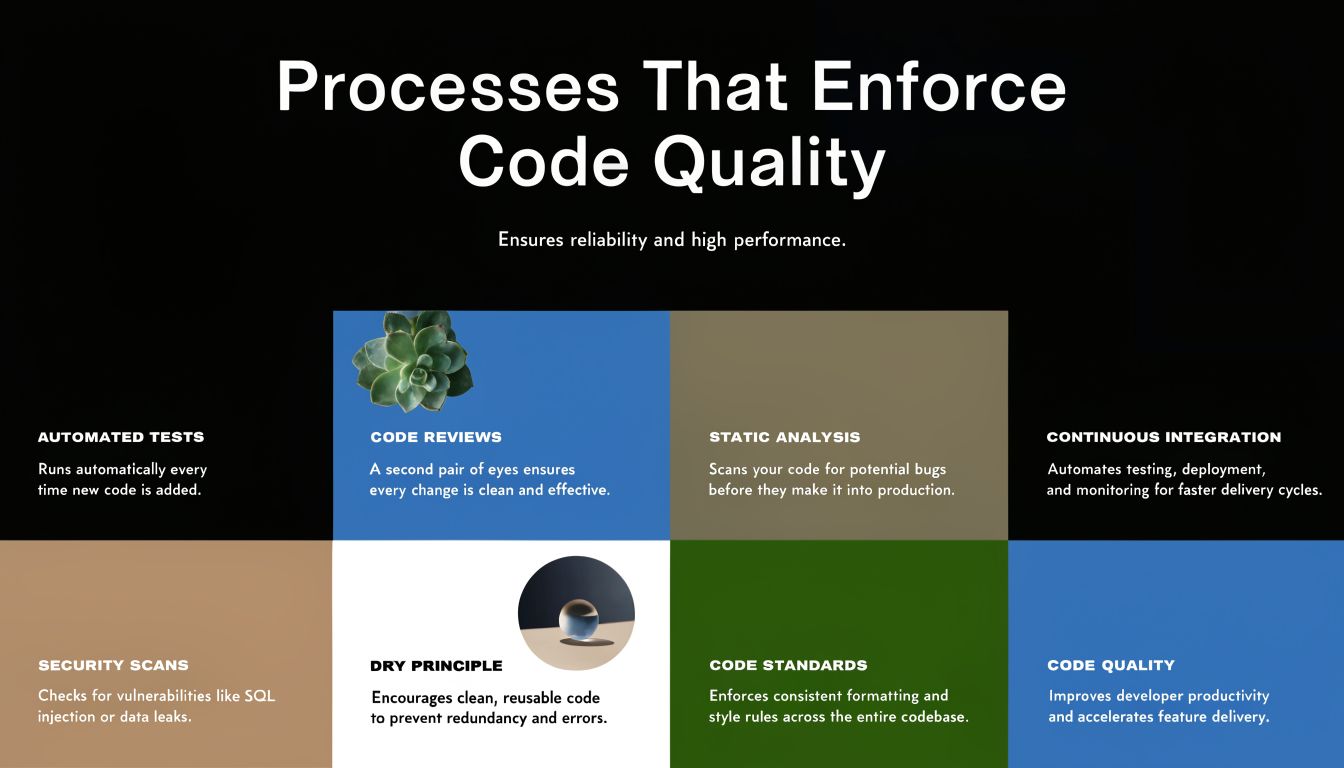
Processes That Enforce Code Quality
Good code rarely comes from talent alone. It comes from a system that makes quality the default. If your team relies on one careful engineer catching everything manually, quality will fluctuate with deadlines, interruptions, and whoever happens to be on call that week.
The fix is to make code quality part of the delivery pipeline. Review it. Lint it. Test it. Block merges when the code doesn't meet the baseline.
Code review that checks risk, not just style
A useful code review isn't a grammar exercise. It asks whether the logic matches the workflow, whether the failure mode is acceptable, and whether another engineer can change this safely next month.
For automation code, reviewers should check:
- Business rule clarity so routing, scoring, and trigger logic are easy to read
- Failure handling for retries, timeouts, duplicate events, and partial writes
- Scope discipline so a small change didn't become a hidden rewrite
- Observability through useful logs and explicit error paths
If you want a broader view of building quality into software systems, that QA perspective helps non-engineering leaders understand why reviews, testing, and release gates belong together.
Automated checks before humans even look
Linters and formatters remove preventable friction. In Python, that usually means tools like Ruff, Black, and mypy. For JavaScript or TypeScript, ESLint and Prettier are the usual baseline.
These tools don't make code good by themselves. They do something just as important. They stop teams from wasting review time on formatting drift, inconsistent naming, and avoidable mistakes.
Operational view: Every issue your pipeline catches automatically is one less issue your team needs to diagnose under deadline.
Testing and CI as the quality gate
Even small scripts need tests if they touch revenue or customer data. Unit tests should cover the core business rule and the annoying edge conditions everyone assumes “probably won't happen.” In automation, those are often the exact conditions that happen first.
Cyclomatic complexity is a useful signal here. Codebases with average complexity above 20 have 40% to 60% higher defect density, and teams that use automated tools to keep complexity below the recommended threshold of 10 can cut bug rates by 30% and achieve 2x faster iteration cycles, based on Future Processing's summary of code quality metrics.
That's why CI matters. The pipeline should run linting, tests, and complexity checks on every pull request. Tools like GitHub Actions, GitLab CI, SonarQube, PMD, Lizard, or radon cc can enforce those standards without relying on memory.
A small team can implement this without building enterprise bureaucracy. One practical reference is MakeAutomation's guide to building an auto DevOps pipeline for reliable delivery workflows. The point isn't process theater. The point is creating one repeatable path from code change to safe release.
The Bottom-Line Business Impact of Good Code
Founders don't need perfect code. They need code that won't turn growth into operational drag.
When code quality is poor, the cost doesn't stay inside engineering. Sales waits longer for routing fixes. Ops adds manual verification steps. Support gets blamed for issues caused upstream. Leadership starts seeing velocity as unpredictable because every change carries hidden rework.
Good code lowers total cost of ownership because it's easier to understand, safer to modify, and less likely to create recurring cleanup work. That affects hiring too. New engineers ramp faster when the system reads like a map instead of a maze. Existing engineers spend more time shipping business improvements and less time decoding old decisions.
There's also a vendor and partner angle. As you evaluate outside development support, architecture help, or specialized implementation teams, code quality should be one of your first filters. Lists like Blocsys Technologies Web3 development partners can be useful as starting points when comparing technical partners, but the important question is always the same: do they build systems your team can safely inherit?
Where ROI actually shows up
The return from good code appears in places founders feel immediately:
- Fewer stalled initiatives because adding a new workflow doesn't require untangling a fragile one.
- Shorter incident response because logs, function boundaries, and tests make failures easier to isolate.
- Higher delivery confidence because teams can release changes without treating every deployment like a gamble.
- Cleaner scale-up because automation becomes an asset you can extend, not a trap you work around.
A lot of teams chase ROI through new tools. Often the better return comes from making existing automations dependable enough to support more revenue without adding more operational noise.
An SOP Checklist for Your Automation Team
A code quality standard only matters if the team can apply it repeatedly. The easiest way to do that is to turn principles into a short operating checklist that product, engineering, and ops can all understand.
If your team is formalizing repeatable workflows, MakeAutomation's guide on how to create SOPs for business operations is a practical reference for documenting who does what, when, and why.
Code Quality SOP Checklist
| Phase | Check | Why It Matters for Automation |
|---|---|---|
| Before writing code | Confirm the business rule in plain English | Prevents code that solves the wrong workflow problem |
| Before writing code | Define inputs, outputs, and failure behavior | Avoids silent handling of bad payloads or partial data |
| Before writing code | Decide where this logic belongs | Keeps business rules from spreading across random scripts |
| During development | Use descriptive variable and function names | Makes intent clear during review and future edits |
| During development | Keep each function focused on one job | Makes testing and replacement easier |
| During development | Replace magic numbers and strings with named constants | Lets the team update business rules safely |
| During development | Handle edge cases explicitly | Reduces surprises when integrations send unusual data |
| During development | Add logs that explain state changes and failures | Speeds diagnosis when workflows drift |
| Before merging | Run linter, formatter, and tests | Catches preventable issues before review |
| Before merging | Check complexity and split risky functions | Lowers maintenance burden and review difficulty |
| Before merging | Review for security, retries, and duplicate-event handling | Protects data integrity in connected systems |
| Before merging | Confirm another engineer can explain the code path | If they can't, the design is too opaque |
Good code isn't mysterious. It's code your team can trust, change, and scale without building a shadow process around it.
If your team is building automations that touch lead generation, CRM workflows, project operations, or AI voice systems, MakeAutomation can help document the process, review the implementation, and turn fragile scripts into maintainable operating systems for growth.