7 Epic User Stories Examples For B2B And SaaS In 2026
In the fast-paced world of B2B and SaaS, turning a big idea into a tangible product feature is the ultimate challenge. Development teams often receive vague requirements like 'improve lead generation' or 'streamline onboarding,' which are too broad to be actionable. This is precisely where a well-crafted epic becomes essential.
An epic isn't just a large user story; it's a strategic container for a significant business initiative. It breaks a major goal into a collection of manageable, feature-focused user stories. Mastering this process separates high-growth companies that ship impactful features from those stuck in development cycles that go nowhere. Vague goals lead to wasted resources, while clear epics create a direct path to value delivery.
This article moves beyond abstract theory to provide concrete blueprints you can adapt for your own roadmap. We will dissect seven real-world, actionable epic user stories examples, each tailored for specific B2B and SaaS scenarios.
For each example, you will find:
- Strategic Context: The business problem and the "why" behind the initiative.
- Clear Goal: The specific, measurable outcome the epic aims to achieve.
- Acceptance Criteria: The high-level conditions that define "done" for the entire epic.
- Sample Child Stories: A breakdown of the epic into smaller, implementable user stories.
- Actionable Insights: Tactical advice for splitting and executing the work effectively.
By the end, you'll have a clear framework for transforming your most ambitious ideas into focused, executable plans that deliver real business results.
1. SaaS Founder – Automated Lead Generation Pipeline
Scaling a B2B SaaS company often hits a bottleneck: lead generation. As founders aim for exponential growth, manual processes for finding, qualifying, and nurturing leads become unsustainable. This epic user story addresses that exact pain point, focusing on building an automated system to generate a predictable pipeline of high-quality leads, allowing the sales team to focus on closing deals rather than prospecting.
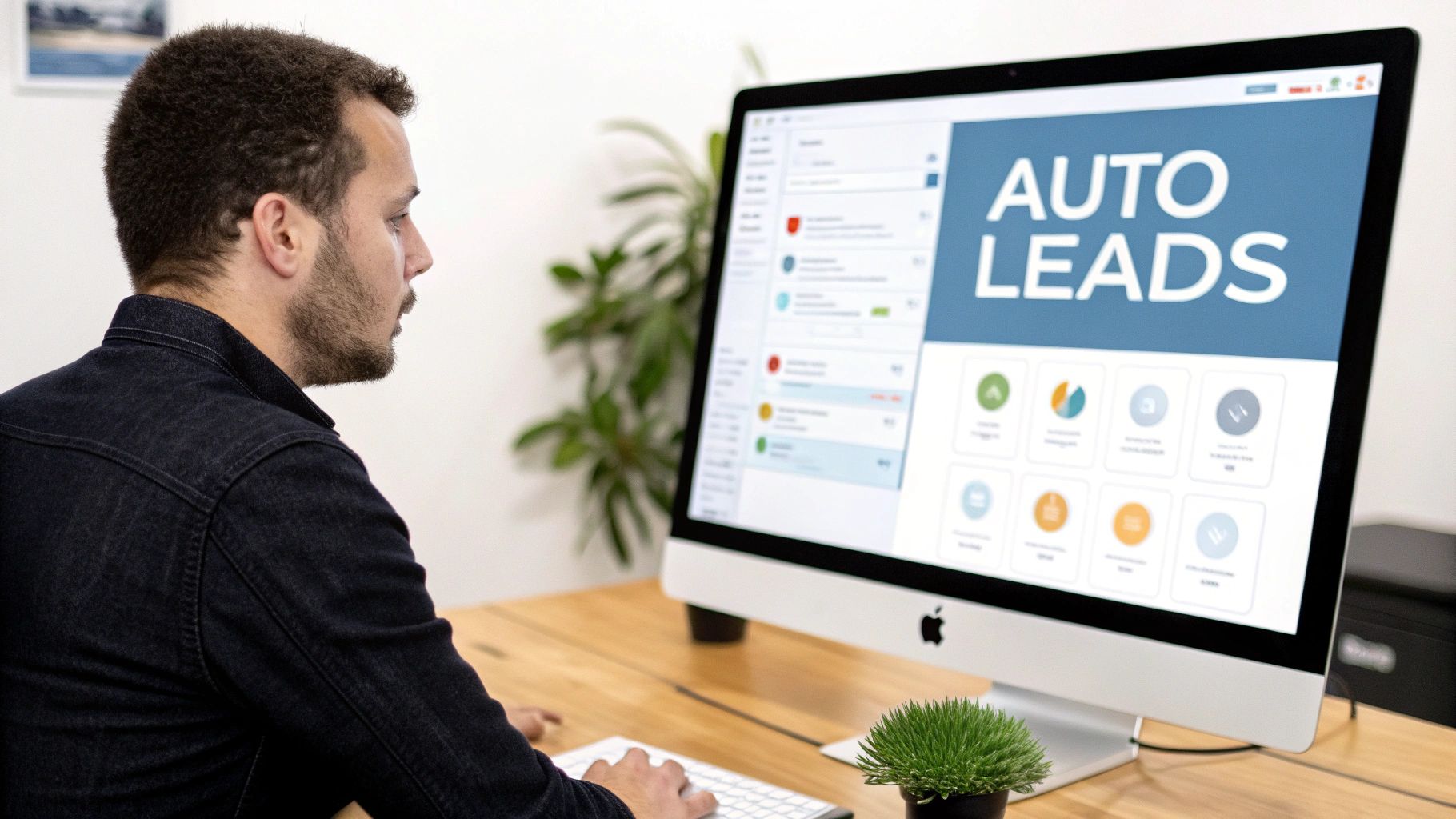
This is one of the most powerful epic user stories examples because it directly impacts revenue and operational efficiency. The goal is not just to get more leads but to create a self-sustaining engine that identifies, scores, and nurtures prospects, delivering sales-ready opportunities automatically.
Epic Breakdown
As a B2B SaaS Founder,
I want to implement an automated lead generation and qualification pipeline,
so that I can scale revenue growth without proportionally increasing the size of my sales team.
Acceptance Criteria
- The system must automatically capture leads from at least three sources (e.g., website forms, LinkedIn, content downloads).
- All new leads must be automatically enriched with firmographic data (company size, industry, location).
- A lead scoring model must be implemented to assign a "sales-readiness" score based on defined criteria (e.g., job title, company size, website engagement).
- Leads scoring above a predefined threshold (e.g., 80/100) are automatically assigned to a sales representative in the CRM.
- Leads scoring below the threshold are automatically entered into a relevant email nurturing sequence.
- The entire process, from lead capture to CRM assignment, must occur with zero manual intervention.
Sample Child User Stories
To make this epic manageable, it should be broken down into smaller, actionable user stories.
- Lead Capture: As a Marketing Manager, I want to integrate our website's contact form with the CRM so that new submissions are automatically created as lead records.
- Data Enrichment: As a Sales Ops Specialist, I want to connect a data enrichment tool (like Clearbit) to our CRM so that every new lead record is automatically updated with company size and industry data.
- Lead Scoring: As a Sales Manager, I want to build a lead scoring rule that adds 20 points for leads from our Ideal Customer Profile (ICP) industries so we can prioritize high-value prospects.
- Automated Nurturing: As a Marketing Manager, I want to create an automated 5-part email nurture sequence for low-scoring leads so that we can educate them and build interest over time.
Strategic Tips for Implementation
- Define Your ICP First: Before writing a single line of code or automation rule, map your Ideal Customer Profile (ICP) in detail. Automation is only effective if it targets the right audience.
- Start Small, Then Scale: Don’t try to automate everything at once. Begin with a single channel, like your website's demo request form. Once that flow is perfected, expand to other channels like webinars or content downloads.
- Maintain Data Hygiene: An automated system is only as good as the data it runs on. Ensure your CRM data is clean and standardized before connecting automated workflows to prevent errors. You can discover more on this topic by exploring this guide on how to automate lead generation.
2. Sales Manager – Outbound Sales Activity Automation
For growth-stage B2B companies, a sales representative's most valuable asset is their time. Yet, a significant portion of their day is consumed by repetitive, low-value tasks like manual dialing, sending follow-up emails, and logging activities. This epic user story focuses on automating these routine sales activities to maximize the time reps spend in meaningful conversations with prospects, directly accelerating the sales cycle.
This is a critical epic user stories example because it tackles operational drag head-on. The objective isn't to replace salespeople but to augment their capabilities, freeing them from administrative burdens to focus on strategic selling, relationship building, and closing deals. By automating the top of the sales funnel, teams can significantly increase outreach volume without sacrificing personalization.
Epic Breakdown
As a Sales Manager,
I want to automate routine outbound sales activities like initial outreach, follow-ups, and call logging,
so that my sales team can spend more time on high-value conversations and strategic deal-closing activities.
Acceptance Criteria
- An automated dialing system must be integrated with the CRM to allow for one-click calling from lead records.
- Reps must be able to enroll prospects into multi-step, multi-channel (email, call, LinkedIn) outreach sequences.
- All calls, emails, and completed sequence steps must be automatically logged in the CRM under the correct contact record.
- The system must use dynamic fields to personalize outreach templates with prospect information (e.g., name, company, title).
- AI-powered voice agents can handle initial qualification calls, booking meetings for qualified leads directly onto a rep's calendar.
- The system must provide clear analytics on sequence performance, including open rates, reply rates, and meeting book rates.
Sample Child User Stories
Breaking this epic down ensures each piece of the automation engine is built effectively.
- Sequence Enrollment: As a Sales Development Representative (SDR), I want to enroll a list of 100 leads into a 10-step outbound sequence with a single click so I can initiate outreach at scale.
- Automated Call Logging: As a Sales Manager, I want every call made through the integrated dialer to be automatically logged as a completed task in the CRM, including a link to the call recording.
- Voice AI Handoff: As an Account Executive, I want the Voice AI agent to automatically send me a real-time notification and transfer the call when a prospect asks a complex, high-intent buying question.
- Performance Dashboard: As a Sales Manager, I want a dashboard that displays the conversion rate from initial contact to meeting booked for each automated sequence so I can identify the most effective messaging.
Strategic Tips for Implementation
- Preserve Personalization: Automation should not mean generic. Use custom fields and conditional logic in your sequences to tailor messaging based on industry, role, or pain points. The goal is mass personalization, not mass spam.
- Establish Clear Handoff Rules: Define the exact triggers for when an automated system (like a Voice AI) should escalate a conversation to a human rep. This prevents poor customer experiences and ensures high-value leads are handled by your best closers.
- Pilot with Top Performers: When introducing new automation like AI dialers or voice agents, test them with your most experienced reps first. They can provide invaluable feedback to refine scripts, tone, and pacing before a full rollout.
3. Marketing Director – AI-Enhanced Content & Campaign Automation
In today's competitive landscape, marketing directors face immense pressure to deliver personalized experiences at scale. Manually creating content, segmenting audiences, and optimizing campaigns across multiple channels is a resource-intensive task that often yields diminishing returns. This epic user story focuses on leveraging Artificial Intelligence to automate and enhance content creation and campaign management, enabling marketing teams to deliver the right message to the right person at the right time, with far greater efficiency.

This is one of the more forward-thinking epic user stories examples, as it directly tackles the challenge of scaling personalization and improving ROI with limited resources. The goal is to build an intelligent system that not only automates repetitive tasks but also uses data to make smarter decisions, from optimizing email send times to recommending the most effective content for each individual prospect. This leads to higher engagement and a significant lift in conversion rates.
Epic Breakdown
As a Marketing Director,
I want to integrate an AI-powered platform into our marketing automation stack,
so that I can personalize content and optimize campaign performance automatically to increase qualified lead generation.
Acceptance Criteria
- The system must be able to generate content variations (e.g., email subject lines, social media copy) for A/B testing based on core messaging inputs.
- AI must analyze user behavior to personalize content recommendations on the company website and in email newsletters.
- The platform must automatically optimize email send times for individual contacts to maximize open rates.
- An AI-powered chatbot must be implemented on the website to qualify visitors and book meetings in real-time.
- Campaign performance dashboards must include AI-driven insights and recommendations for future improvements.
- The system should achieve at least a 15% increase in email open rates and a 10% lift in website-to-lead conversion within the first quarter.
Sample Child User Stories
Breaking this AI-focused epic into smaller stories makes it less daunting and ensures each component delivers value.
- AI Copywriting: As a Content Marketer, I want to use an AI tool to generate five alternative headlines for a new blog post so I can quickly test which one drives the most traffic.
- Predictive Content: As a Digital Marketing Specialist, I want to add a "Recommended for You" widget to our blog, powered by AI, so that we can increase user time-on-site and content consumption.
- Send-Time Optimization: As an Email Marketing Manager, I want to enable AI-powered send-time optimization in our email platform so that every subscriber receives our newsletter at the moment they are most likely to engage.
- Conversational AI: As a Demand Generation Manager, I want to configure an AI chatbot on our pricing page to answer common questions and book demos so that we can convert more high-intent visitors.
Strategic Tips for Implementation
- Build Personas First: AI-driven personalization is only as good as the data and personas you feed it. Before implementation, create highly detailed buyer personas. Garbage in, garbage out is especially true for AI.
- Automate a Proven Winner: Start by applying AI to your single best-performing campaign. Proving a clear ROI on a known winner will build momentum and secure buy-in for broader implementation.
- Establish a Content Library: Before letting AI generate new content, create a library of your best-performing, on-brand messaging. This gives the AI a strong foundation to learn from, ensuring its outputs align with your company's voice.
- Human-in-the-Loop: Initially, plan to review all AI-generated content weekly. As the system learns and improves, you can reduce this to periodic spot-checks, but never remove human oversight entirely.
4. Operations Director – Project & Process Automation
For service-based businesses and digital agencies, scaling is often limited by operational chaos. Manual handoffs, inconsistent processes, and decentralized knowledge lead to missed deadlines, shrinking project margins, and employee burnout. This epic user story tackles this operational friction head-on by building an automated Standard Operating Procedure (SOP) ecosystem to drive efficiency and predictability.
This is a critical epic user stories example because it shifts an organization from reactive fire-fighting to proactive, scalable execution. The goal is to create a single source of truth for all core processes, automating repetitive tasks and handoffs to free up the team for high-value strategic work. Companies like Asana and ServiceTitan report significant improvements in project delivery and margins after implementing such systems.
Epic Breakdown
As an Operations Director,
I want to create a documented and automated ecosystem for our core operational processes,
so that I can improve project margins, reduce delivery times, and scale the team without adding operational headcount.
Acceptance Criteria
- The five most critical and repetitive company processes must be fully documented as SOPs.
- A centralized knowledge base (e.g., in Notion or a similar tool) must be established to house all SOPs.
- Project management templates must be created with automated task assignments and dependency mapping for standard project types.
- Manual status update meetings must be replaced by automated progress reports generated from the project management tool.
- The system must eliminate at least three major manual handoffs between departments (e.g., sales to project management).
- New team members must be able to follow the documented SOPs to complete a standard task with minimal supervision.
Sample Child User Stories
Breaking this large initiative down makes it achievable and allows for incremental improvements.
- SOP Documentation: As a Project Manager, I want to document the end-to-end "New Client Onboarding" process so that every new client has a consistent and positive first experience.
- Template Creation: As an Operations Specialist, I want to build a project template in Asana for our "Standard Web Design Project" so that all tasks, subtasks, and deadlines are automatically generated at kickoff.
- Handoff Automation: As a Sales Manager, I want to create an automation that, upon a deal being marked "Closed-Won" in the CRM, automatically creates the project in our PM tool and assigns the kickoff task to the designated Project Manager.
- Reporting Automation: As an Operations Director, I want to set up an automated weekly dashboard that pulls data on project velocity and budget adherence from our PM tool so I can identify bottlenecks without manual check-ins.
Strategic Tips for Implementation
- Document First, Automate Second: Resist the urge to jump straight to automation tools. A flawed process that is automated is still a flawed process, just faster. Map and refine your core workflows manually first.
- Involve the Doers: The people who execute the tasks daily are your subject matter experts. Involve them directly in the SOP creation process to ensure accuracy and foster team buy-in.
- Start with High-Impact Processes: Don't try to document everything at once. Identify the 3-5 processes that are most repetitive, time-consuming, or prone to error and start there to demonstrate early wins.
- Use Visuals: For complex workflows, a visual flowchart is often far easier to understand than a wall of text. Use tools like Miro or Lucidchart to map out processes before documenting them. You can find more inspiration by reviewing these business process automation examples.
5. HR Manager – Recruitment Automation & Candidate Experience
High-volume recruiting often drowns HR teams in manual, repetitive tasks like resume screening, scheduling, and initial communications. This administrative burden slows down the hiring process, leads to a poor candidate experience, and prevents recruiters from focusing on strategic, high-value activities like engaging top talent. This epic user story centers on building an automated recruitment workflow to solve these exact issues.
This is a critical epic user stories example for any company looking to scale its team efficiently. The primary objective is to create a seamless, automated system that handles the top-of-funnel recruitment stages, from application to first-round interview, ensuring a fast, consistent, and positive experience for every applicant while freeing up the talent acquisition team.
Epic Breakdown
As an HR Manager,
I want to implement an end-to-end recruitment automation system,
so that I can reduce time-to-hire and improve the overall candidate experience without increasing headcount.
Acceptance Criteria
- The system must automatically parse and screen all incoming resumes against predefined job criteria.
- Candidates who meet the minimum criteria must automatically receive an invitation to schedule an initial screening call.
- The scheduling system must integrate directly with recruiters' calendars to show real-time availability.
- Automated email confirmations and reminders must be sent to both the candidate and the recruiter once a time is booked.
- Candidates who do not meet the minimum criteria must receive an automated, yet personalized, rejection email within 48 hours.
- The system must track key metrics, such as time-to-schedule and application-to-screen conversion rate, on a dashboard.
Sample Child User Stories
To successfully execute this epic, it needs to be broken down into smaller, more manageable tasks.
- Resume Screening: As a Talent Acquisition Specialist, I want to configure AI-powered resume screening to automatically filter applicants based on keywords like "SaaS sales" and "5+ years experience" to prioritize the most qualified candidates.
- Automated Scheduling: As a Recruiter, I want to connect our Applicant Tracking System (ATS) with a scheduling tool so that qualified candidates can self-schedule their interviews from my available calendar slots.
- Candidate Communication: As an HR Coordinator, I want to create automated email templates for interview confirmations, reminders, and status updates so that every candidate receives timely communication.
- Dispositioning Workflow: As a Talent Acquisition Manager, I want to set up an automation rule that sends a polite rejection email to unqualified applicants 48 hours after their application is reviewed, so no candidate is left without a response.
Strategic Tips for Implementation
- Define Screening Criteria Meticulously: Before activating any automation, clearly define the "must-have" versus "nice-to-have" qualifications for each role. Your AI screener is only as effective as the rules you provide it.
- Start with a Pilot Role: Test the entire automated workflow on a single, non-critical role first. This allows you to identify and fix any issues in the process before rolling it out company-wide.
- Maintain Transparency with Candidates: Be upfront about using automation. Position it as a benefit that provides them with faster responses and a more convenient scheduling process. This simple step can significantly improve the candidate experience. You can find more strategies in this guide on how to improve the candidate experience.
6. Customer Success Manager – Client Onboarding & Retention Automation
For a SaaS business, acquiring a customer is only the first step; retaining and growing that relationship is where true value is created. As a customer base expands, it becomes impossible for Customer Success Managers (CSMs) to provide high-touch, personalized support to everyone. This epic user story focuses on building an automated system to streamline onboarding, monitor customer health, and trigger proactive interventions to reduce churn and increase Net Revenue Retention (NRR).
This is one of the most critical epic user stories examples for mature SaaS companies because it directly tackles churn, the silent killer of growth. The objective is to scale the effectiveness of the Customer Success team, enabling them to manage more accounts by automating routine tasks and focusing their manual efforts on high-impact, strategic interventions for at-risk or high-potential customers.
Epic Breakdown
As a Customer Success Manager,
I want to implement an automated onboarding and health monitoring system,
so that I can proactively reduce churn and identify expansion opportunities at scale.
Acceptance Criteria
- All new customers must be automatically enrolled in a tiered onboarding email and in-app messaging sequence based on their subscription plan.
- A customer health score must be calculated daily for each account, based on a combination of product usage data, support ticket volume, and license utilization.
- The system must automatically create a task for a CSM when an account's health score drops below a "critical" threshold (e.g., 40/100).
- Proactive "playbooks" (a series of tasks and communication templates) must be automatically triggered for at-risk accounts.
- The system must identify and flag accounts showing high usage of specific features, suggesting them as candidates for an upsell or cross-sell conversation.
- Monthly health reports must be automatically generated and sent to account stakeholders.
Sample Child User Stories
Breaking this epic down makes it possible to deliver value incrementally.
- Onboarding Sequence: As a Customer Onboarding Specialist, I want to build a 7-day automated email sequence for new trial users to guide them toward their first "aha!" moment.
- Health Score Logic: As a Customer Success Ops Manager, I want to define a health score rule that decreases an account's score by 15 points if their primary user has not logged in for 14 days.
- At-Risk Alerts: As a CSM, I want to receive a real-time Slack notification when one of my Tier-1 accounts' health score drops into the "at-risk" category so I can intervene immediately.
- Expansion Opportunity Flag: As a Customer Success Manager, I want to create an automated flag in our CRM for accounts that have hit 95% of their license limit so I can start a conversation about upgrading.
Strategic Tips for Implementation
- Instrument Analytics First: Your automation is blind without data. Before building any workflows, ensure your product analytics are properly instrumented to track key activation and engagement events.
- Codify Your Best CSMs: Interview your top-performing CSMs to understand how they onboard clients and identify risk. Turn their manual processes and intuition into automated playbooks and health score criteria.
- Start Small with Scoring: Don't try to create the perfect health score for all customers at once. Begin by defining and testing a score for your most critical customer segment. Refine it based on actual churn outcomes before expanding.
- Automate the Alert, Not the Relationship: The goal is to use automation to flag problems and opportunities, not to replace human interaction. Set clear playbooks for what a CSM should do once an alert is triggered. High-value accounts still need a personal touch.
7. Revenue Operations Director – Sales & Marketing Alignment Automation
Misalignment between Sales and Marketing is a silent killer of growth. When teams operate in silos with separate data, processes, and goals, the result is friction, lost opportunities, and inaccurate forecasting. This epic user story focuses on the Revenue Operations (RevOps) leader's mandate to architect a unified system that synchronizes data and processes across the entire customer lifecycle, creating a single source of truth for revenue.
This is a critical example of an epic user story because it moves beyond departmental functions to address holistic business performance. The objective is to break down data silos and automate handoffs, enabling the entire organization to operate from a shared understanding of the revenue pipeline and improve forecast accuracy.
Epic Breakdown
As a Revenue Operations Director,
I want to implement an integrated automation platform to synchronize data between Sales and Marketing,
so that I can create a single source of truth for revenue reporting and improve forecast accuracy.
Acceptance Criteria
- Marketing and Sales CRM data (e.g., leads, contacts, accounts) must have a bidirectional, real-time sync.
- A unified lead status and lifecycle stage must be defined and enforced across both systems (e.g., MQL, SAL, SQL).
- Changes to a record in one system (e.g., a salesperson updates a phone number in the CRM) must automatically reflect in the other system within 5 minutes.
- A master revenue dashboard must be created, pulling data from both Marketing and Sales platforms to display a unified funnel.
- The system must automatically flag data inconsistencies or duplicates for manual review.
- Forecast accuracy must improve by at least 15% within the first quarter of implementation, as measured by comparing forecasted vs. actual closed-won revenue.
Sample Child User Stories
To achieve this level of integration, the epic must be broken down into specific, manageable stories.
- System Integration: As a RevOps Specialist, I want to connect our HubSpot Marketing Hub with our Salesforce CRM using a native integration so that lead data can flow between systems.
- Lead Lifecycle Definition: As a Sales Manager, I want to create a formal "Sales Accepted Lead" (SAL) stage in the CRM that is triggered when a salesperson accepts an MQL, so we can track lead acceptance rates.
- Data Sync Rules: As a Marketing Operations Manager, I want to configure field mapping rules so that the "Lead Source" field in HubSpot correctly populates the corresponding field in Salesforce for all new leads.
- Unified Reporting: As a RevOps Director, I want to build a unified funnel report in our BI tool that combines marketing engagement data (clicks, opens) with sales activity data (calls, meetings) to measure conversion rates at each stage.
Strategic Tips for Implementation
- Define Your Lead Funnel First: Before integrating any tools, get Sales and Marketing leaders in a room to agree on the exact definitions and criteria for each stage of the funnel (MQL, SAL, SQL, etc.). This shared language is the foundation for successful automation.
- Establish Data Governance: Clearly define which system is the "source of truth" for specific data points (e.g., Salesforce owns account data, HubSpot owns marketing engagement data). This prevents conflicting updates and data overwrites.
- Start with Core Data Sync: Don't try to sync every single field from day one. Begin with the most critical objects and fields: Lead, Contact, and Account information. Once that connection is stable, you can expand to more complex objects like opportunities or custom activities.
- Build a Data Quality Dashboard: Before you build fancy revenue reports, create a simple dashboard to monitor the health of your synchronized data. Track things like duplicate records, missing data in critical fields, and sync errors. A clean database is a prerequisite for trustworthy reporting.
7 Epic User Stories for Automation Roles
| Epic | Implementation complexity | Resource requirements | Expected outcomes | Ideal use cases | Key advantages |
|---|---|---|---|---|---|
| SaaS Founder – Automated Lead Generation Pipeline | Medium–High: multi-source capture, AI qualification, CRM sync | Small engineering/marketing effort, AI scoring tools, CRM integrations, data cleanup | 50+ qualified leads/month, 40% CAC reduction, handles 100+ leads/day, 85%+ qualification accuracy | Series A B2B SaaS needing scalable lead flow without adding sales headcount | Automates qualification and outreach, improves lead quality, provides real-time metrics |
| Sales Manager – Outbound Sales Activity Automation | High: Voice AI, compliance, call workflows and training | Voice AI platform, CRM/phone integrations, legal review, rep training | Reduce non-selling work 60%, +35% rep productivity, 50% more conversations, maintain >20% close rate | Growth-stage sales teams scaling outbound volume and touch frequency | Reclaims rep time, consistent outreach cadence, faster proposals, AI coaching signals |
| Marketing Director – AI-Enhanced Content & Campaign Automation | Medium: AI content, personalization engine, attribution setup | AI content tools, analytics, CRM data, small marketing team coordination | 200+ qualified leads/month, +40% marketing ROI, 50% time saved on content, 35%+ engagement | Small marketing teams needing high-volume, personalized multi-channel campaigns | Scales content production, increases engagement, continuous A/B optimization, better ROI tracking |
| Operations Director – Project & Process Automation | Medium–High: SOP documentation, workflow automation, multiple tool integrations | Significant ops time for documentation, PM tools, integration work, change management | −25% delivery time, +20% project margins, eliminate ~70% manual handoffs | Agencies/services firms with many projects needing standardized SOPs and automated delivery | Faster delivery, improved margins, repeatable processes, quicker onboarding of new staff |
| HR Manager – Recruitment Automation & Candidate Experience | Medium: Voice screening, ATS integrations, compliance checks | ATS enhancements, Voice AI, scheduling tools, background check integrations, legal input | Reduce time-to-hire to ~27 days, automate 80% initial screening, improve candidate experience rating | High-volume hiring teams seeking faster screening and scheduling at scale | Faster hiring, better candidate experience, lower cost-per-hire, reduced recruiter workload |
| Customer Success Manager – Client Onboarding & Retention Automation | Medium: health scoring models, usage integrations, automated workflows | CS team, product analytics, CRM, automation platform, data instrumentation | NRR 115%+, churn <5%, 90% onboarding milestone completion, CSMs manage +40% accounts | SaaS companies focused on reducing churn and scaling account coverage | Predictive churn alerts, scalable onboarding, data-driven expansion opportunities |
| Revenue Operations Director – Sales & Marketing Alignment Automation | High: real-time sync across systems, data governance, complex rules | Cross-functional RevOps team, integration engineers, RevOps tooling, initial data cleanup | 95%+ data accuracy, ±10% forecast accuracy, −20% sales cycle length | Mid-to-large GTM organizations needing single source of truth and forecast reliability | Unified revenue reporting, improved forecast accuracy, reduced duplicate/misrouted leads, SLA enforcement |
Putting Your Epics into Action: From Plan to Profit
Throughout this guide, we have dissected seven distinct and powerful epic user stories examples, moving far beyond simple templates. We've explored how a SaaS Founder can construct an automated lead generation pipeline, how a Sales Manager can amplify team productivity with outbound automation, and how a Marketing Director can leverage AI for sophisticated campaign creation. The common thread is not just about writing better user stories; it's about architecting strategic initiatives that deliver tangible business value.
These examples demonstrate that a well-structured epic is more than a backlog item. It is a strategic declaration. It aligns cross-functional teams, from product and engineering to sales and customer success, around a single, unified vision of success. It transforms a high-level business aspiration like "improve sales efficiency" into a concrete, measurable, and achievable roadmap.
The Core Principles of Effective Epics
Reflecting on the examples provided, from HR recruitment automation to complex RevOps alignment, several key principles emerge as non-negotiable for success:
- Problem-First, Solution-Second: Every powerful epic begins with a deep understanding of a specific, painful business problem. The goal is to solve that problem, not just to build a predetermined feature.
- Measurability is Mandatory: Vague goals lead to vague outcomes. An epic must be anchored to a clear, quantifiable metric, whether it's reducing lead response time, increasing qualified demos booked, or improving new client retention rates.
- The Persona is Paramount: You are not building for a generic "user." You are building for a specific Sales Manager, a stressed HR Director, or a data-driven Operations Director. A clear persona ensures the solution is tailored to the actual workflow and needs of the end-user.
- Acceptance Criteria as a Contract: Well-defined acceptance criteria serve as the "definition of done." They eliminate ambiguity and ensure that what is delivered precisely matches the strategic intent of the epic.
Your Next Steps: From Insight to Implementation
Knowledge without action is just trivia. The true value of these epic user stories examples lies in applying their underlying principles to your own organization's unique challenges. Your task now is to transition from learning to doing.
- Identify Your Biggest Bottleneck: Where is the most friction in your growth engine? Is it generating enough high-quality leads? Is it the manual workload bogging down your sales team? Is your customer onboarding process leaking revenue? Pinpoint the single biggest opportunity for improvement.
- Draft Your Epic: Use the frameworks we've discussed. Start with the persona facing the problem. Use the format: "As a [Persona], I want to [Perform an Action], so that I can [Achieve a Measurable Outcome]."
- Define Success Rigorously: What does "done" and "successful" look like? Define the key performance indicators (KPIs) and the specific acceptance criteria that will prove the epic has delivered its intended value.
- Decompose into Child Stories: Break the epic down into smaller, manageable user stories that a development team can tackle in a single sprint. This deconstruction process turns a massive strategic goal into an actionable, iterative plan.
Mastering the art of the epic is a force multiplier for any B2B or SaaS organization. It ensures that every development cycle, every line of code, and every team effort is directly tied to a strategic business outcome. This is how you move from being busy to being productive, and from building features to building a scalable, profitable business.
Ready to turn your strategic epics into powerful, automated realities? At MakeAutomation, we specialize in implementing the sophisticated AI and automation frameworks that bring these ambitious plans to life. See how we can build the engine for your next stage of growth at MakeAutomation.