7 Powerful Customer Service Automation Examples for B2B & SaaS in 2026
In the competitive B2B and SaaS markets, relying entirely on manual customer service creates a bottleneck for growth. Every minute your team spends on repetitive tickets, password resets, and basic feature questions is a minute they are not spending on high-value conversations that drive retention and expansion. This isn't just about saving time; it's about reallocating your most valuable resource, your people, to strategic tasks that manual processes simply can't handle. The hidden costs of manual support, from agent burnout to customer churn, directly impact your bottom line.
This article moves beyond theory to provide a strategic breakdown of 7 powerful customer service automation examples you can implement today. Instead of offering surface-level descriptions, we will dissect the 'how' and 'why' behind each strategy, showing you the exact workflows, triggers, and tools to transform your support from a cost center into a scalable growth engine. For each example, you will find:
- The Problem Solved: A clear outline of the specific business challenge.
- Automation in Action: A detailed look at the flow, triggers, and logic.
- Measurable Benefits: The key performance indicators (KPIs) to track success.
- Implementation Tips & Tools: Actionable advice for getting started, featuring platforms like MakeAutomation, Intercom, and Zendesk.
Each entry includes screenshots and direct links to help you visualize the process and explore the platforms best suited for your needs. Get ready to see how automation can reclaim thousands of hours, delight customers with instant resolutions, and give your business a critical competitive advantage.
1. Proactive Onboarding & Feature Adoption Automation
One of the most effective customer service automation examples isn't about solving problems; it's about preventing them from ever happening. Proactive onboarding automation shifts customer support from a reactive, ticket-based model to a guided, preventive one. This system anticipates user needs and addresses potential confusion before it leads to frustration and a support request.
The core problem this automation solves is low initial user engagement and the subsequent churn that occurs when customers fail to find value in a new SaaS product. Instead of relying on users to read lengthy documentation or explore aimlessly, this workflow actively guides them toward their first "aha!" moment.
How the Automation Works
This automation is built on event-driven triggers within the application. It's a sequence of timed messages, in-app tours, and helpful resources sent based on specific user actions (or inactions).
- Trigger: A new user signs up for an account.
- Flow:
- Immediate Welcome: An email is sent with a clear call-to-action, such as "Create Your First Project" or "Connect Your Account."
- In-App Guidance: Upon first login, an interactive product tour (using a tool like Appcues or UserGuiding) highlights the three most critical features needed to get started.
- Action Monitoring: The system checks if the user has completed a key activation event within 24 hours (e.g., creating a report).
- Nudge Sequence: If the key action isn't completed, a follow-up email is triggered with a short video tutorial or a link to a relevant help-doc. If it is completed, a congratulatory message is sent, suggesting the next logical step.
- Proactive Check-in: After 72 hours, an automated email from a "Customer Success Manager" checks in, offering to help if they're stuck.
Measurable Benefits & KPIs
- Reduced Support Tickets: A significant drop (often 20-40%) in "how-to" and basic setup questions during the first week.
- Increased Activation Rate: A higher percentage of new users completing key value-driving actions.
- Lower Early-Stage Churn: Fewer users abandoning the platform within the first 30 days.
Strategic Insight: The goal isn't just to show features but to drive outcomes. Frame your onboarding automation around helping users achieve their first small win. This builds momentum and product dependency. To deepen your understanding of this critical initial phase, explore strategies on how to improve your customer onboarding process.
Implementation Tips
- Tool Stack: Combine a CRM/Marketing Automation tool (like HubSpot or ActiveCampaign) with an in-app guidance platform (like Pendo or Chameleon) and your product's backend event data.
- Start Small: Don't try to automate the entire user journey at once. Focus on the single most important action a new user must take to see value and build your first automation around that.
- Segment Your Users: A one-size-fits-all onboarding flow is rarely effective. Create different automation paths based on user role, plan type, or the job-to-be-done they indicated during signup.
2. Intercom
Intercom offers one of the most direct paths to powerful customer service automation, focusing on resolving issues instantly with a production-ready AI agent named Fin. This approach is built for speed and impact, allowing businesses to automate support conversations across chat, email, and even phone without needing to completely replace their existing help desk systems.
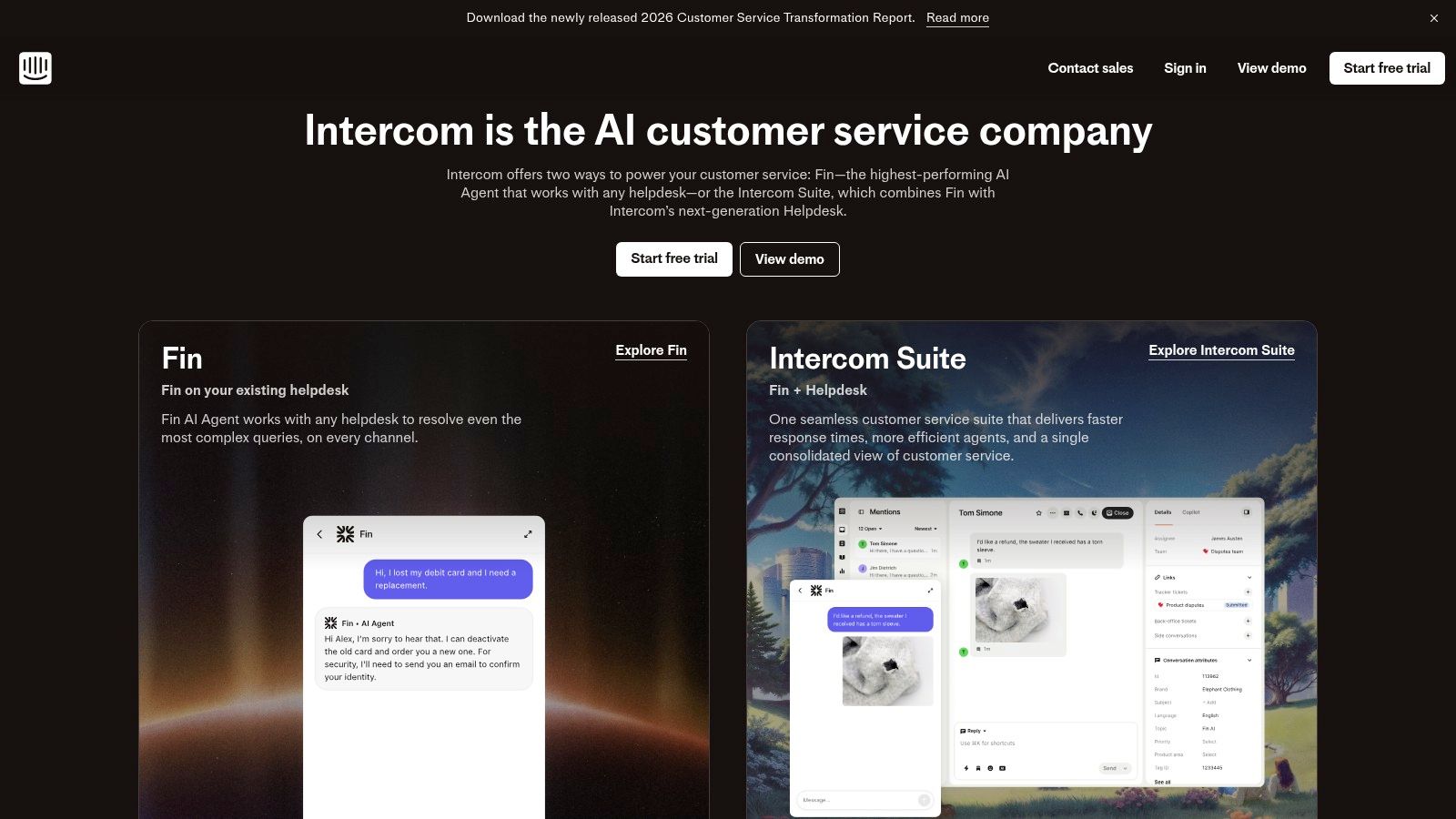
The primary problem Intercom solves is the high operational cost and slow response times associated with human-only support teams. It targets the repetitive, answerable questions that clog support queues, freeing up agents for complex, high-value interactions. Its unique ability to deploy on top of platforms like Zendesk or Salesforce also removes the significant barrier of a full system migration.
How the Automation Works
Intercom's automation is centered around its AI agent, Fin, which uses a company's existing knowledge base and help center articles to generate accurate, conversational answers. This is combined with a visual workflow builder for routing and triaging.
- Trigger: A customer initiates a conversation via the website messenger, email, or another connected channel.
- Flow:
- AI First Response: Fin intercepts the incoming query and instantly attempts to resolve it by analyzing the user's intent and pulling information from connected knowledge sources.
- Resolution or Triage: If Fin successfully answers the question, the conversation is closed and marked as resolved automatically. This is a core part of their outcome-based pricing.
- Intelligent Routing: If the issue is too complex or requires human intervention (e.g., a billing dispute), pre-built workflows route the conversation to the correct team or agent based on rules like customer type, query keywords, or conversation history.
- Agent Assist: For escalated chats, an AI Copilot feature helps the human agent by drafting replies, summarizing the conversation, and surfacing relevant knowledge articles, speeding up manual resolution.
- Data Capture: Throughout the interaction, Fin can capture key customer data (like name, email, or issue type) and sync it back to the CRM or help desk.
Measurable Benefits & KPIs
- Increased Automated Resolution Rate: Directly track the percentage of incoming queries fully handled by Fin without agent involvement.
- Reduced First Response Time: Drastically lower response times from minutes or hours to mere seconds for a large portion of support volume.
- Lower Cost Per Resolution: With Fin's per-resolution pricing, businesses can achieve a predictable and often lower cost for handling common inquiries compared to agent salaries.
Strategic Insight: The key to success with Intercom is its outcome-based model. Focus your knowledge base content on clear, direct answers to your most frequent questions. This directly translates Fin's training into measurable cost savings and a better customer experience. To see how this compares to other platforms, explore this guide on the best AI chatbot for customer service.
Implementation Tips
- Tool Stack: Intercom can function as a standalone platform (help desk, messenger, AI) or be layered on top of your existing help desk (like Zendesk) just for its AI capabilities.
- Start with Your Top 10 FAQs: Don't try to make your knowledge base perfect before launching. Identify the ten most common, repetitive questions your team answers and write clear help articles for them. This will give Fin the fuel it needs to deliver value immediately.
- Model Your Costs: Use Intercom's $0.99/resolution price to model your potential costs against your current support volume. This helps build a clear business case by forecasting ROI based on the number of tickets you expect to automate.
3. Zendesk
Zendesk provides a mature, enterprise-grade suite for automating customer interactions at scale. This example of customer service automation focuses on deploying AI Agents that can handle entire conversations across multiple channels, moving beyond simple chatbots to resolve complex user issues autonomously. The system is designed for companies that need a cohesive, auditable, and secure CX stack.
The core problem this automation solves is the high operational cost and inconsistency of handling repetitive but multi-step support queries. Instead of relying on human agents for every password reset, order status inquiry, or basic troubleshooting flow, Zendesk’s AI Agents take on the first line of defense, freeing up specialized staff for high-value conversations.
How the Automation Works
This automation is built around a centralized AI engine connected to various customer-facing channels and internal knowledge sources. It uses a resolution-based model, meaning its primary function is to close tickets without human intervention.
- Trigger: A customer initiates a conversation via a website widget, messaging app (like WhatsApp), or email.
- Flow:
- Intent Recognition: The AI Agent analyzes the initial message to understand the user's intent (e.g., "billing issue," "technical problem").
- Information Gathering: It engages in a natural conversation to collect necessary details, like an order number or account email.
- Backend Integration: The agent connects to external systems (like a CRM or billing platform) via APIs to fetch real-time data or perform actions, such as checking a subscription status.
- Resolution Delivery: It provides a direct answer or confirms an action has been taken (e.g., "I've successfully processed your refund for order #12345").
- Seamless Handoff: If the AI agent cannot resolve the issue or the customer requests a human, it intelligently routes the entire conversation history to the appropriate live agent queue with full context.
Measurable Benefits & KPIs
- Reduced First Response Time (FRT): Instantaneous responses lead to a near-zero FRT for all automated interactions.
- Increased Automated Resolution Rate: A direct measure of how many tickets are closed without any human agent time.
- Lower Cost Per Resolution: The cost of an automated resolution is significantly lower than a live agent interaction, driving down overall support expenses.
Strategic Insight: The key to success with a platform like Zendesk is treating your AI Agent as a new team member. It requires training on your knowledge base, clear goals for resolution rates, and continuous quality audits, just like a human agent. The resolution-based pricing model directly aligns its cost with its performance.
Implementation Tips
- Tool Stack: Zendesk Suite serves as the core platform. You will need to connect it to your key business systems (CRM, e-commerce platform, etc.) via its marketplace apps or custom APIs for the AI to perform meaningful actions. The Copilot, QA, and WFM modules are valuable add-ons.
- Clean Your Knowledge Base: The AI Agent's effectiveness is directly tied to the quality and structure of your help center articles and internal documentation. Start by cleaning and organizing this content.
- Define Handoff Points: Clearly map out the specific conditions under which the AI should escalate a ticket to a human. This prevents customer frustration and ensures complex issues are handled by experts. Find out more at https://www.zendesk.com.
4. Freshdesk (Freshworks)
Freshdesk positions itself as an agile and value-driven helpdesk solution, making it a strong contender for SMB and mid-market companies that need powerful automation without enterprise-level complexity. It provides a practical entry point into AI-powered support, solving the problem of high initial investment and steep learning curves often associated with advanced automation platforms.
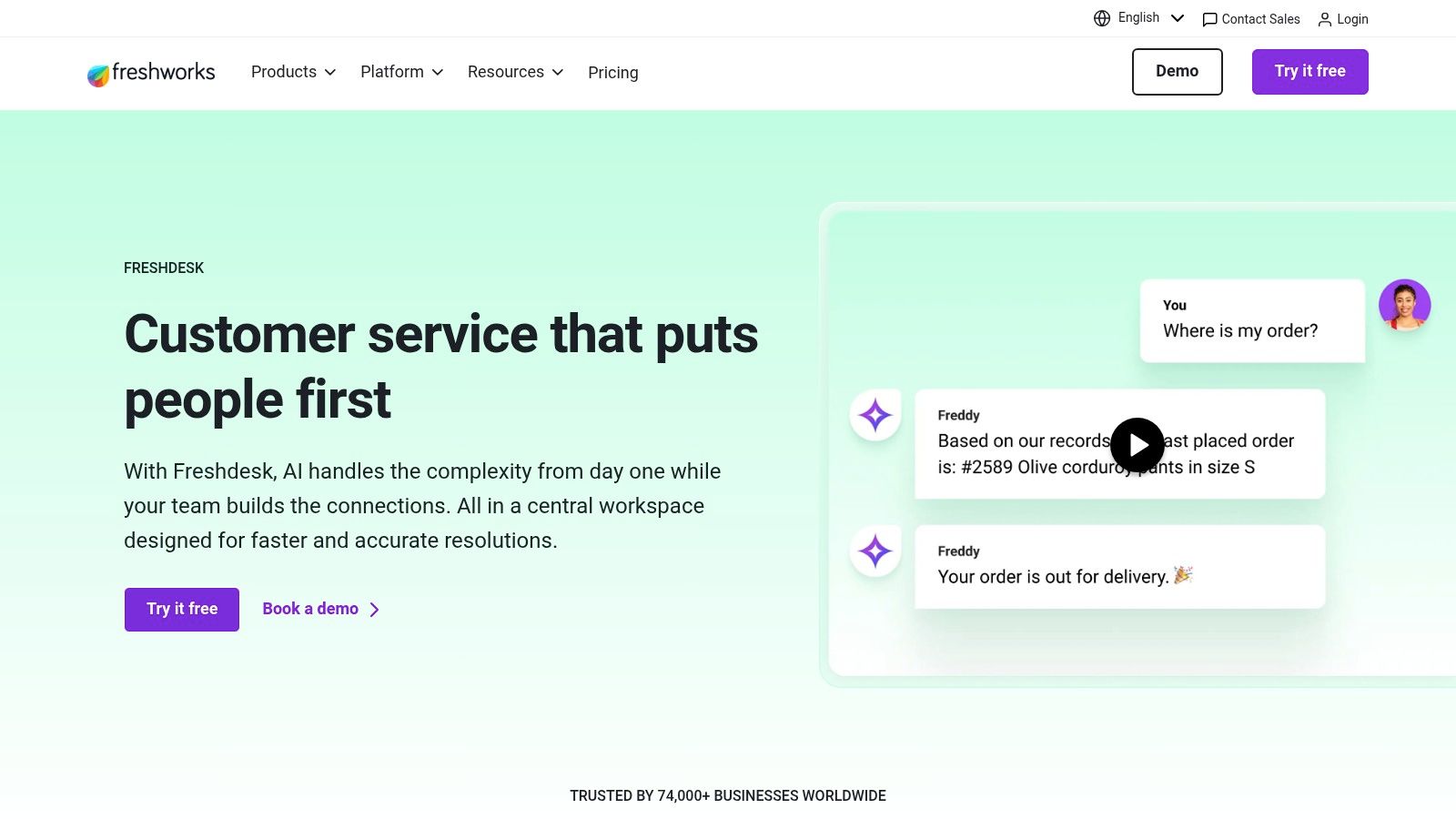
The core challenge Freshdesk addresses is balancing cost with capability. Teams want to automate routine inquiries and assist agents but are often hesitant to commit to expensive, platform-wide AI licenses. Freshdesk's modular approach with "Freddy AI" allows businesses to pilot and scale automation gradually, making it a standout among customer service automation examples.
How the Automation Works
Freshdesk's automation is built around its visual workflow builder and the Freddy AI engine, which can be deployed for both agent assistance and customer-facing interactions. A common use case is intelligent ticket routing and resolution.
- Trigger: A new support ticket is created via email or a web form.
- Flow:
- AI Triage: Freddy AI analyzes the ticket's subject and body to understand intent, language, and sentiment. It automatically categorizes the ticket (e.g., "Billing Inquiry," "Technical Issue") and sets its priority.
- Rule-Based Routing: The system uses predefined rules to assign the ticket. For instance, all tickets categorized as "Billing Inquiry" with "High Priority" are automatically assigned to the Senior Accounts team.
- Agent Assist (Freddy Copilot): When an agent opens the ticket, the Copilot suggests relevant knowledge base articles or canned responses, reducing research and response time.
- Automated Resolution: For simple, repetitive questions like "How do I reset my password?", the AI Agent can intercept the ticket and respond directly with a link to the password reset page, closing the ticket without human intervention.
- SLA Monitoring: The system monitors the ticket against Service Level Agreement (SLA) policies. If a high-priority ticket is nearing its response deadline, it automatically escalates the ticket to a manager.
Measurable Benefits & KPIs
- Improved First Response Time (FRT): AI-powered routing and suggestions dramatically cut down the time it takes for an agent to send the first meaningful reply.
- Increased Agent Productivity: A higher number of tickets resolved per agent per day due to AI assistance and the automation of manual classification tasks.
- Reduced Resolution Time: A measurable decrease in the average time it takes to fully resolve a customer issue from start to finish.
Strategic Insight: The key is to start with high-volume, low-complexity tasks. Use Freshdesk’s analytics to identify the top 3-5 most common ticket categories and build your first automations around them. This delivers the fastest ROI and builds internal confidence in the system.
Implementation Tips
- Tool Stack: Primarily Freshdesk. Integrate it with your CRM (like Salesforce or HubSpot) for a 360-degree customer view and with a tool like Slack for real-time escalation notifications.
- Modular AI Rollout: Take advantage of Freshdesk’s pricing. Purchase Freddy Copilot licenses for a small group of agents first. Use their performance data to build a business case for expanding to the entire team or adding the AI Agent.
- Refine Your Knowledge Base: The effectiveness of the AI depends heavily on the quality of your help documentation. Before deploying Freddy AI, ensure your knowledge base is comprehensive, well-structured, and up-to-date.
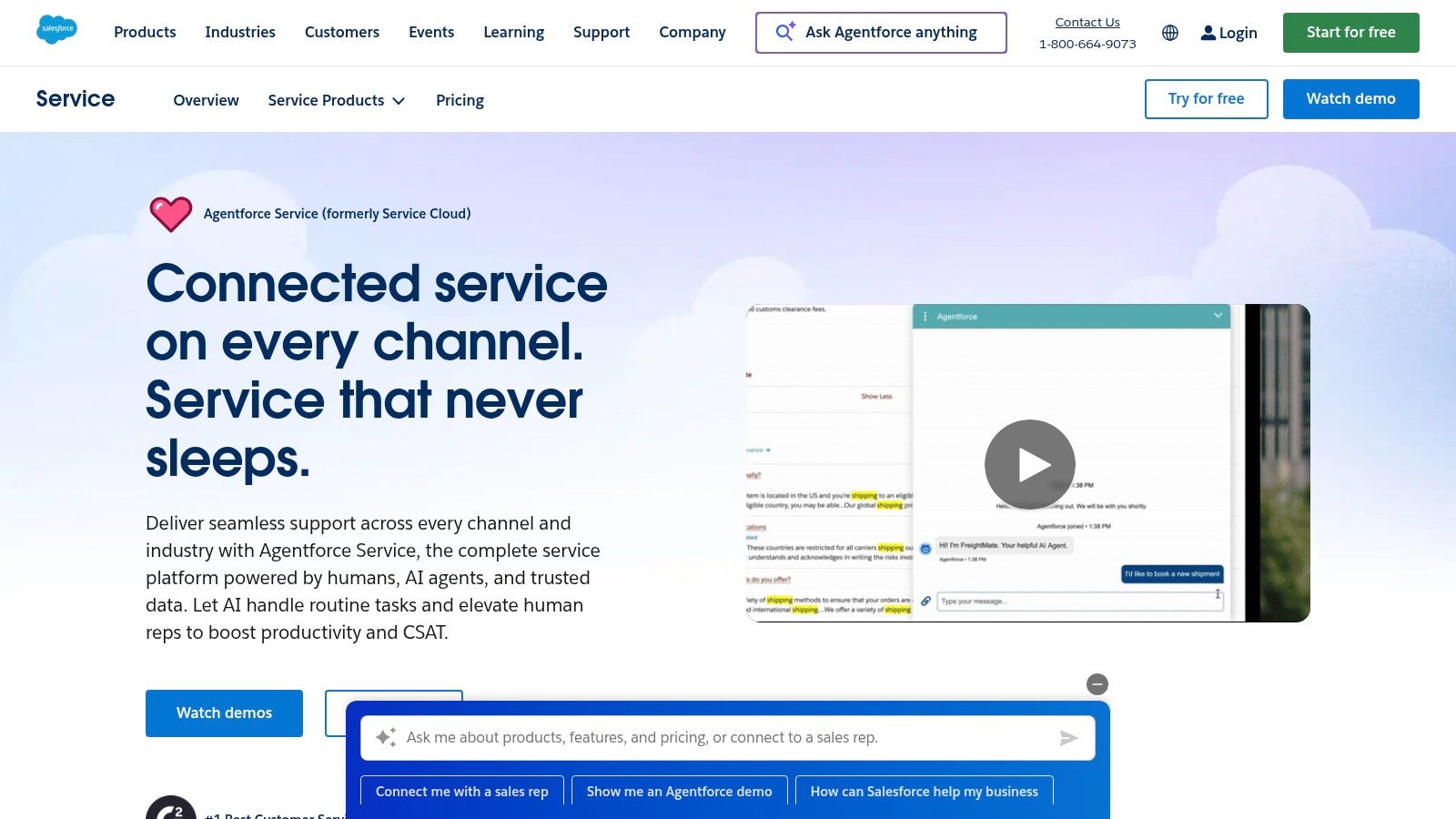
5. Salesforce Service Cloud: Integrated CRM & Service Automation
For organizations where customer service is deeply intertwined with sales and marketing data, Salesforce Service Cloud provides a powerful, unified platform. This example of customer service automation focuses on creating a 360-degree customer view, enabling agents to resolve complex issues with full context, powered by robust workflow automation and AI. It moves beyond simple ticket resolution to manage the entire customer relationship lifecycle.
The primary problem Salesforce Service Cloud addresses is data fragmentation. When service, sales, and marketing platforms don't communicate, agents lack the context needed for effective support, leading to repetitive questions, slow resolution times, and a disjointed customer experience. This automation centralizes all interactions and data into a single source of truth.
How the Automation Works
This automation is centered around Salesforce's "Flow" builder and the unified CRM data model. It connects case management with customer history, purchase data, and marketing engagement to create intelligent, context-aware service workflows. A common flow is an automated escalation for high-value customers.
- Trigger: A new support case is created by a customer tagged as "Enterprise" or with a total lifetime value over a specific threshold.
- Flow:
- Data Enrichment: The system automatically pulls the customer's recent purchase history, open sales opportunities, and recent marketing interactions directly onto the case record.
- Intelligent Triage: Einstein AI analyzes the case description to classify its priority and topic (e.g., "Billing Inquiry," "Technical Issue") and suggests relevant knowledge base articles to the agent.
- SLA Application: A strict "High-Value Customer" Service Level Agreement (SLA) is automatically applied, starting a countdown timer for first response and resolution visible to the agent.
- Ownership & Notification: The case is routed to a dedicated Tier-2 support queue. Simultaneously, the designated Account Manager is notified via an internal alert (e.g., in Slack or Chatter) about the new high-priority issue.
- Escalation Path: If the case is not resolved within 75% of the SLA time, the flow automatically escalates it to the Head of Customer Support and flags it on a management dashboard.
Measurable Benefits & KPIs
- Improved First Contact Resolution (FCR): Agents have all necessary information upfront, reducing the need for follow-ups and internal escalations.
- Reduced Average Handle Time (AHT): AI-suggested articles and a complete customer view speed up diagnosis and resolution.
- Increased Customer Retention: High-value customers receive prioritized, context-aware service, directly impacting loyalty and reducing churn.
Strategic Insight: True customer service excellence isn't just about closing tickets; it's about protecting and growing revenue. By integrating service automation directly with your CRM, you can identify at-risk revenue and turn support interactions into opportunities to strengthen customer relationships. Your service center transforms from a cost center into a retention engine.
Implementation Tips
- Tool Stack: The core is Salesforce Service Cloud, often enhanced with Einstein for AI capabilities and AppExchange apps for specific functions like advanced telephony or surveys.
- Define Your Data Model: Before building flows, ensure your key customer data points (like LTV, account status, product usage) are clean and accessible within Salesforce objects. The automation is only as good as the data it runs on.
- Master Salesforce Flow: Invest in training for a Salesforce Admin or developer. Flow is an incredibly powerful tool, but its complexity requires expertise to build, test, and maintain reliable automations. Start with simple case routing rules before tackling multi-step, data-driven escalations.
6. Enterprise-Scale AI Voice & Digital Routing with Genesys Cloud CX
For large-scale contact centers, customer service automation examples must extend beyond simple chatbots into complex, voice-integrated workflows. Genesys Cloud CX provides an enterprise-grade platform that unifies voice, digital channels, and workforce management, all infused with AI. It automates sophisticated routing and agent assistance for high-volume support environments.
The primary problem Genesys solves is the operational chaos of managing separate systems for telephony, digital support, and agent scheduling. It automates the connection between an incoming customer query and the best-equipped agent available, regardless of the channel, while providing AI tools to make that interaction faster and more effective.
How the Automation Works
This automation centers on AI-powered predictive routing and agent assistance, which work together to optimize every interaction from the first moment of contact.
- Trigger: A customer initiates contact via any channel (voice call, web chat, SMS, social media).
- Flow:
- Intent Recognition: The system uses Natural Language Understanding (NLU) to identify the customer's intent. For voice, this happens through a speech-enabled IVR; for digital, it analyzes the initial text.
- Data Enrichment: Genesys pulls data from an integrated CRM to understand the customer's history, value, and previous issues.
- Predictive Routing: Instead of basic skill-based routing, the AI predicts which available agent is most likely to achieve the desired business outcome (e.g., first-contact resolution, high CSAT). It analyzes over 100 data points, matching customer personality and issue complexity with agent performance and communication style.
- Agent Assist Copilot: As the conversation begins, an AI copilot listens in or monitors the chat. It automatically surfaces relevant knowledge base articles, provides real-time response suggestions, and can generate a concise summary of the interaction for the agent.
- Automated After-Call Work: Once the call or chat ends, the system can automatically categorize the interaction, update the CRM, and queue any necessary follow-up tasks.
Measurable Benefits & KPIs
- Improved First-Contact Resolution (FCR): By matching customers to the right agents more intelligently, FCR rates see a marked increase.
- Reduced Average Handle Time (AHT): AI assistance and automated summaries cut down the time agents spend on research and post-interaction work.
- Increased Agent Efficiency: Workforce management automation ensures optimal staffing levels, while AI tools help agents handle more interactions effectively.
Strategic Insight: At an enterprise scale, the biggest gains come from optimizing agent performance, not just deflecting tickets. This automation focuses on augmenting human agents with AI, treating automation as a collaborative tool that elevates the entire team's capability.
Implementation Tips
- Tool Stack: Genesys Cloud CX is an all-in-one platform but requires deep integration with your primary CRM (like Salesforce or Microsoft Dynamics) to be most effective.
- Phased Rollout: Begin by implementing predictive routing for a single, high-volume queue. Measure the impact on KPIs like AHT and CSAT before expanding to other departments or channels.
- Tune Your AI: The AI model's effectiveness depends on good data. Ensure your historical interaction data is clean and well-categorized to train the predictive routing engine properly. Learn more about the components of effective call center automation solutions to prepare your strategy.
7. Ada: Enterprise-Grade AI Agent Automation
Ada positions itself as an automation-first platform designed for complex, high-volume customer service environments. This is not a simple FAQ chatbot; it's an enterprise-grade system for building autonomous AI agents that can handle intricate workflows across multiple channels, making it a powerful customer service automation example for large organizations.
The core problem Ada solves is the inconsistency and operational overhead of managing separate automation logic for different communication channels (chat, email, messaging, voice). Its Unified Reasoning Engine is built to resolve complex inquiries with a single, centrally managed logic, ensuring compliance and a consistent brand voice everywhere.
How the Automation Works
Ada's approach centers on creating a single, intelligent "brain" that can be deployed across various customer touchpoints. This "design once, deploy anywhere" model is critical for large-scale operations.
- Trigger: A customer initiates a conversation on any supported channel (e.g., website chat, WhatsApp, in-app messaging).
- Flow:
- Intent Recognition: The Unified Reasoning Engine analyzes the user's initial query to understand their goal, whether it's checking an order status, disputing a charge, or asking a technical question.
- System Integration: The AI agent securely connects to backend systems (like a CRM, ERP, or order management system) via pre-built or custom APIs to pull relevant customer data.
- Autonomous Resolution: Instead of just deflecting, the agent takes action. It can process a return, update an address, or rebook a flight by executing multi-step workflows.
- Channel Consistency: The core logic and reasoning remain the same whether the interaction is happening over chat or email. The agent adapts its presentation to the channel's format.
- Intelligent Handoff: If an issue requires human intervention, the agent packages the entire interaction history and relevant data into a concise summary and routes it to the correct human agent or department.
Measurable Benefits & KPIs
- Reduced Agent Handle Time: Automating data collection and initial triage significantly cuts down the time human agents spend on each interaction.
- Increased First Contact Resolution (FCR): A higher percentage of customer issues are fully resolved by the AI agent without needing human escalation.
- Lower Operational Costs: A single automation build serves multiple channels, reducing development and maintenance overhead.
Strategic Insight: For enterprise companies, compliance and governance are paramount. Ada's strength lies in its centralized control, allowing businesses to enforce business rules, brand voice, and regulatory requirements consistently across all automated conversations, minimizing risk.
Implementation Tips
- Tool Stack: Ada is designed to be the central automation hub, integrating deeply with your CRM (Salesforce, Zendesk), CCaaS platforms (Five9, Genesys), and proprietary backend systems.
- Focus on High-Volume Workflows: Start by identifying the top 3-5 most frequent and repetitive customer inquiries that require multi-system lookups. These are the prime candidates for delivering immediate ROI with Ada.
- Involve Your Security Team Early: Given the deep integrations required, bringing your IT and security teams into the planning process from day one is essential for a smooth implementation.
Top 7 Customer Service Automation Tools Comparison
| Solution | Implementation complexity | Resource requirements | Expected outcomes | Ideal use cases | Key advantages |
|---|---|---|---|---|---|
| MakeAutomation | Medium — vendor-led co-building and custom workflows | Subscription-style premium pricing ($6.2k/mo or quarterly), client input and onboarding | Improved efficiency (~22%), strong outreach metrics (high open/reply); documented integrations | B2B/SaaS founders, sales/ops, teams needing bespoke automation | Hands-on specialists, unlimited requests model, ROI tools and co-building |
| Intercom | Low–Medium — quick setup or overlay on existing helpdesk | Moderate — per-resolution fees ($0.99/resolution) and optional add-ons | Fast time-to-value; reduced agent load via automated resolutions | SMBs to midmarket wanting multichannel chat and rapid automation | Outcome-based pricing, Fin AI agent, visual workflow builder |
| Zendesk | Medium–High — enterprise configuration and enablement needed | High — core licenses plus add-ons (Copilot, QA, WFM) and integrations | Cohesive, auditable CX stack with resolution-based AI outcomes | Enterprises requiring secure, compliant CX and workforce management | Proven CX platform, extensive marketplace and integrations |
| Freshdesk (Freshworks) | Low–Medium — fast deployment, modular AI rollout | Moderate — competitive pricing, per-seat Copilot and session packs | Cost-effective AI pilots; scalable agent assist and bot automation | SMBs and midmarket teams piloting AI for a subset of agents | Competitive price-to-feature, flexible AI licensing, quick setup |
| Salesforce Service Cloud | High — deep CRM integration and custom Flows | High — licensing, add-ons, implementation and admin expertise | Unified CRM + service automation at scale, governed workflows | Organizations needing tight CRM-service integration and cross-cloud automation | Unified data model, mature governance, powerful platform automations |
| Genesys Cloud CX | Medium–High — contact-center deployment and routing design | High — native telephony, WEM, and AI token planning | Voice-first automation, predictive routing, strong analytics and WEM | Large contact centers with heavy voice and workforce needs | Enterprise telephony, built-in WEM, embedded AI for voice/digital |
| Ada | High — upfront design, deep integrations and governance | High — sales-led pricing, enterprise scoping and implementation | Consistent autonomous agents across channels for high-volume CX | Enterprises needing complex, multi-channel autonomous automation | Unified Reasoning Engine, enterprise controls, multi-channel consistency |
From Examples to Execution: Your Next Steps in Automation
We've explored a range of powerful customer service automation examples, from Intercom’s proactive chatbots to Zendesk’s intelligent routing and Salesforce’s unified agent workspace. Moving beyond these specific cases reveals a fundamental truth about modern support: effective automation doesn't replace your team; it elevates them. By delegating routine, predictable inquiries to automated systems, you free your human experts to focus on what matters most: solving complex issues, building customer relationships, and providing the high-touch support that builds lasting loyalty.
The path forward begins with a single, focused step. Instead of attempting a complete overhaul at once, identify the most significant friction point in your current customer service workflow.
Identifying Your Starting Point
Is your team drowning in repetitive password reset requests? Are billing questions consuming an outsized portion of your support hours? Perhaps new user onboarding lacks a proactive, guiding hand. Pinpointing this primary bottleneck is critical.
A well-defined, initial automation project targeting a specific pain point will deliver a clear return on investment. This early success builds confidence and creates the momentum needed for broader implementation across your customer journey.
Choosing the Right Automation Partner
The tools we've covered, like Freshdesk and Genesys Cloud CX, offer distinct strengths. Your choice should directly address your primary bottleneck and align with your existing technology stack.
Consider these factors when evaluating a solution:
- Integration Capability: How easily does the tool connect with your CRM, help desk, and other essential business systems? A seamless flow of data is non-negotiable.
- Scalability: Will the platform grow with you? Look for a solution that can handle increasing volume and complexity without requiring a complete rebuild.
- Ease of Use: Your team needs to manage and refine these automations. An intuitive, no-code or low-code interface allows your operations staff, not just developers, to build and optimize workflows.
Ultimately, the goal is not just to automate tasks but to create a cohesive and intelligent support system. For a holistic approach to using AI to enhance every touchpoint, refer to this guide on AI-driven customer experience.
The Human-Centric Future of Support
The most impactful customer service automation examples always keep the human element at the center. They are designed to triage, inform, and resolve simple issues instantly, ensuring that when a customer does need to speak with a person, that agent is fully informed and prepared to offer real value. This strategic blend of machine efficiency and human empathy is the foundation of a world-class support operation.
Your journey from manual processes to an automated, intelligent customer service engine is an incremental one. Start small, prove the value, and build from there. The potential to improve customer satisfaction, reduce operational costs, and empower your team is immense.
Ready to turn these examples into your reality? MakeAutomation specializes in designing and implementing the exact kinds of custom workflows detailed in this article, connecting your favorite tools to create a seamless support system. Visit MakeAutomation to see how we can help you build a more efficient and effective customer experience.