What Is Legacy Code: Stop Killing SaaS Growth
Legacy code is code that's risky to change, and the clearest practical definition is code without tests. In mature codebases, up to 80% of development time is spent on maintenance rather than new features (understandlegacycode.com), which is why slow releases, fragile integrations, and delayed automation often trace back to the code you already have.
If you're running a SaaS company, you usually feel legacy code before anyone names it. A simple pricing update takes a sprint. A CRM sync breaks after a minor release. Your team avoids certain modules because nobody trusts what will happen if they touch them. The business sees slower execution. Engineering sees risk.
That is what legacy code means in practice. It isn't just old code, and it isn't just COBOL sitting in a bank data center. A ten-month-old service can be legacy code if nobody can change it safely. Old technology can make the problem worse, but the primary issue is loss of control.
Founders often treat this as an engineering hygiene problem. It isn't. It's a growth constraint. If your roadmap depends on AI automation, better data flows, and faster iteration, legacy code is often the thing standing in the way.
The Hidden Friction Holding Your Business Back
Monday starts with a simple request. Update packaging, connect a new AI workflow, or change how billing data moves into the CRM. By Friday, the work is still stuck in review because one change touched three brittle services, nobody trusts the test coverage, and the team is arguing over rollback plans instead of shipping.
That is the kind of friction legacy code creates in a SaaS business. It slows execution at the exact points where scale depends on speed, reliable integrations, and clean data.

Old code isn't the issue
The core issue is loss of change safety.
A ten-year-old module with test coverage, clear ownership, and predictable behavior can support growth for years. A service written last quarter can become legacy code fast if every update feels risky, side effects are unclear, and the only person who understands it is already overloaded.
For founders, this distinction matters because business drag rarely comes from "old tech" in the abstract. It comes from the parts of the system the team avoids. The pricing engine with hidden rules. The onboarding flow tied to five manual workarounds. The integration layer that breaks whenever you add a new customer requirement.
Once teams start routing work around those areas, delivery slows across the company.
What that friction looks like in practice
You do not need to read the codebase to spot it. Look for patterns that show up in planning, delivery, and operations:
- Roadmap items keep expanding: Work looks small at kickoff, then grows because dependencies were harder to change than expected.
- Simple changes require senior engineer time: Routine updates still need your most experienced people because the risk of unintended breakage is high.
- AI and automation projects stall early: The blocker is not the model or the vendor. It is inconsistent data, tightly coupled systems, or workflows nobody can modify safely.
- Teams create manual workarounds: Operations fills gaps with spreadsheets, duplicate entry, and exception handling because the product cannot adapt quickly.
- Release confidence drops: The team ships less often, adds more approval layers, and treats normal product changes like infrastructure incidents.
Legacy code transitions here from technical debt to operating drag. Growth initiatives take longer to launch. Customer-specific requests cost more to support. AI automation stays stuck at the pilot stage because the underlying systems cannot supply reliable inputs or absorb change cleanly.
If you want a more financial lens, this guide can help you uncover true legacy software costs.
A founder usually sees the symptom first. Slower launches. More escalation. Less confidence in estimates. The code is just where that friction lives.
The Real Business Cost of Outdated Code
A founder approves an AI automation project to reduce support workload, speed up onboarding, or tighten renewals. Six weeks later, the pilot is stuck because the product data is inconsistent, the workflow crosses too many brittle dependencies, and nobody wants to touch the billing logic. The problem is not ambition. The problem is code that can no longer support scale.
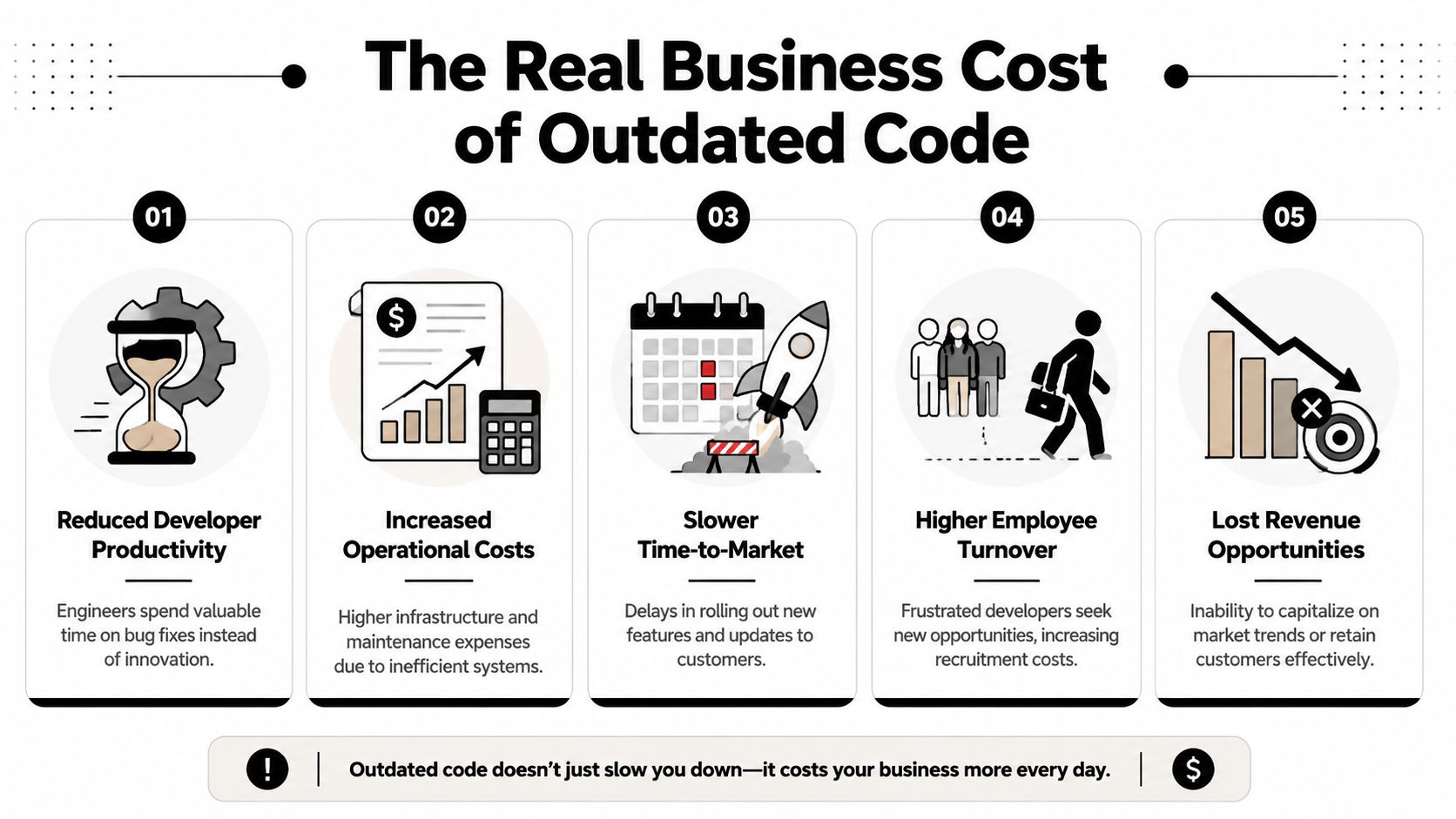
Legacy code creates a growth tax. It diverts budget into maintenance, slows product bets, raises delivery risk, and keeps automation efforts in pilot mode. In a B2B SaaS company, that cost shows up in revenue timing, gross margin, and customer confidence.
Where the cost hits the business
The first impact is usually strategic delay. A launch slips because one feature touches an old permission model. A pricing change waits another quarter because the billing code has too many side effects. An integration takes three times longer than planned because every data field needs custom handling.
Those delays matter more than many founders expect. In SaaS, speed compounds. Faster releases improve retention, expansion, and sales follow-through. Slow releases do the reverse.
If you want a useful framework to uncover true legacy software costs, total cost of ownership is the right lens. Include maintenance hours, contractor dependency, incident response, workaround tooling, delayed launches, and the extra review layers needed before each release.
Four costs founders usually underestimate
- Budget drain: Engineering spend shifts toward patching, regression checking, and preserving old workflows. That money does not create new revenue or improve customer experience.
- AI automation failure: Automation depends on stable systems, clean inputs, and workflows teams can change safely. Legacy code breaks that chain early, so the company pays for pilots without getting operating advantages.
- Security and compliance pressure: Older components, weak test coverage, and unclear ownership increase audit effort and make upgrades riskier. Teams start treating routine maintenance as a special project.
- Hiring and execution risk: Hard-to-read systems raise onboarding time and increase dependence on a few senior engineers who know where the traps are.
One practical test helps here. Review how often small changes require senior intervention, manual QA, or rollback planning. A few structured code review examples for risky codebases can make that pattern visible fast.
Practical rule: If a system consumes leadership attention without improving speed, margin, or customer value, it is reducing enterprise value.
Why this matters more in B2B SaaS
B2B SaaS companies run on repeatability. Sales needs reliable implementation timelines. Customer success needs predictable workflows. Operations needs fewer exceptions, not more. AI projects need systems that produce usable data and can accept process changes without breaking.
Outdated code cuts against all of that. Teams add wrappers, manual checks, and one-off fixes to keep the business moving. That can hold for a while. It does not scale.
The cost is not that the code is old. The cost is that old code blocks standardization, slows automation, and makes each stage of growth more expensive than it should be.
How to Spot Legacy Code in Your Business
You don't need to inspect source files to tell whether your company has a legacy code problem. Start with behavior.
When teams describe a system as "touchy," "fragile," or "weird," they're often pointing to the same condition. The architecture is tangled enough that even small changes have unpredictable side effects. One common label for this is a big ball of mud. Systems with high cyclomatic complexity, which is a measure of code entanglement, can have 3 to 5 times higher defect densities (Mimo glossary on legacy code signals).
Signals non-technical leaders can notice
You can diagnose a lot by listening to how work gets discussed in sprint planning, roadmap reviews, and incident retrospectives.
- Estimates swing wildly: A task that looked simple expands because one change touches too many hidden dependencies.
- People avoid specific areas: Teams know which modules are dangerous even if they don't say "legacy."
- Onboarding is slow: New engineers need long handoffs to understand tribal knowledge.
- Documentation is thin or outdated: The team relies on memory instead of clear system behavior.
- Every integration feels custom: Nothing plugs in cleanly, so every vendor or workflow connection needs special handling.
A lightweight review process helps surface these issues early. If you want a practical benchmark for what teams should be looking for, these code review examples for engineering teams are a useful reference for spotting risky patterns before they spread.
A simple checklist for leadership conversations
Use this in a meeting with your tech lead, engineering manager, or senior ICs.
| Legacy Code Identification Checklist | Yes / No |
|---|---|
| Releases slow down when a change touches older modules | |
| The team avoids certain files, services, or workflows | |
| Bug-fix estimates are hard to trust | |
| There are few or no automated tests around critical flows | |
| New hires need extensive verbal explanation to make safe changes | |
| Documentation doesn't match actual behavior | |
| Integrations with CRM, billing, or analytics require repeated workarounds | |
| Incidents often reveal hidden dependencies |
Ask for hotspots, not opinions
Tools such as SonarQube can help teams detect complexity hotspots automatically, which is useful because legacy risk tends to cluster rather than spread evenly across the whole codebase.
What you want from engineering isn't a vague statement that "the codebase needs cleanup." Ask for the few areas where change risk is highest and business importance is highest. That gives you something actionable. It also prevents the common mistake of treating modernization as an abstract cleanup project with no operational target.
If your team can't explain where change is dangerous, they probably don't understand the system deeply enough yet to modernize it safely.
Translating Technical Pain into Business Metrics
A founder approves a pricing change on Monday. Product signs off. Sales wants it live before Friday calls. The release slips because one billing workflow touches old code that nobody wants to modify without a full round of manual checks.
That is not a code quality discussion. It is a revenue timing problem.
Modernization efforts get traction when technical risk is tied to business outcomes. If engineering describes refactoring work in isolation, it sounds optional. If the same work is tied to slower launches, higher incident risk, weaker expansion capacity, and delayed AI automation, leadership can evaluate it properly.
The four metrics leaders should care about
The DORA metrics are useful because they connect software delivery to operating performance. They give founders and SaaS leaders a way to measure whether the codebase helps growth or blocks it.
Deployment frequency
How often can the team ship changes that matter?
A drop in release cadence usually means more than engineering friction. It means experiments wait longer, customer requests stack up, and competitors get more chances to move first. In B2B SaaS, that can affect renewals and expansion just as much as it affects product morale.
Lead time for changes
How long does approved work take to reach production?
This is the metric founders feel first. Long lead times delay onboarding improvements, contract-specific requests, billing changes, integrations, and compliance updates. They also limit how much value you can get from AI tools. AI can generate code quickly, but if the surrounding system is hard to test and risky to release, speed at the keyboard does not become speed in the business.
Change failure rate
What percentage of releases create incidents, rollbacks, or urgent fixes?
This metric exposes the hidden tax in older systems. Teams become careful for a reason. They have learned that one small change can break reporting, invoicing, permissions, or a customer-facing workflow somewhere else. That makes every release more expensive than it looks on a sprint board.
Time to restore service
How fast can the team recover when something breaks?
Legacy code clashes with customer trust. Recovery slows down when behavior lives in tribal knowledge, monitoring is weak, and dependencies are unclear. One outage is painful. Repeated slow recoveries start to shape how customers judge your reliability.
Use the metrics to frame investment decisions
The goal is not to ask for a vague cleanup budget. The goal is to connect technical work to a measurable business constraint.
A useful leadership discussion sounds like this:
- Which part of the product adds the most delay between approval and release
- Which workflows create the most rollback or incident risk
- Where does delivery depend on one or two people with system memory
- Which areas block AI-assisted development, workflow automation, or new integrations
- What engineering work would improve one delivery metric within the next quarter
These questions change the tone of the conversation. Modernization becomes a capacity investment, not an aesthetic one.
For teams that need a shared standard for maintainability, this guide on what makes code good in production systems helps connect engineering quality to delivery outcomes. If platform constraints are part of the problem, the ARPHost guide to IT infrastructure updates is a useful companion because application risk and infrastructure risk often reinforce each other.
Legacy code matters when it slows revenue, raises service risk, and blocks automation. That is the level leaders should measure.
Core Strategies for Modernizing Your Codebase
There isn't one right modernization strategy. There are several, and each has a different risk profile.
The mistake I see most often is choosing based on frustration. A team gets tired of the old system and jumps to a rewrite. That can be valid, but it is usually the most operationally dangerous first move. A better approach is to choose a strategy based on dependency risk, business criticality, and how much behavior you can validate.
If you need a broader infrastructure lens alongside the application decision, this ARPHost guide to IT infrastructure updates is worth reviewing. Application architecture and platform constraints often have to be addressed together.
The big rewrite
A full rewrite is tempting because it promises a clean slate.
It also creates a long period where you fund two realities at once. The old system still needs support while the new one tries to catch up on features, edge cases, and operational maturity. Rewrites work best when the current platform is a core blocker for the business and when the organization has enough product clarity to avoid rebuilding the same mess in a new stack.
Use it when the system is structurally beyond safe incremental repair.
Avoid it when your team doesn't yet understand the existing behavior well enough to replace it confidently.
Incremental refactoring
This is the least glamorous option and often the most effective. Teams improve code in place, one risky area at a time, while preserving behavior.
That usually starts by adding tests around the most business-critical workflows, then simplifying code paths, breaking hidden dependencies, and improving observability. If your team needs a grounding reference for engineering quality during that process, this guide on what makes good code in production systems is a useful anchor.
Use it when the system still works but slows delivery.
Watch for teams calling random cleanup "refactoring" without tying it to a business-critical path.
The strangler fig pattern
This pattern works well when a module is too risky to edit directly but too important to ignore. You build new capability around the old component, route new traffic or workflows through the new layer, and gradually reduce dependence on the original system.
This is often the right move for customer-facing workflows, integrations, or reporting layers where you need steady progress without a hard cutover.
Use it when you need gradual replacement with limited downtime risk.
Watch for duplicated logic living too long in both old and new layers.
Encapsulation and wrapping
Sometimes the smartest move isn't replacing a component immediately. It's isolating it.
You put a clean API, service boundary, or adapter around the ugly part so the rest of the system can evolve without inheriting the same mess. This doesn't remove the legacy core, but it can sharply reduce the blast radius.
The best modernization strategy is often the one that reduces future dependency first, not the one that removes the most old code fastest.
How to Prioritize Your Modernization Efforts
There are typically more problems than can be fixed. Prioritization is where modernization becomes useful instead of endless.
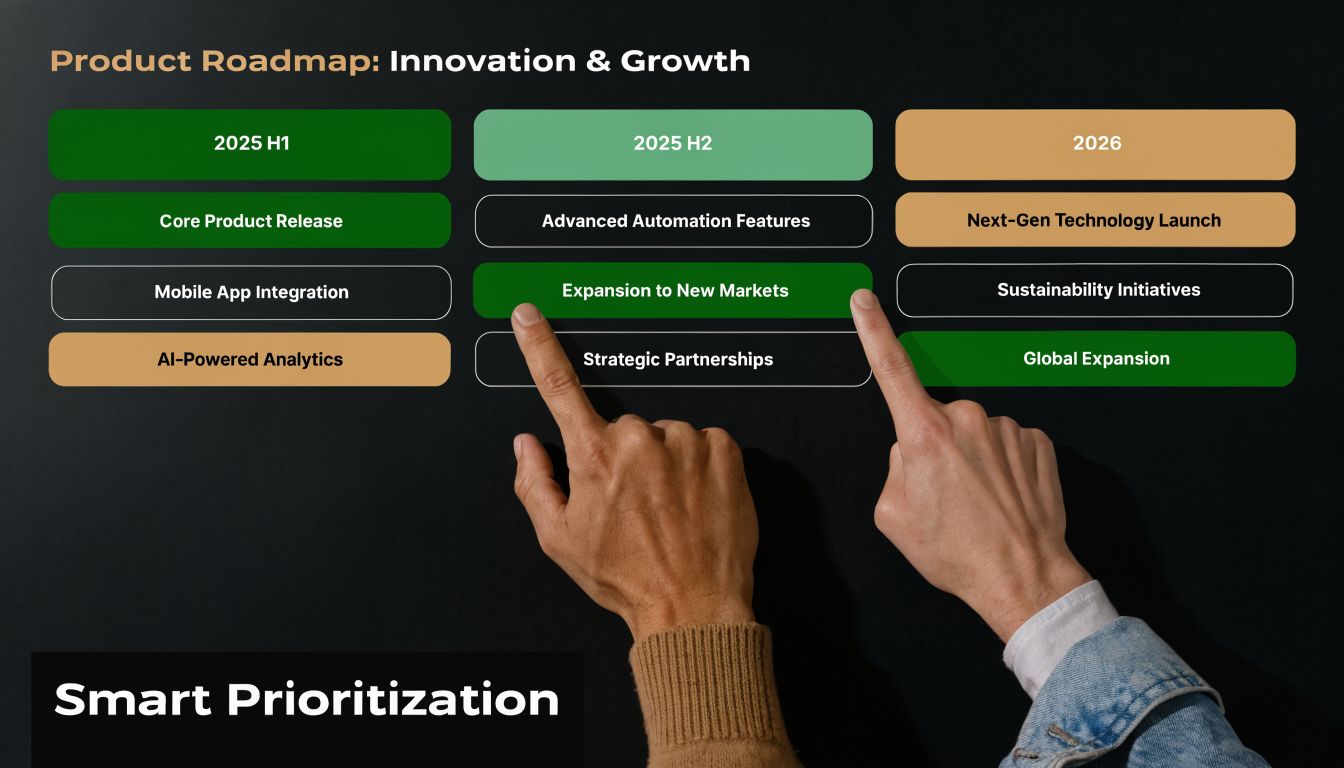
A simple way to make decisions is a 2×2 matrix with Business Impact on one axis and Technical Pain on the other. Every suspected legacy hotspot gets placed somewhere on that grid. This forces a better conversation than "everything is important."
The four decision zones
Quick wins
High impact, low technical pain. Start here.
These are usually narrow workflow fixes with obvious business value. An unstable CRM sync. A brittle onboarding step. A reporting export everyone depends on but nobody trusts. Fixing one of these builds confidence and proves that modernization can improve operations quickly.
Major projects
High impact, high technical pain. These deserve planning, not panic.
Common examples include billing, identity, core data models, or the monolith section every team tiptoes around. These are worth doing, but only with clear sequencing, test coverage strategy, and rollback thinking.
Strategic housekeeping
Low impact, high technical pain. Be selective.
These areas can consume months because engineers dislike them, not because the business needs them solved now. Keep them visible, but don't let them displace urgent priorities.
Don't touch for now
Low impact, low pain. Leave them alone until something changes.
That can feel unsatisfying to technical teams, but restraint matters. Modernization isn't a cleanliness contest.
How to run the exercise
Get product, engineering, and operations in the same room. List the systems or workflows that regularly cause delays, workarounds, or incidents. Then score each one with two questions:
- If this improved, would customers, revenue, or internal efficiency noticeably improve
- How hard is it to change safely with today's codebase and team knowledge
That conversation usually surfaces hidden dependencies fast.
A useful technical walkthrough can help teams think about staged modernization and safer architecture changes:
What good prioritization feels like
A solid roadmap doesn't try to erase all legacy code. It protects core growth motions first.
If you're deciding well, your first modernization bets should make feature delivery less fragile, improve one operationally important workflow, and create better conditions for the next round of automation work.
Your First Steps Toward a Scalable Future
You don't need a transformation program to start. You need a disciplined first quarter.
Start with a Pain and Value meeting. Put your tech lead, product owner, and ops stakeholder in one room and map the biggest friction points using the Business Impact versus Technical Pain matrix. Keep the discussion tied to real workflows such as onboarding, billing, CRM, reporting, or customer support handoffs.
Next, fund one quick win. Pick a narrow but meaningful improvement where safer code will remove recurring friction. Modernization efforts die when they're framed as abstract cleanup. They gain support when the business sees one painful process become more reliable and faster to change.
Then pick one delivery metric and track it consistently. If your team is already working on release automation, this guide to an automated DevOps pipeline for scaling teams can help align modernization with operational discipline instead of one-off cleanup.
Security and compliance should stay in view as you modernize, especially for SaaS businesses that need stronger trust signals with customers. A practical SOC 2 guide for SaaS companies is useful if part of your legacy burden includes audit friction, process gaps, or weak control mapping.
The point isn't to make the codebase look modern. The point is to make the business easier to improve. When your team can ship changes safely, automation becomes more realistic, AI integrations become less fragile, and growth stops depending on heroics.
If you're ready to turn brittle systems into scalable workflows, MakeAutomation helps B2B and SaaS teams modernize operations with AI automation, DevOps support, CRM workflow design, and implementation that prioritizes business value first.