
Building a SPA with Angular for SaaS in 2026
You're probably in the middle of a stack decision that doesn't feel purely technical.
The product team wants a responsive app that feels native in the browser. Sales wants public pages that rank and convert. Customer success wants admin tooling, permissions, and auditability. Engineering wants something that won't collapse once the app has billing screens, onboarding flows, reporting, CRM hooks, and three separate teams shipping into the same frontend.
That's where spa with angular becomes less about framework preference and more about operating model. Angular is at its best when the product is not a landing page with a dashboard bolted on, but a real SaaS platform with workflows, forms, approvals, nested navigation, and long-lived code.
Why Build Your SaaS SPA with Angular in 2026
A lot of tech leads ask the same question before a new build. Angular still?
For B2B and SaaS, that's usually the wrong framing. The better question is whether your product needs strong defaults, predictable architecture, and a framework that helps teams ship the same way across auth, forms, routing, state, and API access. In that environment, Angular is still a very practical choice.
The larger market shift supports that decision. SPAs account for over 60% of online applications, and about 17.1% of developers use Angular, according to Scalevista's Angular SPA overview. Those numbers don't prove Angular is right for every team, but they do show it remains a serious option in an industry that has not moved away from app-like web products.
Angular fits SaaS especially well because business software rarely stays simple. A clean demo turns into role-based access, approval flows, organization settings, bulk actions, and data-heavy screens. Angular's opinionated structure helps teams avoid spending months debating folder structure, state conventions, form strategy, or dependency boundaries.
Three things matter in practice:
- Complex forms stay manageable because Angular's reactive forms model works well for validation-heavy onboarding, billing, and settings flows.
- Large codebases stay more coherent because routing, DI, HTTP, and component patterns are built into one system.
- Multi-team delivery gets easier when developers share the same conventions instead of mixing architectural styles.
Angular isn't the lightest choice for a brochure site. It is often the steadier choice for software people use every day to do real work.
If your SaaS has an authenticated product, internal admin surfaces, and public acquisition pages, Angular gives you a platform for all of it. The rest of the job is making the right architectural decisions early, so the app stays fast and maintainable when the business gets more demanding.
Architecting a Future-Proof Angular Application
The first architectural decisions in an Angular app usually decide whether the product feels stable a year later or fragile six months in.

A production SaaS app should start with the Angular CLI, strict typing enabled, and a folder structure that reflects business boundaries rather than UI trivia. Don't build around “components,” “services,” and “utils” as top-level buckets. Build around product areas such as auth, billing, workspace, reports, admin, and marketing.
Choose structure by team shape
The old Angular instinct was to reach for CoreModule, SharedModule, and lots of feature modules. That still works, but it also produced many codebases with NgModule sprawl, vague shared dependencies, and accidental coupling.
Recent enterprise SPA research notes that Angular remains strong for large applications because of its component architecture and tooling, while also pointing out that legacy NgModule-heavy designs and RxJS complexity can make large apps harder to maintain. The same research highlights the shift toward standalone components and microfrontend approaches like single-spa-angular for large multi-team products, especially where release coordination becomes painful, as discussed in the enterprise SPA analysis from IJETCSIT.
Practical rule: If one team owns most of the frontend, prefer standalone components with clear feature folders. If several teams deploy semi-independently, start evaluating microfrontend boundaries before the monolith becomes political.
A simple decision model helps:
| Approach | Best fit | Watch out for |
|---|---|---|
| Standalone components | New Angular SaaS apps, smaller or medium teams, cleaner imports | Inconsistent conventions if the team doesn't define boundaries |
| Feature modules | Existing Angular apps, teams migrating gradually | Shared modules becoming dumping grounds |
| Microfrontends | Large orgs with distinct surfaces like app, admin, and partner portal | Cross-app UX drift, duplicated dependencies, operational overhead |
Start with business boundaries, not technical layers
A scalable src/app usually looks more like a product map than a framework tutorial:
- Auth area for login, session management, route guards, and account recovery.
- App shell for navigation, layout, tenant context, and global notifications.
- Feature domains like subscriptions, customer accounts, analytics, documents, support.
- Platform services for API clients, telemetry, permissions, and environment configuration.
- Marketing surface if the public site lives in the same repo.
Most SaaS complexity stems from domain growth rather than UI widgets. If your reporting logic is spread across shared folders because that felt “DRY,” you'll pay for it when another team needs to change one report without breaking five others.
Standalone components are usually the better default
For a new spa with angular, standalone components remove a lot of ceremony. Imports are local, tree-shaking is cleaner, and feature boundaries are easier to read in code review.
That doesn't mean “everything flat.” It means each domain owns its own pages, components, route config, facades, and API services. Shared code should be rare and intentional. Buttons and date pickers belong in shared UI. Subscription eligibility rules do not.
The transition from old to new Angular patterns is easier to grasp in motion. This walkthrough is worth a look:
State management should match the blast radius
Teams often overcomplicate Angular state because they assume every app needs a full global store from day one.
It doesn't.
Use a simple framework:
- Local component state for toggles, filters, modal visibility, and temporary form state.
- Signals for reactive local or feature-level state where you want clarity without store boilerplate.
- NgRx when state is shared widely, has complex transitions, or must be traceable across many flows.
- Backend as source of truth for data that shouldn't be duplicated or cached aggressively on the client.
The worst Angular state setup is not “too simple.” It's a half-store, half-service, half-subject mix where nobody can tell where truth lives.
For many SaaS products, a hybrid works best. Keep user session, tenant context, and global permissions in a well-defined app-level state layer. Keep feature state close to the feature. Don't promote local state to global state because it feels architecturally impressive.
Implementing Core SaaS Features and API Design
A SaaS app usually has three route types, even when teams pretend it has one.
There are public routes such as pricing, demo request, and docs. There are auth routes for sign-in, sign-up, invite acceptance, and password reset. Then there's the authenticated application shell that contains the product itself. If you don't separate those concerns in routing, you end up with brittle guards and a layout system full of exceptions.
Route like a product, not a demo
A practical route model looks like this:
- Public area with lightweight layouts and analytics tags for acquisition pages.
- Auth area isolated from the main app shell so redirects and session checks stay simple.
- Protected app shell with nested routes for dashboard, customers, billing, settings, and admin.
- Fallback and error routes for unauthorized, not found, expired invite, and maintenance states.
That route split gives product, marketing, and support teams room to evolve without each change affecting the rest of the app. It also makes SSR and pre-rendering decisions easier later because public and authenticated surfaces are already separated.
JWT auth works best when it's centralized
Angular applications get messy fast when every service decides for itself how auth works. Keep session concerns in one AuthService, attach tokens in an HTTP interceptor, and handle unauthorized responses in one place.
The core flow is straightforward:
- The user signs in through a dedicated auth form or hosted provider flow.
- The backend returns a session token or uses a secure cookie strategy.
- The Angular app stores or references session state.
- An HTTP interceptor adds the auth credential to protected requests.
- A response interceptor or centralized handler manages expiration, refresh, and forced logout.
What matters most is consistency. Teams get into trouble when one part of the app uses route guards, another checks local storage directly, and a third retries requests manually.
Put token attachment, refresh behavior, and 401 handling behind framework-level plumbing. Product code should ask “is the user allowed?” not “how do I parse auth state again?”
API services should map to domains
Don't create one giant ApiService with methods for everything. That becomes unreadable and hard to test. Use domain-specific services such as BillingApiService, WorkspaceApiService, and LeadCaptureApiService.
That structure helps with debugging too. When an issue appears in subscription changes, engineers know exactly where the calls, models, and transforms live.
A few patterns work well:
- Thin components that delegate data loading and mutations.
- Typed request and response models so refactors fail loudly.
- Error translation that converts backend responses into UI-safe messages.
- Idempotent commands for actions users may retry, such as invite resend or invoice regeneration.
For form-heavy SaaS areas like onboarding and admin configuration, dynamic schemas can reduce duplication if you apply them carefully. This guide on Angular dynamic forms patterns is useful when your product has repeated form structures across plans, roles, or tenant-specific settings.
One warning. Don't abstract every endpoint behind a generic repository layer on day one. That usually hides API intent instead of clarifying it. In SaaS, explicit domain naming beats clever indirection.
Optimizing Performance SEO and User Experience
Performance decisions in Angular aren't just about speed. They affect acquisition, activation, and retention.
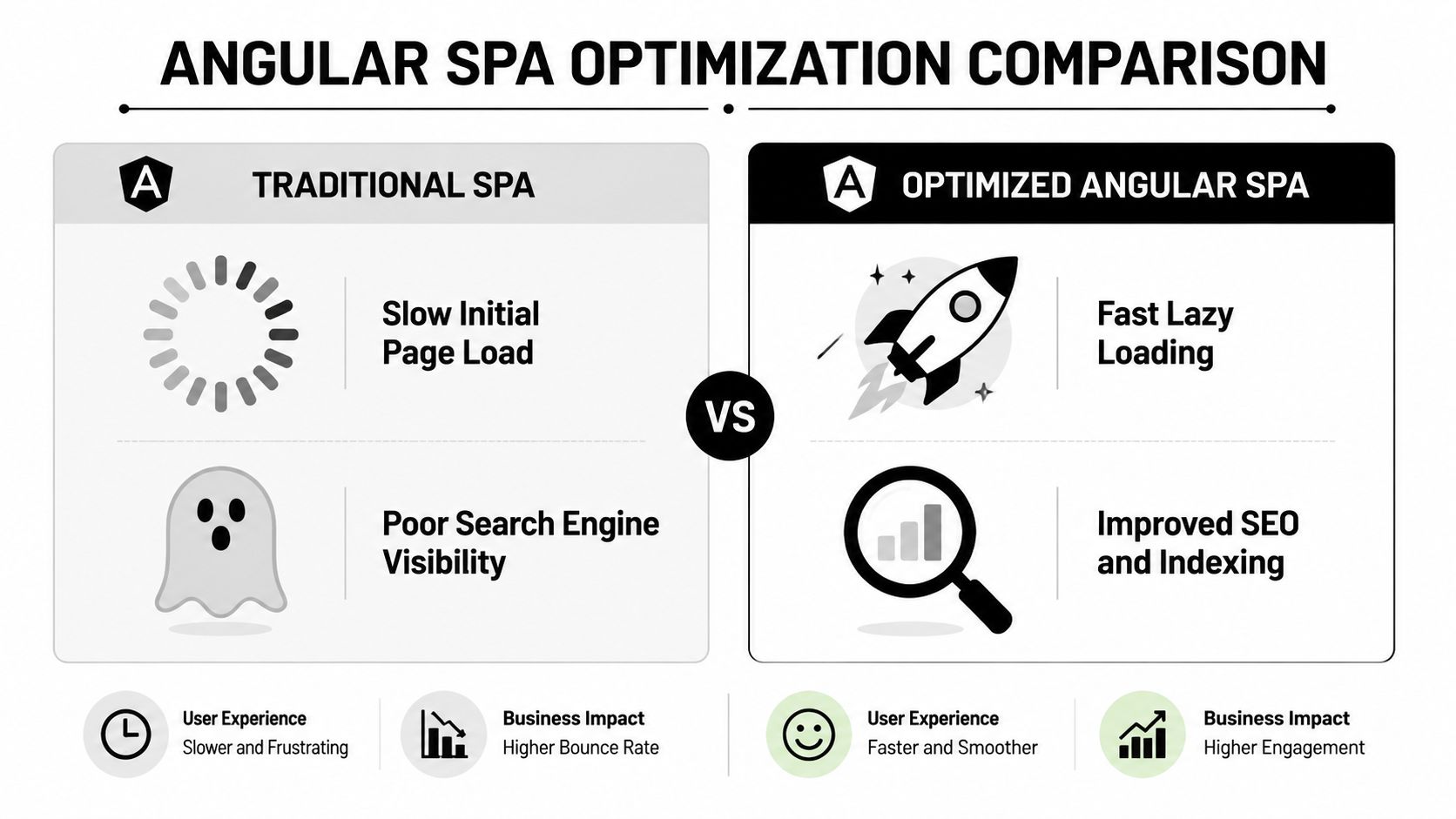
A public pricing page that loads poorly or fails to index hurts lead flow. A dashboard that blocks on oversized bundles hurts daily usage. In SaaS, you rarely need one rendering strategy for the whole product. You need the right one for each surface.
Treat CSR SSR and SSG as different tools
A clean way to think about this is by page intent.
| Rendering mode | Best use inside SaaS | Main trade-off |
|---|---|---|
| CSR | Authenticated dashboards, settings, internal tools | Weak initial SEO and slower first render on cold load |
| SSR | Public pages that need search visibility and fast first paint | More operational complexity and server-aware code constraints |
| SSG or pre-rendering | Stable pages like pricing, features, docs, legal | Less flexibility for highly dynamic content |
Angular University explains that Angular Universal was a key milestone because it pre-renders the app on the server, sends HTML to the browser, and then lets Angular bootstrap on the client, making SPAs more SEO-friendly. That hybrid model is particularly useful when businesses want app-like speed without giving up discoverability for public-facing pages, as described in Angular University's explanation of SPA benefits and Angular Universal.
That's the strategic use case. Marketing needs discoverable pages. Product needs fluid in-app interaction. You don't need to force one answer across both.
Lazy loading should follow product boundaries
The easiest performance mistake in Angular is shipping too much JavaScript to every user.
Lazy load by meaningful route segments. Billing users don't need admin bundles. Marketing visitors don't need dashboard logic. Support agents don't need heavy charting code on first paint unless their route requires it.
Good lazy loading usually follows these rules:
- Split by feature routes rather than by arbitrary technical folders.
- Keep shared dependencies lean so lazy chunks stay distinct.
- Load expensive libraries late such as rich text editors, charting packages, or PDF tooling.
- Protect first interaction paths like sign-in, invite acceptance, and demo request forms.
If your marketing team depends on organic acquisition, it's also worth reviewing tactical guidance specific to SEO for Angular applications, especially where metadata, rendered HTML, and crawlability intersect.
SSR has real costs
SSR is not free performance magic. It introduces a second runtime context, which means browser-only APIs can break during server rendering. Routing has to behave consistently on both server and client. State rehydration needs to avoid duplicate fetches and visible flashing.
A practical checklist helps:
- Separate browser and server entry points if you use Angular Universal.
- Keep route behavior deterministic across both environments.
- Guard browser-only code such as
window,document, and storage access. - Hydrate state carefully so the client doesn't repeat server work immediately.
- Use SSR where it earns its cost, usually on public, indexable, conversion-oriented pages.
Don't add SSR to authenticated dashboards because it sounds advanced. Add it where first paint and search visibility change business outcomes.
UX performance is broader than bundle size
Fast apps also feel stable and understandable. In Angular SaaS products, that often means route-level skeleton states, optimistic updates where failure is recoverable, and consistent empty states for new accounts with no data yet.
The user shouldn't see your architecture. They should feel that the app responds quickly, preserves context, and doesn't surprise them after every navigation.
A Pragmatic Approach to Testing Your Angular SPA
Most Angular teams don't fail because they test too little. They fail because they test the wrong things.
If your team chases blanket coverage goals, you'll spend time asserting implementation details while real product risk sits in signup, permissions, billing actions, and multi-step forms. A SaaS app needs a testing strategy that matches business impact.

Use the testing pyramid, but apply it ruthlessly
A practical Angular test stack looks like this:
- Unit tests for pure services, pipes, guards, utility functions, and state transforms.
- Component tests for rendering logic, user interactions, and form behavior.
- End-to-end tests for business-critical flows such as registration, login, seat management, checkout, and lead capture.
The mistake is putting too much weight at the top. E2E tests are valuable, but they're slower, flakier, and more expensive to maintain. Use them for flows that would hurt revenue, trust, or adoption if they failed in production.
Test risk, not framework internals
A good rule is to ask what breakage would matter.
| Area | Best test type | Why |
|---|---|---|
| Validation logic | Unit or component | Fast feedback, easy edge-case coverage |
| Route guards and permission checks | Unit plus targeted integration | Security and access logic must be reliable |
| Login and session renewal | E2E | Needs real browser behavior and redirects |
| Analytics firing on key conversions | Component or integration | Business instrumentation matters too |
Testing posture: Prove that users can complete the flows the business depends on. Don't spend a day unit testing a getter that Angular already renders correctly.
Keep the suite maintainable
For Angular projects, Jasmine and Karma still cover many unit and component test needs, while Cypress or Playwright are strong options for browser-level testing. The exact tool matters less than the discipline around test ownership.
A few habits keep the suite from rotting:
- Name tests around behavior, not method names.
- Mock at system boundaries, not everywhere.
- Reset test data cleanly for E2E environments.
- Avoid brittle selectors tied to visual styling.
If one test fails and nobody trusts the signal, the suite has already lost value. Reliable, targeted tests beat impressive dashboards full of low-signal coverage.
Automating Builds and Deployments with a CI/CD Pipeline
Manual frontend deployment is still common in growing SaaS companies, and it still causes the same problems. Someone forgets a build step. Someone deploys the wrong branch. A hotfix goes out without tests. The app works locally and breaks after release.
A CI/CD pipeline fixes that by making release quality part of the repo, not tribal memory.

What the pipeline should do every time
For an Angular SPA, the minimum useful pipeline should:
- Trigger on pull requests and main branch pushes so issues are caught before release.
- Install dependencies consistently using a lockfile-respecting command.
- Run linting and tests before any deploy step.
- Create a production build with the same command used for release artifacts.
- Deploy automatically to your hosting target once the branch policy is satisfied.
The central idea is simple. If engineers can merge code that hasn't been built and tested the same way production expects it, your release process is relying on luck.
A practical GitHub Actions workflow
This example keeps things straightforward and works as a baseline:
name: angular-ci-cd

on:
  pull_request:
  push:
    branches: [main]

jobs:
  build-test:
    runs-on: ubuntu-latest

    steps:
      - name: Checkout repository
        uses: actions/checkout@v4

      - name: Setup Node
        uses: actions/setup-node@v4
        with:
          node-version: 20
          cache: npm

      - name: Install dependencies
        run: npm ci

      - name: Lint application
        run: npm run lint

      - name: Run unit tests
        run: npm run test, --watch=false --browsers=ChromeHeadless

      - name: Build production app
        run: npm run build

      - name: Upload build artifact
        uses: actions/upload-artifact@v4
        with:
          name: angular-dist
          path: dist/

  deploy:
    if: github.ref == 'refs/heads/main'
    needs: build-test
    runs-on: ubuntu-latest

    steps:
      - name: Download build artifact
        uses: actions/download-artifact@v4
        with:
          name: angular-dist
          path: dist/

      - name: Deploy application
        run: echo "Deploy dist/ to your hosting provider"
This workflow doesn't tie you to a single host. You can wire the deploy step to Netlify, Vercel, or an object storage plus CDN setup, depending on how your company handles environments and secrets.
For teams standardizing release automation across engineering, ops, and product delivery, this walkthrough on building an automated DevOps pipeline is a useful companion.
Keep environments predictable
The hardest part of frontend CI/CD usually isn't the YAML. It's environment drift.
Use environment-specific configuration carefully, keep secrets out of the client bundle, and make preview deployments easy for product and QA to validate. If marketing pages and app shell live together, preview URLs become especially valuable because growth teams can review conversion pages before launch without asking engineering for manual staging pushes.
A pipeline should reduce coordination, not add ceremony. If release still depends on one senior engineer remembering hidden steps, automation isn't finished.
Closing the Loop with Business System Integrations
A SaaS frontend isn't just a UI. It's an operating surface for revenue, onboarding, product insight, and support.
That matters because many Angular guides stop at routing, state, and deployment. Real products have to pass data into CRM systems, analytics pipelines, support tools, and incident monitoring. If those integrations are bolted on late, the app becomes harder to trust and the business loses visibility into what users are doing.
CRM integration should start at the form boundary
Take a common case. Your Angular app has a “Book a demo,” “Contact sales,” or “Request access” flow. That form shouldn't just post to a backend and disappear into a generic inbox. It should map cleanly into your CRM with enough context for the sales team to act.
A solid implementation usually includes:
- Validated form capture with clear field ownership and consent handling.
- A backend integration layer that sends structured lead data to HubSpot or another CRM.
- Campaign and source tagging so revenue teams know where the lead came from.
- Failure handling so the user gets confirmation even if the downstream CRM call needs retry logic.
The Angular side should stay focused on collection, validation, and UX. The backend or integration layer should own CRM authentication, retries, deduplication, and auditability.
Analytics should track behavior that matters
Most SaaS teams either track too little or track nonsense.
You don't need an event for every click. You need a consistent event model for actions tied to acquisition, activation, retention, and expansion. In practice that means sign-up completion, invite acceptance, workspace creation, first successful integration, subscription changes, and use of flagship features.
A useful analytics setup often includes:
| System | What it's for | Frontend responsibility |
|---|---|---|
| Google Analytics | Marketing and traffic-level behavior | Public page views, conversion events |
| Segment | Event routing to multiple downstream tools | Standardized event payloads |
| Product analytics platform | Feature adoption and funnel analysis | Rich in-app event instrumentation |
Keep event names stable. Define properties centrally. If product managers rename events every sprint, reporting becomes unreliable and nobody trusts the dashboards.
Monitoring closes the operational loop
Users will hit errors you never see in staging. Browsers differ. Extensions interfere. Third-party scripts fail. Network conditions degrade.
That's why frontend monitoring belongs in the first production release, not the cleanup backlog. Tools like Sentry or LogRocket help teams capture runtime exceptions, session context, and user-visible failures before support tickets pile up.
The Angular app should tell you when it's failing. Waiting for customers to explain your bugs is expensive.
A mature production setup usually includes error tracking, release tagging, source maps handled securely, and alerting tied to meaningful failure patterns. The primary benefit isn't technical elegance. It's faster diagnosis, fewer blind spots, and better coordination between engineering, support, and revenue teams.
When these integrations are designed well, the spa with angular stops being an isolated frontend and becomes part of the company's growth system. Leads reach the right queue. Product teams see adoption clearly. Engineers catch issues earlier. That's what production readiness looks like.
If you're building or modernizing a SaaS frontend and need help connecting Angular architecture to CRM workflows, analytics, AI automation, or operational systems, MakeAutomation can help you design and implement the full delivery stack. That includes scalable frontend workflows, business integrations, and automation layers that keep growth from turning into manual overhead.