

Marketing Automation Roadmap: A Step-by-Step B2B Plan
The most popular advice about marketing automation is to choose a platform, build a few workflows, and start sending. That order is backwards. If your CRM has duplicate records, unclear lifecycle stages, or missing consent data, automation won't fix the process. It will run the same mistakes faster and at greater scale.
A useful marketing automation roadmap starts with data governance, then moves through tracking, a tightly scoped pilot, and expansion. The dates are estimates; the exit gates are the actual schedule. Don't advance because a project plan says it's time. Advance when the team can show that the work is reliable.
The Five-Phase Roadmap at a Glance
| Phase | What You Build | Typical Duration | Exit Gate |
|---|---|---|---|
| 1. Discovery and data audit | Process map, lifecycle draft, data inventory | 1–2 weeks | Named owner for every key field and a ranked list of bottlenecks |
| 2. Data model and lifecycle | Lead, MQL, SQL, opportunity, and customer definitions in the CRM | 2–3 weeks | Duplicate and required-field checks pass |
| 3. Behavioral event tracking | Form, page, email, product, and intent events | 2–4 weeks | Events fire correctly for two weeks with no gaps |
| 4. Narrow nurture pilot | One ICP, one lifecycle path, and entry, exit, and suppression rules | 4–6 weeks | Pilot beats holdout on MQL-to-SQL conversion and sales acceptance |
| 5. Scoring and expansion | Fit and behavior scores, dynamic segments, attribution | 8–12 weeks | Baseline is stable for two consecutive months |
The order matters more than the durations. Each phase produces something the next one consumes. Lifecycle definitions come first because the event taxonomy, the pilot's entry rules, and the scoring model all inherit them. A score built on events nobody validated just ranks noise faster. The B2B marketing automation roadmap guidance from LoudDemand describes this same controlled progression and warns that automation can magnify data-quality and routing errors.
Treat published benchmarks as directional, never as targets. Typical MQL-to-SQL conversion is often cited in a broad band of roughly 12–21%, and vendor research consistently finds high-growth organizations adopting automated lead validation and CRM-ingestion controls far more often than lower-growth peers. Segment, channel, ICP quality, and sales follow-up all move those rates. Judge the pilot against your own baseline, because that is the only number the holdout comparison in phase 4 tests.
Durations shift with the mess underneath. A multi-region company with inconsistent CRM records will spend longer in phases 1 and 2 than a team running one clean system. The most common sequencing mistake is buying the platform during discovery and letting its default objects define the lifecycle; the tool should implement decisions the team has already made. The strategy and roadmap work should cover data architecture, workflow design, integration requirements, and a phased rollout aligned with the team's priorities. For a broader view of how automation can support cross-functional operations, marketing automation for go-to-market teams offers useful context.
Practical rule: Put all five gates on one page and name an owner for each before you buy a tool.
Data Readiness Gates and Your First Action
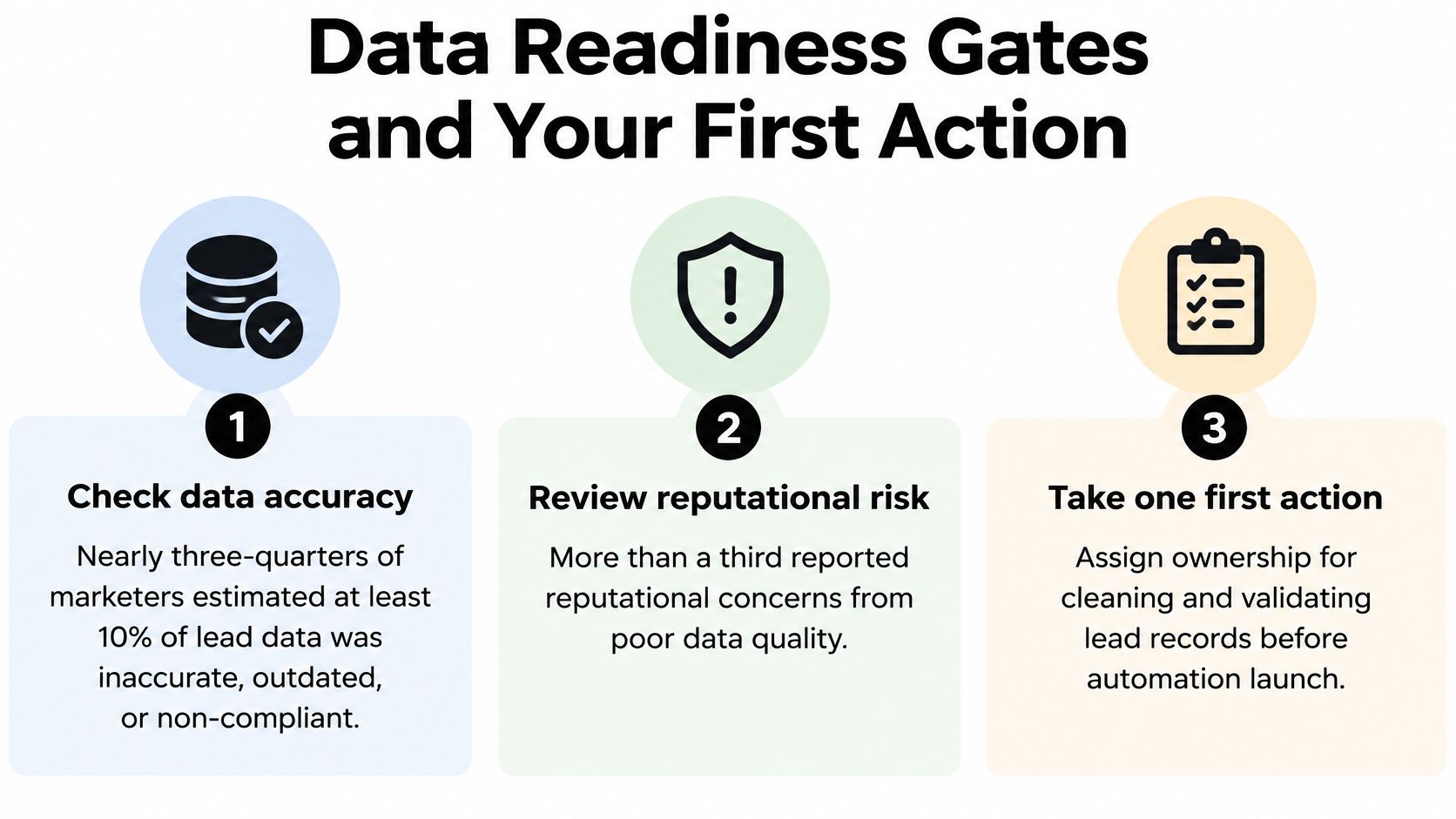
Nearly three-quarters of marketers in one study estimated that at least 10% of their lead data was inaccurate, outdated, or non-compliant. More than one-third reported reputational or financial harm from privacy or governance failures, according to the 2025 State of B2B Marketing Automation report from Act-On Software and Ascend2. That's why data governance belongs at the start of the roadmap, not in a list of technical tasks after tool selection.
Run the checks below on a sample of about 200 records. The pass lines are team-set where the right threshold depends on the CRM, lifecycle, or business risk. Set each threshold before testing, then document the result and assign the fix to the named owner.
| Check | Pass Line | Owner |
|---|---|---|
| Duplicate rate | Team-set threshold, matched on email and company domain | Marketing operations |
| Required-field completion | Team-set threshold for each lifecycle stage | Sales operations |
| Consent coverage | Team-set threshold, with a recorded basis for marketing email | Privacy or legal owner |
| Enrichment freshness | Team-set threshold, with firmographic fields updated within 90 days | Marketing operations |
| Ownership rules | One named person for every field | Data steward per field |
| Suppression logic | Opted-out contacts, existing customers, and active opportunities are excluded | Marketing operations |
Use the results to decide what can safely run, not to demand a perfect database. A small, governed use case can proceed while the team fixes known issues, provided the workflow respects consent, suppresses the wrong audiences, and routes exceptions for review. For a hands-on approach to CRM data cleansing, focus on correcting the records your pilot depends on rather than trying to repair every historical field first. If your team sends outbound email, guidance on handling risky addresses in outreach lists can help inform list hygiene.
Assign a data steward to each important field, such as lifecycle stage, lead source, consent status, and account owner. That steward should define valid values, decide who can change them, and review exceptions. Log manual overrides, including a sales representative changing a score or ownership assignment, and review the log monthly. That makes it possible to distinguish a sensible exception from a broken rule.
This is also where process mapping pays off. Automation consulting should identify the current process, surface the highest-value opportunities, and leave the team with a practical sequence for what to build first. MakeAutomation's CRM automation includes lead scoring, smart segmentation, behavior-triggered campaigns, and predictive analytics, but those capabilities should follow the readiness checks, not substitute for them.
Your first action this week is straightforward: sample the records, record the pass or fail result for each check, write lifecycle definitions with sales sign-off, and name an owner for each failure before the pilot starts.
How to Set Goals, KPIs and Lifecycle Stages
A roadmap needs a revenue goal, shared definitions, and named owners before anyone builds a nurture sequence. Use these six steps to make the plan measurable and keep marketing and sales working from the same rules.
Choose a revenue outcome. Set a goal tied to pipeline or revenue from a named segment. A target based on emails sent measures activity, not whether automation helps the business.
Define each lifecycle stage in CRM terms. Specify lead, MQL, SQL, opportunity, and customer using fields the CRM can check. An MQL might require a target company size, a relevant job role, and a qualifying behavior score. Avoid definitions that depend on someone's private interpretation of “interested.”
Agree on the pilot conversion event. For many teams, the clearest event is an MQL becoming an SQL. Sales and marketing must also define what makes the handoff acceptable, such as a valid account, a matching role, and a documented reason for follow-up.
Choose three to five useful KPIs. Track MQL-to-SQL conversion, sales acceptance, opportunity creation, pipeline velocity, and revenue per lead. Compare results with a holdout or a suitable prior-period baseline. Opens can help diagnose delivery or message issues, but they shouldn't be the headline measure of success.
Assign each transition to an owner. Marketing owns the MQL definition and the decision to qualify a lead. Sales development owns the SQL handoff and its follow-up process. Sales leadership should clarify who accepts the opportunity transition and resolves disputed ownership.
Write the nurture exit rule. A record should leave a sequence when it becomes an opportunity, unsubscribes, becomes a customer, or goes stale under a defined rule. Decide what happens next, too: suppression, a different customer journey, or a review task for an owner.
The common failure is to let marketing define MQLs alone, then treat sales rejection as a sales problem. That produces a volume target without a shared qualification standard. Put the definition, required CRM fields, handoff rule, and exception path in one place where both teams can review them.
MakeAutomation's automation consulting process follows five practical steps: discovery and process mapping, opportunity analysis, architecture and tool selection, build and test, and handover and training. The same sequence helps teams translate a revenue goal into a system people can operate.
If sales and marketing can't restate the MQL definition the same way, the roadmap isn't ready.
Lead Scoring, Segments and Nurture Flows That Work
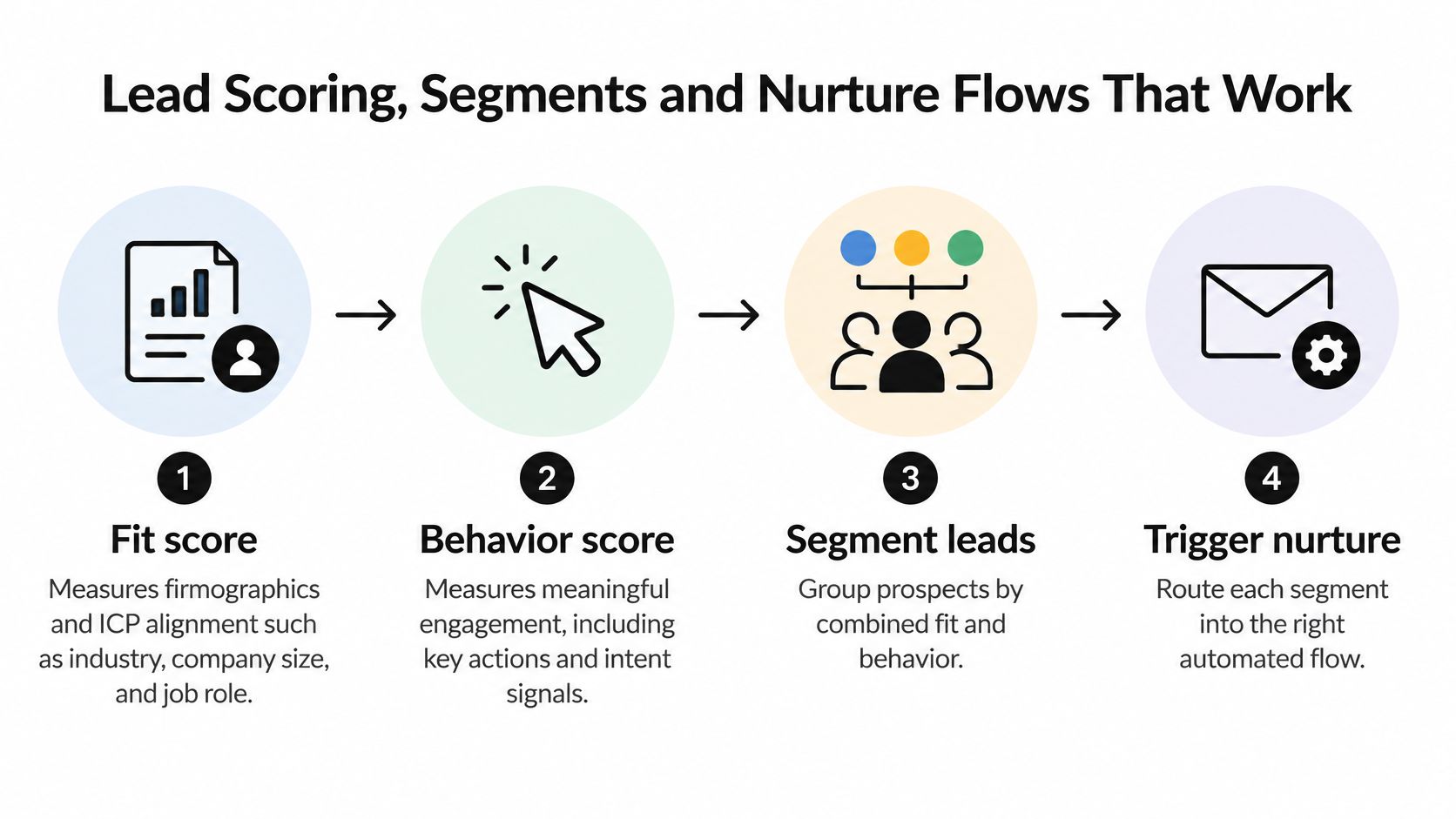
A useful scoring model separates fit from behavior. Fit reflects whether a company and contact match the ideal customer profile, including factors such as industry, company size, and job role. Behavior reflects meaningful engagement, such as a demo request, a pricing-page visit, or product activation. A casual email click shouldn't carry the same weight as a buying signal.
Add decay rules so old intent doesn't keep a contact qualified indefinitely. For example, a team might remove points after a period without activity, then review whether its chosen interval matches the sales cycle. The key is to record score changes and their reasons. Sales and marketing operations can then find false positives, missed leads, and scoring rules that need adjustment.
The marketing-qualified-lead benchmark analysis from SHNO associates ineffective post-MQL nurturing with 79% of marketing leads failing to convert to sales, and reports a 45% improvement in lead-generation ROI associated with nurturing MQLs. It also gives directional click-through benchmarks of about 8% for automated nurture versus 3% for general email sends. These figures aren't guaranteed outcomes. Use them as context, then test your own qualification and pipeline results.
Build closed-loop qualification
Connect the marketing automation platform to the CRM and, where relevant, website or product telemetry. Route only records that pass the agreed qualification threshold to sales. Pause nurture when a contact becomes an active customer or an opportunity, and log every score change so the team can audit routing decisions.
That logic should be designed around one ICP, one lifecycle path, and one measurable conversion event. Review false positives and false negatives regularly, and expand only when lead quality, sales acceptance, response speed, and pipeline contribution improve together. Avoid adding AI scoring before the underlying fields, ownership rules, and event data are dependable.
Specify the flow before building it
- New trial signup: Entry is a new trial record that matches the chosen ICP. Exit occurs when the user activates the product, requests sales contact, or reaches the end of the onboarding sequence. Suppress contacts who opt out or become active opportunities or customers.
- Pricing-page visitor: Entry is a known, ICP-fit contact who visits the pricing page. Exit occurs when the contact books a demo, becomes an opportunity, or completes the comparison sequence. Suppress existing customers, opted-out contacts, and active opportunities.
- Stalled opportunity: Entry is an open opportunity with no recorded sales activity for 21 days. Exit occurs when the sales owner records a next step, the opportunity closes, or the account becomes a customer. Suppress contacts who have opted out, and require the opportunity owner to review any outreach.
MakeAutomation has designed a four-stage sales pipeline with automated stage advancement for a B2B SaaS client and built 12 automated nurture sequences. That kind of build is only useful when each transition and suppression rule is clear to the team. For a deeper look at the underlying model, see lead scoring best practices.
Choose the Tech Stack, Team and Timeline
| Scope | Typical Duration | Best Fit |
|---|---|---|
| Basic HubSpot setup | 1–2 weeks | Teams setting up their first CRM workflows |
| Marketing automation implementation | 3–4 weeks | One ICP and one nurture path |
| Full CRM migration with sales pipeline setup | 4–6 weeks | Teams moving pipeline stages and historical data |
| Complex multi-hub implementation with custom integrations | 8–12 weeks | Multiple products, regions, or custom APIs |
Choose tools to support the roadmap's stages, not to collect features. In MarTech's 2025 State of Your Stack survey, 62.1% of surveyed organizations reported having more marketing technology tools than two years earlier, as summarized in MarTech statistics from Webtonic. More platforms can mean more integration and data-maintenance work, so first decide what your existing CRM and systems can already handle.
Use this checklist when comparing platforms:
- CRM integration: Confirm that the tool connects cleanly to the CRM your team already uses, such as HubSpot or Salesforce.
- Lifecycle support: Check that it can use the lifecycle fields and definitions in your data model, without creating a competing set of statuses.
- Consent and suppression: Verify that opt-outs and exclusions apply consistently across the workflows you plan to run.
- Behavioral events: Make sure it can receive the website, email, product, and intent events your pilot needs.
- Exit path: Confirm that you can export records, event history, and relevant workflow data if you replace the platform.
The right implementation scope depends on what must change. A basic CRM workflow setup is a different project from a migration that also moves pipeline stages and historical records. A multi-hub build with custom integrations needs more coordination across systems and owners. Keep those distinctions visible when you set deadlines; a complex implementation is not a quick setup with extra buttons.
The core team needs a marketing operations owner to manage the roadmap, a sales operations contact to set routing and service-level rules, and a decision-maker for workflow design and testing. Decide whether the team will build internally or bring in a specialist. Some organizations prefer a partner so their staff don't have to learn another platform while keeping core roles focused on sales and marketing. If you're weighing sales engagement options, this overview of outsourced alternatives to Outreach can help frame that decision. For a side-by-side review of automation platforms, use this marketing automation tools comparison.
MakeAutomation handles work from strategy through deployment and ongoing optimization, so customers don't need to hire developers or learn new platforms. Whatever approach you choose, schedule against the scope you selected. Timelines most often slip during the data audit, when the team discovers that fields, ownership, and history need more cleanup than expected.
Run the Pilot and Measure It Against a Holdout

A workflow launch is not proof that a pilot works. Set up a comparison before sending the first message, then judge the workflow on delivery, qualification, opportunity creation, and commercial contribution.
Create the comparison group. Randomly hold out 10–20% of eligible leads where volume allows. If the sample is too small, compare with a matched prior period, while noting differences in segment, channel, and sales coverage.
Set a meaningful test window. Run the pilot long enough to include the relevant sales cycle. For a B2B test, plan for at least six weeks rather than calling the result after a few sends.
Track the full funnel. Record delivery and engagement, then follow MQL-to-SQL conversion, opportunity creation, pipeline velocity, and revenue per lead. Read those outcomes alongside the comparison group or prior-period baseline.
Review scoring and overrides weekly. Check for records sales accepted that scoring missed, and records scoring sent to sales that representatives rejected. Log manual overrides so the team can identify patterns and adjust rules.
Keep human review for high-value accounts. Don't allow an automated message to reach a named enterprise prospect without the account representative's review. Automation should support the relationship, not remove a necessary judgment call.
Use the table to keep each metric tied to a specific question. The benchmark range for MQL-to-SQL conversion is a reference point, not a pass mark for every segment. Compare your result with your own baseline first, then investigate differences in lead quality, follow-up, and sales acceptance before changing the sequence.
| Metric | What It Proves | Read It Against |
|---|---|---|
| Delivery rate | Messages reach inboxes | Pre-launch baseline |
| Engagement, clicks, and replies | Messages are relevant | Holdout group |
| MQL-to-SQL conversion | Leads are qualified | 12–21% benchmark range, median near 15%, and your own baseline |
| Opportunity creation rate | Sales receives usable pipeline | Prior-period baseline |
| Pipeline velocity | Deals move faster | Prior-period baseline |
| Revenue per lead | The program pays back | Holdout group |
The pilot counts as working only when its results beat the comparison group on the outcomes that matter and the data is clean enough to trust. If delivery improves but sales acceptance falls, don't scale the workflow yet. Check qualification criteria, routing rules, and the sales follow-up process before adding more segments.
For teams considering AI-assisted workflows, keep approval where the risk warrants it. In a published Salesforce support case study, MakeAutomation describes an n8n workflow that retrieves internal customer and transaction context, prepares AI-assisted triage and a response draft, and leaves approval with the agent. That's a useful operating pattern: automate preparation, while keeping a human responsible for the final decision. In another marketing agency case study, account managers spent 80% of their time on strategy after automation, up from spending 60% of their time on administrative tasks.
MakeAutomation can help map the process, prioritize the first use case, and build and optimize the workflows that support it. If your team is ready to turn a marketing automation roadmap into a governed implementation, visit MakeAutomation to discuss the systems and stages you need to connect.