Unlock B2B Growth with one click ai Solutions
Your team is probably doing more “AI work” than it admits. A sales lead exports a CSV, an ops manager cleans it, someone enriches contacts, another person drafts outreach, and a founder approves the final send. The company calls this process “growth,” but most of it is copy-paste labor.
That’s where one click ai matters. Not as a gimmick, and not as a button that magically runs a business, but as a practical way to compress multi-step operational work into a controlled system your team can trust.
For B2B and SaaS companies, that shift matters most when volume starts rising faster than headcount. Manual workflows don’t just slow execution. They create uneven data, delayed follow-up, missed revenue, and a lot of quiet rework.
Beyond the Hype What is One-Click AI
At some point, a founder clicks “run” on what looks like a small task, and five people stop touching it. The report gets pulled, the CRM gets updated, the account gets researched, a draft gets prepared, and the right person gets a review request. That shift is the inherent value of one click ai.

One click ai means a single user action launches a full operational workflow. That action might start from a CRM button, form submission, Slack command, or approved task. From there, the system can pull data from multiple tools, apply AI to interpret or generate content, route the result to the next step, log what happened, and alert the owner.
For B2B and SaaS teams, the important point is scale. A one-click system turns repeatable work into a controlled process that runs the same way every time, even as lead volume, customer requests, or internal handoffs increase. That consistency is where time savings show up and where margin improves.
What makes it different from basic automation
Basic automation follows preset rules. If a field changes, send an email. If a form arrives, create a record. Those workflows help, but they break when inputs are messy, context matters, or someone needs the system to make a judgment call.
One click ai adds an intelligence layer to the workflow. It can review a transcript, classify an inbound request, summarize a target account, compare records across systems, or choose the next step based on context. Browser-based agents extend that further by interacting with web tools directly for research and operational tasks, as described in this overview of one-click AI agents.
The trade-off is operational complexity. The button looks simple. The system behind it still needs good prompts, clean data, approval logic, exception handling, and clear ownership when something fails.
Why founders should care now
Founders should care because the bottleneck has shifted. In many growth teams, the problem is no longer access to tools. It is the growing pile of repetitive coordination work between tools, people, and approvals.
One-click AI reduces that drag in areas that affect revenue and speed. Lead qualification, outbound prep, support triage, onboarding steps, renewal alerts, and reporting are common starting points. The best candidates are high-frequency tasks with a clear trigger, measurable output, and enough value that shaving minutes off each run adds up fast.
It also forces better system design. To build one-click workflows well, teams have to define who can trigger them, what data they can access, where human review belongs, and how results get audited. Those decisions matter for growth, and they matter even more for security and operations once AI starts touching customer data.
If you need a broader foundation before mapping workflows, this guide on AI for business operations gives useful context.
The best one-click systems remove repetitive coordination work so your team can spend time on decisions, exceptions, and customer-facing work.
How One-Click AI Actually Works
Most one-click systems look simple on the front end because the complexity is hidden. That’s a good thing. The user should see a clean trigger, not the machinery behind it.
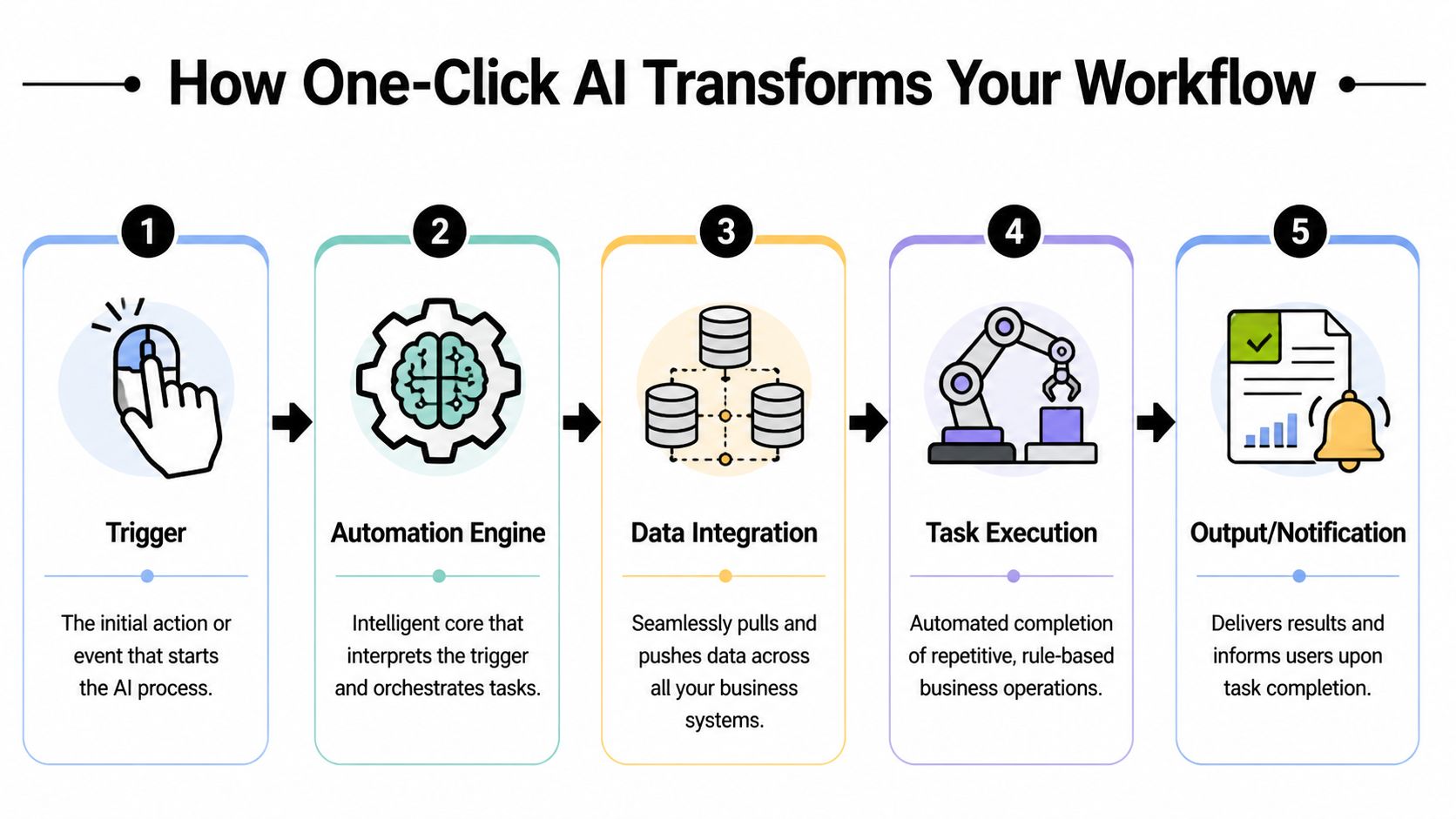
A useful mental model is a professional kitchen. A customer places one order. The expeditor routes it, different stations handle their part, timing gets coordinated, quality gets checked, and one finished meal reaches the table. One order. Many actions.
The trigger layer
Every one click ai workflow starts with a trigger. In B2B environments, common triggers include:
- CRM actions like “prepare outbound sequence”
- Form submissions from demos, inbound leads, or hiring funnels
- Webhook events from Stripe, HubSpot, Salesforce, Calendly, or product analytics tools
- Manual approvals in Slack, Notion, Airtable, or Asana
The trigger should be intentional. If a workflow has cost, touches customer data, or sends messages externally, don’t let it fire loosely. Good systems usually include a review point or a confidence threshold.
The orchestration layer
This is the workflow engine. It tells each tool what to do and in what order. Platforms like Zapier, Make, n8n, or custom middleware often sit here. So do browser agents for websites that don’t expose clean APIs.
The orchestration layer handles jobs such as:
- Pulling records from your CRM or database
- Calling APIs for enrichment, messaging, or document generation
- Passing context into an AI model
- Routing results into downstream apps
- Logging what happened for audit and troubleshooting
This layer is where many automations fail. Teams automate the “happy path” but ignore exceptions. Missing data, duplicate records, expired credentials, or bad formatting can break a workflow unnoticed.
The intelligence layer
The AI layer decides, interprets, or generates. That might mean using a large language model to summarize a lead’s website, classify an email reply, draft outreach, or extract action items from a call.
It can also improve data quality. In one applied example, AI-driven automated data mapping reduced manual entry and data transformation errors by 70 to 80%, according to One Click LCA’s AI implementation FAQ. That matters because bad data kills trust in automation faster than almost anything else.
| Layer | What it does | Typical tools |
|---|---|---|
| Trigger | Starts the workflow | CRM buttons, forms, webhooks, Slack |
| Orchestration | Connects systems and sequences tasks | Zapier, Make, n8n, custom scripts |
| AI | Interprets inputs or generates outputs | LLMs, classifiers, transcription tools |
| Execution | Performs the work | APIs, browser agents, RPA tools |
| Monitoring | Confirms results and catches failures | Logs, alerts, dashboards |
Practical rule: If a human can’t explain what happens after the click in plain language, the workflow is too opaque to scale safely.
Putting One-Click AI to Work in Your Business
The fastest way to understand one click ai is to look at where it removes friction in daily B2B work. The strongest use cases usually combine repetitive steps, structured data, and a clear business outcome.

Lead generation that starts from one approved action
A common before-state looks like this. Someone pulls target accounts from LinkedIn or a directory, copies company names into a sheet, enriches contacts in another tool, checks websites manually, then drafts first-touch emails in ChatGPT.
A one-click system can compress that into a governed sequence. A sales manager selects an account segment, clicks “build prospect batch,” and the workflow gathers company data, identifies likely decision-makers, drafts personalized outreach, and places everything into a review queue.
What works:
- Defined ICP filters before the workflow runs
- Human approval before emails are sent
- Clear ownership for bounce handling and CRM updates
What doesn’t:
- Automating outreach from weak lists
- Letting AI personalize without enough account context
- Skipping data validation
If you’re evaluating where this fits into broader operations, this breakdown of AI-powered workflow automation is a strong next read.
Client outreach that adapts instead of blasting
Outbound usually breaks at follow-up. Reps remember the first email. They forget the sequence logic after that. One click ai helps when the workflow reacts to prospect behavior rather than forcing everyone into the same cadence.
A rep can click one command from a CRM record to launch a multi-touch process. The system drafts email copy, creates LinkedIn follow-up tasks, checks prior touchpoints, and adjusts the next message if the prospect opened, replied, or booked.
That’s especially useful in growth-stage teams where process discipline hasn’t caught up with pipeline goals.
For smaller companies building their first serious automation stack, this guide to AI's impact on small business is worth reviewing because it frames where automation helps most before complexity gets expensive.
Here’s a practical walkthrough to see the category in action:
Voice AI for qualification and early sales conversations
At this stage, many teams either overreach or miss the opportunity.
The bad implementation is a robotic phone layer that sounds scripted, loses context, and creates more cleanup work for reps. The good implementation handles repetitive early-stage conversation work, collects structured answers, qualifies intent, and hands off cleanly when a deal needs human judgment.
Modern voice AI can go further than basic IVR or FAQ bots. For complex B2B sales, modern agents can be trained to handle nuanced objections and manage multi-call sequences, as discussed in this practical guide to current AI use.
That matters for inbound qualification, appointment setting, reactivation campaigns, and after-hours coverage. It does not mean you should let a voice agent negotiate enterprise pricing or handle sensitive escalation without supervision.
A simple way to choose the first use case
Use this filter:
- High frequency means the task happens often enough to matter
- Low ambiguity means the process can be described clearly
- Visible outcome means leadership can tell whether it worked
Start where the workflow is boring, repeated, and expensive to do badly.
A Practical Roadmap for One-Click AI Implementation
Most failed AI projects don’t fail because the model is weak. They fail because the company tried to automate a messy process before defining it. Good implementation starts with workflow discipline, not tool shopping.
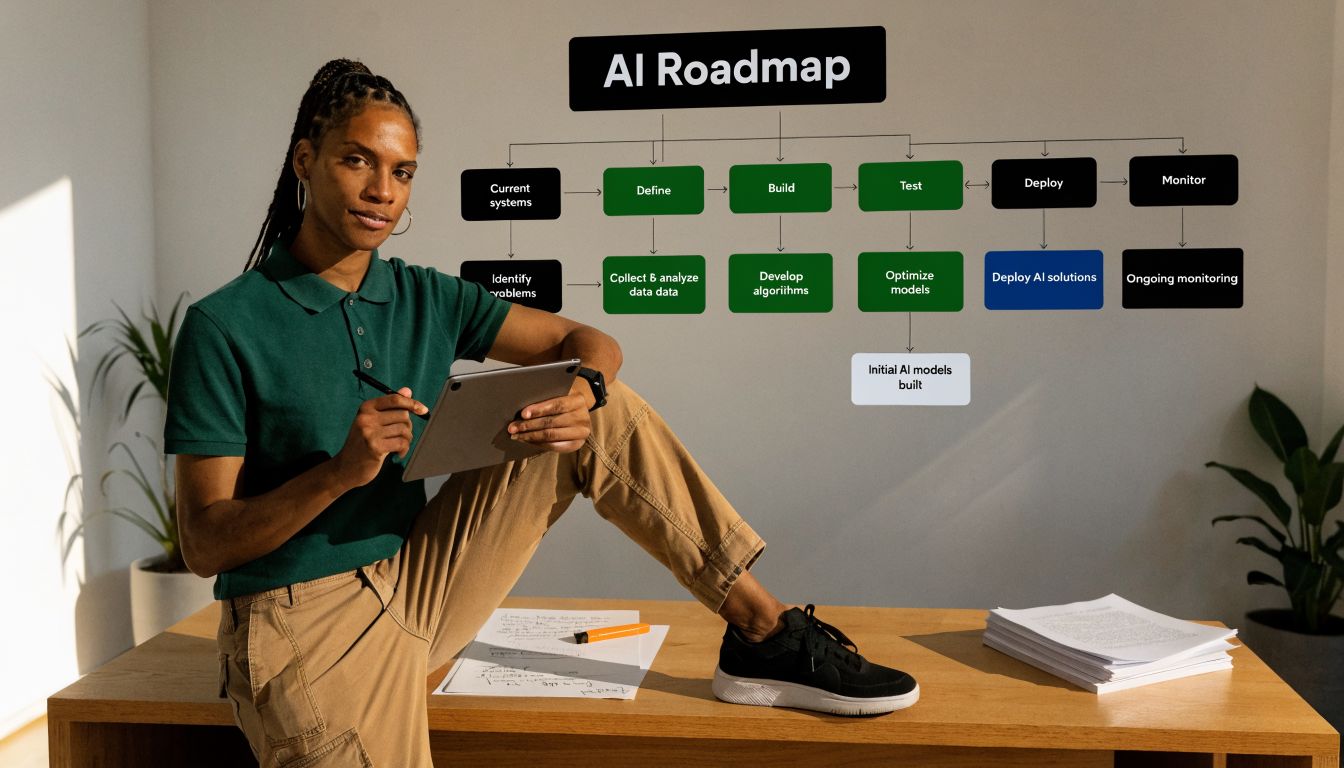
Phase one audit the manual work
Start with a simple inventory. Ask each team where they repeat the same digital steps every week. Look for tasks with handoffs, spreadsheet dependency, copy-paste activity, browser switching, and recurring approvals.
Document each workflow in plain language:
- What starts it
- Who touches it
- Which tools are involved
- Where delays happen
- What “done” looks like
Don’t begin with your most strategic process. Begin with the process that’s painful, frequent, and measurable.
Phase two choose the stack and constraints
Now pick how the system should run. Some workflows are best handled through APIs. Some need browser automation. Others need a human-in-the-loop review queue because errors would be costly.
A workable selection checklist looks like this:
| Decision area | What to verify |
|---|---|
| Data access | Can the needed systems expose data cleanly? |
| Workflow logic | Are rules stable enough to automate? |
| AI role | Is AI summarizing, deciding, drafting, or classifying? |
| Human review | Where does a person approve, edit, or override? |
| Failure handling | What happens if one tool returns bad output? |
A founder should insist on one more thing here. Every automation needs an owner. If no one owns it, no one notices when it drifts.
Phase three pilot one contained process
Run a pilot that matters but won’t damage the business if it misfires. Good pilot candidates include inbound lead qualification, call summarization, prospect research prep, or CRM enrichment before outreach.
Keep the pilot narrow. Limit users, define one success criterion, and watch the workflow manually at first. This phase helps determine if the process is stable enough for scale.
A pilot should answer one question clearly. “Should we expand this?” Not “Can AI do impressive things?”
Phase four scale with controls
Once the pilot proves useful, expand by template, not improvisation. Reuse naming conventions, approval logic, error alerts, and logging standards across departments.
Scaling one click ai safely usually means:
- Standardizing prompts and instructions
- Creating fallback paths when AI confidence is low
- Logging outputs for review and audit
- Training users on when not to press the button
- Scheduling maintenance when source tools change
The crawl-walk-run approach is slower in month one. It’s faster by quarter two because the automations survive contact with real operations.
Measuring the True ROI of One-Click AI
Many teams stop at “it saves time,” which is why AI budgets get challenged later. If you want one click ai to survive procurement, leadership review, or board scrutiny, you need to measure it in business terms.
That matters even more because the ROI guidance gap is real. The need for clear ROI is critical, especially when professionals report that almost a quarter of their work is inefficient and could be automated, as noted in this Philips discussion of AI and workflow inefficiency.
Cost savings you can actually defend
Start with labor hours. Measure how long the manual workflow takes now, how often it happens, and who does it. Then compare that against the automated version, including review time.
Use a simple worksheet:
- Current effort = time per task × monthly volume
- Automated effort = review time + exception handling + maintenance
- Net labor gain = current effort minus automated effort
Also count tool consolidation. Sometimes one click ai replaces several disconnected subscriptions, especially when the automation layer absorbs enrichment, routing, or reporting work.
Revenue impact that leadership cares about
The next bucket is pipeline and conversion influence. Don’t invent attribution. Track where automation changes execution speed or consistency.
Examples include:
- Faster first response to inbound leads
- More complete prospect research before outreach
- Better follow-up consistency across sequences
- More meetings booked because reps spend less time on prep
A proper model proves helpful. A practical framework for calculating return on investment for automation makes these inputs easier to present internally.
Strategic value that doesn’t fit neatly in a spreadsheet
Some gains are real even when they aren’t immediately booked as revenue. Cleaner CRM data improves forecasting. Better workflow consistency reduces manager intervention. Faster process execution lets senior staff spend more time on negotiation, hiring, product feedback, or account expansion.
Use three reporting lines for every pilot:
- Operational such as turnaround time and error rate
- Commercial such as meetings, qualified leads, or handoff quality
- Managerial such as reduced supervision and clearer visibility
If the only ROI story is “people like it,” the project is still in the demo stage.
Security and Operations for AI Automation
Many teams often get careless. They build a useful automation, connect customer data, give it broad permissions, and only think about governance after a mistake.
That approach destroys trust fast.
Security checks before launch
One click ai workflows often touch CRM records, email systems, call transcripts, contracts, and internal docs. Treat them like production systems, not experiments.
Before go-live, check these basics:
- Data scope. Limit each workflow to the minimum data it needs.
- Credential control. Store API keys and tokens in secure systems, not shared documents.
- Access design. Separate builder permissions from user permissions.
- Prompt hygiene. Don’t pass sensitive information into a model unless there’s a clear reason.
- Approval boundaries. Require review before any external communication or record overwrite.
If your company is tightening endpoint and environment controls at the same time, this overview of implementing EDR solutions is useful background for the broader security posture around automation-heavy operations.
Operational reliability is part of ROI
An automation that fails unnoticed costs more than a manual workflow because the team assumes the work is done. That’s why monitoring matters as much as the build itself.
Create a lightweight operating model:
| Area | Owner question |
|---|---|
| Alerts | Who gets notified when a workflow fails? |
| Change management | Who approves edits to prompts, steps, or integrations? |
| Documentation | Where does the current workflow logic live? |
| Exception handling | What should staff do when the output looks wrong? |
| Review cadence | When is the automation audited for drift? |
Governance keeps systems usable
Every workflow needs a named owner, a documented purpose, and a clear rule for when humans step in. Without that, one click ai becomes shadow infrastructure. People use it, no one governs it, and risk accumulates subtly.
A simple test helps. If a key employee left tomorrow, could someone else understand the automation, audit its output, and safely modify it? If not, the system isn’t operational yet.
How MakeAutomation Delivers End-to-End AI Solutions
One click ai works when it’s tied to a real process, a measurable outcome, and an operating model your team can sustain. That’s the thread running through every successful deployment. You don’t start with “where can we use AI?” You start with “which manual work is slowing growth, and what would a controlled one-click system look like here?”
For B2B and SaaS companies, the answer usually sits in a few repeatable areas. Lead generation workflows. Client outreach sequences. CRM updates. Project operations. Voice AI for inbound and outbound qualification. The technical layer matters, but the commercial result matters more. The system has to produce cleaner execution, not just faster activity.
That’s where MakeAutomation is positioned well. The team focuses on customized automation frameworks for growth-stage businesses, with hands-on implementation support, workflow documentation, process design, and practical deployment across lead gen, outreach, operations, recruitment, and voice AI. That combination matters because most companies don’t need another disconnected tool. They need someone to turn scattered manual steps into a dependable system.
If your current growth process still relies on spreadsheets, browser tabs, and repeated handoffs, the next move isn’t to automate everything at once. It’s to map one high-friction workflow, build the right controls around it, and turn it into a one-click process your team can trust.
If you want help designing that roadmap, MakeAutomation can audit your current workflows, identify strong one click ai opportunities, and build an implementation plan that covers process design, tooling, governance, and rollout.