Unlock Automation with Your Slack API Key
Your team probably uses Slack as the place where work surfaces, decisions happen, and problems get escalated. Yet a lot of critical operations still live outside it. New leads arrive in a CRM but sales doesn't see them fast enough. Support issues change status in another system and the customer team finds out late. Internal approvals bounce around email, dashboards, and spreadsheets before someone finally pastes an update into a channel.
That gap is where people start searching for a slack api key.
The first practical correction is important. In Slack, what is often called an API key is usually a token. That token is the credential your app uses to post messages, read data, or trigger workflow actions. If you treat that token like a throwaway setup detail, your automation will be brittle. If you treat it like production infrastructure, Slack becomes a reliable control surface for revenue, service, and delivery workflows.
Most basic guides start with button clicks inside the Slack app console. That's not where experienced teams start. They start by deciding what the automation must do, what identity it should act as, and how the credential will be governed after launch. That decision is what separates a clean integration from a future permission mess.
Why You Need a Slack API Key for Automation
A growing SaaS company usually hits the same friction point. Slack becomes the operational front end, but the actual systems of record stay fragmented. HubSpot holds lead activity. Jira tracks delivery. Stripe or an internal billing system holds account events. Zendesk or Intercom owns support state. Humans become the integration layer, and humans are slow, inconsistent, and expensive to rely on for repetitive routing.
Slack automation fixes that when it's done with intent.
A Slack token lets software act inside the workspace in a controlled way. That can mean sending alerts to the right channel, creating workflow triggers, posting daily summaries, or coordinating handoffs between teams. The value isn't just convenience. It's reducing the delay between an external event and the team response.
Where automation pays off
In B2B operations, the best Slack automations usually sit at handoff points:
- Sales handoff: Route qualified lead alerts to the account executive channel with the right account context.
- Customer success escalation: Push renewal-risk signals into a shared room where CS and product can respond together.
- Delivery coordination: Post project milestone changes into client-specific internal channels so ops doesn't chase status manually.
- Support triage: Send urgent issue updates into the incident channel without waiting for someone to copy them over.
Those are not flashy use cases. They're the kinds that remove low-grade friction all day.
Practical rule: If staff are repeatedly copying information from one system into Slack, that's usually a good automation candidate.
What people really mean by slack api key
The phrase slack api key survives because it's easy shorthand. But in practice, the credential you'll use is a token tied to a Slack app. That distinction matters because your app's permissions determine what it can and cannot do.
A token is not just a string that allows access to Slack. It carries an operational boundary. It tells Slack whether the app is acting broadly, acting as a user, or working against a more limited API surface. That's why the token decision comes before the setup clicks.
The other reason this matters is scale. A founder testing a quick script can get away with loose decisions for a while. A B2B team with multiple workflows can't. Once Slack is wired into sales alerts, support notifications, approval workflows, and internal bots, a sloppy token strategy becomes a maintenance problem. Permissions drift. Ownership gets fuzzy. Security teams start asking justified questions.
That's why the right starting point isn't “how do I get a Slack API key?” It's “what job should this Slack app perform, and under what level of authority?”
Choosing the Right Slack Token for Your Goal
Slack's own documentation makes the key point plainly. The practical key is a token, and the difference that matters is scope and operational boundary. User tokens act on behalf of a user. App-level tokens operate across all organizations where the app is installed. Slack also documents configuration tokens for App Manifest APIs and service tokens for Deno Slack SDK apps. Slack further notes that legacy API tokens are no longer recommended because they inherit the full operational scope of the creator, which is a poor fit for least-privilege design (Slack token documentation).
If you choose the wrong token type, the integration may fail in confusing ways. Worse, it may work while carrying broader authority than it needs.
Start with the workflow, not the app wizard
Before creating anything, write one sentence that describes the job:
- Post a daily report into a shared operations channel
- Act as a specific employee for user-context actions
- Manage app manifests across workspaces
- Support app-wide orchestration logic across installed organizations
That sentence usually reveals the correct token direction.
Here's the quick comparison I use with technical leads.
Slack Token Types at a Glance
| Token Type | Primary Use Case | Acts As | Best For |
|---|---|---|---|
| User token | User-context actions | A specific Slack user | Automations that must act on behalf of an individual |
| App-level token | Limited app APIs across installations | The app itself | Cross-org app behavior and backend orchestration |
| Configuration token | App Manifest APIs | Workspace-scoped app configuration | Managing app manifests and workspace-level configuration tasks |
| Service token | Deno Slack SDK apps | Long-lived user token for that app model | Specialized Deno SDK scenarios |
A lot of teams also talk about bot tokens in day-to-day implementation because that's often the credential they end up using for app-driven messaging. Operationally, the lesson is the same. Match the token to the job and keep authority narrow.
How to decide without overthinking it
Use this decision filter:
- Need actions tied to a specific person? Use a user-context approach.
- Need app-owned behavior that should outlive employee changes? Use an app-oriented token model.
- Need to manage app manifests? Use a configuration token only for that purpose.
- Building around Slack's Deno SDK model? Service tokens may be relevant.
What usually goes wrong is not a failure to generate a token. It's a failure to think about identity. Teams pick the first token that appears, then build workflows around it. Months later, the original admin leaves, permissions are overbroad, and nobody wants to touch the app because they aren't sure what will break.
If your team is newer to designing automations in a structured way, this overview of no-code automation fundamentals is a useful companion because it frames automation around workflow ownership, triggers, and scope instead of just tooling.
Choose the token type the way you'd choose a service account in production. By the workflow boundary, not by convenience.
Creating Your Slack App and Generating Tokens
Once you know what authority the app needs, the setup itself is straightforward. The part that deserves more attention is permission design. Most integration problems I see are not caused by Slack being difficult. They come from requesting the wrong scopes, requesting too many scopes, or installing the app before the team has agreed on what the app should own.

Create the app with the end state in mind
Inside Slack's app management flow, create a new app for the workspace where you'll test first. Name it according to function, not team preference. “Revenue Alerts Bot” is better than “Ops Helper.” Clear naming becomes important later when you have several apps handling different processes.
As you move through the app configuration, pay close attention to OAuth & Permissions. That's the control center for what your app can do. If the app needs to post messages, you'll grant the relevant messaging scope. If it needs to join channels under approved conditions, you'll add that permission separately. If it doesn't need a permission, don't grant it yet.
Scope design is where good integrations begin
The most common failure mode is broad permissioning during setup “just to make it work.” That creates a security and maintenance problem immediately. A better pattern is to define the narrowest possible starting set, install the app, test the target workflow, and only expand if the actual use case demands it.
A practical way to think about scopes:
- Messaging scopes: For posting status updates, alerts, summaries, and confirmations.
- Channel access scopes: For joining or interacting with channels where the app must operate.
- Read scopes: Only when the app needs to inspect workspace data to make decisions.
- Administrative scopes: Reserve these for explicit operational reasons, not convenience.
If your team needs a refresher on terms like API, OAuth, token, and scope, OMOPHub's API terminology guide is a good primer because it helps non-specialists read the Slack settings page without guessing.
A clean Slack app isn't the one with the most capabilities. It's the one whose permissions still make sense six months later.
Install the app and capture the token responsibly
After you've added the required scopes, install the app to the workspace. Slack will then expose the token you need for the integration flow you selected. For many messaging automations, the token revealed after installation is the one teams wire into scripts, middleware, or workflow tools.
At this point, resist the temptation to copy the token into a notes app, send it in chat, or paste it directly into code. Capture it once, move it immediately into secure storage, and treat the exposed value like a production credential from that moment on.
A sound operator workflow looks like this:
- Create the app with a function-specific name.
- Add only the scopes tied to the actual workflow.
- Install the app to the correct workspace.
- Copy the generated token once.
- Place it directly into a secret store or environment-based configuration path.
- Test from a controlled environment, not from random laptops and ad hoc scripts.
Why this setup order matters
Teams often ask whether they should create the app first and figure out permissions later. You can, but it usually creates churn. Slack apps tend to accumulate accidental authority when they start as experiments and evolve into infrastructure.
If the app is intended for B2B operations, support routing, or internal process automation, treat the creation step like a lightweight architecture decision. Who owns the app? What systems trigger it? What channels can it touch? What happens if the token is rotated? Those answers should exist before the first production workflow fires.
Putting Your Slack Token to Work in Automations
A token becomes useful when it can survive real implementation conditions. That means correct headers, correct transport, and a repeatable way to call Slack without relying on fragile manual tests.
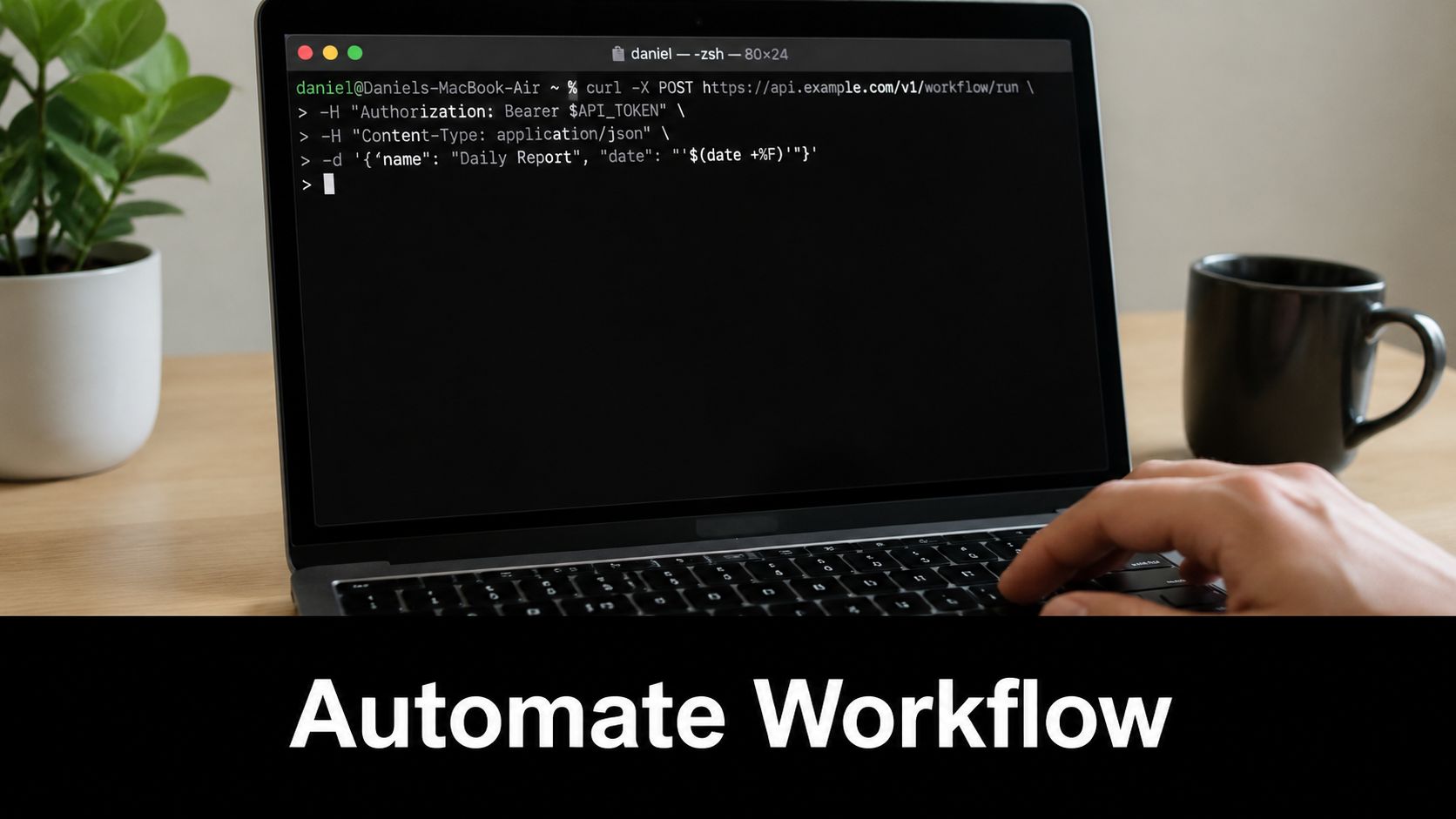
Slack's Web API has specific production requirements. Requests must go over HTTPS with TLS 1.2+ and SNI. For POST requests, the token must be sent in the Authorization: Bearer header, the Content-type must be application/json, and Slack explicitly says the token cannot be passed in the query string or embedded in the JSON body (Slack Web API requirements).
The simplest useful API call
If you want to test whether your token and scopes are working, post a message to a known channel. Use an environment variable for the token rather than hardcoding it.
curl -X POST "https://slack.com/api/chat.postMessage" \
  -H "Authorization: Bearer $SLACK_BOT_TOKEN" \
  -H "Content-type: application/json" \
  -d '{
    "channel": "#ops-alerts",
    "text": "Slack automation is connected."
  }'
This small example does a lot of work for you. It verifies that the token is valid, the request format is acceptable, the app has the right posting permission, and the target channel is reachable.
What works and what doesn't
What works in production:
- Bearer header authentication: Put the token in the
Authorizationheader. - JSON body for POST payloads: Keep request data in the JSON body, not as URL parameters.
- Modern runtime support: Use clients and environments that meet Slack's TLS requirements.
- Environment-based configuration: Inject the token at runtime.
What doesn't:
- Token in URL parameters: Slack rejects that pattern.
- Token inside posted JSON: Also rejected.
- Old HTTP libraries: These can fail on transport requirements before your app logic even runs.
- One-off local scripts with no reuse path: Fine for a quick test, poor for a growing automation estate.
If you're comparing implementation options beyond hand-written scripts, this roundup of business process automation tools can help you decide when to keep Slack calls in code and when to move orchestration into a broader automation stack.
A practical Python example
For teams that want something more maintainable than curl, a Python client is usually the next step. Keep the token in the environment and instantiate the client once.
import os
from slack_sdk import WebClient
from slack_sdk.errors import SlackApiError

client = WebClient(token=os.environ["SLACK_BOT_TOKEN"])

try:
    response = client.chat_postMessage(
        channel="#ops-alerts",
        text="Daily automation check-in complete."
    )
    print(response["ok"])
except SlackApiError as e:
    print(e.response["error"])
That's enough to support many useful automations: lead alerts, deployment notifications, customer escalation posts, scheduled digests, and internal approval nudges.
A short walkthrough helps if you're validating the flow visually before wiring it into a larger stack.
Build around a stable execution path
The strongest pattern is simple. Trigger the automation from a system of record, fetch the token from secure configuration, call Slack with a standards-compliant client, and log the response without logging the secret. Once that's stable, you can layer retries, structured message formatting, and workflow branching.
The Slack call itself is usually the easy part. The hard part is making sure the credential, runtime, and ownership model are solid enough that the automation still works after the original builder has moved on.
Securely Storing and Managing Your Slack API Tokens
Most Slack API key tutorials lose their utility at this stage. They show how to obtain a token, then assume the rest will take care of itself. In B2B environments, that assumption creates preventable incidents.
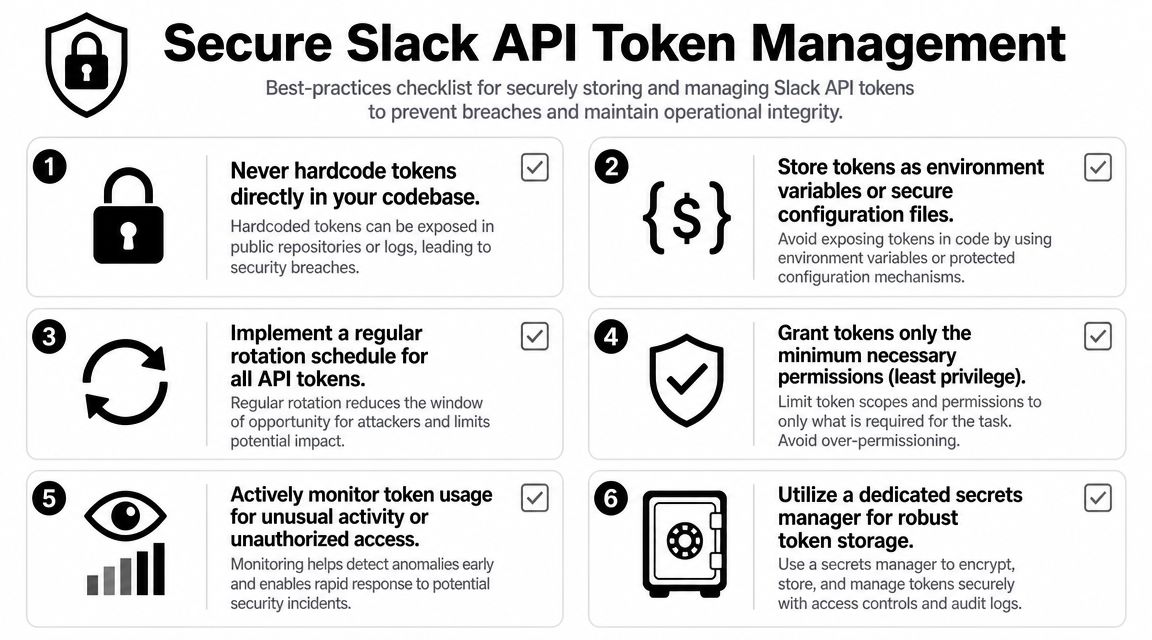
GitGuardian explicitly treats Slack app token leaks as a remediation problem and recommends storing tokens in environment variables or secret managers, plus rotating them regularly to reduce long-term exposure. It also highlights a pattern many teams recognize immediately: Slack tokens get embedded in internal scripts, no-code workflows, logs, and repositories as automation spreads (GitGuardian guidance on Slack token leaks).
Treat the token like production infrastructure
A Slack token is easy to underestimate because it often starts life in a small workflow. Someone adds it to Zapier, Make, n8n, a test script, or a deployment helper. Then the workflow becomes business-critical. Now the token is effectively part of your production control plane, but it's still being handled like a convenience secret.
That's the wrong mental model.
Store Slack tokens in one of these ways:
- Environment variables: Acceptable when managed through secure deployment systems and not manually pasted all over developer machines.
- Secrets managers: Better for growing teams. Tools like AWS Secrets Manager, HashiCorp Vault, Azure Key Vault, or Doppler give you a cleaner operational path.
- Centralized app configuration systems: Useful when your runtime already supports secret injection and access control.
If your team is building a stronger governance model around automation credentials in general, this guide to DevOps secrets management is worth reviewing because Slack is rarely the only secret you need to control.
Rotation needs a process, not just a policy
Rotation is often mentioned as advice and ignored in practice because no one defines the operating procedure. A token rotation plan should answer four things:
- Who owns the token
- Where it is stored
- What systems consume it
- How the value is updated without breaking automations
Without that inventory, rotation becomes risky and gets postponed. Then a leaked token sits active longer than it should.
A practical leak-response playbook looks like this:
- Revoke or replace the exposed token.
- Update the secret in the approved storage location.
- Redeploy or refresh the consuming applications and workflows.
- Review logs, repos, and workflow builders for additional copies.
- Reduce scopes if the old token had more authority than needed.
For readers who want a broader conceptual refresher on why token-based access needs disciplined handling, this essential guide to token authentication gives helpful context without getting lost in theory.
If a Slack token appears in a repo, chat thread, paste tool, or build log, treat it as exposed. Don't debate probability. Rotate it.
The real weak point in Slack security
In mature teams, the weak point usually isn't Slack's token system. It's operational sprawl. Tokens end up copied into browser-based test tools, low-code connectors, old CI variables, and personal scripts no one has audited recently.
That's why the best control is not just “store it safely.” It's reducing the number of places where the token exists at all. Centralize secrets. Limit distribution. Make it obvious who owns each app and credential. Slack automation scales well when the governance scales with it.
Troubleshooting Common Slack API Token Errors
Most Slack token problems aren't mysterious. They usually trace back to one of four causes: wrong token, wrong permissions, wrong channel context, or a token lifecycle issue.
invalid_auth
This usually means the token is wrong, malformed, expired, or not the token your code thinks it is.
Check the environment or secret source first. Confirm the runtime is loading the current token, not an older value cached in local settings, CI variables, or a stale deployment artifact. If you recently rotated credentials, make sure every consumer was updated.
missing_scope
This happens when the app is authenticated but lacks permission for the action you're attempting.
Open the Slack app settings and compare the intended API action with the granted scopes. Add only the missing permission, then reinstall the app if Slack requires it for the new scope to take effect. Don't respond by adding a broad set of unrelated scopes.
not_in_channel
This usually appears when the app tries to post into a channel it hasn't been added to, especially in private-channel scenarios.
Invite the app to the target channel and retest. If your automation design assumes it can post anywhere automatically, revisit that assumption. Channel membership is often part of the operating model, not just a technical footnote.
token_revoked
This one is straightforward. The token is no longer valid because it was revoked, rotated, or otherwise retired.
Update the application with the current credential from your approved secret store. Then trace why the old value was still in use. In well-run environments, token revocation shouldn't create a scramble because the dependency path is already documented.
A fast debugging sequence
When a Slack integration fails, use this order:
- Validate the token source: Check what value the runtime is using.
- Check the requested action: Match it to the granted scopes.
- Confirm channel access: Especially if the error involves posting behavior.
- Review recent security changes: Rotation and revocation often explain “sudden” failures.
- Retest with a minimal known-good call: A simple message post is often the fastest sanity check.
Slack problems get expensive when teams debug them randomly. Start with identity, permission, and channel context. That resolves most failures quickly.
If your team wants help designing a secure Slack integration that won't collapse under permission drift, secret sprawl, or brittle workflow logic, MakeAutomation can help architect and implement the full system. That includes token strategy, workflow design, secure secret handling, and production-ready automation for B2B and SaaS operations.