SOP Documentation Example: A Practical Guide with Templates
A Series A SaaS company can grow from 12 to 28 people in nine months and still run as if the founder is the only person who knows how work gets done. Every day brings another Slack question about client onboarding, refund handling, or outage triage. A customer handoff misses an important detail, two employees follow different versions of the same process, and a key hire's resignation suddenly exposes how much operational knowledge exists in one person's memory.
That pattern doesn't mean the team lacks talent. It means the company has outgrown informal instruction. A well-built SOP documentation example turns recurring work into a controlled, usable operating document, with enough context for someone else to perform the task, record the result, and handle the exceptions that appear in real work.
Why Your Growing Team Is Held Together by Memory
The first symptoms are easy to dismiss. A new customer success manager asks how to prepare a kickoff. An account executive wants to know whether a refund needs approval. An engineer asks which signals make an outage urgent. The founder answers each question because that feels faster than stopping to document the process.
For a while, it is faster. Then the same questions return, the answers drift, and the founder becomes the invisible approval layer for routine work. Knowledge stays inside private conversations, old Loom videos, personal notes, and the habits of the person who originally created the process.
The point where memory stops scaling
Look for these signals:
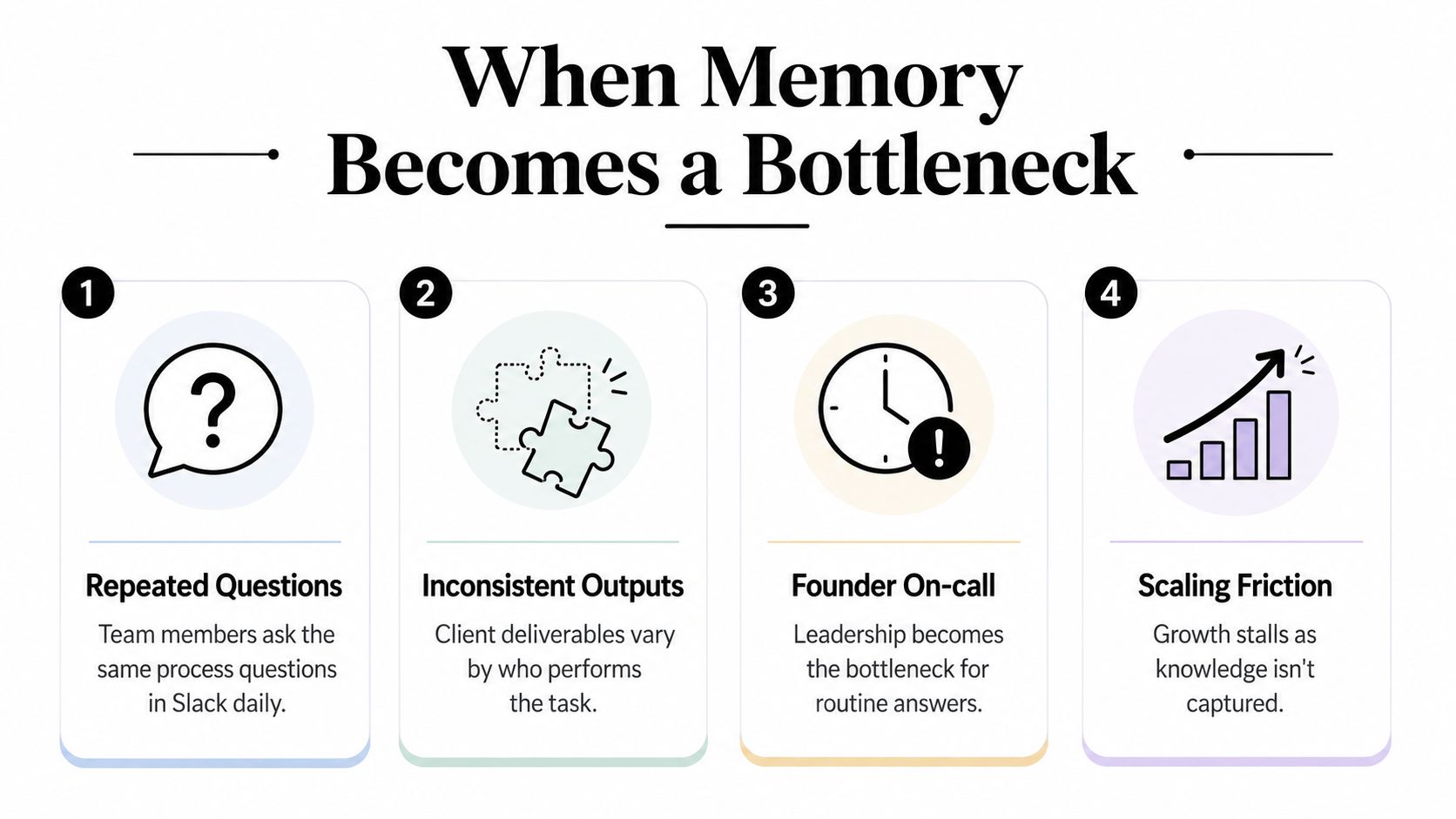
- Repeated questions: Team members ask the same process questions in Slack because no trusted reference exists.
- Inconsistent outputs: Customers receive different experiences depending on who performs the task.
- Founder on-call: Leadership keeps supplying routine answers instead of handling decisions that require judgment.
- Scaling friction: New hires take longer to become independent because training depends on access to experienced people.
A practical business process documentation guide can help you identify which recurring activities deserve formal treatment first. Start with processes that happen frequently, cross team boundaries, or create meaningful risk when someone skips a step.
What the company needs instead
An SOP isn't a bureaucratic record created for its own sake. The 1995 EPA guidance definition describes an SOP as a way to document routine or repetitive administrative and technical activities so teams can maintain consistency in product quality and integrity. That framing matters because it connects the document to repeatability, traceability, and quality control, not merely note-taking. (EPA guidance and SOP template context)
The founder's knowledge still matters. The change is that the knowledge becomes accessible, testable, and maintainable. A new operator should be able to follow the document, recognize when a condition changes the next step, and know who owns the decision when the procedure no longer applies.
What an SOP Actually Is and What It Is Not
A Standard Operating Procedure is a controlled, step-by-step document for recurring work. It explains the intended outcome, the people involved, the required inputs, the actions to take, the evidence to retain, and the conditions that change the path.
A capable person with no prior context should be able to use it without repeatedly asking the original author what each line means. That doesn't mean every SOP needs to explain basic software navigation. It means the document must provide enough operational context to prevent predictable mistakes.
An SOP is not a policy manual. A policy states what the organization requires, such as who may approve a refund. The SOP explains how an authorized person checks the account, verifies the condition, records the decision, and routes an exception.
It isn't a one-off Loom recording, either. A video can demonstrate a screen sequence, but it can become difficult to search, update, or audit when a tool changes. It isn't just a checklist stapled to a wall, because a checklist usually tells the operator what to confirm without explaining what to do when the expected condition isn't present.
| Document Type | Primary Purpose | Typical Audience |
|---|---|---|
| SOP | Standardize a recurring task, including roles, controls, evidence, and exceptions | Operators, managers, auditors, new hires |
| Runbook | Guide response to an operational event or technical incident | On-call engineers, support, operations |
| Work instruction | Explain one narrow task at the point of work | Specialists, coordinators, frontline staff |
| Process map | Show sequence, dependencies, and handoffs at a high level | Leaders, process owners, cross-functional teams |
| Policy | Set rules, boundaries, or organizational requirements | Everyone affected by the rule |
The controlled-document anatomy
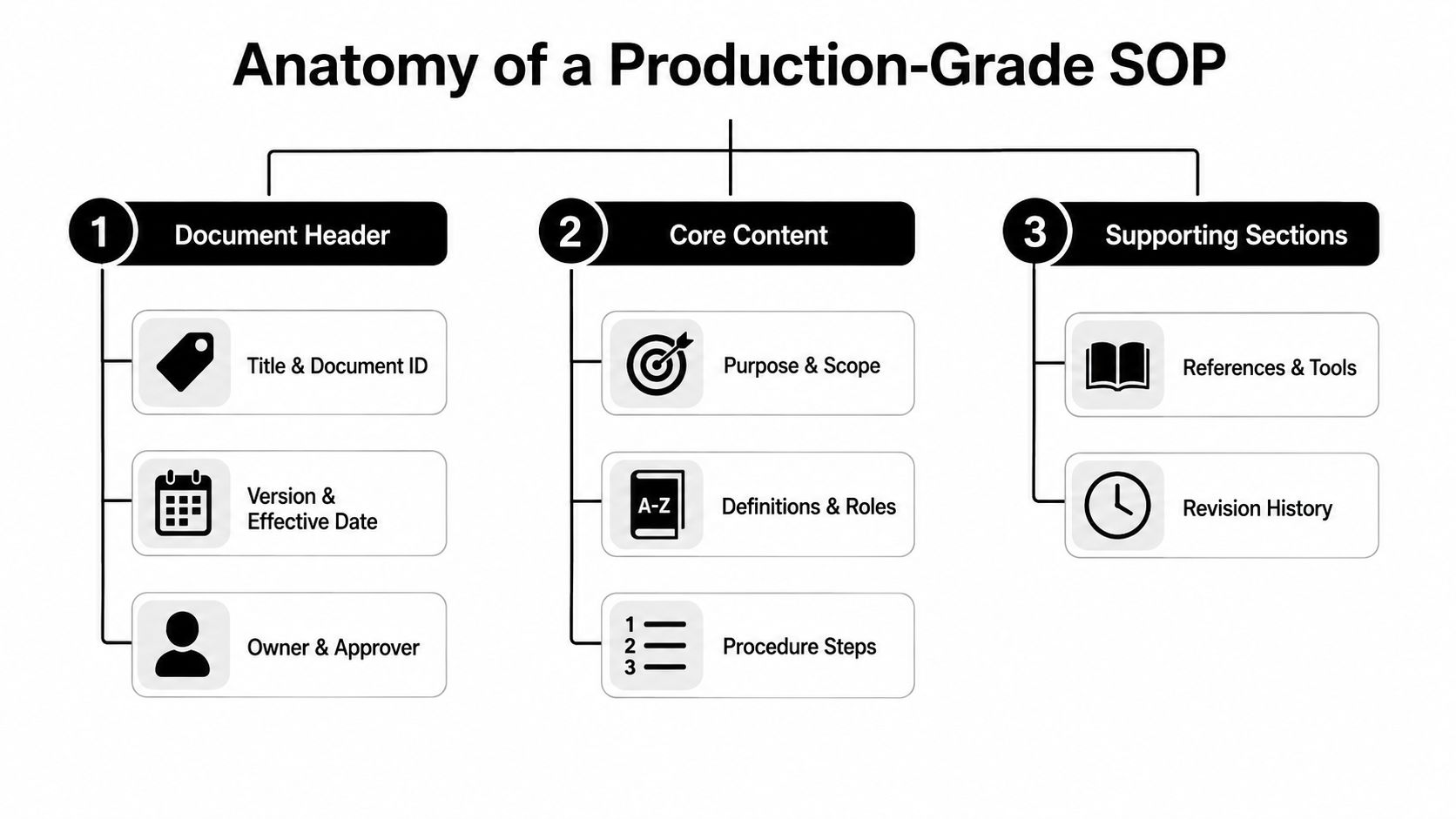
A production SOP typically includes a title, document number, version, effective date, purpose, scope, responsibilities, numbered procedure, references, records, and revision history. The National Institute of Dental and Craniofacial Research template specifically calls for a title, version number, effective date, purpose, scope, references, and appendices when needed. (NIDCR SOP template reference)
For a SaaS team, that structure might govern tenant provisioning, renewal processing, support escalation, or release-note preparation. The document should identify what starts the work, what result closes it, and which related systems or forms create the evidence.
The Anatomy of a Usable SOP Document
A reliable SOP begins with its identity. Put the title, document ID, version, effective date, owner, and approver near the top. Those fields prevent an employee from following an obsolete copy and make accountability visible when the procedure needs review.
The purpose and scope then establish boundaries. “Process customer onboarding” is too broad unless the document states which customer segment it covers, where the process begins, where it ends, and which neighboring procedure handles implementation or billing.
The sections that protect execution
Use the following structure:
- Purpose: State the business result the procedure must produce.
- Scope: Define included customers, systems, teams, and exclusions.
- Definitions: Explain terms, acronyms, statuses, and internal labels.
- Roles and responsibilities: Name the operator, reviewer, approver, and escalation owner.
- Prerequisites: List access, forms, data, approvals, and conditions required before starting.
- Procedure: Write numbered, imperative steps that tell the operator what to do.
- Decision branches: Explain what changes when payment is incomplete, data is missing, or an approval is denied.
- References and tools: Link to the CRM, ticket queue, form, policy, or related SOP.
- Records and attachments: Identify the evidence to create, where to store it, and how to identify it.
- Revision history: Record what changed, why it changed, and who approved the revision.
The procedure section should map directly to the relevant control or quality requirement when the environment is ISO-oriented. An incoming inspection example may require purchase-order verification, supplier certificate review, visual and dimensional checks, an acceptance or quarantine decision, and records on a controlled form. (ISO-oriented document control example)
Evidence makes the SOP useful after the task
A document that says “update the CRM” leaves too much open. Specify which fields change, what status confirms completion, and which record or attachment proves the action occurred.
That evidence supports handoffs and audits. A controlled record lets a reviewer trace which version was active, who approved it, and what the process was expected to generate. For teams creating a large support library, automated support documentation creation can be considered alongside human review, especially when recurring support knowledge needs to be organized into maintainable documentation.
From Checklist to Operating System Levels of SOP Detail
The right level of detail depends on variance and consequence. A daily server health check may need a short confirmation list. An incident response procedure needs decision logic, communication ownership, and evidence because the next action changes as conditions change.
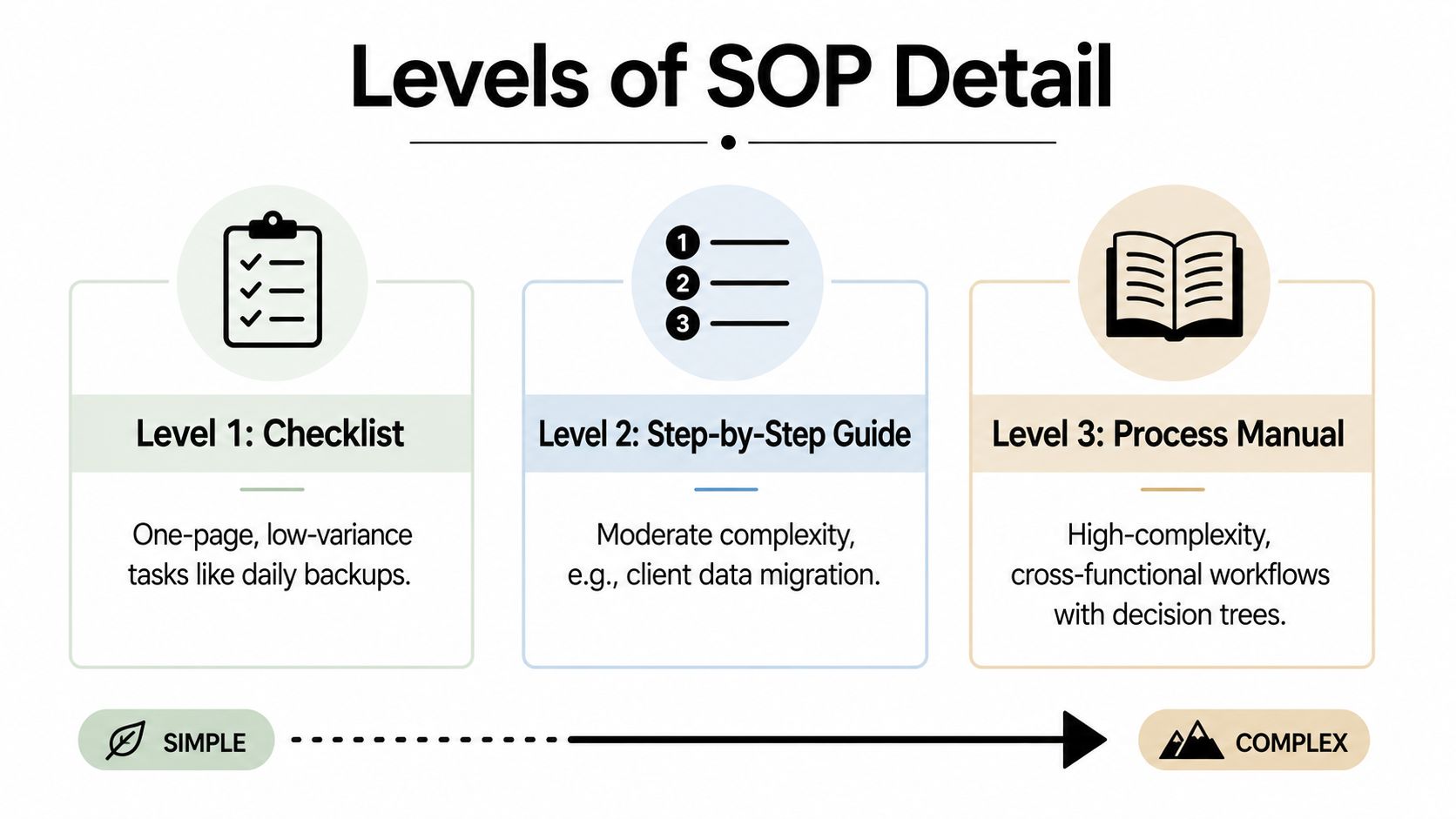
| SOP Level | Best Fit | What It Contains |
|---|---|---|
| Level 1, checklist | Low-variance tasks such as routine reconciliation or backup confirmation | Short actions, completion checks, owner |
| Level 2, step-by-step guide | Moderate-complexity work such as onboarding or invoice processing | Ordered instructions, inputs, screenshots, quality checks |
| Level 3, process manual | Cross-functional work such as incident response or refund escalation | Decision trees, exceptions, handoffs, escalation paths |
| Level 4, controlled operating document | Audited or highly controlled environments | Dependencies, references, approvals, records, revision controls |
A checklist works when the operator already understands the task and the same action follows nearly every time. It fails when the work contains hidden decisions. “Check payment status” isn't enough if paid customers follow one path, overdue accounts require another, and enterprise accounts need an account owner's review.
Branching logic belongs at the point of work
Write the condition and the next action together:
- Confirm the customer's payment status in the billing system.
- If payment is complete, create the onboarding project and assign the success owner.
- If payment is pending, pause provisioning and notify the account owner.
- If the account is an enterprise customer, route the implementation plan for specialist review.
- Record the outcome in the CRM and attach the approved implementation brief.
This format makes the operator's decision visible. For teams that want guided education on process design, SeanNoCode business SOPs offers another resource to evaluate, particularly when a founder is moving from informal instructions to repeatable operating documents.
Annotated Real-World SOP Documentation Examples
A useful SOP documentation example should show more than headings. It should reveal the trigger, the person responsible, the evidence created, and the alternate path when the normal route breaks.
Example one, B2B client onboarding
Document title: B2B Client Onboarding
Document ID: CS-ONB
Version: Current approved revision
Owner: Customer success lead
Trigger: Signed agreement and confirmed payment
Outcome: Customer has an approved implementation plan, assigned owner, and recorded kickoff actions.
The procedure can divide the work into three phases:
- Before the kickoff: Confirm contract details, customer tier, technical contacts, success criteria, and required CRM fields. If payment isn't confirmed, stop provisioning and notify the account owner.
- During the kickoff: Confirm objectives, users, integrations, timeline, and responsibilities. Record decisions in the customer record rather than leaving them only in meeting notes.
- After the kickoff: Send the agreed action list, hand off technical requirements to implementation, and schedule the 30-day review. If required data is missing, assign a named owner and due date instead of marking onboarding complete.
The revision history should explain whether a field, handoff, or decision path changed. That detail helps the next owner understand why the process looks different from an older copy.
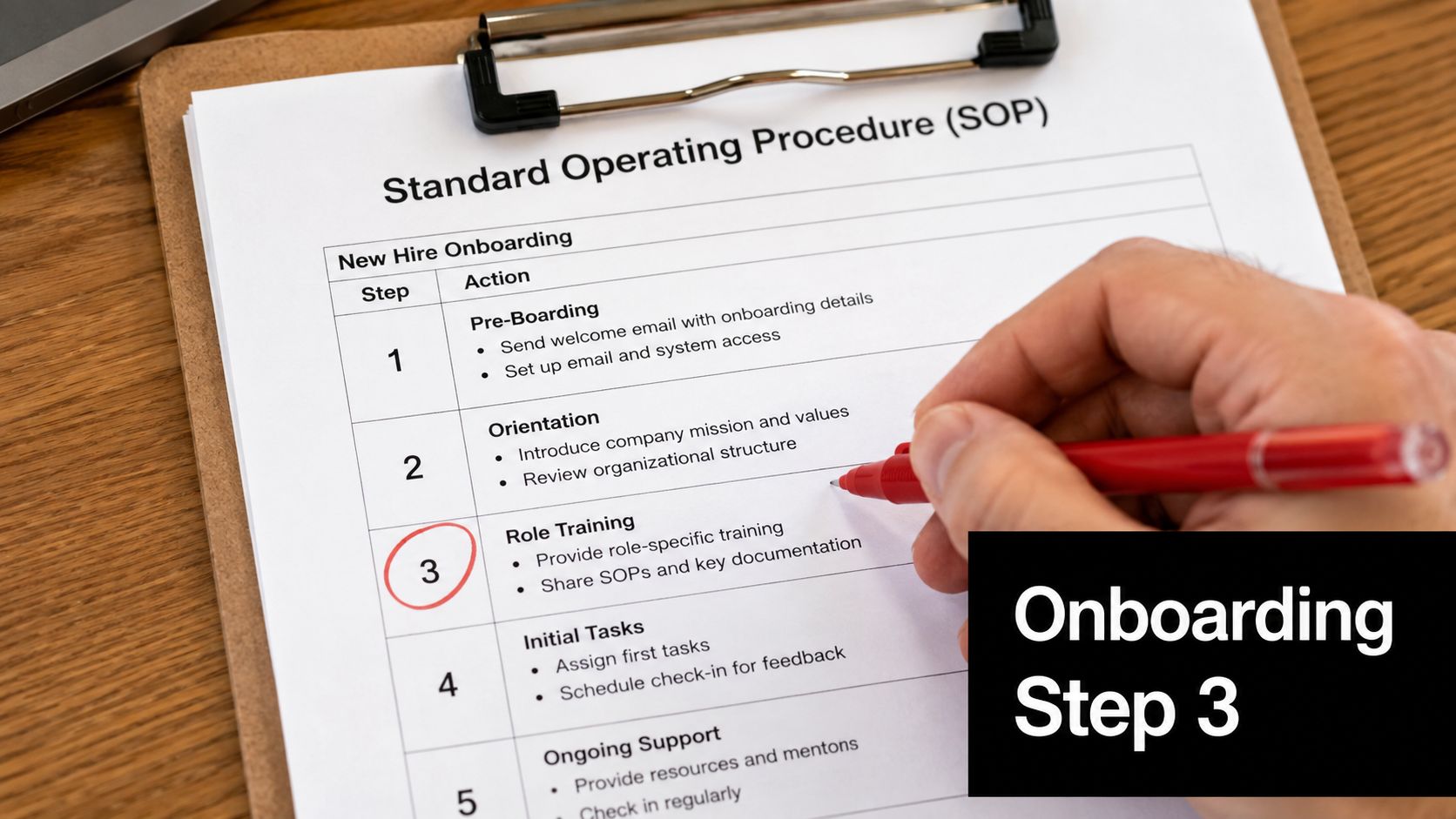
Example two, outbound lead generation
This procedure is usually a Level 2 guide with a few controlled branches. The trigger is an approved campaign brief, and the owner is the sales operations coordinator.
The sequence might be:
- Build the target account list from the approved segment definition.
- Enrich each record with the required firmographic and contact fields.
- Remove duplicates, invalid records, and accounts outside the campaign scope.
- If the lead is cold, place it into the approved prospecting sequence.
- If the lead is warm, route it to the responsible salesperson for personalized outreach.
- If the contact is an executive, check the escalation rule before enrollment.
- Record the list source, review status, and enrollment decision.
The exception path matters because executive contacts may require different messaging or approval. A generic “enroll all leads” instruction creates avoidable quality and ownership problems.
Example three, incident response
Incident response requires deeper structure because the team can't know the outcome at the start. The header identifies the owner, on-call role, communication channel, severity definitions, and review authority.
The procedure should include:
- Detection: Record the alert, reporter, time, affected service, and initial symptoms.
- Classification: Apply the severity matrix and name the incident lead.
- Stabilization: Follow the relevant technical action, while preserving an event timeline.
- Communication: Use the approved internal and customer communication path.
- Escalation: If impact expands or recovery stalls, notify the next accountable role.
- Closure: Confirm service health, record the resolution, and create the post-mortem task.
The revision history should change after meaningful incidents, not just on a calendar. If operators repeatedly ask where to record updates, that confusion is evidence that the SOP itself needs revision.
A Fillable SOP Template You Can Copy Today
Copy the structure below into Google Docs, Notion, or your documentation platform. Replace the examples with the process your team performs, then test the draft with someone who wasn't involved in writing it.
| Field | Example Value | Guidance |
|---|---|---|
| Document title | B2B Client Onboarding | Name the recurring outcome clearly. |
| Document ID | CS-ONB | Use a consistent identifier by team or process family. |
| Version | Draft revision | Mark whether the document is draft, effective, or retired. |
| Effective date | Approval date | Use the date the approved version becomes active. |
| Owner | Customer success lead | Name the person accountable for maintenance. |
| Approver | Operations director | Identify who confirms the procedure is acceptable. |
| Purpose | Create a consistent customer handoff | Describe the result, not every action. |
| Scope | New B2B customers after payment confirmation | State where the process begins and ends. |
| Prerequisites | Signed agreement, payment status, CRM access | List everything needed before step one. |
| Procedure steps | Pre-call, kickoff, implementation handoff | Use numbered, imperative instructions. |
| Branches and exceptions | Payment pending, missing data, enterprise review | State the condition, action, owner, and escalation. |
| Related documents | Implementation brief, refund policy | Link connected procedures and forms. |
| Revision history | Date, change, author, approver | Explain what changed and why. |
The procedure block
1. Confirm the trigger. Verify the signed agreement and payment status in the approved system.
2. Prepare the account. Review customer tier, contacts, goals, integrations, and required CRM fields.
3. Run the kickoff. Confirm scope, responsibilities, timeline, and open questions.
4. Choose the next path.
- If payment is confirmed: Create the implementation project and assign the success owner.
- If payment is pending: Pause provisioning and notify the account owner.
- If required information is missing: Create an action item with a named owner and due date.
- If specialist review is required: Route the implementation brief to the designated reviewer.
5. Record evidence. Update the CRM, attach the approved brief, and record the handoff status.
6. Close the process. Confirm that implementation accepted the handoff and schedule the next customer contact.
For more structures you can adapt, review these business process documentation templates. Keep the first version practical. Screenshots, forms, and Loom links can be added after operators identify where written instructions still leave uncertainty.
Why SOPs Are Not Overhead They Are Leverage
Documentation feels slow when a founder compares writing with answering one question. That comparison misses the repeated cost of interruption, rework, inconsistent decisions, and training that starts from zero each time someone joins the team.
A written SOP changes the senior operator's role. Instead of explaining the same onboarding sequence, refund rule, or incident handoff repeatedly, that person reviews exceptions and improves the procedure when the team encounters a new condition.
The operational benefit is use:
- Faster onboarding: New employees can learn from a controlled reference instead of relying entirely on shadowing.
- Cleaner handoffs: The sending and receiving teams share the same completion criteria.
- Fewer escalations: Operators can resolve routine cases without routing every uncertainty to leadership.
- Stronger audit readiness: Records show what the procedure required and what evidence the team created.
A 2020 peer-reviewed emergency medical services study provides a concrete illustration of this principle. After SOP implementation, Glasgow Coma Score documentation increased from 91.5% to 95.7%, while allergy documentation rose from 6.2% to 18.7%. (Peer-reviewed EMS study)
The lesson isn't that every SaaS process will produce the same result. It's that a procedure can prompt people to document items they otherwise miss, especially under pressure.
Rolling Out and Maintaining Your First SOP Library
Don't start by documenting everything. Choose the first three processes using a simple filter:
- Pick one task leadership answers repeatedly.
- Pick one handoff where errors or omissions commonly occur.
- Pick one process with meaningful customer, financial, security, or compliance consequences.
Assign an owner for each document before drafting. Store the library where operators already work, whether that's a shared drive, Notion, Confluence, or a dedicated SOP platform. Searchability and access matter more than a polished format nobody opens.
A practical rollout sequence
- Draft: The owner writes the process with input from the people who perform it.
- Test: A capable person unfamiliar with the author's assumptions follows it and records questions.
- Approve: The designated approver confirms the scope, controls, branches, and evidence requirements.
- Make effective: Publish one approved version as the operational source of truth.
- Train: Walk operators through the document and demonstrate where records belong.
- Review: Reopen the SOP after a tool change, new hire, failed handoff, customer escalation, or incident.
Use a clear version convention and distinguish draft, effective, and retired documents. A stale SOP often reveals itself through repeated questions, workarounds, screenshots that no longer match the interface, or records that operators can't locate.
Shared documents are inexpensive and flexible. Wikis improve navigation and cross-linking. Dedicated SOP platforms can add permissions, approval workflows, completion tracking, and controlled publishing. Choose the lightest system that supports your risk and team structure. A focused guide to creating SOPs can help turn the rollout into an owned operating practice rather than a one-time writing project.
MakeAutomation helps B2B and SaaS teams document recurring workflows, clarify handoffs, and build practical SOP systems that operators can use at the point of work. Visit MakeAutomation to discuss process documentation, workflow automation, and implementation support for your growing team.