Your Guide to an AI Voice Agent for Customer Service
An AI voice agent for customer service isn't just a fancy IVR. It's an intelligent system that actually understands what your customers are saying and helps them solve problems over the phone, all without needing a human. Think of it less like a call router and more like a highly efficient, endlessly patient team member who turns your support line from a necessary expense into a real asset.
Building Your AI Voice Agent Blueprint
So, you're ready to build one. This is where the rubber meets the road. Forget the tech-for-tech's-sake hype for a moment. A successful AI voice agent starts with a solid plan—one that’s laser-focused on clear business goals. Getting this part right is the single biggest factor in seeing a real return on your investment and avoiding a project that just fizzles out.
Define Clear, Measurable Goals
Before you write a single line of code or demo a single platform, you need to know exactly what you're trying to achieve. Vague goals like "improving CX" are useless here. You need hard, quantifiable targets.
What does that look like in practice? Here are some goals I've seen clients successfully target:
- Slash Average Handle Time (AHT): Have the AI collect and verify account numbers, ticket IDs, or user details before the call ever hits a human queue.
- Boost First-Contact Resolution (FCR): Empower the AI to fully handle high-volume, low-effort tasks from start to finish. Think password resets, subscription status checks, or basic billing questions.
- Scale Support Without Scaling Headcount: Let the AI handle call volume spikes and after-hours support 24/7, so you don't have to hire for peak capacity.
- Reduce Agent Burnout: This is a big one. Offload the repetitive, soul-crushing queries to the AI. This frees up your human experts to tackle the complex, high-stakes problems where they can really shine.
The results can be dramatic. We've seen businesses using an AI voice agent for customer service reduce escalations by an average of 45%. Some companies, like Klarna, have managed to cut their issue resolution times by a massive 82%.
Pro Tip: Your goals will be the north star for every decision you make down the line—from conversation design to the tech stack. A fuzzy objective leads to a messy, expensive project. Be specific.
This simple three-step process is what we use to kick off every AI project.
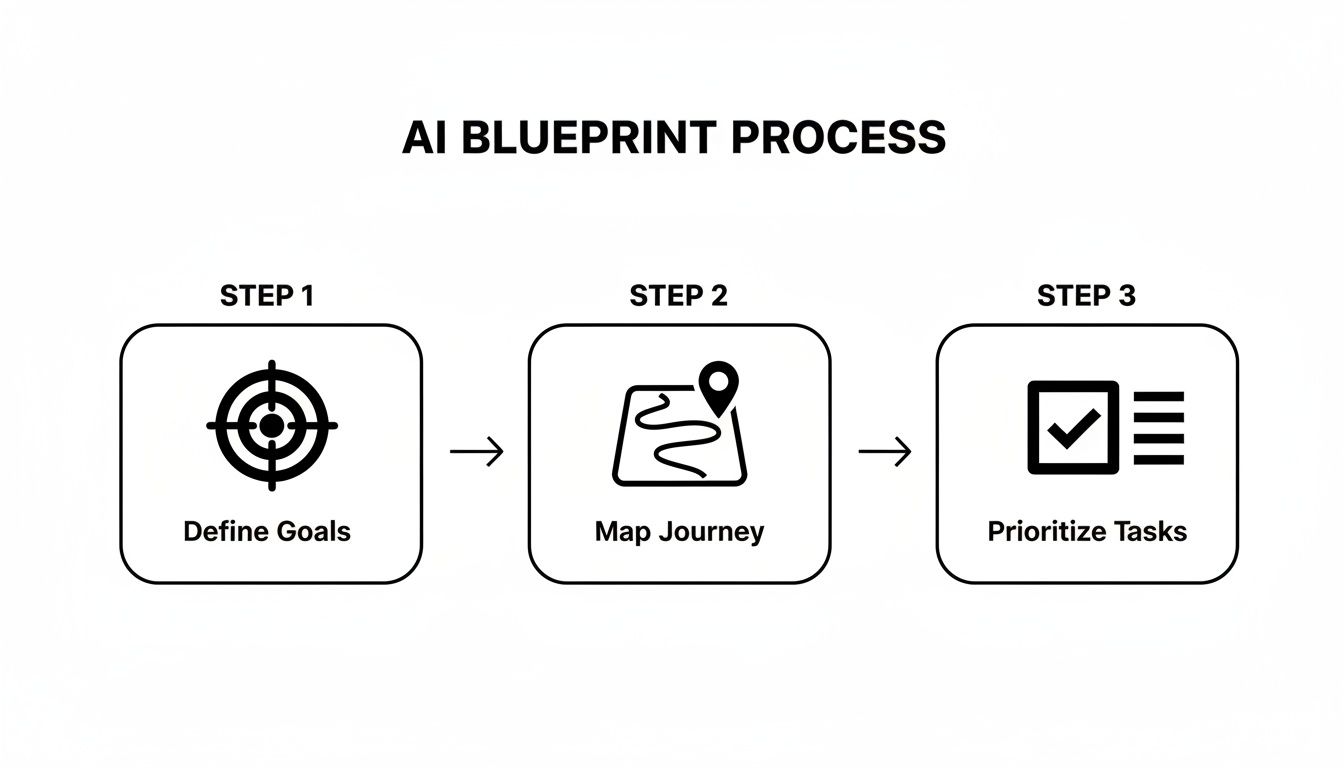
It all comes down to defining your goals, understanding the customer’s path, and then picking the right tasks to automate first.
Map Existing Customer Journeys
With your goals in hand, it’s time to get into the trenches. You need to figure out where an AI can actually make a difference. This means sitting down and mapping out your current call flows, step by painful step.
There's no shortcut here. You have to listen to your call recordings. Talk to your top agents. Document the most common questions and the exact process your team follows to answer them. This is where you’ll find your automation gold.
Prioritize Use Cases with a Matrix
As you map these journeys, you'll uncover dozens of potential tasks for your AI. The key is to prioritize effectively. You're looking for the low-hanging fruit: tasks that are high-volume but low-complexity. This is the sweet spot for your initial launch.
A simple prioritization matrix can make this crystal clear. It helps you visually sort opportunities and decide what to tackle first, second, and third.
Use Case Prioritization Matrix
| Use Case (e.g., Password Reset, Billing Inquiry, Feature Question) | Monthly Call Volume (High/Medium/Low) | Task Complexity (Low/Medium/High) | Automation Priority (High/Medium/Low) |
|---|---|---|---|
| Reset user password | High | Low | High |
| "Where is my invoice?" | High | Low | High |
| Add a user to an account | Medium | Medium | Medium |
| Advanced feature troubleshooting | Low | High | Low |
| Negotiate contract renewal | Low | High | Low |
By filling this out with your own data, you'll immediately see that things like password resets and invoice lookups are prime candidates for High priority automation. Complex troubleshooting, on the other hand, should stay with your human team for now.
Once you have your top one or two high-priority use cases identified, you have a clear starting point. For a deeper dive into the nitty-gritty of this discovery phase, you can explore our complete guide on how to build an AI agent.
Designing Conversations That Actually Help

An AI voice agent for customer service lives or dies by its conversation design. This isn't just about writing a better phone script. It’s about architecting smart, natural interactions that genuinely solve problems. Forget those infuriating robotic menus that lead you in circles; the goal here is a conversation that feels helpful, not like a roadblock.
The real work begins with understanding user intent—what is a customer truly trying to accomplish when they call? You need to map out every conceivable reason someone might get in touch, from a simple question like "What's my invoice number?" to a complex, multi-step process like troubleshooting a software bug.
Mapping Intents to Actions
The first practical step is to create a crystal-clear map of user intents. Think of an intent as the customer's goal. "Reset my password" is an intent. "Track my shipment" is another. For every intent, you have to define the specific actions the AI needs to perform to get it done.
Let's walk through a common B2B SaaS scenario: a manager needs to add a new person to their company's account.
- Intent: "Add a new user"
- AI Actions:
- First, verify the caller's identity. Maybe by asking for their account email or a customer ID.
- Next, confirm they have the right permissions. Are they an admin on the account?
- Then, gather the new user's details, like their full name and email address.
- The AI then needs to trigger an API call to your backend system, which actually creates the new user profile.
- Finally, it must confirm back to the caller that the new user has been added successfully.
By mapping this out for your top 5-10 call drivers, you create a tangible blueprint for your AI. You’ll immediately see which tasks are simple Q&A and which demand deeper integrations with your CRM or other business software. You can dive deeper into this fundamental concept in our guide on what is conversational AI.
Crafting a Natural Dialogue
With your intent map built, you can start writing the actual dialogue. The AI's voice and personality should be a direct extension of your brand. Are you buttoned-up and professional, or more relaxed and friendly? Whatever you choose, stick with it. The AI should sound like part of your team.
A huge piece of the puzzle is designing for interruptions. Real people don’t always wait for a prompt to finish before they start talking. Your AI voice agent absolutely must handle "barge-in," where a customer speaks over it, without getting lost.
This is where modern AI really shines. We’ve seen incredible results here, with 92% of businesses reporting noticeable improvements after deploying voice AI. It’s not uncommon to see CSAT scores jump by 30% simply because the conversations feel more personal and less robotic. This is driven by the AI's ability to provide instant, 24/7 help, which is why 51% of consumers now say they prefer bots for immediate support.
Planning for Errors and Handoffs
Let’s be realistic: no AI is perfect. It will sometimes misunderstand a request or hit a problem it wasn't trained to solve. How your AI handles these moments is just as crucial as how it handles a successful interaction. This is all about smart error handling.
A solid error-handling strategy includes a few key components:
- Re-prompting Gracefully: Instead of a blunt "I don't understand," the AI should try to clarify. Something like, "Sorry, I didn't quite get that. Were you trying to check a bill or update your payment info?" works much better.
- Offering a Clear Escape Hatch: Always give the customer an easy way to reach a human. A simple, "Would you like me to connect you with one of our support specialists?" can prevent a frustrating experience from boiling over.
- Executing a Seamless Handoff: When a call needs to be escalated, the transfer must be smooth. The AI has to pass the entire conversation history to the human agent so the customer doesn't have to repeat everything they just said. This is non-negotiable for a good customer experience.
Alright, let's talk about the tech. Picking your technology stack is one of those moments that will define your entire AI project. The decisions you make here will ripple through everything—from your agent's performance and scalability to the final cost. This isn't just about grabbing the shiniest new tool; it's about assembling a set of components that work together to solve your actual business challenges.

I like to think of the tech stack in three layers: the brain, the voice, and the memory. Each part is crucial for building a truly effective ai voice agent for customer service.
The Brain: Conversational AI Platforms
The "brain" is your conversational AI platform. This is the engine room where conversation flows are designed, where the system figures out what a customer actually wants (intent recognition), and where all the core logic runs. You'll hear a lot about platforms like Google Dialogflow and Amazon Lex.
For a B2B or SaaS company, the choice isn't always cut and dry. They each have their own flavor.
- Google Dialogflow is often lauded for its powerful Natural Language Understanding (NLU). If your customers tend to describe their problems in a dozen different ways, Dialogflow's ability to decipher complex language is a huge asset.
- Amazon Lex, being part of the AWS family, really shines with its deep integration into the Amazon ecosystem. If your tech infrastructure is already built on AWS, Lex can feel like a natural, more straightforward extension.
From my experience, the most successful projects don't just rely on a sales demo. They run a small pilot. Testing a platform on a single, focused use case will tell you more about how it actually performs than any feature list ever will.
Your final call should really depend on which platform's ecosystem and NLU model feels like a better fit for your team's existing skills and infrastructure. If you want to explore the wider market, our guide on the best AI voice agents available today is a great starting point.
To help you get a bird's-eye view, here's a quick comparison of some of the leading platforms you'll likely be considering.
Comparing Top Conversational AI Platforms
This table offers a high-level look at some of the major players to help you find the right foundation for your voice AI.
| Platform | Best For | Key Feature | Integration Ease |
|---|---|---|---|
| Google Dialogflow | Complex language understanding | Advanced NLU and intent matching | Strong, but requires configuration with telephony |
| Amazon Lex | AWS-centric environments | Seamless integration with AWS ecosystem | Easiest for teams already on AWS |
| Microsoft Agent Framework | Enterprise & custom builds | High control and enterprise-grade governance | Designed for deep, custom integrations |
| Twilio Voice | All-in-one telephony & AI | Unified platform for voice and basic AI | Native, but AI might be less advanced than specialized platforms |
Think of this as a starting point. Each platform has its nuances, so digging a bit deeper based on your specific needs is always the next step.
The Voice: Connecting to Phone Networks
Once you have the brain, you need to give it a voice and connect it to the outside world. This is where a Communications Platform as a Service (CPaaS) comes in. A CPaaS provider is essentially the bridge between your digital AI and the good old-fashioned telephone network.
Twilio is the big name in this space for a reason. Their APIs are incredibly robust and give you programmatic control over phone calls. When a customer dials your support line, the CPaaS provider answers the call and hands it off to your conversational AI platform, which then takes the driver's seat.
The Memory: CRM and Systems Integration
This is the part that turns a simple bot into a genuinely useful assistant. Integrating your AI with your Customer Relationship Management (CRM) system—whether it's Salesforce, HubSpot, or a homegrown database—is absolutely non-negotiable.
This connection unlocks two game-changing capabilities for your ai voice agent for customer service:
- Pulling Data for Context: The AI can look up a caller's history, check on open support tickets, or see their account level in real-time. This is what enables truly personal interactions, like, "Hi, Sarah. I see you've got an open ticket about that invoice. Are you calling about that?"
- Pushing Data for Record-Keeping: After the call ends, the AI needs to automatically log the conversation, create a new ticket, or update the customer's record in the CRM. This is critical for maintaining a single source of truth, so if a human agent ever has to get involved, they have the full picture.
An AI agent that can't access information instantly is an agent working with one hand tied behind its back. Ensuring you're feeding real-time data for AI agents is what keeps your system smart and relevant. Without it, your agent is just guessing.
Ultimately, you want a stack where data flows effortlessly between the brain, voice, and memory. That synergy is what lets an AI voice agent move beyond just answering questions to actually resolving customer issues.
Executing a Smooth Go-Live Strategy
Taking your AI voice agent for customer service from the lab into the real world is where all your hard work pays off—or falls apart. This is the moment of truth. A rushed launch is a surefire way to frustrate customers and lose trust, so let's walk through a proven strategy to make sure your go-live is controlled, smooth, and successful from the very first call.
Before any customer hears your AI, you need to run it through User Acceptance Testing (UAT). This isn't just another round of bug hunting. UAT is all about confirming the AI actually behaves correctly in messy, real-world situations.
Your best testers for this are your seasoned support agents. They know every strange question, every point of frustration, and every shortcut customers try. Set them loose with a clear mission: try to break the AI. Encourage them to use slang, interrupt it, ask for things in weird ways, and generally throw every curveball they've ever heard on the phones. This internal stress test is your last, best line of defense.
Phased Rollout: Your Secret Weapon
Once UAT is done and you've smoothed out the rough edges, fight the urge to flip the switch for 100% of your call volume. A phased or "canary" rollout is the smartest, lowest-risk way to deploy. This approach lets you expose the AI to a small slice of live traffic, see how it performs, and make adjustments before everyone is routed to it.
Here are a few ways I’ve seen this work well:
- By Phone Number: Start by activating the AI on a single, low-traffic support line. Maybe it’s a line for a specific product or a smaller regional office.
- By Customer Segment: If your telephony setup allows for it, you could route calls only from new customers or a certain subscription tier to the AI first.
- By Time of Day: A great starting point is to have the AI handle calls only during your quietest hours or overnight. This creates a live-fire testing ground without risking your peak business periods.
This controlled exposure is priceless. It gives you real-world data on performance, containment rates, and where conversations are failing, all while limiting the blast radius if something goes wrong.
I’ve seen too many teams make the critical mistake of a "big bang" launch. A phased rollout isn't about being timid; it's about being professional. It provides the data you need to launch with complete confidence.
Preparing Your Human Team
Let’s be clear: your human agents aren't being replaced. Their jobs are evolving to handle more complex issues. Preparing them for this change is a huge part of a successful launch. They need to see the AI voice agent for customer service as a helpful new teammate, not a threat to their job.
Start by creating simple, clear internal documentation. At a minimum, your team must know:
- What the AI Can Do: What specific requests is the AI trained to handle completely on its own?
- The Handoff Process: When will the AI escalate a call to them? What context and information will they see in their CRM or support ticket?
- How to Handle Escalations: Give them talking points for a customer who might be annoyed after a failed AI interaction.
Training sessions are non-negotiable. Let your team hear the AI in action and walk them through the conversation flows. When they understand exactly how it works and what information it will pass to them, they can turn a potentially clunky transfer into a seamless, warm handoff.
Monitoring from Day One
You can't manage what you don't measure. The second your AI takes its first call, your real-time monitoring dashboards need to be live. These dashboards are your command center, giving you an immediate view of the agent's performance.
From the very first minute of the launch, you should be laser-focused on a few key performance indicators (KPIs). These metrics will tell you instantly if you're on the right track or if you need to hit the brakes.
- Containment Rate: What percentage of calls are fully resolved by the AI without a human? This is your main metric for AI effectiveness.
- Escalation Rate: On the flip side, how many calls are being handed off? A high rate could signal a problem in your conversation design or a technical snag.
- Average Handle Time (AHT): How long does the AI spend with each caller? This helps you quantify the efficiency you’re gaining.
- First-Contact Resolution (FCR): For calls the AI does contain, is the customer calling back a short time later about the same problem? This is the true test of whether the issue was actually solved.
By obsessively tracking these numbers in the first hours and days, you can spot trends, get ahead of problems, and make sure your AI voice agent is truly delivering value.
Measuring ROI and Optimizing Performance
Getting your AI voice agent live is just the starting line. The real magic happens next, turning that functional tool into a powerhouse for your support team. This is all about continuous improvement—proving its worth and making it smarter with every single call.
The most concrete way to show value is by calculating its Return on Investment (ROI). This isn't just about fluff; it's a hard-and-fast calculation that shows the dollars and cents impact your AI is having. It's a mix of clear cost savings and the less obvious, but equally important, boosts to customer happiness and team efficiency.
Calculating Your Return on Investment
Let's start with the easy part: cost savings. This is the most direct metric you can track. The key number here is your containment rate—the percentage of calls your AI voice agent for customer service handles from start to finish without needing a human. Every one of those calls is money saved.
Think about it this way: if your average human-handled call costs $8 and your new AI agent contains 5,000 calls in its first month, that’s an immediate $40,000 back in your operational budget. Don't forget to also track the drop in Average Handle Time (AHT) for calls that do get escalated. When the AI has already gathered the customer's name, account number, and issue, the human agent can jump straight to solving the problem.
But a great AI doesn't just cut costs; it adds value. You'll see this pop up in other key metrics that show you're improving the experience for everyone involved.
- Customer Satisfaction (CSAT): How do CSAT scores for AI interactions stack up against your human agents? If they’re rising, it’s a great sign that customers love the instant, 24/7 support.
- Agent Productivity: Your team is no longer bogged down by password resets and order status lookups. Are they now solving tougher problems or spending more time building relationships with high-value customers? That’s a huge win.
- First-Contact Resolution (FCR): When your AI contains a call, is the problem actually solved? A high FCR tells you the system is truly effective, not just kicking the can down the road.
A successful AI voice agent doesn’t just slash expenses; it builds a healthier, more effective support operation. Your goal is to tell a story with data that highlights both the savings and the strategic gains.
Finding Optimization Opportunities in Data
Your AI's conversation logs are a treasure trove. Seriously. Digging into this data regularly isn't optional; it's how you ensure long-term success. You're hunting for patterns—what's working well, and more importantly, where is the AI tripping up?
Start with the failures. Look at calls where the customer got frustrated and hung up, kept saying "talk to a person," or where the AI just flat-out didn't understand. Is there a common thread? Often, you'll find the AI is consistently failing on one specific type of question. This usually means there's a blind spot in its training or a missing intent in its design.
For example, I've seen systems fail because customers were asking "where's my stuff?" instead of the more formal "check order status." The AI wasn't trained on that slang. Adding those kinds of natural-language variations to your model is a simple fix that can have a massive impact.
Creating a Continuous Feedback Loop
Tuning your AI isn't a one-and-done project. It's a constant cycle of listening, learning, and refining. A solid feedback loop is what keeps your agent sharp and aligned with what your customers and business actually need.
This process really boils down to three core activities:
- Analyze the Numbers: Keep a close eye on your KPIs like containment rate, why calls are being escalated, and CSAT scores.
- Read the Transcripts: Set aside time to actually read through conversation logs. You'll uncover nuances and qualitative insights that numbers alone will never show you.
- Talk to Your Team: Your human agents are your best source of truth. They know exactly when a handoff feels clunky or when the AI passes along incomplete information.
Armed with this feedback, you can make smart, targeted improvements. Maybe you need to rewrite a confusing prompt, add a completely new skill, or tweak the logic for when to escalate. By constantly feeding this real-world intelligence back into the system, your AI voice agent for customer service becomes an asset that just keeps getting better and delivering more value over time.
Common Questions About AI Voice Agents

When you start looking seriously at an ai voice agent for customer service, the big-picture benefits are clear. But then the practical questions start popping up. How long will this actually take? What’s the real cost? And what does this mean for my team?
Let's cut through the noise. Here are the straight answers to the questions we hear most often from B2B and SaaS leaders who are ready to move from idea to implementation.
How Long Does It Take to Implement an AI Voice Agent?
The timeline really depends on what you need the agent to do. It’s definitely not an overnight, plug-and-play process if you want it to be effective.
For a more basic agent—one that handles a handful of simple, high-volume requests like checking an order status or providing business hours—you’re likely looking at a 4 to 6-week project. This assumes your goals are crystal clear from day one and the necessary data is easy to access.
But if you’re aiming for a more sophisticated ai voice agent for customer service, the kind that can authenticate users, perform complex actions, and write information back into your CRM, you need to budget more time. A 3 to 6-month timeline is a much more realistic expectation for this kind of project.
That longer timeframe accounts for the critical stages:
- Discovery and Planning: Pinpointing the exact use cases, mapping out conversation flows, and identifying system integrations. This usually takes 2 to 4 weeks.
- Initial Build and Design: This is where conversation designers and developers create the core logic and script the dialogues, which can span 4 to 8 weeks.
- Backend Integration: The heavy lifting of connecting the AI to your CRM, PSA, or other business tools. Expect this to take 4 to 6 weeks.
- Testing and Refinement: A crucial 3 to 5 weeks dedicated to internal testing, ironing out bugs, and tuning performance before go-live.
A word of advice from experience: The single biggest factor that can speed up this process is having well-documented processes and accessible APIs. If your backend is a mess, you can easily double the time spent on integration.
Will an AI Voice Agent Replace My Human Support Team?
This is a big one, and we get it. The answer is a firm "no." The goal of an ai voice agent for customer service isn't to replace people; it’s to augment them. It’s about changing the very nature of their work—for the better.
Think of the AI agent as your new front-line specialist. It’s brilliant at handling the repetitive, predictable queries that burn out your best agents. By automating those high-volume, low-complexity interactions, you aren't getting rid of jobs. You're creating capacity.
This frees up your human team to focus on what they do best, the high-value work that truly matters:
- Solving complex, nuanced problems that require genuine critical thinking.
- Managing sensitive or emotionally charged customer situations with real empathy.
- Building relationships with high-value clients and handling their unique, custom requests.
The AI essentially becomes a smart filter. It resolves what it can instantly and intelligently routes what it can't. And when it does hand off a call, it's a "warm" transfer—the human agent gets the full context of the conversation so the customer never has to repeat themselves. It makes your entire support operation more efficient and, frankly, more pleasant for everyone.
What Are the Biggest Implementation Challenges to Avoid?
While the technology is incredibly capable, I’ve seen projects stumble over a few common, avoidable hurdles. The problems usually aren't with the AI itself, but with the strategy behind it.
First, poor conversation design is a project killer. If your agent sounds like a robot reading a script or leads customers down conversational dead ends, it just creates frustration. The design has to be based on how real people actually talk and what they’re trying to accomplish.
Second, incomplete or broken integrations make for a pretty useless bot. An AI that can't pull up a customer's history from your CRM or log a ticket after the call is severely handicapped. To deliver a truly personalized and helpful experience, data has to flow smoothly between the voice agent and your core systems.
Finally, a "set it and forget it" attitude is a recipe for failure. The lack of post-launch optimization is a surprisingly common mistake. Your business will change, your products will be updated, and your customers' questions will evolve. Your AI needs to evolve too, which means you have to be committed to ongoing monitoring, analyzing conversations, and making iterative improvements.
How Much Does an AI Voice Agent Cost?
There’s no single price tag, as the cost for an ai voice agent for customer service depends entirely on the scope and usage. Generally, the costs break down into three main buckets.
- Platform Subscription: This is the recurring fee for the conversational AI software itself. It can range from a few hundred dollars a month for a basic plan to several thousand for an enterprise-level platform.
- Usage-Based Fees: You’ll almost always pay for telephony on a per-minute basis. Many platforms also charge based on the volume of conversations or "resolutions" the AI handles each month.
- Implementation Cost: This is the one-time, upfront investment to get the agent designed, built, integrated, and launched. A straightforward project could be in the low five-figure range, while a deeply integrated, complex enterprise deployment will cost significantly more.
Even with these costs, a well-planned project almost always delivers a clear ROI within 6 to 12 months. The return comes from hard numbers: reduced operational costs, major gains in agent productivity, and measurable improvements in customer retention.
Ready to see how an AI voice agent could transform your customer service operations? The team at MakeAutomation specializes in hands-on implementation for B2B and SaaS companies, turning complex processes into scalable, automated workflows. We can help you build and deploy an AI solution that boosts efficiency and delivers measurable ROI. Learn more and book a consultation with us today.