10 Project Management Automation Ideas for B2B Teams
A SaaS delivery team can have every relevant signal somewhere in its stack. Tasks sit in Jira or Asana, hours live in a time tracker, decisions remain in Slack, meetings occupy calendars, and billing data sits in an accounting system. Yet the project manager still spends Friday afternoon reconciling updates, asking who owns the next action, and explaining why the budget changed.
The strongest project management automation ideas connect a reliable trigger to a defined action, an accountable owner, and an escalation path. A completed task can create the next handoff. A missing timesheet can prompt a reminder. A material scope change can route an approval instead of disappearing in a chat thread.
Use rules-based automation for predictable coordination. Use AI to summarize, classify, draft, or recommend. Keep human review for ambiguous risks, sensitive client communication, budget changes, and decisions that affect people. The roadmap below follows the operational signals that drive delivery, from workload and progress to approvals, communication, cost, risk, dependencies, and prediction.
1. Automate Task Assignment and Distribution
Task routing is a practical first automation because the trigger is usually clear. When a new request enters through a CRM, intake form, email, or support system, the workflow can classify its project, priority, required skill, and due-date constraints before assigning it to an eligible owner.
A B2B implementation team might route a new onboarding task to someone trained on the customer's product tier, then check the person's active workload before setting a due date. An agency could create a design task from an approved client brief, attach the relevant files, assign a reviewer, and notify the project lead without rebuilding the same workflow manually.
Start with rules, not guesswork
Create a central skills and capacity record before adding AI recommendations. Define what happens when two people match, when no qualified person is available, and when a high-priority request conflicts with existing commitments. A workflow engine can connect the intake form, CRM, project board, calendar, and time-tracking system through a workflow orchestration platform.
Use automation for routine assignments, but send exceptions to a project manager. The manager should be able to override the suggested owner, record the reason, and prevent the workflow from learning from a temporary exception as though it were a permanent rule.
Practical rule: Automate the handoff, not the accountability. Every assigned task still needs one visible owner and one escalation contact.
2. Automate Status Updates and Progress Tracking
Status reporting becomes easier when the project system collects evidence instead of relying on memory. A workflow can watch task completion, blocked states, logged hours, milestone dates, and approved deliverables, then update a project health record whenever those signals change.
For example, when engineering marks a feature ready for quality assurance, the workflow can update the milestone, create the test task, and post a concise Slack notification. If the milestone date passes while required work remains incomplete, it can notify the delivery lead and add the issue to the next review agenda.
Build a status record people trust
Start with a small set of observable indicators. Define what “on track,” “at risk,” and “blocked” mean for your team, then connect dashboards to the underlying task and time data. An AI assistant can draft an executive summary from those records, but a project manager should verify the explanation before it reaches a client or executive group.
Historical practice shows why this matters. The Energy Facility Contractors Group practitioner newsletter reported that 93% of organizations used standardized project-management practices, while 22% used project-management software and 55% lacked access to real-time key performance indicators. Standardized methods don't create timely visibility when information remains fragmented.
A useful pilot is a weekly status workflow for one project type. Compare whether updates arrive on time, whether managers can identify blocked work sooner, and whether the generated summary matches the underlying records.
3. Automate Resource Allocation and Capacity Planning
Workload is a delivery signal, not just an HR concern. A new deal, onboarding commitment, or product release can create demand before anyone notices that the required specialist is already committed elsewhere. Capacity automation connects planned work to skills, availability, leave, and active assignments, then recommends a feasible allocation.
A professional-services team might import a signed statement of work from its CRM, translate deliverables into estimated work packages, and compare those packages with current team capacity. If the workflow detects a shortage in implementation expertise, it can alert operations, suggest an alternate start date, or create a staffing request.
Keep forecasts separate from commitments
Don't let a recommendation become a promise. Store proposed allocation, approved allocation, and actual effort as separate fields. Review resource plans on a regular operating rhythm, and use variance between planned and actual work to improve future estimates.
A team capacity planning framework can help teams document skills, availability, demand, and decision rights before connecting the systems. The low-risk starting point is a read-only weekly capacity report. Once the data is trusted, add alerts for over-allocation, unstaffed work, and approaching commitments.
The trade-off is data freshness. A polished capacity dashboard is misleading if people don't update leave, project changes, or actual hours. Human review remains essential when performance depends on context that the system can't see, such as mentoring load, customer sensitivity, or a specialist's role in a critical negotiation.
4. Automate Approval Workflows and Governance
Approvals break when requests miss the right decision-maker or supporting documentation. Set a conditional workflow to route change requests, expenses, contracts, security reviews, and deliverables according to project, risk level, budget authority, and document completeness.
For example, a customer requesting additional implementation work can trigger a workflow that captures the request, attaches the relevant scope, calculates its proposed impact from submitted values, and sends it to the delivery lead and commercial owner. A change to contractual terms can trigger legal review before anyone communicates acceptance.
Make every decision traceable
Store the original request, inputs, approvers, timestamps, decision, comments, and any later override. Add a timeout path. A reminder may resolve a delay, while an overdue approval should escalate to a named backup instead of generating repeated notifications.
Start with a high-volume, low-ambiguity process, such as expense review or standard deliverable approval. Use a form with required fields, a defined approver map, and a single system of record. Keep unusual scope changes and client commitments under human review until decision criteria are documented and tested.
A 2025 survey of project professionals found that 62% identified staff resistance as a leading barrier to effective AI use, while 54% cited ethical concerns and bias. These findings support bounded automation. Let software collect evidence, check completeness, and route work. Give people authority over consequential decisions, with an audit trail for every outcome.
5. Automate Client Reporting and Deliverable Generation
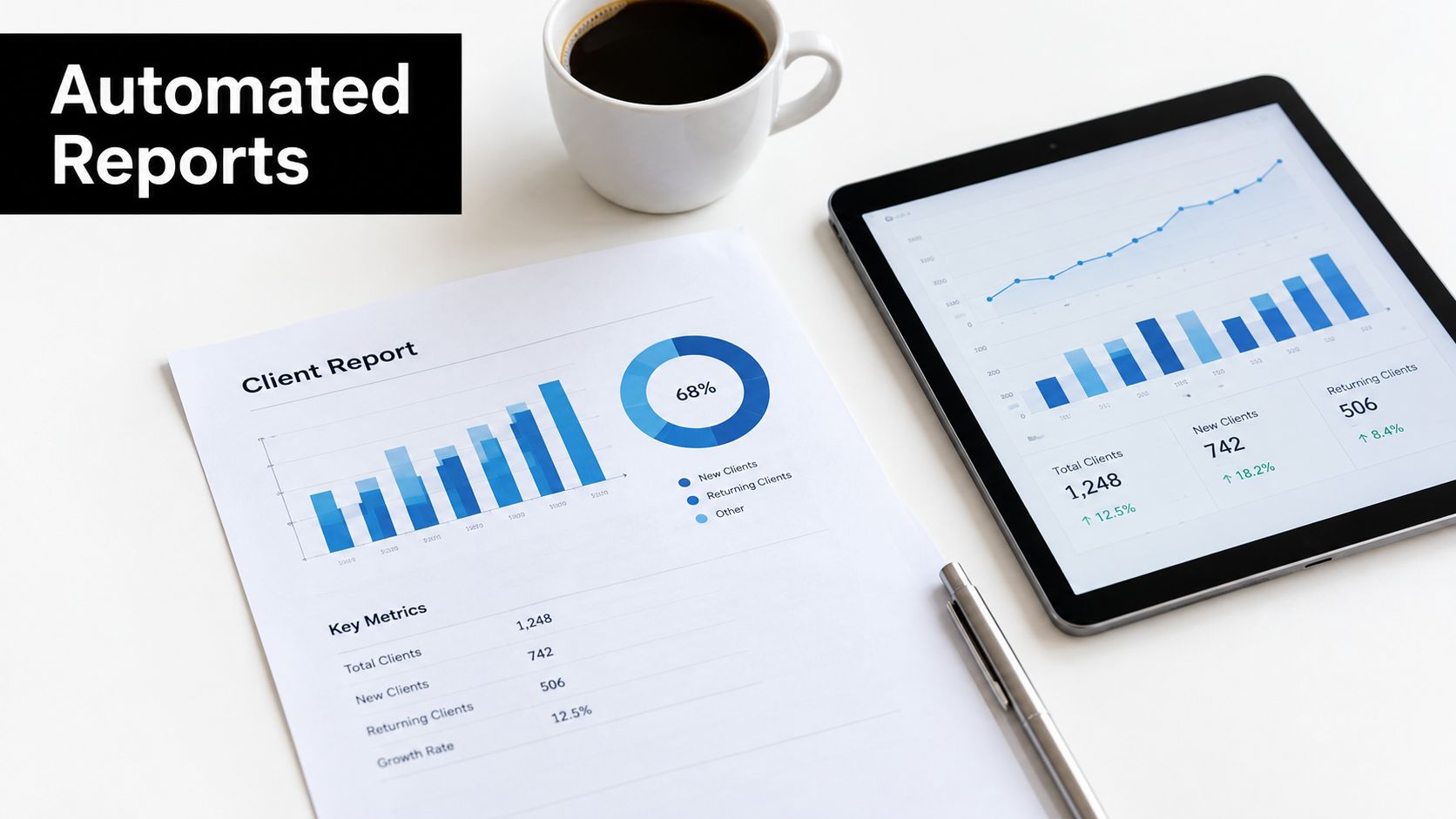
Client reporting is a strong candidate for automation because the format often repeats while the underlying data changes. A workflow can pull approved project progress, budget status, completed deliverables, open risks, and upcoming milestones into a branded report, then send it for internal review before delivery.
A digital agency might use a reporting template for each service line. Search, content, paid media, and development data can populate different sections, while the account lead adds context about decisions, constraints, and recommendations. The report becomes a starting point for a client conversation rather than a spreadsheet assembly exercise.
Separate facts from interpretation
Raw metrics should come from verified systems. AI can draft a narrative, identify unusual changes, or suggest questions, but it shouldn't invent reasons for a variance. If a milestone moved because a client approval arrived late, the account lead should confirm that explanation before it appears in the report.
Use modular templates with clear ownership for each field. Define which data is current, which is provisional, and which requires a human note. Schedule delivery around the client's review rhythm, but keep a manual hold option for sensitive updates.
The 2026 industry analysis on project management cited a 75% rate of organizations experiencing project overruns involving budget, scope, or schedule, with 45% identifying schedule overrun as the most common project problem. Those figures don't prove that automated reports prevent overruns. They do show why timely, consistent visibility deserves a place in the delivery workflow.
6. Automate Communication and Notifications
More notifications don't create better coordination. Relevant notifications do. A useful communication workflow sends the right event to the right audience, with enough context to act, while suppressing routine updates that don't require attention.
When a milestone changes, the project channel may need a short update. The client may need a reviewed message. The executive team may only need an escalation if the change affects a committed date. These are different audiences, so one broadcast rule rarely works well.
Design for attention, not volume
Use role-based rules for event types such as blocked work, approval delays, missed handoffs, and material deadline changes. Add quiet hours for non-critical messages and define an escalation chain when nobody acknowledges a high-priority alert.
A SaaS launch workflow might post a deployment status in Slack, create a follow-up task for customer success, and notify the release owner only when a verification step fails. That pattern reduces duplicate updates while keeping the decision-maker close to the exception.
Review notification rules with the people receiving them. Ask which alerts lead to action and which are ignored. A project manager should be able to pause a noisy workflow, change the audience, or downgrade an event without waiting for a developer to rewrite the entire integration.
7. Integrate Time and Cost Tracking
Time and cost automation connects delivery activity to commercial reality. When logged time, approved rates, expenses, milestones, and invoices share a workflow, managers can see whether the project is consuming effort faster than planned and finance can prepare cleaner billing data.
Consider a fixed-fee implementation. When a team member logs time against a work package, the workflow updates consumed effort and compares it with the approved estimate. If the project approaches its internal budget threshold, it alerts the delivery owner. If a change request is approved, it updates the authorized scope before the next billing cycle.
Make tracking useful and trusted
Start with transparent, non-intrusive collection. Explain what data the system captures, who can see it, and how managers will use it. Audit automated records against project notes and approved timesheets, especially during the pilot.
Time data can reveal scope creep, but it can also reflect poor task design, unplanned support, or a difficult customer decision. Don't treat an alert as proof of underperformance. Route it to a human who can investigate the cause and choose among replanning, commercial escalation, process improvement, or no action.
Connect the approved records to accounting and invoicing only after validation. The safest first workflow is an internal budget alert with a review step, not automatic client billing based on unverified activity.
8. Automate Risk Identification and Mitigation
Risk workflows should respond to operational signals that often precede delivery problems. A task may become overdue while its successor remains scheduled, logged effort may rise while a deliverable remains incomplete, or a scope field may change after work begins. Each event is useful context. Combined, they can trigger a review before the issue reaches a client or downstream team.
Set explicit rules for those combinations. The workflow can score the condition, create a mitigation task, assign an owner, and escalate unresolved risks by severity. For a product release, it might detect an untested dependency, request an updated decision date, and add the item to the project register. Start with one risk type and a review queue rather than automating every response.
Keep the project manager in the loop
Use your delivery history to define thresholds, then document the response for common scenarios. Every alert should show the triggering event, the data used, and the reason for its severity. Project managers need a regular review point to validate flagged risks and close false positives with an explanation.
Evidence from construction shows why human review matters. A global 2025 survey of construction-project professionals reported that 52.4% were actively using AI-driven solutions, while a separate construction-automation study found that 52.5% saw project-management improvements, 25% saw no change, and 22.5% experienced declines. Successful deployment requires a baseline, controlled pilot, quality checks, and stop criteria.
Keep an audit log for every generated action. The workflow should recommend or route mitigation, while a responsible person decides whether to change a budget, make a client commitment, or assess an employee.
Dependencies deserve their own record. Capture the predecessor, successor, owner, expected date, current status, and consequence if the link fails. A useful alert arrives before a downstream team starts work based on a false assumption.
For a SaaS release, dependencies may include security approval, documentation, enablement, and customer communications. If security review slips, the workflow can identify affected tasks, notify their owners, and propose a revised sequence. A project manager must check contractual commitments and team availability before changing dates.
Automate visibility before rescheduling
Begin by validating dependency records with project leads. Then alert on critical-path changes, blocked predecessors, and tasks waiting for external input. The manager can choose whether to add capacity, change order, split the deliverable, or renegotiate the date.
This process can expose bottlenecks across projects. If one approval or specialist repeatedly blocks delivery, operations can address capacity or policy instead of adding more reminders. Start with alerts and ownership, then consider automated mitigation after the signal quality is proven.
See the dependency workflow in context:
10. Add AI-Powered Project Insights and Predictive Analytics
Predictive analytics should come after teams establish dependable project data. With consistent task definitions, time records, and delivery processes, a model can estimate completion dates, detect patterns linked to slippage, and identify where a manager should investigate. It cannot correct missing inputs or adapt reliably to an undocumented process change.
For a B2B onboarding team, the trigger might be a new engagement whose dependencies, staffing, and planned cycle time resemble previously delayed work. The system can then flag the project, summarize the matching evidence, and recommend a plan review, customer-input check, or additional checkpoint. A manager still decides whether the recommendation fits the account and delivery context.
Measure prediction before trusting it
Start with one prediction and a defined review cadence. Record the forecast, the available evidence, the manager's decision, and the eventual result. Review false positives and missed risks monthly. Improve the data model when the signal is useful, or retire it when reviewing alerts creates more coordination work than value.
The Association for Project Management survey of 1,000 project professionals reports that 70% reported organizational AI use in project work, 29% planned to adopt it, and 1% reported neither use nor plans. Adoption does not prove business value. Track completion quality, exception frequency, manual intervention, and whether the recommendation improves a real decision.
For implementation patterns, a guide to AI in project management can help connect predictive assistance with existing workflows. Keep the evidence visible, limit sensitive data, and provide a rollback path if the signal becomes unreliable.
Project Management Automation, 10-Item Comparison
| Solution | Implementation complexity | Resource requirements | Expected outcomes | Ideal use cases | Key advantages |
|---|---|---|---|---|---|
| Workflow Automation for Task Assignment and Distribution | Medium–High, rule engine + AI tuning | Skill matrix, PM tool integrations, initial data setup, ongoing maintenance | Faster assignments, balanced workloads, fewer bottlenecks (productivity +30–40%) | Agencies and SaaS teams managing many concurrent projects | Real-time skill-based matching, scalable distribution, capacity planning |
| Automated Status Updates and Progress Tracking | Medium, integrations + summary generation | Time-tracking, task data sources, dashboards, AI summary engine | Up-to-date project health, fewer status meetings, saves leadership time | Distributed teams, exec reporting, fast-moving projects | Real-time visibility, early risk detection, auto-generated summaries |
| Intelligent Resource Allocation and Capacity Planning Automation | High, forecasting models and ongoing recalibration | Comprehensive historical data, skill inventories, forecasting tools | Balanced utilization, improved delivery timelines (15–25%), lower hiring needs | Scaling agencies, professional services, multi-project organizations | Demand forecasting, utilization optimization, hiring/training insights |
| Automated Approval Workflows and Governance | Medium, policy mapping and conditional logic | Document systems, digital signatures, rule definitions, audit logging | Dramatically faster approvals (reduces time by ~70–80%), consistent compliance | Regulated industries, finance, HR, procurement workflows | Consistent enforcement, audit trails, SLA tracking and escalations |
| Automated Client Reporting and Deliverable Generation | Medium, data aggregation + templating | Connectors to multiple data sources, report templates, branding assets | Saved reporting time per client, higher client satisfaction and retention | Agencies, account teams, services with repeat client reporting | Branded automated reports, scheduled delivery, scalable client touchpoints |
| Automated Communication and Notification Systems | Medium, routing rules + multi-channel integration | Communication platforms (Slack/Email/SMS), routing rules, user preferences | Reduced noise, faster response times, better stakeholder awareness | Distributed teams, incident management, stakeholder updates | Role-based routing, smart filtering, escalation and analytics |
| Automated Time and Cost Tracking Integration | Medium–High, activity capture + billing links | Activity monitoring, calendar integrations, accounting/billing systems | Accurate billing, real-time profitability, reduced manual timesheets | Professional services, agencies billing hours, project finance teams | Automatic invoicing, scope-creep detection, project profitability insights |
| Automated Risk Identification and Mitigation Workflows | High, risk models + mitigation playbooks | Historical project data, defined mitigation playbooks, escalation rules | Early risk detection, reduced overruns (20–30%), proactive mitigation | Complex projects, PMOs, high-stakes client engagements | Real-time risk scoring, automatic mitigation triggers, assigned ownership |
| Automated Dependencies and Bottleneck Detection | Medium–High, dependency mapping & critical-path logic | Accurate task dependency data, scheduling tools, validation processes | Prevents cascade delays, improves predictability (on-time +15–25%) | Interdependent projects, product launches, complex schedules | Critical-path visibility, real-time alerts, suggested mitigation actions |
| AI-Powered Intelligent Project Insights and Predictive Analytics | High, ML models, data pipelines, continuous training | Large historical dataset, data science/ML resources, consistent data practices | Improved estimation accuracy (30–50%), predictive recommendations | Organizations with rich project history seeking forecasting accuracy | Predictive forecasts, pattern discovery, continuous model-driven improvement |
Build the Automation Layer in Stages
Project management automation becomes reliable when teams build it as an operating layer. Start with shared project data: task statuses, owners, dates, priority values, budget fields, approval states, and dependency conventions. If teams define “complete” differently, completion triggers will produce inconsistent actions.
Choose one high-volume workflow with a clear business consequence. Task routing, status updates, approval reminders, and budget alerts are safer first pilots than autonomous forecasting. Document the workflow in plain language:
- Trigger: Which event starts it?
- Action: What does the system create, update, send, or calculate?
- Owner: Who is accountable for the result?
- Exception: Which cases need human review?
- Escalation: What happens if nobody responds?
- Evidence: What gets logged for inspection?
Connect only the systems that workflow requires. A task-routing pilot may use an intake form, CRM, project board, skills record, and notification channel. It may not need access to financial or employee systems. Narrow permissions reduce exposure and make failures easier to diagnose.
Measure the baseline before rollout. Track cycle time, overdue work, rework, missed handoffs, escalation volume, forecast accuracy, stakeholder satisfaction, and manual interventions. Evaluate whether delivery becomes more reliable without creating hidden review work.
AI adoption is practical across project teams, but implementation quality varies. The project-management AI adoption research identifies challenges such as technical knowledge and training, security and privacy, workflow integration, and trust in accuracy. Documentation, training, permission design, and an assigned automation owner therefore belong in the delivery plan.
MakeAutomation helps B2B and SaaS teams design, document, and implement custom workflows across project management and broader AI operations. Its professional-services patterns can connect project intake, time tracking, reporting, and workflow orchestration through n8n, Make, Zapier, and Power Automate. The guide to business automation provides useful context for designing the wider operating model.
The durable principle is to remove repetitive coordination while preserving human judgment for exceptions, relationships, sensitive information, and strategic decisions. Use a reliable trigger, a bounded action, and a visible review path. Start with one workflow, inspect its results, then expand.
MakeAutomation helps B2B and SaaS teams design, document, and implement workflows for task routing, reporting, approvals, time tracking, and AI-assisted operations. Visit MakeAutomation to discuss a custom automation framework and identify the safest workflow to build first.