Sales Automation Example: 7 Real Workflows for B2B Teams
A hot inbound lead submits a demo form and waits a day for triage. A rep forgets the third follow-up. The CRM still shows a deal as active even though nobody has touched it for weeks. These gaps rarely come from a lack of effort. They come from repeatable handoffs that depend on memory, manual data entry, and inconsistent judgment.
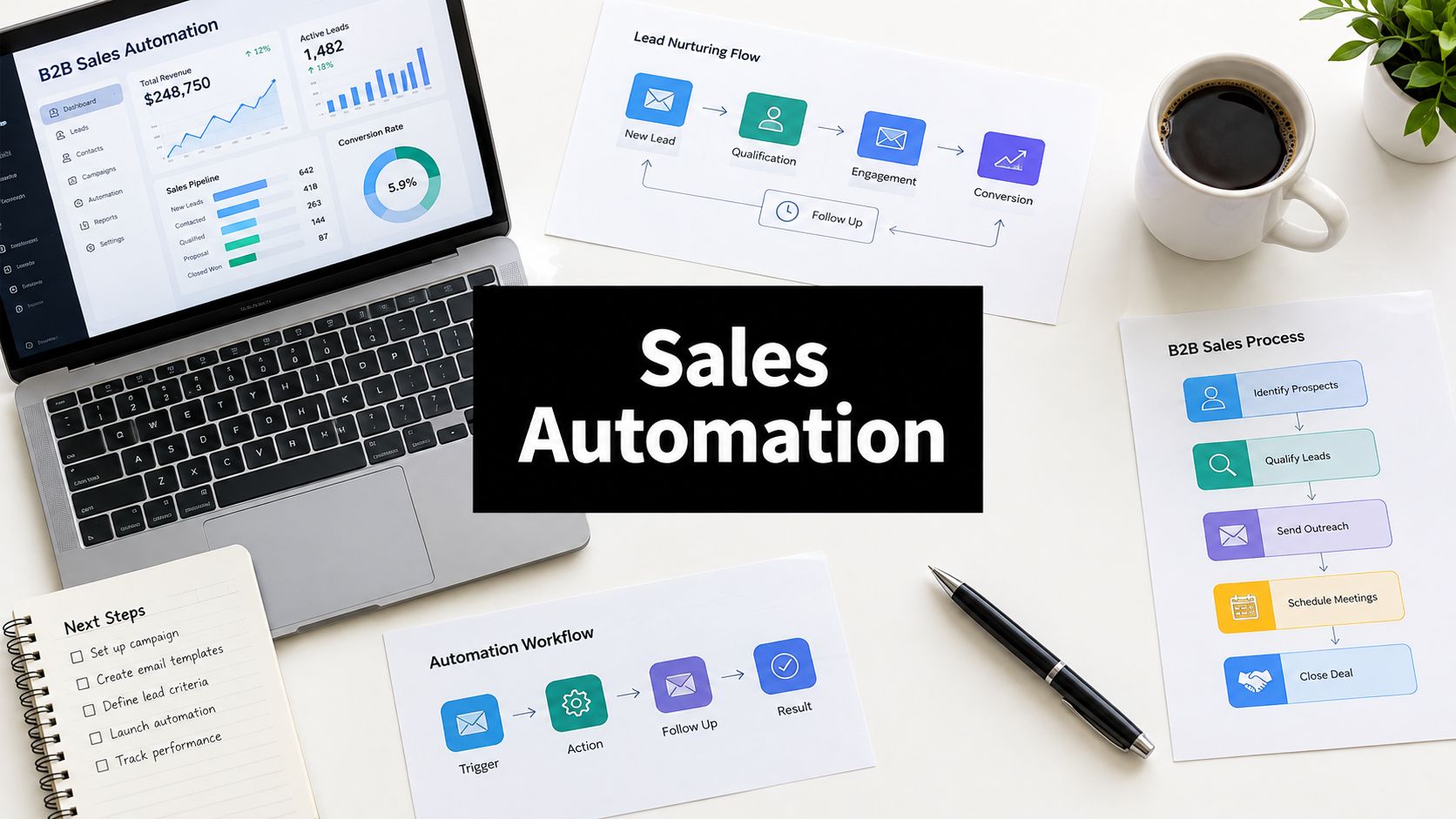
The practical answer isn't to automate every sales activity at once. The strongest systems automate a specific trigger, apply clear rules, and leave people in control of decisions that carry commercial or reputational risk. This sales automation example guide breaks down seven workflows, including what each one replaces, which tools commonly power it, how the sequence works, where it fails, and which metric proves its value. For related AI-led search and growth workflows, see AI SEO.
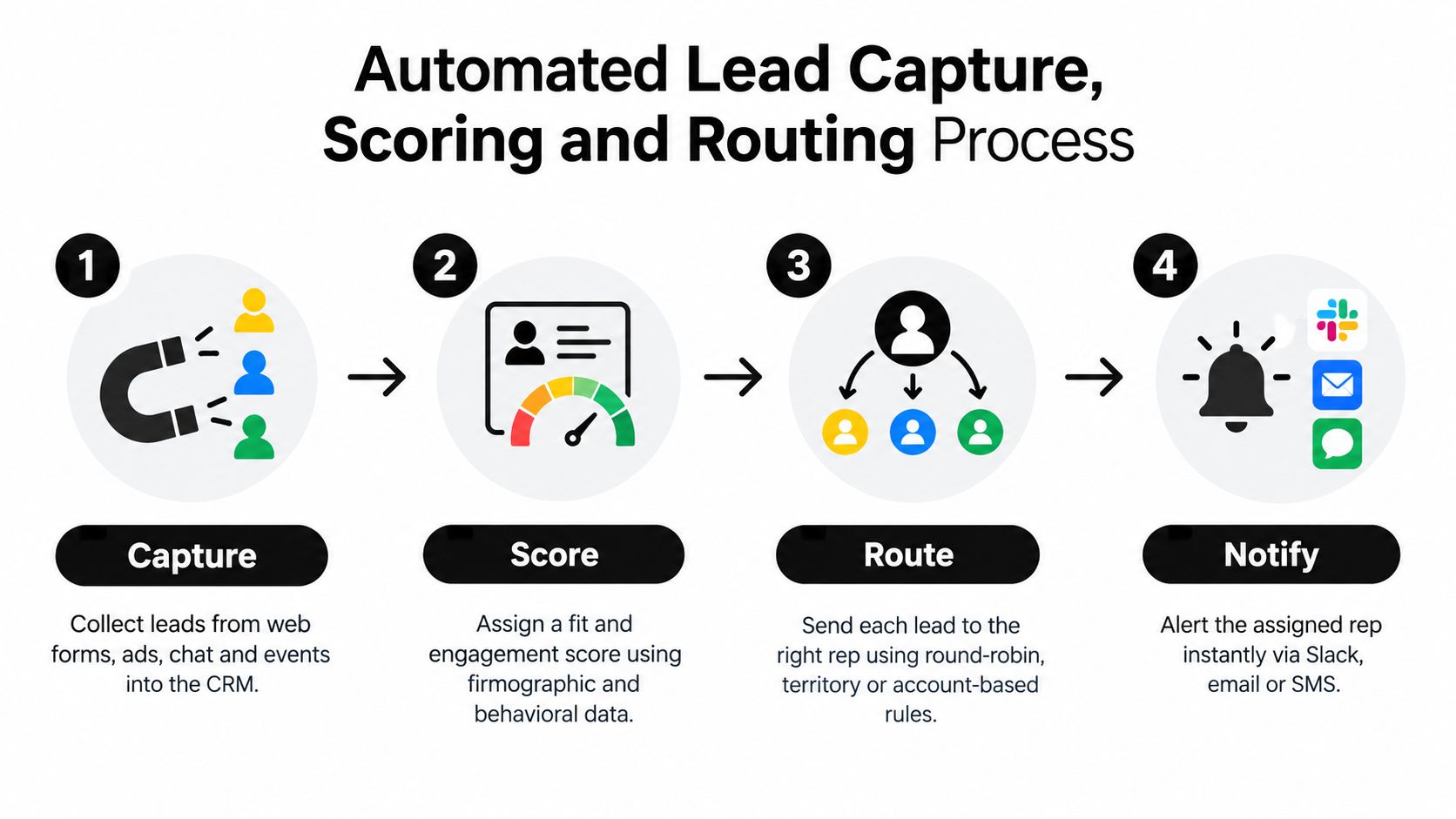
1. Automated Lead Capture, Scoring and Routing
A form submission shouldn't become a spreadsheet row waiting for someone to interpret it. Connect website forms, advertising platforms, landing pages, and integration sources to a CRM such as HubSpot or Salesforce. The workflow creates or updates the contact, records the campaign and UTM data, scores the lead against agreed criteria, and assigns it to an owner or queue.
A practical routing rule might send a demo request from an enterprise domain directly to an account executive, while directing a smaller company to an SDR queue or self-serve path. Territory, account ownership, product interest, and round-robin availability can all influence the assignment. The important point is that the rules must be explicit before anyone builds them.
Build the control logic first
Document the ideal customer profile and scoring weights before switching on automation. A high score based only on repeated page visits can create noise if the company doesn't fit your market. Review scoring against closed-won and disqualified opportunities on a regular schedule, then adjust the rules when the data proves they're wrong.
Set a service-level target for first contact and trigger an alert when the owner misses it. Add a fallback assignment so a lead never remains unowned because a territory is blank or a rep is out of office.
Practical rule: Capture source and campaign data at creation. Without it, you can't distinguish a channel that creates activity from one that creates qualified pipeline.
The metric that proves this workflow works is speed to lead, paired with qualified-meeting rate by source. If response time improves but low-fit leads flood the team, the routing model needs work. Guidance on optimising your website for leads can help strengthen the capture layer before you automate downstream actions.
2. Multi-Step Automated Outbound Email and Sequencing
A rep writes a relevant first message, adds the prospect to a sequence, and lets the system handle the reminders. Platforms such as Outreach and Salesloft support structured sales engagement for larger teams, while Apollo.io and Lemlist combine prospecting data with sequencing for smaller teams and agencies.
The trigger is usually a qualified prospect entering a campaign. The sequence sends an initial email, creates LinkedIn or call tasks, waits for a defined interval, and branches when the prospect replies, clicks, or books a meeting. A reply or booking should immediately remove the prospect from the sequence. Continuing to send automated messages after a live response is one of the fastest ways to make a useful system look careless.
Automate timing, not judgment
Write the first two emails manually as templates. Those messages establish the point of view, audience fit, and offer. Automate later touches only when each one adds something new, such as a relevant observation, a useful resource, or a different way to evaluate the problem.
Protect deliverability before increasing volume. Warm sending domains, respect provider limits, and avoid treating open rate as the main success signal because privacy changes have made it less reliable. Review reply rate and positive reply rate for every step, then remove steps that create activity without conversations.
A sequence should make a good rep more consistent, not make an irrelevant message arrive faster.
The workflow replaces personal calendar reminders and manual follow-up queues. It doesn't replace research, positioning, or the need to stop contacting someone who has clearly opted out. The process is simple: add the prospect, personalize the first touch, branch on behavior, exit on response, and send the qualified conversation to a human.
3. Automated Lead Enrichment and Data Hygiene
Incomplete CRM records weaken every workflow that follows. An enrichment process runs when a new record is created, adds firmographic and contact details, standardizes fields, and flags duplicates before the lead reaches a rep. HubSpot's Breeze Intelligence, ZoomInfo, and Apollo.io are common options for company and contact enrichment.
The trigger can be a form submission, a new imported record, or a scheduled review. The sequence looks like this: identify the company, match the person, append relevant fields, verify what can be verified, normalize the values, then return the record to scoring and routing. If the match is uncertain, the workflow should flag the record for review instead of overwriting good data.
Keep enrichment subordinate to your CRM rules
Enriching at the point of capture gives routing and scoring complete information. A separate recurring hygiene workflow can identify stale or inactive contacts, merge duplicates, and re-verify records according to your data policy. Don't archive a contact just because activity is missing. First distinguish an inactive prospect from a strategic account that deserves careful research.
Compare providers against a representative sample before committing. Track match rate, field completeness, duplicate rate, and the percentage of enriched records that require manual correction. Those measures tell you whether the provider is improving the database or merely adding more fields.
A useful implementation sequence is:
- Capture the source record: Preserve original form values and consent details before enrichment changes anything.
- Apply confidence rules: Accept high-confidence matches automatically and send ambiguous matches to review.
- Normalize fields: Use consistent formats for industries, company sizes, regions, and job titles.
- Measure record quality: Track completeness and correction rates, not just the number of appended fields.
For a deeper implementation path, CRM data enrichment should be treated as a governed workflow rather than a one-time data purchase. The metric that proves it works is enrichment match rate, combined with the downstream effect on routing accuracy and rep correction time.
4. Automated Meeting Scheduling and Booking Flows
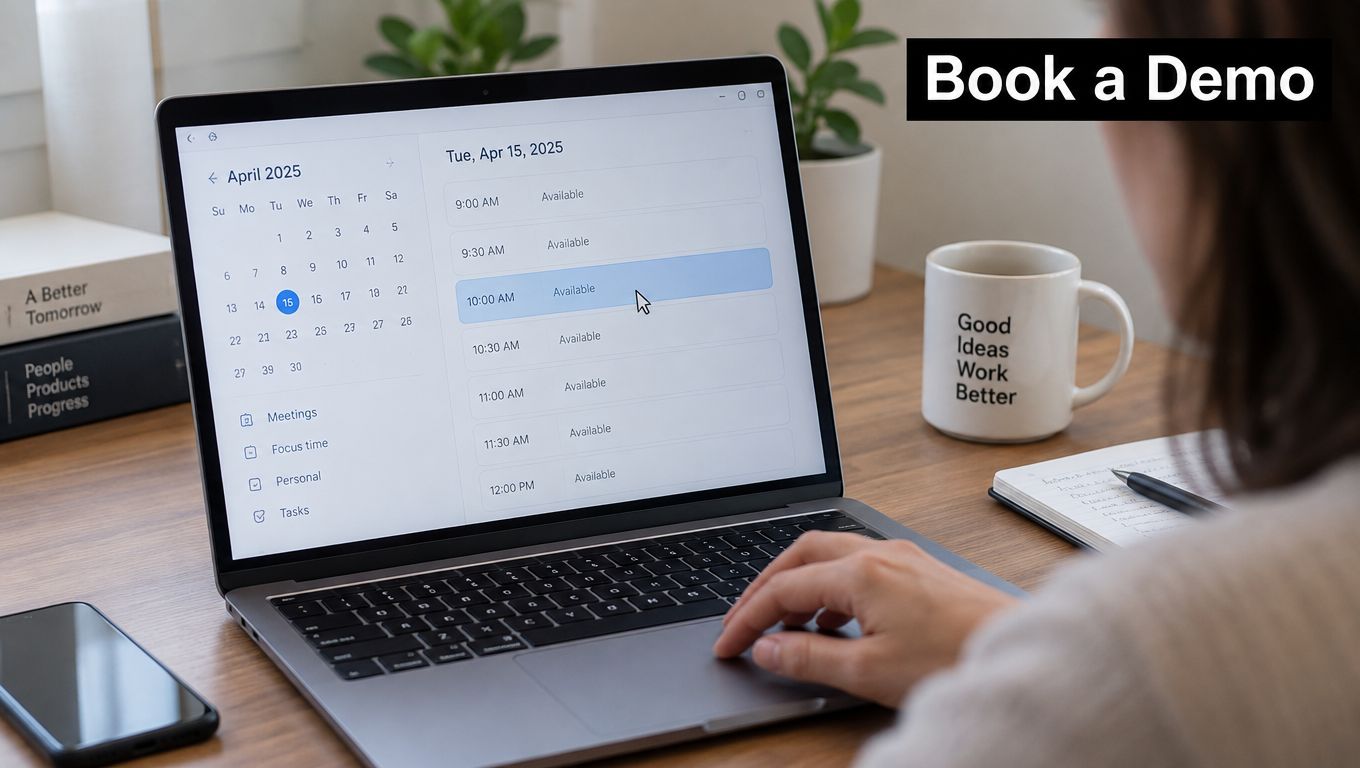
Scheduling friction often appears after a prospect has already shown intent. The buyer replies positively, then both sides exchange availability until the conversation loses momentum. Calendly can place booking links in emails and on websites, while Chili Piper can route inbound form submissions to available representatives during the qualification flow.
The trigger might be a booking link click, a positive reply, a completed form, or a chatbot answer. The system checks calendars, applies round-robin or account ownership logic, creates the event, updates the CRM, and sends confirmations and reminders. It should also record the qualification answers so the rep doesn't enter the meeting without context.
Put qualification inside the booking path
Add a small number of useful questions to the booking form. Company type, primary use case, implementation timing, or the product area of interest can determine who should attend and how the meeting should be prepared. Too many questions turn a low-friction booking into another form abandonment point.
Place the booking link at the moment an outbound sequence would otherwise ask for a reply. Add buffer time between meetings, limit daily volume, and send a concise preparation note with the agenda, expected attendees, and any requested materials. A reminder should reduce uncertainty, not become another generic notification.
The workflow replaces back-and-forth coordination, but it doesn't replace qualification. If every visitor can book the same meeting with the same team, the calendar fills with conversations that should have taken a self-serve path or a different specialist.
Measure booking conversion, attendance, and the share of meetings that meet the qualification standard. A calendar full of meetings isn't proof of a healthy workflow if the wrong prospects are reaching the wrong reps.
5. Automated CRM Activity Logging and Pipeline Updates
CRM data becomes unreliable when reps must recreate every email, call, meeting, and next step by hand. Salesforce Einstein Activity Capture can synchronize email and calendar activity with Salesforce records, while HubSpot's email and calendar sync can log activity against contacts and deals.
The workflow begins with a connected communication event. It identifies the contact and opportunity, attaches the activity, and creates a task when a defined follow-up is due. More advanced implementations use meeting notes, proposal events, or agreed deal signals to suggest updates to stage, next step, or close date. Those suggestions should remain reviewable when the evidence is ambiguous.
Define stages before automating movement
Write exact entry and exit criteria for every pipeline stage. "Good conversation" isn't an operational rule. A stage might require a confirmed use case, identified stakeholders, agreed next action, or documented commercial process. Without those conditions, automated stage changes make bad forecasting look more current.
Exclude internal and personal domains from activity capture. Audit a sample of live deals against the actual conversations each month, and use inactivity alerts to prompt manager review rather than automatically closing an opportunity. A deal can be quiet because the buyer is delayed, not because the opportunity is dead.
Manager check: Use automation to surface missing evidence. Don't let it manufacture certainty from a missing note or an unconfirmed email signal.
The metric is pipeline data completeness, supported by forecast accuracy and the rate of opportunities with a documented next step. The workflow succeeds when managers trust the CRM enough to coach from it, not merely when the activity feed looks busy.
6. Chatbot-Driven Website Lead Qualification
A visitor on a pricing or integration page has different intent from someone reading a general blog post. A chatbot can respond to that context, ask about the visitor's company, use case, timeline, and requirements, then book a meeting, route the visitor to a resource, or bring in a human.
Drift, now part of Salesloft, helped establish conversational marketing and chatbot booking for B2B websites. Qualified and Intercom provide chat-based qualification and routing options. The tool matters less than the handoff design. The bot must know when it has enough information and when it should stop pretending to be the right interface.
Keep the conversation narrow
Limit qualification to a few useful questions and let visitors skip anything they don't want to answer. Trigger the experience on high-intent pages instead of interrupting every visitor. A person comparing integrations may need a technical answer, while a pricing visitor may be ready for a commercial conversation.
Review chat transcripts every week. Look for repeated questions, dead ends, misunderstood intent, and requests that should go directly to a person. Update the answer library and routing rules from those conversations rather than guessing what visitors need.
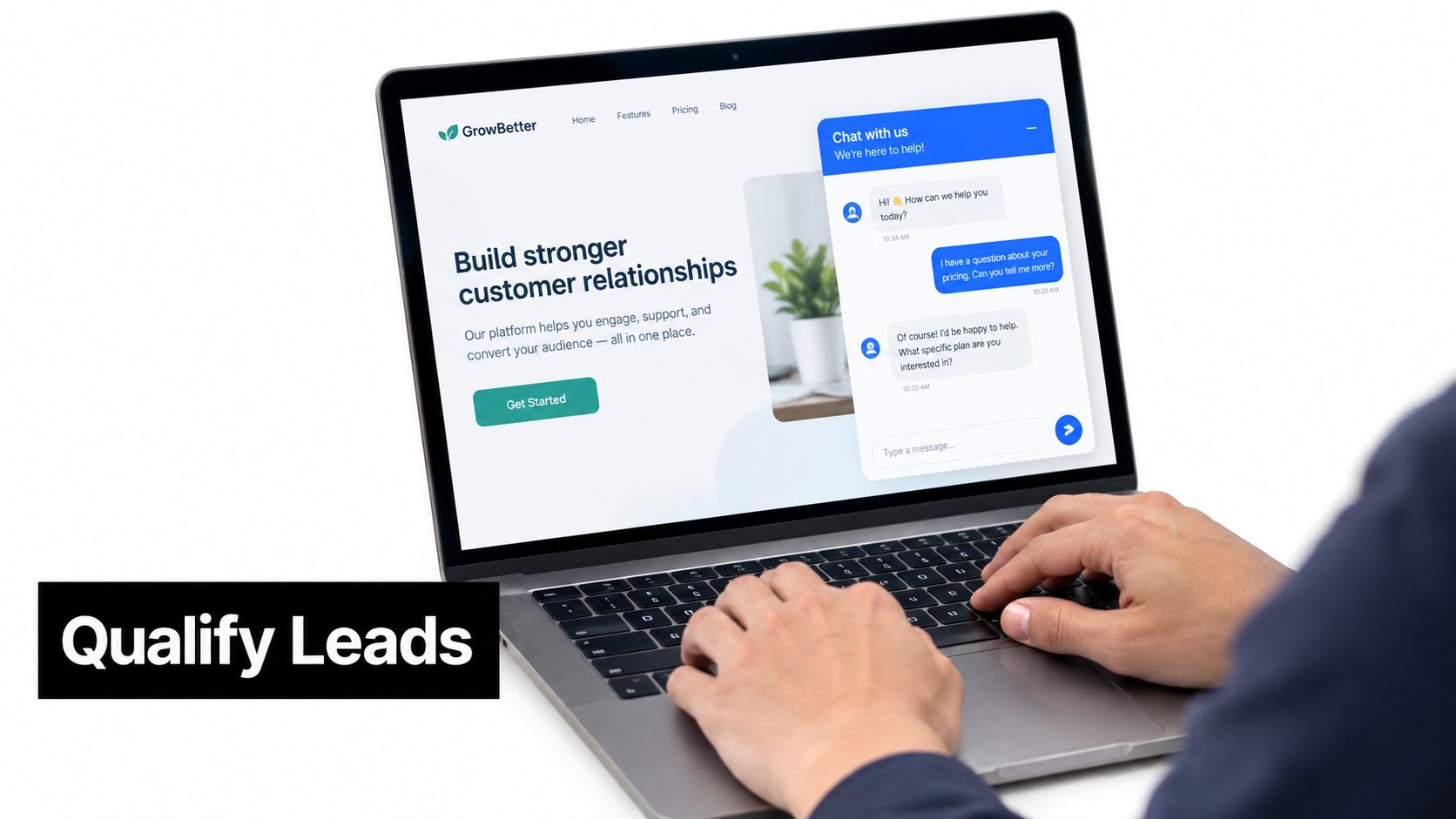
The workflow replaces the empty form and the delayed response, not human expertise. A clear human route is essential for unusual accounts, complex integrations, security questions, and buyers who don't want to interact with a bot. Teams can use a chatbot for lead generation when the qualification logic and escalation path are documented first.
Measure qualified conversations, booking rate from high-intent pages, handoff rate, and unresolved-question rate. Total chat volume is a weak metric if most conversations end without a useful next step.
7. AI Voice Agents for Inbound and Outbound Sales Calls
Voice automation is most useful when the call has a narrow purpose. An inbound agent can answer basic questions, qualify a demo request, and book a meeting. An outbound agent can follow up on a quote or call a defined list, then transfer a qualified or sensitive conversation to a rep with the transcript and context attached.
Conversica supports conversational AI for lead follow-up through messaging and email. Platforms such as Retell AI, Vapi, and Bland AI let teams build custom voice agents connected to CRM and calendar systems. The system needs speech recognition, language processing, text-to-speech, clear guardrails, and a reliable human escalation path.
Start with one bounded call
Begin with inbound meeting booking rather than a broad outbound campaign. Define escalation conditions for high-value accounts, repeated misunderstanding, sensitive requests, specific keywords, or a direct request for a person. Confirm consent and disclosure obligations for the relevant region and call type before launch.
Review a sample of recordings every week. Failed calls reveal where prompts, knowledge sources, pronunciation, timing, or handoff logic need adjustment. Don't judge the workflow by call volume. Judge it by whether the right calls become useful conversations.
Bounded automation is safer than theatrical autonomy. Let the agent handle repetition, then slow down when the cost of being wrong rises.
Measure meetings booked per 100 calls, escalation rate, qualified-call rate, and failure reasons. A high escalation rate may mean the agent is finding the right boundary, or it may mean the initial use case is too broad. Use the recordings to tell the difference.
The video below provides a practical reference point for teams evaluating how voice automation could fit into an existing sales process.
For a focused implementation, AI voice agents for outbound calls should connect to the CRM, calendar, consent process, and escalation rules from the start.
7-Point Sales Automation Comparison
| Solution | Implementation complexity | Resource requirements | Expected outcomes | Ideal use cases | Key advantages |
|---|---|---|---|---|---|
| Automated Lead Capture, Scoring & Routing | Medium, CRM rules + scoring setup and routing logic | CRM, integration connectors, historical data for scoring, ongoing rule maintenance | Faster contact of hot leads; consistent initial qualification | B2B/SaaS with inbound lead volume and multiple reps | Faster speed-to-lead, fair distribution, measurable scoring |
| Multi-Step Automated Outbound Email & Sequencing | Medium–High, cadence logic, branch conditions, deliverability setup | Sales engagement platform, copywriting, warmed sending domains, compliance processes | Scaled outreach with consistent follow-up; improved messaging via tests | Outbound SDR/AE teams prospecting at scale | Consistent follow-up, scalable outreach, built-in A/B testing |
| Automated Lead Enrichment & Data Hygiene | Medium, integration with data providers and hygiene workflows | Enrichment provider subscriptions, credits, scheduled jobs, validation tools | More complete records, lower bounce rates, improved segmentation | Teams relying on firmographic/technographic data for scoring & routing | Better scoring/segmentation, reduced manual research, improved reporting |
| Automated Meeting Scheduling & Booking Flows | Low–Medium, calendar sync and booking rules | Scheduling tool (Calendly/Chili Piper), calendar access, form fields | Faster booking, fewer scheduling exchanges, reduced no-shows | Teams bottlenecked by scheduling or demos | Shorter time-to-meeting, pre-qualification, automated reminders |
| Automated CRM Activity Logging & Pipeline Updates | Medium, syncs, triggers, stage automation and filters | Email/calendar sync tools, permissions, rules and audit processes | More accurate pipeline data, less admin for reps, earlier flagging of stalled deals | Sales leaders needing reliable forecasts and better CRM hygiene | Improved forecasting, reduced manual logging, activity alerts |
| Chatbot-Driven Website Lead Qualification | Medium, bot scripting or AI models, handoff rules | Chat platform, knowledge base, CRM integration, monitoring | Immediate qualification, higher engagement outside hours, meetings booked | High-traffic B2B/SaaS sites (pricing/demo pages) | 24/7 qualification, faster responses, captures intent in real time |
| AI Voice Agents for Inbound and Outbound Sales Calls | High, speech+NLP models, telephony integration, compliance checks | Voice AI platform, CRM integration, call recordings review, legal/consent management | Handle large call volumes, consistent qualification, appointment booking | Businesses with high inbound calls or large outbound lists | Scales call handling, 24/7 coverage, consistent data capture |
Start With the Workflow That Costs You Most
Don't begin by buying a large collection of automation tools. Begin with the failure that is already visible in your operation. If inbound leads wait too long, start with capture, scoring, and routing. If reps lose opportunities in follow-up, start with sequencing. If managers don't trust the forecast, fix activity logging and pipeline evidence before adding AI outreach.
Record a baseline for the metric that matters to that workflow. That might be speed to lead, positive reply rate, enrichment match rate, booked meetings, data completeness, qualified conversations, or meetings booked per 100 calls. Keep the definition stable so the team can compare the automated process with the old one without changing the goal halfway through.
Historical sales-automation research makes the implementation lesson clear. A 2010 study found that global investment in sales force automation grew at an annual rate of 27%, reaching approximately $3.2 billion in 2007, while also showing that management alignment influenced adoption. The study on sales force automation investment and adoption is useful because it treats automation as an organizational change, not only a software decision.
Implementation quality matters just as much. A longitudinal study tracking 156 salespeople before and after a sales-technology rollout found that training, peer usage, customer pressure, and individual goals influenced adoption, with evidence that adoption improved job performance. The same source discusses historical SFA failure rates of 55% to 75% and other reviews reporting rates as high as 55% to 80%. Read the longitudinal sales technology adoption research as a warning against automating a process nobody understands.
There are strong reasons to automate, but the business case still needs discipline. A McKinsey-documented bid workflow reduced proposal production from approximately three weeks to two hours, an estimated 99% reduction in cycle time, and produced a 5% revenue uplift. The McKinsey sales-automation example shows the right boundary: automate repeatable preparation and routing, while keeping human review for exceptions, unusual terms, and final negotiation.
Build one workflow, test it with the people who will use it, review results on a fixed schedule, and only then add the next layer. MakeAutomation can help document, build, and support these workflows, including AI voice agents for inbound and outbound calls.
MakeAutomation helps B2B and SaaS teams design and implement lead routing, enrichment, CRM synchronization, follow-up sequences, pipeline workflows, and AI voice agents. Visit MakeAutomation to discuss the sales process that is costing your team the most time or pipeline, and turn that failure point into a measured automation build.