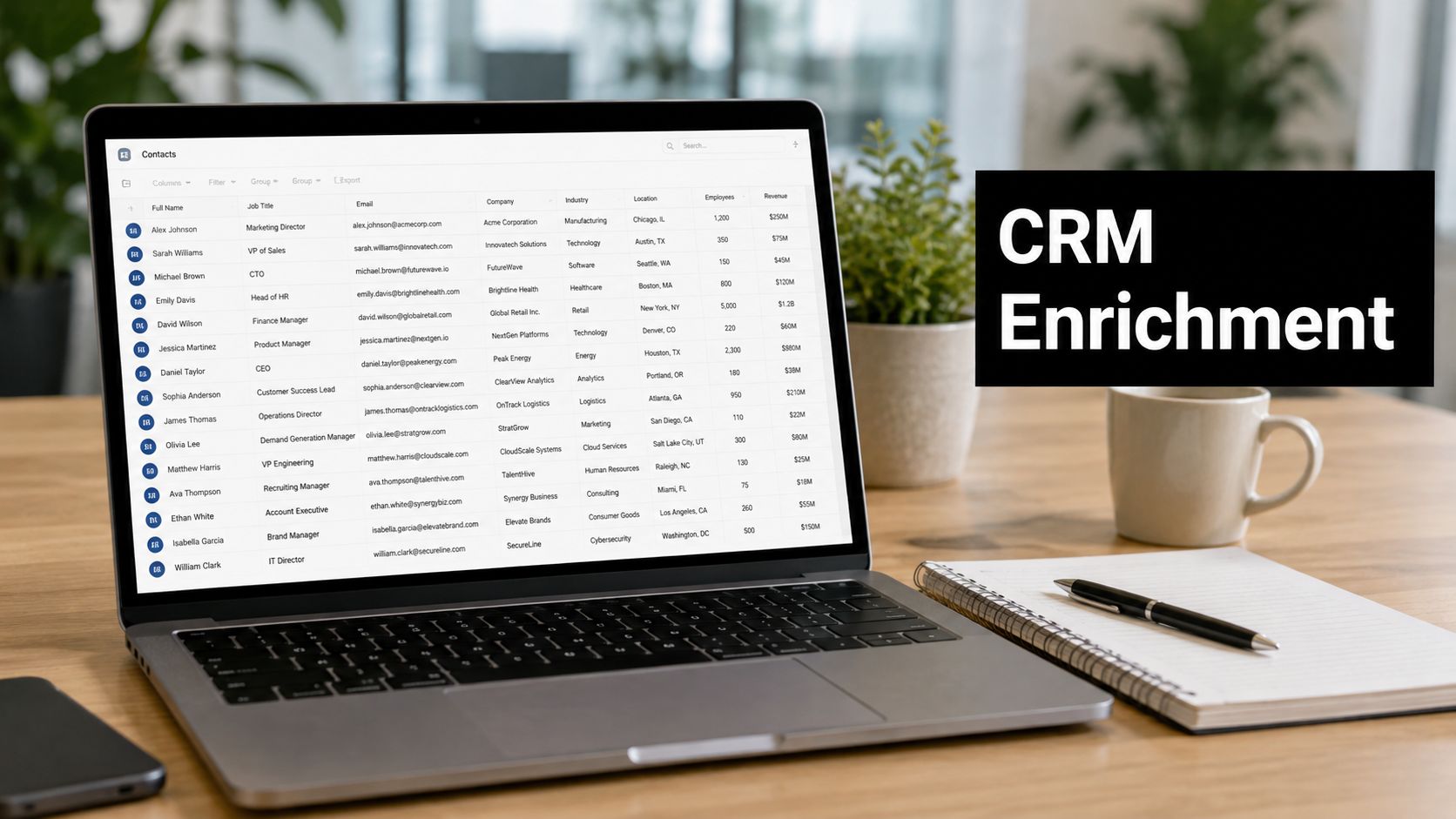
CRM Data Enrichment: A Practical Implementation Guide
Single-source enrichment returns only 70% to 80% email coverage on the same B2B lead set, while a 25+ provider waterfall can reach 98% verified email and 85% direct dials. That's the starting point for crm data enrichment, because the hard part isn't adding data once, it's keeping it accurate without corrupting what's already clean.
Many teams don't fail because they picked the wrong field or missed one vendor demo. They fail because they treat enrichment like a one-time import instead of an operating discipline with rules, thresholds, and review loops.
Why CRM Data Enrichment Matters Now
CRM data decays faster than many organizations admit. A record that looked usable at quarter start can be stale by the time a rep reaches it, and one benchmark playbook recommends refreshing records within 90 days because CRM data decays by about 30% per year (Enrich.so). That's why enrichment has moved from a cleanup task to a core revenue operation.
The bigger issue is the quality floor. Independent reporting cited in the brief says 76% of surveyed firms have less than half of their CRM data accurate and complete, and 91% of CRM data is incomplete overall (Versium, Validity coverage). If reps are working from partial records, every downstream workflow, routing, scoring, sequencing, forecasting, gets shaky.
Practical rule: if a field affects routing, scoring, or handoff, it belongs in your enrichment plan. If it doesn't change a decision, leave it alone.
What healthy CRM data looks like
The benchmark in the brief is straightforward. After enrichment, teams should aim for 90%+ field completeness, 90%+ valid emails, and bounce rates under 2% (Enrich.so). Before enrichment, many teams sit around 55% to 65% field completeness in the records that matter most.
That gap explains why manual work keeps creeping back in. Reps start checking LinkedIn, ops teams start fixing titles by hand, and marketing starts exporting lists for one-off cleanup. The process feels harmless until it becomes the hidden tax on every campaign launch.
The operational shift
The market signal also matters. Grand View Research-reported figures cited in the brief place the global data enrichment market at USD 2.37 billion in 2023 with a forecast of USD 4.58 billion by 2030, implying a 10.1% CAGR (SunTec India summary). That growth doesn't prove one vendor is right, but it does show enrichment is becoming infrastructure, not a side project.
For B2B and SaaS teams, that means a practical standard: enrich continuously, validate constantly, and measure the result against field completeness and bounce performance. If the workflow doesn't reduce manual cleanup, it isn't production-ready.
Defining Your Enrichment Objectives and Field Strategy
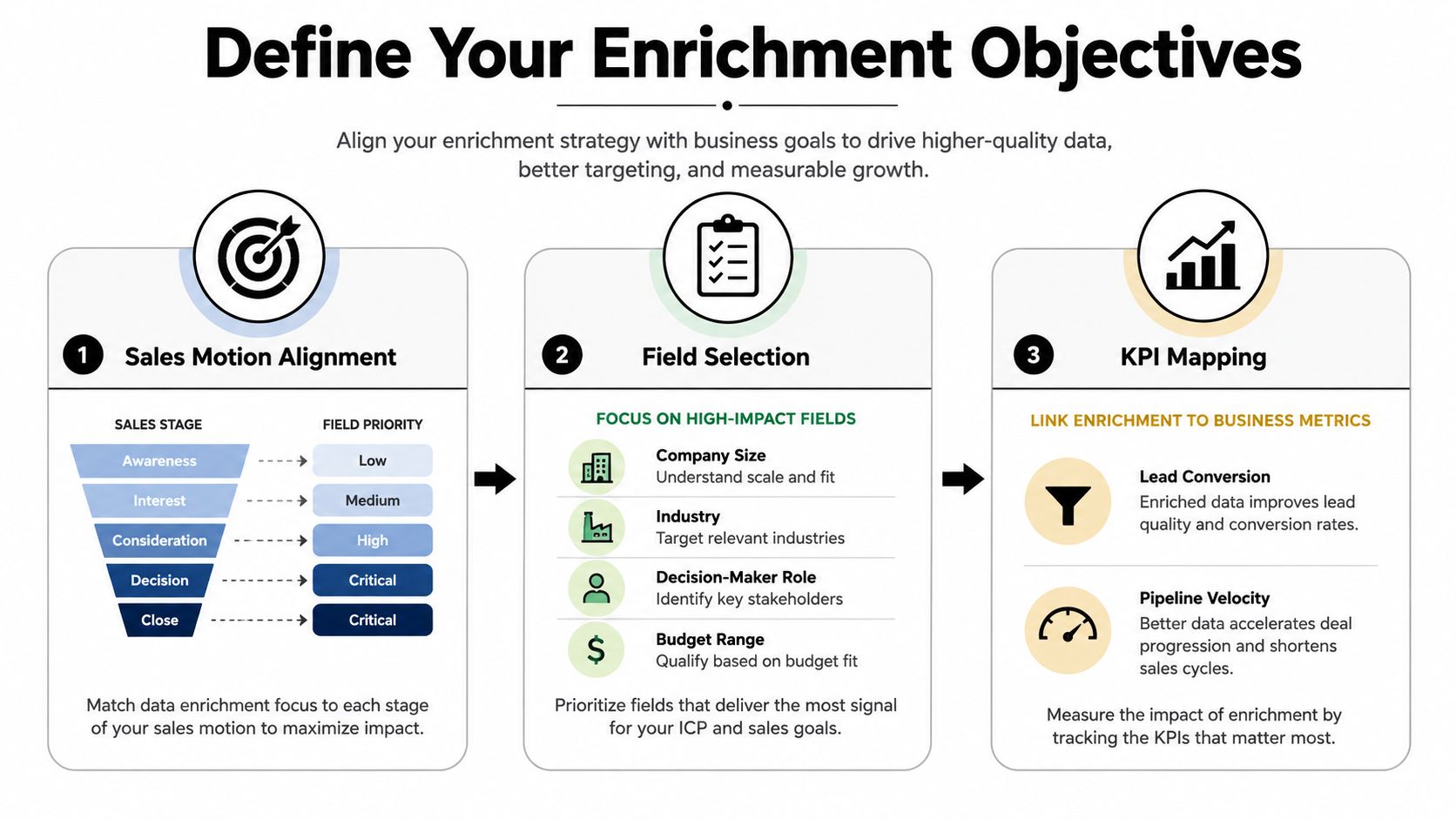
Start with the sales motion, not the tool. An account-based team needs different enrichment than a self-serve SaaS funnel, and a high-touch enterprise motion needs a different field set again. If you enrich everything, you usually end up maintaining fields nobody uses.
Match the field set to the buying motion
For self-serve onboarding, the most useful fields tend to be the ones that help you route, segment, and prioritize quickly. For enterprise deals, the useful fields are often the ones that clarify buying committee roles, company scale, and account fit. For contractor or services businesses, lead source and contactability often matter more than broad profile depth, which is why practical lead-source research like top contractor lead sources 2026 can be useful when you're deciding what enrichment inputs matter most.
A good field strategy starts with three questions.
- What decision does the field support? If it doesn't change scoring, routing, or outreach, it's probably noise.
- Where does the workflow break today? Missing emails break sequence delivery. Missing titles break personalization. Missing company data breaks segmentation.
- Who needs the field first? Marketing, SDRs, AEs, or customer success won't all need the same record shape.
Prioritize contact data before vanity depth
Contact-level data usually fixes the most urgent operational problems first. Verified emails and direct dials are often the fastest way to improve deliverability, calling efficiency, and assignment speed. Firmographic data, like industry and company size, becomes more useful once contactability is stable.
That doesn't mean firmographics are secondary. It means they work best when they support a specific motion, such as account qualification or territory routing. Industry data without a routing rule is just decoration.
Build a field priority matrix
The simplest matrix is also the easiest to maintain.
| Priority | Field Type | Why It Matters |
|---|---|---|
| High | Email, direct dial, job title | Enables outreach, sequencing, and correct assignment |
| Medium | Industry, company size, region | Improves segmentation and qualification |
| Lower | Extra profile attributes, enrichment extras | Useful only when they support a defined workflow |
The cleanest strategy is to enrich the few fields that directly reduce friction in your pipeline. That keeps your CRM lighter, your matching logic simpler, and your maintenance burden lower.
Selecting Data Sources and Vendors Wisely
Not every source deserves to sit inside your workflow. The strongest benchmark in the brief comes from a multi-source waterfall model, where a 25+ provider stack on 500 stratified B2B leads returned verified email for 98% of records and direct dials for 85%, while single-source databases on the same input returned only 70% to 80% email coverage and 30% to 60% phone coverage (CleanList). That's the operational reason single-vendor enrichment often disappoints.
Compare source types by job, not by hype
Commercial databases are useful when you need broad coverage and fast lookups. Intent data vendors help when the goal is prioritization, not contact discovery. Open-source and modular enrichment tools are stronger when you want to chain multiple providers and control fallback logic.
| Source Type | Email Coverage | Phone Coverage | Best For | Cost Model |
|---|---|---|---|---|
| Single-source database | Lower and inconsistent | Lower and inconsistent | Simple, low-volume workflows | Subscription or credit based |
| Multi-source waterfall | Higher, especially on hard-to-find records | Stronger direct-dial coverage | B2B teams needing broader match depth | Credit or usage based across providers |
| Intent or behavior vendor | Not the main purpose | Not the main purpose | Prioritization and timing | Platform subscription |
| Modular enrichment stack | Depends on the chain | Depends on the chain | Teams that need control and flexibility | Mixed platform and usage cost |
The point of the table isn't that one model is universally better. It's that source independence matters. Coverage and accuracy vary by field, geography, and database freshness, so one pass from one vendor is often not enough.
Evaluate vendors on operational fit
Look for freshness, geographic reach, match logic, and API reliability. If the vendor can't tell you how it handles mismatched records, retries, or stale outputs, it's not ready for production.
A lot of teams also want a shortcut to compare lead-source quality before they even enrich. Resources such as CRM for business owners can help when you're still shaping the operating model around the CRM itself, but the enrichment vendor decision still needs its own review criteria.
Practical rule: choose the vendor stack that gives you the best fallback coverage on your worst records, not the best demo on your cleanest ones.
If a provider only looks strong on already-good data, it won't hold up when the CRM gets messy.
Integrating Enrichment Workflows with Your CRM
The cleanest CRM enrichment setup is split into two flows, batch enrichment for existing records and real-time enrichment for new ones. That split keeps legacy cleanup from blocking live lead handling. It also lets you tune logic separately for historical data and incoming records.
A solid automation platform can sit in the middle of that setup, including MakeAutomation when the goal is to build repeatable enrichment logic across lead capture, routing, and CRM sync. The same discipline applies whether you're using native CRM automations or a toolchain built around data integration best practices.
Design triggers around record moments
Don't fire enrichment on every tiny update. Fire it when a record enters the system, when an MQL is created, before SDR assignment, and when a handoff rule needs better context. Those are the moments where missing data hurts.
A simple production flow looks like this.
- New lead enters CRM. Trigger enrichment immediately if email or domain is present.
- Existing record batch runs nightly or weekly. Fill gaps in older contacts without slowing live routing.
- Handoff stage opens. Refresh fields that affect scoring or owner assignment.
- Exception branch catches failures. Low-confidence or incomplete matches go to a review queue.
Map fields carefully before pushing data back
Field mapping is where many workflows break. If an external provider returns job_title and your CRM expects Title, the data won't matter unless the mapping is explicit. The same goes for company size, region, and any custom fields used by sales ops.
Keep overwrite rules conservative. Empty fields should fill automatically, but existing values should usually stay locked unless the new source passes your confidence threshold. That protects records your team already corrected by hand.
The video below shows how the automation layer can be used to stitch enrichment into a working CRM process.
Handle failures like a normal part of the process
API limits, temporary vendor outages, and partial matches happen. Build retry logic, then log each failure with enough context to replay it later. If the record still can't be enriched, route it to a manual queue instead of guessing.
That same workflow applies to CRM setup generally. If your team needs a broader implementation pattern, the CRM for business owners guide is a useful companion while you're deciding which automations belong inside the CRM and which should stay outside it.
The goal is simple, keep live records flowing while older data gets repaired in the background.
Building Validation Checks and Quality Controls
Enrichment can damage a CRM if match confidence is too loose. The worst failures don't look like failures at first, they look like usable data that slowly sends the wrong email to the wrong person. That's why validation belongs in the workflow, not after it.
Set rules before the first write
Define what counts as a valid email, a valid company, and a valid title before enrichment writes anything back. If a source returns an ambiguous match, don't append it automatically. Push it into a review queue.
Low-confidence matches are dangerous because they create false certainty. A record with a wrong company association is often more harmful than an empty field, because the team stops questioning it.
Use discrepancy checks to protect clean records
Cross-check enriched values against what already exists in the CRM. If the title, domain, or company name changes in a way that doesn't make sense, flag it for review. This is especially important for records that were hand-verified by sales or operations.
Rule of thumb: empty fields are safe to fill, but corrected fields should be treated like controlled data, not open territory.
A refresh cadence matters just as much as the initial match. As noted in the workflow benchmark earlier, records should be refreshed within 90 days because decay sets in quickly (Enrich.so). That cadence keeps you from treating last quarter's clean data as this quarter's truth.
Build an audit trail you can actually use
Every enrichment write should leave a trace. Log the source, timestamp, confidence level, and before-and-after value. If a bad append slips through, you need to roll it back without guessing which record changed.
The internal cleanup process matters here too. Teams using CRM data cleansing principles alongside enrichment usually catch duplicates and stale records earlier, which reduces the chance that good data gets overwritten by a worse match. That combination, cleansing plus validated enrichment, is what keeps the CRM stable over time.
A healthy workflow doesn't chase perfect data. It prevents silent corruption, then makes it easy to correct the few records that slip through.
Measuring ROI and Data Quality Improvements

Enrichment only pays off if it changes the numbers you already manage. Start by comparing data quality before and after enrichment, then trace those shifts into routing speed, outreach results, and conversion. If leadership cannot see the operational impact, enrichment becomes an easy target when budgets get tight.
Measure data quality before revenue impact
Track field completeness, valid email rate, bounce rate, and the share of records that pass validation without manual repair. As outlined earlier, target higher completeness, strong email validity, and bounce rates under 2% after enrichment (Enrich.so).
Those measures are not cosmetic. They show whether the CRM is getting easier to use or just fuller.
Tie the data shift to pipeline behavior
The ROI case usually comes from plain operational gains. If enrichment improves lead qualification, reps spend less time on bad records. If routing improves, the right leads reach the right owner faster. If email validity improves, more outreach lands where it should.
The brief also describes a B2B SaaS team that reported a 23% improvement in MQL-to-SQL conversion after automated enrichment with validation controls. Treat that as a specific example, not a universal outcome, but it shows the kind of lift to look for once the workflow is stable.
Use a recurring cost-benefit review
A practical ROI model compares enrichment cost with saved manual labor, better conversion, and fewer failed outreach attempts. If you are building that model formally, the cost benefit analysis framework helps structure the math around workflow inputs instead of guesswork.
Keep the review cadence tight.
- Check freshness monthly or quarterly: stale records should be re-enriched on schedule.
- Review exceptions weekly: low-confidence matches should not pile up.
- Audit source performance: weak providers should be removed quickly.
- Watch bounce and completion trends: those two numbers usually show drift before the team feels it.
Build an audit trail for enrichment writes. Log the source, timestamp, confidence level, and before-and-after value. If a bad append slips through, you need a clean rollback path instead of a guessing game about which record changed.
Teams that pair enrichment with CRM data cleansing usually catch duplicates and stale records earlier, which lowers the chance that a weak match overwrites good data. That combination keeps the CRM stable over time and makes it easier to correct the few records that still slip through.
A healthy workflow does not chase perfect data. It prevents silent corruption, then gives operations a way to fix exceptions without damaging the rest of the system.