SOP vs Process: What to Document First
Your team has SOPs for qualifying leads, updating the CRM, and onboarding clients. A new hire can follow the checklists, yet you're still chasing approvals, asking who owns the next step, and explaining to customers why work hasn't started. Before you commission another document, find out whether the problem is how people perform tasks or how work moves between them.
Why Teams Confuse an SOP with a Process
Consider a familiar founder's dilemma. Sales completes its qualification checklist, the account executive closes the deal, and client services follows the onboarding instructions. Everyone can show that they did their assigned work, but the customer is still waiting for a kickoff.
Nobody owns the gap between the completed sales record and an accepted delivery handoff. The team documents activity inside each function without making anyone responsible for movement across functions.
The missing work sits between checklists
In this example, asking each department to improve its SOP won't resolve the central problem. You need to inspect the waiting, routing, and acceptance decisions between those tasks.
Use this initial distinction to diagnose what's missing:
| What you're seeing | What to inspect first |
|---|---|
| People perform the same task differently | Task instructions and decision rules |
| Completed work waits for someone else | Handoff ownership and acceptance |
| Staff enter the same information repeatedly | System boundaries and data flow |
| Approvals stall despite correct submissions | Decision rights and approver capacity |
| Everyone finishes their checklist, but customers wait | The complete customer-facing workflow |
Treat these as diagnostic prompts, not automatic prescriptions. A delayed approval might require clearer submission instructions, a different approver, or removal of an unnecessary approval altogether.
Don't mistake coverage for control
My recommendation is to stop measuring documentation progress by how many pages your team has published. Ask whether an operator can identify the current owner, the next decision, and the evidence required to move work forward.
A larger SOP library isn't evidence that the operation is under control.
That changes the documentation conversation. Instead of asking every manager to record everything their team does, ask them to make the work's boundaries and unresolved ownership visible.
The useful question in SOP vs process isn't which document looks more complete. It's what should you document first, at what level, and who owns changes when the workflow moves?
What an SOP and a Process Each Control
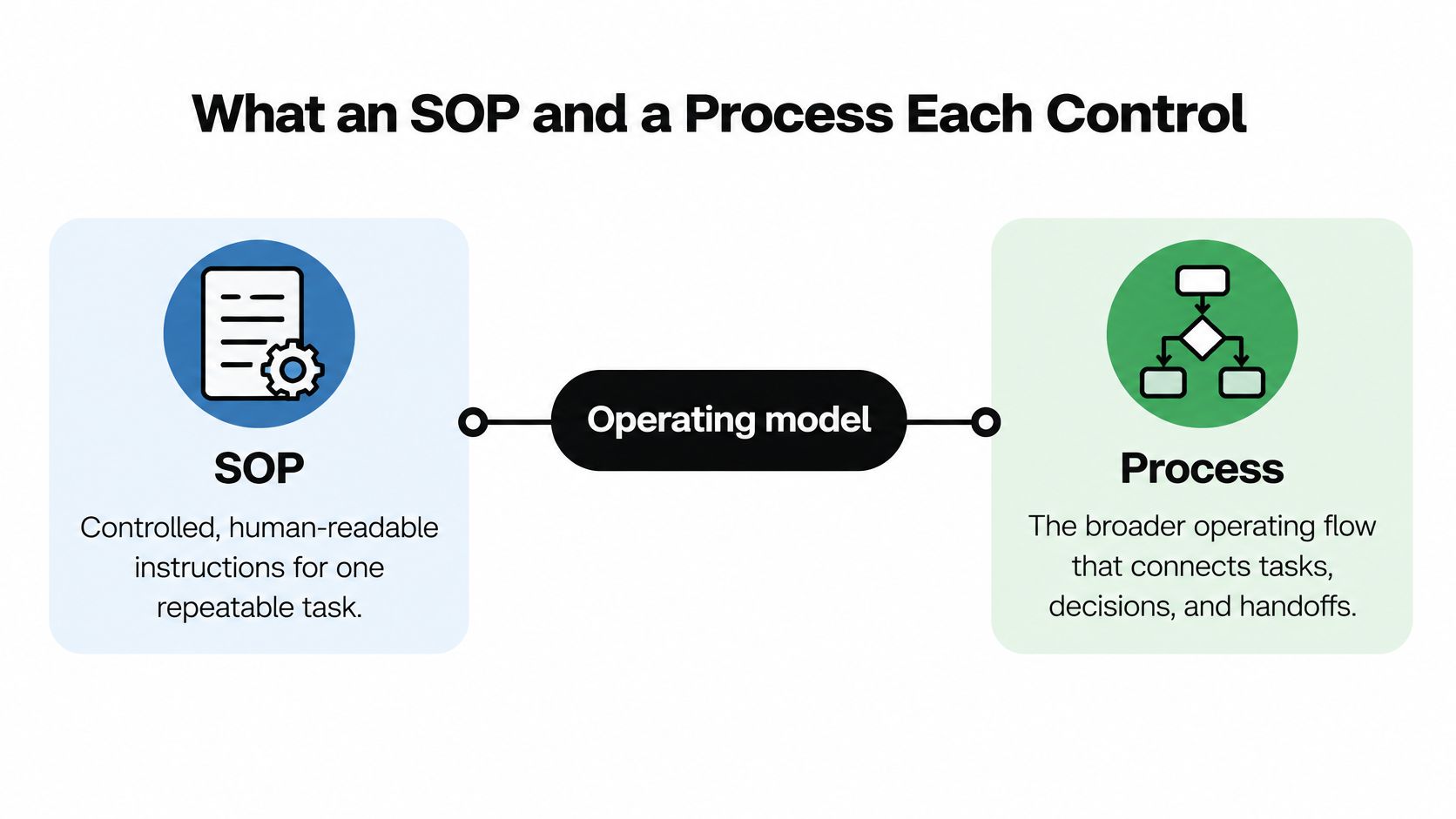
An SOP, or standard operating procedure, is a controlled, human-readable specification for performing a defined, repeatable task. A process is the broader operating system connecting activities, roles, inputs, outputs, decisions, controls, and exceptions to an outcome.
The historical distinction helps explain why both matter: workflow-management systems have origins in the late 1970s, Business Process Reengineering accelerated redesign and automation during the 1990s, and commercial workflow systems expanded around 1995, as described in this academic account of workflow and process management.
Start with the task, then widen the view
An SOP for validating a new customer record might tell an operator which information to verify, how to resolve conflicting fields, and what evidence to retain. Its purpose is controlled execution, not an account of everything that happens after the operator finishes.
The surrounding process connects the signed agreement to account creation, implementation planning, access provisioning, and acceptance by the delivery team. Someone must govern that connection, including what happens when an input is missing or the normal route doesn't apply.
For your operating model, use this hierarchy:
- Process and accountable owner: Customer onboarding, owned end to end by the designated operations or customer-success leader.
- Supporting SOP and task owner: Validate the commercial handoff, maintained by sales operations.
- Supporting SOP and task owner: Provision approved access, maintained by the system administrator.
- Supporting SOP and task owner: Confirm implementation readiness, maintained by the delivery lead.
- Shared performance view: Track elapsed time, quality, cost, compliance, resource use, and activity duration across the flow.
Give each document a clear job
Don't ask a process map to teach someone how to validate a record. Don't ask the validation SOP to explain the entire customer journey.
When drafting task instructions, use practical SOP requirements to determine what an operator needs to execute safely. Keep the relationship to the parent process visible so readers know where their responsibility begins and where it ends.
A useful classification test is simple: does this document explain how to perform a bounded activity, or does it govern how multiple activities produce an outcome? Name and maintain it accordingly.
How SOP and Process Differ in Practice
Inspect a document your team already uses. If its title promises a complete onboarding process but its contents only explain how to create an account, its scope is misleading. Rename it, connect it to the broader flow, and assign responsibility for what it doesn't cover.
SOP and Process Operating Criteria
| Criterion | SOP | Process |
|---|---|---|
| Scope | A defined task or controlled activity | The complete path to an outcome |
| Owner | Person accountable for instruction accuracy | Person accountable for end-to-end performance |
| Trigger | Event making the task ready to execute | Event starting the overall flow |
| Inputs and outputs | Required information and task completion evidence | Inputs accepted and outcomes delivered |
| Exceptions | Stop, retry, escalate, or use an approved alternative | Reroute work and resolve cross-functional exceptions |
| Measures | Execution accuracy, adherence, task rework | Cycle time, queues, first-pass yield, SLA attainment, cost |
| Change control | Revise instructions when task execution changes | Reassess roles, dependencies, controls, and performance |
Separate instruction ownership from outcome ownership
The SOP owner should verify that instructions match actual execution. That person needs access to operators and authority to revise the document, not merely permission to edit a shared folder.
The process owner has a different job. Assign that person responsibility for resolving conflicts across teams, including cases where a local improvement makes another team's work harder.
For example, sales might reduce its administrative effort by leaving implementation details for customer success to collect. The sales task becomes easier, but the process owner must decide whether that trade-off is acceptable for the customer-facing outcome.
Standardize without protecting a bad design
An empirical study of 85 large firms found a strong, statistically significant relationship between process standardization and both process performance and process flexibility, according to the research on business process standardization. That supports deliberate standardization, not blind obedience to an existing document.
Use the distinction when reviewing an apparent improvement. Better adherence may mean operators understand the instructions. It doesn't establish that the sequence, approvals, or routing are appropriate.
Operating principle: An SOP is a control inside a process, not a substitute for redesign.
Before choosing software, identify which side of the table needs attention. If you're comparing possible assistants or automation options, you can explore AI tools for small businesses through 1chat, but evaluate candidates against a defined task and its process dependencies.
Don't approve a tool because it produces an output quickly. Require a clear answer about who receives that output, how they accept it, and who handles failure. Those questions distinguish a convenient task aid from an operationally usable solution.
When to Use an SOP or a Full Process
Use an SOP when a stable step needs controlled execution. Apply process management when success depends on how teams coordinate, how capacity is allocated, or whether the customer receives the intended outcome.
The distinction becomes practical when you attach both layers to familiar work.
Match the documentation to the situation
- Lead qualification: Document the qualification criteria, required evidence, and permitted disposition in an SOP. Manage assignment, follow-up, sales acceptance, and recycling across the lead-management process.
- Client onboarding: Give operators instructions for checking a handoff or provisioning access. Manage the dependencies between commercial commitments, customer inputs, implementation capacity, and readiness.
- Project delivery: Standardize a high-risk quality check or release approval. Govern scope changes, dependencies, resource allocation, and customer acceptance at the process level.
- CRM updates: Write an SOP for resolving duplicates or changing lifecycle status. Use the process view to decide which system holds authoritative data and what downstream actions a change should initiate.
- Hiring approval: Specify how to submit a complete approval request. Manage budget confirmation, decision ownership, recruiting readiness, and stalled approvals across the hiring flow.
These are proposed documentation choices, not reported case studies. Adapt them to the actual risks and boundaries of your operation rather than copying the labels.
Measure execution and outcomes separately
A study of 200 hotels reported that standardized procedures were associated with a 10% improvement in time management and a 12% reduction in operational errors, while the same review of SOP implementation evidence discusses how inconsistent implementation can reduce procedures to administrative formality. Don't treat those hospitality findings as a forecast for your SaaS business.
The operating lesson is to evaluate both implementation and results. A completed checklist tells you something different from a customer receiving service within the agreed window.
Keep those views distinct:
- Execution controls: Track adherence and exception rates, supported by completion evidence.
- Customer-facing outcomes: Monitor lead-response latency, handoff delay, and service-level attainment.
- Failure signals: Review defect escape and automation failure, including cases discovered after the next team accepted the work.
Review results by segment, channel, and complexity. Otherwise, an aggregate result may obscure a difficult customer category or encourage operators to force unusual work through an unsuitable standard route.
When adherence is strong but outcomes disappoint, investigate the flow before rewriting the checklist. Look at routing, available capacity, and integrations. Don't ask operators to compensate indefinitely for a design problem.
How to Map a Process Before Writing SOPs
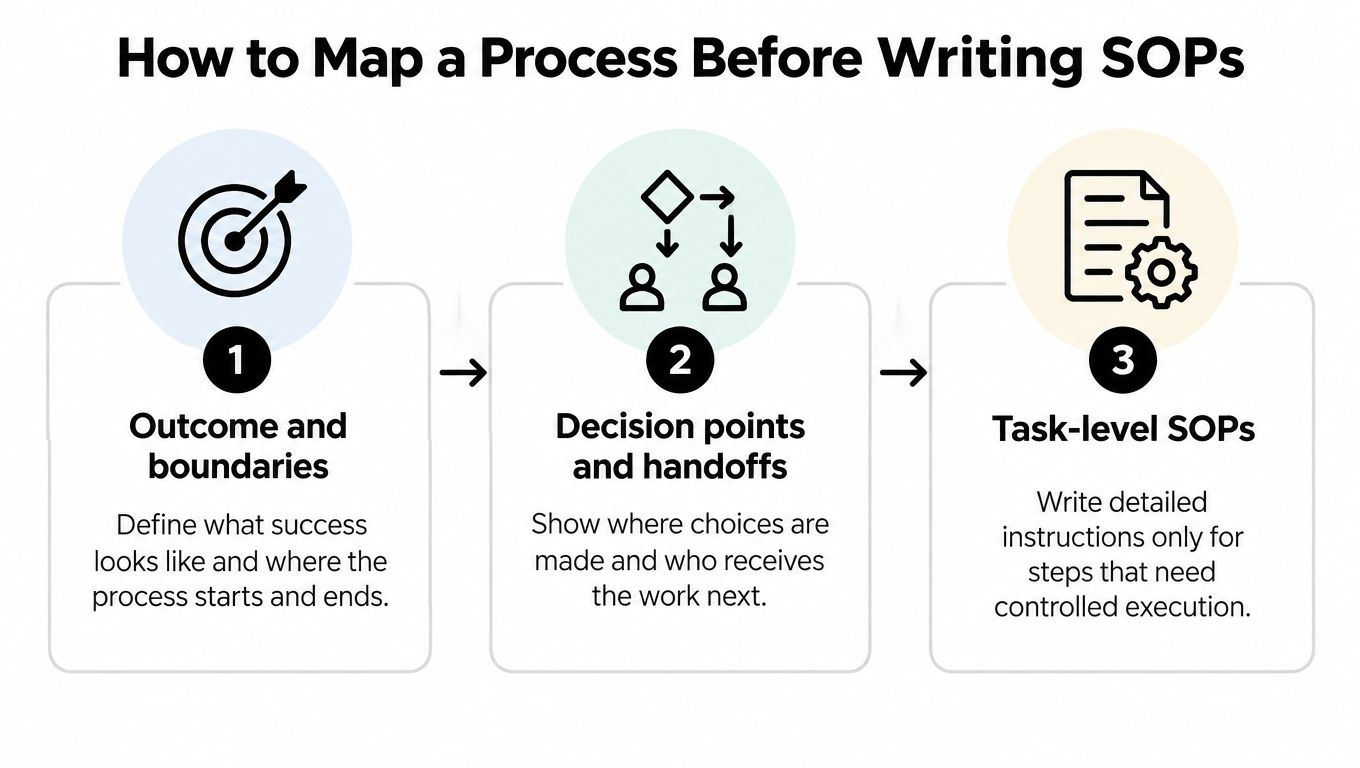
Start with a blank map, not an SOP template. Bring together the people who perform the work and ask them to trace an actual completed case, including where it waited, changed direction, or required an unofficial workaround.
Enterprise research reinforces the importance of connecting the flow: 94% of surveyed CEOs, CTOs, and IT leaders identified process orchestration as important to end-to-end AI management in this enterprise orchestration survey announcement. That's a reason to establish coordination before adding automated actions.
Map boundaries before individual actions
Define the outcome and the start and end conditions. For onboarding, don't accept a vague ending such as account created if the customer still lacks the access or agreement needed to begin implementation.
Next, map decisions and handoffs. For every transfer, identify the sending owner, receiving owner, required information, and acceptance condition. Include rejection and return paths.
Choose an appropriate visual approach from these business process mapping techniques. A simple map that operators recognize is more useful than an elaborate diagram nobody maintains.
For sales discovery, hireSDR.com's resource on how to streamline sales handoffs and follow-up can provide context for examining transitions. Use your own CRM records to validate what happens, rather than assuming the intended route is the actual one.
Document only the steps requiring controlled execution
Select repeatable, high-risk activities from the map. For each selected SOP, record:
- Trigger and owner: What makes the task ready, who performs it, and who maintains the instructions.
- Inputs and decision rules: Required information, validation conditions, and permitted choices.
- System actions: The approved changes to records, tools, or workflow states.
- Exception handling: When to stop, escalate, retry, or use an alternative path.
- Evidence and completion: What must be retained and what proves the task is finished.
- Version and review trigger: The approved revision, change history, and events requiring reassessment.
Keep volatile interface instructions in linked walkthroughs. Preserve stable business rules and decision rights in the controlled SOP so a changed button label doesn't require rewriting the operating logic.
Before rollout, establish a baseline for median and 90th-percentile cycle time, error or rework rate, handoff count, and automation coverage. Compare later performance using consistent boundaries and definitions.
Name the person responsible for reviewing those results. Documentation without a review owner leaves nobody accountable for deciding whether the new method works.
How AI Changes SOP vs Process Decisions
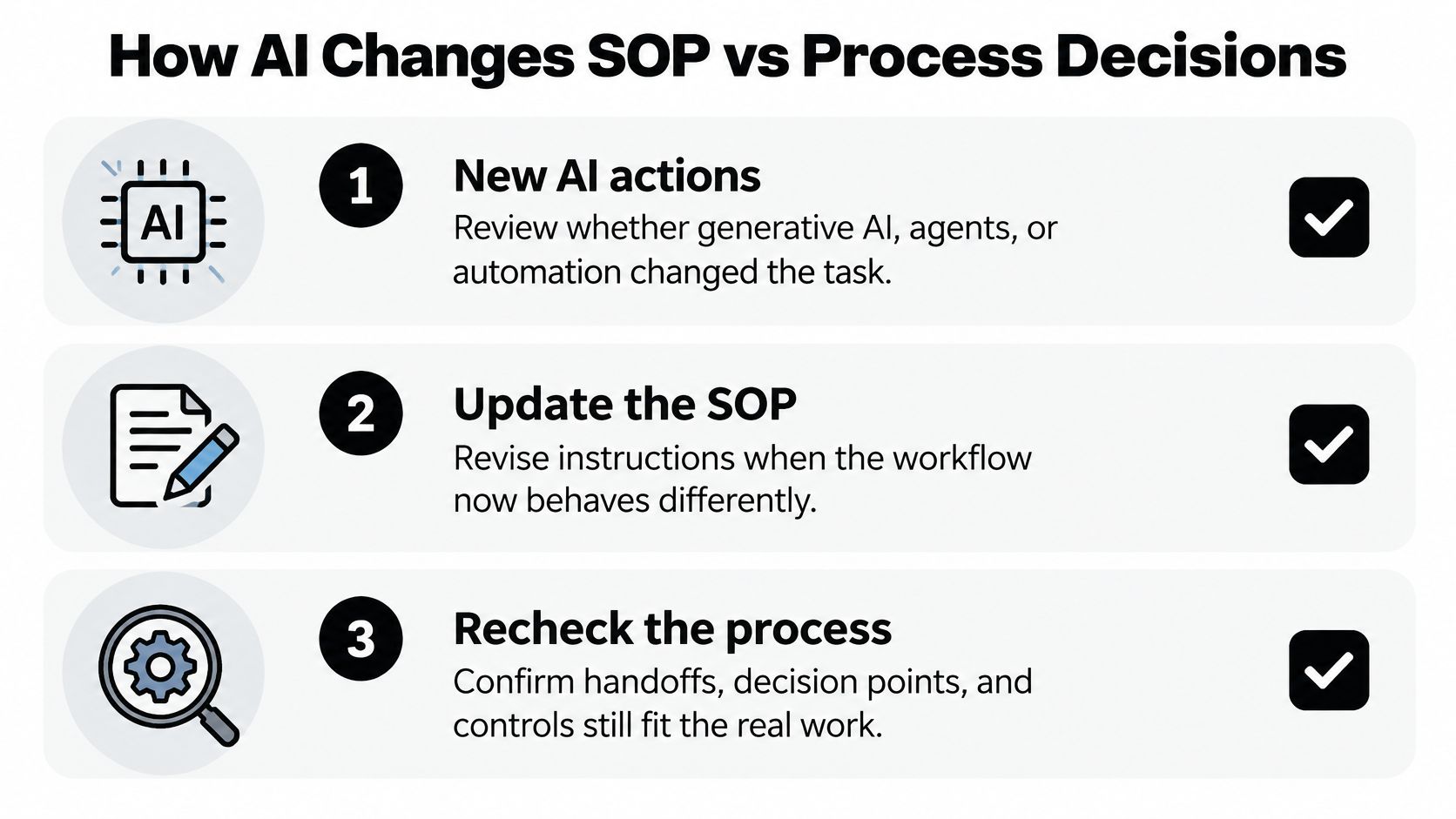
An existing SOP isn't automatically adequate when an employee adds generative AI, an agent, or an automated action. Review what the system can now read, decide, change, and send, not just whether the written instructions still look familiar.
A 2025 global poll of more than 850 business leaders found that 47% said formal processes controlled AI use, 24% monitored employee use of AI tools, and 30% had processes for assessing AI risks and mitigations; 84% reported organizational AI use for automation or process optimization, according to the BSI AI governance findings.
Replace happy-path assumptions with explicit limits
For a proposed sales assistant, distinguish drafting an email from sending it. For onboarding, distinguish summarizing customer requirements from approving access. In recruiting, separate administrative assistance from candidate decisions; in delivery, separate a generated recommendation from an accepted commitment.
These are design boundaries your team should set before deployment. Don't leave employees to infer them from a general instruction to review AI output.
Attach a compact, living control record to each AI-assisted process:
- Purpose and inputs: The permitted task and information the system may receive.
- Tools and data classification: Approved services and restrictions on sensitive information.
- Decision limits and approvals: Actions allowed without intervention and actions requiring an authorized person.
- Evidence retained: Relevant inputs, outputs, approvals, and system-action records.
- Escalation and fallback: Who takes over and how work continues when the system fails.
- Owner and review trigger: Who maintains the controls and what changes require retesting.
Test the real output, including exceptions
Periodically sample completed cases. Check factual accuracy, unauthorized actions, data handling, and whether operators followed the escalation route when something went wrong.
Control test: Automation coverage tells you where software acts. It doesn't tell you whether those actions are acceptable.
Use a practical guide to the use of AI in automation to frame implementation choices, then validate your controls against the actual workflow. Retest when permissions, models, inputs, routing, or business rules change.
You don't need a longer manual for every AI feature. You need visible limits, retained evidence, and a named human who can intervene.
How to Choose Your Next Operating Step
Choose the intervention that matches the failure you can observe. Don't launch a company-wide documentation project because a single workflow is unreliable.
If nobody can name the outcome, boundaries, and handoffs, run a mapping session. If operators repeatedly struggle with a stable, high-risk activity, revise its instructions. If AI already touches the work, inspect its permissions and approval boundaries before expanding its role.

Choose support that leaves ownership with your team
You can assign discovery and documentation to an internal operations lead, pair a subject-matter expert with your automation specialist, or bring in implementation support. Choose based on your team's capacity to investigate the workflow, test changes, and maintain the result.
For outside help, ask for concrete deliverables rather than a promise to streamline operations:
- Discovery and design: Current-state mapping, documented responsibilities, and an agreed future workflow.
- Controlled execution: SOPs, exception routes, walkthroughs, and clear maintenance ownership.
- Implementation and handover: Tested automations, failure handling, team training, and performance visibility.
Make the first assignment narrow
Select a revenue or delivery workflow with a visible operational problem. Bring the people who send and receive the work into the same session, along with someone who can authorize changes.
Sketch its boundaries and handoffs, then mark the highest-risk steps. Decide which need better instructions, which need a routing change, and which are appropriate candidates for automation.
Keep that scope tight enough to test. Your first deliverable should be an owned, usable workflow with controlled execution, not a manual that the team can't keep current.
MakeAutomation offers customized frameworks, documentation, consultations, and hands-on implementation across lead generation, client outreach, project management, recruitment, CRM workflows, SOP development, and AI-enhanced operations, including inbound and outbound voice AI agents. Select a revenue or delivery workflow, sketch its boundaries and handoffs, and mark its two highest-risk steps. Visit the site to book a working session focused on those controls and automation points, rather than commissioning another general-purpose manual.