
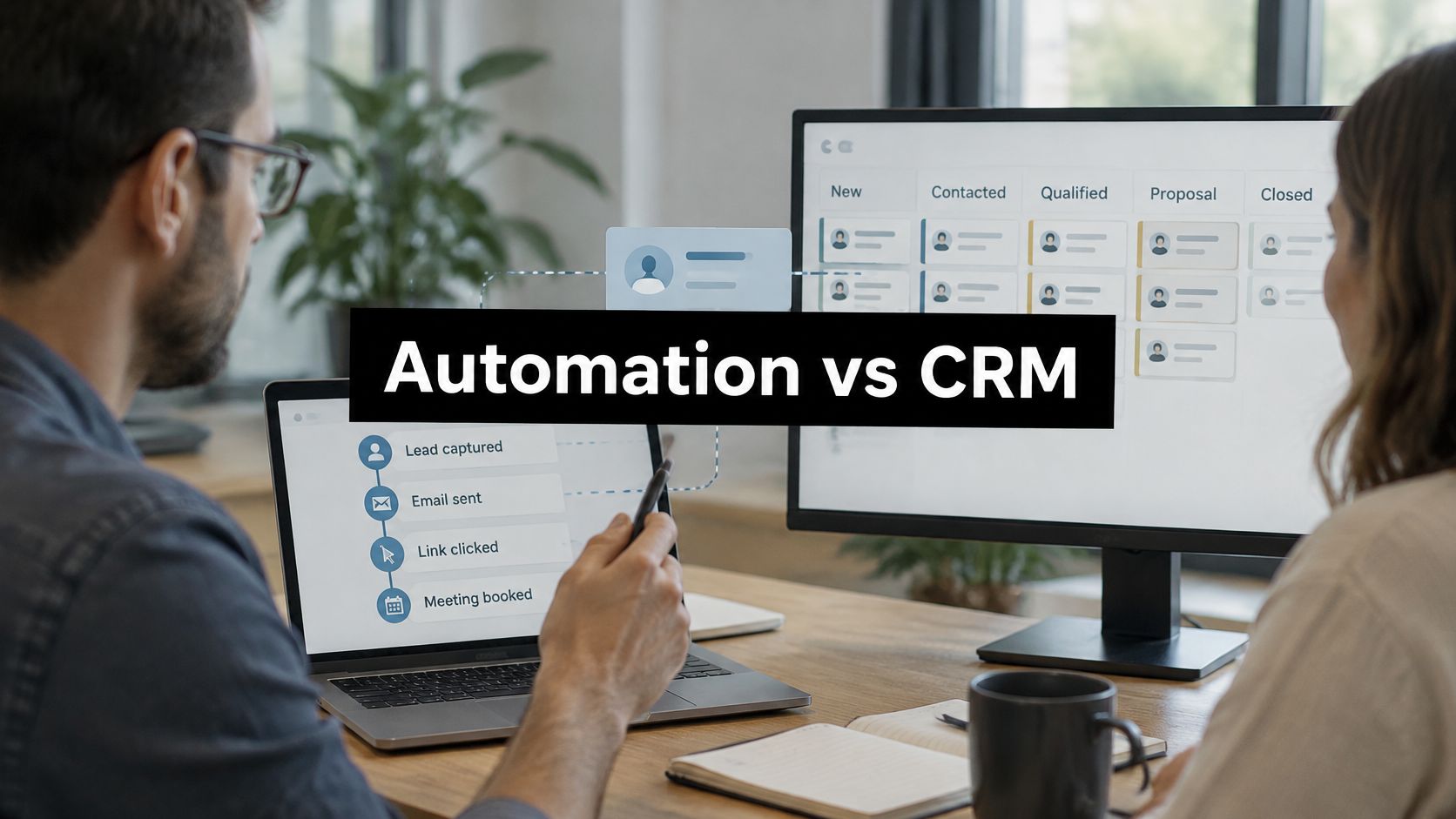
Marketing Automation vs CRM: Which Does What
The most repeated advice about marketing automation vs CRM is that the two are complementary, so you should integrate them and enjoy a single view of the customer. That advice stops one step too early, and the missing step is where the money goes.
Integration moves records between two systems. It doesn't decide who is allowed to change a field, which record wins when both write at once, or what happens when a rep edits a contact in the middle of a nurture workflow. Those are governance decisions, and no connector makes them for you.
The decision worth making isn't which platform you buy. It's per field: which system is the source of truth for each data item, and what the sync rule is when they disagree. Skip that and you don't get a single view of the customer. You get two systems confidently contradicting each other and a sales team that stops trusting both.
What follows is the comparison most articles skip: a field ownership table with sync rules, the failure each rule prevents, and the order to build it in so the second system doesn't wreck the first.
Marketing Automation vs CRM at a Glance
Marketing automation executes repeatable engagement. CRM records what happens to accounts and deals. Neither was built to do the other's job, and six criteria are enough to draw the line.
| Criterion | Marketing automation | CRM |
|---|---|---|
| Core job | Execute repeatable engagement: segment, score, nurture, route | Hold the record of accounts, contacts, deals and activity |
| Primary data | Behavioral events such as form fills, page visits and email clicks | Account, contact, opportunity and pipeline records |
| Main users | Marketing operations and demand generation teams | Sales reps, account managers and sales leadership |
| Typical outputs | Campaign performance, lead scores, nurture sequences | Pipeline forecast, deal history, ownership, renewal status |
| Metrics it owns | Lead volume, engagement rate, marketing-qualified leads | Win rate, sales cycle length, revenue per rep |
| Failure when used alone | Scales outreach without knowing where each deal stands | Records deals without the buyer's engagement history |
Read the last row first, because that's where teams get hurt. A marketing automation platform with no CRM behind it scales outreach while nobody knows where any deal stands. A CRM with no automation keeps a tidy record of deals and lets the buyer's engagement history die in a rep's inbox.
The metrics row is where leadership arguments start. Lead volume and engagement rate belong to whoever runs campaigns. Win rate, cycle length and revenue per rep belong to whoever owns the pipeline. Blend them into one dashboard without that split and you get a number nobody can act on.
Where Each System Came From
CRM grew out of record keeping: account histories, contacts, opportunities, pipeline activity, ownership. Marketing automation grew out of execution: triggered messages, segmentation, nurture sequences, campaign measurement. One system remembers. The other acts. That split is still the cleanest test for where a new feature belongs, and it's the distinction at the center of what marketing automation software actually does.
The economics have shifted underneath both categories. A 2023 Nucleus Research analysis of CRM benefit areas reviewed 63 CRM case studies and found average CRM returns had fallen from $4.90 to $3.10 for every dollar invested over the previous decade, a 37% decrease that still left the return positive. Time savings from individual productivity and broader process efficiency made up 51% of total CRM return in modern deployments.
Nucleus has also estimated that 80% of potential CRM benefits had yet to be achieved, with integration, extension and collaboration accounting for half of the remaining opportunity, according to its CRM payback research. Software ownership stopped being the differentiator long before this article was written.
Say a prospect registers for a webinar. That's a behavioral event, and it belongs in the automation platform, which scores it, drops the person into a nurture track and watches for the next signal. The contact becomes a lead in the CRM when the record is created, and an opportunity only when a rep qualifies them against your criteria. Two systems, three moments, one buyer.
Do this today: list every tool that stores customer data, walk the six rows above and mark where each item lives. Any row that lives in two places, or in none, is a sync rule you haven't written yet.
Which System Owns Each Piece of Data
Every comparison of marketing automation vs CRM ends with the same recommendation: define your fields, connect the systems, enjoy clean data. The recommendation is right. What's missing is the governance underneath it, which is the part that decides whether the integration produces trusted actions or scales bad data at machine speed.
Here's how the two layers should sit against each other before anyone builds a connector.
The stakes are commercially measurable. Among organizations selecting replacement martech platforms, 42.7% prioritized data centralization and 37.1% prioritized integration capabilities, according to reporting on why martech stacks keep getting messier. The CRM side has the same problem from the other direction: a 2025 survey reported in that analysis found 76% of CRM users considered less than half of their CRM data accurate and complete, and 37% said poor data quality had caused lost revenue.
| Data item | Usual system of record | Sync rule | Common failure |
|---|---|---|---|
| Contact and account record | CRM | CRM wins conflicts; automation writes enrichment fields only | Duplicate contacts created by every form |
| Lead score | Marketing automation | Pushed to CRM as a read-only field | Sales edits the score and campaign logic overwrites it |
| Lifecycle stage | Shared; CRM approves the final transition | Automation proposes, CRM confirms opportunity creation | Unqualified leads reach reps as opportunities |
| Opportunity stage and amount | CRM | Never written by automation | Campaign tools overwrite deal values |
| Consent and opt-in status | Marketing automation | Synced to CRM with a timestamp | Contacts emailed after opting out |
| Lead source attribution | Marketing automation at capture | First touch stored once and locked in CRM | Source changes after the record is created |
| Customer health or renewal flag | CRM | Automation reads it to trigger renewal sequences | Renewal emails sent to churned accounts |
Walk the rows and the rules write themselves. CRM wins every conflict on contact and account records, because that's where sales works and a rep who loses an edit stops entering data. Automation writes enrichment fields only: firmographic append, engagement counters, topic interests. Lead score goes to the CRM as a read-only field that reps can see and nobody can edit.
Lifecycle stage is the one shared item worth arguing about. Automation proposes a transition when behavior crosses a threshold; the CRM confirms it when a human or a qualification rule accepts the lead. Opportunity stage and amount belong to sales alone. If you're mapping the connection itself, Estimatty's guide to CRM integration covers objects, field mapping and write direction, and the connector design in our guide to marketing automation integration assumes this table already exists.
Then handle the cases that break naive syncs. Anonymous activity gets stored under an anonymous ID and merged on identification, never overwriting fields on a known contact. Recycled leads keep their original source when a closed-lost record reopens. Parent-child accounts roll activity up to the parent while health flags stay on the child. Multiple buying contacts sit on one opportunity, with a primary contact field that drives routing.
Here's where this contradicts most vendor advice: adding automation can make performance worse. When ownership, synchronization rules, lifecycle stages, consent fields and deduplication are undefined, the new platform doesn't add capacity, it adds a second opinion about every record. That's why our CRM automation work, which includes automated lead scoring, smart segmentation, behavior-triggered campaigns and predictive analytics, starts with the ownership table rather than the tool.
The audit takes an afternoon. List each data item, name one owner, write one sync rule. If two people claim the same field, you've found your next outage.
Choosing the Lead System for Each Workflow
Ownership settles who owns the data. The next question is operational: which system runs the workflow? Match your sales motion and your data complexity to one of three models.
| Factor | Lean CRM-led | Lean marketing-led | Shared data layer |
|---|---|---|---|
| Sales cycle length | Short, rep-driven deals | Long, content-heavy consideration | Long cycles with several reps on one account |
| Database complexity | One contact per deal | Many anonymous or recycled leads | Parent-child accounts and multiple buying contacts |
| Handoff volume | Low; reps work every lead | High; many leads routed to reps | High volume with routing rules and response targets |
| Reporting need | Pipeline forecast and rep activity | Campaign return and touch attribution | Both, joined on opportunity ID |
| Typical starting point | CRM with basic sequences | Automation platform with CRM sync | Governed sync with written field ownership |
Marketing automation is the event-driven orchestration layer. It captures behavioral signals such as form submissions, page visits, email engagement and content consumption, then applies rules or models to segment, score, nurture and route. CRM holds account, contact, opportunity, activity, ownership and pipeline data. A 2024 comparative review found marketing automation contributes most directly to lead generation, nurturing, conversion, campaign scalability and personalization, while CRM contributes more directly to sales-funnel coordination, relationship history, forecasting and retention workflows, as the published review sets out.
CRM-led suits a short, rep-driven deal where the CRM runs with a handful of sequences and nobody needs a scoring model. Marketing-led suits a long, content-heavy consideration phase with many anonymous visitors and recycled leads; the automation platform owns capture, scoring and nurture, and syncs the qualified record to the CRM. Shared data layer suits long cycles with several reps on one account and parent-child structures, and it only works on top of the field ownership rules above.
Each model prevents a specific failure. CRM-led stops campaign logic from overwriting sales-controlled fields. Marketing-led stops a thin database from starving a nurture program that has nothing to work with. The shared layer stops reps from receiving unqualified activity with no buying-context signals attached.
Handoff targets belong in every model, not just the shared one:
- A response-time SLA measured from form fill to first human touch, agreed before routing goes live
- The score threshold that triggers handoff, with the qualification definition written down first
- An exception path for the lead a rep rejects, including who owns the record afterward and what happens to it
Two edge cases worth naming. A product-led company with short, rep-driven deals can run a lean CRM with light sequences and skip heavy automation for a year. A company sitting on thousands of anonymous visitors and recycled leads needs marketing-led capture before the CRM has records worth owning. Pick the column that matches most of your factors, then write down every exception and who owns it.
Measuring Whether the Combined System Pays
Software ownership isn't a result. Before a workflow goes live, capture a baseline you can compare against, and use the same definitions on both sides of the comparison.
The scorecard that has survived every rollout we've run:
- Median lead-response time, from form fill to first human touch
- Marketing-qualified-lead-to-opportunity conversion, with identical qualification rules before and after
- Opportunity velocity, in days from creation to closed-won or closed-lost
- No-show rate on booked meetings, which tells you whether routing and reminders work
- Sales-rep administrative hours per week, not per quarter
- Campaign-attributed pipeline, credited on opportunity ID rather than on last touch
- Duplicate and data-error rates, measured in both systems rather than in whichever one looks tidier
Then set the credit rules. Marketing automation earns credit for engagement and qualification improvements only when event data is joined to CRM outcomes. The CRM earns credit for pipeline and revenue only when opportunity stages and attribution rules are consistently maintained. The compounding effect described in our breakdown of marketing automation benefits only shows up when it's measured at this level rather than in a feature demo.
What the Benchmark Data Says
Adoption alone proves nothing. A 2026 global CRM benchmark of 1,001 companies found that approximately 30% automate fewer than 10% of their CRM workflows, while 28% reported longer sales cycles and 27% reported declining funnel conversion. Those numbers describe organizations that own the software and still don't get value from it.
The fix is sequencing, not spending. Start with high-volume, deterministic workflows: lead capture validation, enrichment, routing, follow-up, meeting reminders, stalled-opportunity alerts, renewal triggers. Add AI personalization or voice agents only after baselines exist and escalation controls are in place.
The efficiency side is real but incomplete. In one marketing agency case study, the firm had 12 employees and a 4-hour average lead response time before automation, and account managers moved to spending 80% of their time on strategy, up from spending 60% of their time on administrative tasks. Time recovered is the leading indicator. Pipeline is the outcome.
Where Attribution Runs Out
Marketing automation can report touches. CRM data alone can't prove causation, and any analyst who claims otherwise is selling something. Run controlled workflow changes where you can: one region, one segment, one product line.
Start the clock 90 days before you turn anything on. A baseline captured after go-live is a before-and-after photo with no "before."
Then check monthly for sync drift between the two systems: field mismatch counts, duplicate creation rate, records with no owner, lifecycle stages that moved without a trigger. Drift is normal. Undetected drift is what makes a leadership team abandon a system that was working.
How to Roll Out Both Systems in Order
Sequence matters more than tool selection. Build in this order and each step makes the next one testable.
The rollout below compresses into five phases, with the reasoning behind each one spelled out.
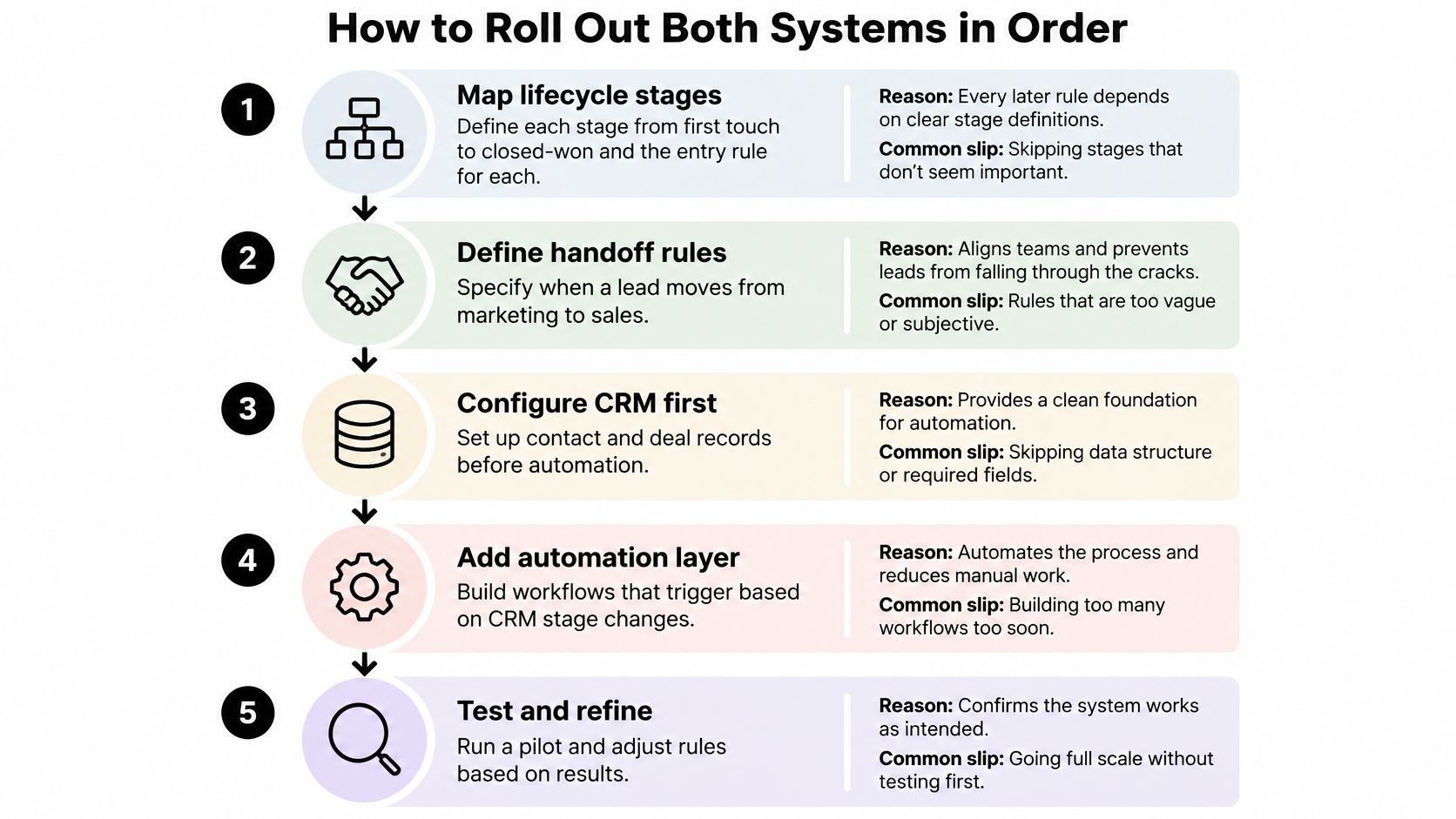
- Map the lifecycle stages from first touch to closed-won, naming the entry rule for each. Reason: every later rule depends on stage definitions. Common slip: skipping the informal stages sales uses in practice, then discovering the workflow routes leads into a stage nobody maintains.
- Assign one owner to each data item using the ownership table. Reason: accountability beats consensus every time. Common slip: letting two systems edit the same field and calling it real-time sync.
- Set scoring thresholds and handoff targets for routing leads to reps. Reason: a qualified lead needs one shared definition. Common slip: building the scoring model before anyone agrees what qualified means.
- Define deduplication, consent fields and lead-source capture before any sync runs. Reason: clean rules prevent duplicate records from existing. Common slip: syncing dirty records and planning to clean them later, which never happens. Consent decides who you may email; deliverability decides whether it lands, so check your SPF record with mailX before the first sequence ships.
- Connect the CRM to the automation platform, starting one-way. Point HubSpot, Salesforce or Pipedrive at the automation layer with engagement events flowing in first. Reason: one-way flow protects CRM records while you learn what the data looks like. Common slip: building bi-directional writes on day one. MakeAutomation works with HubSpot, Salesforce, Airtable, Notion and Slack, and offers self-hosted n8n options that keep sensitive data on-premise while still integrating with HubSpot.
- Start the 90-day baseline before any workflow goes live, using the scorecard metrics rather than vanity numbers.
- Turn on deterministic workflows first: lead capture validation, enrichment, routing, follow-up, meeting reminders, stalled-opportunity alerts, renewal triggers. These are the workflows where a mistake is obvious within a week.
- Add AI personalization or voice agents last, once baseline metrics and escalation controls exist. A voice agent bolted onto an undefined lifecycle stage just makes wrong calls faster.
The rollout worked when lead response times fall and reps open each lead with its full history already attached. If reps still open a second tab to check what the buyer did, the connection is decoration.
Which Setup Fits Your Business Situation
Find the row closest to your business and read the reason behind its first workflow. The first workflow you automate decides whether anyone trusts the second one.
| Situation | Lead system | First workflow | Review after |
|---|---|---|---|
| B2B SaaS with long sales cycles | CRM owns deals, automation nurtures | Lead-to-opportunity handoff with stage rules | 90 days |
| Agency with high inbound lead volume | Automation owns capture and routing | Fast lead routing and follow-up | 60 days |
| Professional services firm with a small team | CRM first, light automation | Meeting reminders and stalled-deal alerts | 90 days |
| E-commerce brand with repeat buyers | Automation owns lifecycle emails | Post-purchase and win-back triggers | 60 days |
| Startup with no CRM yet | Choose one CRM before automation | Lead capture validation and enrichment | 30 days |
A B2B SaaS company with long cycles usually lets the CRM own the deal while automation nurtures buyers who aren't ready yet. The handoff is where deals die, so the first workflow enforces stage rules at the moment a lead becomes an opportunity.
An agency with heavy inbound volume should let automation own capture and routing. Response speed is the whole competitive edge at that volume, and a beautiful nurture sequence behind a lead nobody called for six hours is wasted spend.
For a small professional services firm, the CRM comes first with light automation attached. Meeting reminders and stalled-deal alerts protect a small number of valuable relationships, which is a better first project than a scoring model nobody asked for.
E-commerce brands with repeat buyers should start with post-purchase and win-back triggers. The second purchase is cheaper than the first, and lifecycle email is the cheapest way to earn it.
A startup with no CRM picks a CRM before any automation, then validates and enriches lead capture so the database doesn't start its life wrong. And if you have low lead volume and two sellers, you may need nothing beyond CRM sequences. Startups, SaaS companies, e-commerce brands, professional services firms and agencies are the situations we work in most, and the pattern holds: the first workflow should map to where you actually lose money.
To read the table, find the closest row, check which factor from the operating-model matrix is the exception, and put the review date in the calendar before the kickoff.
Choose Your First Automation Before Buying Tools
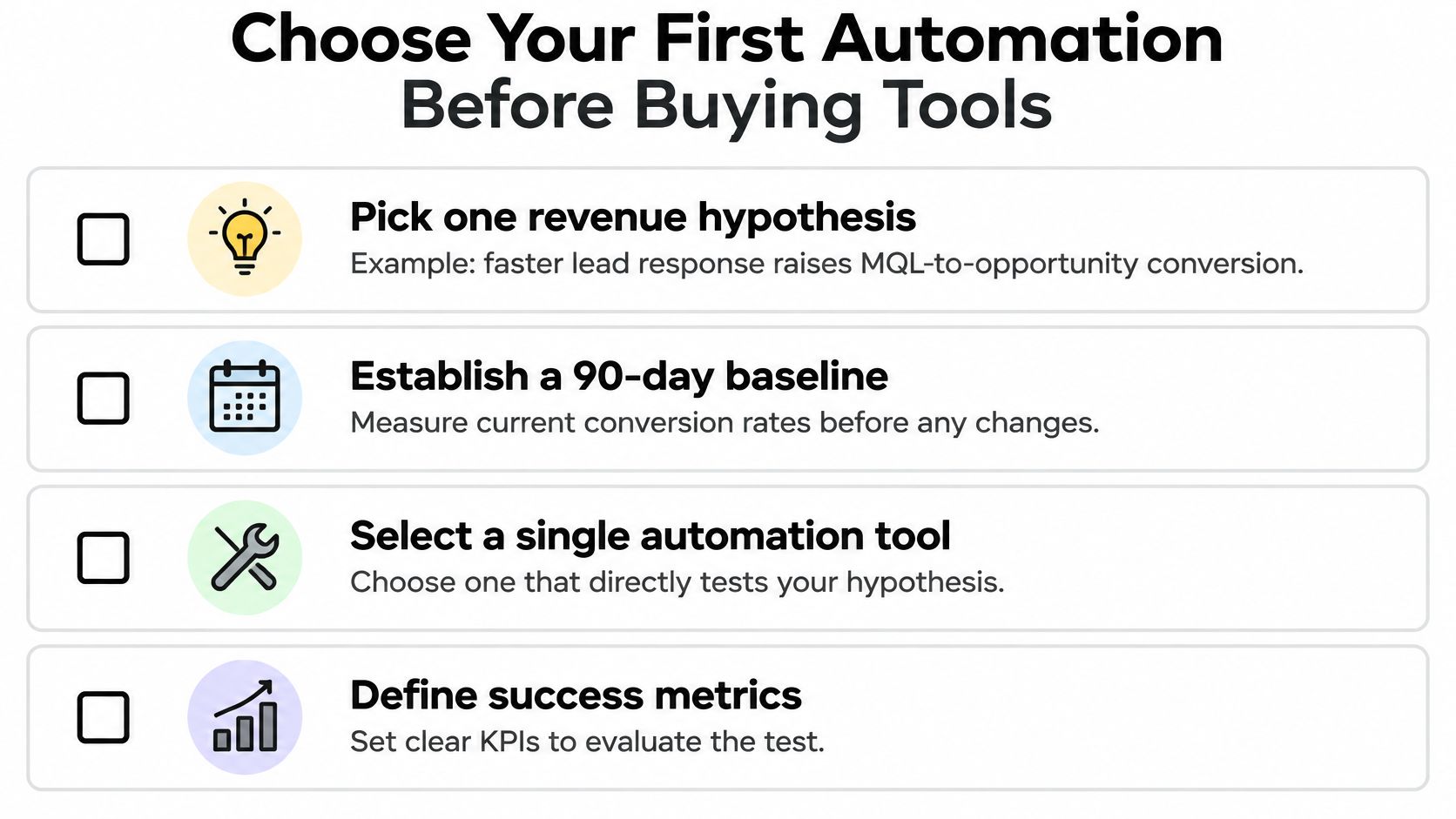
Decide the test before you choose the tool. Pick one revenue hypothesis and phrase it as a claim you could lose: faster lead response raises marketing-qualified-lead-to-opportunity conversion, or post-purchase sequences lift the 90-day repeat rate, or renewal triggers cut churn in the final quarter. One hypothesis, one workflow, one comparison against the baseline you already captured.
The discipline matters because most stacks don't deliver what they promised. 47% of martech decision-makers cite stack complexity and integration challenges as blockers to value, while 34% cite insufficient skills, according to 2025 martech adoption findings. Plenty of teams still run batch email, basic A/B testing, rules-based personalization and scheduled social posts, and still can't measure martech ROI.
Adoption isn't the constraint. McKinsey's State of AI report, summarized in these sales automation statistics, found that 78% of B2B companies used artificial intelligence in at least one business function in 2025, up from 68% in 2024. Using AI somewhere and being able to prove it paid are two different accomplishments.
So here's the contrarian position: a smaller, well-governed CRM-plus-automation system beats a larger stack whenever it improves speed-to-lead, qualified pipeline, conversion, retention or sales capacity. The winner isn't the platform with the most connectors. It's the one whose field ownership you can explain to a new hire in five minutes.
The next step is small and specific. MakeAutomation is platform-agnostic and may recommend n8n or custom code for complex logic, higher volume, data control or specialized integrations. The free discovery call audits your current workflows, identifies the highest-ROI automation opportunities, and hands back a custom implementation plan with timeline and pricing. We take it from strategy to deployment to ongoing optimization, so you don't hire developers or learn a new platform.
Three actions before you buy anything:
- Name the owner for each data item on the ownership table, in writing
- Set the one revenue hypothesis you'll test in the first 90 days
- Book the baseline review and put the date in the calendar today
Marketing automation vs CRM stops being a difficult choice once you stop treating it as one purchase decision and start treating it as a field ownership problem. MakeAutomation maps your lifecycle stages, writes the ownership table, and builds the workflows in the order that keeps your CRM trustworthy, from strategy through deployment and ongoing optimization. If you want the first automation you ship to be one you can measure, visit MakeAutomation and book a free discovery call.