What Is a Project Lifecycle and How Does It Drive Success?
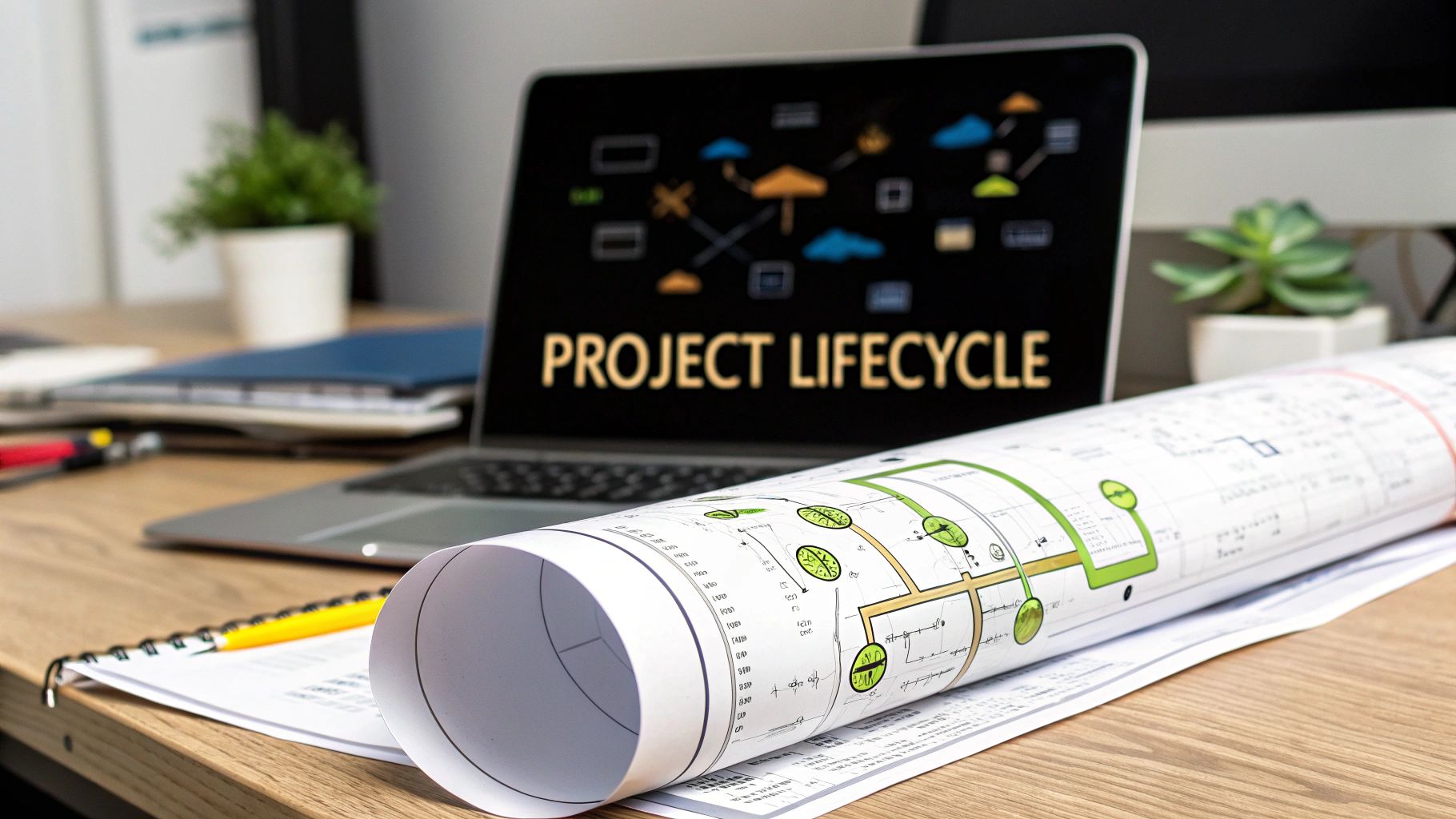
At its core, a project lifecycle is the strategic sequence of phases a project moves through from start to finish. Think of it as a high-level roadmap that gives your team structure and a clear path to follow, making sure everyone is pulling in the same direction to hit the same target.
The Blueprint for Project Success
Imagine trying to build a house without an architectural blueprint. You wouldn't just start pouring concrete and putting up walls, right? You'd need a detailed plan for everything, from the foundation all the way up to the roof. A project lifecycle serves the exact same purpose in business.
This framework stops teams from diving headfirst into tasks without a solid grasp of the project's purpose, scope, and what success actually looks like. It’s what turns a big, fuzzy idea into a real, tangible result through a structured and manageable process.
This isn’t just some abstract theory—it's a practical tool that breaks down a massive effort into smaller, more digestible stages. This approach gives you far better control over resources, timelines, and potential risks. For any B2B or SaaS business, having a well-defined lifecycle is fundamental to achieving success that you can repeat and scale, whether you're launching a new software feature, onboarding a key client, or rolling out a complex marketing campaign.
Why Every Project Needs a Lifecycle
Without this structure, projects often stumble into common traps like scope creep, blown budgets, and missed deadlines. The lifecycle acts as a safety net, building in crucial checkpoints at the end of each phase. These moments give stakeholders a chance to review progress and make smart, go/no-go decisions before pouring more time and money into the next stage.
The project lifecycle traditionally follows five key phases: initiation, planning, execution, monitoring and controlling, and closure. These stages are especially critical for B2B and SaaS founders trying to nail down their operations. When you consider that poor initiation is a major reason why only 35% of projects complete successfully, the value becomes crystal clear. You can dig into more data like this by exploring these project success rates on Ravetree.com.
A project without a lifecycle is like a ship without a rudder—it might move, but it has no control over its direction. This framework provides the essential navigation needed to reach the desired destination efficiently and predictably.
To help you get a quick handle on this journey, the table below breaks down each core phase, its main goal, and a key activity you’d find within it. Think of this as the "at a glance" view before we dive deeper into what makes each stage tick.
The 5 Core Phases of a Project Lifecycle at a Glance
| Phase | Primary Goal | Key Activity Example |
|---|---|---|
| 1. Initiation | Define the project at a high level and secure stakeholder approval. | Creating the project charter document. |
| 2. Planning | Develop a detailed roadmap, outlining scope, resources, and timeline. | Building a comprehensive project plan and work breakdown structure. |
| 3. Execution | Put the plan into action and produce the project deliverables. | Team members complete assigned tasks and build the product/service. |
| 4. Monitoring | Track progress against the plan and manage any deviations. | Reviewing key performance indicators (KPIs) and holding status meetings. |
| 5. Closure | Formally complete the project and hand off the final deliverables. | Conducting a post-mortem meeting and archiving project documents. |
This table lays out the fundamental building blocks. Now, let's explore what actually happens inside each of these five crucial phases to drive a project from a simple idea to a successful outcome.
Exploring the 5 Phases of the Project Lifecycle
To really get a handle on what a project lifecycle is, it helps to break it down into five distinct phases. Each stage has a clear purpose and builds on the last, moving the project from a rough idea to a finished, valuable result. Think of it like a relay race—each runner has to successfully pass the baton to the next for the team to win.
This sequential flow gives the project structure and, just as importantly, provides critical checkpoints. These moments ensure the project stays aligned with its original goals and actually delivers on its promise.
The diagram below shows how those first, foundational stages fit together.
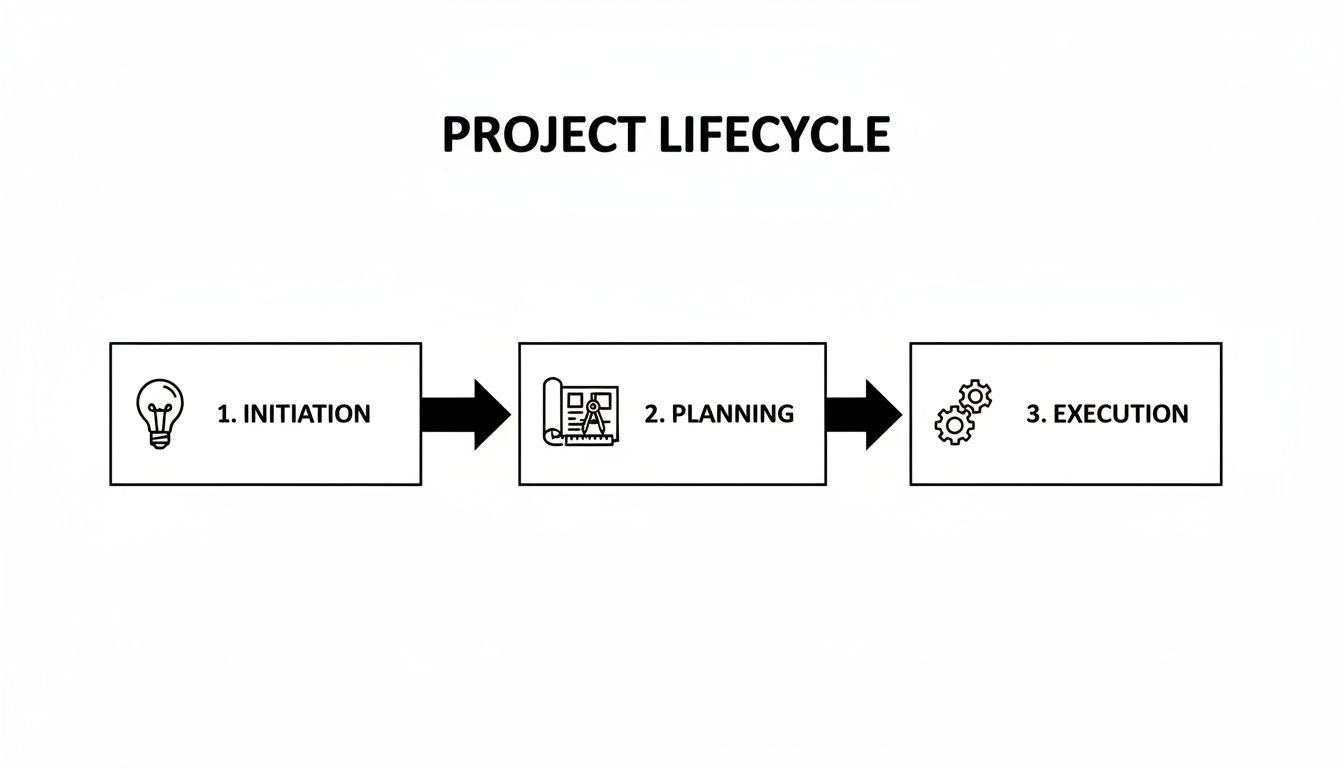
As you can see, you can't just jump into the work. A project needs to start with a solid concept (Initiation) and a detailed blueprint (Planning) before the team can effectively start building (Execution).
Phase 1: Initiation
This is where it all begins. The Initiation phase is the moment an idea gets formally recognized and defined at a high level. It’s less about the nitty-gritty details and more about answering one fundamental question: "Is this project worth doing?"
During this stage, a project manager is usually assigned, and the key stakeholders—the people with a vested interest in the outcome—are identified. The main goal here is to produce a project charter, a formal document that officially gives the project the green light and acts as its North Star.
Key activities in the Initiation phase include:
- Running a Feasibility Study: Can we actually do this? You'll look at whether the project is viable from a technical, financial, and operational perspective.
- Defining High-Level Goals: What, in broad strokes, are we trying to achieve?
- Identifying Major Stakeholders: Who needs to be kept in the loop and whose approval do we need?
- Creating the Project Charter: This document captures the project's vision, objectives, scope, and key deliverables.
For a SaaS company, this might look like the initial proposal for a new AI-powered analytics feature. The charter would spell out the market need, calculate the potential ROI, and outline the necessary resources to get buy-in from leadership.
Phase 2: Planning
Once the project is approved, it moves into the Planning phase. You could argue this is the most critical stage of all, because it lays the detailed groundwork for everything that follows. A failure to plan is a plan to fail, as they say. Here, the "what" from the Initiation phase gets translated into a detailed "how."
The project manager and team get together to build a comprehensive project plan. This is the master blueprint, covering everything from schedules and budgets to risks and communication strategies.
This stage is incredibly intensive. It often takes up 20% of a project manager's time, yet a shocking 23% of organizations don't use dedicated project management software to collaborate. That disconnect is a huge source of inefficiency and contributes to projects running over budget by an average of 27%.
A solid project plan will typically cover:
- Scope Definition: Getting crystal clear on what is—and is not—included in the project.
- Work Breakdown Structure (WBS): Chopping up large deliverables into smaller, more manageable tasks.
- Budgeting and Cost Estimation: Figuring out how much money you’ll need.
- Scheduling and Timelines: Setting key milestones and deadlines for every task.
- Risk Management: Identifying what could go wrong and having a plan to deal with it.
In a B2B context, planning a new client onboarding process would involve mapping out a detailed timeline, assigning specific tasks to the customer success team, and setting up an automated communication workflow in your CRM. You can go much deeper on this topic by reading our guide on estimating software projects to really sharpen your approach.
Phase 3: Execution
With a strong plan in hand, it’s time for Execution. This is where the rubber meets the road and the team actually starts doing the work. They begin building the product, delivering the service, or creating the result defined in the project plan. It's the most hands-on part of the lifecycle where resources get put to work.
During this phase, the project manager’s role shifts from planner to facilitator. Their job is to guide the team, manage stakeholder expectations, and keep the project moving forward. Great communication is absolutely essential here to keep everyone on the same page.
Phase 4: Monitoring and Controlling
The Monitoring and Controlling phase isn’t a separate step that comes after execution—it happens at the same time. Think of it as the project's quality control and navigation system. As the team works, this phase ensures everything is progressing as it should.
Project managers use Key Performance Indicators (KPIs) to track progress against the original plan. They’re constantly comparing actual performance to the baselines set for scope, schedule, and cost. If the project starts to drift off course, they step in with corrective actions, which could mean adjusting timelines, reallocating resources, or tackling an unexpected risk.
For a software feature launch, this phase involves tracking development velocity, keeping an eye on bug reports, and holding regular sprint reviews to make sure the final product is up to snuff.
Phase 5: Closure
The final stage is Closure. This is about more than just shipping the final product. It’s about formally completing the project in an orderly way, making sure all the loose ends are tied up so the project’s value is fully realized.
Key activities in the Closure phase include:
- Handing over Deliverables: Formally transferring the final product or service to the client or end-users.
- Finalizing Documentation: Archiving all project-related documents, from plans and reports to contracts.
- Releasing Resources: Officially disbanding the project team so they can move on to other initiatives.
- Conducting a Post-Mortem: Holding a "lessons learned" meeting to review what went well, what didn't, and what could be improved for next time.
That post-mortem report is an invaluable asset. It helps the organization avoid making the same mistakes twice and figure out how to replicate its successes. For a B2B agency, closing a marketing campaign would involve delivering the final performance report to the client, archiving all the creative assets, and documenting key insights for the next one.
Choosing the Right Project Lifecycle Model
Think of a project like a road trip. You know your destination, but there are multiple routes you can take to get there. The path you choose—the scenic coastal highway or the direct, non-stop freeway—depends on your goals, your timeline, and how much you expect the conditions to change along the way.
It’s the same with project management. Picking the right project lifecycle model isn't just a trivial choice; it's a strategic decision that sets the entire tone for how your team works, communicates, and handles surprises. A model that works perfectly for a predictable construction project would be a complete disaster for a fast-moving software startup.
Let's break down the most common models to see which one might be the best fit for your next big thing.
The Traditional Waterfall Model
The Waterfall model is the old-school, classic approach. Imagine building something with LEGOs, but you have to follow the instruction manual page by page, in order. You complete step one entirely before you even look at step two.
This model is all about predictability. It flows in a straight, sequential line through the project phases—initiation, planning, execution, and so on. You nail down all the requirements upfront, and once a phase is done, you don't go back.
- Best For: Projects where the end goal is crystal clear from the start and isn't expected to change. Think manufacturing a specific product or building a small office.
- Key Characteristic: Each phase must be 100% complete before the next one can begin.
- Example: A contractor building a house from a finalized blueprint. The foundation is poured before the framing goes up, and you don’t start painting the walls until the drywall is finished.
This rigid structure is great for control and planning, but it's also its biggest weakness. If the client suddenly wants to add a room halfway through, the whole plan can get thrown into chaos, leading to major delays and cost overruns.
The Flexible Agile Model
If Waterfall is a straight line, Agile is a series of loops. It was born out of the need for speed and adaptability, especially in industries like software development where things change constantly.
Instead of one massive, long-term plan, Agile breaks the project down into small, manageable cycles called sprints. These sprints usually last between one and four weeks, and at the end of each one, the team delivers a small, working piece of the final product. This means stakeholders see progress early and can provide feedback that shapes the very next cycle.
- Best For: Complex projects where requirements are likely to evolve. It's perfect for software development, R&D, and modern marketing campaigns.
- Key Characteristic: Work is done in short, iterative cycles with continuous feedback.
- Example: A tech company building a new mobile app. They first release a bare-bones version (an MVP) and then add features in later sprints based on what real users are saying they want.
Agile is fantastic for staying nimble, but it demands a ton of collaboration and can make predicting a final delivery date and budget a bit trickier. To really get into the weeds, you can explore our complete guide on Waterfall and Agile project management.
The Blended Hybrid Model
So, what happens when your project isn't strictly predictable or completely chaotic? You use a Hybrid model. This approach cherry-picks the best elements from both Waterfall and Agile, giving you a powerful blend of structure and flexibility.
Essentially, you might use a Waterfall approach for the high-level planning—setting the overall budget, major milestones, and final deadline. But when it comes to the actual execution, your teams work in agile sprints, giving them the freedom to iterate and adapt within that larger framework.
The Hybrid model is no longer a niche strategy; it's rapidly becoming the standard. A staggering 73% of organizations are planning to use hybrid methodologies more in the coming years, as they've seen how well it balances the need for a solid plan with the reality of a changing market. You can explore more stats like this over at Monday.com's project management report.
For many B2B and SaaS companies, this is the sweet spot. You get the long-term predictability that leadership loves, while your product and marketing teams get the creative freedom they need to build something great.
Comparison of Project Lifecycle Models
Choosing the right model can feel daunting, but breaking it down by their core strengths and weaknesses makes the decision much clearer. This table gives you a side-by-side look at how Waterfall, Agile, and Hybrid stack up.
| Model | Best For | Flexibility | Pros | Cons |
|---|---|---|---|---|
| Waterfall | Simple, well-defined projects with stable requirements (e.g., construction, manufacturing). | Low. Changes are difficult and costly to implement once a phase is complete. | Simple to manage, clear milestones, well-documented. | Inflexible, slow to deliver value, high risk if requirements are wrong. |
| Agile | Complex projects with evolving requirements where speed is critical (e.g., software development, R&D). | High. Built to embrace and adapt to change throughout the project. | Fast delivery, customer satisfaction, continuous improvement. | Less predictable timelines, requires strong team collaboration. |
| Hybrid | Large, complex projects that need both high-level planning and execution-level flexibility. | Moderate. Combines a structured framework with iterative work cycles. | Balances control and flexibility, improves risk management. | Can be complex to implement, requires managers skilled in both methods. |
Ultimately, there's no single "best" model—only the model that's best for your project. By understanding your project's specific goals, constraints, and the level of uncertainty you're facing, you can confidently pick the route that will lead you to a successful finish line.
How AI and Automation Transform Your Project Lifecycle

Knowing the stages of a project lifecycle is the first step. Actually making them better is the real game-changer. This is where AI and automation stop being abstract concepts and become practical tools for getting more done, faster. When you weave technology into each phase, you can transform manual, repetitive chores into smart, scalable systems.
Let's be clear: this isn't about replacing project managers. It’s about giving them superpowers. These tools handle the tedious administrative work, freeing up managers to focus on what humans do best—making strategic decisions, navigating stakeholder relationships, and solving complex problems.
So, how does this actually look in each of the five phases? Let's break it down.
Initiation Enhanced by AI
The Initiation phase is all about making sure an idea is worth pursuing. Traditionally, this meant slogging through manual market research and data analysis for weeks on end. AI slashes that timeline down to hours.
AI-driven tools can scan and analyze enormous datasets to spot market trends, check out what competitors are doing, and even measure customer sentiment by reading online reviews. This gives decision-makers a solid, data-backed foundation for their project charter, dramatically cutting the risk of chasing a bad idea.
Smarter Planning Through Automation
The Planning phase, with all its moving parts and resource juggling, is practically begging for automation. Instead of getting lost in complex spreadsheets, modern tools can do the heavy lifting for you.
Automated project management platforms can:
- Generate Schedules: Build out entire project timelines automatically based on task dependencies and who's available to work.
- Allocate Resources: Suggest the right person for each task based on their skills and current workload.
- Predict Timelines: Use past project data to create more accurate forecasts and flag potential delays before they even become a problem.
This approach gives project managers their time back, so they can concentrate on high-value planning like risk management and stakeholder communication. For a closer look at these tools, our guide on AI in project management dives much deeper into the specifics.
Execution on Autopilot
During the Execution phase, the name of the game is keeping work flowing without friction. Automated workflows are your best friend here, taking care of the routine tasks that can easily bog a team down.
Picture a workflow where finishing a task in your project tool automatically sets off a chain reaction:
- The client gets an automated email update.
- Your CRM is instantly updated with the new project status.
- The finance team gets a heads-up to prepare the next invoice.
By automating routine processes, businesses can reclaim thousands of hours per year. This time can be reinvested into innovation, client relationships, and strategic growth, delivering a powerful return on investment.
This kind of integration cuts out manual data entry, shrinks the chance of human error, and keeps communication consistent. To see how this works in the real world, checking out some business process automation examples can offer some great ideas.
Proactive Monitoring with Predictive Analytics
With AI, the Monitoring phase shifts from being reactive to proactive. Instead of just looking at what’s already happened, AI-powered dashboards can start predicting what’s likely to happen next.
These systems analyze real-time project data—things like task completion rates, budget burn, and team speed—to find subtle patterns a person might miss. If the system thinks a bottleneck is forming or a budget overrun is on the horizon, it can alert the project manager early. This gives them a chance to make course corrections before a small hiccup turns into a full-blown crisis.
Seamless and Insightful Closure
Even the final Closure phase gets a boost from automation. The whole process of gathering final reports, archiving documents, and collecting stakeholder feedback can be standardized and automated. Workflows can ensure every sign-off is collected and all project files are neatly stored in one central place.
Better yet, AI tools can analyze all the data from the finished project to automatically generate a "lessons learned" report. By pinpointing which tasks always went over budget or which teams were most efficient, the system offers objective insights that help your whole organization work smarter on the next project.
Avoiding Common Project Lifecycle Mistakes
Knowing the project lifecycle stages is one thing, but actually navigating them without falling into common traps is a whole different ball game. Even the most perfectly designed framework can fall apart if you're not actively watching for the classic mistakes that derail projects. Being aware of these pitfalls is what separates a solid plan from a successful outcome.
One of the most infamous project killers is scope creep. It never announces itself; it just slips in. It starts with a small feature request here or a "quick" adjustment there. Suddenly, you look up and your project has morphed into something far bigger and more complex than you ever signed up for. For a SaaS team building a new module, this can easily mean weeks of unplanned coding, a delayed launch, and a busted budget.
Another classic blunder? Poor stakeholder communication. When the people who need to be in the loop are left out, they start making their own assumptions. That's a recipe for disaster. You end up with last-minute scrambles to incorporate feedback or, even worse, delivering a final product that completely misses the mark on what the client actually wanted.
Guardrails to Keep Your Project on Track
The key to avoiding these problems is to be proactive, not reactive. You need to build guardrails into your process from the very beginning. Think of them like the bumpers in a bowling lane—they’re there to gently nudge the project back on course and keep it out of the gutter.
A non-negotiable guardrail is a solid change control process. This isn't just bureaucracy; it’s a formal system for logging, reviewing, and approving any requested changes to the project. It forces everyone to pause and consider the real impact on the timeline, budget, and team before giving a "yes."
Here are a few common tripwires and how to step over them:
- Mistake: Vague, fuzzy goals.
- Solution: Nail down a detailed project charter in the Initiation phase. Make sure every objective is SMART (Specific, Measurable, Achievable, Relevant, and Time-bound).
- Mistake: Guessing on resource needs.
- Solution: Use the Planning phase to map out exactly who you need and what you need them to do. Automated tools are great for this, helping you assign tasks based on skills and availability to prevent burnout.
- Mistake: Skipping a proper project wrap-up.
- Solution: The Closure phase is mandatory. Run a post-mortem to figure out what went well and what didn't, and get formal sign-off on every last deliverable.
Automation as Your Safety Net
In the fast-paced world of B2B and SaaS, consistency is king. This is where automation and clear Standard Operating Procedures (SOPs) become your best friends. You can set up automated workflows to handle stakeholder updates, track budgets in real-time, and even flag potential risks before they become full-blown crises.
By standardizing how you work with SOPs and automating the repetitive stuff like status updates, you create a much more predictable project environment. This cuts down on human error and frees your team from administrative drudgery so they can focus on the work that truly matters.
At the end of the day, understanding the project lifecycle is about more than just memorizing the phases. It's about knowing where the landmines are hidden in each one. By actively defending against scope creep, communicating clearly, and using automation to build a safety net, you protect your budget, your timeline, and your reputation.
A Few Common Questions About the Project Lifecycle
Even when you've got the five phases down, a few questions always pop up when it's time to apply this stuff to the real world. Let's tackle some of the most common ones to help you move from theory to practice.
Think of this as your quick-reference guide for those "what if" moments.
What’s the Difference Between a Project Lifecycle and a Project Management Process?
It's really easy to get these two mixed up, but they serve totally different purposes.
Imagine you're building a house. The project lifecycle is the high-level roadmap: Initiation (deciding to build), Planning (blueprints and permits), Execution (construction), and Closure (handing over the keys). It's the big-picture sequence of stages.
Project management processes, on the other hand, are the specific, repeatable tasks you do inside each stage. During the Planning phase, for instance, you have processes like "cost estimation" (getting quotes for lumber) and "schedule creation" (lining up the foundation crew, then the framers). They are the actual "how-to" steps that bring each phase to life.
The lifecycle gives you the overall journey, while the processes are the detailed instructions you follow at each stop. Automation is what makes those processes run smoothly within each lifecycle phase.
Can a Project Have More Than Five Phases?
Yes, absolutely. The classic five-phase model—Initiation, Planning, Execution, Monitoring, and Closure—is a fantastic, all-purpose framework, but it's not a rigid law. Smart organizations often tweak it to fit their specific industry or the complexity of a project.
The real goal isn't hitting the number five; it's about giving your project a structured path with a clear beginning, middle, and end.
Here are a few ways this plays out:
- Software Development: An Agile project often works in repeating cycles of "design-build-test." You can think of these as mini-phases packed within the larger Execution stage.
- Construction: A massive building project might add a "Feasibility" or "Concept" phase right at the start, well before official Initiation, to check on things like land use regulations and environmental impact.
- Product Design: A company creating a new gadget might stick a dedicated "Prototyping and Testing" phase right after Planning to get user feedback before committing to a full production run.
The framework gives you the bones. You should feel empowered to add or adjust the stages to what makes the most sense for getting the work done right.
How Does the Project Lifecycle Apply to a Marketing Campaign?
The project lifecycle is a perfect fit for marketing campaigns, bringing much-needed structure to what can often feel like a chaotic process. It’s how you turn a great creative idea into something that delivers real, measurable results.
Let’s walk through it.
- Initiation: This is the "why" phase. Are we trying to generate 500 new leads, boost brand awareness by 20%, or just drive a flood of traffic to a new landing page? You nail down the core goal, define the target audience, and get the green light from stakeholders.
- Planning: Now you build the detailed game plan. You'll lock in the budget, pick your channels (like social media ads, email newsletters, or blog content), map out a content calendar, and decide on the Key Performance Indicators (KPIs) you'll use to measure success.
- Execution: Time to launch! The ads go live, the emails get sent, and the content is published. Your team is now in the thick of it, managing the day-to-day activities you mapped out in the plan.
- Monitoring: While the campaign is running, you're glued to the data. You’re constantly tracking metrics like click-through rates, conversion rates, and cost per acquisition, making small adjustments on the fly to get better results.
- Closure: Once the campaign is over, it’s time to wrap up. You'll compile the final performance report, calculate the overall return on investment (ROI), and document everything you learned so the next campaign can be even smarter.
Automating these steps—from tracking leads in your CRM to sending out follow-up sequences—is what separates a good marketing campaign from a great one that you can scale.
Ready to stop managing projects with manual checklists and start building a scalable, automated engine for growth? At MakeAutomation, we specialize in designing and implementing the AI-powered workflows that transform how B2B and SaaS businesses operate. Reclaim your time and drive predictable results. Learn how MakeAutomation can build your operational backbone today.