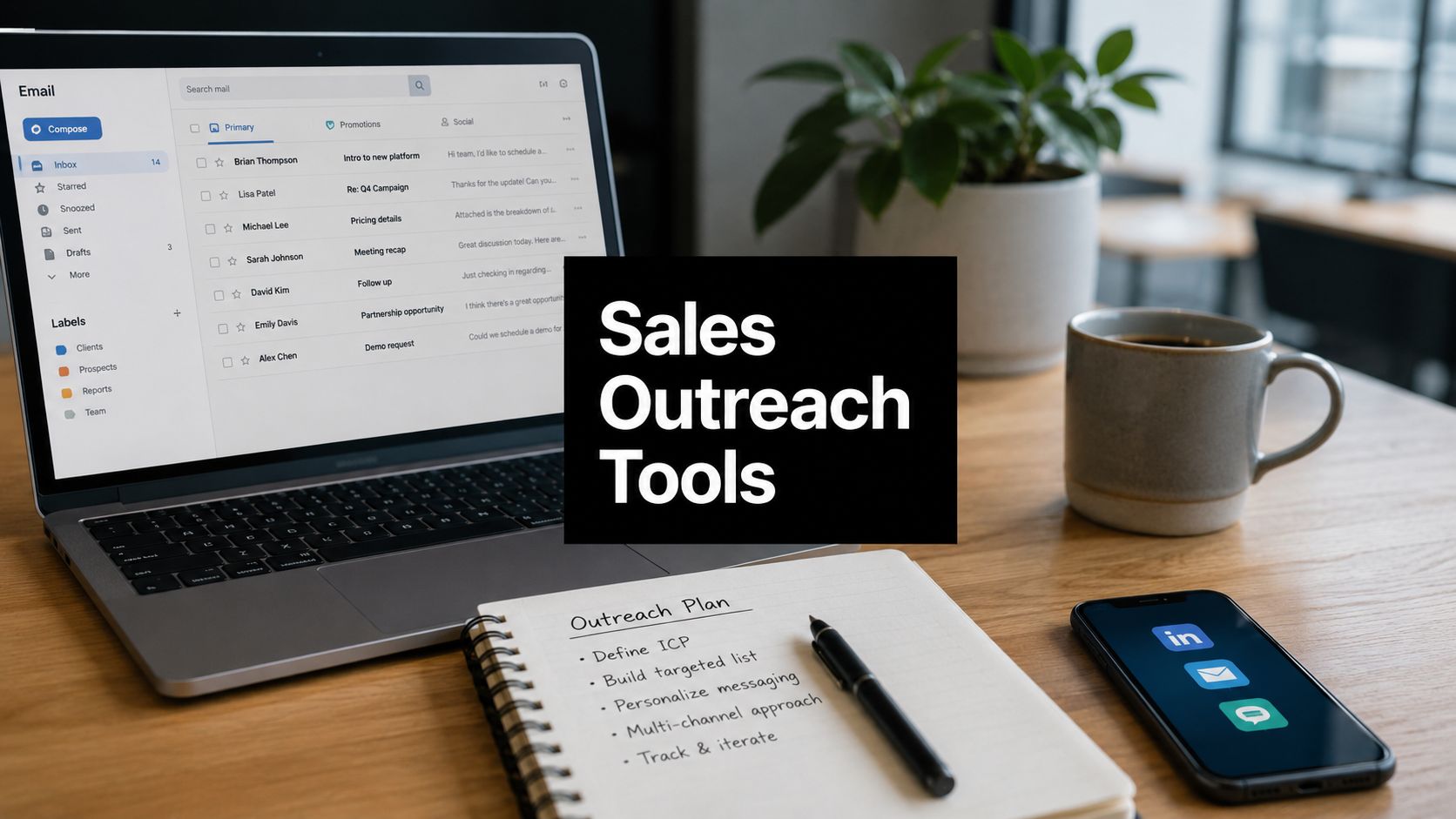
10 Sales Outreach Tools for B2B Teams in 2026
The most feature-rich platform isn't automatically the best sales outreach tool. A B2B team with weak contact data won't fix its pipeline by adding more sequence branches, and a company that sells through email alone may not benefit from paying for phone, social, intent, and AI features it won't operationalize.
The better decision starts with the outreach motion. Do you need a database and engagement in one place, enterprise governance around Salesforce, an integrated CRM, multichannel execution, high-volume email infrastructure, or a Gmail-native workflow? You'll also need to assess deliverability controls, data quality, CRM ownership, credit and seat limits, implementation effort, and how much manual work your team can tolerate.
This comparison uses that operating-model lens. Each platform is evaluated for its capabilities, practical B2B or SaaS fit, integration implications, pricing complexity, limitations, and rollout requirements. Teams that need a foundational email workflow can also review this guide to Mail Merge for Gmail outreach.
MakeAutomation is relevant when tool selection is only the first step. Its work can include CRM automation, SOP development, AI-enhanced operations, outbound workflow design, and AI or Voice AI agent deployment, helping teams connect software to repeatable revenue processes instead of creating another disconnected dashboard.
1. Top 12 AI Tools for Lead Generation to Scale Your B2B Outreach in 2026
This is the broadest starting point for teams that haven't decided which part of the outbound stack should own prospecting. MakeAutomation's AI lead-generation tools roundup brings together 12 platforms spanning account-based marketing, intent data, enrichment, social prospecting, and outreach automation. That makes it useful for comparing categories before committing to a single vendor.
The practical value is its workflow framing. A B2B SaaS team prioritizing named accounts may need account prioritization and intent signals. A founder-led sales motion may care more about contact discovery, personalization, and sequence automation. A revenue operations team may put CRM synchronization, lead scoring, and repeatable implementation ahead of novelty.
The page also connects vendor selection to implementation patterns, including CRM automation, SOPs, and AI or Voice AI agents. That matters because most lead-generation tools need configuration, data cleanup, field mapping, and change management before they produce consistent outcomes. A directory can shorten research, but it can't remove the operational work.
Where this roundup fits
Use the list when you're still defining the stack component you need. It can help you compare:
- Account-based platforms: Useful when sales and marketing coordinate around a defined account universe.
- Intent and signal tools: Useful when timing matters as much as firmographic fit.
- Enrichment platforms: Useful when your CRM has incomplete or stale contact records.
- Outreach automation tools: Useful when the database is already reliable and execution is the bottleneck.
- Social prospecting platforms: Useful when LinkedIn is a central part of your motion.
A key limitation is that vendor features, integrations, and pricing tiers change quickly. Treat the roundup as a shortlist, then verify current limits, data coverage, compliance documentation, and CRM behavior directly with each provider.
Implementation decision: Start here if you haven't separated your data, engagement, and orchestration requirements. Choose a narrower platform only after you can name the workflow it must own. Teams that need help translating that shortlist into a working outbound system can also review BAMF LinkedIn ghostwriting as part of a broader social prospecting strategy.
2. Apollo.io
Apollo is the clearest example of a data-plus-engagement platform. It combines a large B2B contact database with enrichment, email and call sequencing, LinkedIn tasks, a dialer, basic pipeline management, AI assistance, and a Chrome extension. That bundle suits startups and mid-market SaaS teams that want to search for prospects and launch an outbound motion without stitching together several foundational products.
Apollo's strongest practical advantage is consolidation. A lean team can move from target-account definition to contact selection, sequence enrollment, calling, and reply handling inside one environment. The Apollo platform also supports A/B testing and workflow automation, which gives teams a workable foundation for testing audience and message fit.
The data trade-off
The database is an asset only when the records match your target segment. Coverage and accuracy can vary by geography, industry, seniority, and role. Teams should verify important emails and phone numbers before sending at scale, particularly when a campaign depends on a narrow ICP where a wrong title or outdated employer can distort the entire sequence.
Apollo's credit model also makes cost less predictable as usage grows. Search, enrichment, AI functions, and additional data actions can consume credits, so the base subscription doesn't necessarily represent total operating cost. That's where understanding what sales intelligence means becomes useful. The platform can provide intelligence inputs, but your team still needs rules for qualification, enrichment, suppression, and CRM ownership.
Practical rule: Treat Apollo as a prospecting system first, then validate how much of your sending, calling, and CRM workflow it can safely own.
Implementation decision: Choose Apollo when budget, fast setup, and an all-in-one data-plus-engagement workflow matter more than specialized enterprise governance. Add an external verification step if poor data would damage sender reputation or sales productivity, and model credits before expanding seats. For an independent comparison perspective, see this Apollo versus ZoomInfo breakdown.
3. Outreach
Outreach belongs to the enterprise sales engagement operating model. It's designed for organizations that need structured cadences, role-based administration, task orchestration, analytics, conversation intelligence, and strong Salesforce alignment. The platform makes more sense when RevOps owns a formal process across multiple teams, territories, or segments.
The capability depth is valuable for complex workflows. Managers can standardize sequence governance, monitor activity, and use conversation intelligence through Kaia as part of a broader revenue process. Salesforce integration is central to the fit, because the platform's value depends on reliable synchronization between prospect activity, sales tasks, and CRM records. The Outreach platform is therefore better suited to a mature operating environment than to a founder sending the first campaigns.
Governance comes with overhead
Pricing is request-only, so buyers need a sales conversation to establish the budget. That complexity extends beyond subscription cost. Implementation, data-provider relationships, CRM architecture, permissions, reporting definitions, and rep training all affect the rollout.
Outreach also shouldn't be treated as a complete outbound stack by default. Teams may still need separate solutions for prospect data, advanced deliverability monitoring, or social execution, depending on their workflow. That can create more integration work than the product page suggests.
Implementation decision: Choose Outreach when Salesforce is the system of record, governance is essential, and your organization has the RevOps capacity to configure and maintain an enterprise platform. Pilot the CRM sync, permissions, reporting, and reply routing before asking a large sales team to adopt it. Smaller teams should first confirm that the platform's administrative depth solves a current problem rather than creating one.
4. Salesloft
Salesloft, now part of Clari, is another enterprise engagement choice, but its practical fit leans toward organizations that want cadence management, coaching, reporting, and revenue workflows across scaled teams. It supports multichannel cadences, voice capabilities, analytics, and Salesforce-first administration.
The platform works best when sales leadership and RevOps need a consistent operating layer across teams. Managers can define how reps work prospects, inspect activity, and connect conversation intelligence with broader revenue processes in the Clari ecosystem. The Salesloft website presents a platform built for structured deployments, not quick experiments.
A strong system still needs adoption
Salesloft's main cost risk is procurement complexity. Pricing isn't publicly listed, and the final commercial model may depend on seats, modules, contract terms, and implementation requirements. Onboarding also typically requires change management, especially when teams are moving from informal sequences or several disconnected tools.
That implementation effort can be justified when reporting consistency and governance matter. It's harder to justify for a small team that only needs email sequencing and basic follow-up. The platform's breadth may exceed the operating maturity of a young company, while the team still needs separate tools for data and deliverability.
Implementation decision: Choose Salesloft when you need a Salesforce-aligned engagement layer for multiple teams and can fund formal implementation. Define the ownership model before purchase. Sales operations should own permissions, sequence standards, field mapping, reporting, and ongoing optimization, while sales managers own rep adoption.
5. HubSpot Sales Hub
HubSpot Sales Hub fits the integrated CRM operating model. Instead of treating outreach as a separate execution layer, it places sequences, templates, tracking, meeting scheduling, AI assistance, pipeline management, and forecasting within HubSpot's Smart CRM.
That design solves a common operational problem, data fragmentation. When the CRM and engagement tools belong to the same stack, teams have fewer synchronization decisions to make. Marketing, sales, and service teams can work from a shared customer record, while the integration marketplace expands the available connections. The HubSpot Sales Hub product is particularly relevant for B2B businesses already using HubSpot Marketing or Service Hubs.
Integration can be the product decision
HubSpot's public pricing creates a lower-friction starting point than quote-only enterprise platforms. However, buyers shouldn't evaluate the entry tier in isolation. Seats, add-ons, feature limits, automation requirements, and the rest of the HubSpot suite all affect the practical cost.
The trade-off is specialization. A team with complex sequencing logic, advanced dialer requirements, or highly customized sales engagement analytics may find a standalone platform more capable in those areas. HubSpot's advantage is coherence, not necessarily category-leading depth in every outreach function.
Implementation decision: Choose HubSpot when CRM consolidation and adoption matter more than specialized engagement features. Before rollout, define lifecycle stages, ownership rules, pipeline fields, email permissions, suppression logic, and reporting. If your current CRM already lives in HubSpot, test whether one integrated workflow can replace enough adjacent tools to justify the subscription and configuration effort.
6. lemlist
lemlist is built for a multichannel outbound model that combines email, LinkedIn, calls, and SMS or WhatsApp workflows with data discovery, AI assistance, and deliverability features. Its strongest practical fit is a B2B team that wants one outbound workspace rather than separate tools for finding contacts, building sequences, and managing sender readiness.
The platform's deliverability hub is important because AI-generated copy and larger sending capacity don't guarantee inbox placement. lemlist includes warm-up, monitoring, and alerts, giving teams a more direct way to watch the infrastructure behind campaigns. Its multichannel outbound platform also uses credits for data, AI, and intent-related functions, so feature breadth and cost can move together.
Consolidation versus specialist depth
A unified workflow reduces dashboard switching and makes it easier to coordinate channel steps. It can also make implementation more manageable for a small revenue team that doesn't want to maintain separate enrichment, warm-up, and sequence systems.
The limitation appears at very high volume or in highly specialized environments. Teams with dedicated email infrastructure, complex mailbox architecture, or advanced CRM analytics may still need external systems. Credit usage also complicates forecasting. A campaign that looks affordable at the seat level can become more expensive when the team enriches large lists or uses AI features heavily.
Teams should pair the product with disciplined cold email best practices, including clear targeting, suppression, verification, and reply handling. Deliverability tooling can expose problems, but it doesn't make irrelevant or poorly governed outreach safe.
Implementation decision: Choose lemlist when you want multichannel execution and built-in deliverability support without assembling a large stack. Start with one segment, one sending domain strategy, and one sequence. Track credit consumption and inbox health before expanding the motion.
7. Instantly
Instantly is the clearest fit for high-volume email execution. It emphasizes multiple sending accounts, warm-up, inbox rotation, deliverability controls, optional AI agents, and enrichment through credits. Agencies and volume-focused teams may prefer that model because it separates sending capacity from the seat-based structure used by enterprise sales engagement platforms.
The product's strength is operational focus. A team can manage many mailboxes, distribute sending, and monitor the mechanics of email campaigns without paying for a full CRM or complex opportunity-management layer. The Instantly platform is therefore a better match for email-first workflows than for reps who need a unified phone, LinkedIn, and deal-management experience.
Volume creates a governance obligation
Instantly's high-capacity model can tempt teams to treat more sends as the primary growth lever. That's risky when targeting, verification, personalization, and suppression aren't controlled. The platform can help manage sending infrastructure, but it can't decide whether the audience is relevant or whether a campaign should stop after a change in reply quality.
Its credit-based enrichment and AI options also require planning. Base sending capacity and optional intelligence functions should be modeled separately, especially for agencies with multiple clients and different campaign requirements.
Implementation decision: Choose Instantly when your motion is deliberately email-centric and your team has clear rules for domains, mailboxes, list quality, and reply management. Don't use it as a substitute for CRM governance. Map positive replies, unsubscribes, bounces, and qualified meetings back to the system of record before increasing volume.
8. Reply.io
Reply.io occupies the automation-flexible multichannel position. It supports email, calls, LinkedIn steps, warm-up, data credits, website visitor identification, and AI SDR modes that can operate as a copilot or with more autonomy. That range suits a team that wants to begin with conventional cadences and introduce more AI assistance as its process matures.
The platform's useful distinction is control. A sales team can retain manual review in a copilot workflow or move toward automated prospecting, categorization, icebreakers, and reply handling. The Reply.io platform also offers agency-oriented administration, which can matter when one team manages campaigns across several clients.
AI changes the control surface
An AI SDR can draft, classify, and route work, but those actions need clear boundaries. Teams should define which replies require human review, which objections trigger escalation, when a contact is suppressed, and how meetings are booked. Without those rules, automation can increase activity while making quality control harder.
Pricing can also vary with data and AI requirements. Advanced packages may involve annual commitments, while the practical cost depends on mailboxes, enrichment, automation level, and agency needs. Integrations and administrative depth are lighter than the leading enterprise platforms, which may limit fit for complex Salesforce environments.
Implementation decision: Choose Reply.io when you want a middle ground between manual cadences and AI-assisted outbound. Begin with the copilot mode, document escalation rules, and test reply categorization against real conversations. Move toward higher automation only after the team can audit outcomes and correct errors quickly.
9. Mailshake
Mailshake is designed for the lean, email-first outbound model. It offers email sequencing, A/B testing, personalization, a unified inbox, and an optional dialer. Data finder and ready-to-use mailbox add-ons let smaller teams expand without adopting a full enterprise engagement suite.
Its value is speed to first campaign. A founder, small agency, or early sales team can build a sequence without learning the administrative complexity of Outreach or Salesloft. The Mailshake platform gives teams a straightforward starting point for prospect follow-up and basic multichannel activity.
Simplicity has a ceiling
Mailshake's simpler analytics and RevOps controls are suitable when the team needs campaign visibility rather than enterprise revenue intelligence. As the organization grows, it may need stronger branching, rep-level reporting, permissions, and CRM governance. Add-ons can also change the economics, particularly when the team needs more mailboxes, data, or calling capability.
Deliverability deserves explicit attention. Before launch, teams should follow a documented process for verification, authentication, list hygiene, unsubscribe handling, and domain monitoring. The companion guide on improving email deliverability can support that preparation.
Implementation decision: Choose Mailshake when fast implementation and clear email workflows matter most. Assign one owner to approve lists, monitor bounces and replies, maintain templates, and sync qualified outcomes to the CRM. Upgrade only when the team can identify a specific analytics, governance, or channel limitation that affects revenue work.
10. Mixmax
Mixmax is the strongest fit for Gmail-native execution. Its Inbox, Meetings, and Engagement Copilots support message tracking, reminders, categorization, scheduling, follow-up, rules, and sequence automation inside the Google Workspace experience. That makes it attractive to teams whose sellers already live in Gmail and resist moving into a separate sales engagement interface.
The product's adoption advantage is practical rather than theoretical. Reps can manage outreach, meetings, and follow-up from a familiar inbox, while modular plans let teams start with a narrower capability and add the broader Suite later. The Mixmax platform also emphasizes calendaring, an important part of converting replies into meetings.
Gmail-native is not CRM-native
Mixmax can reduce workflow friction for reps, but teams with deep Salesforce-first requirements may need a dedicated enterprise sales engagement platform. Dialer capabilities and some enterprise features may also be add-ons, so buyers should map the complete workflow before assuming the base product covers every channel.
Gmail convenience can create a governance gap if activity isn't synchronized reliably with the CRM. Teams need clear rules for ownership, reply classification, meeting outcomes, and follow-up tasks. A smooth inbox experience doesn't automatically produce clean revenue reporting.
Implementation decision: Choose Mixmax when Google Workspace is central to daily selling and rep adoption is the primary constraint. Pilot it with a defined Gmail-to-CRM workflow, then verify that tracked activity, meetings, replies, and suppression events reach the system of record correctly.
Top 10 Sales Outreach Tools Comparison
| Tool | Core features | Target audience | Key differentiator | UX & Pricing |
|---|---|---|---|---|
| Top 12 AI Tools for Lead Generation (2026) | Curated vendor roundup, feature/use‑case/pricing breakdowns, SOPs & rollout patterns | B2B/SaaS decision‑makers & revenue teams evaluating vendors | Actionable shortlist + MakeAutomation implementation frameworks | Research guide; vendor prices vary; requires vendor verification and setup |
| Apollo.io | 250M+ contacts, enrichment, multichannel sequences, dialer, AI assistant | Startups → mid‑market teams wanting data + outreach in one tool | Large data + engagement bundle with free tier | Easy to trial; credit/add‑on model can complicate TCO |
| Outreach | Advanced sequencing, conversation intelligence, deep Salesforce integration, analytics | Large enterprises with complex workflows & Salesforce stacks | Enterprise governance, analytics, and agentic AI focus | High implementation effort; premium, quote‑based pricing |
| Salesloft (Clari) | Multi‑channel cadences, rep coaching, forecasting, Salesforce‑first controls | Scaled/enterprise revenue teams and RevOps | Proven scale with deep Salesforce alignment and reporting | Extended onboarding; custom pricing via procurement |
| HubSpot Sales Hub | Sequences, email tracking, Smart CRM, AI assistance, CPQ & marketplace | Teams needing integrated CRM + outreach (SMB → Mid) | All‑in‑one GTM stack avoiding stitched tools | Clear public pricing and quick start; costs rise with add‑ons/seats |
| lemlist | Email/LinkedIn/calls/SMS, built‑in data finder, deliverability suite & warm‑up | Teams consolidating outbound OS; SMBs & agencies | Strong out‑of‑the‑box deliverability + multichannel depth | Self‑serve plans; credit model for data/AI adds variable cost |
| Instantly | Unlimited senders, warm‑up, inbox rotation, deliverability tools, AI reply agent | Agencies and high‑volume cold email senders | Transparent high‑volume tiers and robust inbox rotation | Designed for scale; credits and caps require planning |
| Reply.io | Email/calls/LinkedIn, deliverability, website reveal, AI SDR (co‑pilot/autopilot) | Teams wanting AI‑assisted SDR workflows with manual control | Flexible AI SDR modes for partial or full automation | Flexible onboarding; advanced AI/data packages often require annual commitments |
| Mailshake | Email sequencing, A/B testing, unified inbox, optional dialer, data add‑ons | Lean teams, SMBs, agencies seeking fast campaigns | Simple, affordable path to first campaign and scale | Fast setup and clear plans; may need add‑ons to scale volume/features |
| Mixmax | Gmail‑native sequences, modular AI Copilots (Inbox/Meetings/Engagement), calendaring | Google Workspace‑centric sellers and inbox‑first reps | Polished Gmail experience with modular copilots | Quick adoption for Google teams; some enterprise features as paid add‑ons |
Turn the Shortlist Into a Working System
Selecting among sales outreach tools is only the beginning. The right sequence is to define the target segment, choose the outreach motion, identify the system of record, validate data and deliverability requirements, model seats and credits, and pilot one repeatable sequence before expanding.
Start with the buyer and channel, not the vendor. If your team needs prospect discovery and basic engagement in one place, Apollo may fit. If Salesforce governance and enterprise administration dominate the decision, Outreach or Salesloft may be more appropriate. If CRM consolidation is the priority, HubSpot Sales Hub can reduce integration work. If email infrastructure is the core challenge, Instantly or Mailshake may be a better practical fit. If Gmail adoption is the constraint, Mixmax deserves a focused pilot.
Then calculate the operating cost. Subscription pricing rarely tells the whole story. Add seats, data credits, enrichment, mailboxes, warm-up, verification, dialer access, AI usage, CRM integrations, implementation, and management time. The hidden-stack problem is substantial. Independent coverage describes outbound teams using four to five separate tools for data, deliverability, social automation, intent signals, and AI enhancement, with annual per-user spend reaching roughly $7,424 to $10,516 in some configurations, as documented by Amplemarket's analysis of switching from Outreach.
Reply rate gives teams a measurable optimization target, but it shouldn't be isolated from deliverability and targeting. Sales outreach benchmark data places median positive reply rates for outbound campaigns at about 4.2%, with top-quartile performance reaching 7.5%. Broader 2025 to 2026 benchmarks put average cold email reply rates around 3.43%, while top performers exceed 10.7%, according to sales outreach benchmark data. Those figures don't prove that one platform will create a particular lift. They do show why teams should measure sequencing, audience quality, and sender health together.
Build the rollout around ownership
Document the operating system before launch:
- CRM field mapping: Define which platform creates, updates, and owns each contact, account, opportunity, and activity field.
- Reply handling: Set rules for positive replies, objections, referrals, out-of-office messages, unsubscribes, and escalation to a human.
- Suppression rules: Remove existing customers, open opportunities, competitors, opted-out contacts, invalid addresses, and accounts with relevant exclusions.
- Deliverability governance: Assign ownership for authentication, domain health, mailbox rotation, warm-up, spam checks, bounce review, and volume changes.
- Reporting definitions: Agree on what counts as a reply, qualified conversation, meeting, opportunity, and sourced pipeline.
- SOP maintenance: Record how the team creates lists, approves messaging, launches sequences, reviews performance, and changes automation safely.
Adoption matters as much as feature breadth. One industry compilation reports that enterprise sales reps use sales engagement tools daily at a rate of 81%, while adoption among B2B companies increased from 35% in 2020 to 62% in 2023. The same source reports that Outreach users engaging with the platform at least three days per week book 2.25 times more meetings and achieve 33% higher revenue attainment than low adopters, as summarized in sales engagement software data. The operational conclusion is more useful than the comparison itself. A simpler tool that reps use correctly can outperform a broader platform that nobody maintains.
AI adds another governance layer. Recent coverage describes a shift toward hybrid human-plus-AI workflows and warns that many tools still lack native warm-up, inbox placement testing, domain monitoring, spam checking, and mailbox-rotation guidance. The same coverage reports that 57% of quota benchmarks depend on hybrid workflows, according to AI SDR and outbound automation trends. AI can increase throughput, but higher throughput without controls can lower reliability and make reply-rate declines harder to diagnose.
MakeAutomation can support the surrounding work, including CRM automations, process documentation, SOP development, AI-enhanced operations, sales cadence design, and AI or Voice AI agent implementation. That support is most valuable when the selected platform must connect to qualification, routing, follow-up, reporting, and broader revenue operations rather than operate as an isolated sender.
MakeAutomation helps B2B and SaaS teams turn sales outreach tools into repeatable systems through CRM automation, SOP development, AI-enhanced operations, and AI or Voice AI agent implementation. Visit MakeAutomation to connect your selected platform to the workflows, controls, and revenue processes your team needs to scale.