Sales Automation Process for B2B Growth
More automation doesn't automatically produce more revenue. It can just make a weak process faster, distribute inaccurate CRM records more widely, and send robotic messages before anyone notices the damage. A credible sales automation process reallocates capacity. Software handles repetitive administration, while sellers spend the recovered time on qualification, customer conversations, negotiation, and relationship development.
That distinction matters for B2B and SaaS companies. McKinsey Global Institute research found that approximately one-third of sales and sales-operations activities could be readily automated, with early adopters reporting 10–15% efficiency improvements and potential sales uplift of up to 10% when recovered capacity was redirected toward customer engagement (McKinsey Global Institute research). The opportunity isn't to maximize message volume. It's to remove low-value work without removing judgment, accountability, or trust.
Rethinking the Sales Automation Process
Sales automation fails when teams treat software as the operating model. Connecting a CRM, activating email sequences, and adding an AI agent will not repair unclear ownership, weak data, or missing controls. Automation repeats the rules, fields, permissions, and signals it receives. Poor inputs therefore become consistent, scalable errors.
Start with a clear division of responsibility: which work should software perform, and which work should a seller own? Lead routing, CRM updates, meeting reminders, activity logging, and pipeline alerts generally suit automation. Pricing exceptions, strategic-account communication, nuanced objections, and promises about product capability need context that a workflow may lack.
Capacity is the business case
Better use of expensive selling time is the strongest argument for automation, not lower headcount. McKinsey's research found that high-performing sales representatives spend approximately 20–25% more time with customers than lower-performing representatives (McKinsey Global Institute research).
Use that principle to judge each workflow. Does it give sellers better context before a call, help them respond to qualified inquiries sooner, or reduce time spent correcting records? A system that sends more irrelevant outreach can look productive in a dashboard while harming deliverability and buyer confidence. Data decay, covered in detail below, adds another constraint.
Practical rule: automate the coordination around selling before automating the judgment inside selling.
Treat automation as an operating model
A durable process connects inbound capture, enrichment, scoring, routing, outreach, CRM updates, and reporting. Every handoff needs an owner, a failure state, and an audit trail. A lead should remain visible when an enrichment provider returns no company size or a round-robin rule finds no available representative.
Human controls protect the process from edge cases. Sellers need to pause a sequence, correct an account, reject an AI-generated recommendation, and record why a contact was suppressed. Those controls keep automation aligned with complex B2B buying and preserve accountability when a workflow makes the wrong decision.
The operating target is recovered selling capacity with controlled risk. Software should make routine work dependable while leaving judgment, exceptions, and buyer trust visible to the people responsible for the relationship.
Designing Event-Driven Triggers and Routing
Speed-to-lead shouldn't live as a slogan on a sales dashboard. It should exist as an event-driven workflow with timestamps, intent categories, ownership rules, and escalation paths. The system needs to know what happened, when it happened, who owns the next action, and what occurs if that action fails.
Build the workflow around the inbound event
Start by capturing the event with its source, timestamp, consent status, page or asset context, and intent signal. A demo request, pricing inquiry, contact form, and educational download shouldn't enter the same queue. The event determines the service level and the degree of human involvement.
Use this sequence:
- Capture the record. Store the original source and event time, not just the person's name and email.
- Enrich and score it. Add relevant firmographic and role information, then assess fit and intent.
- Route ownership. Assign the lead to the correct representative, territory queue, product specialist, or fallback owner.
- Trigger the first action. Send a confirmation, create a task, notify the owner, or initiate a reviewed voice-AI action.
- Log every attempt. Record calls, emails, notifications, and outcomes in the CRM.
- Escalate or recycle. If nobody acts, route the lead to a backup queue or place it in a suitable nurture path.
For implementation teams using webhooks, webhook automation for connected lead workflows can help connect the originating event to downstream routing and CRM actions. For urgent notification paths, teams can evaluate SMS Activate on real-time alerts as part of a broader escalation design. The alert is useful only if the recipient, fallback owner, and response deadline are already defined.
Set SLAs by intent, not convenience
A high-intent demo or pricing request should trigger immediate acknowledgment and a human or voice-agent action. A lower-intent content download can enter a same-business-day sequence with qualification questions and an appropriate handoff condition.
Analysis of 130 million interactions involving 45 million contacts and 4 million web leads found that the strongest response window was 10–60 minutes, when win outcomes were three times more likely than when contact occurred within the first 10 minutes or after one hour (VanillaSoft lead conversion analysis). Treat that as an operational signal, not a universal close-rate promise. Lead intent, staffing, segment, and business hours can all influence the outcome.
Measure median and 90th-percentile response time separately by channel, source, geography, and operating hours. An attractive average can conceal a routing failure that affects every lead arriving overnight. Review the full path from event creation to first human action, not just the timestamp of the first automated email.
Protecting CRM Data Quality from Decay
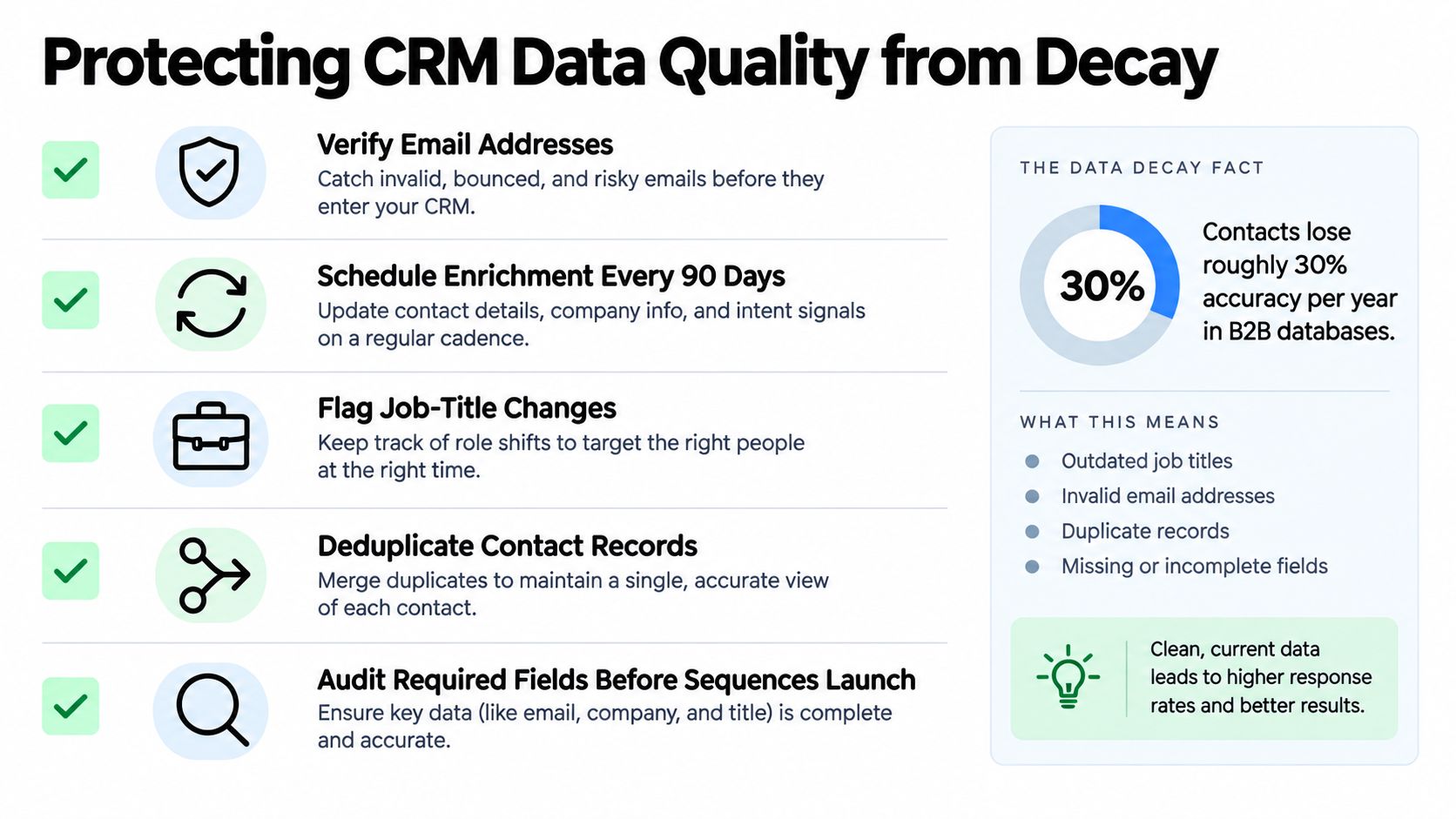
By the time a bad record surfaces, the damage is already distributed: a failed call task, careless personalization, or a split account. Data decay is the quiet tax every automated pipeline pays. An invalid phone number can create an unreachable task. A changed job title can make a message look careless. A duplicate account can divide activity and distort ownership, forecasting, and attribution.
Research cited by Teamgate CRM data benchmarks reports that 91% of CRM data becomes incomplete, outdated, or duplicated each year, while B2B data may decay by 30–70% annually as people change jobs and companies rebrand. The practical conclusion is straightforward: data governance must be part of the sales automation process, not a cleanup project after performance falls.
Define the record before you activate the workflow
Set required fields and canonical formats before enabling automation. Decide how the CRM stores country names, phone values, company names, lifecycle stages, consent states, and account ownership. If connected systems represent the same field differently, synchronization will eventually create conflicts.
Deduplicate using stable identifiers such as normalized domain, email, and account ID. Validate email and phone values at ingestion, then quarantine records that fail validation instead of allowing them to trigger outreach. Enrichment should serve a defined business need. Applying it indiscriminately increases cost and can insert incorrect details into personalization.
Track a focused control set:
- Required-field completeness: Find records missing information needed for routing or contact.
- Duplicate rate: Detect duplicate contacts and accounts before they enter a sequence.
- Invalid-contact rate: Separate unreachable records from genuine campaign performance.
- Routing-error rate: Identify assignments sent to the wrong owner or left unassigned.
- Freshness coverage: Measure which active records were verified within the defined window.
- Suppression compliance: Confirm that opt-outs, existing customers, competitors, and excluded segments remain outside outreach.
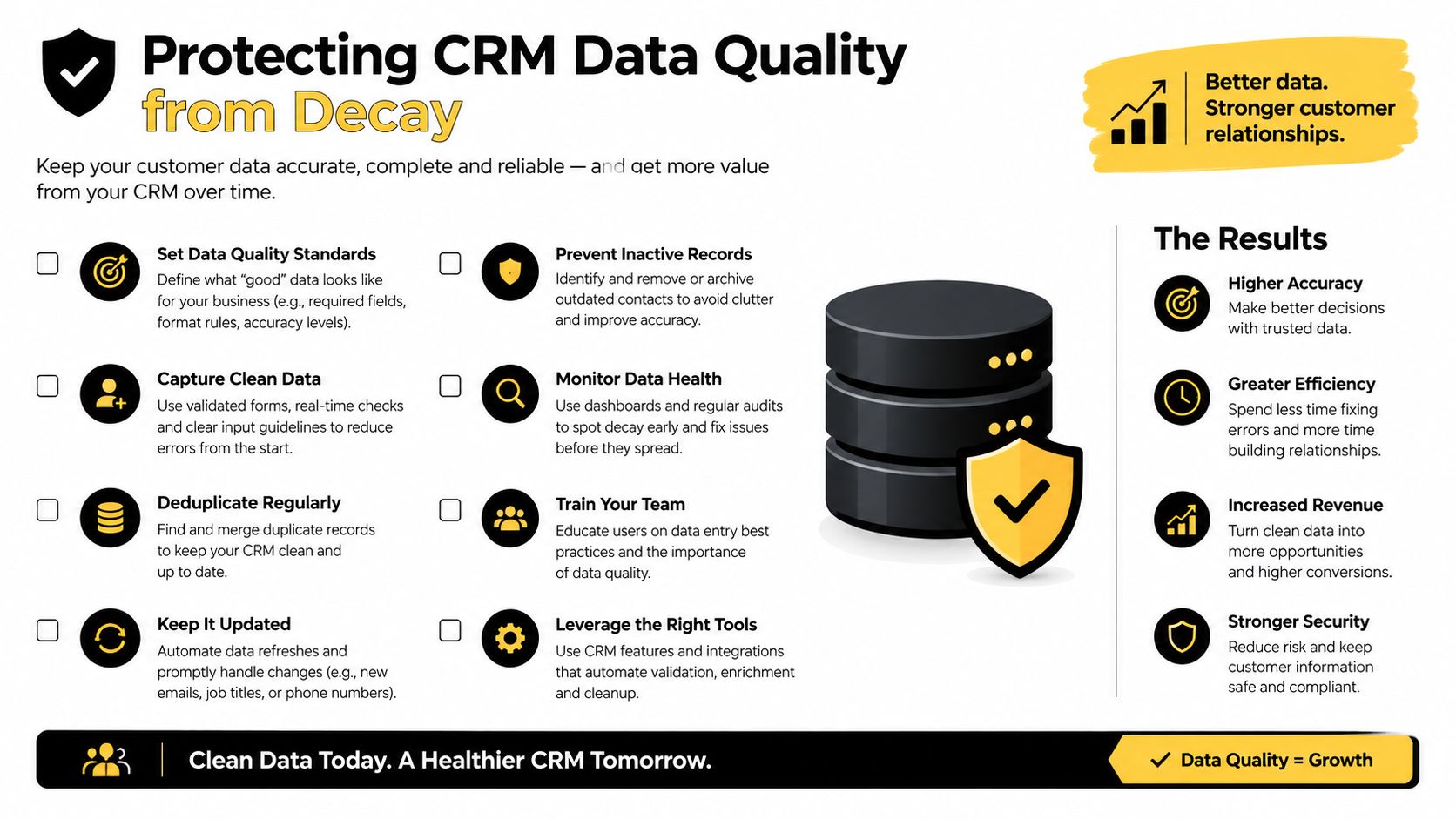
Assign ownership for data quality. Sales operations can define standards, marketing can manage acquisition sources, and representatives can correct details discovered in conversations. The platform will not preserve accuracy without people responsible for maintaining it.
Clean before you measure
A record should pass validation before it enters a cadence. Apply suppression rules for opt-outs, existing customers, competitors, and unqualified segments. Synchronize changes bidirectionally only when conflict rules are explicit, and generate scheduled exception reports for records that fail those rules.
Use CRM data cleansing for structured pipeline maintenance when the team needs a defined process for identifying duplicates, normalizing values, and removing records from unsafe sequences. Keep database hygiene separate from performance analysis. Pipeline and conversion reports should exclude suppressed, duplicated, and uncontactable records, or database pollution will appear as weak sales execution.
Do not enrich a stale database merely to make it look complete. Prioritize active opportunities, high-intent inbound leads, and accounts entering a sequence. A smaller verified audience supports better judgment than a larger database built on uncertain assumptions. Human review remains the final safeguard where automation cannot establish whether a record is current, accurate, and appropriate to contact.
Building Intelligent Cadences with AI Insights
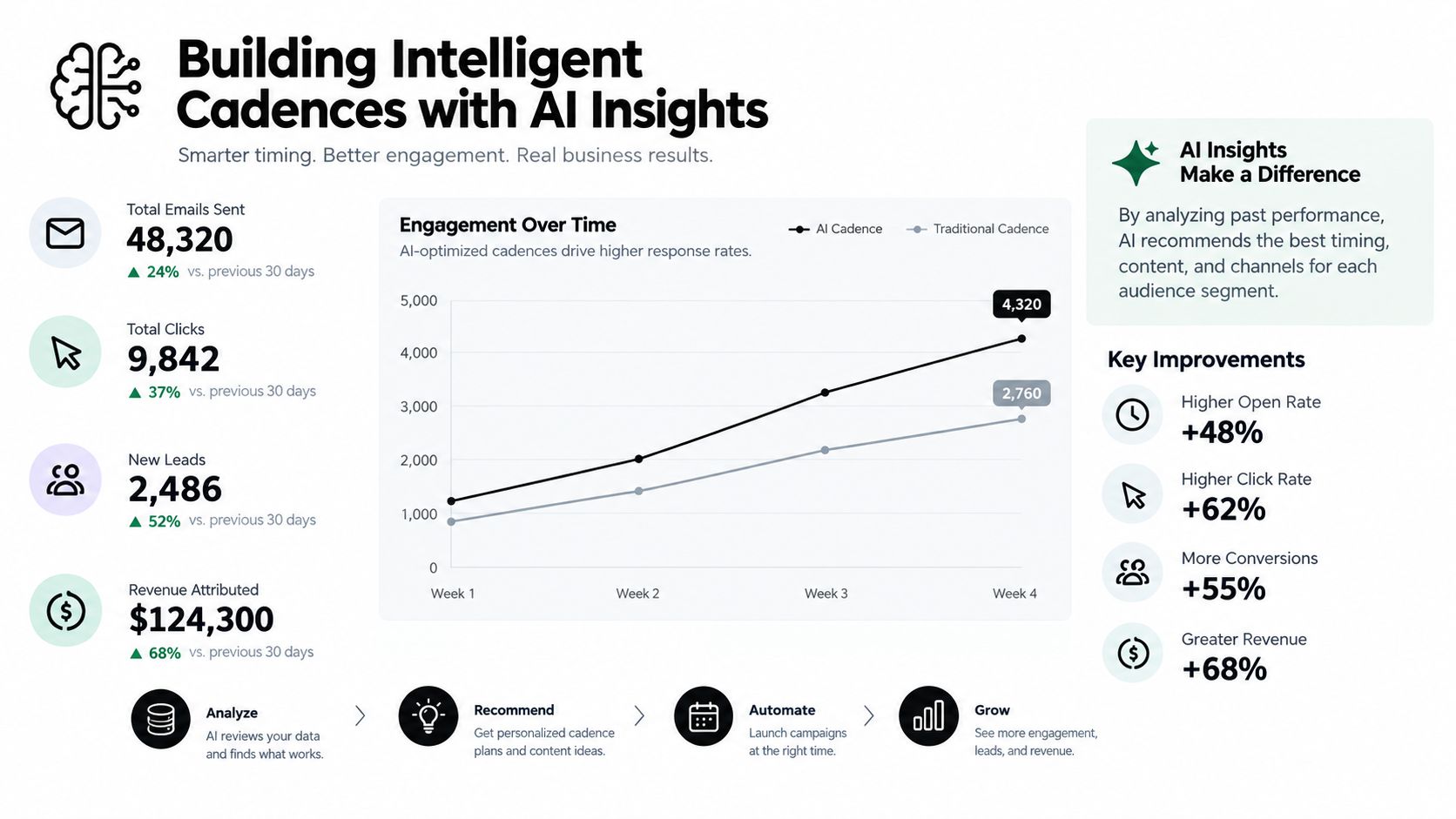
An intelligent cadence does more than wait a set number of days before sending another generic email. It reacts to fit, behavior, conversation context, and explicit buyer signals. AI can surface patterns and prepare the seller, while people remain accountable for decisions that affect the buyer relationship.
Salesforce's sixth State of Sales study surveyed 5,500 sales professionals across 27 countries and six continents between March 8 and April 18, 2024. The study found that 81% of sales teams were using AI, 83% of AI-using teams experienced revenue growth during the preceding year, compared with 66% of teams not using AI, and sales representatives spent 70% of their time on non-selling activities, including administration and meeting preparation. It also reported that 80% of representatives at AI-using organizations said they could easily obtain the customer insights needed to close deals, compared with 54% at organizations without AI (Salesforce State of Sales findings). These figures show why teams apply AI to prioritization, enrichment, conversation intelligence, forecasting, and drafting, while the association does not establish that AI caused the reported revenue difference.
Make the cadence adaptive
A useful cadence changes according to buyer behavior:
- No engagement: Continue with a restrained, relevant sequence or move the record into nurture.
- Meaningful engagement: Create a seller task that includes the page, asset, or account signal that prompted it.
- Positive reply: Stop automated outreach and route the conversation to an owner.
- Objection or pricing question: Require human review before sending a response.
- Unsubscribe or negative response: Suppress the record immediately and preserve the event in the CRM.
AI-generated copy should draw only from verified CRM context and approved product language. Set exclusions for unsupported assumptions. The system can summarize previous interactions, suggest a subject line, identify missing stakeholders, or prepare a call brief. It should not invent a customer problem because a field is blank.
Reducing preparation time while improving the context available to the seller is where AI earns its place in a cadence. Its output still needs a review path, especially when CRM fields are incomplete, stale, or contradictory.
Train the people who govern the system
Adoption stalls when representatives cannot assess AI output or operations teams cannot maintain the underlying rules. Among sales-operations professionals using AI, 33% cited insufficient resources or headcount, while another 33% cited inadequate employee training as adoption barriers, according to the same Salesforce findings.
Training should define prompt and template boundaries, approval requirements, correction workflows, suppression behavior, and the difference between a recommendation and a fact. Review generated messages and summaries for unsupported claims, incorrect contacts, inappropriate tone, and missing context. Give representatives a clear way to report errors, and make corrections flow back into the relevant rules or data fields.
Guidance on sales cadence best practices can support the operating layer, but templates cannot compensate for weak segmentation or unverified data. A cadence earns the label intelligent when it helps sellers make better decisions while preserving their responsibility for the interaction.
Balancing Automation with Buyer Trust
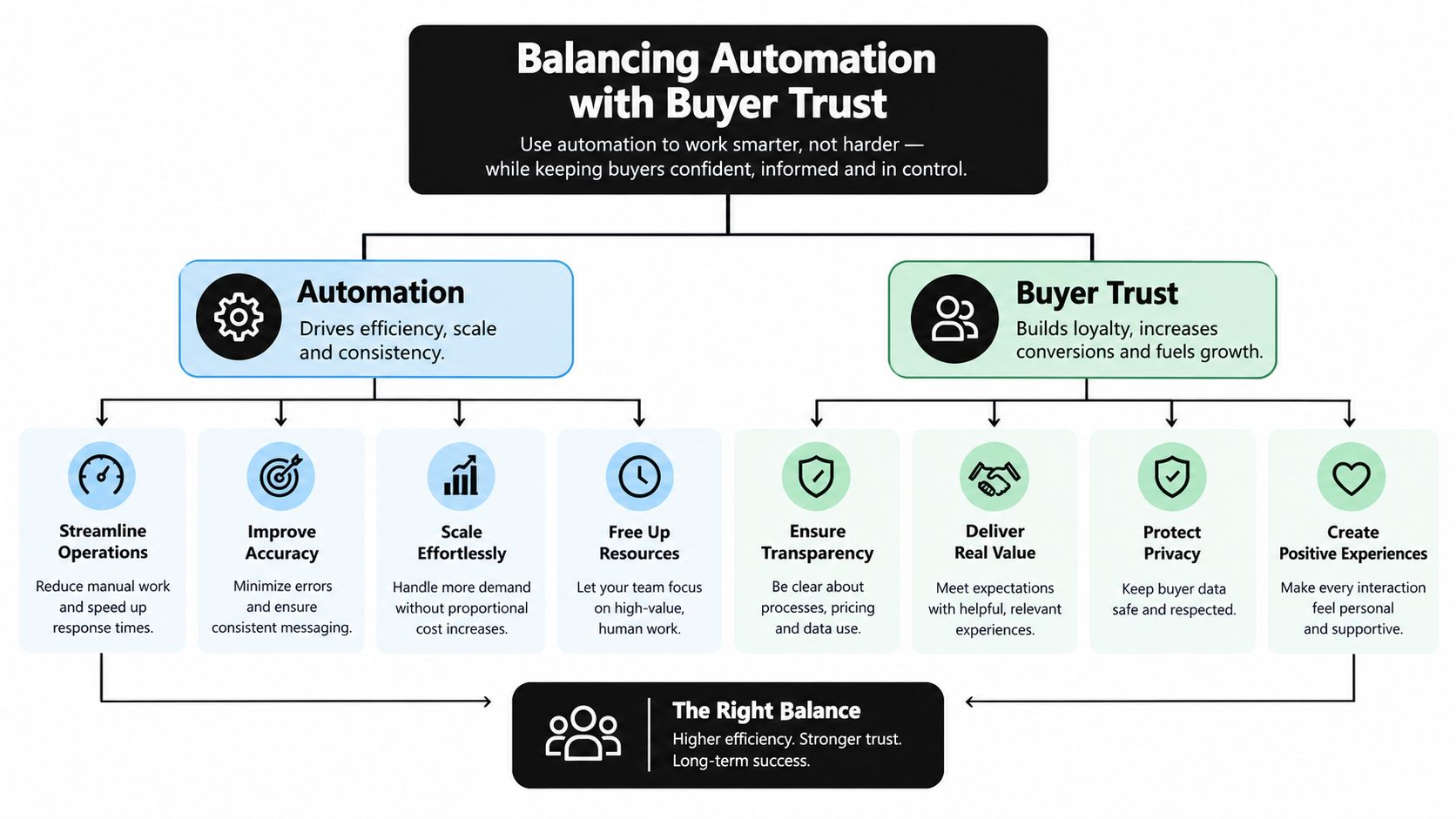
A buyer can detect a careless automated interaction quickly. The message uses a former job title, references a challenge the company doesn't have, or answers a complex question with confident nonsense. Once that happens, later personalization often feels like more automation rather than a correction.
Trust should be designed into the process through risk tiers. Low-risk administrative actions can run without approval. Communication that shapes a buyer's understanding of the product, price, obligations, or strategic fit deserves review by a person who can take responsibility for the answer.
Use three levels of autonomy
Tier one, administrative execution, can usually run automatically. Examples include creating records, logging activities, scheduling internal reminders, applying suppression rules, and notifying an owner. These actions affect internal workflow more than buyer interpretation.
Tier two, assisted communication, can prepare and sometimes send approved, low-risk messages. A confirmation email, meeting reminder, or narrowly scoped response can use automation when the source data is verified and the recipient's consent and status are clear. Provide a visible stop condition when the buyer replies, objects, or asks for information outside the approved scope.
Tier three, human-controlled judgment, includes pricing negotiations, strategic-account communications, complex objections, qualification exceptions, legal or security questions, and commitments about delivery. AI can summarize the account and draft options, but a representative should approve the final message.
Recent Gartner research reports that 66% of sales leaders have low trust in AI-generated insights. Separate research reports that 51% of consumers perceive AI sales interactions as robotic, while 69% prefer validating AI-generated insights with a human at key decision points (Gartner research on AI for sellers). Those findings support a deliberately hybrid model, especially in complex B2B sales where credibility matters as much as speed.
Measure trust as an operating metric
Revenue dashboards often emphasize activity, but trust failures appear in different signals. Track approval rates for AI-generated messages, opt-outs, complaints, corrections to AI output, hallucination incidents, and conversion by human versus AI-assisted touchpoint. Review those measures by segment and workflow, because an acceptable administrative assistant can be inappropriate for an enterprise buying committee.
The safest automation is transparent about its limits and fast at handing control to a qualified human.
Also give buyers a clear route to a person. A voice-AI agent can qualify an inbound request, but it should identify when the question exceeds its approved scope and transfer the conversation with its context intact. A chatbot can collect requirements, but it shouldn't pressure a buyer to continue after a clear objection.
Trust isn't preserved by making automation invisible. It's preserved by making the experience accurate, proportionate, and easy to escalate.
Monitoring Pipeline Health and System Exceptions
Launching the workflow is the beginning of operations, not the end of implementation. A healthy system needs dashboards that show normal movement and exception reports that expose failures before they reach buyers. If the team only watches meetings booked or pipeline value, it may miss duplicated records, silent routing failures, and sequences that continue after a prospect has replied.
Build the monitoring layer around exceptions
Start with an operational dashboard that answers five questions:
| Control area | What to inspect |
|---|---|
| Inbound flow | Events received, missing fields, consent status, and records rejected at ingestion |
| Ownership | Unassigned leads, incorrect territories, duplicate assignments, and overdue first actions |
| Sequence behavior | Enrollments, pauses, replies, opt-outs, bounces, and records that should have exited |
| Data health | Duplicate rate, required-field completeness, invalid-contact rate, and stale active records |
| Revenue movement | Qualified meetings, stage progression, opportunity outcomes, and conversion by touchpoint |
Use median and 90th-percentile response time rather than relying on an average. Segment the results by source, channel, geography, and business hours. An after-hours queue can fail consistently while the blended dashboard appears healthy.
The exception report should be actionable. Include the record, workflow, failed condition, owner, timestamp, and recommended resolution. “Routing error” isn't enough. “Demo request from the European queue has no assigned owner and has exceeded the response SLA” gives operations a task they can resolve.
Audit each handoff
Run scheduled checks for records that entered a sequence without verified contact information, contacts enrolled after opting out, opportunities with no recent owner activity, and deals whose stage conflicts with their latest activity. Review bidirectional sync conflicts separately from ordinary missing data. A field that changes repeatedly between systems needs a rule, not another manual correction.
For new automation, use controlled routing or a phased rollout. Compare qualified-meeting and revenue-per-lead outcomes with a baseline while keeping the audience, ownership model, and measurement definitions clear. Don't judge a workflow only by emails sent or tasks completed. Those are execution metrics, not proof of commercial value.
Organizations selling into regulated or specialized markets may also need structured opportunity research before outreach. For example, teams exploring AI for Government Contracts should keep opportunity qualification, compliance review, and seller approval distinct from the automated notification layer. The same principle applies elsewhere. An alert can surface an opportunity, but a qualified person must decide whether the opportunity fits.
Create a recurring operating rhythm
Assign clear ownership for daily, weekly, and periodic reviews:
- Daily: Resolve unassigned high-intent leads, failed notifications, duplicate enrollments, and urgent consent exceptions.
- Weekly: Review response-time distributions, sequence exits, routing errors, opt-outs, and human escalation volume.
- Monthly: Audit field definitions, suppression rules, enrichment sources, AI output corrections, and conversion by workflow.
- After every major change: Compare the revised path with the baseline and confirm that rollback is possible.
Keep an audit trail for rule changes. Record what changed, why it changed, which segment it affects, and how the team will judge the result. This prevents a familiar failure mode, where several small edits make it impossible to explain why pipeline quality declined.
MakeAutomation provides services covering lead enrichment and scoring, CRM synchronization, follow-up sequences, pipeline reporting, forecasting, quote and proposal workflows, and AI or voice-AI agent implementation. Those capabilities are useful when they are fitted to explicit ownership, data-quality controls, approval tiers, and exception reporting rather than deployed as disconnected features.
A dependable sales automation process doesn't aim for complete autonomy. It aims for reliable execution of routine work, better information for sellers, fast escalation when judgment matters, and enough monitoring to catch failures while they remain fixable.
If your CRM is losing accuracy, leads are waiting for follow-up, or AI touches need stronger human controls, MakeAutomation can help map and implement a sales automation process around your data, routing, cadences, and reporting. Visit MakeAutomation to discuss a practical workflow that protects buyer trust while giving your team more time for qualified conversations.