How to Track Billable Hours A Guide for B2B and SaaS Teams
Before you can track billable hours, you first have to figure out what actually is billable. From there, you need a solid method for logging that time and clear policies that both your team and your clients understand. At its heart, the whole process is about consistently connecting time spent to specific tasks and projects so your invoices are accurate and your projects stay profitable.
Why Accurate Time Tracking Is a Growth Engine, Not a Chore

For a lot of leaders in B2B and SaaS, the idea of tracking time brings up painful memories of clunky spreadsheets and constant reminders. It feels like a chore—just another administrative hurdle you have to jump over to get paid.
But that view completely misses the point. When done right, meticulous time tracking is one of the most powerful, and frankly underused, tools you have for growing your business. It’s not about micromanaging your team; it’s about getting crystal clear on how your business actually runs.
Once you nail this down, you can stop guessing and start making decisions based on real data. You finally get solid answers to some fundamental business questions:
- Who are our really profitable clients, not just the biggest ones?
- Are our project estimates hitting the mark, or is scope creep eating our margins?
- Where is our team’s time actually going, and what’s causing the bottlenecks?
This guide is designed to help you build a modern, automation-first system that answers those questions. We’re going to leave behind the manual methods that create revenue leaks and operational headaches.
The Strategic Value of Every Minute
The massive shift from manual tracking to automated software says a lot about how businesses think about time now. The global market for time tracking solutions is expected to explode, rocketing from US$ 2,971.57 million in 2022 to an estimated US$ 17,601.72 million by 2030. That kind of growth sends a clear signal: businesses everywhere are realizing that precise time data is non-negotiable for profitability and client trust. If you're curious about the drivers behind this trend, you can dig into the full market analysis of time tracking solutions.
Treat time tracking as a strategic asset. When you do, it stops being a chore and becomes a data-driven engine for smarter decisions, better project outcomes, and stronger client relationships. It’s the foundation every service-based company needs to scale efficiently.
From Manual Mess to Automated Success
Let’s be real for a second—manual tracking is a mess. It’s riddled with errors. Just 15 untracked minutes a day from one employee can snowball into a week of lost billable hours over the course of a year. Spreadsheets can’t warn you when you’re about to go over budget, and they certainly don’t talk to your project management tools.
An automated system, on the other hand, plugs those expensive leaks. It creates a single source of truth, making sure every valuable minute of work gets captured, categorized, and billed. This isn't just about convenience; it’s about building a more predictable and profitable business.
Manual vs Automated Time Tracking At a Glance
The difference between wrestling with a spreadsheet and using a dedicated tool is night and day. This table breaks down the practical outcomes you can expect from each approach.
| Aspect | Manual Tracking (Spreadsheets, Paper) | Automated Tracking (Software, Integrations) |
|---|---|---|
| Accuracy & Revenue | High potential for human error, forgotten entries, and lost revenue. Inaccurate invoices lead to client disputes. | Drastically improved accuracy. Captures all work automatically, maximizing billable hours and revenue. |
| Team Productivity | A time-consuming administrative task that pulls focus from client work. Low team adoption and inconsistent data. | Minimal effort required from the team. Timers, integrations, and mobile apps make tracking a background process. |
| Project Profitability | Very difficult to get a real-time view of project budgets vs. actuals. Profitability is often a surprise at the end. | Real-time dashboards and budget alerts. You can see which projects are profitable and address issues immediately. |
| Operational Insights | Provides very limited, often outdated data. Almost impossible to analyze team capacity or identify bottlenecks. | Generates rich, actionable reports on client profitability, team utilization, and project efficiency. |
Ultimately, while manual methods might seem free, the hidden costs in lost revenue, administrative overhead, and poor decision-making are significant. Automated systems provide the clarity and control you need to scale.
Choosing Your Tech Stack for Time Tracking
Let’s be honest, the foundation for great billable hour tracking isn’t a beautiful spreadsheet or a pristine notebook—it's the right technology. The key is to find a tech stack that feels like a natural extension of how your team already works, not another clunky tool they have to remember to log into. The whole point is to capture time with as little friction as possible.
Of course, the right choice really depends on your business. A solo consultant might get by just fine with a simple timer app to log hours for a few clients. But a marketing agency juggling 30 different projects? They need something much more powerful—a platform that plugs right into their project management and accounting systems.
It's like choosing a vehicle. You wouldn't take a sports car on a camping trip. The tool has to match your specific workflow, team size, and what your clients expect to see on their invoices.
Evaluating Core Features That Actually Matter
When you start looking at time tracking software, it’s easy to get wowed by a long list of flashy features. My advice? Ignore the noise and focus on the core functions that will directly impact your bottom line. Your evaluation should zero in on a few key areas that will make or break how well the tool fits into your daily grind.
Here’s what I always look for first:
- Seamless Integrations: This is non-negotiable. How well does the software play with the tools you already rely on? Check for native connections to your project management platform (like Asana, Jira, or Trello), your CRM (like HubSpot), and your accounting software (like QuickBooks). A tool that makes you manually shuffle data from one system to another is just creating more work.
- Intuitive Reporting Dashboards: Raw data is useless if you can't make sense of it quickly. I look for platforms with clean, visual reports on project profitability, team utilization, and budget pacing. You need to be able to see, at a glance, which projects are on track and which ones are quietly draining your resources.
- Mobile and Desktop Accessibility: Work happens everywhere, not just at a desk. Your team needs the flexibility to track time from a desktop app, a browser extension, or their phone. The easier it is for them to log time in the moment, the more accurate your data will be. It's that simple.
A great time tracking tool should hum along quietly in the background. It becomes an invisible, indispensable part of your workflow. If it creates more admin work than it eliminates, you've chosen the wrong tool.
Matching the Tool to the Team
There’s no single "best" software out there. The right tool depends entirely on your team's unique workflow. A one-size-fits-all approach almost never works because different businesses have fundamentally different needs.
A fast-paced digital marketing agency, for example, needs to track small chunks of time across dozens of client accounts. For them, a killer feature might be a timer that starts directly from a task in their project management board. Efficiency and quick task-switching are everything. Our guide on project management tools can help you find options that blend these functionalities well.
Now, think about a software development firm working on long-term, complex projects. Their needs are totally different. They require detailed time entries that can be tagged by feature, bug fix, or research. Their focus is on granular data to build better estimates for future sprints and provide clear justification on invoices.
And then you have a law firm, where billing is often done in precise, six-minute increments. The ideal tool for them would automatically round time entries to the nearest tenth of an hour and spit out detailed, compliant invoices that hold up under client scrutiny.
Before you even start a free trial, take an hour to map out your team's primary workflow. Pinpoint where the data needs to flow and what kind of reports would give you the most valuable insights. That clarity will guide you straight to a solution that actually helps your business grow.
Building an Automated Time Tracking Workflow
So, you've picked your tech stack. That's a huge first step. Now comes the fun part: making it all work together so you barely have to think about it. The goal here is to build a system where time tracking just happens in the background, letting your team focus on what they do best—delivering great work for clients—instead of getting bogged down in timesheets.
An effective workflow is all about connections. Your time tracking app shouldn't be sitting on an island by itself. It needs to talk to your project management platform, your CRM, and your invoicing tools. When these systems are in sync, you kill double-entry, dramatically reduce human error, and get a single, real-time view of what’s actually going on in your business.
Connecting Your Tools for Seamless Data Flow
This is where the magic really happens. Automation platforms like Zapier or Make.com act as the glue between your apps, letting them share information and kick off actions automatically. You'll be amazed at how much time you get back.
Let's walk through a real-world example for a creative agency:
- A project manager adds a new task to an "In Progress" list in Trello and assigns it to a designer.
- Zapier sees this, instantly creating a matching project and task in your time tracker, like Clockify.
- When the designer drags the Trello card to their "Working On" column, the timer in Clockify automatically starts, already tagged with the right client and project info.
See? No friction. Your team doesn't have to jump between apps or remember to start and stop a timer. The system just handles it.
This flow is all about evaluating your tools, integrating them, and making sure they work in harmony from the very beginning.
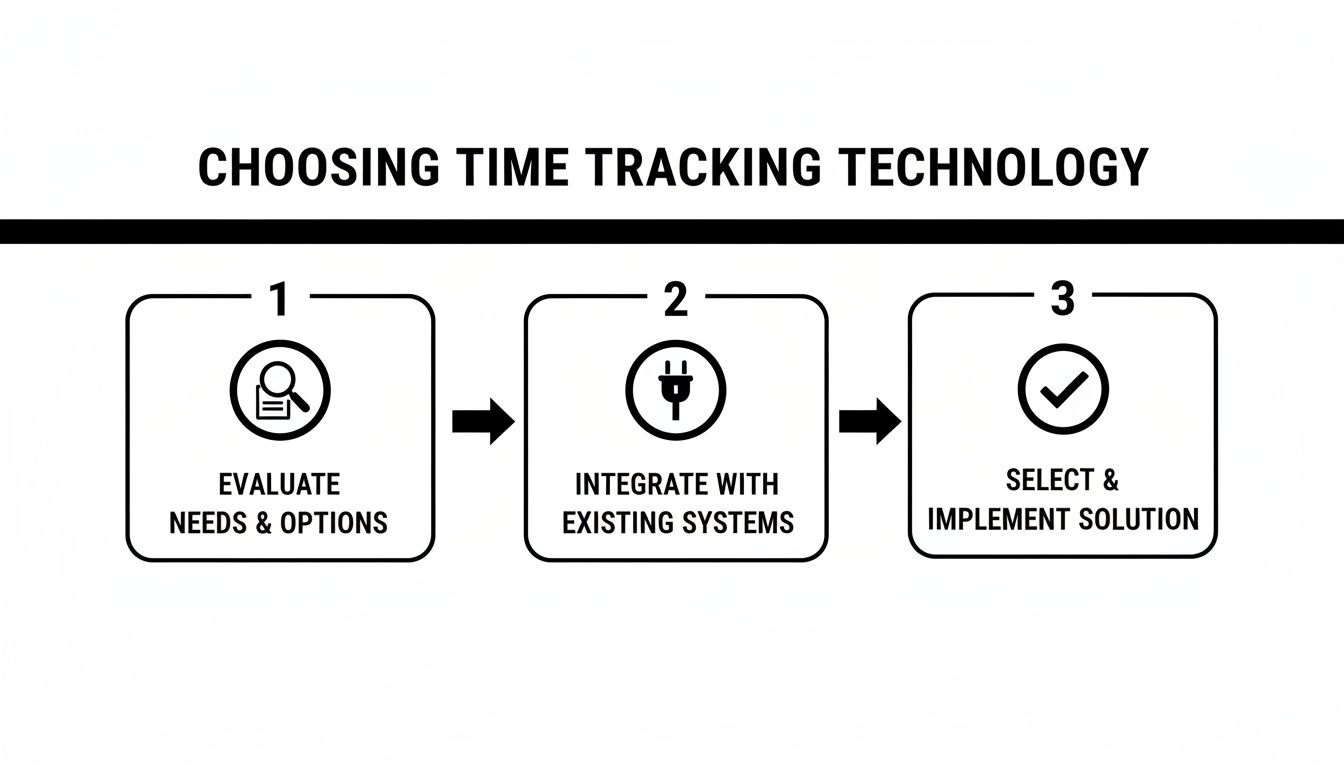
The key takeaway is that integration isn't something you bolt on later. It has to be a core part of your decision-making process to ensure everything works together seamlessly.
Designing a Custom Dashboard for Real-Time Insights
Once your tools are talking, it's time to make all that data work for you. Raw time logs are one thing, but the real power comes from visualizing them in a custom dashboard. A good dashboard gives you a quick, at-a-glance health check on your projects and the business itself.
Focus on the metrics that actually move the needle for your business. I always recommend clients track:
- Project Profitability: How are your tracked hours stacking up against the project budget right now?
- Team Utilization: What percentage of your team's time is spent on billable work versus internal tasks?
- Budget Burn Rate: Get an alert when a project hits 75% of its budgeted hours. This lets you get ahead of scope creep before it becomes an awkward conversation with the client.
Understanding where your time is going is critical. For context, a study of over 2,300 US companies found that 65.9% of work hours are tracked as billable, with the remaining 34.1% going to non-billable tasks. This benchmark can help you set realistic targets and pinpoint where you might be losing time to admin or excessive internal meetings.
An automated workflow turns time tracking from a chore into a strategic tool. You stop reacting to budget overruns and start seeing them coming a mile away.
Examples of Powerful Automated Workflows
The possibilities here are pretty much endless once you get started. Thinking about automation is part of a bigger picture; you can learn more about the power of digital transformation and automated workflows for business efficiency to see how it fits into your company's growth.
By automating the tedious work of data entry and reporting, you’re freeing yourself up to make smarter, faster decisions. This isn't just about tracking hours more accurately; it's about turning that data into a roadmap for growing your business profitably.
Creating SOPs That Your Team Will Actually Follow

Let's be honest: even the slickest automated workflow falls apart if your team doesn't use it correctly. The final piece of the puzzle is creating simple, clear Standard Operating Procedures (SOPs) that make accurate time tracking an unbreakable habit. This isn't about writing a massive, dust-collecting rulebook; it's about setting a few core guidelines to bring consistency to your data.
A good SOP clears up the gray areas before they become problems. It should instantly answer questions like, "What does a good time entry description look like?" or "How do we log a task that wasn't in the original scope?"
Getting this right is what ensures the data feeding your dashboards is clean, reliable, and actually useful for invoicing and strategic planning. Otherwise, you’re just automating a mess.
Defining Your Time Entry Ground Rules
The bedrock of any solid SOP is a crystal-clear set of rules for logging time. Vague entries like "Client Work" or "Design" are black holes when it comes to analyzing profitability or justifying an invoice. Your goal is to establish a simple, repeatable format that provides just enough detail to be valuable without being a burden.
So, what does a "good" time entry look like? From my experience, it boils down to three key things:
- The Client and Project: This should be a given, automatically populated if your tools are integrated properly.
- A Specific Task Category: Use a dropdown or predefined list with options like "UI/UX Design," "API Development," or "Client Strategy Call." This makes reporting so much easier down the line.
- A Brief, Action-Oriented Description: The difference between "Worked on website" and "Drafted wireframes for the new homepage based on client feedback" is massive.
This level of detail is a game-changer. It makes your invoices totally transparent and gives you a granular view of where your team's effort is really going. If you're starting from scratch, our detailed guide on how to create SOPs is a fantastic resource for documenting your processes effectively.
Frame your time tracking SOP as a tool for fairness and clarity, not micromanagement. It protects your team from scope creep, makes sure their work is properly valued, and gives you the hard data needed to plan future projects realistically.
Establishing Protocols for Invoicing and Audits
With consistent data flowing in, the next step is to standardize how you use it. This means creating a simple rhythm for reviewing timesheets, generating invoices, and periodically checking in on the process to make sure it's still working.
First, set a firm cadence for timesheet reviews—weekly is the sweet spot for most teams. A project manager should do a quick scan of entries for clarity and completeness before approval. This five-minute check can catch small errors before they snowball into invoicing headaches.
Your invoicing protocol should be just as straightforward. With an integrated system, generating an invoice should be as easy as selecting a client and a date range, letting the detailed time entries populate automatically. No more manual data entry.
Finally, schedule a quarterly audit. This isn’t about pointing fingers; it’s a health check for your whole system. Look for patterns. Are certain projects always going over budget? Is non-billable time creeping up? These insights are gold mines for improving your operations.
Sample Time Entry SOP Checklist
To help you get started, I've put together a simple checklist you can adapt for your own team's guidelines. Think of this as the "minimum viable SOP" to get everyone on the same page.
| Guideline | Description | Example |
|---|---|---|
| Track in Real-Time | Start timers as you begin work. Avoid guessing hours at the end of the day or week to ensure maximum accuracy. | Click the "Start Timer" button directly from your Asana task as soon as you begin. |
| Use Clear Descriptions | Write a brief, specific note explaining the value of the task performed. | "Coded the user authentication module for the new app" instead of "Coding." |
| Categorize Correctly | Assign every time entry to the correct client, project, and task category (e.g., Billable vs. Non-Billable). | A 30-minute internal team sync is logged as "Non-Billable Internal Meeting." |
| Handle Scope Creep | If a client requests work outside the initial scope, create a new, distinct task for it before tracking time. | "Additional Revision – Homepage Mockup" is created to track time for an extra design round. |
| Submit on Time | All timesheets for the week must be completed and submitted by Friday at 5 PM for review and approval. | Set a recurring calendar reminder for every team member for Friday afternoon. |
Putting these simple rules in place transforms time tracking from a chore into a powerful business tool that provides clarity for your team and your clients.
Boosting Utilization Without Burning Out Your Team
Once your automated system starts feeding you clean data, all eyes inevitably turn to one number: the billable utilization rate. This metric, which is just the percentage of your team's time spent on paying client work, is a fantastic barometer for efficiency and profitability. But it’s a double-edged sword.
Pushing for higher utilization is a natural business goal, but blindly chasing a target number is a fast track to burning out your best people. The real win isn't just about logging more billable hours. It's about using the data you're now collecting to work smarter.
The data should spark conversations, not accusations. When you see someone with a low utilization rate, your first thought shouldn't be, "Why aren't they billing more?" It should be, "What's getting in their way?"
Using Data as a Diagnostic Tool
Think of your time tracking dashboard as a treasure map. It shows you all the hidden friction points and process gaps that are quietly eating away at your team's energy and your bottom line. By digging into where non-billable time is actually going, you can pinpoint the exact problems that need fixing.
Is your team losing hours every week manually building reports? That’s a crystal-clear sign you need better dashboard automation. Are they drowning in endless internal meetings? It might be time to rethink your communication rhythms.
This simple shift changes the entire dynamic from policing to problem-solving. You're no longer just a manager checking timesheets; you're a partner working with your team to clear obstacles. Fostering this kind of collaborative culture is crucial. To get a better handle on this, exploring some performance management best practices can give you a solid framework to build from.
The Pitfall of Aggressive Utilization Targets
The old-school thinking of pushing for maximum utilization at all costs is, thankfully, on its way out. For years, many professional services firms shot for targets north of 80%. The industry is finally wising up.
As of 2024, the average employee billable utilization rate was sitting at just over 68.9% worldwide. This isn't a sign of slacking; it's a sign of a more realistic and sustainable approach. Study after study has shown that ridiculously high targets lead directly to employee fatigue, burnout, and people walking out the door. You can discover more insights on billable utilization rates at Mosaicapp.com to see how the industry is trending.
The goal shouldn't be to squeeze every possible billable hour out of your team. The real goal is to maximize the value of the hours they work by creating an environment where they can be both productive and healthy.
Actionable Strategies for Sustainable Growth
Growing your profitability without running your team into the ground all comes down to making smart, data-driven improvements. Instead of just telling everyone to "bill more," focus on making the work itself flow better.
Here are a few high-impact moves I’ve seen work wonders:
- Automate the Annoying Stuff: Look at your non-billable data to spot the most soul-crushing admin tasks. Manual data entry, client onboarding paperwork, and compiling reports are usually the biggest culprits. Automate them and give your team back precious hours for high-value client work.
- Fix Your Scoping and Kickoffs: If projects are constantly going over budget, the problem usually starts before a single task is done. Use your historical time data to build more accurate project quotes. Run better kickoff meetings to make sure everyone is crystal clear on scope and deliverables from the get-go.
- Make a Data-Backed Case for More Help: When your team is stretched thin, your utilization data is your best ammunition. You can show leadership exactly how much time is being spent and where the capacity gaps are. It turns a request for a new hire from a "we feel busy" complaint into an undeniable business case.
At the end of the day, tracking billable hours is less about the hours themselves and more about the story they tell. When you learn to read that story correctly, you have a clear roadmap for improving your processes, supporting your team, and building a far more profitable and sustainable business.
Got Questions About Tracking Billable Hours? We’ve Got Answers.
Even the slickest, most automated system is going to spark a few questions. When you start tracking billable hours more seriously, it touches everything—your tech stack, your team's daily habits, and even how you talk to clients. Let's tackle some of the most common questions that pop up.
Think of this as your go-to guide for navigating those real-world details. Getting these small things right can make all the difference.
What Is the Best Software for Tracking Billable Hours?
The honest-to-goodness answer? The "best" software is the one your team will actually use and that plugs right into your current workflow. There's no magic bullet tool that works for everyone.
For freelancers or small crews just getting started, something like Toggl Track or Clockify is a fantastic, no-fuss option. They get the job done without a steep learning curve.
But when you're running a bigger agency, you need more horsepower. That's where tools like Harvest or Everhour shine, especially with their deep integrations into project management platforms. And for enterprise-level firms that need serious resource planning and forecasting, you’re looking at heavy hitters like Forecast or Scoro.
The single most important factor is connectivity. The goal is to find a tool that talks directly to your CRM and accounting software, creating one source of truth and killing manual data entry for good.
How Detailed Should Our Time Entries Be?
You're aiming for clarity, not a novel. A great time entry is one where anyone—a manager, and especially a client—can look at it and immediately get what value was delivered. If entries are too detailed, tracking becomes a soul-crushing chore. If they're too vague, they're useless.
I've always found a simple three-part formula works wonders. Every single entry should include:
- The Project: The no-brainer part.
- A Specific Task Category: Use a predefined list. Think 'UI Design,' 'API Integration,' or 'Client Strategy Call.' This keeps reporting clean.
- A Short, Descriptive Note: The difference between "design" and "Designed the user dashboard mockup based on initial feedback" is night and day. One is lazy, the other is professional.
This level of detail is your best friend when it comes to creating transparent invoices, figuring out if a project is actually profitable, and showing clients exactly where their money is going.
Here's the bottom line: The purpose of a time entry is to justify the work. If a client can read it and nod, understanding exactly what they paid for, you've nailed it.
What Is the Best Way to Track Non-Billable Time?
Don't ignore non-billable time. Treating it as an afterthought is a huge strategic mistake, leaving you with a massive blind spot in your operational costs. The best way to handle it is to give it the same respect you give billable work.
First, set up distinct categories for everything that isn't client work. Some common buckets are:
- Internal Meetings
- Admin & Ops
- Sales & Business Development
- Professional Development & Training
Analyzing this data can uncover some real eye-openers. For example, if you discover 'Internal Meetings' is chewing up 20% of your team's week, every week, that’s a flashing red light telling you to fix your communication strategy. This isn't just about tracking costs; it's about finding opportunities to get more efficient and refining your pricing models.
How Can We Encourage Consistent Time Tracking from the Team?
Getting your team on board comes down to two things: make it ridiculously easy, and explain the "why" behind it. If your team thinks this is just a way to micromanage them, you’ve already lost.
Start by framing it as a tool that helps them. Show them how good data leads to better project estimates, more balanced workloads, and gives them ammunition against scope creep. It's about protecting their time and valuing their work, not watching their every move.
Next, you have to eliminate every bit of friction. Pick a tool with a clean interface, a great mobile app, and a browser extension. The real game-changer is when they can start a timer right from their task in Asana or Jira. When tracking is a seamless part of their existing routine, consistency just sort of happens on its own.
Ready to stop leaking revenue and start making data-driven decisions? MakeAutomation specializes in building the exact automated workflows discussed here. We'll help you integrate your tools, create powerful dashboards, and design SOPs that your team will actually use, turning time tracking into your most powerful growth engine. Book a discovery call with MakeAutomation today!