Marketing Automation Workflow Guide for B2B SaaS Growth
Your growth team has a familiar problem. Marketers spend hours preparing another batch email, sales receives leads without enough context, and nobody can explain which interaction created pipeline. Meanwhile, the CRM, email platform, product analytics, advertising accounts, and content systems each hold part of the customer story.
A reliable marketing automation workflow solves more than repetitive sending. It creates a controlled path from customer event to audience decision, message, handoff, and measurement. The difficult part is making that path survive incomplete fields, delayed integrations, duplicate records, and changing ownership.
Introduction to Marketing Automation Workflow
At a growing SaaS company, a trial signup might enter the CRM immediately, reach the email platform later, and appear in product analytics under a different identifier. A sales representative may see the account as “new,” even though the user has visited pricing pages, invited colleagues, and returned to the product several times. A calendar-based campaign treats every contact alike. An event-driven workflow can respond to the behavior that signals intent.
The practical distinction matters. Automated workflows can generate up to 30 times more revenue per recipient than standard campaigns, according to an industry benchmark summary on automated marketing performance. That result depends less on pressing an automation button and more on choosing dependable events, maintaining clean audience rules, and sending the right context to the next system.
A strong framework starts with data readiness, then defines triggers, segments, messages, routing, safeguards, and measurement. Teams that want a wider pipeline perspective should also review guidance on optimizing marketing automation for B2B pipeline. The aim is straightforward: faster handoffs, more relevant engagement, and workflows that remain usable when the stack gets messy.
Understanding Key Components
A workflow has four functional parts: trigger, decision logic, action, and measurement. Treating them as separate design objects makes failures easier to diagnose.
Triggers must represent real intent
A trigger starts the workflow. In B2B SaaS, useful triggers include a form submission, trial activation, product event, pricing-page visit, account invitation, support escalation, or an API event from the application. The trigger should describe something that happened, not merely a date on the calendar.
A form submission may justify an educational email. A product event may justify a usage prompt. A pricing interaction may warrant a sales notification, but only after identity, account ownership, and consent rules have been checked. If the same event can arrive from both a webhook and a CRM sync, add an idempotency rule or deduplication key before allowing downstream actions.
Segmentation needs commercial context
Segmentation separates contacts by attributes that change the appropriate next action. A trial user at a small account shouldn't receive the same sequence as a multi-user account with procurement activity. Useful dimensions include lifecycle stage, account fit, plan, product usage, acquisition source, region, consent status, and recent sales activity.
Build segments around decisions. “Visited the blog” is a weak basis for routing. “Trial account, active workspace, no assigned owner, and repeated return to pricing” gives marketing and sales a clearer operating rule.
Messages should reflect the event
Personalization tokens are only useful when their underlying fields are trustworthy. Use a customer's product context, role, plan, or stated problem where those values are current. Keep each message focused on one next action, and add an exit condition so a contact who converts doesn't continue receiving acquisition content.
Data hygiene matters more than a large template library. Clean invalid records, define field ownership, document lifecycle values, and make systems agree on what “qualified” means. The benchmark cited above reports $16.96 per recipient for top-performing workflows versus $1.94 on average, which reinforces the value of relevant routing rather than indiscriminate volume. For lead capture and qualification design, the marketing automation guide for lead generation offers a useful reference point.
Mapping Your Workflow Architecture
Start with a data-flow map, not a visual sequence of emails. Put the CRM at the center of customer and account identity, then document which system produces each event and which platform is allowed to change each field.
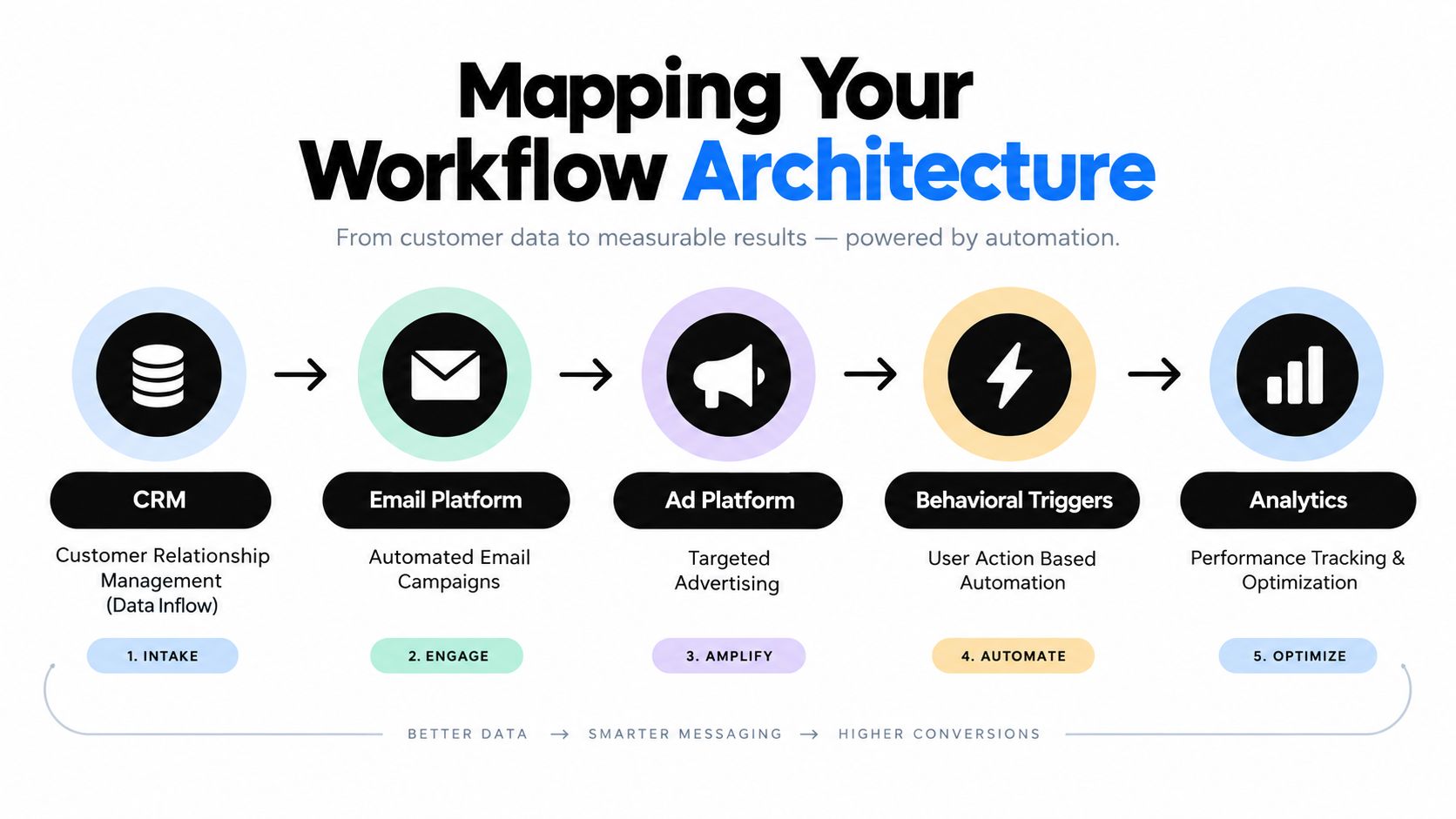
A dependable architecture usually follows this path:
- Data intake: Capture the event from the product, form, CRM, billing system, or API.
- Validation: Check identity, consent, account association, lifecycle stage, and required fields.
- Routing: Select the correct branch, such as trial nurture, sales follow-up, onboarding, renewal, or expansion.
- Activation: Send the message, update the CRM, create an internal task, or synchronize an audience.
- Observation: Record delivery, engagement, conversion, handoff, and failure events in a reporting layer.
The most common architecture mistake is assuming every platform updates instantly. Design for delay. If product usage arrives before the CRM knows the account owner, place the contact in a holding state, retry the lookup, and define a fallback owner or queue. If an integration fails, log the error and prevent duplicate sends when the event is replayed.
Practical rule: Every important branch needs an exit condition, a fallback path, and an owner who can investigate failures.
The data problem is substantial. Only 33% of marketers can effectively activate their data, while 52% cite data quality and 40% cite integration gaps as barriers to dependable workflows, according to this marketing automation maturity assessment. That's why architecture documentation should include field mappings, event names, sync direction, retry behavior, and source-of-truth rules. Teams that prefer a visual method can use boxes and arrows for workflow mapping before configuring a platform.
Choose event-based triggers for actions tied to intent or state change. Use calendar sends for announcements, scheduled education, and campaigns where timing is externally defined. Mixing both without priority rules creates collisions, especially when a promotional campaign reaches someone already in a high-intent sales sequence.
Implementing Workflows in Your Platform
Implementation should follow the architecture, one controlled use case at a time. A trial-to-paid workflow is a sensible starting point because it connects product behavior, lifecycle movement, sales visibility, and revenue.
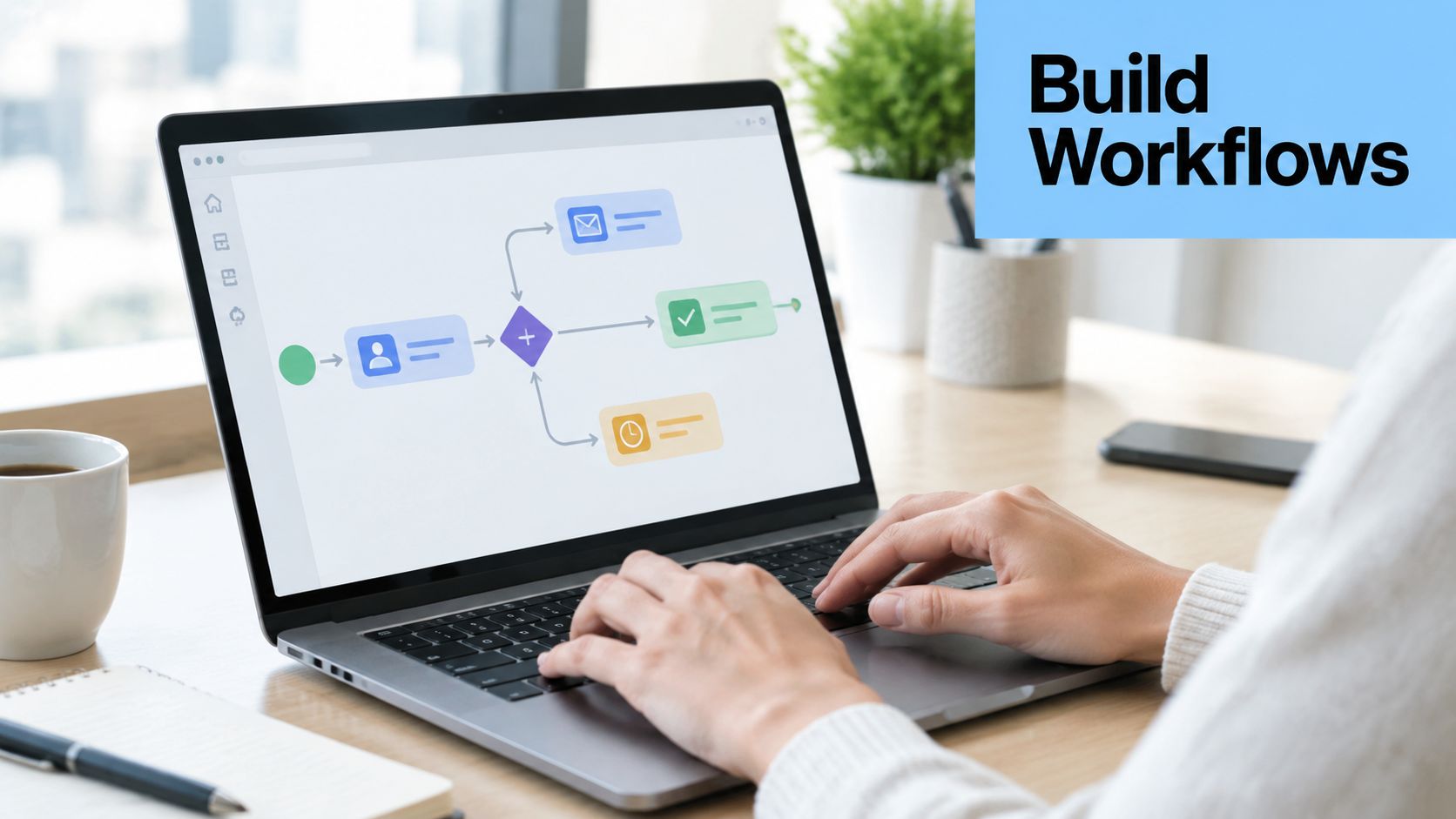
Build the event and entry rule
Define the entry event precisely, such as “trial activated,” rather than “contact exists.” Add an entry filter for valid consent, an identifiable account, and the absence of an active customer status. Decide whether re-entry is allowed. A contact who starts a second trial may need a different path from someone who accidentally submits the same form twice.
Next, create the segment. Combine firmographic fit with observed behavior, but avoid making the first version so narrow that nobody qualifies. Store the reason for entry as a field or event attribute, so sales and reporting can see what initiated the workflow.
Add actions with controlled routing
A practical sequence might:
- Send an onboarding message tied to the user's activated feature.
- Wait for a meaningful product event rather than a fixed engagement assumption.
- Branch active users toward adoption content and inactive users toward help or support.
- Notify sales when fit and intent meet the agreed qualification rule.
- Update the CRM lifecycle field and record the handoff timestamp.
- Suppress promotional messages after a demo, conversion, unsubscribe, or open support issue.
Use separate workflows for separate commercial outcomes. A churn-prevention sequence needs product inactivity, account health, renewal context, and customer-success ownership. It shouldn't share a large branch with trial acquisition, despite both sending email.
Before launch, test with controlled records. Verify that one event creates one journey, fields render correctly, CRM updates land in the intended object, and every exit rule works. Test missing values too. A workflow that works only for a perfectly populated contact isn't production-ready.
For teams comparing platforms and integrations, this marketing automation tools comparison can support the selection process. Broader channel planning may also benefit from SupaBird's automation playbook, particularly when social activity must coexist with email and CRM actions.
A short visual walkthrough can help stakeholders understand how the logic behaves before they approve it.
Optimizing and Testing Workflows
A workflow isn't finished at launch. Its first job is to reveal where the customer path, data model, or handoff fails. Review the journey at three levels: delivery health, behavioral response, and commercial outcome.
Track whether messages are sent to the intended audience, whether contacts reach the correct branch, and whether records update in the CRM. Then connect engagement to meaningful actions, such as qualified conversion, demo completion, activated usage, expansion, or retained revenue. Open rates alone can hide poor targeting, weak offers, or a broken sales handoff.
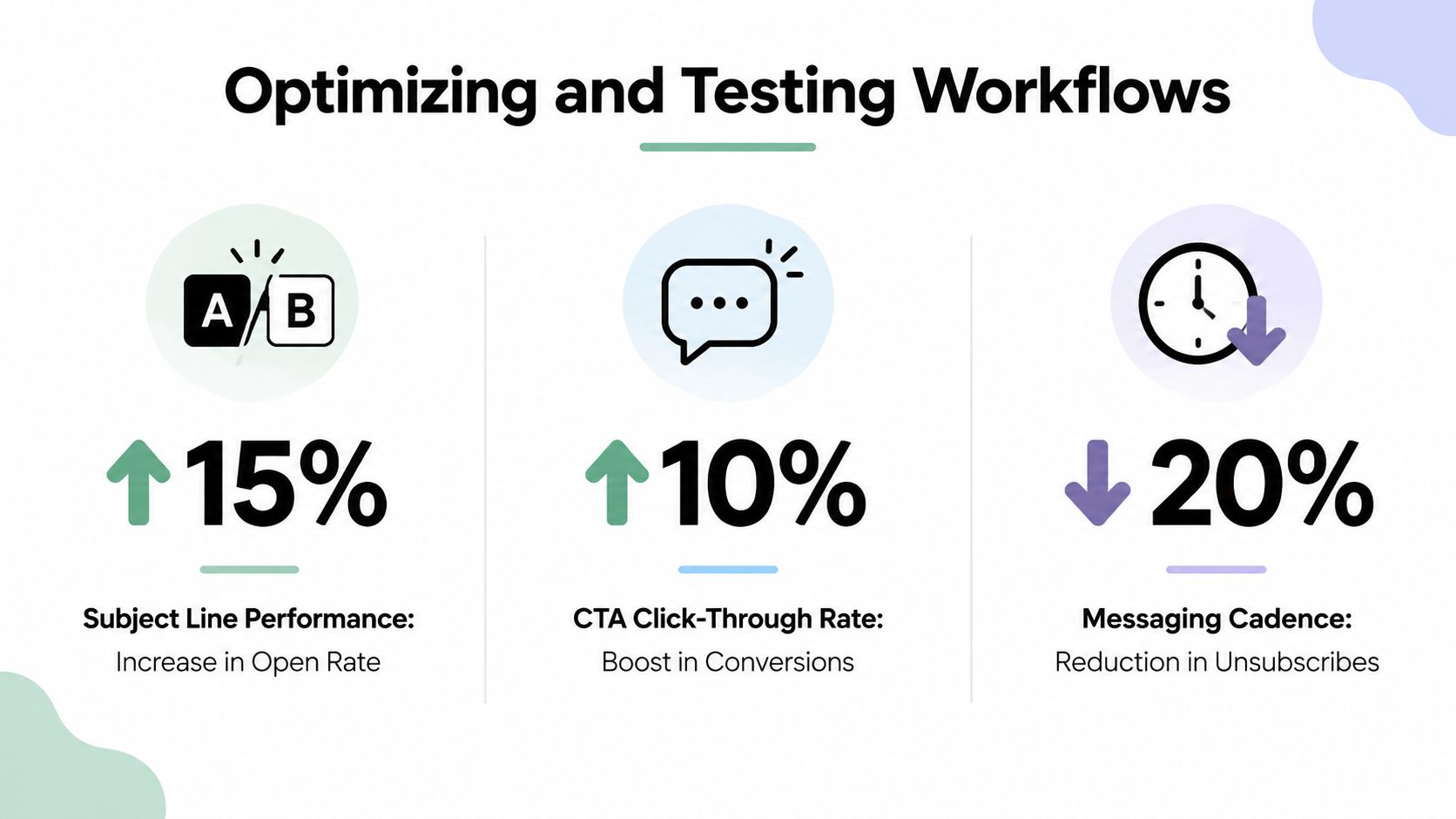
Test one decision at a time
A/B testing works best when the team isolates a meaningful variable:
- Subject line: Test clarity against curiosity, while keeping the offer and audience stable.
- Message timing: Compare immediate delivery with a behavior-based delay.
- Call to action: Test a product action against a conversation with sales.
- Branch threshold: Examine whether the current engagement rule identifies intent or merely activity.
- Suppression logic: Check whether converted or disengaged contacts leave at the right moment.
Don't change the segment, message, timing, and trigger simultaneously. If performance shifts, you won't know which decision caused it. Document the hypothesis before launch and keep a record of the winning rule, not just the winning creative.
The financial case can justify disciplined iteration. One benchmark reports an average 544% ROI, with 76% of companies seeing ROI within 12 months, while enterprise implementations can take a median 6.2 months to first value, according to these B2B marketing automation platform benchmarks. That combination calls for early instrumentation and realistic expectations. Measure leading indicators during implementation, but judge the workflow against pipeline and revenue once enough downstream activity exists.
Review operational errors frequently, then schedule deeper audits around product, pricing, ownership, or lifecycle changes. A dashboard should expose stalled records, failed syncs, unexpected audience growth, missing attribution, and sales tasks that remain untouched. Optimization isn't adding more branches. It's removing uncertainty from the path.
Expert Tips and Common Pitfalls
The most expensive mistake is automating a process nobody has agreed on. If marketing defines an MQL by engagement, sales defines it by account fit, and the CRM contains several lifecycle fields, the workflow will only make the disagreement faster.
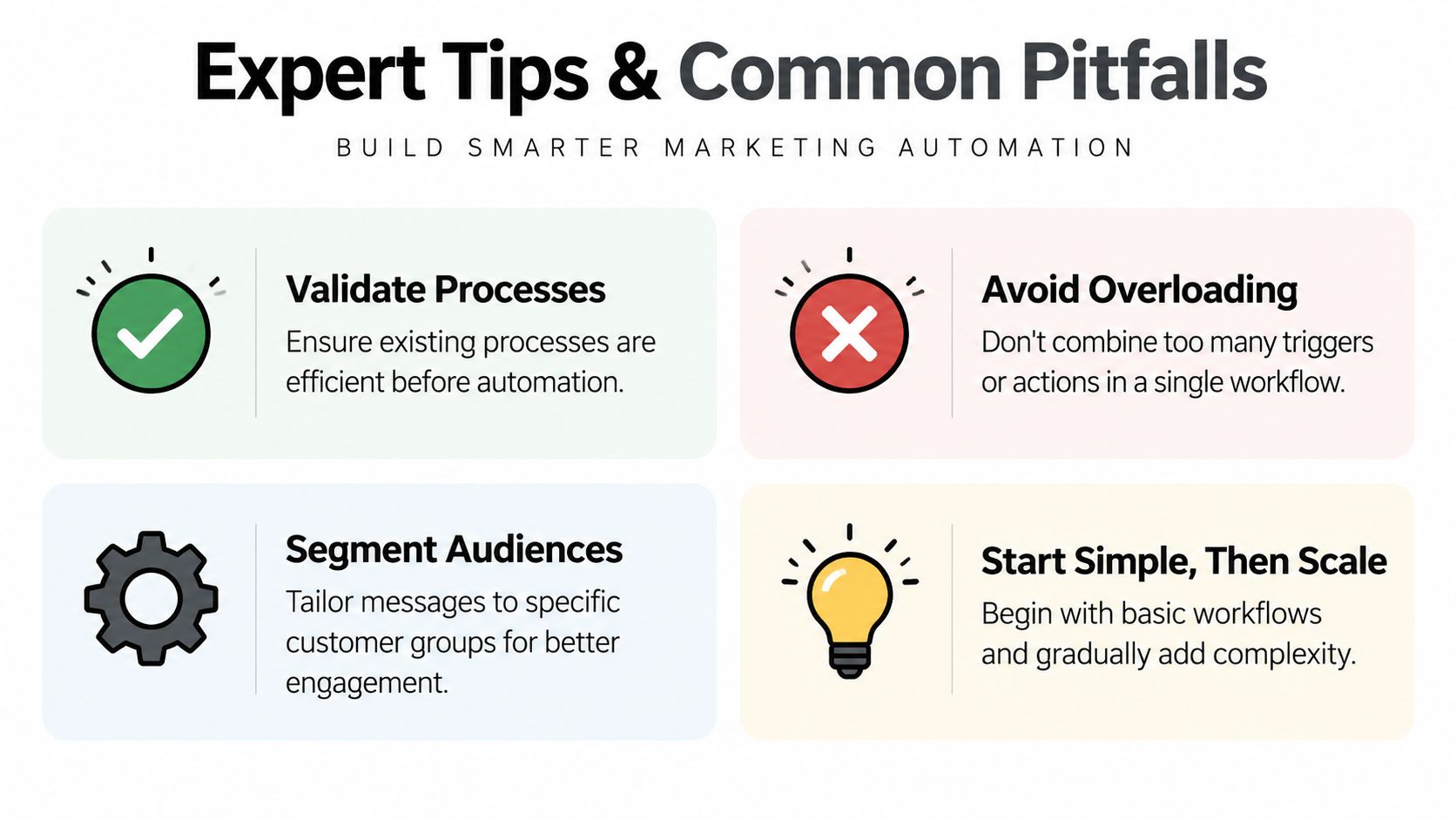
Keep ownership visible. Assign one team to maintain event definitions, one source of truth for lifecycle status, and a named operator for failed runs. Avoid putting every trigger into one enormous journey. Smaller workflows are easier to test, pause, document, and replace.
The industry gap shows why partial automation deserves scrutiny. Only 9% of marketers run fully automated customer journeys, while 59% rely on partial automation, and manual optimization still consumes 26% of campaign managers' time, according to this marketing automation statistics analysis.
Design principle: If a workflow requires repeated manual rescue, redesign the process before adding another tool or AI layer.
Use AI to support classification, drafting, and pattern detection, but keep approval rules around customer-facing claims, eligibility, and sensitive data. Automation should remove avoidable work, not remove accountability.
Conclusion and Next Steps
Begin with a stack audit. List each system, event, identifier, field owner, sync direction, failure mode, and business definition. Then choose one high-value workflow, map its entry criteria and exits, validate the data, and instrument the handoff before adding complexity.
Use the next phase to test a small number of message and routing decisions. After the workflow proves reliable, extend the same architecture to onboarding, renewals, expansion, or reactivation. The sequence matters: stabilize data, define ownership, launch narrowly, measure commercially, then scale.
A dependable marketing automation workflow isn't the most elaborate diagram. It's the one that still sends the right message, updates the right record, and alerts the right person when the CRM, product, email, and analytics systems don't behave perfectly.
MakeAutomation helps B2B and SaaS teams design and implement connected marketing automation workflows, including lead generation, CRM routing, AI-enhanced operations, and documented SOPs. Visit MakeAutomation to assess a fragmented workflow, define the operating rules, and turn the highest-value process into a reliable automation system.