Project Management SOP Template That Teams Actually Use
A project management SOP template is a reusable document that spells out how every project moves from kickoff and scoping through approval, delivery, review, and closure. Instead of rebuilding the process each time, your team works from the same playbook.

Why Standardized Project Playbooks Pay Off
Most teams aren't short on talent. The real problem is that every project starts from zero, and people burn energy working out how things should run instead of getting the work done.
Industry research shows the gap clearly. 35% of project professionals used no formal framework on their most recent complex project, yet 81% say projects have grown more complex.
Standardized vs. Unstandardized Project Outcomes
Before you invest time in a template, it helps to see where teams that standardize pull ahead. The differences tend to show up in the same few places.
| Metric | Standardized Practices | Without Standardized Practices |
|---|---|---|
| Process consistency across projects | Same phases and approval gates each time | Each project follows its own unwritten rules |
| Onboarding new team members | Faster ramp-up through a familiar structure | Longer ramp-up while people learn local habits |
| Handoff clarity | Owners and next steps are documented | Handoffs often depend on memory or chat threads |
| Response to scope changes | Changes are logged and approved through a set path | Changes often get absorbed informally |
| Lessons learned | Captured and folded into the next template revision | Often lost once the project closes |
The pattern is hard to miss. Standardized teams spend less time on setup and recover faster when a project goes sideways. Your numbers will differ from one organization to the next, but the direction rarely does.
What a Useful Template Actually Captures
A good template does more than list tasks. It records the details that usually disappear between meetings.
- Owner and stakeholders: who makes the call, who does the work, and who gets updates.
- Dependencies and milestones: what has to happen first, and when.
- Risks and change requests: how issues get logged and who signs off on them.
- Success metrics: how you'll know the project actually worked.
B2B and SaaS teams tend to benefit most, because their work repeats constantly. The same structure can carry client onboarding, campaigns, recruiting programs, and automation builds without much rework.
A template that works for onboarding and campaigns is easier to learn, easier to audit, and easier to improve.
Where the Time Really Goes
Picture a project manager who rebuilds the client onboarding plan from scratch every time a new client signs. By the third rebuild, most of the effort is just remembering what was missed last time.
That repeated effort is exactly what a template removes. The next onboarding starts from a proven outline instead of a blank page, and the manager can spend that saved time on the client.
Start with the process that wastes the most effort across your team, then expand the template as people learn what works.
Most teams already have bits of this paperwork lying around. The problem is that those bits sit in separate tools and rarely talk to each other. A good template ties them together into one workflow people can actually follow.
Why Documentation Feels Like a Chore
Nobody gets excited about filling in forms. Documentation gets tedious fast, notes end up scattered across chats and inboxes, and status reports slowly drift away from what is really happening.
A survey found that 20% of project managers would most like to get rid of documentation entirely. Honestly, that reaction makes sense. The answer is not less paperwork but paperwork that connects to the work.
The Eight Building Blocks
Not every project needs every section, but most benefit from these, roughly in the order they come up:
- Project intake and requirements: the original request, the problem behind it, and what "done" actually looks like.
- Decision records: what was decided, who made the call, and why.
- Action items: each task with one named owner and a due date.
- Risk and issue registers: the risks you expect, the problems you are living with, and who is handling each one.
- Testing evidence: proof the work behaves as intended, including what happens when things fail.
- Change approvals: who signed off on each scope, budget, or timeline change.
- Training records: who learned the final process and when.
- Final acceptance: the sign-off that formally closes the project.
A decision nobody wrote down is a decision someone will have to reverse later.
Picture an automation project where a team quietly decides how a CRM field maps to a database column. Months later, a sync failure traces right back to that choice, and nobody remembers why it was made. A two-line decision record would have saved an afternoon of detective work.
Setting Rules for Updates and Ownership
A template only works if people know when to touch it. Spell out when each document gets updated, who reviews it, and where the approved version lives. Without that, you end up with three copies of the same file and no idea which one is current.
Here is a rule of thumb that has held up for me: keep the template short enough that people actually finish it, and give every section an owner. A short form that gets completed beats a thorough one that gets skipped.
Check out our guide on organizing project documents. If you are looking for an example of how teams keep procedures in one place, a lab planning project binder is a useful reference.
Start by mapping how work actually moves, not how the handbook says it should. In most teams, the distance between those two versions is where the real trouble sits.

Pick a recent project and follow it from the first client request all the way to the final invoice. Watch for the spots where work sits idle, whether that's between sales and operations or while delivery waits on finance. Those stall points tell you more than any org chart will.
Defining the Universal Controls
Next, choose a small set of controls that apply to every project. I like to think of these as the frame of a house. The rooms inside can be rearranged, but the frame stays put.
Most teams end up with some version of the following:
- Approval for scope, budget and start dates
- Ownership with one accountable person
- Scope changes logged and signed off
- Risk escalation with a clear threshold
- Quality checks before anything reaches the client
- Client communication and handover
Everything else can flex around that core. A marketing campaign and an automation build will look very different day to day, but both still need one owner and a sign-off before they move forward.
Attaching Exit Criteria to Each Phase
Every phase needs an ending you can actually measure. "Discovery done" sounds clear until two people argue about what "done" means, so push for something sharper.
If you can't check a phase off with a simple yes or no, it isn't finished.
For discovery, that could mean the workflow is mapped and the likely failure points are written down. For launch, it might mean deployment is documented and the operators have completed training.
Piloting Before the Full Rollout
Only 24% of organizations apply standardized practices across the whole business. No wonder so many teams feel like they're winging it.
Before rolling the template out company-wide, run it on one live project. Real work uncovers gaps that no planning session will catch. Afterward, ask the pilot team what dragged, what they quietly skipped and where they found themselves guessing.
If you want to see how procedures stay connected to everyday work, our guide on project management workflow automation walks through it in detail.
If your projects begin with a proposal, you may also need tools that keep those early steps structured. Many teams pair their SOP with government proposal software to handle that front-end stage.
Here's a quick gut check: could a new hire run a project using only this document? If not, the weak spot is usually a handoff or an exit criterion nobody wrote down.

Most SOPs break down at the same two points: who is responsible for what, and how work changes hands. Here's a practical way to define both inside your project management SOP template.
Four Roles Every Project Needs
Teams tend to use role names loosely, so spell them out in your template. An owner is accountable for the outcome. A contributor does the actual work. An approver signs off on decisions, and an informed stakeholder gets updates without a vote.
Name exactly one accountable owner per project, even when a dozen people contribute. Shared ownership feels fair, but in practice it often means nobody answers when the deadline slips.
Turning Handoffs Into Specific Events
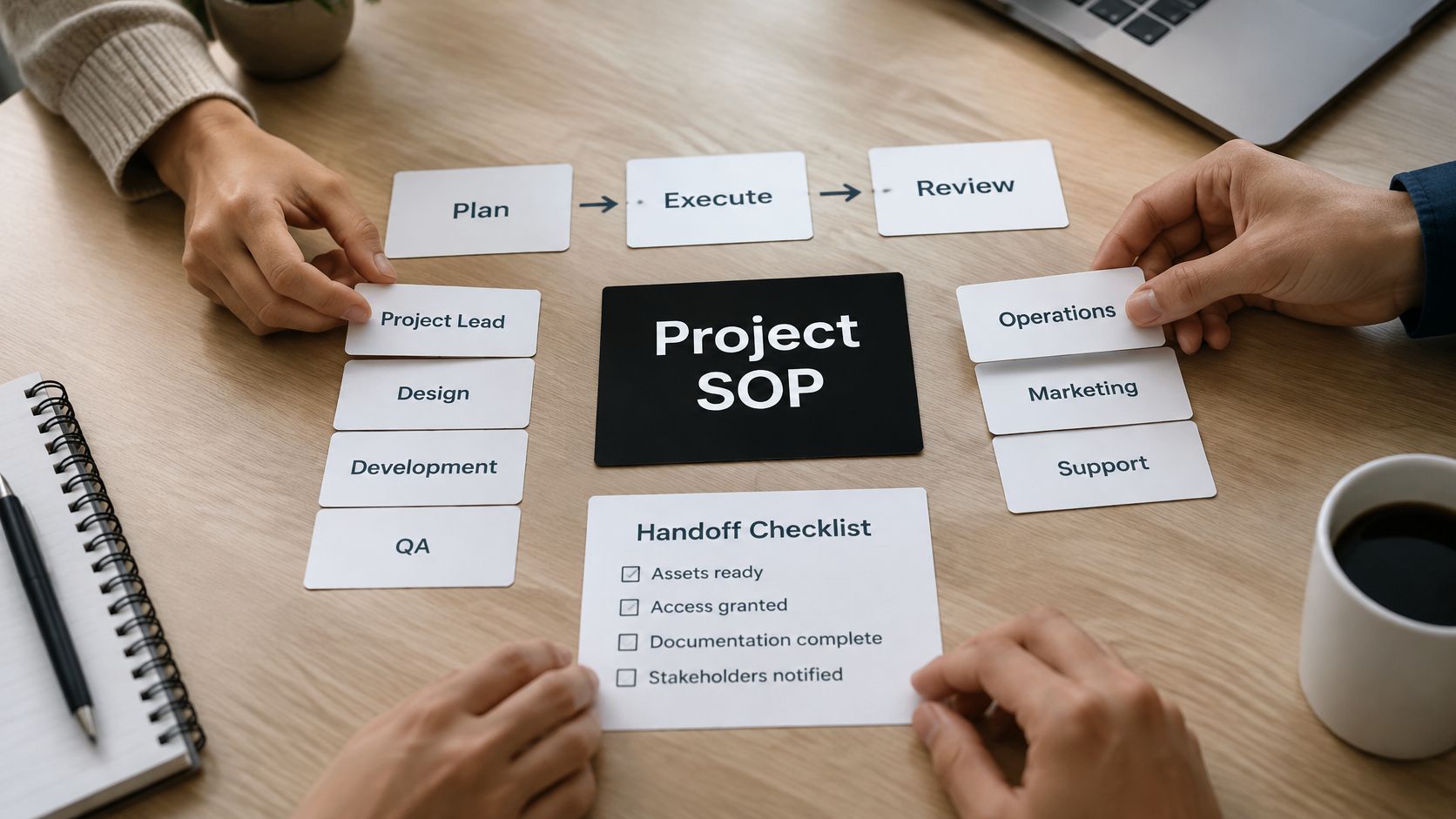
A handoff shouldn't be a vague note that says "it's yours now." Treat it as a formal event with four required parts:
- Sender: the person releasing the work
- Receiver: the person formally accepting it
- Required artifact: the document, file, or decision that must exist
- Acceptance condition: the test that makes the handoff complete
That last item does the most work. Without it, a handoff is just a hope.
A Sales-to-Delivery Example
Consider a common case. A sales team passes a closed deal to delivery with a few lines of notes in an email. Nobody spots the problem until week two, when the client asks where the promised integrations are.
By then, the rework is eating into the margin. A signed scope checklist, required before kickoff, would have exposed the gap while it was still cheap to fix.
A handoff without an acceptance condition is just a hope.
Mapping Ownership in Your Template
The table below gives you a starting point for documenting who owns each deliverable and what has to be in place before the next team takes over. Adjust the rows to match your own stages and roles.
| Role | Owns | Hands Off To |
|---|---|---|
| Sales lead | Closed deal and client expectations | Delivery lead with signed scope checklist |
| Delivery lead | Project plan and delivery timeline | Operations with a launch-ready build |
| Operations | Daily running and client support | Finance with final acceptance record |
If your team also coordinates with outside partners, the practices in managing outside suppliers for machine shops can help you tighten ownership and handoffs at those boundaries too. Our guide on cross-functional collaboration goes deeper into how these ideas play out across internal teams.
Most SOPs don't die on day one. They fade, and the reasons are usually easy to spot once you know what to look for.
The Template Nobody Finishes
A project management SOP template with forty fields gets opened, skimmed, and closed again. You notice it first when status reports start arriving late or half-filled.
The cause is rarely laziness. Every department wanted its own question included, so nobody was willing to cut anything.
Here's a quick test for trimming it: would the project fail without this field? If the answer is no, delete it.
Fields Nobody Reviews and Skipped Change Requests
Unreviewed fields are the quieter cousin of the bloated template. People fill them in out of habit, then nobody reads them, and the data quietly stops meaning anything.
Picture a marketing agency that adds a new client intake form but never updates the approval step. Projects keep kicking off without sign-off, and the form turns into a box people tick without trusting it.
Skipped change requests do the same damage, just more slowly. A client asks for one extra report, the team says yes over coffee, and the budget absorbs the work without anyone formally noticing.
The fix starts at kickoff. Agree with the client on how requests will come in and who approves them. That way, new asks get clarified and prioritized before they land in active work.
Treating the SOP as Finished on Day One
This one is the most common, and it's sneaky because it feels like success. The team publishes the SOP, celebrates, and never opens it again.
Within a few months, the real process has drifted away from the document. A short retrospective after each project and a quarterly review of skipped fields will catch the drift before it becomes the norm.
An SOP nobody updates is just a record of how work used to happen.
Think about your own team for a minute. Which habit would you spot first if someone audited your current process? Naming it is usually the first real step toward fixing it.
A template only earns its keep if it changes as your team learns. The upside is that keeping it current takes less effort than most people expect.
Run a Short Retrospective After Every Project
Right after a project closes, hold a 15-minute retrospective. You don't need a facilitator or a slide deck. Just gather the people who did the work and ask three questions:
- What slowed us down?
- What did we skip?
- What should the next team do differently?
Write the answers straight into the template's revision notes. Over time, those notes become a change log that shows exactly why the SOP looks the way it does.
Use a Quarterly Check on Skipped and Misused Fields
Once a quarter, pull a report showing which fields people leave blank or fill with placeholder text like "TBD" or "n/a." Those gaps are often more useful than a satisfaction survey, because they show what people actually do rather than what they say they'd do.
If a field stays empty every single time, it's usually asking for something nobody can know at that stage. Rewrite it so it asks for something people can answer, move it to a later step, or delete it entirely.
A field nobody completes is a signal about the template, not about the team.
Manage Versions in One Shared Location
Keep the approved copy in one shared folder. Older versions can stay, but archive them and label them clearly so nobody mistakes them for the live document.
Nothing creates more confusion than two people working from different copies. When you publish an update, send a short note that covers what changed and the date it takes effect. People read two lines far more reliably than a full revision history.
Train People Before They Need the Process
Training is the step teams skip most often, and it's usually the one that would help adoption the most. People tend to pick up a new process quickly once they've been shown how it works, especially when they're shown before a live project depends on it.
At MakeAutomation, the handover includes a walkthrough of every deliverable and SOP with the client before final payment. The client then signs a user acceptance document, which makes it clear they understand and own the workflows, configurations, and documentation.
That handover habit is worth borrowing for your own projects. A short walkthrough at the end can save weeks of confusion later.
Ideal Length for a Template
A template works best when you can fill it out in one sitting for a typical project. In practice, five or six core sections usually cover what you need, including approvals, risks, and handoffs. Anything longer tends to get skipped.
Is a Full SOP Overkill for Small Teams
Usually, no. This is especially true for solo freelancers, who often feel the paperwork most. Start with the same core sections and keep each one short. You can always add depth later, once you see where the gaps are.
Getting the Team to Buy in
Nobody enjoys paperwork that feels like extra homework. The easiest way to win people over is to lead with the payoff. Show them that the template means fewer repeated status requests, which is the part most people find maddening anyway.
When a Template Belongs on Every Project
Keep one shared baseline for every project, then add extra modules for complex or recurring work. Simple jobs stay light, and complicated ones don't slip through the cracks.
Take a freelance designer who runs the same client onboarding every month. For them, the template only needs the baseline plus one module for revisions. Anything else would just be clutter.
A small template people actually finish beats a thorough one they skip.
Need help building one that fits how your team really works? MakeAutomation can map your process and document the SOPs with you, so you end up with a custom template your team actually uses. Learn more about MakeAutomation's SOP services