
10 Project Management Documents for Better Delivery
A workflow automation project can look healthy in the kickoff meeting and still begin accumulating avoidable delays within days. The client assumes the CRM will sync every relevant field, the implementation team assumes the client has clean data, sales expects a finished workflow, and IT is still waiting for security details. By the time someone asks who approved the change or where the handoff instructions are, the answers are scattered across email, chat, meeting notes, and personal workspaces.
Strong project management documents prevent that drift without turning delivery into an administrative exercise. They work as a lightweight operating system for the project, aligning decisions, exposing risk, guiding execution, reporting outcomes, and preserving operational knowledge after launch. The point isn't to create a document for every possible event. The point is to create the few records that make ownership, scope, decisions, and next actions visible.
The ten documents below follow a delivery lifecycle. The first group establishes the project before execution, the middle group keeps work controlled while people build, and the final group makes the result usable and reusable after launch. Adopt the documents that match your project's complexity. A small internal automation may need a concise charter, scope note, task breakdown, and handoff guide. A multi-team SaaS implementation needs a connected documentation system with stronger controls.
1. Project Charter Document
A project charter gives an automation initiative a clear reason to exist. It records the business problem, intended outcome, sponsor, delivery owner, affected teams, high-level scope, constraints, and the decision that authorizes work. Without it, a project can have plenty of activity but no shared definition of success.
For an agency implementing lead routing in HubSpot, the charter might state that the project will standardize lead assignment, reduce manual handoffs, and give sales and marketing a shared operating model. It should also name the executive sponsor, the client-side decision-maker, the technical owner, and the people who can approve changes. Those names matter when a workflow touches CRM data, email systems, sales operations, and compliance.
Project documentation became more formal through PMI's early standards work. Partial versions of the PMBOK appeared in the early 1980s, the PMBOK Guide evolved in 1987, and it became a standalone guide in 1996. By 2015, more than 2 million copies were in circulation, reflecting how formal artifacts became part of a widely recognized approach to planning and governance (PMI history of the PMBOK Guide).
Keep the charter useful
A charter should be short enough for an executive to read and specific enough for a delivery team to use. Include:
- Business case: Explain what operational problem the automation addresses.
- Success criteria: Define observable outcomes, such as faster routing, fewer manual checks, or a reliable handoff.
- Boundaries: State what the project will not address.
- Authority: Identify who approves scope, budget, access, and material changes.
- Dependencies: Record systems, data owners, vendors, and client decisions that delivery requires.
Don't turn the charter into a requirements catalogue. Keep detailed field mappings, exception rules, and conversation scripts in later documents. For teams designing a connected project management workflow, the charter should act as the reference point that other records expand, not a file that nobody opens after kickoff.
2. Project Scope Statement
The scope statement turns a promising idea into a defined delivery boundary. It describes the processes, systems, deliverables, integrations, users, exclusions, assumptions, and acceptance conditions that belong to the project. In automation work, that boundary is especially important because a simple phrase such as “automate lead follow-up” can conceal dozens of decisions.
A digital agency might define a lead generation project as follows: capture form submissions, validate required fields, enrich records through an approved service, assign leads according to documented rules, and create a follow-up task in the CRM. It might explicitly exclude website redesign, historical data cleansing, sales playbook development, and outbound messaging beyond the agreed sequence. That distinction protects both the client and the delivery team.
Scope should also show how information moves. A simple diagram can connect the source form, enrichment service, automation platform, CRM, notification channel, and reporting layer. Readers should be able to see where data enters, where it changes, where errors go, and which system owns the final record.
Write exclusions before optimism takes over
The most valuable scope statements often contain uncomfortable details. Record assumptions about data quality, API availability, user access, approval timing, third-party limits, and the client's responsibility for content or testing. If the project relies on a vendor maintaining an integration, say so. If the team will configure a workflow but won't redesign the underlying sales process, say that too.
Use a change request process inside the document. When a client asks to add SMS follow-up halfway through delivery, the team can evaluate the request against the agreed boundary instead of debating whether it was “obviously included.”
Practical rule: If two reasonable people could interpret a deliverable differently, the scope statement isn't finished.
Business and technical stakeholders should review the scope together. The business owner checks whether the workflow supports the intended process. The technical owner checks whether the integrations, data conditions, permissions, and exception paths are realistic. Their approval creates a written anchor before development begins.
3. Work Breakdown Structure
A work breakdown structure, or WBS, translates a broad automation outcome into manageable deliverables. It doesn't function as a list of every keystroke a specialist will perform. It breaks the project into work packages that can be assigned, estimated, reviewed, and connected to acceptance criteria.
Consider a recruitment automation project. The top level might be “candidate workflow automation.” Below it, the team could define intake configuration, candidate pipeline setup, screening workflow, interview scheduling, notifications, testing, training, and handoff. Each branch can then contain smaller deliverables, such as defining screening rules, configuring a form, mapping candidate fields, testing duplicate handling, and documenting manual escalation.
The WBS is useful because it exposes missing work before the schedule does. If the team lists configuration and launch but omits data preparation, access provisioning, user acceptance testing, and training, the omission becomes visible while it can still be corrected.
Make ownership unambiguous
Each work package needs one accountable owner, even when several people contribute. “Configure CRM automation” is too broad to manage. “Map lifecycle fields,” “build assignment rules,” and “test duplicate records” create clearer ownership and make progress easier to discuss.
Use a consistent naming style based on deliverables or outcomes. “Develop voice agent fallback script” is more useful than “AI work.” An agile team may connect WBS work packages to stories and tasks, while a more predictive agency project may connect them to milestones and client approvals. Both approaches work if the hierarchy helps people understand what must exist at the end of each branch.
A useful WBS is not necessarily the most detailed one. Excessive decomposition creates maintenance work without improving control. Link the WBS to the project's decomposition approach for digital experience projects when a complex initiative needs a more formal structure, but keep the working view readable for the people completing the tasks.
Test the WBS with a handoff question
For every major branch, ask: “Could another person understand what was produced, who accepted it, and what remains?” If the answer is no, the work package is probably too vague. The WBS should make the transition from planning to scheduling and from scheduling to handoff straightforward.
4. Project Schedule and Gantt Chart
The schedule turns the WBS into a time-based delivery plan that the team can run. It connects work packages to milestones, dependencies, owners, expected durations, decision points, and launch activities. For automation projects involving an agency, client, SaaS vendor, and internal users, a Gantt chart makes waiting and handoff gaps visible.
A CRM implementation may require field mapping before migration, migration before reconciliation, and reconciliation before user acceptance testing. Training can start while testing continues, but ownership should remain with the person who can confirm the final workflow and support process. Recording these relationships prevents the project manager from becoming the only person who understands what happens next.
Schedule dependencies, not just dates
A date without a dependency creates false confidence. Link access approval, data export, integration configuration, test preparation, stakeholder review, training, and launch readiness. Assign an owner to each activity, then mark milestones for decisions that can stop progress, such as security approval, client sign-off, or confirmation that a third-party system is available.
Start with major phases and expand only when added detail improves control. A schedule that mirrors every small task creates maintenance work and quickly becomes outdated. A schedule containing only “build,” “test,” and “launch” hides the activities most likely to delay delivery. The right level of detail lets the delivery team update progress without turning schedule administration into a separate project.
PMI survey material summarized in 2016 reported that only 47% of projects finished within their originally scheduled time and budget. It also reported that organizations wasted US$122 million for every US$1 billion invested because of poor project performance, or about 12% of investment value (PMI project management survey material).
A schedule isn't a promise that nothing will change. It's a shared model for seeing what a change will affect.
Update the schedule on a defined cadence and show the current version to delivery and client stakeholders. If an integration slips, the owner should be able to identify the testing, training, approvals, and launch activities that move with it. Keep the schedule usable after handoff by recording the latest status, unresolved dependencies, and the person responsible for each next action. A maintained schedule supports decisions. A polished chart that nobody updates does not.
5. Risk Register and Risk Management Plan
Automation projects fail in recognizable ways. An API may return incomplete data, a CRM migration may create duplicates, a user may bypass the new workflow, a security review may reveal an unapproved data path, or a voice agent may need a better fallback when it doesn't understand intent. A risk register gives these possibilities an owner, a response, and a place for regular review.
The register should capture the risk statement, cause, potential effect, likelihood, impact, response, trigger, owner, and current status. “The integration might fail” isn't actionable. “The enrichment service may return incomplete company data, causing routing rules to assign records incorrectly” gives the team something to test and monitor.
Prioritize exposure
A long register can create the appearance of control while hiding the risks that matter. Focus the working view on risks that could materially affect scope, schedule, security, quality, adoption, or customer experience. Low-impact possibilities can remain in technical notes if they don't require an owner or response.
A SaaS implementation team might record a data migration risk with a response that includes a backup, a trial migration, reconciliation rules, and an owner for exception review. A voice AI team might define an escalation path for uncertain intent, a human transfer condition, and a review process for failed conversations.
Include near-misses as well as realized risks. If a missing permission almost blocked testing, record it. That record can improve the access request process on the next project.
Review risk where decisions happen
The project manager owns the register as a working system, but risk owners must provide updates. Review it during delivery meetings when new information can change the response. Close risks only when the trigger has passed or the exposure has been transferred into an issue, decision, or operating procedure.
A separate management plan can explain the review rhythm, scoring method, escalation path, and reporting expectations. Keep that process proportional. A small internal workflow doesn't need a governance ceremony, but a multi-system client implementation needs more than a private spreadsheet.
6. Stakeholder Analysis and Communication Plan
A stakeholder list tells you who exists. A stakeholder analysis explains what each person needs from the project and how their influence can affect delivery. The communication plan then turns that understanding into specific messages, channels, owners, and decision points.
An automation project may involve an executive sponsor, operations leader, sales manager, CRM administrator, IT or security reviewer, frontline users, finance, and an external client team. They don't need the same information. Executives need a concise view of business outcomes and obstacles. Operations needs workflow behavior and ownership. Technical reviewers need data paths, permissions, failure handling, and integration details. Users need to know what changes in their daily work.
Match communication to concern
A simple power and interest matrix can help segment engagement:
- High power, high interest: Involve these stakeholders in decisions, approvals, and escalation.
- High power, low interest: Give concise updates focused on risks, outcomes, and decisions required.
- Low power, high interest: Provide demonstrations, training, and a channel for practical feedback.
- Low power, low interest: Keep them informed when the workflow affects their responsibilities.
The matrix isn't a substitute for judgment. A frontline user may have limited formal authority but can still determine whether an automation is adopted. An IT reviewer may not attend daily meetings but can stop launch if security evidence is incomplete.
Record feedback and decisions
The communication plan should state who sends the weekly update, where decisions are recorded, when testing sessions occur, and how urgent issues are escalated. Meeting notes should capture decisions, owners, due dates, and unresolved questions. Don't treat chat reactions as approval unless the project's governance explicitly recognizes that channel.
A strong plan also shows people that their feedback changed something. If sales users report that an assignment rule creates confusing ownership, record the issue, decision, and resulting adjustment. That creates trust and prevents the same concern from resurfacing in every meeting.
7. Requirements Documentation and Specifications
Requirements documentation translates a business request into behavior that a team can build and a client can accept. It should distinguish functional requirements, non-functional requirements, assumptions, dependencies, data rules, and acceptance criteria.
For a lead generation workflow, a requirement might define when a lead becomes qualified, which fields are mandatory, what event triggers a CRM update, and what happens when enrichment fails. For a voice AI agent, requirements may describe the conversation path, supported intents, fallback behavior, transfer conditions, recording controls, and the ticketing system handoff.
Write requirements so a tester can determine whether they pass. “The system should route leads quickly” is vague. “When a new lead meets the agreed qualification conditions, the workflow creates or updates the CRM record, assigns the correct owner, and records the outcome” gives the team a behavior to test. Keep performance, security, reliability, and access requirements visible rather than treating them as implementation details.
Separate certainty from assumption
A requirements document becomes dangerous when assumptions look like confirmed requirements. Mark assumptions about data completeness, API fields, user permissions, business rules, and client-provided content. Give each assumption an owner and validation date.
Prioritize requirements using a clear method such as must-have, should-have, could-have, and won't-have for the current release. This allows the team to protect the core outcome when a timeline or dependency changes. It also gives stakeholders a place to put valuable ideas that aren't part of the current build.
Use the requirements document template for Agile projects as a starting point, then tailor it to the workflow. Business and technical reviewers should approve the requirements before development begins. That approval doesn't make change impossible. It makes the impact of change visible.
Connect every requirement to evidence
Give each requirement an identifier and connect it to a task, test case, decision, or acceptance record. During handoff, the team can show what was delivered, what was deferred, and what still needs an operational owner. This traceability is more useful than a long specification that exists separately from the work.
8. Status Report and Dashboard
A status report gives stakeholders a reliable answer to four questions: what happened, what's next, what is at risk, and what decision is needed. A dashboard can provide the current view of progress, but it doesn't replace the narrative that explains why a metric changed.
A useful weekly report can fit on one page. Start with the overall status, then list completed work, upcoming work, risks and blockers, decisions required, scope changes, and business outcome indicators. For a CRM automation project, the report might show configured workflows, completed data validation, user testing progress, and outstanding approvals. For a lead generation workflow, the useful outcome indicators may relate to lead flow, quality, or time saved, provided the team has agreed how those measures will be defined.
Don't confuse activity with progress
A team can complete many configuration tasks while a critical approval remains blocked. A dashboard that counts tasks without showing dependency health may create an inaccurate picture. Include milestones, unresolved decisions, blocked work, and the status of critical acceptance conditions.
Use consistent status definitions. Green should mean the project is progressing against its current plan. Yellow should identify a material concern with a defined response. Red should indicate a problem that needs intervention or a decision. Avoid changing colors to make difficult information look more comfortable.
Make reporting a management rhythm
Send the report on the same day and store it in the project's shared workspace. Use the report to ask for decisions, not just to announce activity. If the client needs to approve a data rule, state the decision owner, consequence of delay, and date by which the answer is needed.
The reporting document should evolve when the project moves from build to adoption. Early reports may emphasize configuration and integration. Later reports should emphasize training, support readiness, workflow usage, exceptions, and open ownership. A dashboard is valuable only when the people reading it can act on what they see.
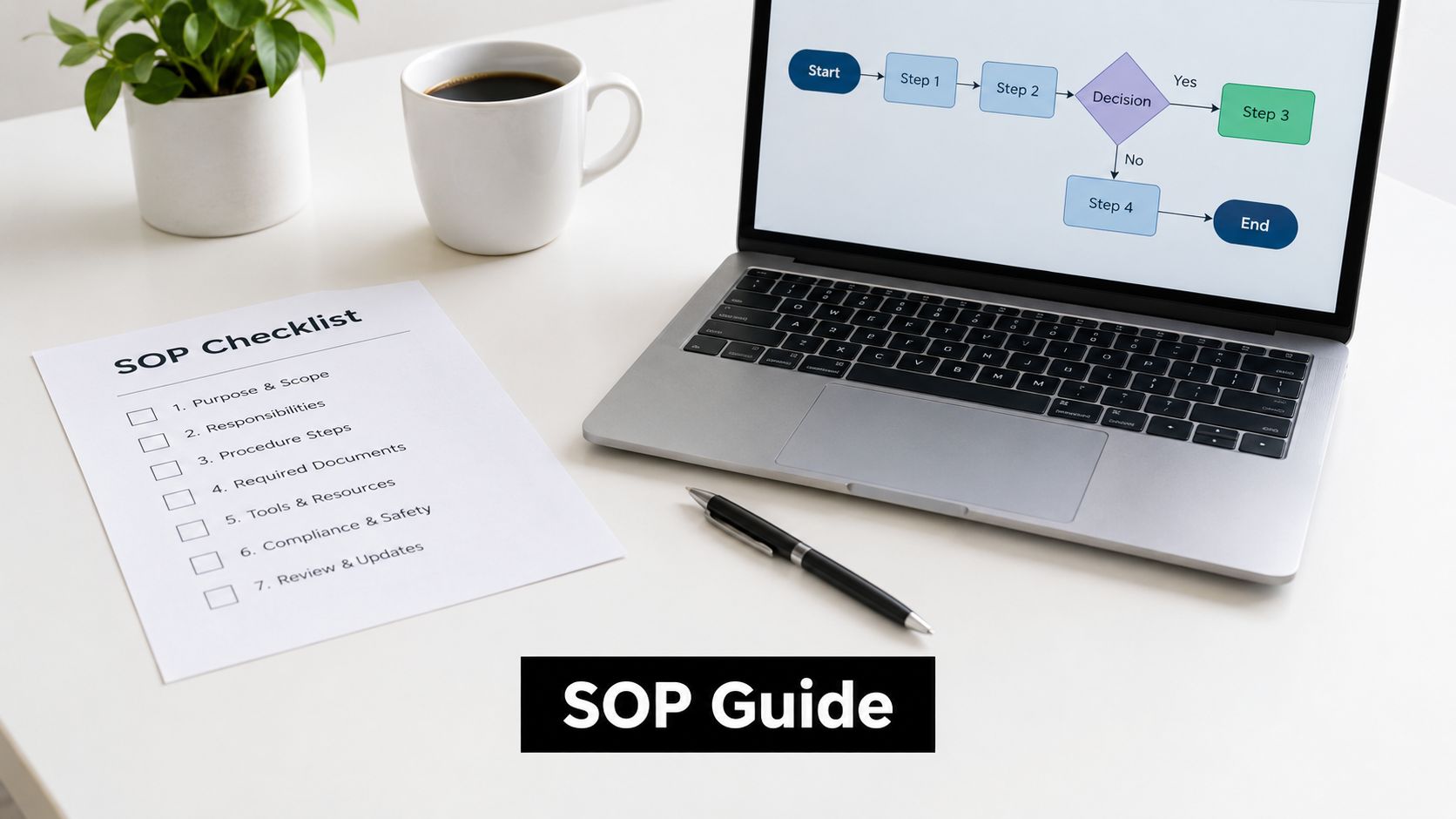
9. Standard Operating Procedures and Process Documentation
An automation isn't complete when the workflow runs in a demonstration. It becomes operational when users know what normal behavior looks like, how to handle exceptions, who owns failures, and when to stop relying on automation. SOPs convert the technical build into repeatable work.
For lead routing, an SOP might show how a user reviews a newly assigned lead, corrects an invalid field, escalates a high-value prospect, and records an exception. For CRM automation, it may explain how to handle an integration failure, check a field mapping, and contact the system owner. For a voice AI agent, it can document transfer triggers, transcript review, call routing, and the process for updating an unclear conversation path.
Document normal and abnormal paths
A good SOP has a quick reference for routine work and deeper instructions for exceptions. Include the trigger, responsible role, expected result, verification step, escalation condition, and location of supporting information. Screenshots or short videos help when a user must move through several systems, but visual material shouldn't replace written ownership and decision rules.
Have end-users test the instructions before launch. They notice ambiguous labels, missing permissions, and steps that make sense only to the person who built the workflow. If users can't complete the procedure without asking the implementer for help, the SOP isn't handoff-ready.
The guide to writing standard operating procedures can support the drafting process, but the project team still needs to validate the content against the live workflow.
A short video can reinforce a written procedure for a complex process. It should show the same version of the workflow that the SOP describes.
Version control matters after launch. Assign an owner, show the last review date, record the workflow version, and update the document when the process or system changes. Treat support questions as evidence that an instruction needs clarification.
10. Change Control, Change Request Log, and Post-Implementation Review
Change control protects a project from silent expansion. A change request records what someone wants to alter, why it matters, which documents it affects, the impact on time and effort, the risks introduced, and who approved or rejected it. The change log preserves the decision so the team doesn't have to reconstruct the reasoning later.
Suppose a client asks to add SMS follow-up to an existing email sequence. The request should identify the new channel, required consent or compliance review, integration work, testing, content ownership, and effect on the release plan. A request to sync previously unknown CRM fields may require data discovery before anyone can estimate the work. The record should separate urgent business needs from attractive additions that can wait for a later release.
Make approval proportional
Not every correction needs a committee. Define what the delivery owner can approve and what requires sponsor or client approval. A material change to scope, security, launch date, or user impact should receive a documented impact review. A minor copy correction can follow a lighter path.
Keep rejected and deferred requests in the log. A deferred request remains useful product insight, and a pattern of repeated requests may show that the original requirements or stakeholder analysis missed something important. Communicate decisions promptly, including the rationale, affected documents, and next action.
Close the loop with a review
The post-implementation review compares intended outcomes with actual delivery, captures what helped, records what created friction, and assigns follow-up actions. It shouldn't become a blame exercise. Ask what happened, which assumptions failed, where ownership was unclear, and what the team will change next time.
Closure documentation also supports governance. A university PMO describes satisfaction surveys as a way to measure process quality, product delivery, perceived value, and lessons learned, with results fed into the closure report and future improvement cycle (project closure satisfaction survey guidance). Use feedback alongside delivery evidence, support questions, unresolved issues, and stakeholder observations.
Schedule the review while project details remain fresh. Archive the approved charter, scope, requirements, schedule, risk history, change log, final status, SOPs, decisions, and review output in a location the next team can easily search. That archive is the beginning of organizational knowledge, not a storage graveyard.
Top 10 Project Management Documents Comparison
| Document | Core features | UX / quality metrics | Value / ROI | Target audience | Unique selling point |
|---|---|---|---|---|---|
| Project Charter Document | Executive summary; business justification; scope; stakeholders; success metrics; budget overview | Executive buy-in; clear scope; measurable success criteria | Secures resources; prevents scope creep; clarifies ROI expectations | Executives, sponsors, PMs | Formal project authorization and single source of truth |
| Project Scope Statement | Detailed deliverables; in/out of scope; acceptance criteria; integrations; change control ref | Precise boundaries; reduced miscommunication; acceptance clarity | Reduces rework; improves cost & timeline estimates; prevents scope creep | Business & technical stakeholders, agencies, integrators | Explicit technical/integration boundaries for automation |
| Work Breakdown Structure (WBS) | Hierarchical task decomposition; owners; estimates; dependencies; resource links | Task-level accountability; better estimates; traceable progress | Makes complex projects manageable; improves scheduling & capacity planning | PMs, delivery teams, engineers | Translates goals into assignable, estimable work packages |
| Project Schedule / Gantt Chart | Visual timeline; task bars; dependencies; milestones; critical path; resource indicators | Visual clarity; schedule variance; progress visibility | Identifies bottlenecks early; communicates timelines; enables resource leveling | PMs, stakeholders, non-technical execs | Visual critical-path insight for timeline-driven automation |
| Risk Register & Management Plan | Risk list; probability/impact; owners; mitigation & contingency; triggers | Risk visibility; early warnings; mitigation effectiveness | Prevents critical failures; reduces downtime & cost overruns | PMs, IT/security, stakeholders | Proactive management of automation-specific risks (APIs, data, voice AI) |
| Stakeholder Analysis & Communication Plan | Stakeholder inventory; power/interest matrix; comms cadence; key messages; escalation paths | Stakeholder alignment; engagement levels; adoption rates | Improves adoption; reduces resistance; aligns expectations | Sponsors, ops, IT, end-users | Tailored messaging to secure executive sponsorship & user buy-in |
| Requirements Documentation & Specs | Functional & non-functional reqs; user stories; data & integration specs; acceptance criteria | Clarity between biz & tech; reduced rework; test pass rates | Enables accurate estimates; reduces rework; ensures acceptance | Product owners, engineers, QA | Translates business needs into testable specs for AI/voice automation |
| Status Report & Dashboard | Schedule & budget status; accomplishments; risks; ROI metrics; resource utilization | At-a-glance project health; update cadence; stakeholder transparency | Early warnings; demonstrates progress & ROI; enforces accountability | Execs, PMs, clients | Visual ROI metrics (leads, time saved) tied to automation outcomes |
| SOPs & Process Documentation | Step-by-step flows; screenshots; troubleshooting; maintenance tasks; escalation | Faster onboarding; fewer support tickets; consistent execution | Reduces support cost; boosts adoption; preserves institutional knowledge | Operations, support, trainers, end-users | Operationalizes automation with runnable procedures and troubleshooting |
| Change Control, Change Log & PIR | Change request form; impact analysis; approval tracking; PIR with lessons learned; benefits realized | Controlled scope; change turnaround metrics; lessons documented | Prevents uncontrolled changes; quantifies actual ROI; improves future planning | PMs, sponsors, change control board | Formal governance for mid-project changes and post-implementation learning |
Turn Templates Into a Working System
Ten documents can still produce a weak project if they live in separate folders, use conflicting definitions, and have no owners. The value comes from the connections between them. The charter defines why the work exists. The scope sets its boundary. Requirements describe the behavior. The WBS turns that behavior into deliverables. The schedule orders the work. The risk register exposes uncertainty. Stakeholder and communication records keep decisions moving. Status reporting shows the current position. SOPs make the result usable. Change and review records preserve the reasoning after launch.
A practical minimum stack for an agency or SaaS automation project starts with a charter and scope statement before approval. Add requirements and a WBS before build, then connect those records to the schedule and acceptance conditions. During delivery, maintain the risk register, decision records, change log, and status report. Before handoff, complete the SOPs, access review, support ownership, and training evidence. After launch, run the post-implementation review and archive the final documents with clear version information.
Tailor the stack to the project rather than copying a methodology wholesale. A small workflow may combine the charter and scope in one concise document. A multi-client agency engagement may need separate client approval records, technical specifications, risk controls, and handoff packs. More documentation isn't automatically better. Documentation is useful when it changes a decision, assigns accountability, reduces repeated questions, supports a test, or preserves information someone will need later.
Automate the administrative parts where they help. A project tool can remind owners to review risks, roll up task status, notify people about pending approvals, preserve document versions, and generate a handoff checklist from completed work. An automation platform can move approved changes into a delivery board or alert an owner when an SOP has not been reviewed. Keep decisions, exceptions, acceptance, and accountability human-owned. A system can route a request, but it shouldn't approve a scope change on its own or decide that a failed integration is safe to ignore.
Storage and retrieval deserve the same attention as writing. Use one authoritative location, consistent naming, access appropriate to the information, and links between related records. If a project manager can find the latest scope but can't find the approval that changed it, the archive isn't reliable. If a new operator can find an SOP but not the owner of the underlying workflow, the handoff isn't complete.
The business case for this discipline extends beyond individual projects. PMI's historical figures described project management as a global economic system involving substantial investment and a large professional community (PMI survey and profession research). For B2B and SaaS teams, project documents support traceability, repeatability, and learning as delivery becomes more cross-functional. They help teams explain what they built, why they built it, what changed, and who must maintain it.
MakeAutomation can be relevant when a team needs help designing automation workflows, building SOPs, structuring project documentation, or implementing AI-enabled operations. Review its current services and approach before choosing a partner, because offerings can change. The important step is to turn documentation from a collection of templates into a working delivery system that helps people make better decisions before, during, and after execution.
MakeAutomation helps B2B and SaaS teams design automation workflows, document operating procedures, and support AI-enabled operations across project delivery, CRM, lead generation, and related processes. If your current project records are scattered or your handoffs depend on individual memory, visit MakeAutomation to discuss a more connected documentation and automation approach.