SOP Document for Production Support: Template and Steps
The alert pages at 2:14 a.m. A checkout endpoint is returning 500s for a slice of customers, and the engineer who knows how the database failover works is asleep with the phone on silent. The on-call person opens the wiki, finds a page named after the service, and reads four paragraphs about why the service exists. Nothing about what to check first.
Forty minutes later the team has rediscovered the failover command, argued about whether it's safe to run, and lost a customer who tried twice and gave up. None of that time went into the actual fault. It went into reconstructing knowledge that lived in someone's head and never became a document anyone could use at 2 a.m.
That gap is what a SOP document for production support closes. Not a binder, not a runbook wiki nobody reads, but a tested operating control with an owner, a drill record and a review cycle.
Why Production Support Needs a Written SOP
A production-support SOP is the written procedure that tells the on-call engineer what to check, who to call, what they're allowed to change, and when to stop and escalate. It covers detection, diagnosis, mitigation, communication and the record that outlives the incident.
The cost of not having one lands in two places, and neither is page count. Restoration time grows every time someone rebuilds a step from memory or scrolls a Slack thread. Repeat incidents grow too, because nothing gets captured about what was tried, what failed and which mitigation restored service. A team with forty pages of architecture notes can still lose twenty minutes hunting for the command that drains a queue. The document was long. It wasn't operational.
Structure beats volume here, and Faberwork's thinking on smarter technical documentation is a useful reference for how to design pages that hold up under pressure rather than just recording everything a subject-matter expert knows.
What follows is the build sequence I'd use: the sections a complete SOP needs, a severity and escalation table you can lift, the anatomy of a runbook step someone else can execute, the metrics that prove the document works, and the review cycle that keeps it honest after every incident. It's written for the founder, operations director or support lead at a B2B or SaaS company who needs the next outage to be shorter than the last one.
The test I'd apply before publishing anything: hand the page to a competent engineer who has never touched this service and ask them to restore it using only what's written. If they can't, the SOP isn't finished.
Sections Every Production Support SOP Needs
A useful SOP identifies the service, the conditions that trigger action, the decisions responders may make and the records they must keep. Eight sections cover those needs without turning the procedure into a service history.
| Section | Question it answers | Typical contents | Owner |
|---|---|---|---|
| Purpose and scope | What does this SOP cover and exclude? | Covered services, environments and excluded systems | Service owner |
| Entry criteria | When does this procedure apply? | Alert names, observable symptoms and customer-impact signals | On-call engineer |
| Severity levels | How urgent is the incident? | Sev 1 to Sev 4 definitions with examples | Support lead |
| Roles and escalation | Who acts and who is contacted next? | Roles, backup contacts and escalation triggers | Support lead |
| Diagnostic steps | What should responders check first? | Ordered checks, expected signals and time limits | Service owner |
| Mitigation and rollback | How can service be restored safely? | Commands, permissions, rollback conditions and stop rules | Platform engineer |
| Communication | Who receives updates, and how often? | Status wording, internal channel and update cadence | Incident commander |
| Records and follow-up | What must be logged and reviewed? | Timeline fields, post-incident review trigger and action owners | Support lead |
The sequence follows the response, from defining the procedure to recording its outcome. NIST Special Publication 800-61 describes incident-response procedures as technical processes, techniques, checklists and forms. Its framework covers preparation, detection and analysis, containment, eradication, recovery and post-incident activity. It also calls for actions from initial detection through resolution to be documented and timestamped.
Make each section specific enough to guide a decision under pressure. Scope names exclusions, so responders do not apply a database procedure to an unrelated CDN failure. Entry criteria use observable signals, such as a named alert or an error rate on a specific endpoint, rather than vague phrases like “performance issues.” Roles identify backups as well as primary contacts. The record captures the start time, escalation decisions, commands run and restoration point. Without those details, a later review has little to work with.
Keep the structure platform-independent. A SaaS application, cloud infrastructure, database cluster or third-party API dependency can use the same sections, with procedures adapted to that system's risks and controls.
Use this skeleton in your wiki:
- Title and version: Include the last-reviewed date and a link to the change log.
- Purpose and scope: List covered services, environments and excluded systems.
- Entry criteria: Specify alert names, symptoms and customer-impact signals.
- Severity and escalation: Define levels, contacts, backups and escalation triggers.
- Diagnostic steps: Set out time-boxed checks and the signals responders should expect.
- Mitigation and rollback: Record required permissions, stop rules and data-handling limits.
- Communication: Provide status wording and the update cadence.
- Records and review: Include a timeline template, action owners and the next review date.
Keep service history and architecture diagrams in design documentation. Put only the references responders need to act safely in the SOP, and link to supporting material when a procedure depends on it.
Severity Levels and Escalation Triggers
Four levels are enough. More granularity produces arguments about whether something is a 2 or a 3 while the queue backs up.
| Severity | Example | Response target | Update interval | Escalate when |
|---|---|---|---|---|
| Sev 1 | Full outage, data loss or security breach affecting many customers | 15 minutes | Every 30 minutes | No mitigation within 30 minutes or any confirmed data loss |
| Sev 2 | Major feature broken for many users | 30 minutes | Every 2 hours | No progress after 2 hours |
| Sev 3 | Degraded feature with a working workaround | 4 business hours | Daily | Customer impact grows to Sev 2 |
| Sev 4 | Cosmetic issue or single-user question | Next business day | On resolution | Same issue reported by 3 or more customers |
How to set the numbers
Work backward from what you've promised customers. If your contract or status page commits to a first response within an hour on a major incident, a 30-minute internal response target gives the team room to diagnose before the clock runs out. Update intervals should be shorter than the customer's patience, not the engineer's convenience. A customer refreshing a status page every ten minutes learns more from a stale update than from silence, and both damage trust.
Severity is set by customer impact at the moment of declaration and it moves. A report export breaking for one account is a Sev 4 on arrival. The same bug reported by forty accounts in an hour becomes a Sev 2, and whoever notices should raise it without asking permission.
Escalation works better as a set of triggers than a list of names. The severity rises, mitigation shows no progress inside the time box, the on-call engineer lacks the permission to act, or the fix requires changing production data. Each of those is a decision point you can write down, and each maps cleanly onto the exception paths in a documented workflow exception handling process, which is the same logic applied to automated jobs instead of humans.
Where the contact list lives
Put the escalation contacts in two places. Inside the SOP, with a named backup for every role and a second backup for Sev 1, and in a channel that doesn't depend on the wiki being reachable. When the wiki itself is part of the outage, a copied contact card in the on-call tool or a pinned message in the incident channel is the difference between a page and a phone tree that works.
Practical rule: every role needs a backup who has actually been told they're the backup, and has the permissions to act.
How to Write a Runbook Step Your Team Can Trust
At 2 a.m., the responder may be unfamiliar with the service and working under pressure. A runbook step must make the trigger, action, expected result, and safe stopping point clear without relying on the author's memory.
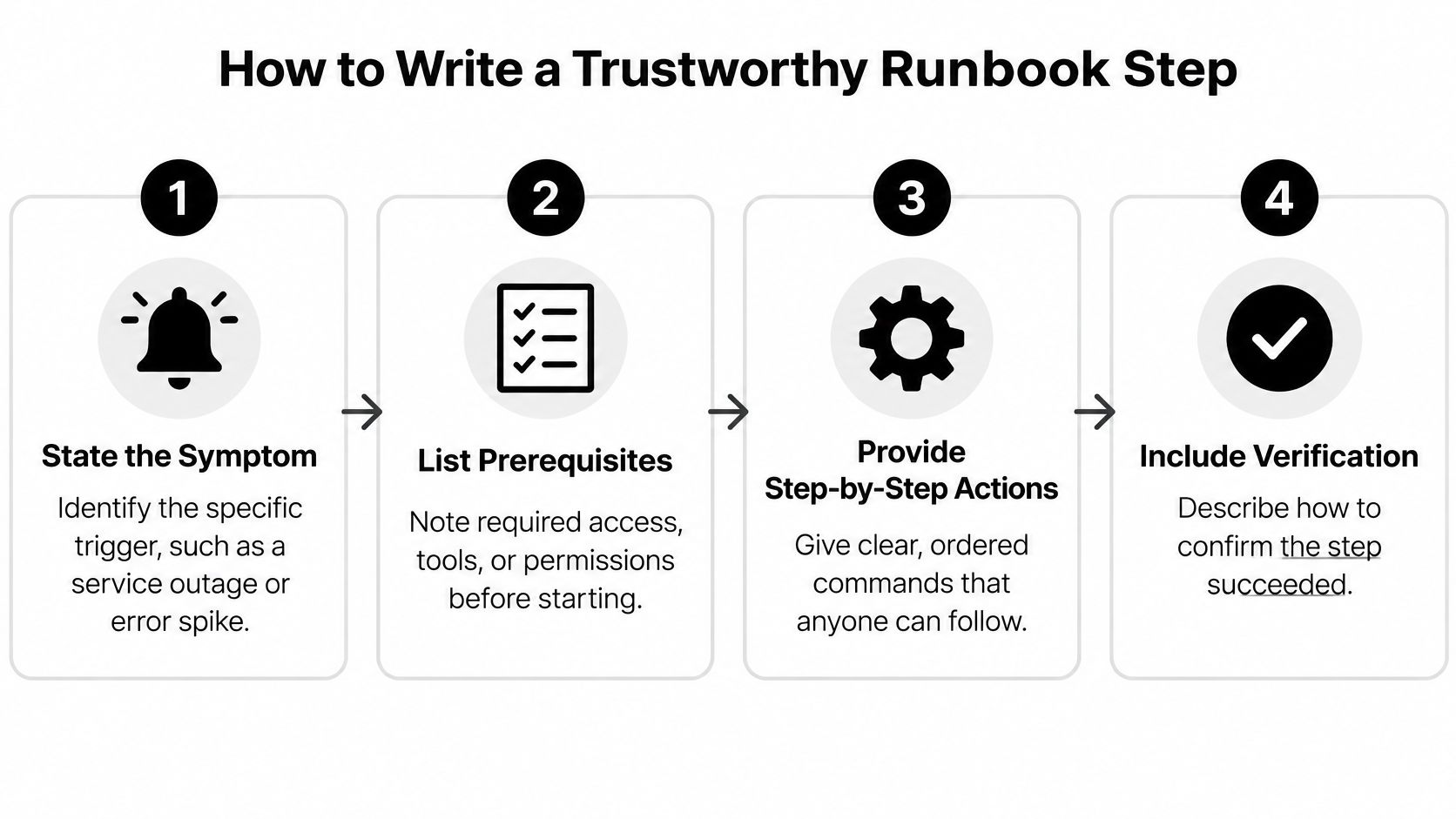
Use this seven-part structure for each step:
- State the triggering symptom. Name the alert, error signature, or customer-visible behavior. “If the queue looks bad” is too vague; specify the dashboard, signal, or threshold the responder should check.
- List prerequisites and permissions. Identify the role that can act, the relevant environment, and any dependencies to check first. If the action requires access the responder may not have, say so before they reach that point.
- Give the exact command or console path. Include the environment and account. A command copied without its production target or required flag can affect the wrong system.
- Define the expected result. Specify the output that confirms success, such as a health-endpoint response or a queue depth falling. If a platform change alters the expected output, update the step before it misleads the next responder.
- Set a time box. Give the responder a defined window to validate the alert and check recent deployments and dependency health. State what should trigger escalation if customer impact continues or the next action carries unacceptable risk.
- Document the rollback. Explain how to reverse the mitigation and what signs mean rollback is needed. A reversal that has not been checked can introduce more risk than the original action.
- Write a stop condition. Use an observable condition, not a vague instruction to “use judgement.” For example: stop if the error rate remains above the stated threshold after the permitted mitigation attempts.
Worked example of a stuck background job
Trigger: The scheduler shows a batch in a running state for more than 20 minutes while the outbound queue grows. Prerequisites: The responder needs the platform engineer role and read access to the scheduler console. Check that the downstream API is healthy first; the stalled job may reflect a downstream problem.
Action: Restart the job through the scheduler console, not with a host-level kill command. The console records the action and handles the job lock. Expected result: The job returns to queued, then running, and the queue depth falls within ten minutes. Observe for ten minutes after restarting.
Rollback: If the restart creates duplicate sends, pause the job and drain the queue manually. Stop condition: If the same job fails a second time, stop retrying and escalate. A repeated failure points to an unresolved cause, and another restart could make the impact worse.
A step should tell the responder when to act, when to wait, and when to stop. Review a sample of incident records and run a scenario exercise for each critical service to find unclear instructions, stale screenshots, or missing permissions before an outage exposes them.
Metrics and Records That Prove the SOP Works
Four numbers, recorded for every incident, tell you whether the document is doing its job. A fifth, mean incident duration, is worth keeping because it shows trend across months rather than single events.
| Metric | What it reveals | SOP part it tests |
|---|---|---|
| Incidents per month | Whether entry criteria and monitoring catch problems before customers do | Entry criteria and alert design |
| Mean time to detect | Whether alerts match the documented symptoms | Entry criteria and monitoring |
| Mean time to resolve | Whether runbook steps and time boxes help responders | Diagnostic steps and mitigation |
| Blast radius | Whether scope and severity levels are set correctly | Scope and severity levels |
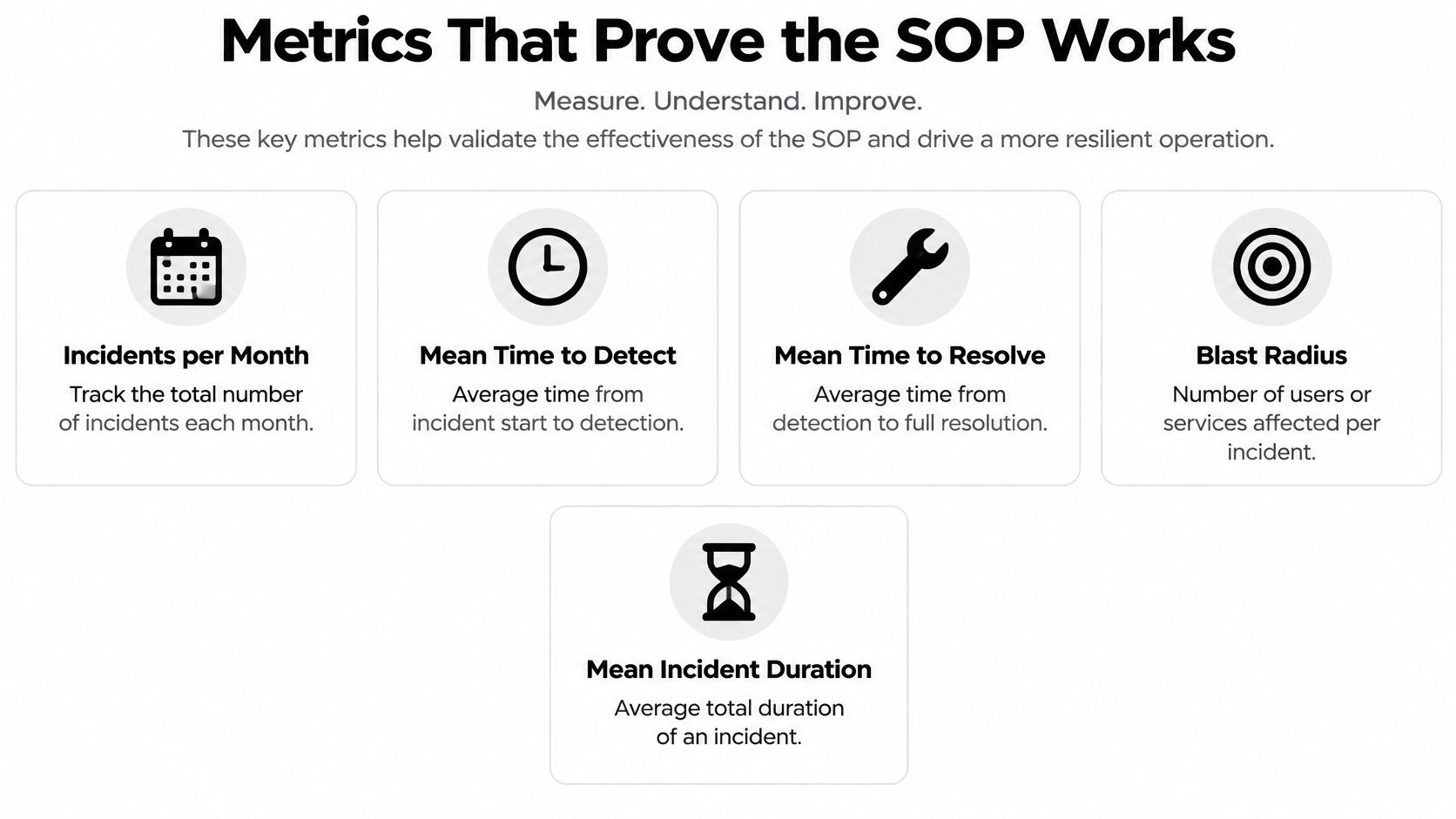
Duration alone lies, which is why impact gets recorded next to it. Google's published postmortem example makes the case better than any template: the Shakespeare Search service was unavailable for 66 minutes during an unusually high-interest period, with an estimated 1.21 billion queries lost, and recovery meant redirecting traffic to a sacrificial cluster, adding ten times more capacity and deploying an updated index. The same SRE material recommends aggregating incidents per month, mean incident duration, time to detect, time to resolve and blast radius across postmortems so the numbers describe a trend instead of a bad night.
What the postmortem must contain
The write-up happens immediately after resolution, while the timeline is still accurate. It records what happened in order, the customer impact, which decisions worked, and improvement actions with a named owner and a due date. Actions without owners are wishes.
Testing has an objective half and a subjective half. Objectively, pull a sample of resolved incidents each quarter and check three things: whether the documented procedure was followed, whether the indicators were logged, and whether damage occurred before detection. Run a scenario exercise on each critical service. Subjectively, ask the responders one question: which step slowed you down? That answer is usually more useful than any dashboard, because it points at the sentence that needs rewriting.
For a small team, a spreadsheet with one row per incident is enough to start: date, severity, time detected, time mitigated, services affected, customers affected, which SOP step was used, and whether the step worked as written. Keep the columns identical month to month so the trend means something, and review the same sheet in your SLA reporting workflow alongside the ticket data, since resolution time measured by engineers and resolution time measured by the support desk rarely match.
Keeping the SOP Current After Every Incident
A production SOP can become unreliable even when its first draft is sound. Systems, vendors and permissions change; if the steps do not keep up, responders may follow instructions that no longer fit the system.
AWS's operational readiness guidance identifies recurring failures: runbooks that are never tested, procedures held only in individual memory, dependency plans that do not match promised response times, and readiness checklists left unchanged after incidents.
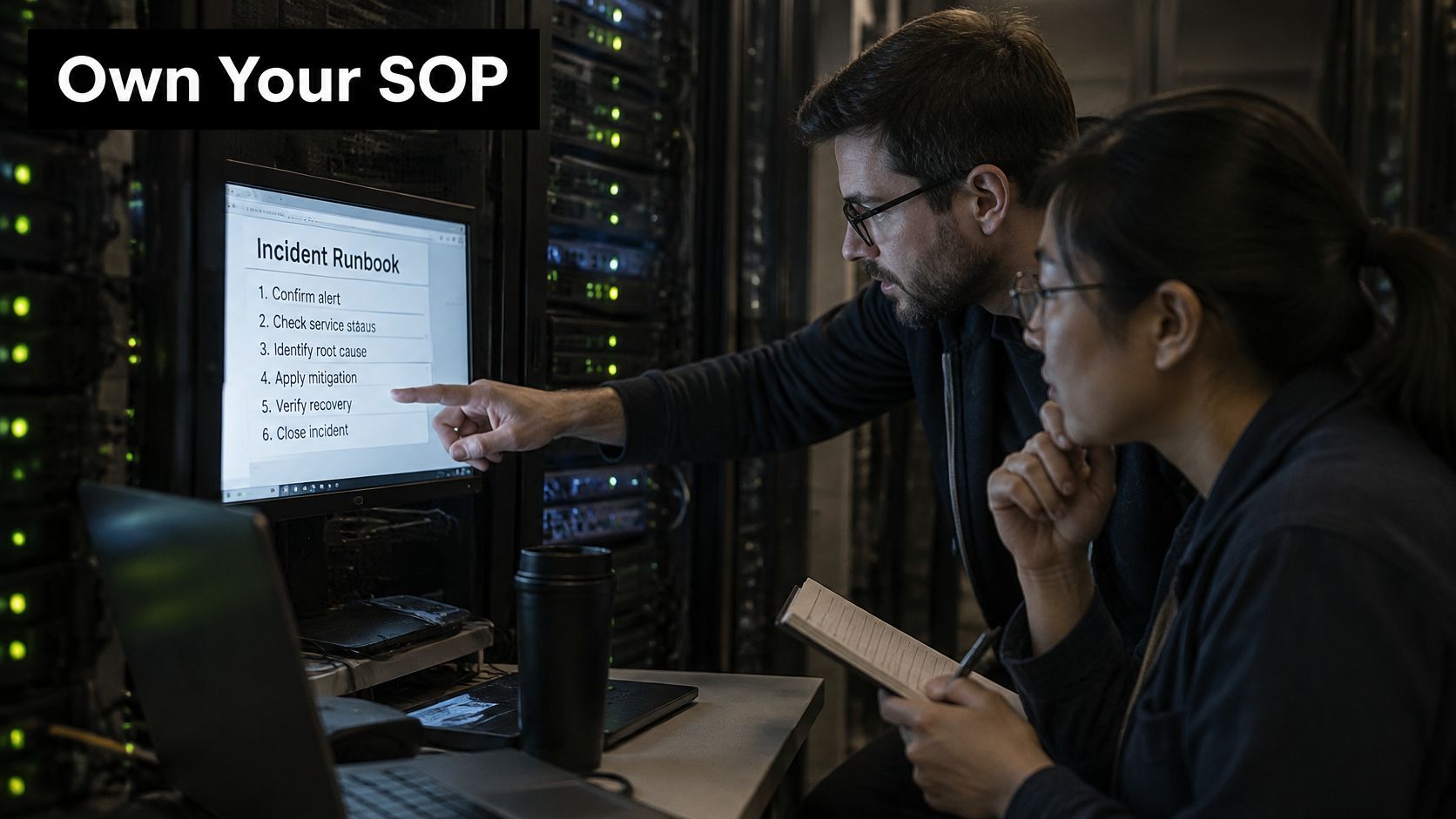
Treat each incident as a test of the procedure. If responders skip a step, pause to ask whether the step was unclear, outdated or impractical under production conditions. Revise the instruction that failed, rather than adding general reminders that leave the actual problem unresolved.
The lifecycle a small team can run
- Assign one owner and a backup for each SOP, and record both in the document header. Without an owner, review dates can pass without anyone checking whether the procedure still applies.
- Tie reviews to changes as well as a schedule. An infrastructure, application or vendor change affecting a covered service should trigger a review of the relevant steps within the same sprint.
- Keep version history visible. Responders need to see what changed and when, especially when a recent change may explain a new failure.
- Record each runbook test. Note whether it was tested in staging or during a game day, along with the date and the person who ran it.
- Turn failed steps into tracked changes. Record the date, assign an owner and define a verification test that shows the corrected step works.
Before trusting a procedure, ask how an engineer can tell that its fix applies to the current production state. If the answer is “ask someone,” the SOP depends on undocumented knowledge.
The document should change with the system, and the workflow should be maintainable by the team that operates it. MakeAutomation designs workflows for clients to modify themselves and provides documentation and training. A practical approach to automating documentation can help keep records aligned with changes. Set a review cadence that fits the service: test frequently used runbooks regularly, review the full SOP on a set schedule, and revisit affected procedures after significant changes.
Run a Tabletop Drill Before the Next Outage
A drill costs an hour. The same gap found at 2 a.m. costs a customer. Run this once this week, with the on-call role played by someone other than the author.
- Name an owner and a backup for every SOP and put both in the document header, not a separate spreadsheet.
- Match entry criteria to real signals. Every criterion should map to an alert, dashboard or customer symptom that occurred in the last six months. Delete the ones that don't.
- Verify permissions before you start. Confirm each named role, including the backup, can run the commands in the drill, with a working account. Permission gaps are the most common finding.
- Time the rollback decision. Compare it with the time box written in the step and note the difference.
- Log every gap as a dated change, assigned to a person, with the test that proves it's fixed.
- Repeat after each major infrastructure change, not just when someone remembers.
Publish rule: the SOP goes live when the drill passes without its author in the room, and not before.
Handover matters as much as the drill. Full documentation, recorded walkthroughs and team training sessions mean the operating knowledge sits with the team rather than one expert, and a single owner carrying the work from discovery through implementation and handover keeps that thread unbroken. Schedule the first drill this month. Then put the next one on the calendar, because the document is only as good as the last time someone proved it still works.
When the runbooks exist only in one engineer's head, MakeAutomation can turn them into tested operating controls: we map the failure paths, write the production-support SOPs, build the workflows they describe, and hand over full documentation with recorded walkthroughs and team training so your own people can edit them later. If the last outage took longer than it should have, start with the service that hurt most and we'll rebuild its response procedure from detection through postmortem. Visit MakeAutomation to book that first conversation.